Apple has entered the generative media landscape with its native Apple AI image generator, known officially as Image Playground. It ships inside iOS 18.2, iPadOS 18.2, and macOS Sequoia 15.2 as part of the broader Apple Intelligence framework, and it lets people generate custom illustrations, playful concepts, and personalized graphics on supported hardware.
Why should a bank care about a cartoon generator? Because it is already on the phones in your pocket fleet.
Executive Summary: Key Takeaways in 60 Seconds
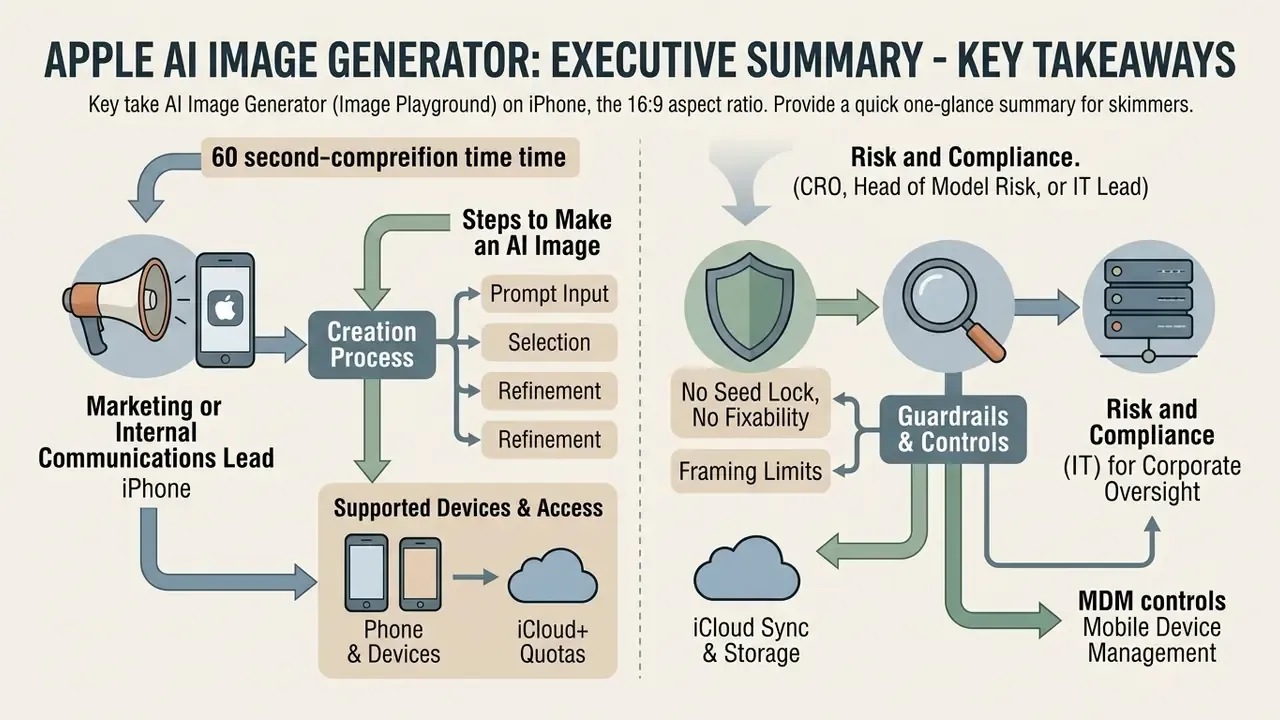
| Question | Short answer |
|---|---|
| What is it? | Image Playground, the native generative image tool of Apple Intelligence, available as a standalone app and inside Messages, Freeform, Keynote, Pages, and Notes. |
| Hardware floor | A17 Pro or M-series silicon with 8 GB unified memory. iPhone 15 Pro / 15 Pro Max, the full iPhone 16 line, M1+ iPad and Mac, and iPad mini (A17 Pro). |
| OS floor | iOS 18.2 / iPadOS 18.2 / macOS Sequoia 15.2 or later. |
| Where it runs | Core generation executes on-device via the Neural Engine; complex passes and optional ChatGPT styles route through Private Cloud Compute or OpenAI servers. |
| Cost | No separate subscription. Local generation is unmetered; server-dependent passes have daily allowances, with higher limits on paid iCloud+ tiers. |
| Hard limits | Headshot centering only (no full-body shots), blocked third-party IP, limited prompt fidelity, no seed lock or negative prompts in the base UI. |
| Commercial status | Outputs are generally not copyrightable in the US without meaningful human authorship; likeness and trademark risks remain with the publisher. |
| Provenance | Exports carry Apple Image Playground in the EXIF Credits field; Clean Up edits are tagged Modified with Clean Up. Metadata is frequently stripped by social platforms. |
| Enterprise control | Image Playground and Genmoji can be restricted through MDM/Apple Business Manager declarative configuration profiles. |
Who This Guide Is Written For
Two readers, two very different questions.
The first is a marketing or internal-communications lead who simply wants to know how to make an illustration on an iPhone without paying for another subscription. The practical workflow sections answer that in full.
The second reader sits in second-line risk: a CRO, a Head of Model Risk, a compliance officer, or an IT administrator running a managed Apple fleet. Their question is narrower and harder. Is an always-available generative model on a corporate endpoint an acceptable capability, and if so, under which documented conditions? For that reader, the sections on limitations, commercial clearance, and fleet governance matter more than the button-by-button flow.
Both audiences share one constraint worth naming early: Image Playground gives you no seed lock and no prompt log. That single gap shapes almost every governance decision later in this article.
What is Apple AI Image Generator and Image Playground
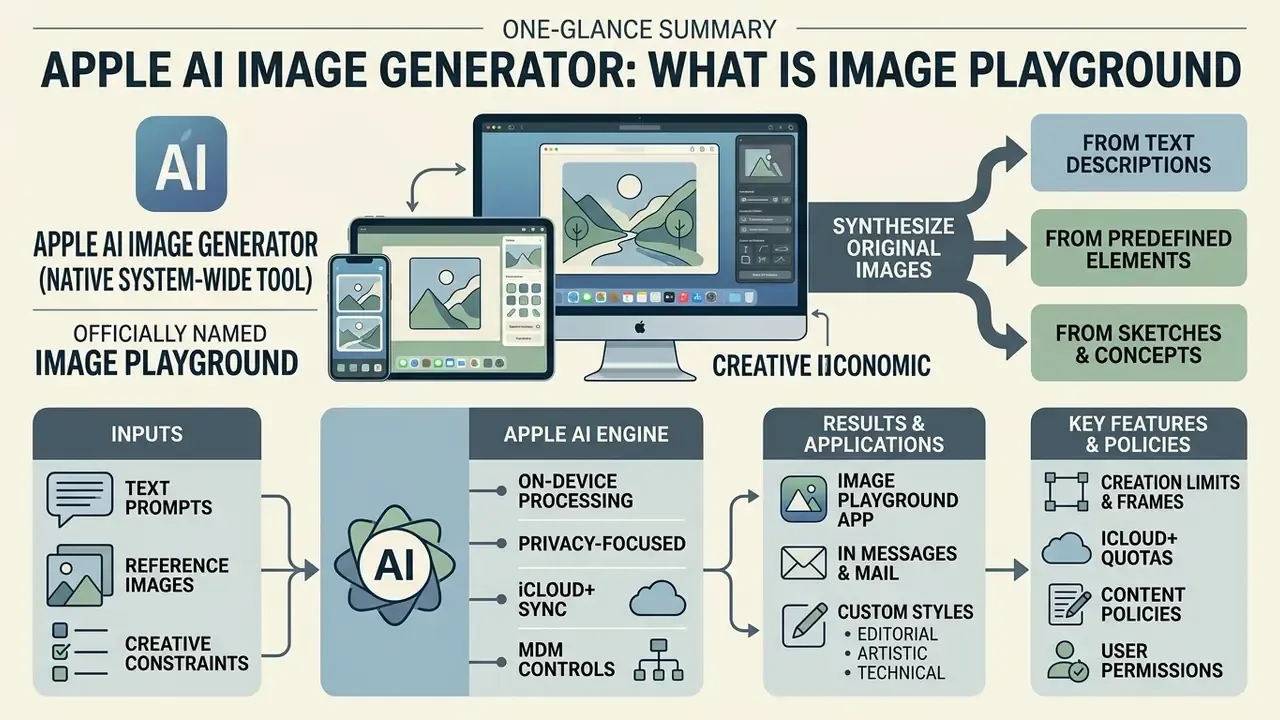
The Apple AI image generator is Apple's native system-wide tool, officially named Image Playground, designed to synthesize original images from text descriptions, predefined concepts, and personal context. Does Apple have an AI image generator? Yes. Apple integrated Apple AI generator capabilities into system applications such as Messages, Freeform, Keynote, Pages, and Notes, alongside a standalone Image Playground app.
Unlike conventional photo editing utilities that modify existing pixels, this Apple AI image creator uses diffusion and language models running on the Apple Intelligence architecture to build visual assets from scratch.
«Apple Intelligence combines on-device models and server models through a Private Cloud Compute architecture that preserves privacy while executing tasks.»
Can Apple AI Create Images from Scratch?
Apple Intelligence can generate completely original visual assets without requiring a source photo. Users enter a text prompt or select predefined concepts such as costumes, locations, themes, and expressions, prompting the underlying diffusion model to construct a new image within seconds.
Can Apple AI generate images that look genuinely novel? Within its style envelope, yes. By letting you combine multiple elements, up to seven distinct concepts, the tool builds fresh visual compositions rather than searching an existing media library. When organizations need to structure input instructions for consistent visual outputs, deploying a dedicated ai image prompt generator helps standardize team inputs across different model architectures.
Where Image Playground Is Available on iPhone, iPad, and Mac
Image Playground is accessible as a standalone application on iPhone and iPad devices and Mac computers, as well as an embedded tool within system applications. Users can launch the standalone Playground app directly from the Home Screen or call the interface inside the Messages app, Freeform boards, and Keynote presentations.
On iPadOS 18.2, the technology extends to Notes through Image Wand, which transforms hand-drawn sketches into stylized graphics. Apple's WWDC 2026 materials additionally list visionOS among supported platforms for the Image Playground app. Teams tracking architectural developments in generative software can inspect broader platform updates in our ai image news hub.
Device Compatibility for Apple AI Image Generator
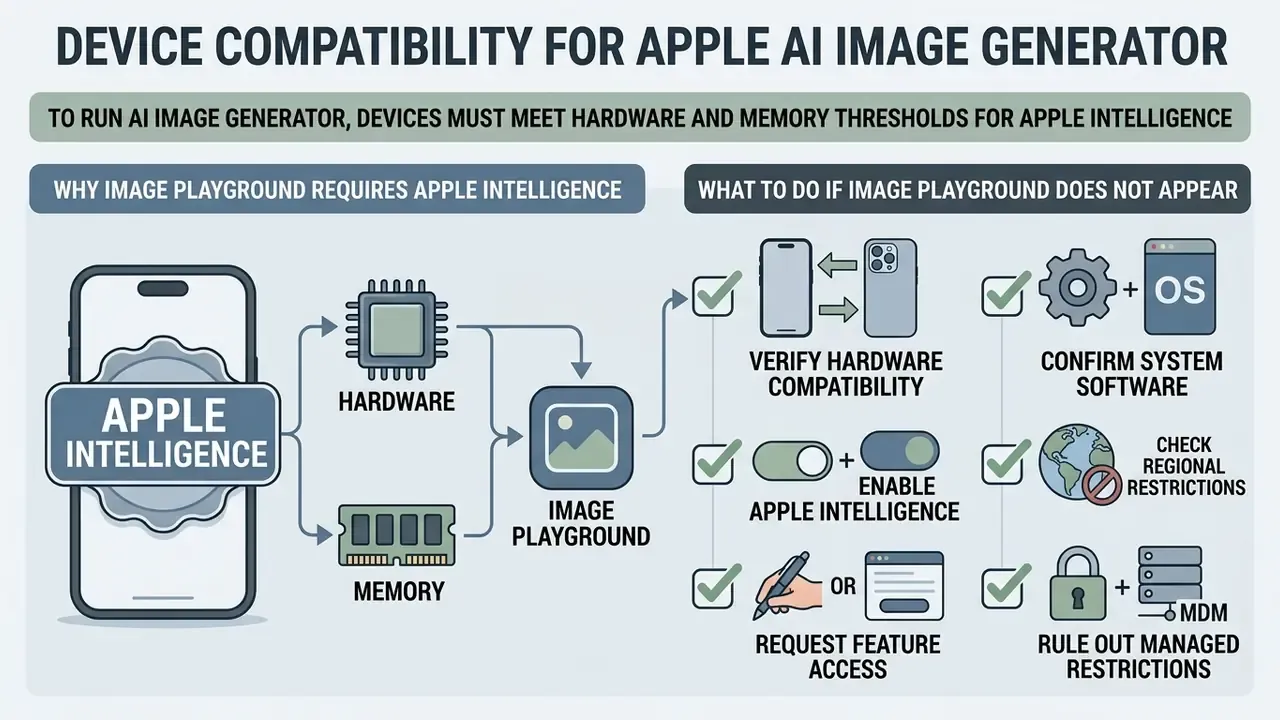
To run the AI image generator for iPhone, devices must meet the hardware and memory thresholds established for Apple Intelligence. The AI image generator iPhone experience requires an A17 Pro chip or any M-series Apple silicon processor, alongside a minimum of 8 GB of unified memory. Consequently, an AI image generator on iPhone is supported only on iPhone 15 Pro, iPhone 15 Pro Max, and the entire iPhone 16 product line running iOS 18.2 or later.
«Apple Intelligence is supported on iPhone 15 Pro, iPhone 15 Pro Max, the entire iPhone 16 lineup, iPad with A17 Pro or M1 and later, and Mac with M1 and later.»
The table below details device category compatibility, chip requirements, OS prerequisites, and feature availability for Apple's generative image tools.
Table: Apple Intelligence and Image Playground device compatibility (verified March 2026)
| Device Category | Supported Hardware Models | Required OS Version | Hardware Prerequisites | Image Playground Access Level |
|---|---|---|---|---|
| iPhone | iPhone 15 Pro, iPhone 15 Pro Max, iPhone 16 family (Base, Plus, Pro, Pro Max) | iOS 18.2 or later | A17 Pro or A18 series chip; minimum 8 GB RAM | Full access (standalone app, Messages extension, system tools) |
| iPad | iPad Pro and iPad Air with M1 or later; iPad mini with A17 Pro | iPadOS 18.2 or later | Apple silicon M-series or A17 Pro; minimum 8 GB RAM | Full access (standalone app, Freeform, Notes Image Wand) |
| Mac | MacBook Air, MacBook Pro, iMac, Mac mini, Mac Studio, Mac Pro with M1 or later | macOS Sequoia 15.2 or later | Apple silicon M1 chip or newer | Full access (standalone app, Keynote, Pages, system tools) |
| Apple Vision Pro | Vision Pro with Apple Intelligence enabled | visionOS releases listed in Apple's 2026 developer materials | Apple silicon M-series | Image Playground app availability confirmed in Apple's WWDC26 session notes |
Compatibility note: Standard iPhone 15 and iPhone 15 Plus ship with the A16 Bionic and 6 GB of RAM. They lack the required Neural Engine throughput and the 8 GB memory floor, which prevents them from supporting Apple Intelligence image generation models. No software update path enables Image Playground on those devices or on earlier iPhone generations. Verification date for every row above: March 2026.
One practical consequence for asset managers: a fleet purchased in 2022 is entirely out of scope, which quietly narrows your exposure surface.
Why Image Playground Requires Apple Intelligence
Image Playground requires Apple Intelligence because image generation relies on specialized on-device foundation models and Private Cloud Compute pipelines. The generative process needs a high-throughput Neural Engine and unified memory architecture to execute iterative diffusion denoising steps with low latency.
These underlying AI models and generation models operate within the system-wide Apple Intelligence layer, so personal context indexing from the device stays inside the security boundary during inference. Intelligence features also activate progressively after a system update rather than all at once, which is why two identical iPhones can show different capabilities on the same afternoon. Organizations looking to understand the broader landscape of foundation visual systems can explore our guide to ai image models and their architectures.
What to Do If Image Playground Does Not Appear
If Image Playground fails to appear after updating to iOS 18.2, operators should run the following verification sequence:
- Verify hardware compatibility.Ensure the device is an iPhone 15 Pro, 15 Pro Max, iPhone 16 series, or an M-series iPad/Mac. Standard iPhone 15 models are not supported.
- Confirm system software.Open Settings > General > About and verify that the device runs iOS 18.2, iPadOS 18.2, or macOS Sequoia 15.2 or later.
- Enable Apple Intelligence.Go to Settings > Apple Intelligence & Siri, toggle the feature ON, and confirm that both the device language and Siri language are set to a supported locale (for example, English US, UK, Canada, Ireland, Australia, New Zealand, or South Africa).
- Check regional restrictions.Confirm the Apple Account country and physical location are not set to mainland China, and verify EU-specific rollout conditions where regional restrictions apply.
- Request feature access.If an image rollout waitlist banner appears inside the Image Playground app, select "Request Access" to trigger server-side activation. First launch also downloads the required model assets, which can take several minutes over Wi-Fi.
- Rule out managed restrictions.On a corporate device, a configuration profile may be suppressing the app entirely. Check Settings > General > VPN & Device Management for an installed MDM payload, then read the enterprise governance section further down.
How to Create AI Images on iPhone with Image Playground
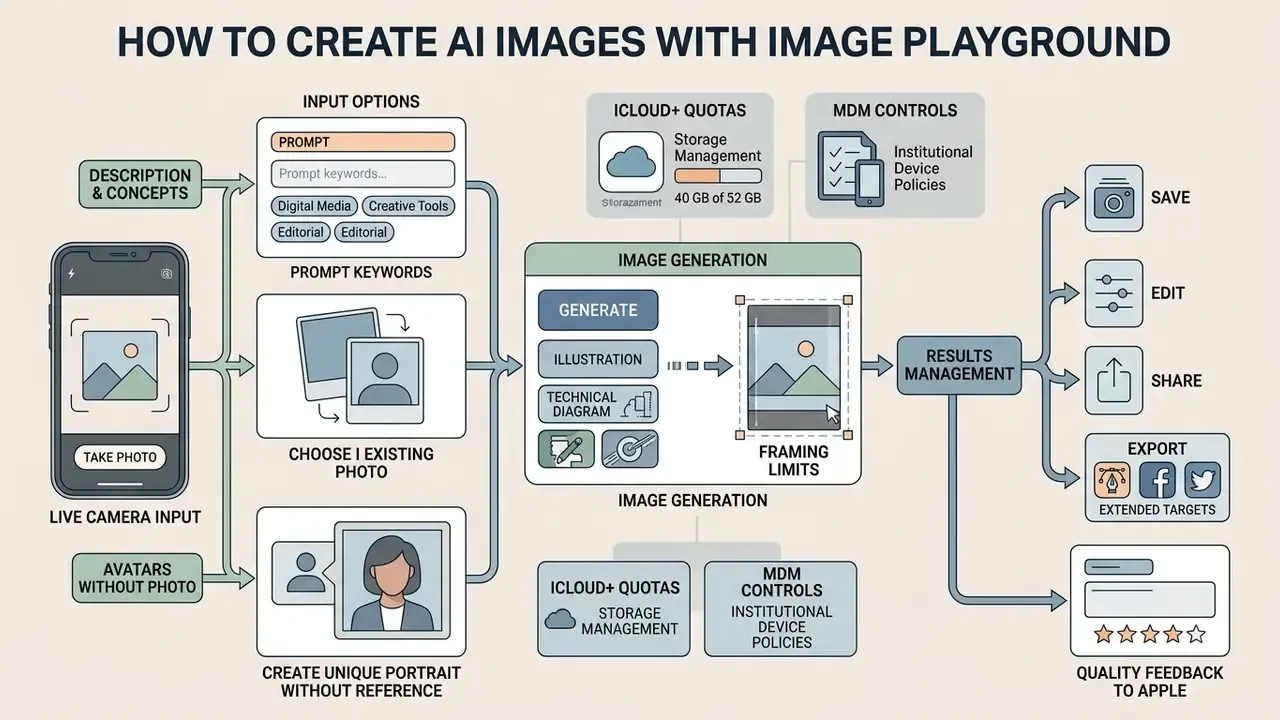
Generating AI images on iPhone involves a fast, forgiving loop. Users looking to craft an AI picture on iPhone can launch the tool, select thematic elements, input a custom prompt, preview variants, and export the output. Learning how to use Image Playground well is mostly about learning how text commands interact with Apple's visual concept taxonomy.
- Update and activate.Confirm the iPhone runs iOS 18.2+ and that Apple Intelligence is enabled in system settings.
- Launch Image Playground.Open the standalone
Image Playgroundapp icon or tap the "+" menu in aMessagesthread and choose Image Playground. - Select concepts.Swipe through recommended visual themes, locations, costumes, and accessories, tapping up to seven concepts to add them to the canvas. Tap
Show Moreto expand the full concept library. - Input a text prompt.Tap "Describe an Image," enter a concise
text prompt(for example, "a golden retriever wearing an astronaut helmet on Mars"), and tap Done. Dictation works too. - Preview and select a style.Review the generated variants on screen; tap the style selector to switch between Animation, Illustration, or Sketch. Image Playground returns four variants per pass, and swiping reveals additional versions.
- Refine.Tap the square preview to reopen the prompt stack. Remove any concept bubble by tapping its minus sign, or append new descriptive text to trigger a fresh generation pass.
- Save or share.Tap "Save" in the top-right corner to send the visual asset to your
Photoslibrary, or tap the Share sheet icon to distribute it across Messages, mail, and social media.
Generating Images from Descriptions and Concepts
To generate AI images, users type a natural-language description into the prompt field and combine it with structural concept tags. Generating images using both text and concepts gives the diffusion model explicit conditioning parameters, which reduces visual ambiguity.
If the output diverges from expectations, remove individual concept chips or rewrite the text description to trigger an updated pass. Apple's own prompt-design guidance for on-device foundation models recommends concise, specific instructions, one task per request, and splitting complex scenes into simpler passes. When building visual requests across different platforms, referencing an ai image prompt guide helps structure descriptive elements effectively.
Two or three iterations is normal. Five means the prompt is fighting the concept tags.
Creating Images Based on a Person or Photo
Image Playground can synthesize personal artwork by taking reference subjects from the Photos library. When users tap the Person icon, the system analyzes existing images in the People (and Pets) album and builds a stylized visual representation based on that individual's key features. For the flow to work, the person must already be recognized and saved in the People album; users then select a specific base photo or tap Choose Other Photo.
Personalization is constrained to stylistic attributes such as hairstyles, facial hair, eyewear, and apparel. The tool generates a stylized subject rather than a photorealistic clone, keeping personal depictions inside playful cartoon boundaries. Readers researching adjacent capabilities can compare this behaviour with dedicated image-to-image generators and with purpose-built AI headshot generators, which support the full-frame portraiture that Image Playground deliberately excludes.
Creating Avatars Without Reference Photos
If you would rather not pull a real photo from your library, Image Playground can synthesize a generic person, a stylized character built from scratch:
- Tap the
Personicon, then selectAppearancein the upper-left corner and tapEdit. - Choose one of the thumbnail presets at the bottom of the panel to swap facial geometry and hairstyle wholesale.
- Tap one of the
skin tone circlesto set the exact complexion of the rendered character. - Confirm with
Done, then swipe through generated variants and tapDoneagain to commit the asset to the gallery.
This path is the safest option for commercial and internal-communication assets, because no identifiable individual's likeness enters the generation pipeline. That removes the right-of-publicity exposure described in the commercial usage matrix below.
Live Camera Input: Take Photo
Inside the Image Playground picker, tap + on iPhone (or the Photos button on iPad) and choose Take Photo to capture an immediate reference subject instead of selecting an archived image. After the shutter fires, confirm the frame or retake it, then swipe through the generated versions and tap Done. Choosing Choose Photo instead opens the standard library picker; if a target image does not appear, tap All at the top of the picker to bypass the curated suggestions.
Submitting Quality Feedback to Apple
Image Playground ships with roughly 50 pre-loaded concept presets spread across themes, costumes, accessories, and places, so first-time users can produce usable output before writing a single prompt. When previewing generated assets, use the built-in Thumbs Up or Thumbs Down controls to submit generation-quality feedback directly to Apple's model safety team. Because the feature keeps shifting between point releases, this reporting channel is the fastest way to flag unsafe, distorted, or off-prompt renderings.
Supported Visual Styles and Content Limits
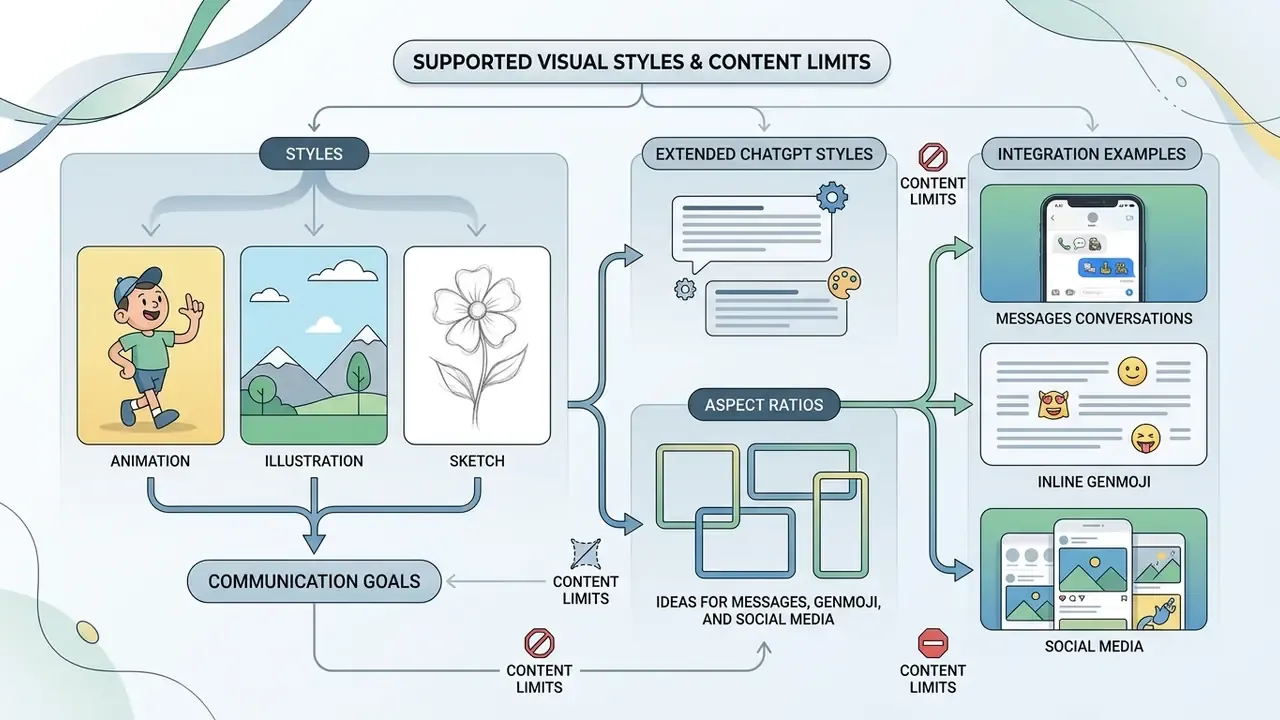
The Apple AI generated images framework focuses on stylized visual communication rather than photorealistic rendering. The model specializes in animation and illustration graphics, custom characters, thematic scenes, and personalized glyphs that enhance interpersonal messaging and social media posts.
Styles: Animation, Illustration, and Sketch
Apple offers three distinct visual style presets inside the Playground interface:
- Animation a modern, 3D-animated aesthetic with volumetric lighting, expressive character geometry, and smooth surfaces.
- Illustration clean 2D vector-style graphics featuring bold outlines, simple shapes, color blocking, and flat shading.
- Sketch detailed pencil-style line drawings on clean backgrounds, well suited to conceptual drafts and technical notes.
«Animation delivers a modern 3D-animated look, Illustration uses simple shapes with clear lines and color blocking, and Sketch produces detailed pencil drawings.»
Selecting a style changes how the diffusion model interprets visual geometry, turning identical text prompts into completely different visual assets. Same words, different world.
Extended ChatGPT Styles and Aspect Ratios
Beyond the three base styles, iOS 18.2 and later let users with the ChatGPT extension enabled pick secondary artistic renderings, including Watercolor, Oil Painting, and free-form Any Style prompts where the description itself defines the aesthetic. Newer releases also allow toggling frame orientation between the standard square, Portrait (9:16), and Landscape (16:9) aspect ratios before triggering the diffusion pipeline. Handy for wallpapers, invitations, posters, and slide backgrounds.
Because ChatGPT styles leave the device boundary, risk teams should treat them as a separate data-flow category from on-device generation. Organizations weighing that dependency against a native ChatGPT workflow can review our analysis of ChatGPT as an image generator.
Limitations of Apple AI Image Generator: Quality, Realism, and Control
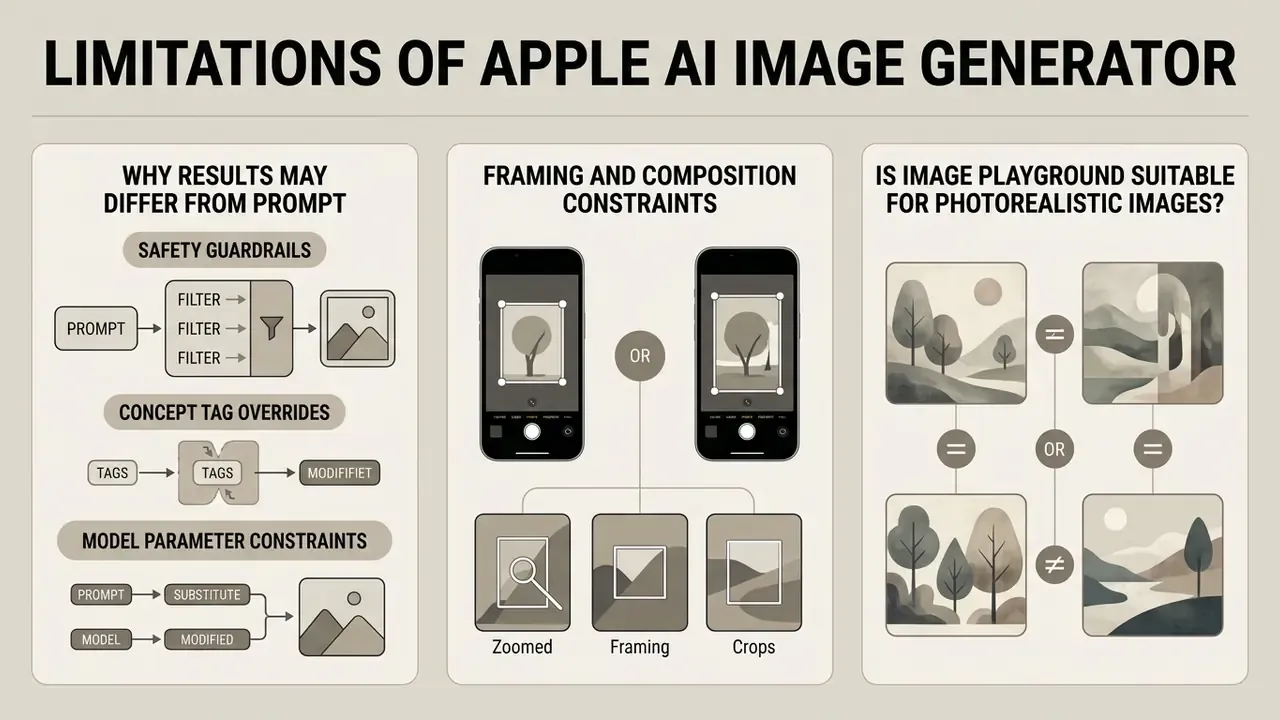
Why Results May Differ from the Text Prompt
Generative diffusion models operate stochastically, translating natural language into statistical spatial representations. Differences between a prompt and the final asset happen because of four factors.
- Safety guardrails. Descriptions referencing trademarked intellectual property, commercial logos, or public figures trigger automated content filters, which produce simplified visual substitutions.
«Prompts featuring Darth Vader, Mickey Mouse, or SpongeBob return an "Unable to use that description" error, since Apple blocks both textual and visual references to protected IP.»
- Concept tag overrides.Predefined concept tags such as themes or costumes weigh heavily on the latent noise space and occasionally overpower specific text instructions.
- Model parameter constraints.The on-device 3-billion-parameter foundation model is tuned for processing speed and memory conservation rather than complex, multi-entity scene resolution.
«Apple's on-device model contains roughly 3 billion parameters and is optimized to run efficiently on mobile hardware with minimal latency.»
- No deterministic controls. The consumer UI exposes no seed lock, no negative prompt field, and no CFG-style weighting, so identical prompts produce different outputs between sessions. That is a material gap for anyone who needs reproducible audit evidence for a published asset.
Framing and Composition Constraints
Image Playground strictly enforces headshot centering when synthesizing images based on real people. The model crops inputs to facial regions; it cannot generate full-body shots or place subjects in complex dynamic action poses. A prompt such as "doing a backflip" still returns a centered head-and-shoulders portrait, because only the face from the reference photo is used.
Independent hands-on testing also reports weaker handling of straight lines and architectural geometry, blended or merged regions where two concepts overlap, and character identity drift across sequential generations of the same subject. Multi-entity scenes, for example a person, a boat, and a bungalow on one beach, frequently lose one element entirely.
Is Image Playground Suitable for Photorealistic Images?
In its shipping consumer configuration, Image Playground does not produce photorealistic images. Apple deliberately restricted the generator to non-photorealistic styles (Animation, Illustration, Sketch) to prevent the creation of deepfakes and misleading photographic media. The distinction between stylized images and photographic ones is, in effect, a safety control implemented at the model level.
«Image Playground supports only cartoon and illustrative styles, a deliberate Apple decision that reduces the risk of realistic deepfakes.»
Usage Limits, Pricing, and iCloud+ Allowances
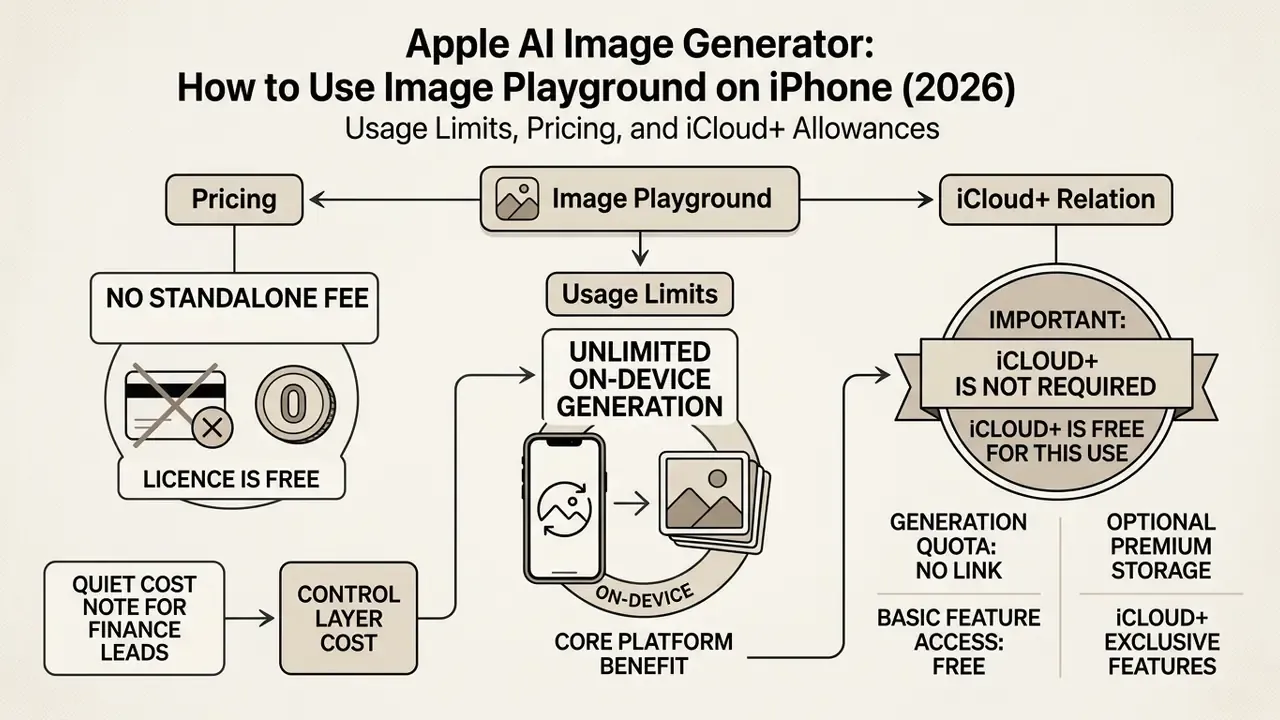
Image Playground carries no standalone subscription fee, and Apple positions unlimited on-device generation as a core platform benefit.
«All images are created on device, giving users the freedom to experiment without cloud costs while keeping their data private.»
However, "free" is not the same as "unlimited everywhere." Generation passes that leave the device, those handled by Private Cloud Compute plus any request routed through the optional ChatGPT style extension, are subject to daily rate limits. Apple's current policy grants most paid iCloud+ tiers higher daily allowances for server-dependent Apple Intelligence features, including image generation.
| Plan | Storage | US price | Practical effect on generation |
|---|---|---|---|
| Free iCloud | 5 GB | $0/month | On-device generation unmetered; lowest daily server-pass allowance |
| iCloud+ | 50 GB | $0.99/month | Higher daily allowance for server-dependent features |
| iCloud+ | 200 GB | $2.99/month | Higher daily allowance; shared via Family Sharing |
| iCloud+ | 2 TB | $9.99/month | Highest consumer allowance for high-frequency prompting |
Commercial Usage Guidelines for Apple AI Generated Images
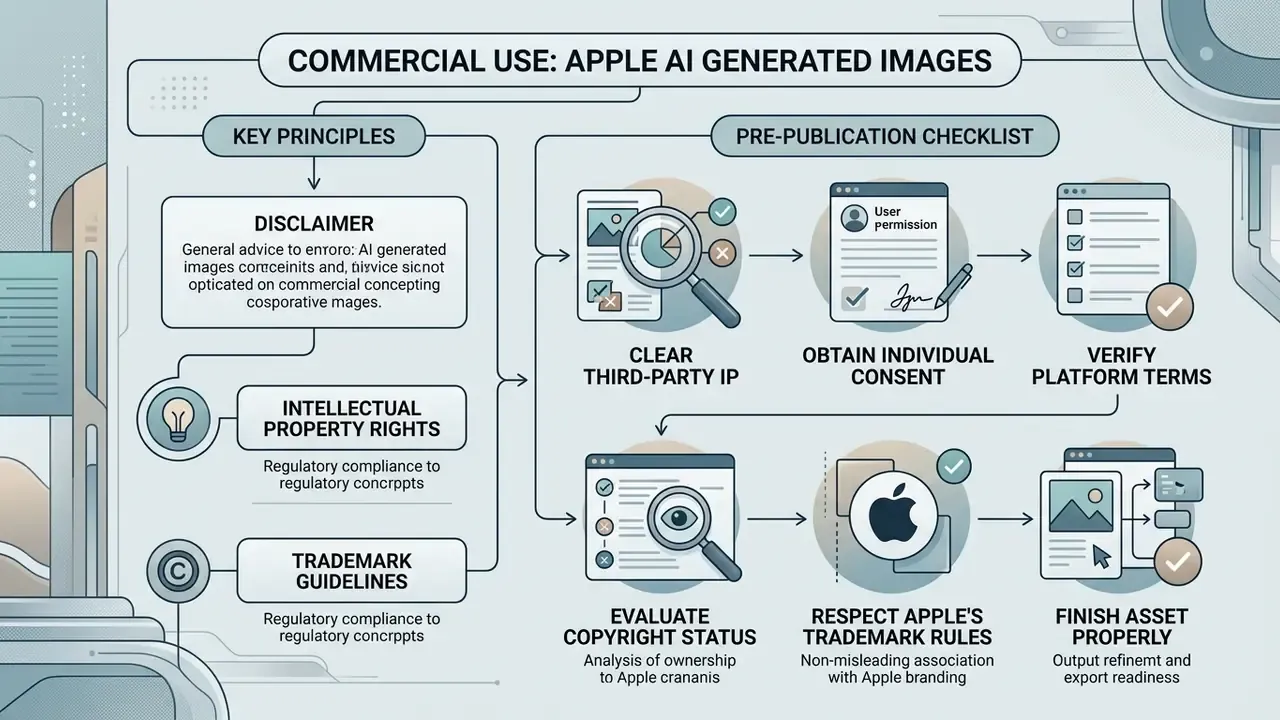
Using Apple AI generated images for commercial advertising, marketing materials, and product packaging means reviewing intellectual property rights, trademark guidelines, and consent rules. Apple allows users to generate images freely on supported devices, yet outputs incorporating existing images of real people or third-party brand elements carry distinct legal considerations.
The matrix below outlines commercial usage scenarios, primary legal risk factors, and mandatory pre-publication clearance steps. Criteria are judgement aids, not guarantees; always check the current Apple Support terms before you publish.
Table: Commercial decision matrix for Apple AI generated media
| Commercial Use Case | Primary Risk Factors | Apple Policy and Legal Status | Required Pre-Publication Checks |
|---|---|---|---|
| Personal social messaging | Low risk; potential personal privacy concerns if depicting acquaintances. | Permitted for general consumer communications. | Ensure depicted individuals consent to playful personal portrayals. |
| Public brand social media posts | Moderate risk; EXIF metadata stripping; potential brand confusion. | Permitted; output remains uncopyrightable under US Copyright Office rules without human authorship. | Confirm the graphic contains no recognizable third-party trademarks or proprietary designs. |
| Commercial advertising and packaging | High risk; trademark infringement, right of publicity violations, absence of copyright protection. | Apple trademarks and logos are prohibited without written consent; third-party IP is blocked by system filters. Apple's public documentation does not grant an explicit output license. | Conduct legal IP review; verify no third-party rights are infringed; disclose AI origin in captions. |
| Portraits depicting real people | High risk; right of publicity laws, unauthorized digital replica liability. | Requires a reference photo from the device Photos library; outputs are stylized and head-centered. | Obtain an explicit written publicity rights release from the depicted individual before commercial display. |
| Regulated-industry communications (finance, health, insurance) | High risk; recordkeeping obligations, consumer-communication supervision, model-risk documentation gaps. | No reproducibility controls, so identical regeneration for audit purposes is not guaranteed. | Log prompt, operator, timestamp, and approver; retain the exported asset in the communications archive next to the review record. |
No matching rows Clear one or more filters to restore the matrix.
What to Check Before Publishing an AI Image
Before publishing generated artwork in commercial projects, run these risk-mitigation checks:
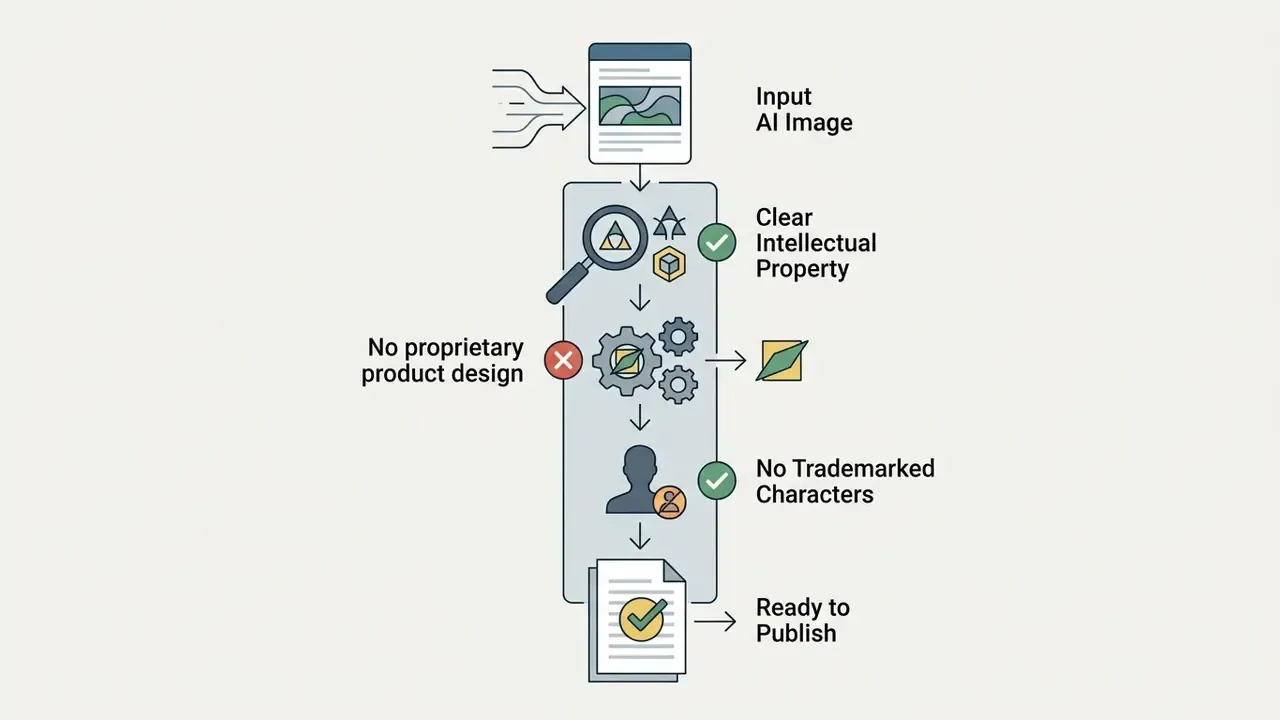
«The US Copyright Office consistently refuses registration for images created solely by AI without substantial human creative contribution.»
- Respect Apple's trademark rules.Apple's "Guidelines for Using Apple Trademarks and Copyrights" require prior written permission for commercial use of Apple logos, images, and materials unless expressly authorized.
- Finish the asset properly.Before a paid placement, run the export through AI image enhancement tools to remove compression artifacts, and verify the final resolution matches the placement specification.
How Apple Labels AI-Generated Art
Apple marks generated visual assets by embedding standardized metadata into exported files. When Image Playground creates a graphic, it writes "Apple Image Playground" into the EXIF Credits metadata field. Photos edited with Photos Clean Up are tagged "Modified with Clean Up."
«Images edited with the Clean Up feature in Photos are marked "Modified with Clean Up" in the EXIF Credits field, and the label survives sharing via iMessage and AirDrop.»
These metadata tags persist when files travel over AirDrop or Messages in original formats. Do not strip them during export. But because social platforms routinely discard EXIF metadata during re-compression, creators should add explicit textual disclosure in post captions whenever transparency matters. Downstream verification can be attempted with AI image detection tools or AI reverse image search when an asset's provenance is disputed.
On C2PA: the C2PA Technical Specification 2.0 defines a standardized c2pa.metadata assertion carried inside a signed manifest, the emerging industry mechanism for tamper-evident provenance. Apple's public documentation confirms EXIF-level labelling and the exportable Apple_Intelligence_Report.json privacy log, yet the sources reviewed here contain no Apple statement guaranteeing that provenance labels survive every export path. Governance teams that need durable provenance should attach Content Credentials in their own publishing pipeline instead of trusting the OS label alone. This point requires further primary-source data as Apple's provenance documentation evolves.
Enterprise Governance: MDM Controls and Shadow AI
For CROs, model-risk leads, and IT administrators, the central question is not how to generate an image. It is whether the capability should exist on a managed device at all. Image Playground ships enabled by default on compatible hardware once Apple Intelligence is switched on, which makes it a textbook Shadow AI surface: a generative model on a corporate endpoint, reachable from Messages, Notes, and Keynote, with no native audit trail of prompts.
No prompt log, no evidence. No evidence, no autonomy.
Governance Checklist for Managed Fleets
Checklist0 / 8
Worked policy example (illustrative, not a documented client case). A mid-sized retail bank approved Image Playground only on marketing-team devices, under three conditions: generation must use the generic Appearance avatar path rather than the People album; no customer-supplied imagery may serve as an input; and every externally published asset is logged with prompt text, operator, and legal sign-off. All other business units received an MDM restriction that removes Apple Intelligence features entirely, which eliminates uncontrolled generative capability from customer-facing endpoints.
Note what this policy buys. It does not make the model reproducible, and it does not create a prompt log the model itself refuses to keep. It simply moves the evidence burden to a place where humans can carry it.
Image Playground vs Third-Party AI Image Generators
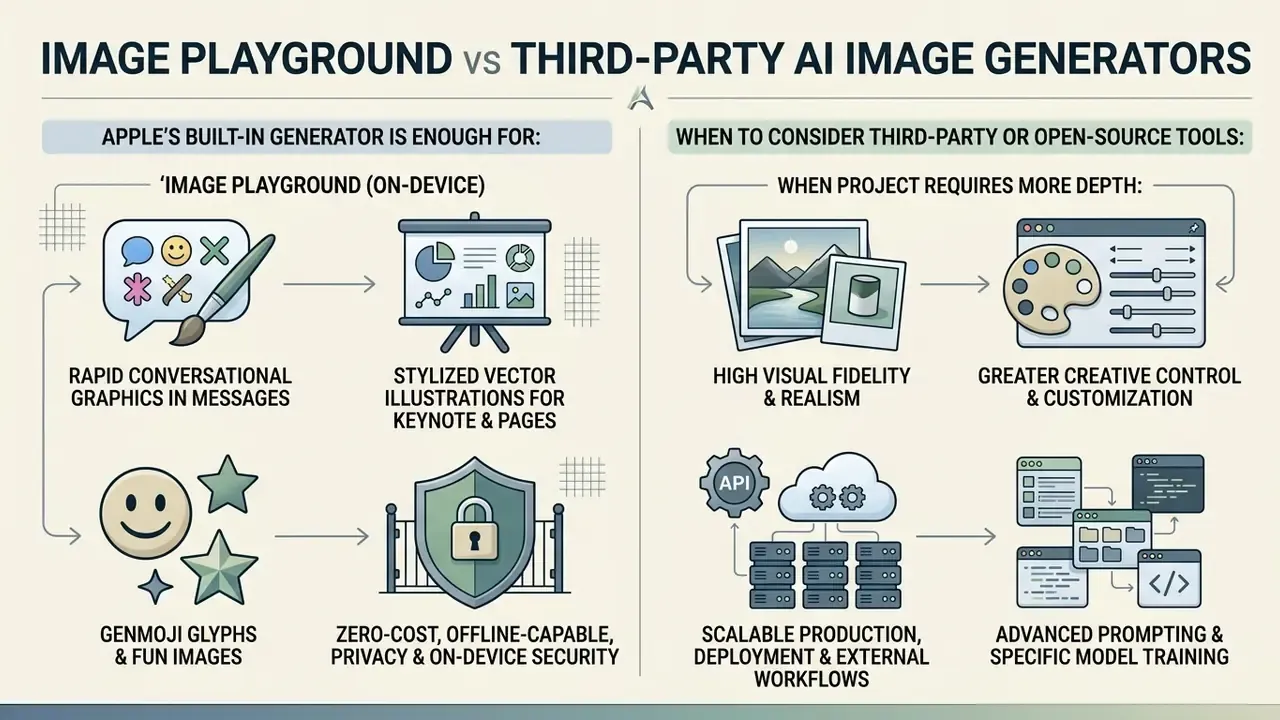
Choosing between Apple's native Apple image generator AI and a third-party or open-source tool comes down to visual requirements, control depth, and deployment targets. Decision-makers evaluating enterprise workflows can see the overview of synthetic media categories to allocate tools sensibly, and compare licensing depth with Midjourney against other AI generators.
| Criterion | Apple Image Playground | Third-party / open-source stacks |
|---|---|---|
| Primary focus | Casual, personalized, in-ecosystem creation | Flexible production-grade generation |
| Text-to-image | Yes | Yes |
| Reference-image control | Limited (face-centered, People album) | Extensive (ControlNet, IP-Adapter, references) |
| Multiple model choice | Effectively one system model | Multiple models and checkpoints |
| Styles | 3 native styles plus ChatGPT extensions | Model-dependent, often unlimited via LoRA |
| Aspect ratio control | Square, portrait, landscape (newer versions) | Arbitrary ratios and resolutions |
| Seed lock / reproducibility | Not exposed | Typically available |
| Cost | Included with the OS; iCloud+ raises server quotas | Subscription, credits, or self-hosted compute |
| Data boundary | On-device plus Private Cloud Compute | Vendor cloud or fully local deployment |
| Best for | Apple users, messaging graphics, quick concepts | Marketers, agencies, regulated audit-heavy pipelines |
When Apple's Built-in Generator Is Enough
The native Apple generator fits well for:
- Rapid creation of conversational graphics directly inside the Messages app.
- Designing stylized vector illustrations for Keynote slides and Pages documents.
- Generating custom Genmoji glyphs and fun images for informal team communication.
- Operating in zero-cost, offline-capable environments that prioritize privacy and on-device data security.
«All images are created on device, giving users the freedom to experiment while keeping their data private.»
When to Consider Third-Party or Open-Source Tools
External visual generators become necessary when a project requires:
- Photorealistic rendering, hyper-realistic lighting, or complex photographic textures.
- Advanced prompt parameters, including negative prompts, custom aspect ratios, and seed lock control for reproducible audit evidence.
- Professional enterprise API integrations for batch generation and automated graphic pipelines.
- Open-source local deployment allowing fine-tuning on custom brand design systems, or free AI generators with no sign-up for quick unbranded experiments.
- Formal provenance and evaluation tooling, which NIST's generative AI materials frame as a system-level requirement rather than a prompt-level one.
For teams building automated publishing setups, exploring structured workflows offers guidance on integrating generative tools into production environments.
FAQ about Apple AI Image Generator
Does Image Playground work without an internet connection?
Yes, in the shipping consumer configuration, core image generation runs locally on-device without an active internet connection, provided the required foundation models have already downloaded. The on-device diffusion model processes prompt instructions and renders graphics using local Neural Engine compute.
«All images in Image Playground are created on device, so users can generate an unlimited number of images without an active internet connection.» Apple Newsroom, Introducing Apple Intelligence (June 2024). https://www.apple.com/newsroom/2024/06/introducing-apple-intelligence-for-iphone-ipad-and-mac/
Auxiliary features, such as selecting external ChatGPT style extensions or downloading new localized language packs, still need connectivity to reach secure servers via Private Cloud Compute. Updated: Apple's 2026 developer materials describe the reimagined Image Playground model as running on Private Cloud Compute and requiring a network connection, without falling back to on-device generation. Verify the behaviour on the exact OS build you deploy, and check the current Apple Support terms rather than trusting last year's notes. Organizations tracking synthetic media compliance can review emerging precedent in our AI Litigation and compliance tracker.
Does Image Playground have usage limits or subscription fees?
Core on-device generation is free and unmetered. Complex passes that use Private Cloud Compute or external server extensions are subject to daily rate limits. Paid iCloud+ tiers (50 GB, 200 GB, 2 TB) grant higher daily server-pass allowances for high-frequency prompt generation. No separate Image Playground purchase exists.
Can I generate a full-body image or an action pose?
No. When a real person serves as the reference, the model crops to the facial region and centers the head. Full-body shots, group compositions, and dynamic action poses sit outside the supported envelope, even when described explicitly in the prompt.
Can I use Image Playground images in paid advertising?
Technically yes, but the publisher carries the risk. Outputs generally receive no US copyright protection without meaningful human authorship, Apple's public documentation does not grant an explicit output licence, and any recognizable likeness or third-party mark needs separate clearance. Work through the pre-publication checklist above and obtain legal review first.
Which languages and regions are supported?
Apple's 2026 support documentation lists Apple Intelligence availability in 16 languages, including English, Danish, Dutch, French, German, Italian, Norwegian, Portuguese, Spanish, Swedish, Turkish, Simplified and Traditional Chinese, Japanese, Korean, and Vietnamese. Apple Intelligence does not work on supported devices purchased in mainland China, nor when the Apple Account region is set to mainland China; EU availability depends on both account region and current location.
Can generated images be used on Apple Watch?
Yes, in a limited way. From the Share Sheet, a saved Playground asset can be pushed to Apple Watch as a photo watch face, and Genmoji created on a paired iPhone appear in watch messaging. Apple Watch itself does not host the generator; it consumes what the iPhone produced.
How private are my prompts and reference photos?
Apple states that Apple Intelligence is designed so that Apple does not collect personal data, with on-device processing where possible and Private Cloud Compute for larger requests. Users can review activity in Settings > Privacy & Security > Apple Intelligence Report and export the log as Apple_Intelligence_Report.json. For a bank-grade audit, though, note that the reviewed sources publish no granular retention or logging terms for individual Private Cloud Compute image requests. That gap is worth raising directly with Apple during vendor due diligence.
Can an organization disable Image Playground on corporate devices?
Yes. On supervised devices enrolled through Apple Business Manager, MDM restriction payloads can disable Apple Intelligence features, including Image Playground and Genmoji, and the ChatGPT extension can be blocked independently. The enterprise governance checklist above lists the sequence.
Are Image Playground results good enough for professional design?
For messaging graphics, slide art, and playful personalization, yes. For professional design production, reviewers consistently rate the output below dedicated generators: trouble with straight lines, blended regions, and identity drift show up often. Treat it as a concepting and communication tool, not a final-art pipeline.
Open Questions and a Safe Next Step
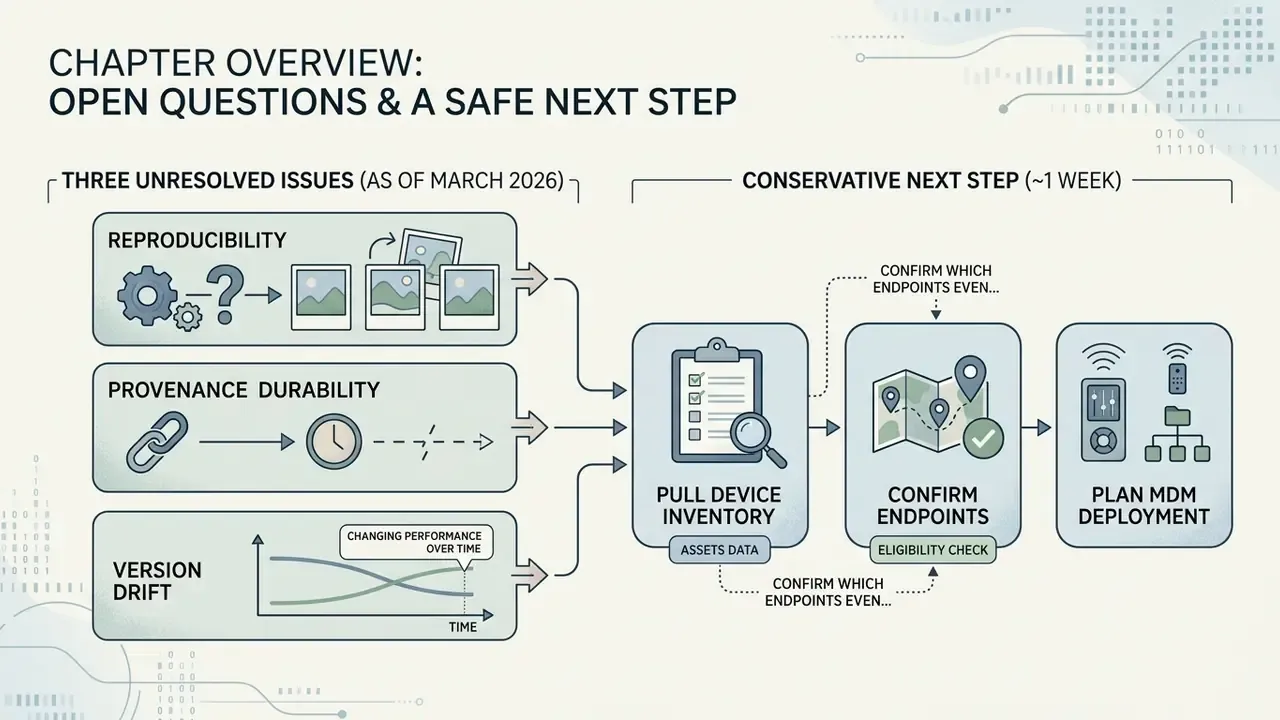
Three things remain genuinely unresolved as of March 2026.
First, reproducibility. Without seed control, no institution can regenerate a published asset byte-for-byte, so the evidence chain has to live in your own logs rather than in the model.
Second, provenance durability. EXIF credits are documented; survival across every export and platform path is not. Content Credentials applied in your own pipeline are the safer bet.
Third, version drift. Apple has already moved the feature toward Private Cloud Compute and photorealistic styles, which means a policy written against the 18.2 behaviour may misdescribe the build on your fleet today.
A conservative next step, and it takes about a week: pull the device inventory, confirm which endpoints even clear the hardware floor, set a written default posture for Apple Intelligence, and add Image Playground to the AI inventory with a named owner. No procurement decision required. Just visibility, which is usually the part that is missing.