An ai face generator is an artificial intelligence tool that synthesizes realistic human faces, character portraits, and synthetic avatars from text descriptions, reference photos, or base templates. Modern generative models push deep neural networks to construct high-resolution facial features with granular control over age, emotion, ethnicity, and lighting. The output looks like a photograph. It is not one.
That gap between appearance and provenance is exactly why this topic reaches risk committees and not only creative teams.
Key Takeaways Before You Generate Anything
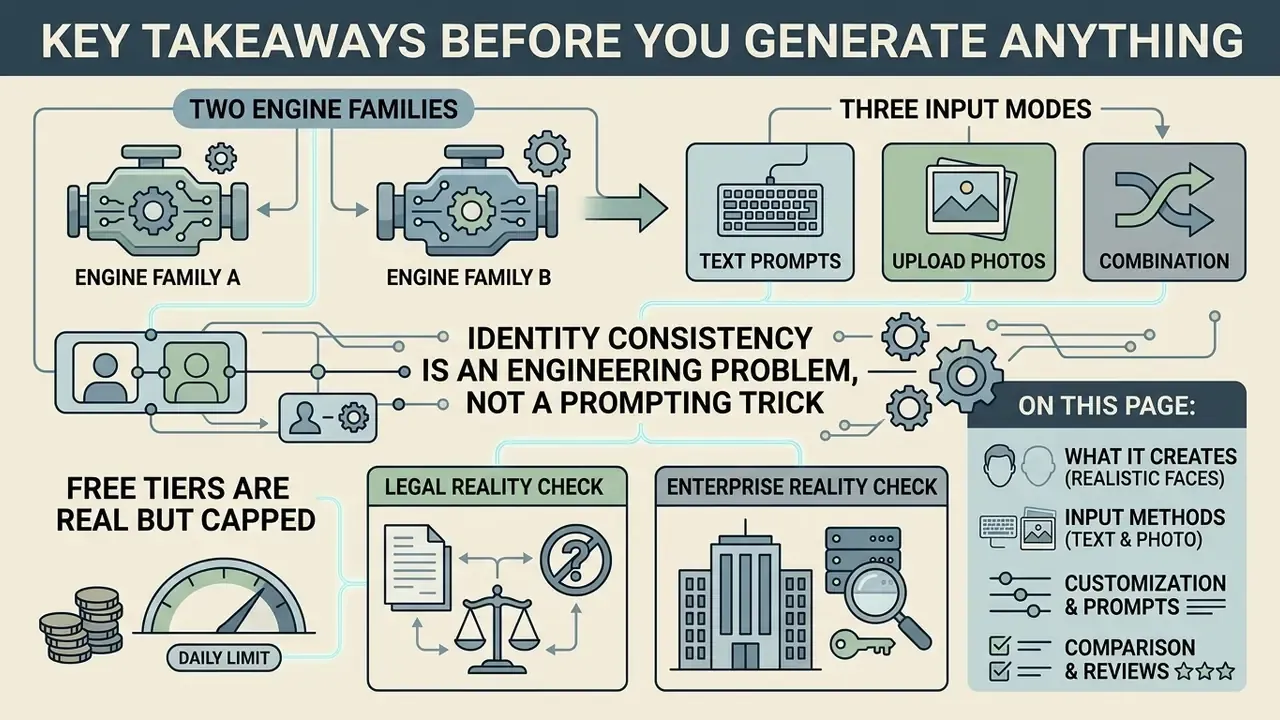
- Two engine families. GAN systems such as StyleGAN3 return random photorealistic faces in under a second with no prompt box. Latent diffusion systems (Flux, SDXL, and comparable models) build a face from a text description or a reference photo in roughly 2 to 10 seconds.
- Three input modes. Text-to-image for novel identities, image-to-image for likeness preservation, and face templates for repeatable character prototyping.
- Identity consistency is an engineering problem, not a prompting trick. IP-Adapter-FaceID, ControlNet, LoRA checkpoints, and multi-view reference sheets are what carry a character across angles and scenes.
- Free tiers are real but capped. Expect daily credit pools (5 to 20 generations), 512 to 1024 px output, and personal-use-only licences. Paid tiers unlock 4K exports, watermark removal, and commercial rights.
- Legal reality check. Purely AI-generated output without substantial human creative direction is not eligible for traditional copyright protection in the U.S. or the EU, and EU AI Act transparency duties for generative systems apply from 2 August 2026.
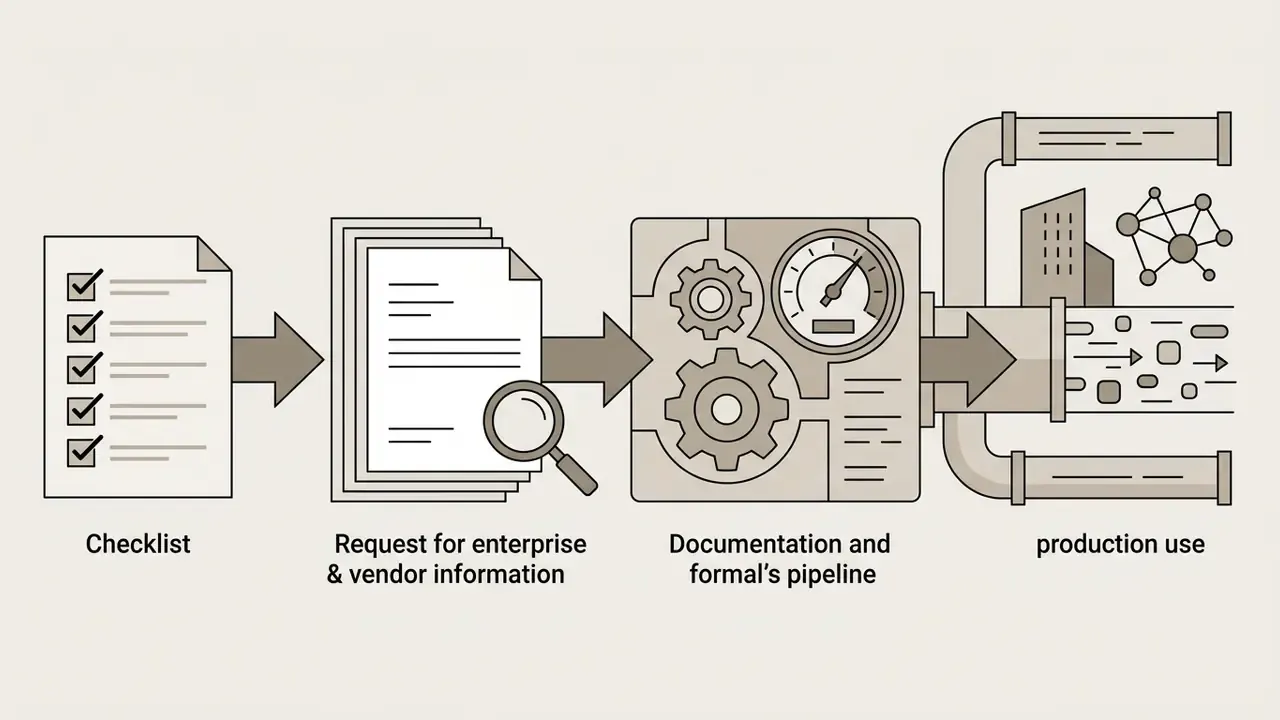
- Enterprise reality check. Consumer face generators are a Shadow AI vector. Before production use in a regulated environment, require zero-data-retention, VPC or on-premise deployment, SOC 2 Type II attestation, C2PA provenance marking, audit logs, and documented human-in-the-loop review aligned with SR 11-7 model-validation expectations.
On this page: what an AI face generator creates, input methods, customization and copy-ready prompts, the step-by-step online workflow, realism and identity consistency, a tool comparison, enterprise deployment and risk controls, pricing and commercial use, then the FAQ.
What Is an AI Face Generator and What Can It Create?
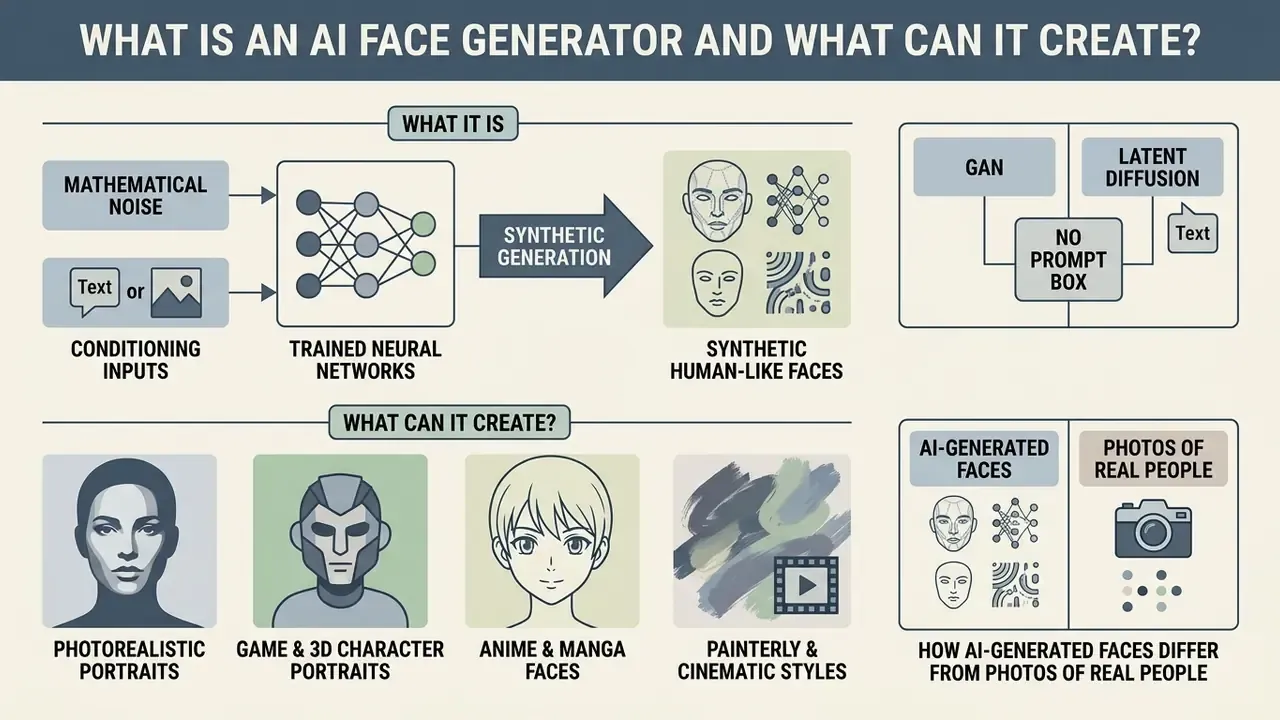
An ai face generator is a software system that creates synthetic images of human-like faces by pushing mathematical noise or conditioning inputs through trained neural networks. The output range is wide: photorealistic headshots on one end, stylized gaming characters on the other. Organizations use ai generated faces for privacy-preserving data augmentation, software benchmarking, anti-fraud and liveness testing, marketing materials, and digital media production.
So ai face creation is no longer a novelty demo. It sits inside real pipelines, with real licence terms attached.
GAN vs. Latent Diffusion: Why Some Tools Have No Prompt Box
Two architectures dominate the market. The difference explains why some ai face generator websites offer only dropdown menus while others accept full sentences.
| Engine Family | Input Method | Typical Latency | Best Fit | Practical Limitation |
|---|---|---|---|---|
| GAN (StyleGAN3-class) | No text prompt. Random seed plus dropdown attributes (race, age band, emotion) | Under 1 second | Instant "person who does not exist" avatars, placeholder faces, bulk anonymous portraits | No prompt control; you reload seeds until one fits; no photo upload |
| Latent Diffusion (Flux / SDXL-class) | Text prompt, reference image, mask, sketch, or identity embedding | Roughly 2 to 10 seconds | Art direction, character sheets, lighting and wardrobe control, identity-locked series | Slower, credit-metered, prompt-sensitive |
A GAN pipeline denoises a random latent vector into a face that matches broad demographic labels. A diffusion pipeline iteratively denoises toward a semantic target defined by a text encoder or an image embedding. That is why it accepts instructions such as "85mm lens, Rembrandt lighting, visible pores," and a GAN page simply cannot.
«Text prompt plus a semantic mask or scribble map can yield photo-realistic face images.»
Realistic Faces, Character Portraits, and Artistic Styles
Modern generative models render a broad visual spectrum: lifelike human faces, 3D character renders, and flat stylized illustration. Photorealistic engines capture organic skin micro-textures, specular highlights in the eyes, and the natural facial asymmetry that no human face lacks. Game developers and digital artists use the same tools to build character sheets across anime, painterly, and cyberpunk visual styles.
Visual differentiation between rendered 3D character art and photographic portraits is measurable, not just a matter of taste. Benchmarks score models on Fréchet Inception Distance (FID) across standard image corpora, and lower FID correlates with more photograph-like facial statistics.
«Stable Diffusion recorded the lowest FID values for face generation among the tested models on the COCO and Flickr30k datasets.»
Style separation is explicit at the product level too. Current consumer face generators ship dozens of style presets spanning lifelike portraits, anime, cyberpunk, and illustration, so aesthetic output is mostly a function of prompt wording and model choice rather than post-processing. Readers comparing engines by portrait quality can review the best AI image generators before committing credits to a large batch.
In one illustrative model evaluation for an enterprise media workflow, an automated pipeline processed 5,000 synthetic character renders to test prompt consistency across visual aesthetics. The team fed standardized inputs to measure style adherence across photorealistic and stylized outputs. The result: latent diffusion architectures held target aesthetic boundaries across varied lighting conditions without structural face distortion. Treat that as a hypothesis worth reproducing in your own environment, not a settled benchmark.
Typical visual categories in production use:
- Photorealistic portraits. Neutral or Rembrandt studio lighting, centered head-and-shoulders framing, plain background, visible pores and asymmetry.
- Game and 3D character portraits. Polished surface shading, exaggerated cheekbone and jaw geometry, controllable head pose, expression, and shoulder movement. These are the same requirements addressed by 3D-aware portrait generation research such as AniPortraitGAN (2023).
- Anime and manga faces. Enlarged eyes, simplified nose geometry, flat colour blocking, stylized hair silhouettes.
- Painterly and cinematic styles. Oil, watercolour, high-contrast teal-and-orange grading, neon cyberpunk rim lighting.
How AI-Generated Faces Differ From Photos of Real People
An ai-generated face differs from an authentic photograph in its underlying pixel distribution, frequency-domain signature, and physical texture micro-structure. Synthetic image synthesis often leaves small artifacts: irregular iris boundaries, hair strands that terminate in mid-air, subtle asymmetries in facial geometry that read as "almost right." A 2024 forensic review presented at CVPR showed that generated faces carry distinct statistical variation in skin texture compared with natural photographs. Real skin contains complex, non-repeating pore structures and diffuse light scattering. Synthetic skin tends toward localized smoothness or faint decoder up-sampling patterns.
«Participants distinguished AI-generated faces with 76.80% accuracy and increased visual scanning of the image when they suspected synthetic origin.»
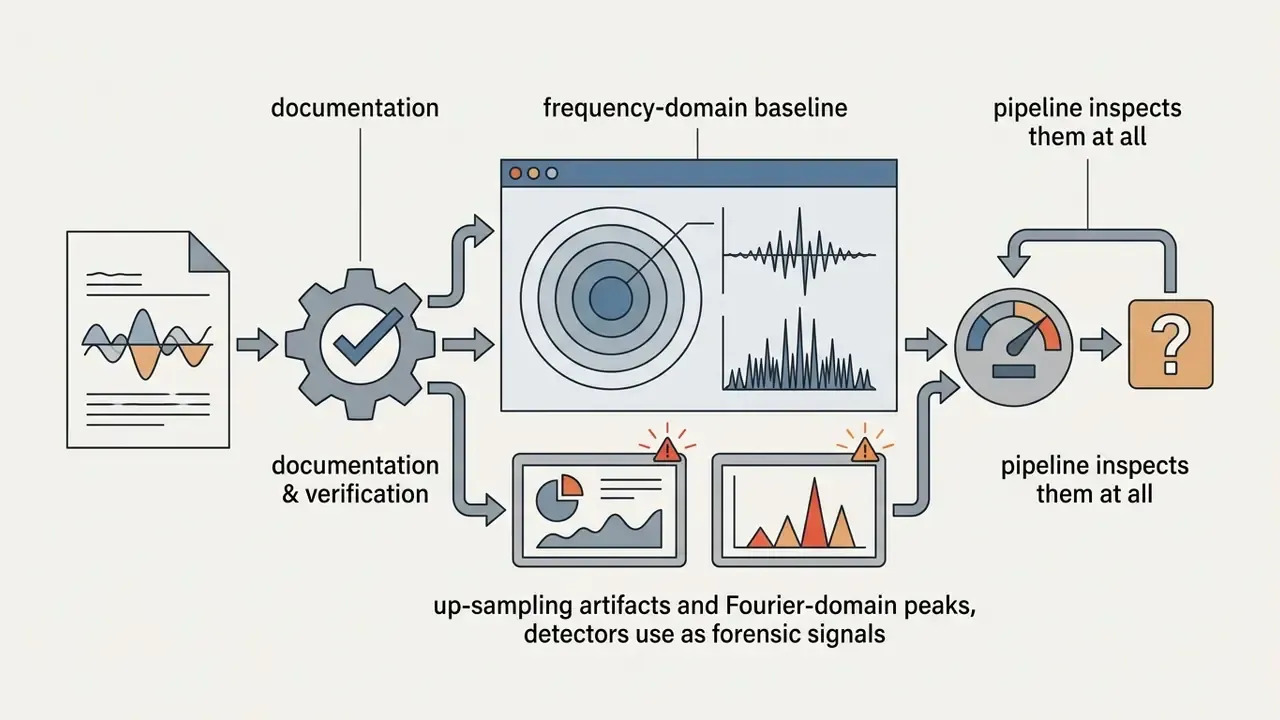
Forensic literature groups the tell-tale signals into two families. Face inconsistency artifacts, where highly detailed facial parts do not match smoother surrounding regions. And up-sampling artifacts introduced by the decoder, which appear as spectral peaks in the Fourier domain that natural photographs do not produce. Reviews from 2024 add visible cues such as glossy or waxy skin, faint or terminated hair strands, and inconsistent texture density across the same cheek.
Beyond artifacts, the population statistics of synthetic faces drift away from real datasets:
«Generated faces show statistical shifts relative to real datasets and systematic demographic disproportions in the representation of social groups.»
For a marketing team that shift is a brand issue. For a bank testing an authentication stack, it is a fairness and model-risk issue.
Create an AI Face From Text, Photo, or a Face Template
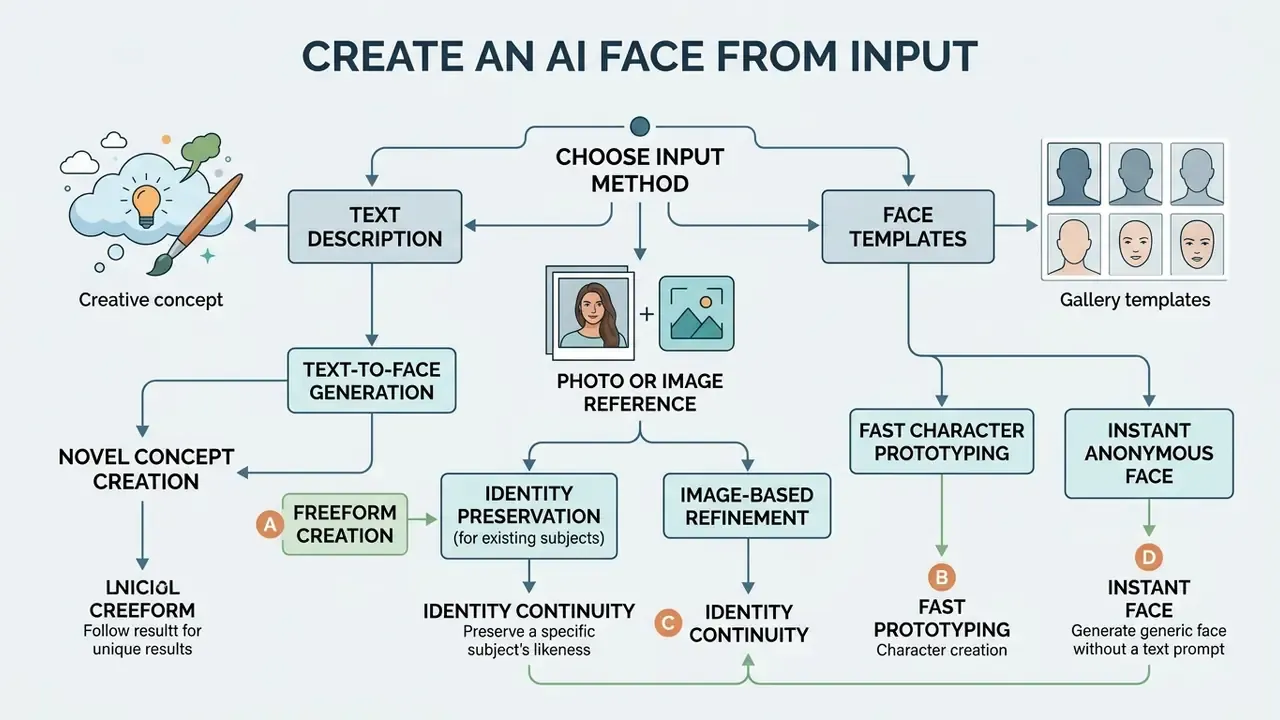
Creating synthetic portraits starts with one decision: which input modality matches your need for control, identity continuity, and speed. You can generate faces from direct text descriptions, reference image embeddings, or pre-configured facial templates.
Generate a Face From a Text Description
An ai face generator from text translates natural language prompts into high-resolution facial images through semantic text encoders. You construct prompts that specify demographics, lighting, camera angle, and facial expression to steer the network. For best fidelity, combine structured subject descriptors with technical photographic terminology, including lens focal length and lighting setup.
A 2024 AAAI conference paper reports that structured prompts specifying framing, lighting, and explicit subject attributes yield the lowest perceptual error rates in text-to-image synthesis. The same line of work names the realism template "A photo of the face of {identity}" as a reliable baseline, while CVPR 2024 supplementary material used "a zoomed out DSLR photo of …" with view suffixes such as "from the front view."
«Models differ in concept coverage: with complex or overlapping attributes, some described characteristics are omitted or rendered incorrectly in the generated face.»
That coverage gap is the practical reason to verify every requested attribute in the output instead of assuming prompt compliance. When you run an ai face generator from description workflow, naming skin texture, eye colour, and environmental context stops the model from falling back on default latent biases. Prompt-guideline research from CHI (2022) adds two operational rules: prioritise subject and style keywords over connector words, and test 3 to 9 seeds before you judge a prompt.
Three seeds. Sometimes that alone changes your opinion of a prompt entirely.
Create a Face From a Photo or Image Reference
Image-to-image synthesis lets you ai create a face using an existing photograph as a structural or identity reference. Conditioning mechanisms such as IP-Adapter extract facial feature vectors from an uploaded photo, separating identity traits from pose and background. Teams evaluating tooling for this mode can compare image-to-image AI generators by identity-retention quality and licence terms.
In parallel, spatial control frameworks such as ControlNet preserve facial contours, bone structure, and expression layout through a separate conditional branch, constraining geometry independently from appearance. This dual-stream approach lets the network synthesize new facial variations while identity recognition survives a change of scene.
«Arc2Face generates photorealistic images of any subject from an ArcFace embedding, achieving higher face-similarity scores than existing models.»
IP-Adapter-FaceID follows the same principle in production pipelines. It substitutes face-recognition ID embeddings for generic CLIP image embeddings and adds a LoRA layer to tighten identity consistency.
One caution, and it matters more than the technique: uploading a photograph of a real person shifts you from synthesis into likeness processing, with consent and privacy duties attached.
Use Face Templates to Start Faster
Pre-configured facial templates speed up visual development by supplying standardized baseline geometry and character presets. Templates fix structural identity parameters, so creators can swap expressions, lighting, or hairstyles without re-engineering base prompts. Studio teams use presets during character blocking and prototyping to lock a visual baseline before spending time on full diffusion iterations.
The trade-off is documented in character-authoring tools. Applying a head template instantly rewrites the character's appearance to the template morphology, and expression presets switch mimicry in a single click, but the output stays bounded by the preset's geometry unless someone edits it afterwards. Templates buy speed. They cost uniqueness.
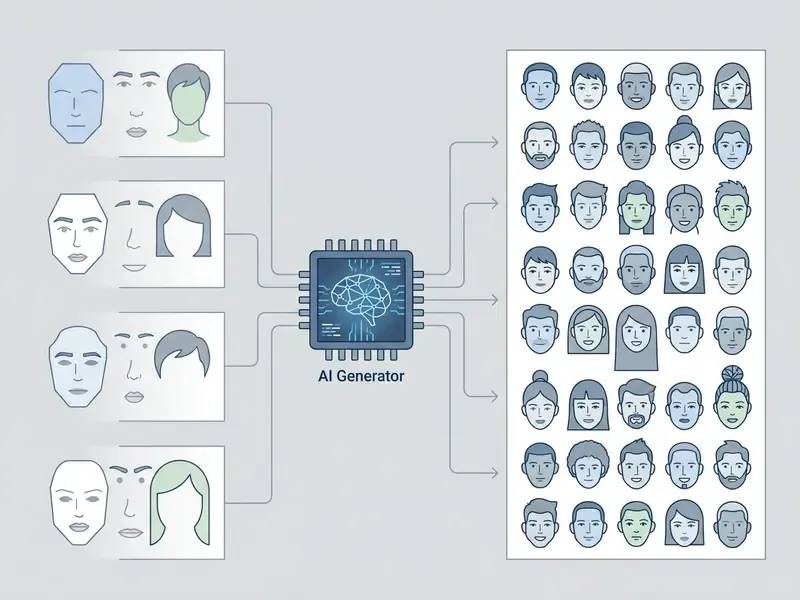
Decision flow: choosing an AI face generation input method
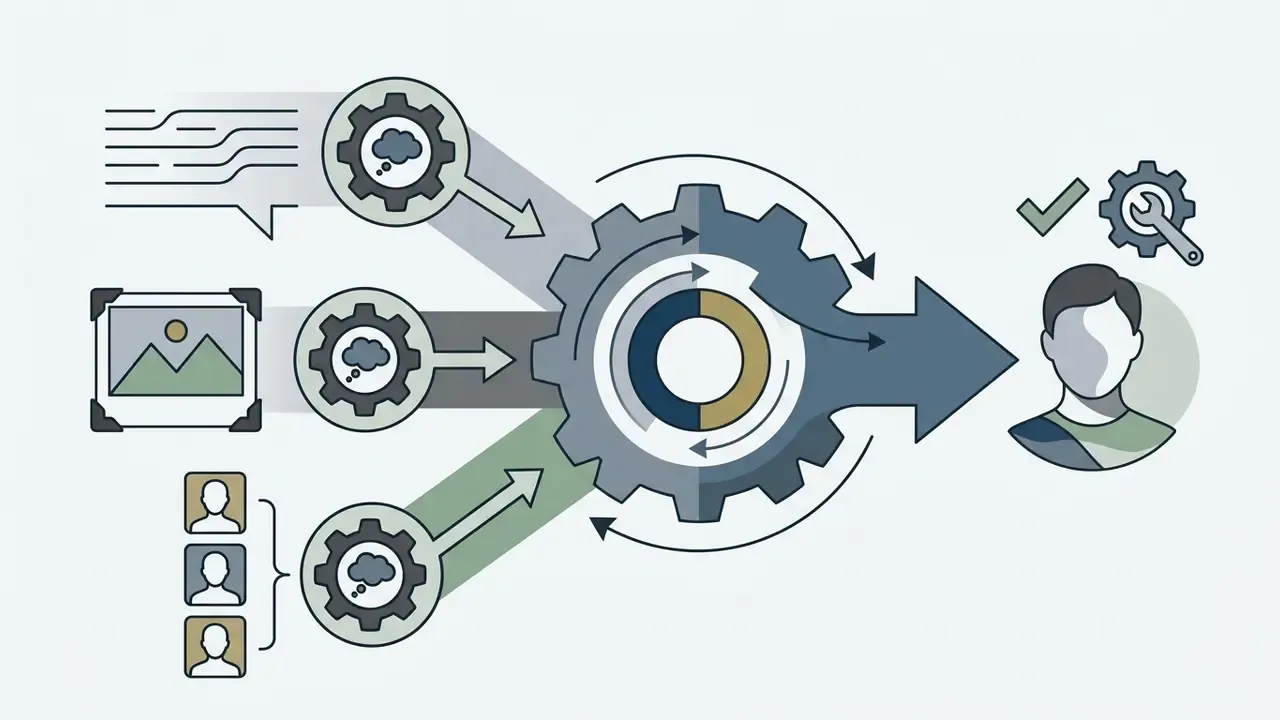
Three decision layers: required exactness, need for a reusable structure, and need to preserve identity from an existing image.
Step 1. Define the target output requirement. Decide whether the project needs a completely novel identity, a repeatable preset, or exact likeness preservation.
- Path A, novel concept or freeform creation. Select text-to-image prompt mode. Enter detailed descriptions covering age, ethnicity, lighting, and framing.
- Path B, fast character prototyping. Select a face template preset. Apply predefined geometry, then modify expression or hairstyle layers.
- Path C, identity preservation for an existing subject. Select photo reference (image-to-image). Upload the source photo, apply IP-Adapter for identity lock and ControlNet for pose control.
- Path D, instant anonymous face with no prompt. Select a GAN seed generator. Set race, age band, and emotion from dropdowns, then reload seeds until an acceptable face appears.
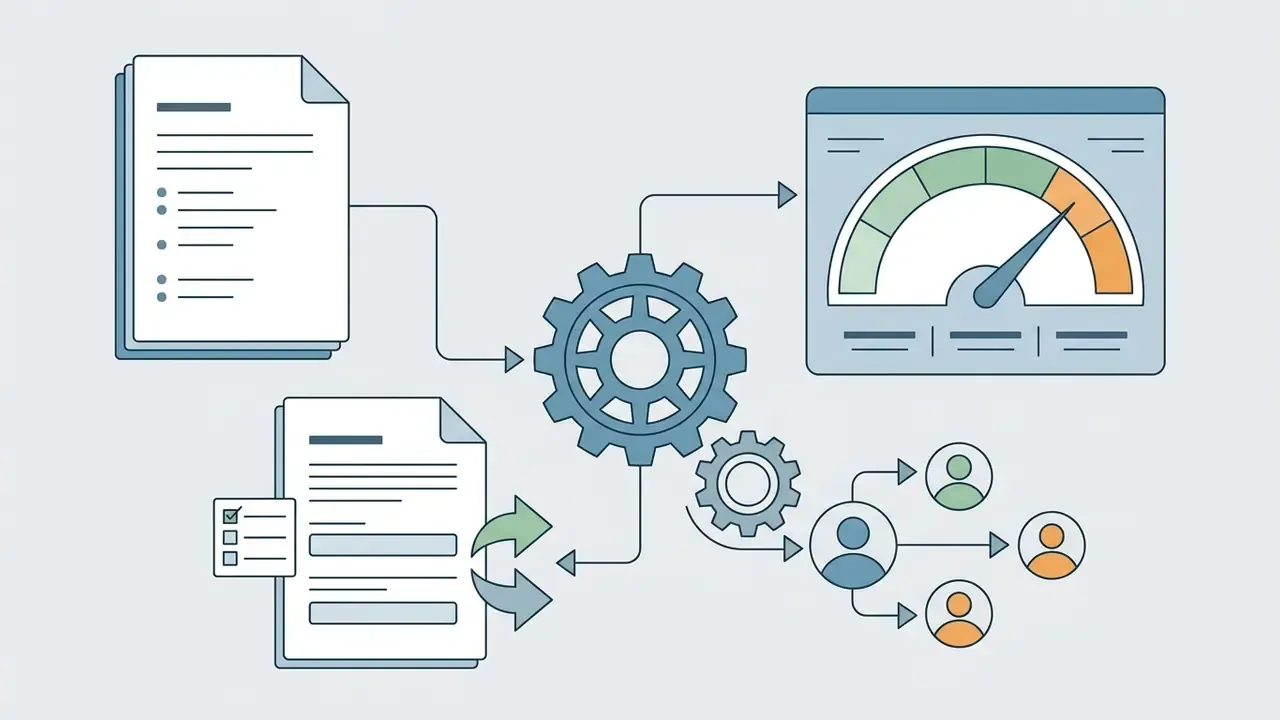
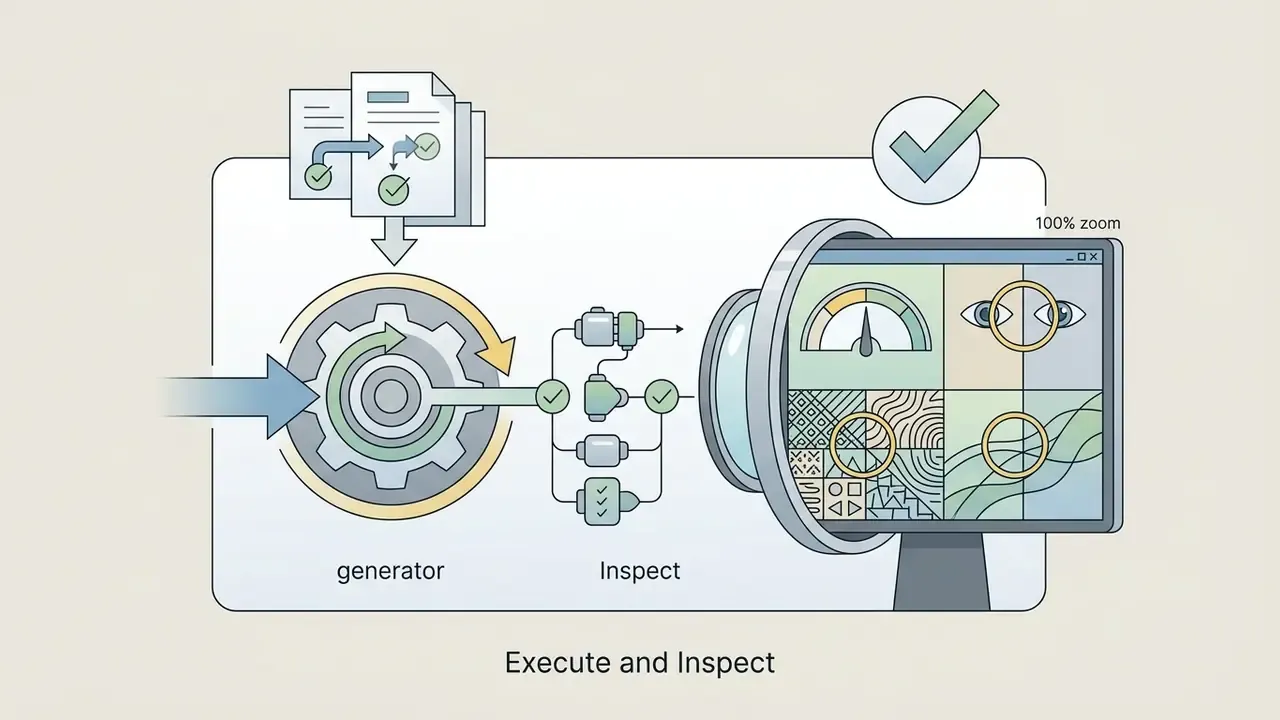
Step 2. Execute generation and review. Run the pipeline, then evaluate facial symmetry, micro-textures, and prompt adherence before you commit the asset.
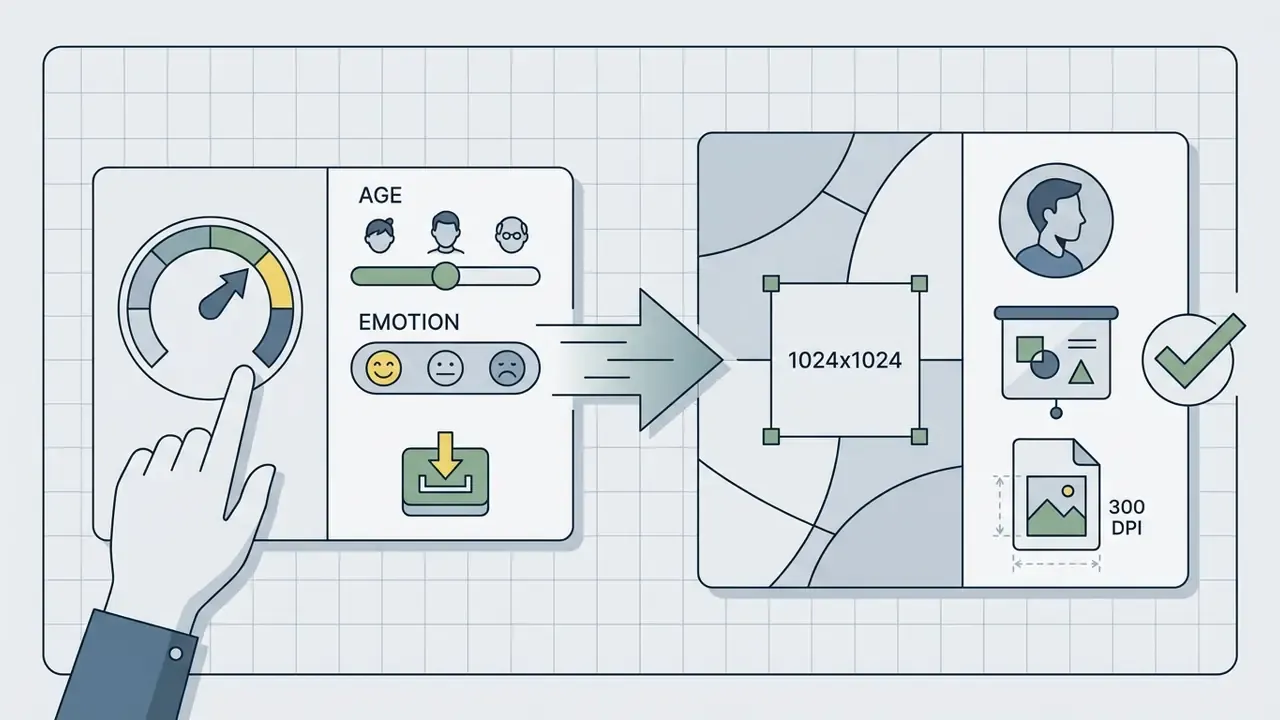
Customize AI-Generated Faces: Age, Expression, Style, and Details
Fine-tuning parameters in an ai face maker from text engine gives you precise control over demographic, stylistic, and structural facial features.
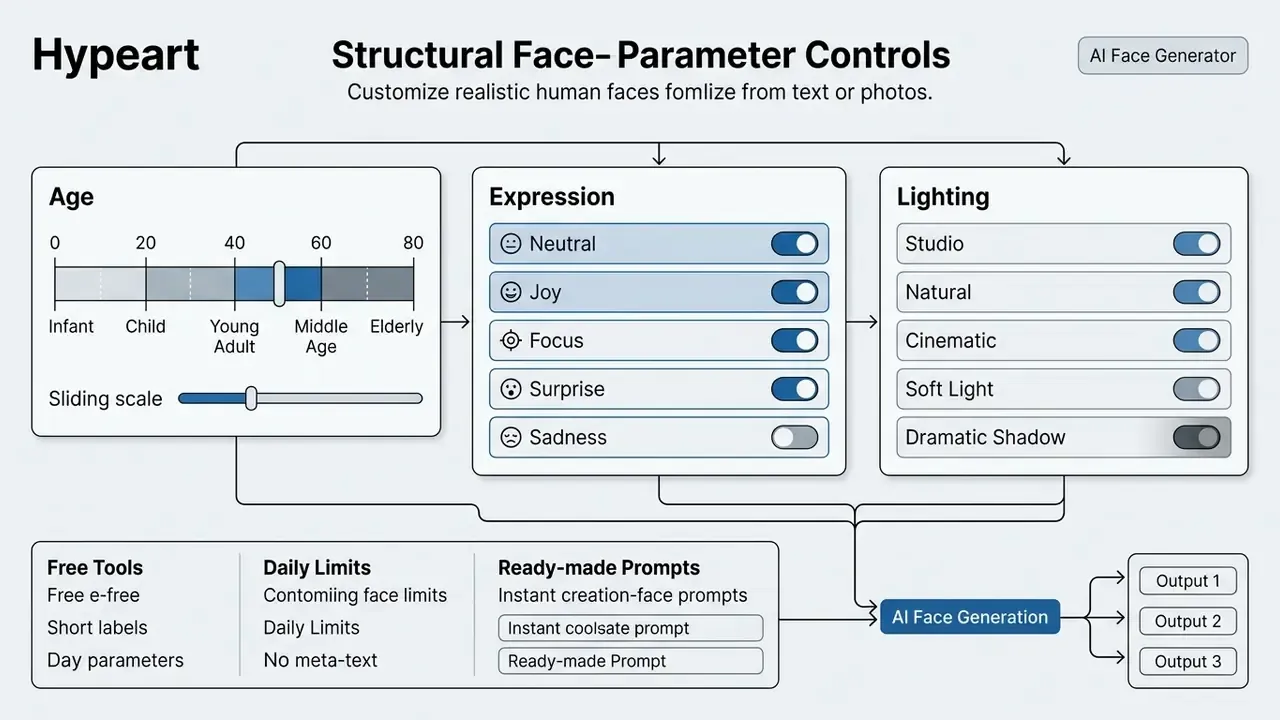
Control Age, Facial Features, and Expression
Age and expression control works best when you combine explicit morphological terms with emotional descriptors. Peer-reviewed dataset work on AI-generated faces bins age into discrete demographic tiers, namely Child 0 to 14, Youth 15 to 24, Adult 25 to 44, Middle-aged Adult 45 to 64, and older adults, and treats skin tone, gender, and age as the three core controllable demographic axes. Models then adjust skin elasticity, wrinkle density, and jawline definition against the specified target range. Note that mature-audience or ai adult face generator presets sit behind separate content policies on most platforms, so verify the vendor's safety terms before you rely on them.
«A latent-diffusion age-editing method preserves high identity similarity even under substantial changes to wrinkles, skin texture, and hair colour.»
Emotional expression is modulated by defining eye curvature, eyebrow position, and mouth tension, which keeps facial mechanics natural instead of distorted. Peer-reviewed work on emotional image generation (ICCV, 2025) uses the canonical label set happy, sad, angry, surprised, disgusted, fearful, with neutral as the no-emotion baseline. Useful vocabulary, because non-canonical emotion words tend to collapse into a generic smile.
Age vocabulary that survives model interpretation: "smooth skin, round cheeks, soft jawline" for youth; "fine expression lines, defined nasolabial fold" for mid-life; "deeply wrinkled skin, thinning hair, translucent skin over temples" for older adults.
Choose Hair, Skin Tone, and Visual Style
Modern diffusion architectures separate visual style parameters from structural facial identity. You can specify hair textures such as afro-textured, wispy, or straight, plus specific colour tones. Vendor examples name shades including ash blonde, cherry red, and jet black. Skin tone control uses standardized classification scales for consistent rendering under different digital lighting; recent dataset work sorts faces into six skin-tone classes captured under deliberately varied illumination, because apparent tone shifts once you relight the scene. Styling controls then move you between photorealistic studio photography, high-contrast cinematic lighting, and illustrated graphic art. Colour grading and blemish work are usually finished in dedicated AI photo editors rather than in the generator itself.
Bias is a measurable side effect of these controls, not a rhetorical concern:
«T2I-AT analysis revealed stereotypical associations in generated faces: occupation prompts produce faces disproportionately linked to specific demographic groups.»
For regulated or public-facing usage, that finding implies an explicit demographic-balance review whenever prompts include occupations, income signals, or authority roles. Who signs off on that review? Name the person before the campaign ships, not after.
Refine Results With Better Face Generation Prompts
Output quality in an ai face creator rests on layered prompt construction. Effective prompts separate core subject identity, skin surface detail, camera parameters, and negative constraints.
Prompt formula, fast version:
Subject + Appearance + Expression + Pose/Angle + Lighting + Style + Background + Negative constraints
For maximum fidelity, structure prompts using four functional layers:
- Subject core.Age, gender, ethnicity, structural face shape. Example: "A portrait of a 35-year-old East Asian woman with a defined jawline."
- Surface micro-details.Texture and light behaviour. Example: "visible skin pores, natural subsurface scattering, detailed iris patterns, fine hair strands."
- Camera and rendering optics.Capture settings. Example: "85mm lens, f/1.8 aperture, soft studio Rembrandt lighting, shallow depth of field."
- Negative constraints.Quality locks against common generative defects. Example: "no skin blurring, no plastic texture, no asymmetrical pupils, no overexposure."
Copy-Ready Prompts
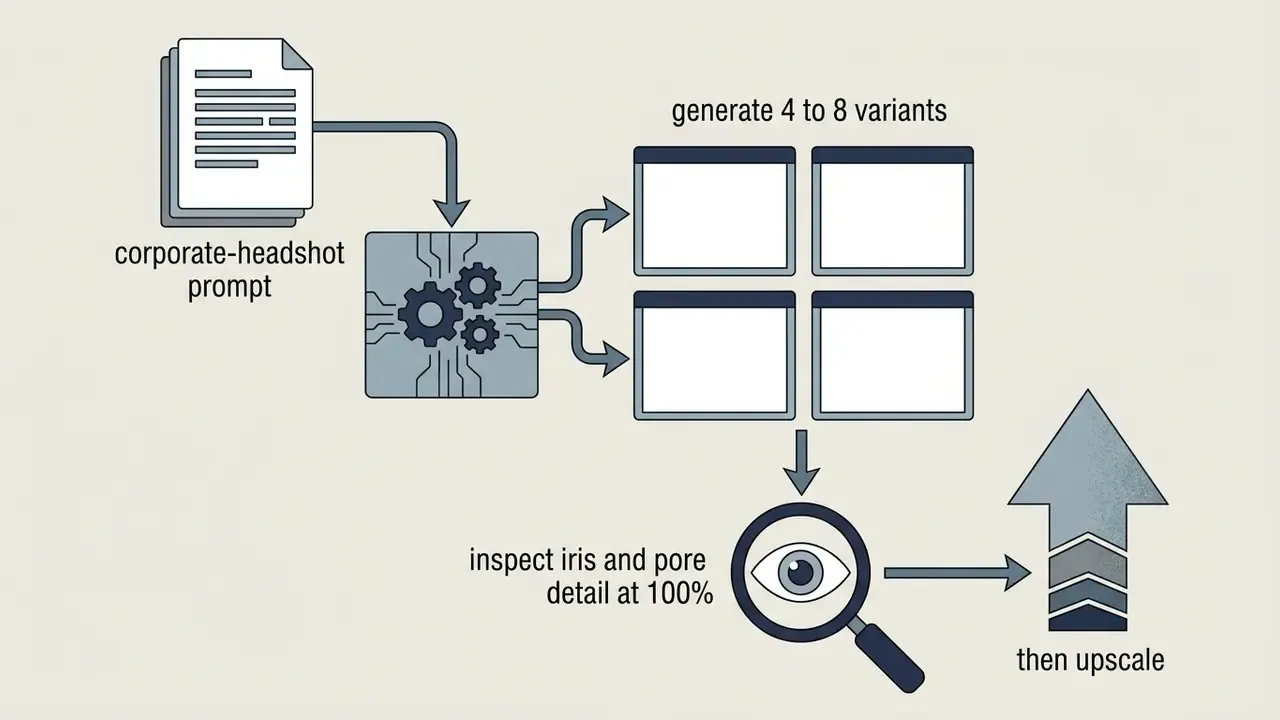
1. Professional corporate headshot
A sharp photographic portrait of a 38-year-old Hispanic male executive, natural subtle smile, wearing a dark gray tailored blazer, shot on 85mm lens, f/1.8 aperture, soft studio Rembrandt lighting, shallow depth of field, neutral office background, visible skin pores, crisp focus on the eyes

--no face blur, plastic skin, distorted iris, extra fingers, text artifacts
2. Cinematic fantasy character
A 3D character render of a female elf warrior, intricate silver braid hairstyle, highly detailed blue eyes, wearing weathered leather armor, 3/4 side view angle, dramatic volumetric cinematic lighting, subsurface scattering on skin, forest twilight background

--no flat shading, waxy skin, asymmetrical pupils, duplicated ears
3. Photorealistic older-age portrait
Close-up portrait of a 70-year-old fisherman with deep wrinkled skin, grey beard, weathered face micro-textures, harsh natural daylight, shot on Hasselblad 50mm, photorealistic, organic skin pores, natural asymmetry

--no smooth skin, digital blur, beauty retouching, plastic highlights
4. Neutral dataset-style face for testing and QA
Front-view neutral-expression portrait of an adult subject, even diffuse lighting, plain light-grey seamless background, centered head-and-shoulders framing, natural skin texture, no makeup, no accessories, 1:1 aspect ratio

--no dramatic shadows, no stylization, no background objects, no watermark
Reuse pattern: keep layers 1, 3, and 4 fixed as a template, then vary only layer 2 plus the wardrobe or background phrase across a set. That single habit is what turns batch output into a coherent series instead of a scattered pile of unrelated portraits.
How to Use an AI Face Generator Online
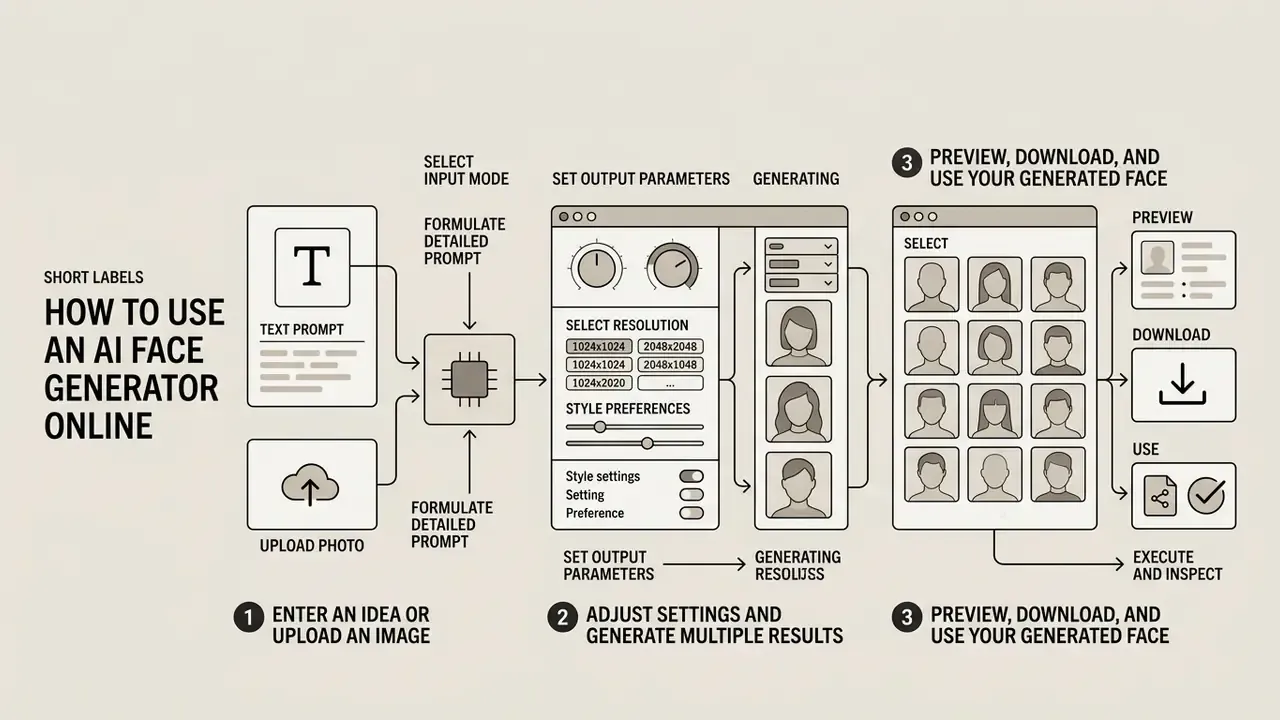
Generating usable synthetic media through an ai face generator online interface follows a fairly stable sequence, from input configuration to final export.
Enter an Idea or Upload an Image
Launch the web interface and pick your primary input method. Starting from a concept? Type a structured text prompt into the generation field. Reproducing or modifying an existing subject? Upload a high-resolution source photo as the identity anchor. You can see the overview of platform access modes before you start heavy generation, and anyone who wants instant browser access can begin with no-sign-up AI image generators.
Vendor documentation converges on the same first step: choose text-prompt mode or image-input mode, then state the subject, the scene, the key details, and the constraints, in that order. In image-driven modes the first input must be an image, not text. A small detail that trips up a surprising number of first-time users.
Adjust Settings and Generate Multiple Results
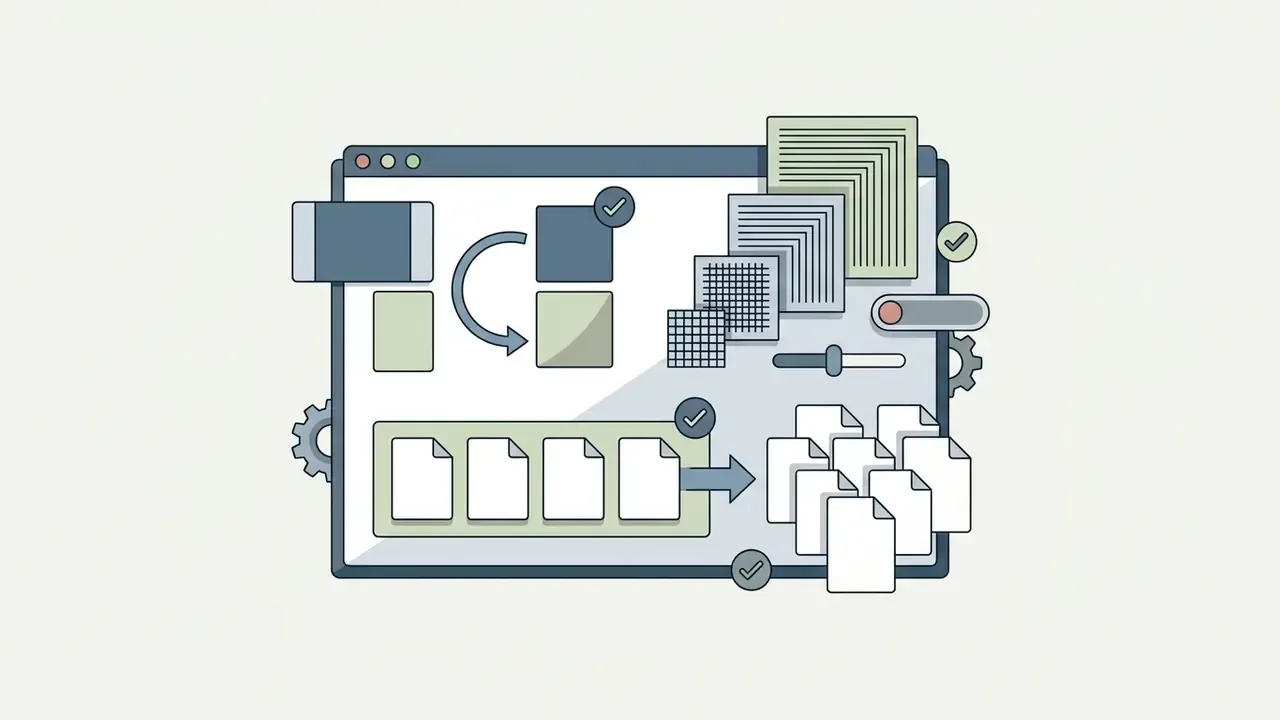
Configure the key generation parameters before you run anything. Set image resolution, aspect ratio (1:1 for headshots, 16:9 for cinematic banners), and the number of variations. Generating 4 to 8 variations per prompt iteration lets you compare small stochastic differences in eye reflection, hair alignment, and background depth.
Modern APIs expose resolution and ratio directly. For example, arbitrary WIDTHxHEIGHT sizes where both dimensions divide by 16 and the aspect ratio stays between 1:3 and 3:1. Practical tiers cluster around 1K, 2K, and 4K output.
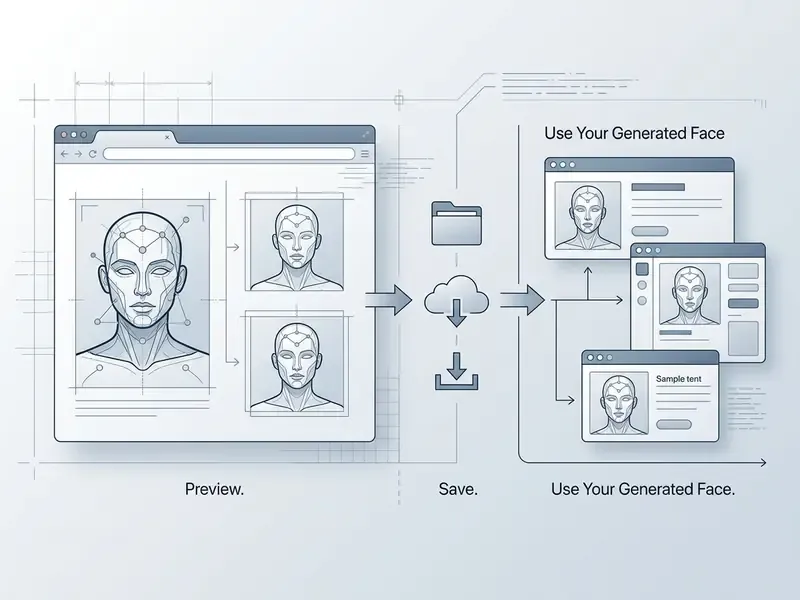
Preview, Download, and Use Your Generated Face
Review variations at full scale to inspect micro-details and catch artifacts. Pick the best image, then run an AI upscaling pass if you need higher pixel density for print or a large display. Documented upscale workflows show a full-resolution preview panel, apply a 2x or 4x factor, and write the result into a new document or export queue. Export the final file as PNG or JPG for downstream use. To evaluate broader asset pipelines, you can review AI Media Comparison options across generative tools.
Which resolution do you actually need?
| Output Resolution | Best Use | Print Size at 300 DPI |
|---|---|---|
| 512 x 512 px | Favicons, small avatars, UI placeholders, thumbnail sets | approx. 4.3 x 4.3 cm (1.7 x 1.7 in) |
| 1024 x 1024 px | Web layouts, article illustrations, profile pictures, slide decks | approx. 8.6 x 8.6 cm (3.4 x 3.4 in) |
| 2048 x 2048 px (2x upscale) | Banners, portfolio pages, brochures, half-page print | approx. 17.3 x 17.3 cm (6.8 x 6.8 in) |
| 4096 x 4096 px (4x upscale) | Posters, full-page print, large-format signage, Retina hero images | approx. 34.7 x 34.7 cm (13.7 x 13.7 in) |
Format guidance: PNG for maximum quality and transparency, JPG for lightweight web delivery, WEBP for bandwidth-sensitive pages, and MP4 or WebM once the portrait becomes an animated avatar (WebM when you need an alpha channel).


Get Realistic Results and Keep a Consistent Face Identity
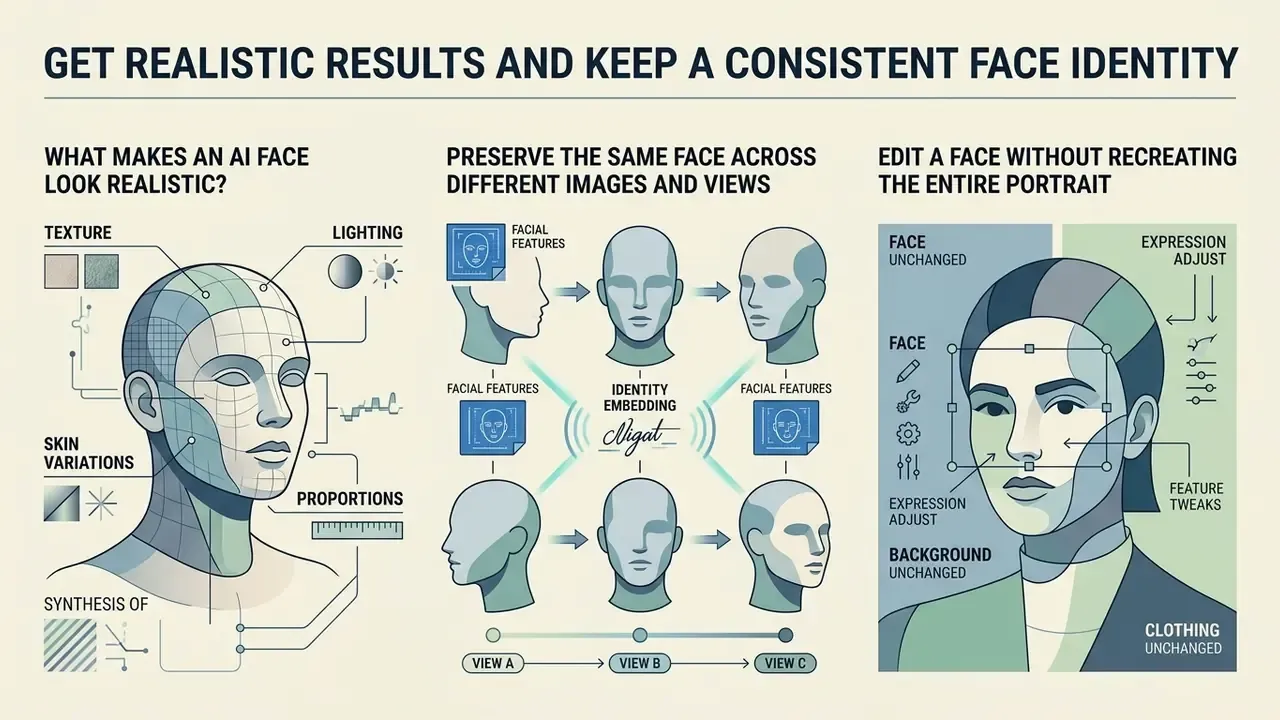
Photorealism and character continuity are separate problems. Commercial storytelling, game design, and media production usually need both.
What Makes an AI Face Look Realistic?
Visual realism in synthetic face generation depends on physical accuracy across four dimensions:
| Realism Vector | Technical Benchmark | Physical Characteristic |
|---|---|---|
| Subsurface scattering | Translucent skin light absorption | Prevents flat, opaque, plastic-looking skin under direct light. |
| Ocular fidelity | Iris depth and catchlight placement | Keeps reflection points natural and pupil geometry crisp without bleeding. |
| Micro-texture continuity | Pore density and fine hair definition | Maintains distinct dermal pores and natural asymmetry instead of smoothed blur. |
| Photometric alignment | 3D light and shadow consistency | Aligns facial highlight drop-off with the background light sources. |
«Diffusion models reproduce eye detail well, but maintaining global 3D geometric consistency remains the main differentiator between synthetic images and real photographs.»
Depth of field feeds the same impression. Critical focus on the iris, with background blur that matches a plausible lens, separates the face from the scene without flattening depth cues. Readers who need portrait-grade output for LinkedIn, press kits, or team pages can compare purpose-built AI headshot generators against general-purpose models.
Preserve the Same Face Across Different Images and Views
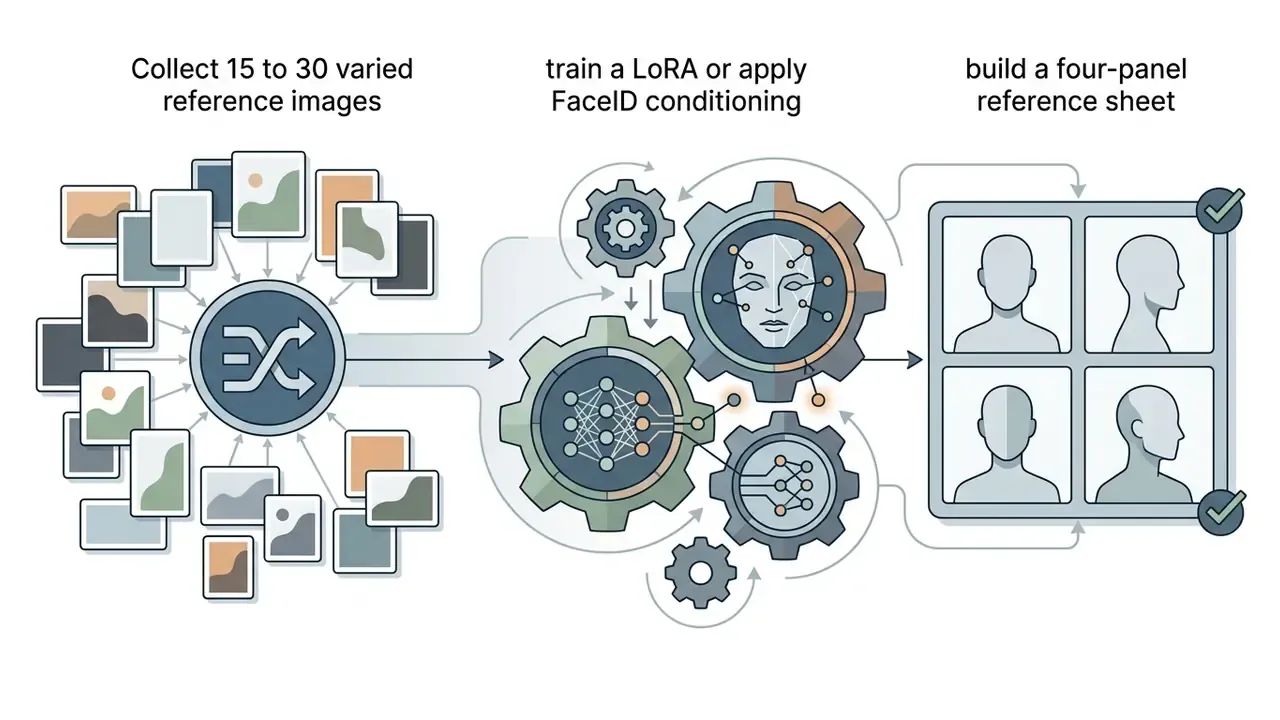
Holding character identity across scenes takes conditioning frameworks, not clever prompts alone. Tools such as IP-Adapter-FaceID extract deep identity feature vectors and keep facial proportions stable across angles and backgrounds.
«ID-Booth improves intra-identity consistency and inter-identity separability compared with DreamBooth by using a triplet identity training objective.»
Training a Low-Rank Adaptation (LoRA) network on 15 to 30 varied reference photos of one subject creates a reusable identity checkpoint that survives changes in pose, lighting, and background.
«Using two reference viewpoints substantially improves the MvRC identity-consistency metric; adding a third viewpoint yields diminishing returns.»
In practice, a four-panel character sheet, close-up plus front, side, and back views, is the cheapest way to give a model enough spatial conditioning for multi-scene work. Related research reinforces the mechanism: Diff-ID combines ArcFace and CLIP embeddings inside a dual cross-attention adapter, PortraitBooth measures identity retention with FaceNet similarity, and reward-guided image-to-video methods apply a differentiable facial reward to hold identity across frames.
To review advanced asset management approaches, you can explore the hub for enterprise media integration strategies.
Edit a Face Without Recreating the Entire Portrait
Local editing lets you change one region and leave the rest untouched. Mask-based inpainting targets a specific area, say eye colour, hair style, or a corner of the mouth, while overall facial geometry holds. When resolution rather than content is the problem, dedicated AI image upscalers recover pixel density without re-rolling the generation.
Masked inpainting, step by step:
Identity-preserving face swap, step by step:
- Open the generated portrait in the editor and duplicate the base layer so the original stays intact.
- Paint a mask over the target region only (iris, mouth corners, hairline, or a single blemish), leaving a small feathered margin.
- Write a prompt describing the masked region alone, for example "bright hazel iris with detailed radial pattern, crisp catchlight," not the whole face.
- Set denoising strength low to moderate. High values re-invent geometry and break identity.
- Generate 4 variants, compare at 100% zoom, then blend the best result back with a soft brush at reduced opacity if the seam shows.
- Choose a target image whose head pose and lighting direction sit close to the source face. Large angle mismatches produce visible edge artifacts.
- Provide the source identity as a face embedding or reference image, not as a text description.
- Apply the swap to a masked face region only, so background occlusions, hair, and clothing stay untouched. This is the approach used in 3D-aware masked-diffusion swapping research (DiffSwap, CVPR 2023).
- Colour-match the swapped region to the target scene's white balance.
- Inspect the jawline, ear boundary, and hairline seams at full resolution before export.
Reference-guided face inpainting research (IEEE TCSVT, 2023) shows why component-wise control matters. Parsing the face into regions and injecting identity and texture per component keeps edits local instead of leaking style across the whole portrait. Earlier work on local facial attribute transfer treated changes such as removing a moustache purely as region inpainting.
During one digital production audit, a creative team needed minor expression edits across 200 character portraits without touching background elements. Using targeted regional inpainting masks plus latent identity locking, they finished each asset in under two minutes. Full character identity survived, and nobody had to re-generate the underlying scenes. Modest example, but the arithmetic across 200 assets is what convinced their producer.
Compare Popular AI Face Generators: Free Tiers, Limits, and Engines
Architectures and licence models differ sharply, so tool choice should follow the job rather than brand familiarity. The table summarises publicly stated capabilities of widely used services, including several ai face maker online free options.
| Service | Engine Type | Free Access | Stated Free Limits | Strengths | Constraints |
|---|---|---|---|---|---|
| ThisPersonDoesNotExist / ThisPersonNotExist | GAN (StyleGAN3) | Yes, no sign-up | 8 faces per click at 1024x1024 or 512x512, no watermark | Instant anonymous faces; race, age band, and emotion dropdowns; full-body tab | No prompt box, no photo upload, no fine control; you reload seeds |
| NightCafe | Latent diffusion (Flux-class and others) | Yes, no login to try | Up to 5 free creations per day | Wide style range, model choice, community gallery, mobile browser support | Registration needed to save history; credit-limited |
| PicLumen | Latent diffusion, face-specialised | Yes | 10 free Lumens daily | Identity-consistency features, multi-style output, browser-only workflow | Commercial use tied to paid plans |
| Pixso AI | Diffusion inside a design tool | Yes | 20 AI points daily | Base-model selector (2.5D, anime, product, realistic portrait); design-file integration | Generation is one feature of a broader design suite |
| Fotor | Diffusion | Yes, limited | Credit-based | Text-to-face plus cyberpunk, cartoon, 3D, illustration styles | Watermark and resolution limits on the free tier |
| Generated Photos | GAN with attribute controls | Trial only | Limited 3-day trial | Parameter control over gender, age, emotion, head pose, skin tone, accessories | Paid plans from about $19.99/month |
| Playform | GAN, attribute editing | Limited free plan | Restricted feature set | 30+ facial attributes including makeup, age, expression; face mixing | Full feature set from about $10/month |
| Anonymizer | GAN, privacy-focused | Free for personal use | Personal-use licence | Generates a look-alike that keeps hair length, skin tone, and age without exposing the real face | Commercial licence sold separately |
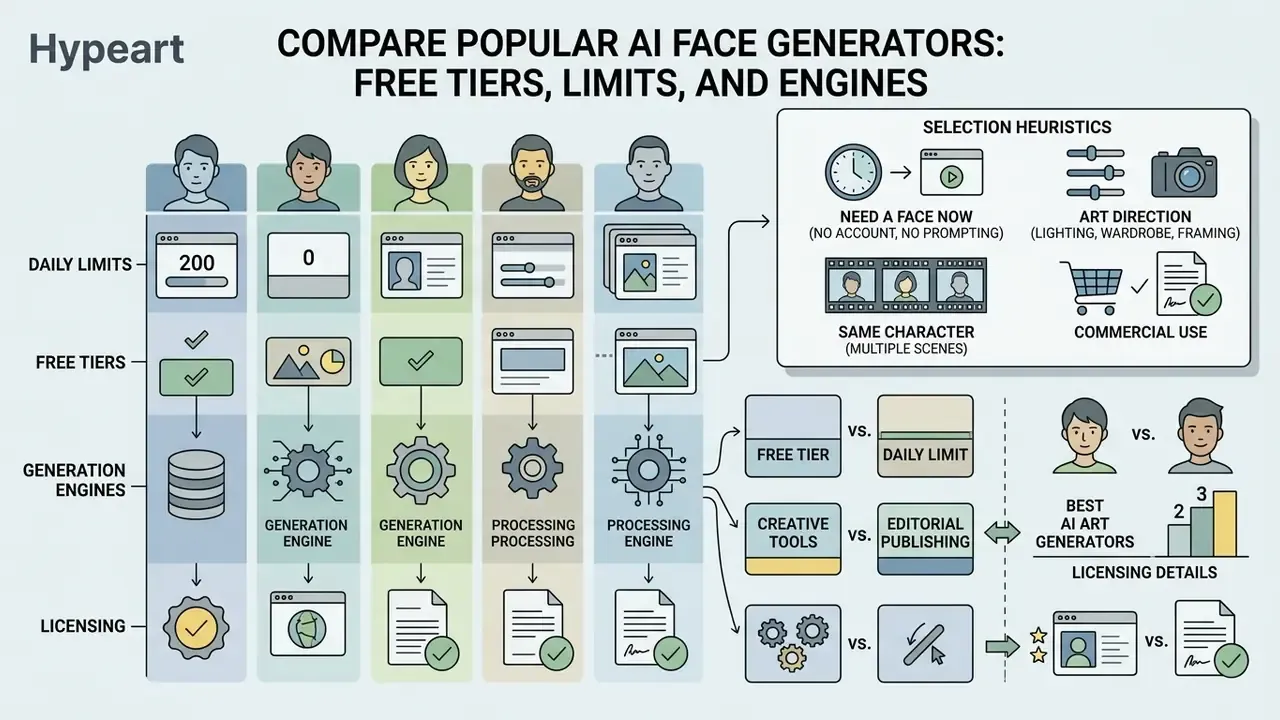
Selection heuristics:
- Need a face right now, no account, no prompt writing? Use a GAN seed generator.
- Need art direction over lighting, wardrobe, and framing? Use a diffusion tool with prompt and negative-prompt fields.
- Need the same character in ten scenes? Use a diffusion tool with FaceID or LoRA support.
- Need to publish commercially? Confirm in writing that the plan grants commercial rights before you generate the batch.
Broader side-by-side rankings of engines and licences sit in our comparisons of the best AI art generators and free AI art generators.
Enterprise Deployment, Shadow AI, and Model Risk Controls
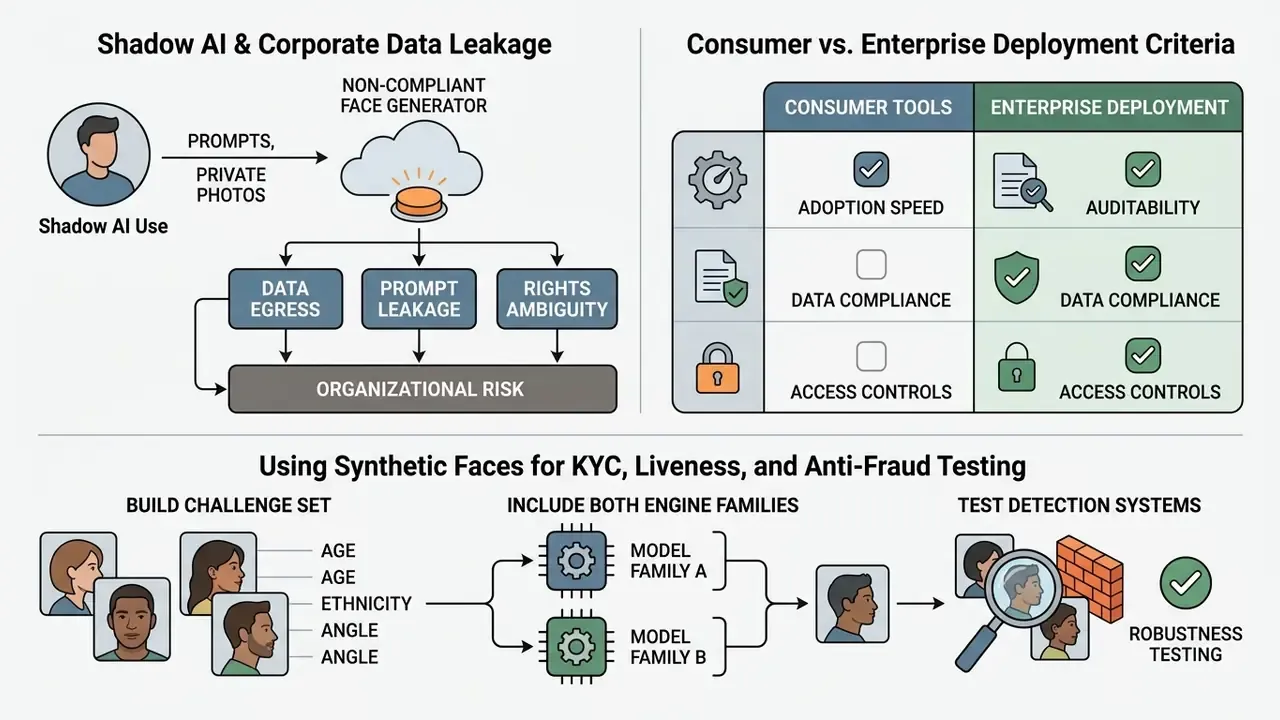
Consumer face generators are optimised for adoption speed, not auditability. For banks, insurers, and other regulated organisations, that mismatch is the main source of risk. Not the pixels. The paperwork behind them.
Shadow AI and Corporate Data Leakage
The typical failure pattern is not a malicious actor. It is an employee uploading a customer photo, an internal design comp, or a KYC document image into a public consumer face tool to save fifteen minutes. Three consequences follow.
- Data egress.Source images and prompts leave the controlled perimeter. Unless the vendor contractually guarantees zero data retention and no training on customer inputs, that upload is a disclosure event.
- Prompt leakage.Prompts often carry product names, campaign timelines, or fraud-pattern descriptions that reveal internal strategy.
- Rights ambiguity.Free tiers commonly grant personal-use-only licences and reserve platform IP, so a generated face used in a live advertisement can breach the very terms the employee accepted without reading.
Mitigation is procedural before it is technical. Publish an allow-list of approved ai face generator websites, block unapproved endpoints at the network layer, and provide a sanctioned internal alternative so the shortcut stops being attractive. Blocking without an alternative just pushes the traffic to personal devices.
Consumer vs. Enterprise Deployment Criteria
| Criterion | Consumer / Free Web Tool | Enterprise Deployment Requirement |
|---|---|---|
| Data retention | Inputs may be retained and used to improve models | Contractual zero-data-retention (ZDR); no training on customer inputs |
| Deployment model | Shared multi-tenant cloud | Private VPC, dedicated tenancy, or on-premise inference |
| Security attestation | Rarely published | SOC 2 Type II, ISO/IEC 27001; ISO/IEC 42001 for AI management systems |
| Provenance marking | Optional or absent | C2PA Content Credentials plus machine-readable marking per EU AI Act transparency duties |
| Audit logs | Generation history in a user account | Immutable logs of prompt, model version, seed, operator, reviewer, disposition |
| Access control | Email sign-up | SSO/SAML, role-based access, least-privilege API keys |
| Rate limits and SLA | Daily credit caps, best-effort uptime | Contracted throughput, latency SLA, incident response commitments |
| Model governance | Model changes without notice | Version pinning, change notification, documented evaluation before promotion |
| Vendor dependency | Proprietary lock-in | Exportable assets, portable weights or an interchangeable model layer |
| Commercial rights | Personal / educational | Written commercial licence with indemnification where available |
Using Synthetic Faces for KYC, Liveness, and Anti-Fraud Testing
Synthetic faces have a legitimate defensive use. They let risk teams stress-test biometric pipelines without touching customer PII.
«InvFace generates synthetic identities distinct from real training subjects while delivering face-recognition accuracy comparable to models trained on real data.»
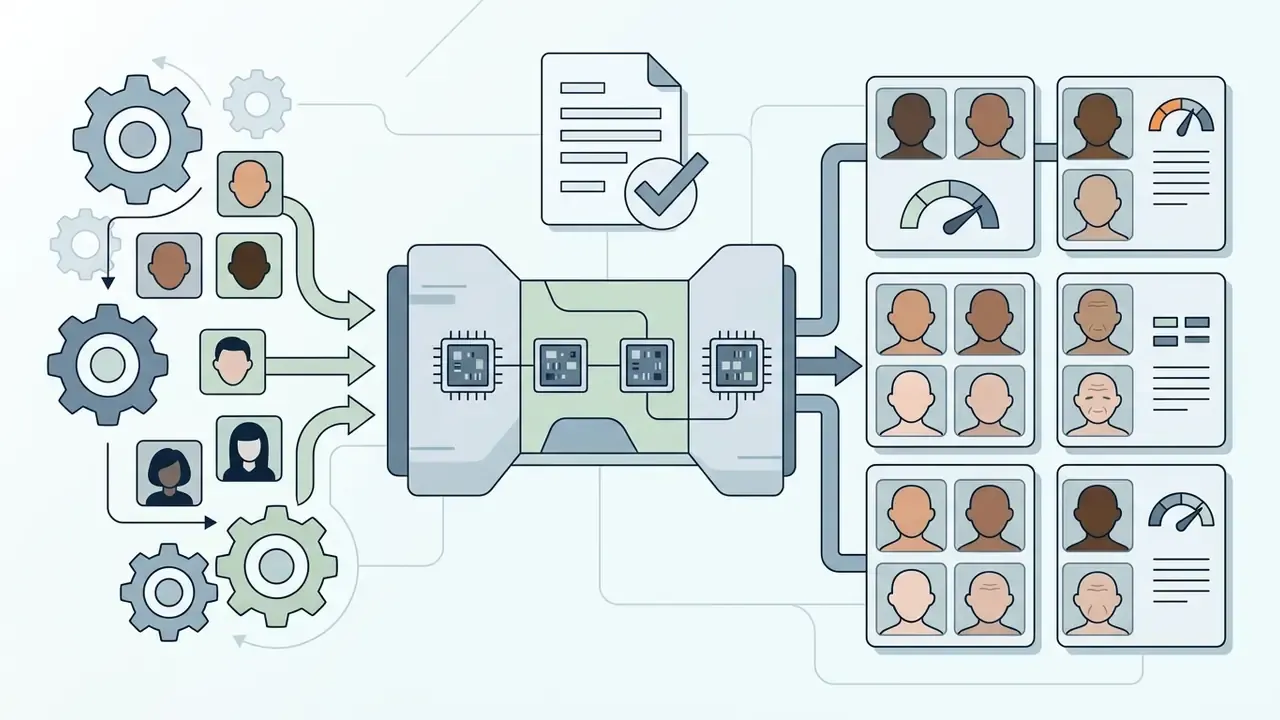
Detection performance is not uniform, which matters directly for fairness testing of an authentication stack:
«An AI-Face dataset of one million annotated faces spanning 37 generation methods revealed substantial detector accuracy differences across skin tone, gender, and age.»
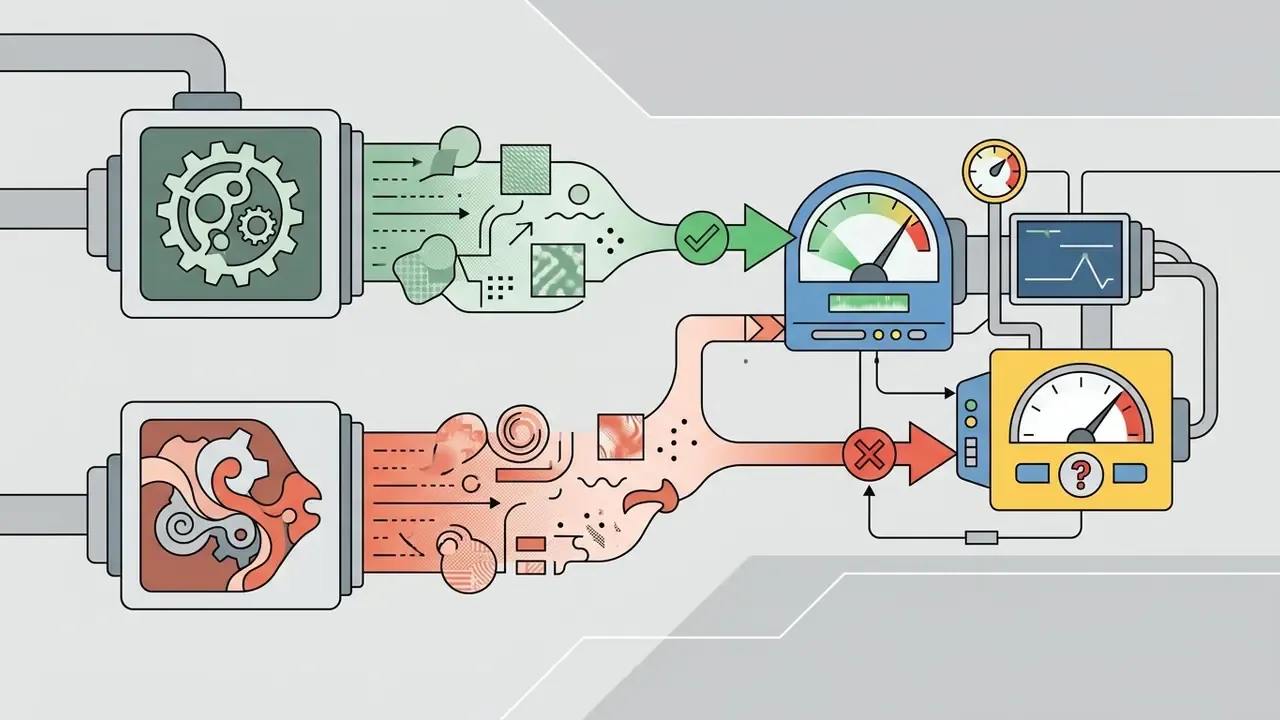
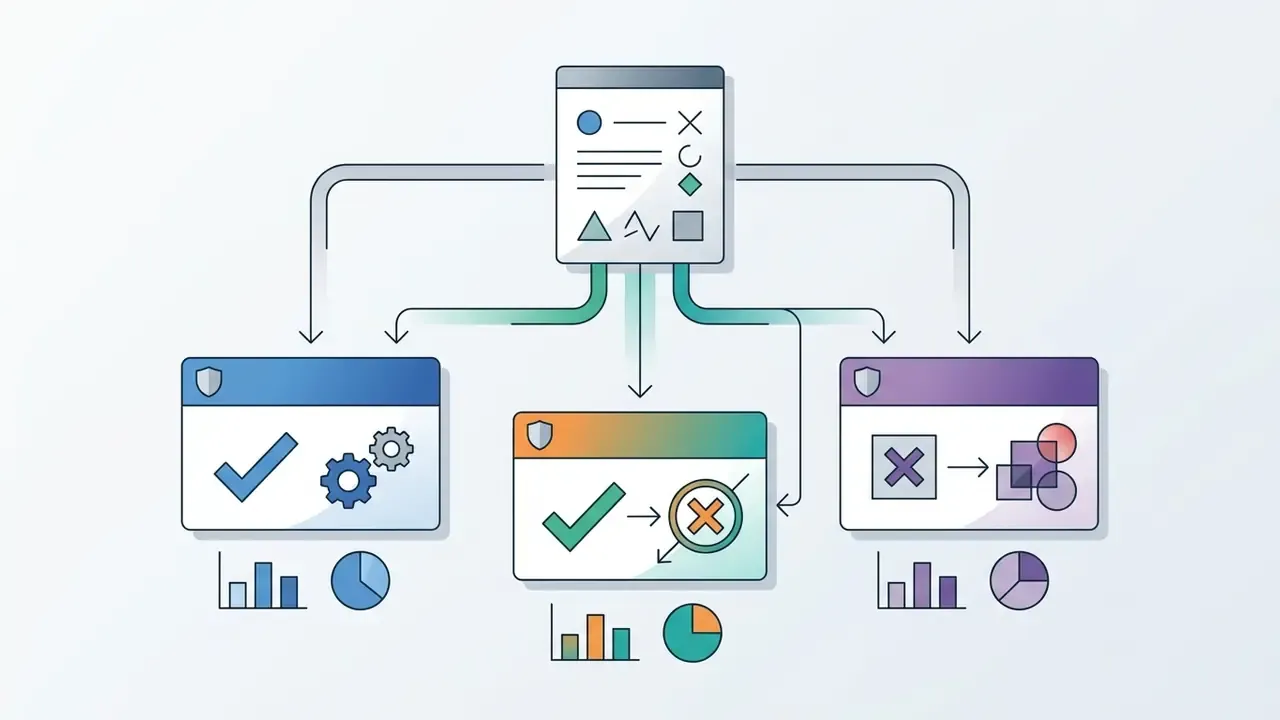
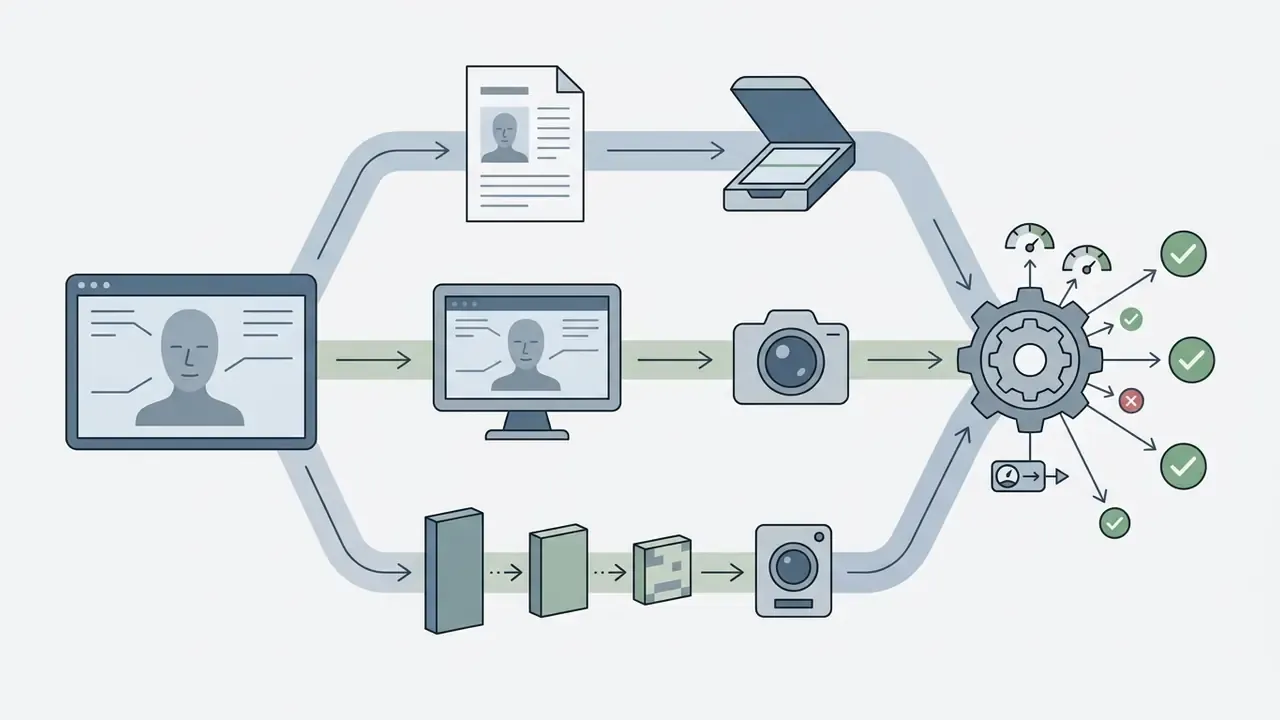
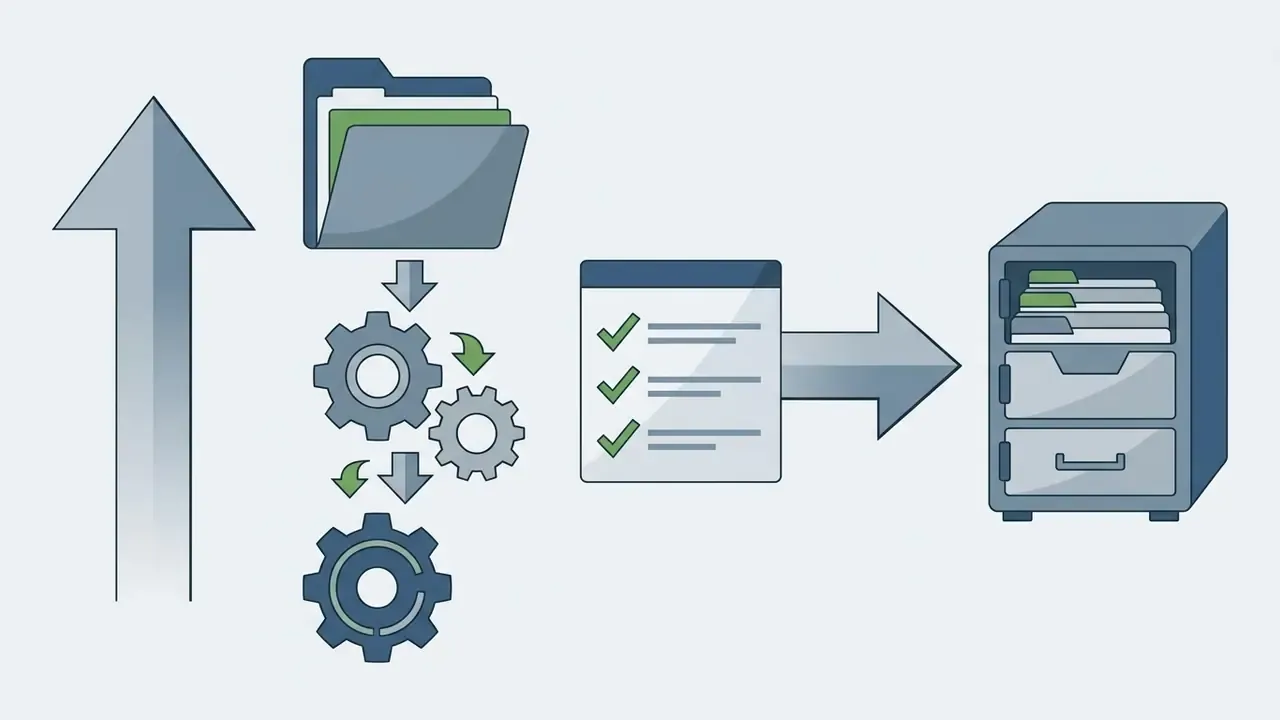
A minimal test protocol:
Independent verification of published assets can start with general-purpose AI image detectors, with the caveat that detector fairness varies by cohort, as the CVPR 2025 benchmark shows.
Governance Checklist for Synthetic Media
- Map each synthetic-media use case to a risk tier and a named accountable owner.
- Treat production generation pipelines as models subject to validation. Document intended use, data lineage, performance limits, and monitoring, which is the expectation set out in supervisory model-risk guidance (SR 11-7 / OCC 2011-12) and echoed by the NIST AI Risk Management Framework.
- Require human-in-the-loop sign-off before any generated face is published externally or used in an authentication decision.
- Log prompts, seeds, model versions, and reviewers. Retain per the records schedule.
- Apply C2PA Content Credentials and machine-readable marking. EU AI Act transparency obligations for generative and interactive systems apply from 2 August 2026, and comparable guidance elsewhere recommends irremovable watermarks or embedded codes for high-risk AI-generated content such as deepfakes and identity-document images.
- Prohibit generation of the likeness of identifiable living individuals without documented consent.
- Review the demographic balance of published synthetic faces to avoid amplifying the stereotypical associations documented in text-to-image bias research.
- Re-run validation whenever the vendor changes model versions. Silent upgrades are the quiet killer of last quarter's evidence.
Free AI Face Generators, Pricing, Privacy, and Commercial Use
Operational cost, licensing scope, and privacy posture usually decide which ai face generator free online tool survives an internal review. Features rarely do.
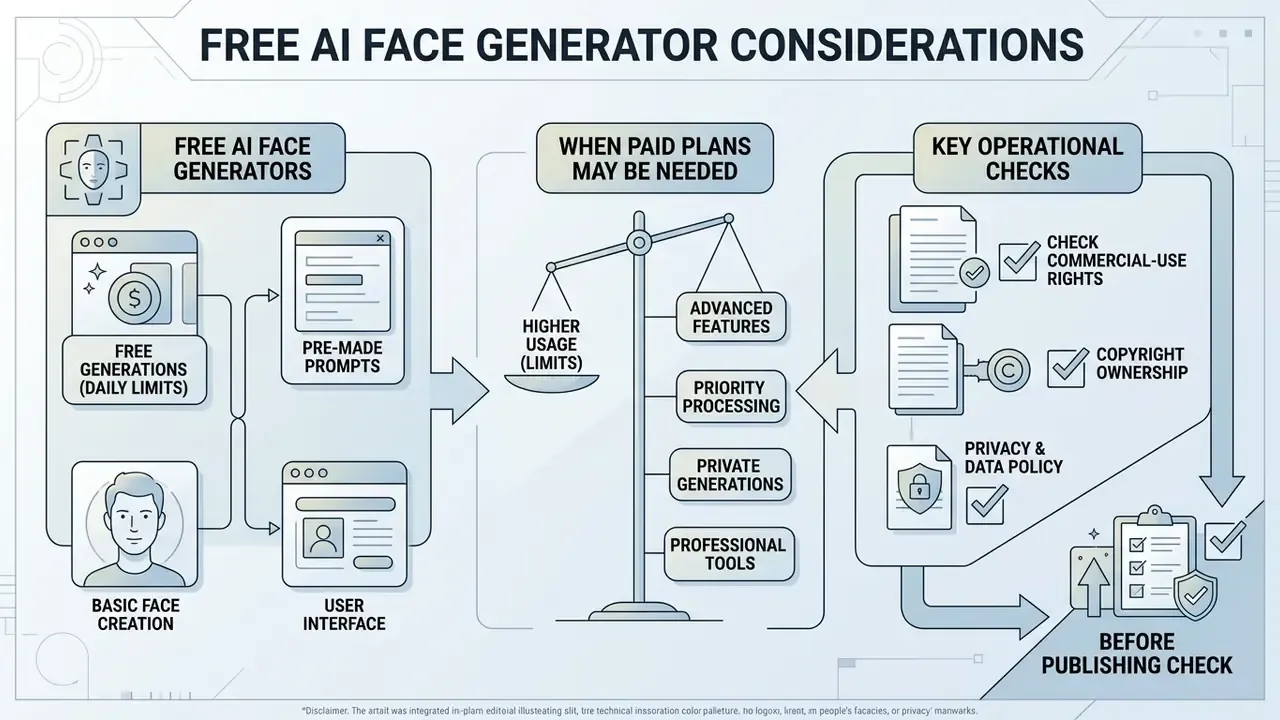
What Is Included in a Free AI Face Generator?
An ai face generator free tier typically gives web-based access to baseline models with daily caps or credit allocations. Platforms offering an ai face generator free no sign up path allow rapid prototyping straight in the browser with no registration, which is convenient for a single avatar and awkward for anything auditable. Free tiers often cut output resolution, place generations in public processing queues, or withhold identity-locking features. Side-by-side limits for free AI image generators help predict whether a daily credit pool covers your project before you build a workflow around it. Anyone searching for an ai face creator free or ai face generator online free option should read the terms page, not the landing page.
Documented free-tier patterns vary more than marketing suggests. Some GAN pages state no sign-up, no email, no watermark, and a fixed output count per click. Several diffusion services advertise unlimited or credit-metered access with watermark-free downloads. Others watermark free output and reserve clean exports for paid plans. Verify each claim against the vendor's own terms.
When Paid Plans May Be Needed
Upgrading to a subscription or pay-per-use plan unlocks higher throughput, custom model training, and priority rendering. Paid plans typically add high-resolution exports up to 4K, remove platform watermarks, enable private generation modes, and grant commercial usage rights. Teams building a software budget can review plan tiers and check pricing details before onboarding, and can compare licence scope across commercial-use AI image generators when the output will run in paid media.
Documented paid-tier benefits in current vendor pricing include watermark-free images, markedly faster generation with priority GPU access, batch generation, high-resolution or 4K upscaling, and priority queues. For a small team, the honest breakeven is usually watermark removal plus commercial rights, not raw speed.
Check Commercial-Use Rights, Copyright, and Privacy Before Publishing
Before you publish a synthetic face, verify intellectual property rights and personal privacy exposure. Under 2025 guidance from the U.S. Copyright Office and the European Parliament, purely AI-generated output created without substantial human creative direction is not eligible for traditional copyright protection. The Copyright Office's 2025 copyrightability report states plainly that prompts alone are insufficient for authorship. Separately, privacy regimes such as GDPR set strict limits on synthesizing the likeness of a real, living person without explicit consent.
Synthetic faces already circulate in public profiles, though not at the scale often assumed:
«Of 14.9 million analysed Twitter avatars, 7,723 profiles (0.052%) used AI-generated faces, so synthetic imagery is present but not yet dominant.»
Two further regulatory notes shape publication decisions. The European Data Protection Supervisor's 2025 orientations require GDPR-style data-subject rights, meaning information, access, deletion, rectification, objection, restriction, and portability, to be honoured inside generative AI systems. Its 2026 joint statement on AI-generated imagery flags misuse risk and non-consensual intimate imagery, especially involving minors. The UK Government's 2025 report on copyright and AI notes that a digital replica may imitate a face without necessarily infringing copyright, because copyright is breached only when a substantial part of an existing protected work is copied. Likeness protection lives in other legal regimes.
Audience behaviour also shapes disclosure strategy:
«Repeated exposure to AI-generated faces does not increase their perceived realism; if anything, it slightly increases the sense that they are synthetic.»
When your workflow touches third-party media processors, review their safety and content policies, including AI image detectors for verification and AI photo editors for post-processing. You can also compare options on regulatory liability and compliance requirements.
| Feature / Tier | Free Online Access | Paid Subscription | Pay-Per-Use / API | Enterprise Deployment |
|---|---|---|---|---|
| Account requirement | Often optional, sometimes no sign-up | User registration required | API key and account required | SSO/SAML, role-based access |
| Watermark constraints | May include platform branding | Watermark-free downloads | Watermark-free exports | Watermark-free plus C2PA Content Credentials |
| Generation limits | Restricted daily credits, queue caps | Expanded monthly credit pool | Metered volume limits | Contracted throughput with latency SLA |
| Output resolution | Standard (512 px to 720 px) | High resolution (1080 px to 4K) | Customizable via API | Customizable, version-pinned pipelines |
| Commercial rights | Personal or educational use only | Full commercial licence | Commercial usage included | Negotiated licence, indemnification where offered |
| Privacy protections | Public generation history | Private generations and processing | Enterprise data isolation | Zero-data-retention, VPC or on-premise inference |
| Auditability | None | Account-level history | API request logs | Immutable prompt, seed, model-version, reviewer logs |
| Assurance | None published | Vendor statements | Vendor statements | SOC 2 Type II, ISO/IEC 27001, ISO/IEC 42001 |
Where synthetic identities replace real biometric data in model training, the privacy benefit is measurable rather than theoretical. Inversion-based synthetic face recognition produces identities distinct from the real training subjects while retaining usable recognition accuracy, which is why synthetic datasets increasingly stand in for customer imagery in benchmarking and augmentation.
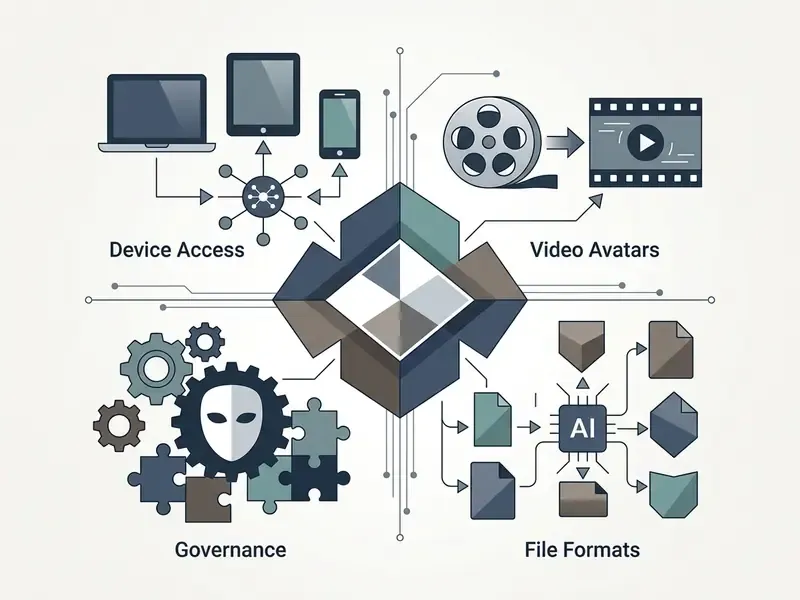
AI Face Generator FAQ: Device Access, Video Avatars, File Formats, and Governance
Can I run an AI face generator website on a mobile device or smartphone?
Yes. Modern web-based face generation platforms use responsive front-end frameworks built for mobile browsers, with single-column layouts and large tap targets. Processing runs on cloud GPU servers rather than local hardware, so mobile users can generate, edit, and export synthetic portraits without installing an app. Battery drain is minimal, since your phone is essentially a viewport.
How do I create an animated video avatar from a static AI-generated face?
Export the portrait at high resolution and import it into an AI video generator. Attach an audio script or text prompt, and motion models apply facial landmark tracking to drive lipsync, eye blinks, and natural head movement. Vendor documentation for photo-to-video pipelines describes exactly that upload, script, render sequence, returning MP4 by default and WebM when an alpha channel is required. One research note worth reading before you pick a look: stylized avatars produced greater co-presence and perceived affective understanding than realistic ones, and were rated less creepy and more appealing (Dubosc et al., Effect of avatar stylization and facial expression intensity in virtual interactions, Virtual Reality, Springer, 2025). Voice tracks can come from an AI voice generator, fully script-driven scenes from text-to-video AI tools, and subtitles from a video caption generator. Finishing edits and simple trims are straightforward in a browser tool such as veed video editor.
What file formats are supported for exporting AI-generated faces?
Most online AI face generators export PNG, JPG, or WEBP. PNG is best for maximum quality and transparent backgrounds, JPG keeps file sizes small for web publishing, and WEBP reduces page weight with broad browser support. Video avatar workflows export MP4 or WebM. Teams managing larger archives can use a video compressor to shrink avatar files, a photo editor for post-processing, or simply upload video online to share review cuts with stakeholders.
Do I need to download or install local software to generate AI faces?
No installation is required for web-based services. Cloud-hosted generators run all neural network computation on remote clusters. You open the site in a browser, enter prompts or upload reference images, and download the rendered assets. Organisations with data-residency requirements should request VPC or on-premise inference instead of relying on a public browser tool, however convenient it is.
Why does one AI face generator have no prompt box at all?
Because it runs a GAN rather than a text-to-image diffusion model. StyleGAN3-based services generate faces from a random seed and expose only dropdown attributes such as race, age band, and emotion, so you reload until a suitable face appears. They cannot interpret a sentence like "smiling man, 30, short beard," and they do not accept photo uploads. Diffusion tools accept prompts and reference images but run slower and usually meter credits.
Can synthetic faces be used to test KYC, liveness, and anti-fraud systems?
Yes, and this is one of the strongest defensive use cases, because it avoids processing real customer biometrics. Build demographically balanced challenge sets across the documented age tiers and skin-tone classes, include both GAN and diffusion outputs, and measure false-accept and false-reject rates per cohort rather than in aggregate. Add printed, replayed, and re-compressed variants to exercise liveness logic. Retain the challenge set, model versions, and per-cohort results as model-validation evidence.
What should a regulated organisation require before approving a face generator?
Contractual zero-data-retention with no training on submitted inputs. Private VPC or on-premise deployment. SOC 2 Type II and ISO/IEC 27001, with ISO/IEC 42001 for AI management systems. C2PA Content Credentials and machine-readable marking of generated output. Immutable audit logs capturing prompt, seed, model version, operator, and reviewer. SSO with role-based access. Model version pinning with change notification. And a written commercial licence. Document the whole pipeline as a model with intended use, limits, and monitoring, consistent with supervisory model-risk guidance (SR 11-7 / OCC 2011-12) and the NIST AI Risk Management Framework.
Do I have to disclose that a published face is AI-generated?
Increasingly, yes. EU AI Act transparency obligations for generative and interactive systems apply from 2 August 2026 and require disclosure to users plus machine-readable marking of AI-generated or manipulated content. Other jurisdictions recommend irremovable watermarks or embedded codes for high-risk categories such as deepfakes and identity-document imagery. As a practical baseline, attach C2PA Content Credentials at export and label synthetic portraits in customer-facing material. General information, not legal advice.
Who owns the copyright in an AI-generated face?
Purely AI-generated output produced without substantial human creative contribution is generally not eligible for copyright protection in the United States or the European Union, and prompts alone do not establish authorship. Some vendors contractually assign whatever rights they hold in the output to the paying user, which is a contract right rather than a statutory authorship claim. Free tiers frequently restrict use to personal or educational purposes. Verify plan terms before publication and consult counsel for jurisdiction-specific advice.
What are the primary differences between specialized media conversion utilities?
Specialized tools address different stages of the asset lifecycle. Face generators create synthetic visual media, while utilities compress or transform existing media streams. Teams can use a video compressor to optimise avatar file sizes, an AI voice generator to produce synthetic voice tracks for animated portraits, or an animation maker for motion sequences. Additional editing options are covered in our guides to free photo editors and online photo editors.
What To Do Next
To explore developer resources and technical documentation, open the hub for platform details. For cost modelling and usage estimation, you can browse the hub to reach the automated resource estimators.
Appendix A: Revision Notes on Superseded Claims