"Deploying generative visual models requires the same control structure as any automated decision pipeline: clear inputs, deterministic limits, and explicit human verification."
Marcus Hale, AI Governance Specialist. Marcus Hale, author.
Image generation inside a chat window stopped being a toy some time ago. It is now a production capability that marketing, product, and internal communications teams use daily, including inside banks that log every other piece of software their staff touch.
That is exactly where the governance question starts. A marketing associate can produce a campaign banner in forty seconds, upload a screenshot of an internal dashboard as a style reference, and never file a ticket. Nobody signed off. Nothing was logged. The asset ships.
This guide explains how to generate images with ChatGPT in practical terms: how to write high-precision text prompts, how to edit an existing image, how to adapt outputs for publishing platforms, and how to wrap data-protection, auditability, and commercial-use controls around the whole thing before anything reaches a customer.
Key Decisions at a Glance
- Availability Native image generation (ChatGPT Images 2.5, powered by
gpt-image-2/chatgpt-image-latest) is built into ChatGPT on Free, Plus, Pro, Team, Business, and Enterprise plans. Free accounts are capped at roughly two images per day; advanced "images with thinking" capabilities are rolling out to Enterprise and Edu. - Quality lever Prompt structure, not model selection, drives most of the measurable improvement. In a pre-registered experiment with 1,893 participants, roughly half of the quality gain between DALL·E 2 and DALL·E 3 came from how humans adapted their prompts.
- Risk posture Consumer tiers (Free and Plus) and business tiers (Team, Business, Enterprise) differ materially in data-training defaults. Confidential reference material, meaning internal dashboards, unreleased UI, client reporting, or PII, belongs only in a governed workspace with data training disabled.
- Auditability Generative visual output is stochastic, not deterministic. Reproducibility has to be engineered through prompt versioning, model-version logging, and retention of C2PA-style content credentials. It is never a property you inherit from the tool.
- Commercial use Permitted under OpenAI's Terms of Use, and you own the output, but likeness, trademark, and content-policy limits still bind you. EU disclosure obligations under Article 50 of the EU AI Act apply to AI-generated commercial media from August 2026.
Who This Guide Is Written For
Two readers, one workflow.
The first is the operator: a designer, content lead, or analyst who needs to know how to ask ChatGPT to create an image that lands on brand the first or second time. The second is the reviewer: a CRO, CCO, Head of Model Risk, or AI governance lead who has to answer a simpler and harder question, namely "who approved this image, and can we reproduce how it was made?"
Both sets of needs are treated here as working hypotheses about your organization rather than proven facts. Validate them against your own analytics, interviews, and internal audit findings before you build policy on top. If you want to see how visual generation slots into wider pipelines, the broader AI Media Workflows hub maps the surrounding steps.
Can You Use ChatGPT to Generate Images?
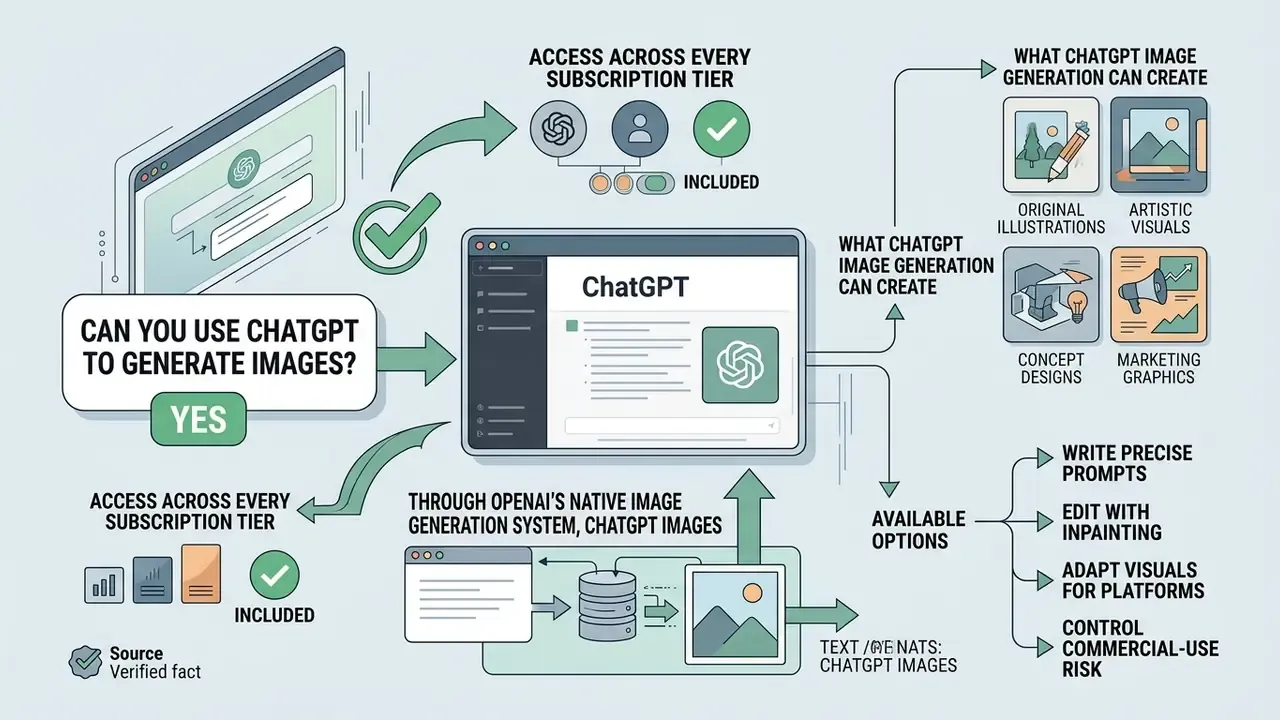
Yes. You can use ChatGPT to generate images directly, across every subscription tier, through OpenAI's native image generation system, ChatGPT Images. The tool converts plain-language text prompts into high-resolution visuals inside your active chat session.
No external software. No coding. The interface reads natural language descriptions, returns rendered output inline, and also accepts image inputs that it can transform, extend, or restyle. So the answer to "can i use chatgpt to generate images" is short: you already can, and the harder part is deciding who should.
| Feature | Availability |
|---|---|
| Tiers supported | Free, Plus, Pro, Team, Business, Enterprise |
| Input methods | Text prompts, image uploads, mobile sketches |
| Core engine | ChatGPT Images 2.5 / gpt-image-2 |
| Native editing | Inpainting brush, text-based refinement |
| Export formats | Standard high-resolution web formats (PNG, JPEG) |
| Max edge length | Up to 3840 px (multiples of 16), ratios from 1:3 to 3:1 |
What ChatGPT Image Generation Can Create
ChatGPT creates a wide range of visual assets: flat vector art, photorealistic scenes, UI mockups, banners, backgrounds, sprite sheets, placeholders, social media graphics, and concept illustrations. It reads text instructions and builds tailored output for business and creative use cases, and it supports template-based starts you can customize by visual style or reference image.
In practice, most teams begin with three things: promotional material, article covers, and brand icons. Nothing exotic. The value is speed on the first draft.
"59% of respondents with art and design backgrounds use generative visual tools in daily work; 66% generate realistic scenes and 41% produce abstract art."
That survey is a human-computer interaction study that segmented respondents by formal design training. Among participants with art and design backgrounds, 69% reported using Midjourney and 30% reported using DALL·E 2, which tells you something useful: professional adoption is multi-tool, not single-vendor. Before standardizing on one pipeline, it is worth running the same brief through several AI art generators and comparing the output side by side.
Access, Image Models, and Available Options
Image generation runs on native multimodal image models such as gpt-image-2 and chatgpt-image-latest (and previously DALL·E 3), accessible to Free, Plus, Pro, Team, Business, and Enterprise users. Access levels differ by tier: Free accounts get limited daily generations, paid plans unlock higher volume and advanced reasoning features.
OpenAI introduced gpt-image-2 for higher visual fidelity, faster render times, and sharper text placement inside generated images. Higher tiers add extended aspect ratios, multi-image conditioning, and selective regional editing. If you use GPT image models through the API, note that the quality tiers (low, medium, high) change rendering fidelity rather than output dimensions, a distinction that matters when you are budgeting per-asset cost against required detail. Developers integrating generation into a content system will find the request-level parameters documented in the AI Media API Guides.
Two housekeeping facts: DALL·E 3 is marked deprecated in the API, and the official DALL·E GPT inside ChatGPT was retired on 30 August 2026. New workflows should target ChatGPT Images directly.
Cross-vendor context helps here too. Many teams benchmark ChatGPT Images against Google's Gemini image model, widely known by its nano banana codename, and against Midjourney, before picking a default. Side-by-side capability grids live in the compare section, and measured output comparisons sit in AI Media Benchmarks and Review Proof.
Fact check / verification
How to Generate Images with ChatGPT: The Basic Workflow
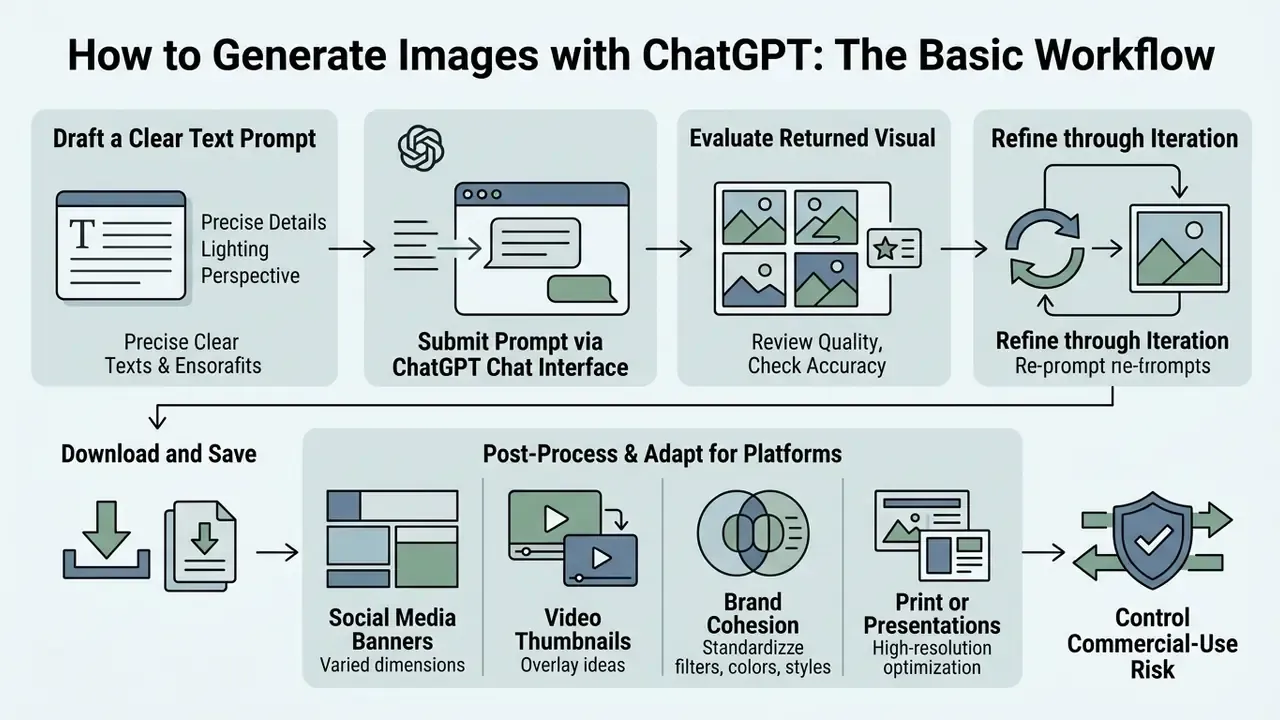
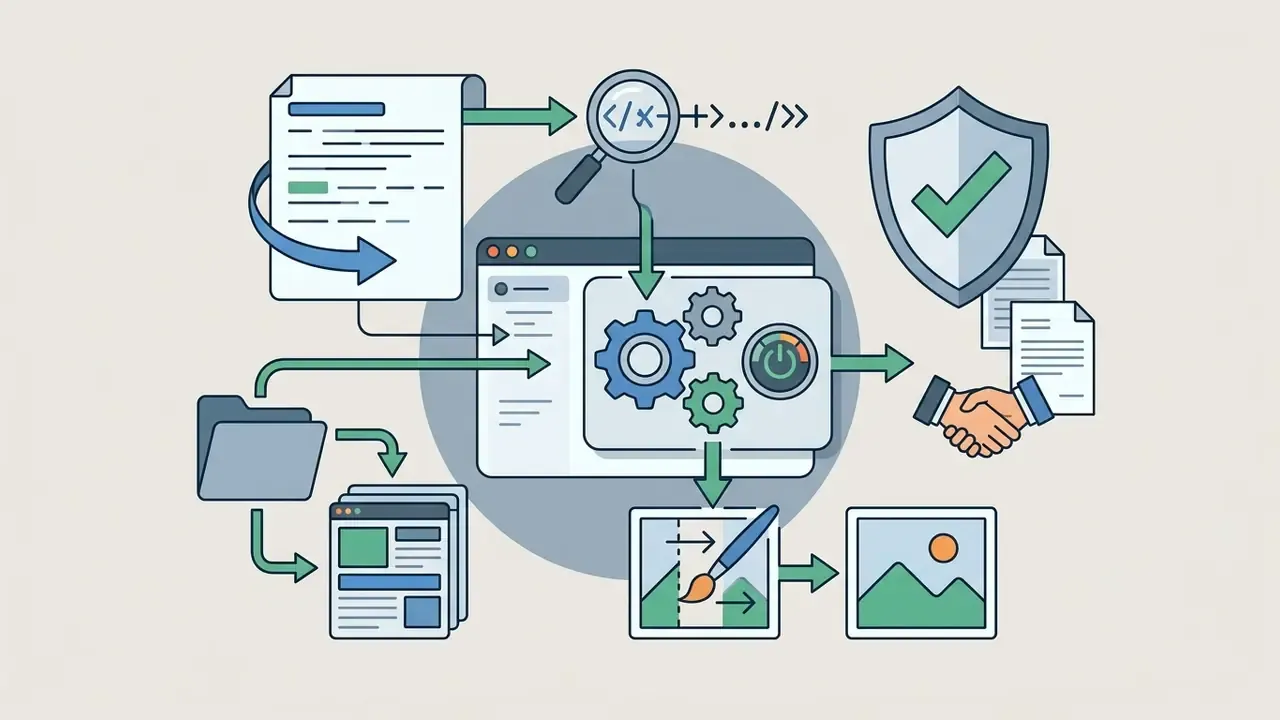
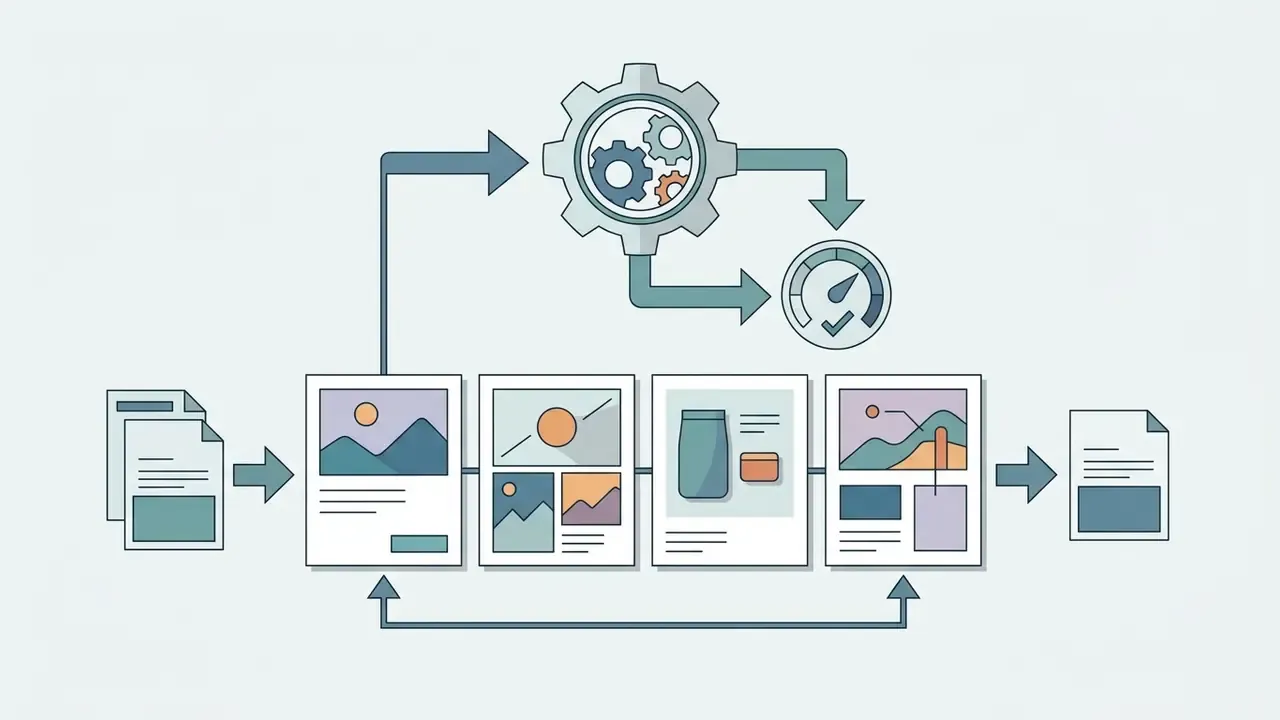
The workflow to generate images with ChatGPT runs in seven moves: draft a clear text prompt, submit it in the chat interface, evaluate the returned visual, refine through follow-up prompts, adapt the asset to its destination platform, export the file, and log what you did.
It is a closed loop, and human oversight sits at every stage. That last step, logging, is the one teams skip first and regret later.
Process explanation:
- Formulate the visual conceptidentify the core subject, style, and goal.
- Draft a structured text promptone to three sentences defining subject, scene, and constraints.
- Submit to ChatGPTtype the prompt in chat or select the Images tool (More, then Images).
- Review the outputinspect for factual accuracy and compositional alignment.
- Refine or edituse follow-up prompts or the inpainting brush to fix discrepancies.
- Post-process and adaptrequest platform-specific framing, contrast, and palette adjustments.
- Download and recordexport the high-resolution file and store the prompt chain with it.
Step 1: Describe the Image You Want to Create
Write a concise description that states the main subject, the artistic style, the background environment, and the intended purpose. Defining those four elements up front is what lets the image model interpret your concept instead of guessing at it.
Avoid single-word requests like "dog" or "office." Name the environment, the lighting, the framing, the mood. OpenAI's own prompting guidance recommends a consistent ordering, background and scene, then subject, then key details, then constraints, and it suggests naming the intended use explicitly: advertisement, UI mock, infographic.
Think of that opening paragraph as a reusable design brief. Establish the visual layout once and you cut revision cycles across a whole series of assets.
Step 2: Ask ChatGPT to Generate the Image
Type your structured prompt into the chat window with a direct instruction, "Create an image of...", or switch to the dedicated Images tool. ChatGPT renders the first visual within a few seconds to a couple of minutes depending on complexity and load.
Plain commands work fine. "Chat gpt make an image of a clean financial dashboard" will return something. "Generate images using ChatGPT for a corporate presentation, flat vector style, muted navy palette, 16:9, no photographic texture" will return something you can actually use.
One practitioner observation, and it needs proper quantification before anyone treats it as a benchmark: in an internal workflow review, a small design-operations team compared broad style language against explicit framing instructions across roughly 50 image requests and saw a materially lower re-generation rate once framing, object count, and lighting were made explicit. Single team, no control group. Indicative only.
The direction of that effect, though, is supported by controlled research:
Step 3: Review, Refine, and Download the Result
Inspect the output against your original requirements, then either give targeted conversational feedback or use the inline selection tool to modify a specific region before saving. The in-chat editor exposes Select, Aspect ratio, Undo and Redo, Cancel, and Save, so you can repair one area without regenerating the whole composition. When it is right, click the download icon.
Minor errors rarely justify a fresh generation. Describe the fix in chat instead. For assets bound for print or large-format display, downstream tools such as dedicated AI image enhancers can lift perceived sharpness after export without re-running generation at all.
Step 4: Post-Process and Adapt Visuals for Target Platforms
Before anything goes to production, ask for platform-specific framing so the asset fits its final environment rather than landing on a designer's desk for rework:
- For social media banners request padding for text overlays,
Render extra negative space on the left third of the image for text layout. - For video thumbnails push readability,
Increase foreground contrast, sharpen key edges, and simplify background elements.Then preview the frame at real size the way a viewer sees it inside a youtube video player online url, because thumbnails fail at small scale, not on your monitor. - For brand cohesion standardize palettes,
Shift the color space to match soft, muted earth tones while holding structural composition constant. - For print or presentation decks lock geometry and raise detail,
Keep the layout identical, increase texture detail on the foreground subject, and remove all gradients.
Finish with a dimension check against the destination spec: aspect ratio, safe zones, logo clear-space rules. Channel art has unforgiving requirements, so check the numbers for a 2048x1152 youtube banner or equivalent before you export rather than after. If the final placement needs more canvas than the model produced, an outpainting pass through an AI image expander extends the background without distorting the subject.
Enterprise Risk, Data Privacy, and Governance Controls for Visual AI
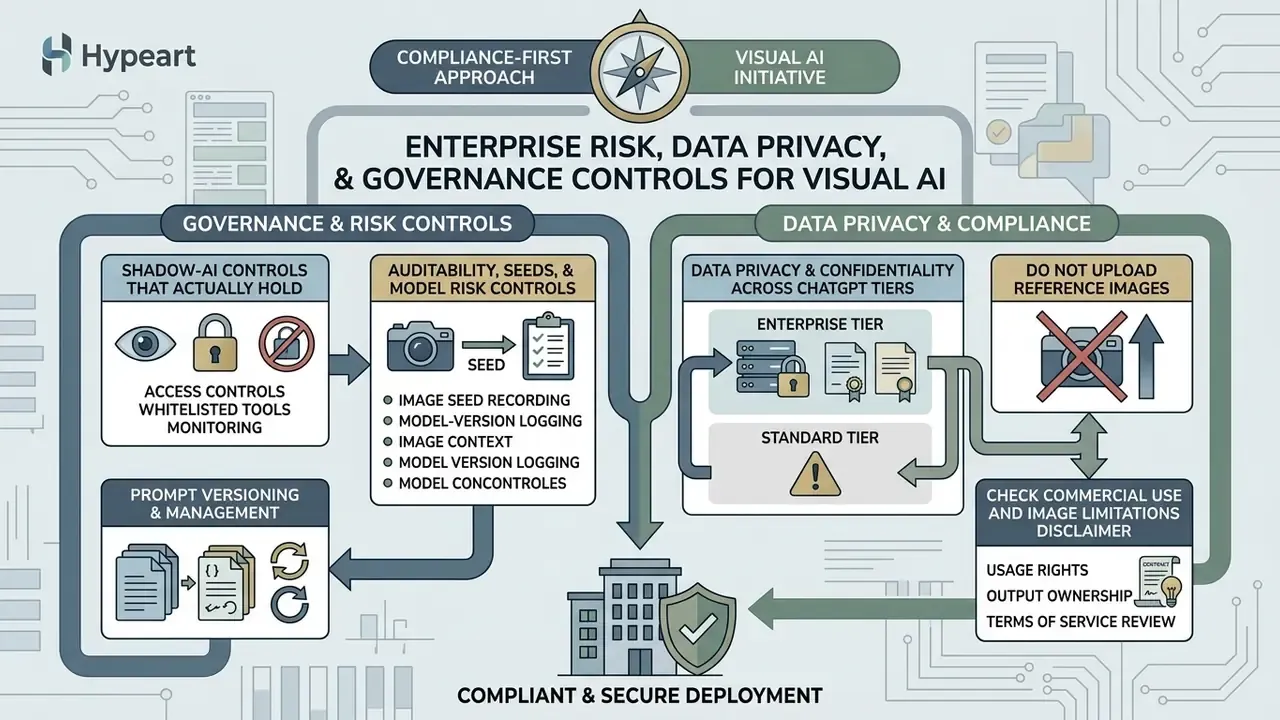
In a regulated organization, compliance questions come before aesthetic ones. Before you optimize prompt quality, answer four things: who may generate images, what material may be uploaded as a reference, how outputs are logged, and where AI-generated visuals may be published.
Check Commercial Use and Image Limitations
Commercial deployment of ChatGPT-generated images is permitted under OpenAI's Terms of Use, but you still have to respect restrictions on public-figure likenesses, living-artist styles, and trademarked logos. Comparable constraints exist elsewhere, so if you are evaluating Midjourney image generation or another vendor, read each provider's likeness and IP clauses separately. Parity is an assumption, not a fact.
Under OpenAI's 2026 Terms of Use, users own the output, and OpenAI assigns its rights in that output to the user "to the extent permitted by applicable law." Read that carefully. It is a contractual assignment, not a guarantee of statutory copyright. Legal protection for AI-generated images depends on local jurisdiction, and several jurisdictions decline protection for purely machine-generated material.
Usage policies separately prohibit using a person's likeness without consent in ways that could confuse authenticity, and they restrict certain biometric and facial-recognition applications. That is a direct constraint on synthetic testimonials, spokesperson imagery, and customer-facing portraits. Where provenance has to be verified, AI image detectors and reverse-lookup tooling such as AI reverse image search help establish whether an asset entering your pipeline is synthetic or licensed stock.
Regulated markets add a labeling layer. The EU AI Act (Article 50) requires explicit disclosure on AI-generated commercial media, with obligations applying from August 2026. Practical compliance means preserving provenance metadata, C2PA Content Credentials or equivalent embedded watermarking, instead of stripping it during export, and documenting the disclosure wording used in each channel. Channel-by-channel licensing notes are collected in the AI Media Commercial-Use hub.
Automating the prompt layer does not remove the need for human expertise, either:
One more contractual detail that gets missed: vendor indemnification is not universal. IP protection is typically scoped to business and API tiers operating within documented guardrails, which means consumer-tier usage in a paid campaign leaves the residual risk sitting with you.
Data Privacy and Confidentiality Across ChatGPT Tiers
Reference uploads are the primary data-leakage vector in visual AI workflows. A prompt is text. A reference image can be an entire internal system screen, complete with account numbers.
| Tier | Default training posture | Suitable reference material |
|---|---|---|
| Free / Plus | Consumer settings may allow content to improve models unless disabled | Public brand assets, generic stock, non-confidential concepts |
| Pro | Consumer-tier controls; verify the workspace setting | Internal but non-sensitive drafts, after review |
| Team / Business | Business data is not used to train models by default | Internal design systems, unreleased marketing concepts |
| Enterprise / Edu | Business data excluded from training; admin controls and retention policy | Governed internal material under DLP policy; still exclude PII, PHI, and regulated client data |
Do not upload as reference images: production or pre-release UI screens of banking systems; customer statements, KYC documents, or account dashboards containing PII or PHI; internal financial reporting charts with unreleased figures; security architecture diagrams; third-party client material covered by confidentiality clauses. Redact, synthesize, or rebuild the layout with dummy data first. It takes ten minutes and saves an incident report.
Shadow-AI controls that actually hold: publish an approved-tool list with the sanctioned workspace URL; block consumer endpoints at the network layer where policy demands it; add image-generation endpoints to DLP inspection rules for outbound uploads; and, crucially, give marketing and design a fast sanctioned path so they do not route around the control. People bypass friction, not policy. Re-verify retention and training defaults in your admin console at every renewal, because vendor defaults shift between releases.
Auditability, Seeds, and Model Risk Controls
Generative visual models are stochastic. The same prompt can return different images, which means reproducibility has to be manufactured through record-keeping. For institutions operating under model-risk expectations such as SR 11-7, and for programs aligned to the NIST AI Risk Management Framework or ISO/IEC 42001, the working control set is:
- Prompt versioningstore the exact prompt string, any negative constraints, and the full edit chain that produced the final asset.
- Model-version loggingrecord the model identifier (
gpt-image-2,chatgpt-image-latest), the quality tier, and the generation date, because output characteristics shift across releases. - Seed and parameter capture where exposedin API workflows, log every available request parameter; in the chat UI, retain the conversation thread as the closest available equivalent to a seed record.
- Provenance retentionkeep C2PA Content Credentials and embedded watermark metadata with the archived master file.
- Human sign-offrequire a named reviewer for any AI-generated visual used in public, client-facing, or regulatory material, and store the approval next to the asset.
- Risk tieringclassify by exposure, internal concept sketch (low), marketing campaign (medium), investor or regulatory communication (high), and scale review depth accordingly. High-tier assets get disclosure labeling, legal review, and dual approval.
A simple triage rule: review depth equals publication reach, multiplied by likeness and IP sensitivity, multiplied by regulatory exposure. Anything scoring high on two of those three should never ship on a single reviewer's judgment.
How to Ask ChatGPT to Create an Image with Effective Prompts
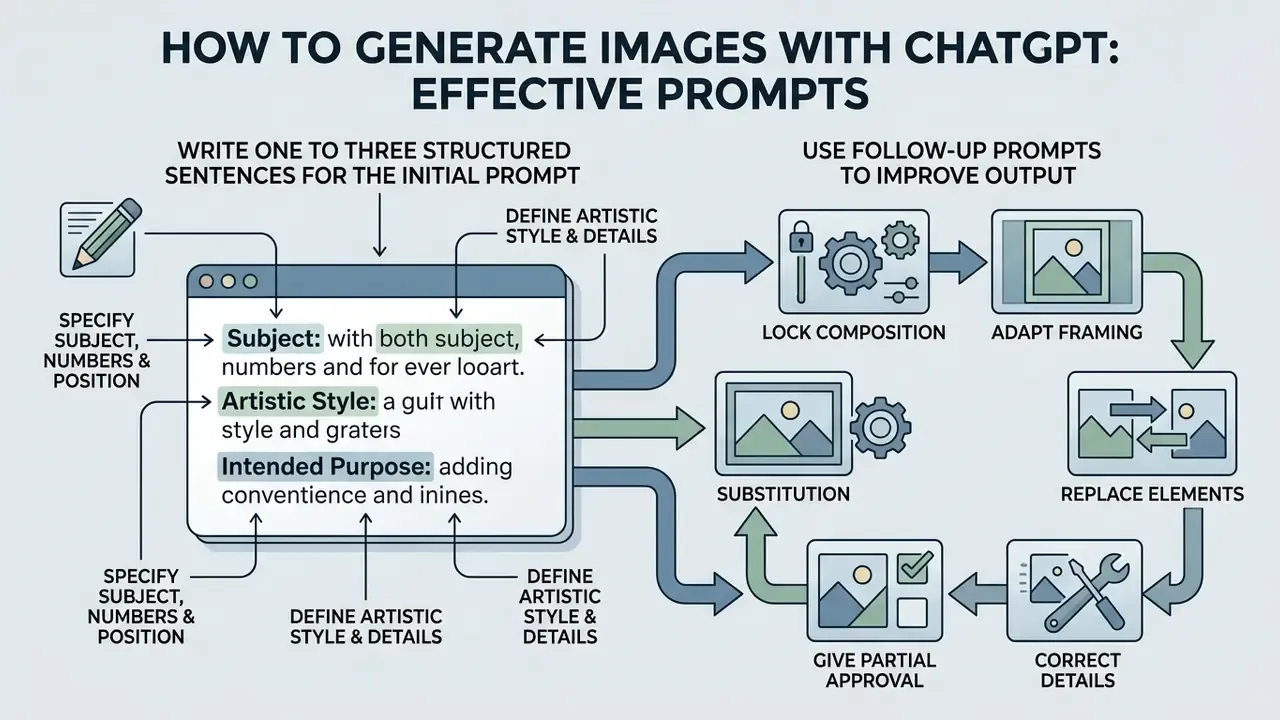
Asking ChatGPT to create an image well means writing one to three structured sentences that combine a defined subject, a specific artistic style, an intended purpose, and explicit visual constraints, including what the image must not contain.
The evidence that human prompt work carries roughly half the outcome comes from a pre-registered experiment, not from vendor marketing:
| Component | Functional purpose | Example input |
|---|---|---|
| 1. Subject | Identifies the main object or entity | "A ceramic coffee mug" |
| 2. Style | Sets the visual medium and lighting | "Flat vector graphic" |
| 3. Purpose | Contextualizes composition and use | "Header for a blog post" |
| 4. Constraints | Excludes unwanted visual elements | "No dark shadows" |
Want to test these structures before committing budget? Run the identical four-part prompt across several free AI art generators and see which engine respects explicit constraint language most reliably.
Include the Subject, Style, and Purpose
Every high-performing prompt states who or what is depicted, the exact visual aesthetic (flat illustration, studio photograph, isometric render), and the intended application (blog header, marketing banner, slide divider). That context aligns the model's design parameters with your project requirements instead of leaving it to house defaults.
For example: "A modern desk setup with a laptop, clean lighting, flat vector illustration style, designed for a corporate website banner." Research on prompt design reinforces the pairing rule, subject and style keywords carry the output while connecting words add almost nothing.
When you are producing platform-specific graphics, confirm the destination ratio and safe-zone requirements before generation. Cropping a finished asset is where on-brand work quietly becomes off-brand work.
Specify Details, Numbers, and Position
Translated into desk practice: generate a small batch, then select. Do not accept the first render. Batch-and-select beats single-shot generation on anything compositional.
The study previously cited here only as "SSP" is SSP (Simple and Safe Prompt Engineering) (2024 to 2025), which used a BERT-based classifier over a multi-source public dataset with GPT-4-assisted filtering and evaluation.
So adding "wide-angle view," "eye-level shot," or "top-down flat lay" is probably the cheapest reliability upgrade available to you. Seven words. Measurable difference.
Use Follow-Up Prompts to Improve the Output
Refine iteratively by sending single-change follow-up prompts that name exactly what to modify and state which features must stay untouched. This closed-loop feedback is what prevents style drift across iterations. If iterative control quality is your deciding factor between vendors, this comparison of ChatGPT image generation versus alternative tools breaks the behaviour down.
Do not rewrite the whole prompt. Say: "Change only the background color to soft blue, and keep the main character and lighting exactly the same."
Standard command shapes for single-attribute adjustments:
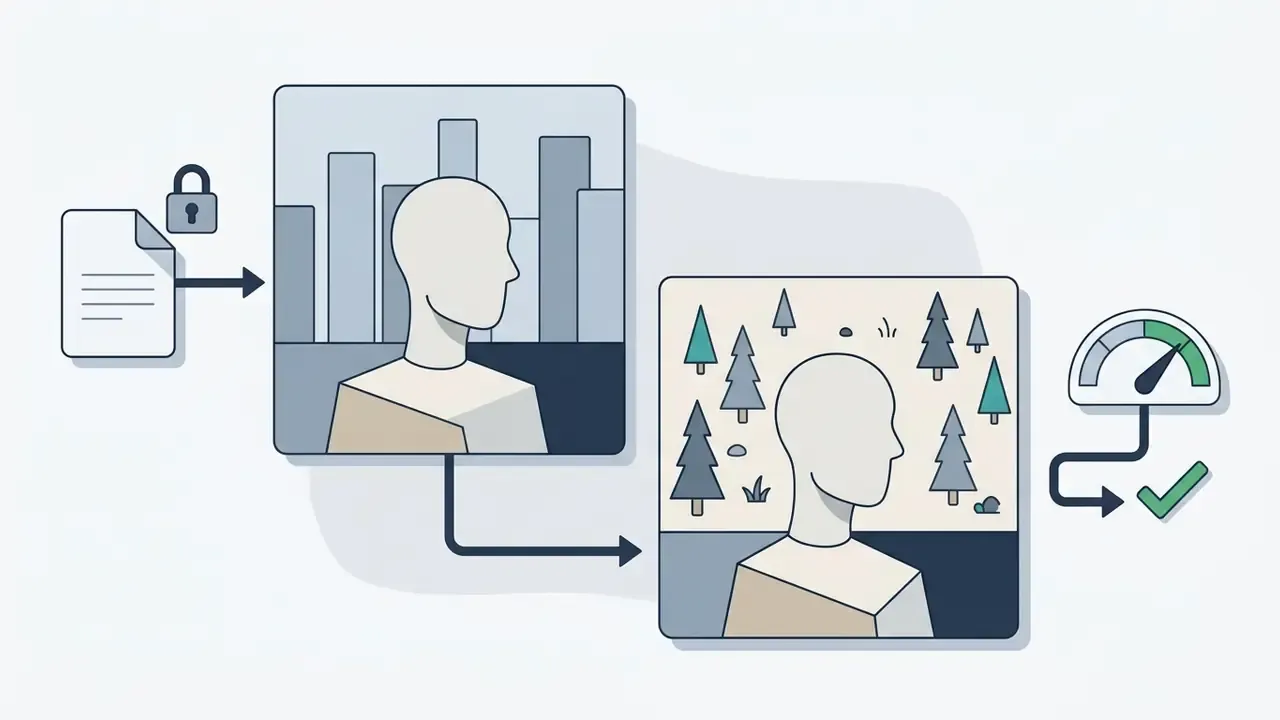
"Keep the subject composition, facial structure, and lighting identical, but change the background from a city street to a quiet pine forest."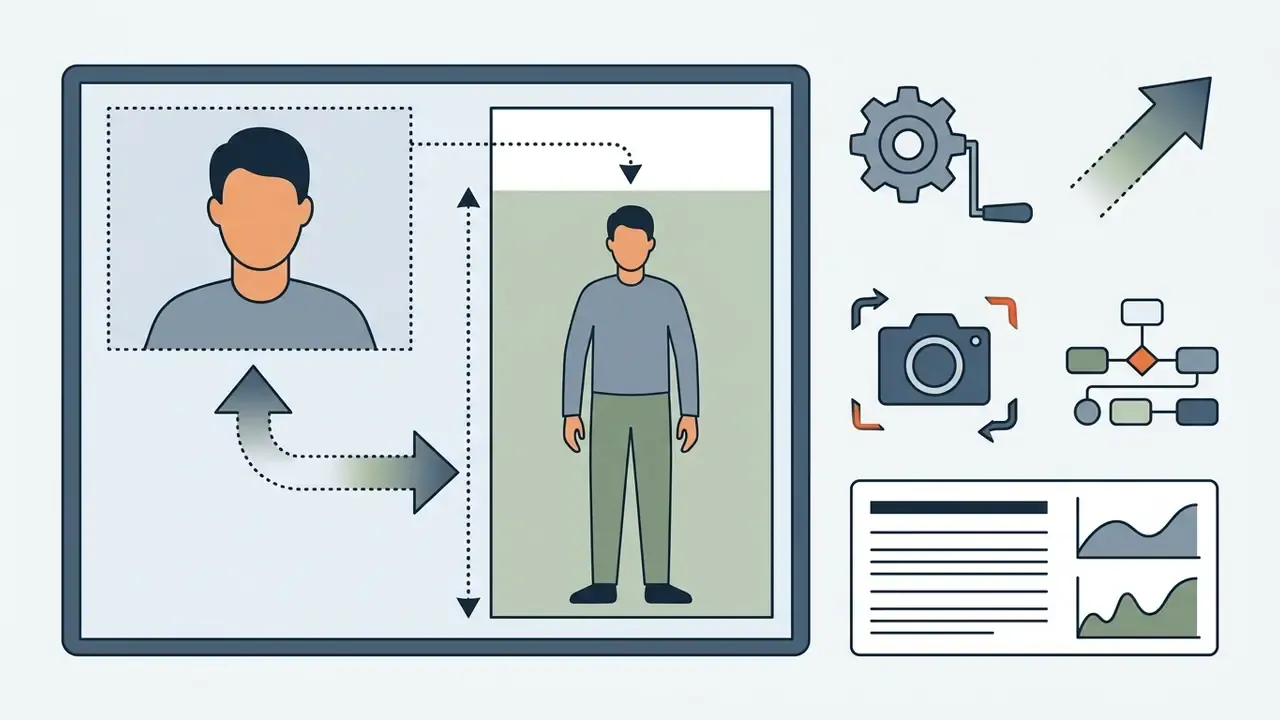
"Widen the camera angle to a full-body shot while preserving 20% negative space on top."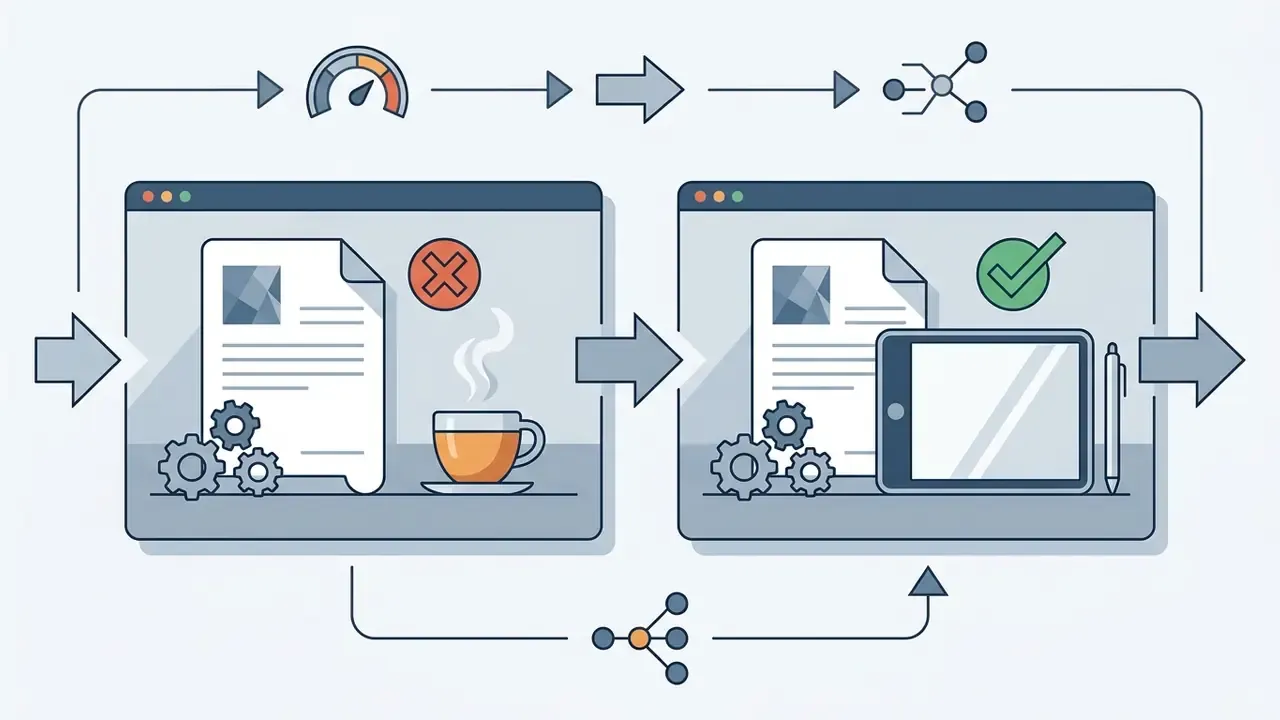
"Remove only the coffee cup on the right and replace it with a sleek modern digital tablet."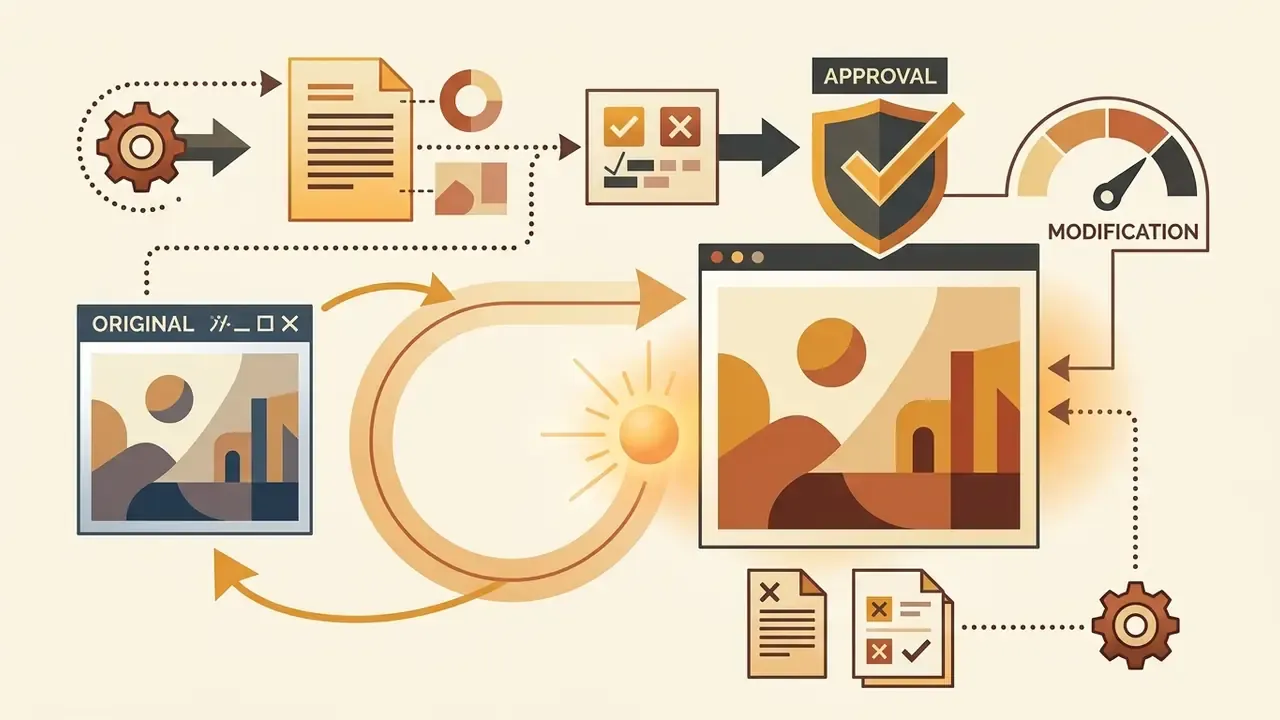
"Keep the composition and lighting exactly the same, but make the lighting slightly warmer."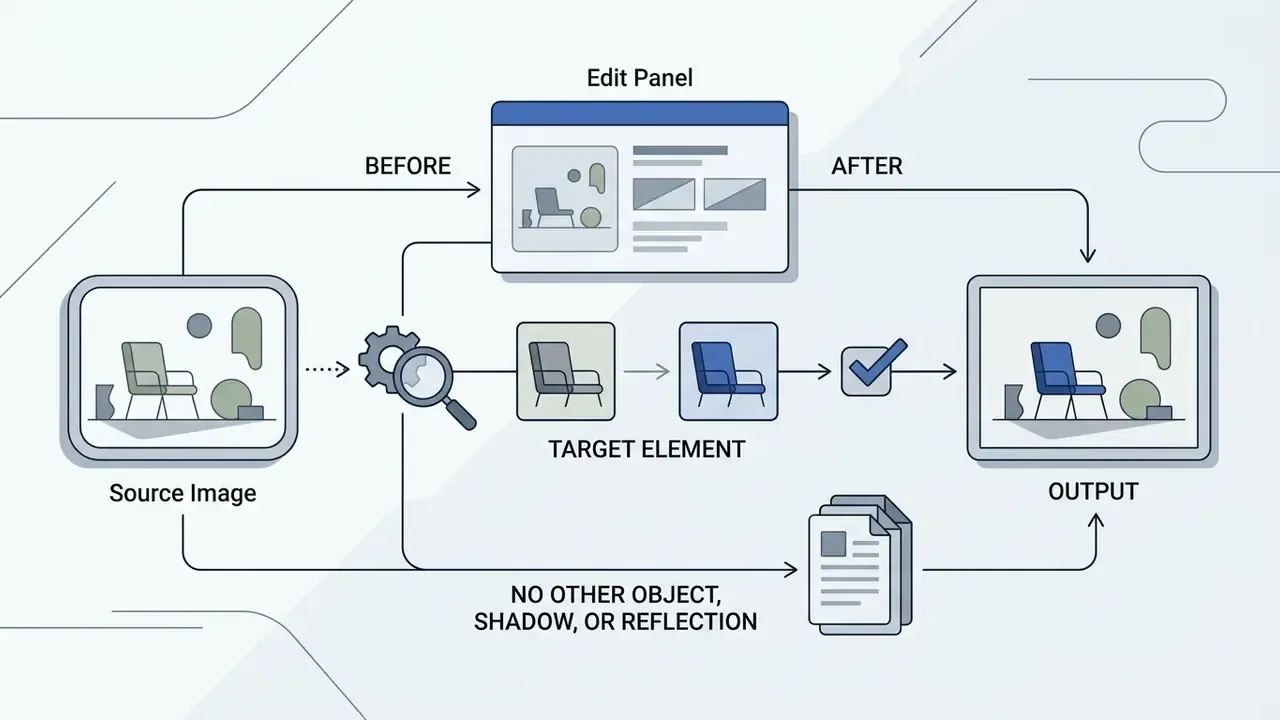
"Change the chair upholstery to cobalt blue; do not alter any other object, shadow, or reflection."
"Widen the framing so there is more background on both sides, keeping the subject centered at the same scale."The governing rule is one change per turn. Batched instructions invite the model to reinterpret the entire scene, and that is how a session loses a render that was already 90% correct. Research on test-time prompt refinement formalizes the same loop: run a consistency check against the original intent, flag the specific failure, then revise only the affected prompt segment.
- Checklist content:
- Subject
- did you explicitly name the primary object or character?
- Style
- is the visual medium defined (photo, vector, oil painting)?
- Composition
- are object positions, framing, and camera angles clear?
- Visible text
- is every on-image string quoted exactly as it must render?
- Constraints
- did you state what to exclude and what to preserve?
- Confidentiality
- is every reference upload cleared of PII, client data, and unreleased internals?
How to Use Reference Images and Edit an Image in ChatGPT
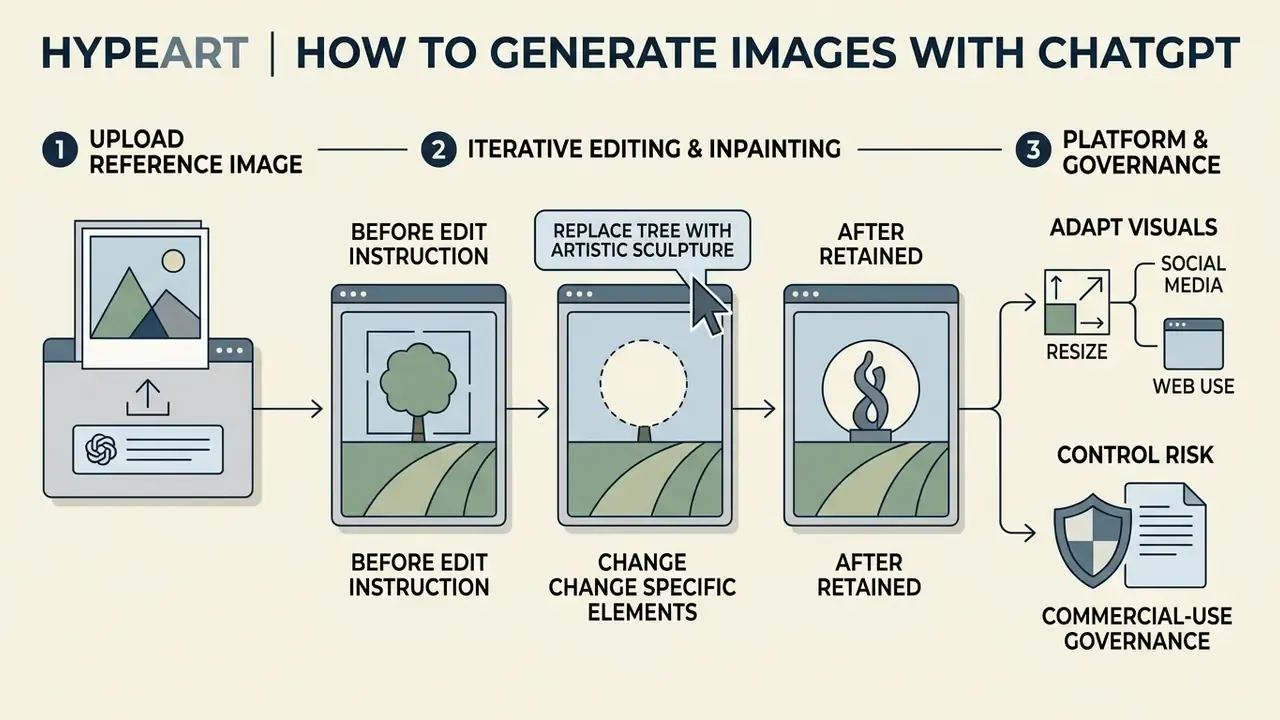
You can upload reference images into ChatGPT to steer the composition or style of a new generation, or use the built-in inpainting tool to edit a specific region of an existing picture with targeted text instructions.
Visual reference plus text direction gives you far more control over layout than text alone. Specialized image-to-image generators apply the same principle with tighter structural controls, and it is worth running reference-based against text-only generation on the same brief to see which suits your project.
Upload an Image as a Reference
Attach the reference through the chat attachment button, then state clearly whether ChatGPT should copy its structural layout or emulate its lighting and color palette. Separate the two roles explicitly, the way dedicated editors do: composition governs layout, spatial arrangement, framing, and structure, while style governs color, lighting, and overall aesthetic.
When referencing existing content, instruct it directly: "Use Image 1 as a structural layout reference, but render the scene in a modern flat vector style." With multiple uploads, number them by role, for example "apply Image 2's style to Image 1, keeping Image 1's layout unchanged," so the model does not average your inputs into something neither reference intended.
Ask ChatGPT to Change Specific Elements
To edit an image, select the area with the inpainting brush or describe the change in chat using "change only X" phrasing. ChatGPT regenerates the designated region and leaves the surrounding composition alone.
Localized modification is the whole point. It keeps visual consistency across edits instead of rolling the dice on a full render. For recurring retouching work, purpose-built AI photo editors and general online photo editors still offer layer-level control that no conversational interface matches.
When changing clothing or backdrops in corporate portraits, explicitly lock facial geometry (preserve facial identity and hair structure exactly) to prevent identity drift across iterations. Headshot work depends on it: if you are producing consistent team portraits at scale, purpose-built AI headshot generators enforce identity retention more strictly than open-ended chat editing.
Academic work on object-level editing explains why region-scoped control beats whole-image regeneration:
"PAIR Diffusion enables independent control of structure and appearance for each object, including reference-image-based editing and free-form shape changes without an inversion step."
Archive the before-and-after pair together with the edit instruction. That triplet does double duty: quality reference for the team, audit record for the reviewer who needs to confirm what changed and why.
- Before
- a professional studio product photograph of a white ceramic mug on a plain wooden table.
- Edit instruction
- "Add a corporate logo to the front of the mug. Keep the mug shape, table, shadows, and lighting exactly the same."
- After
- the same white ceramic mug on the same wooden table, with a corporate logo rendered cleanly on the front surface.
- Retained
- mug geometry, table grain, shadow direction, key light position.
How to Get Better Results from ChatGPT Image Generation
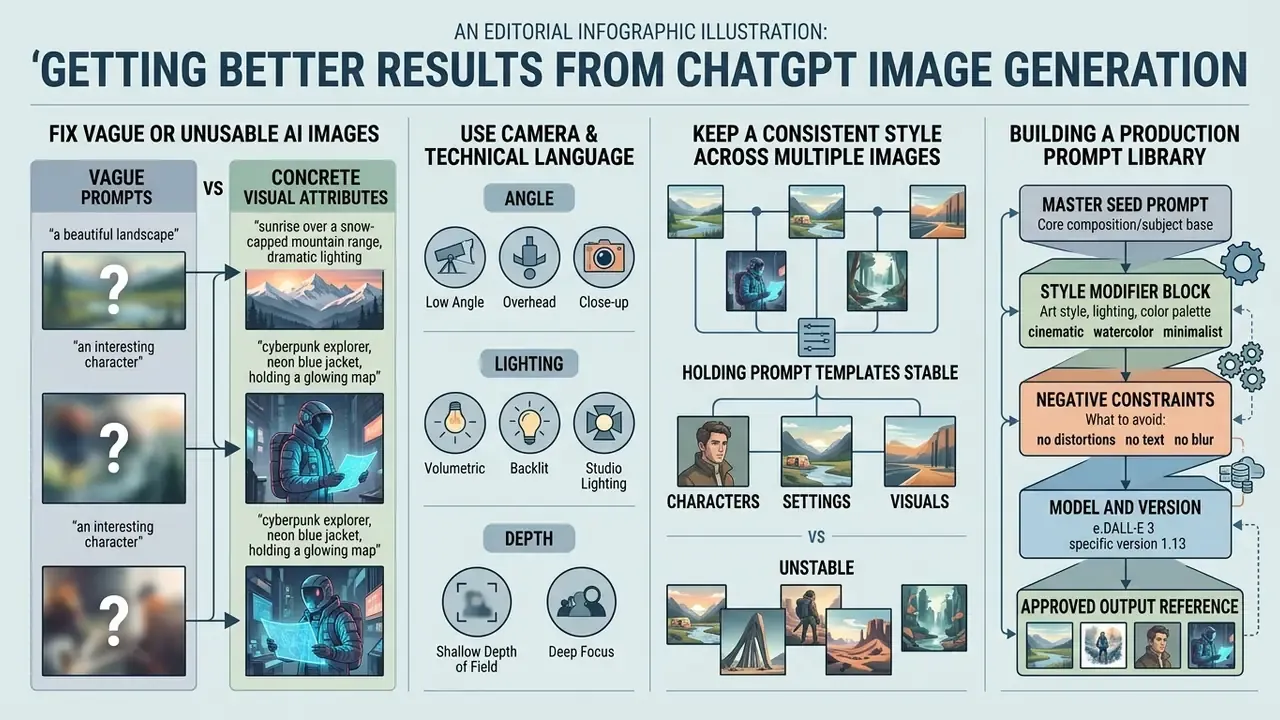
Better results come from replacing abstract adjectives with concrete visual attributes, using camera language, and holding prompt templates stable when you create image series.
Systematic refinement is what turns vague output into a production-ready asset. Teams weighing in-house drafting against a licensed design suite can also look at how integrated platforms such as the Canva AI generator handle templated brand output at volume.
Fix Vague or Unusable AI Images
Blurry, distorted, or off-target results usually trace back to abstraction. Break vague descriptions into specific visual traits, name the lighting source, and isolate the primary subject from the background.
If faces come out distorted or shapes read as ambiguous, cut subjective words like "beautiful" or "hyperrealistic." Replace them with technical descriptors: "studio key lighting, centered portrait framing, crisp focus, muted pastel background." The correction loop is always the same. Name the visible failure. Convert the abstract adjective into a measurable visual attribute. Localize the defect. Add a preservation constraint. Regenerate and compare against the previous version.
For distorted faces, specify facial structure, apparent age, expression, camera angle, and hairstyle. For poor lighting, name the source, the direction, and the time of day.
So prompt optimization is a tractable engineering problem. But recall the DALL·E 3 adaptation finding: fully automated rewriting erased most of the gain. Keep a human in the refinement loop, at least until someone publishes evidence that says otherwise.
Keep a Consistent Style Across Multiple Images
Style consistency across multiple images comes from locking key subject descriptions, reusing a master reference image, and applying identical style keywords in every request.
Build a "style template" paragraph and append it to every prompt in the session. Keep the subject definition verbatim between generations, because paraphrasing a character description is one of the most common drift triggers. Re-upload the same master reference for each new asset instead of trusting session memory.
Comparable stability controls exist across AI art generators and style-specific engines such as Ghibli-style AI image generators, where a saved preset replaces manual keyword repetition. Developers automating generation can pin those parameters programmatically and enforce brand palettes at the request level, much as dedicated AI logo generators constrain output to a fixed identity system.
Building a Production Prompt Library
To scale visual production across marketing and design, store tested prompt structures in a shared library and keep prompts, references, approvals, and exports in one place. Document six fields for every approved asset:
- Master seed prompt the exact initial text string, copied verbatim.
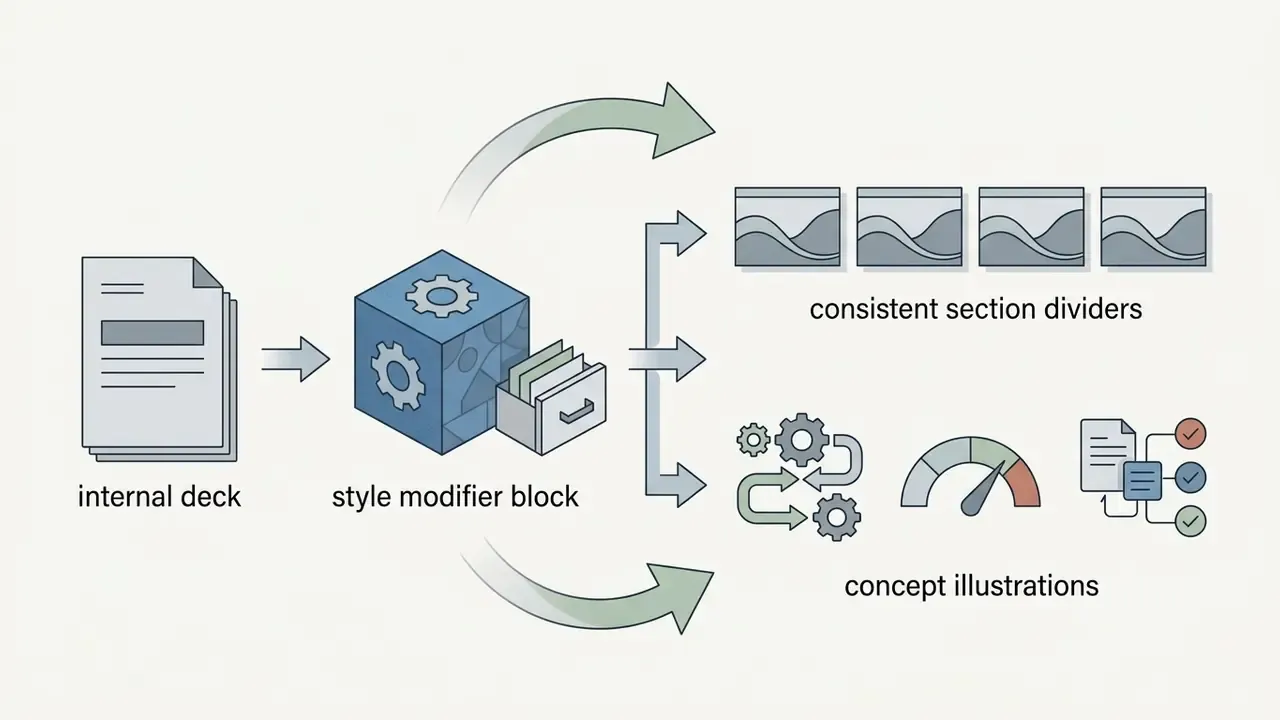
- Style modifier block reusable aesthetic parameters (
studio key lighting, isometric 3D render, muted pastel palette). - Negative constraints explicit exclusions used during generation (
no gradients, no drop shadows, no photographic texturing). - Model and version which engine and quality tier produced the approved output.
- Approved output reference a link to the master file plus its before-and-after edit chain.
- Owner and review status who validated the asset, and under which risk tier.
Structure the library by asset class, social, blog header, product mockup, diagram, icon, so a new hire can reproduce house style without reverse-engineering it from finished images. Agencies running the same discipline across several clients will recognize the pattern from Agency Creative Production setups, where a reusable youtube video template plays the same role for motion assets.
Here is the part governance leaders tend to like: a maintained prompt library is simultaneously a creative accelerator and the audit trail your model-risk reviewers will eventually request. Same artifact. Two purposes.
ChatGPT Image Generator Use Cases and Commercial Considerations
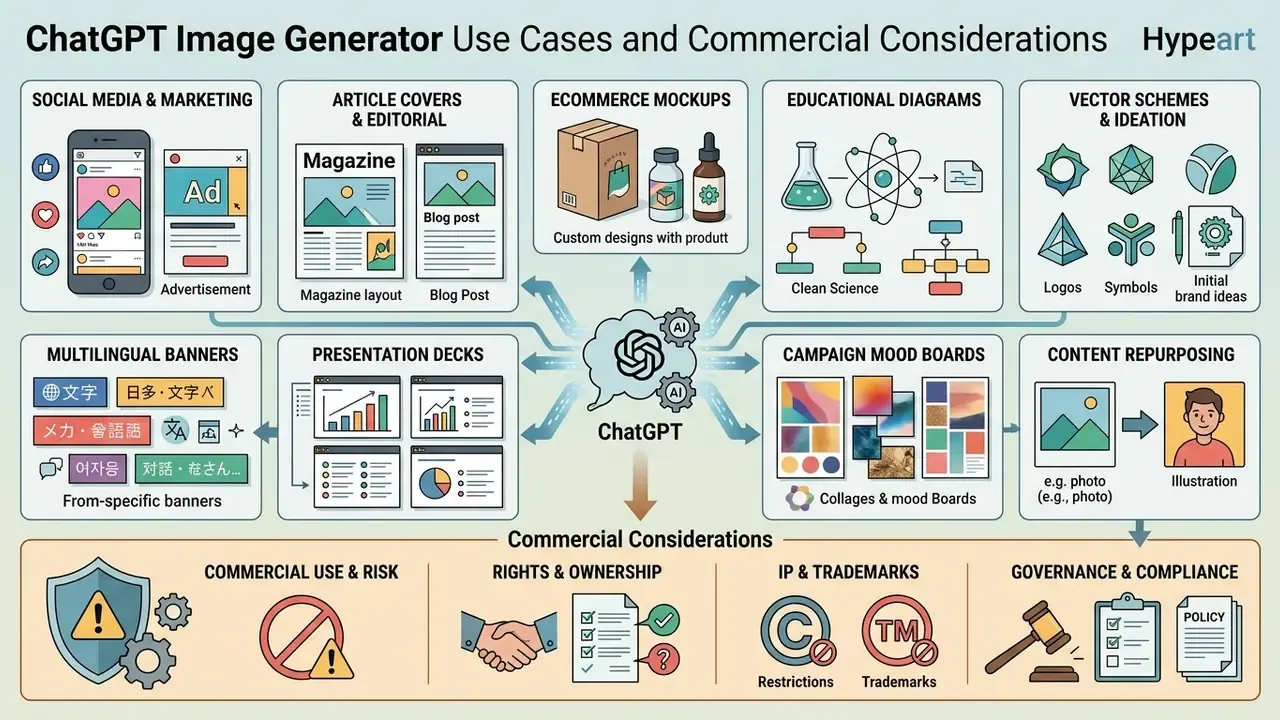
ChatGPT image generation supports business applications from marketing campaigns and social media graphics through article covers, product mockups, and instructional diagrams, provided you stay inside OpenAI's usage policies and the commercial licensing terms described above.
Folding AI visual creation into a corporate pipeline reduces stock-photo dependency and shortens first-draft cycles. Where output resolution falls short of print or large-format needs, AI image upscalers extend usability without a second generation cycle.
Create Social Media, Marketing, and Article Visuals
Teams use ChatGPT to draft promotional banners, social media assets, and article cover art quickly, which strips a lot of overhead out of early creative production.
That matters for channel selection more than people expect. Preference rankings shift by task, so the top AI model for a photoreal product shot is not automatically the best one for a flat-vector infographic.
Give explicit dimensions and platform requirements in the prompt and you get publish-ready visuals for LinkedIn, Instagram, or a corporate blog. Before scaling, review the rules governing commercial use of AI image generators in each channel.
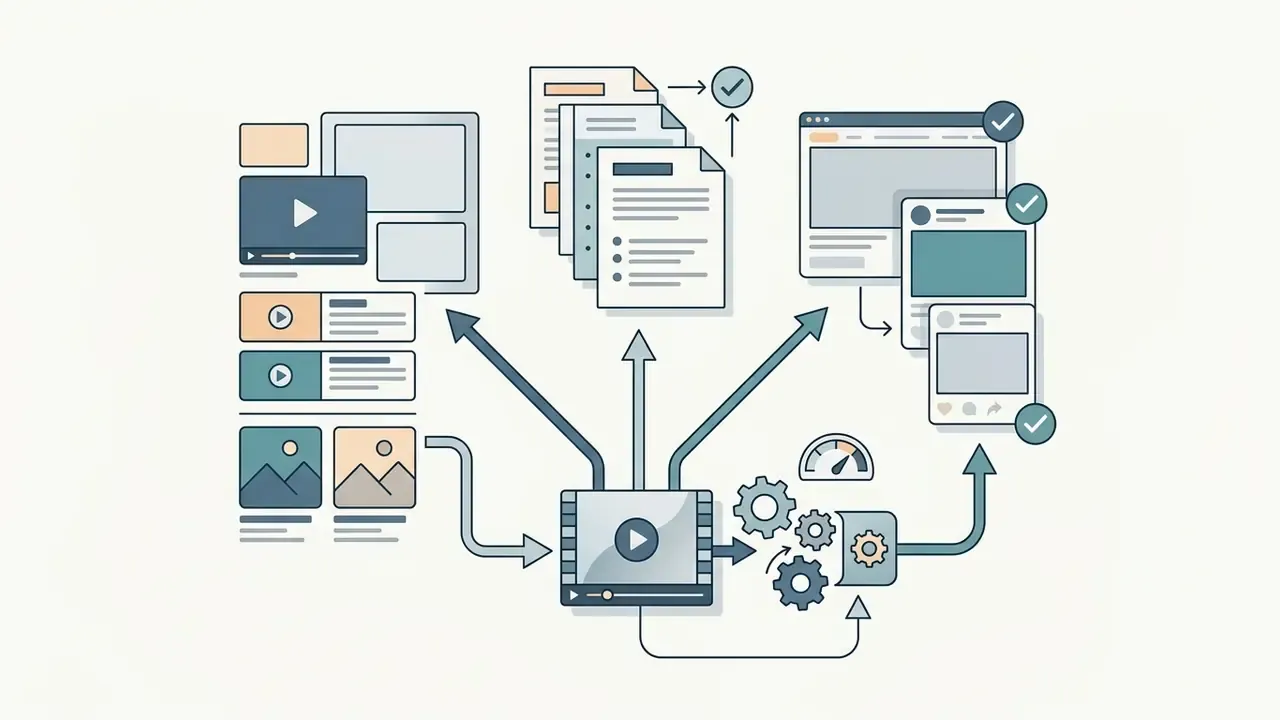
Then extend the same workflow into higher-value asset classes:
For cross-ecosystem comparison, see how the Microsoft AI image generator and Google AI image generator answer the same commercial-use questions on enterprise plans.
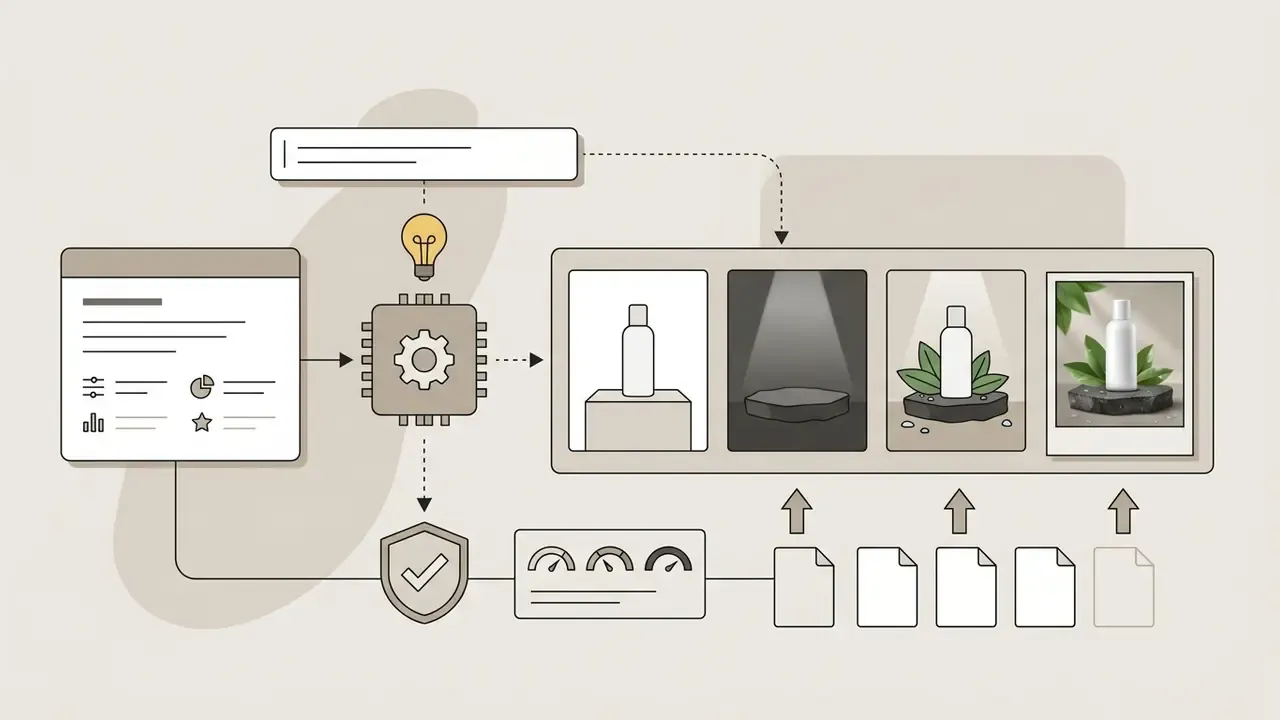
"Place a white cosmetic bottle on a wet basalt stone, soft studio spotlight, surrounded by natural green leaves, high-detail macro photo." Useful for testing concepts before booking a shoot, and for spinning lifestyle variants of a single hero product.
"Create a flat vector diagram illustrating water cycle steps, clean typography labeling 'Evaporation' and 'Precipitation', white background." Quote every label exactly and proof the spelling in the render. For training material, pairing diagrams with output from a youtube video transcript generator keeps the visual and the narration aligned.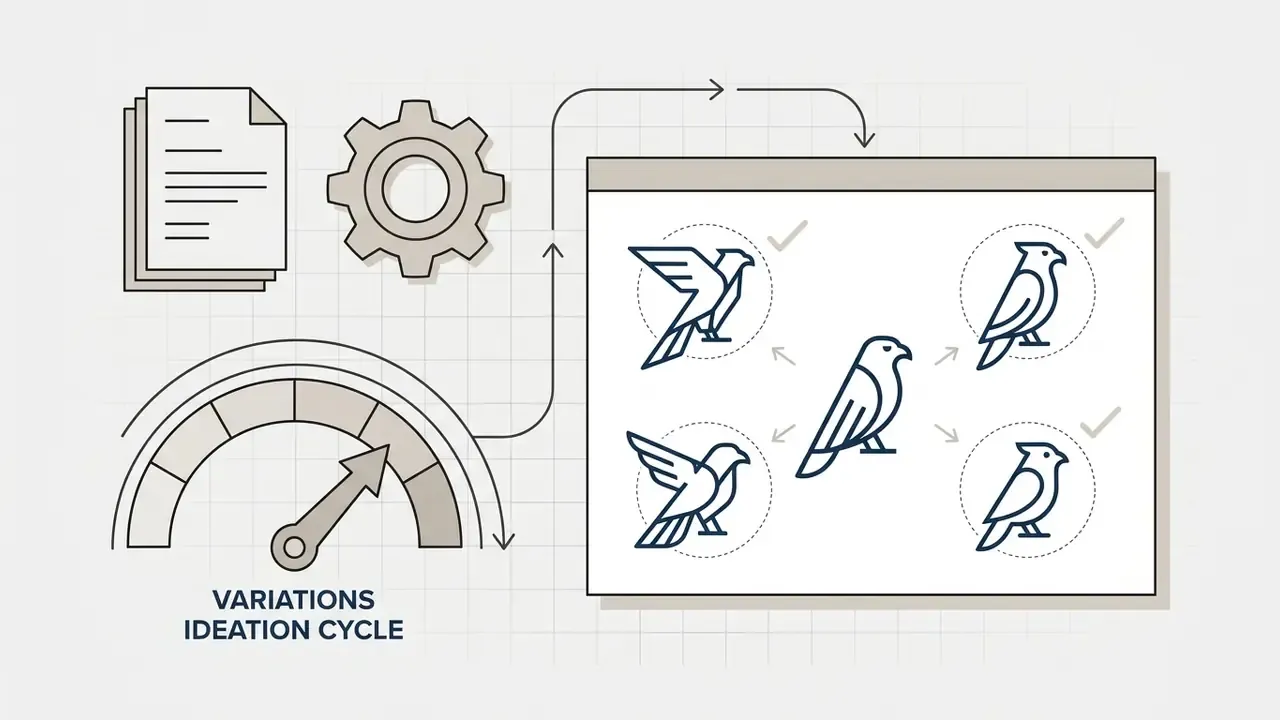
"Minimalist geometric line-art logo for a tech startup, featuring a stylized falcon, dark blue on flat white background." Treat these as exploration drafts for a designer, never as final trademarkable marks.
Measure Cost, Throughput, and Risk-Adjusted ROI
Most ROI models for generative visuals stop at "designer hours saved." That number is real, and it is incomplete.
Build the business case with three cost layers visible. First, direct generation cost: per-image API pricing at your chosen quality tier, or seat cost on Team and Enterprise plans. Second, control cost: reviewer time, legal review on high-tier assets, DLP tuning, prompt-library maintenance, and metadata retention. Third, residual risk: the expected cost of a likeness or trademark incident, a confidentiality breach through a reference upload, or a missing disclosure label in a regulated channel.
A workable expression: risk-adjusted value equals hours saved multiplied by loaded rate, minus generation cost, minus control cost, minus expected residual loss. Run the arithmetic per asset class rather than in aggregate, because an internal deck divider and an investor-facing illustration carry wildly different review burdens. Volume and unit-cost scenarios are easier to model with the calculators in our tooling hub.
One honest caveat: the residual-risk term is the weakest input in the model. Incident frequency data for synthetic visual media in financial services is thin, so treat that figure as a governed estimate reviewed quarterly, not a settled number.
Limitations and Open Questions
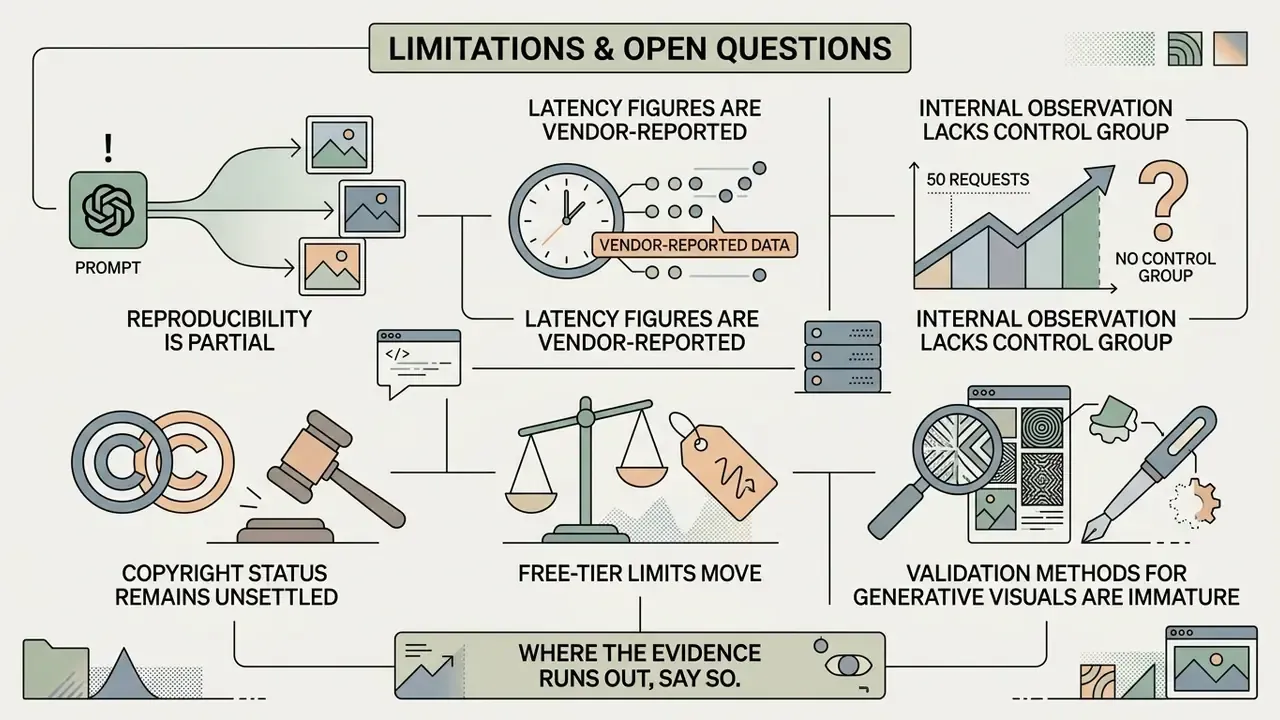
Where the evidence runs out, say so.
- Reproducibility is partial. Chat-based generation exposes no user-controlled seed, so your best artifact is the retained thread plus prompt chain. That is weaker than the parameter-level reproducibility a model validator is used to seeing.
- Latency figures are vendor-reported. The 50% reduction claimed for ChatGPT Images 2.5 comes from OpenAI's release communication as relayed by industry coverage. No primary wall-clock render-time distribution was available at the time of writing.
- The internal 50-request observation lacks a control group. Direction is plausible, magnitude is not benchmarked.
- Copyright status remains unsettled. Contractual output assignment is not statutory protection, and jurisdictions diverge.
- Free-tier limits move. Documented as two images per day; third-party trackers report two to three within a rolling 24-hour window during rollouts.
- Validation methods for generative visuals are immature. Existing model-risk frameworks were built for scored decisions, not for aesthetic output with reputational exposure. Expect your first control set to need revision.
FAQ: Generating Images with ChatGPT
Common questions cluster around free-tier limits, render speed, readable text inside images, and audit defensibility.
Can ChatGPT Generate Images for Free?
Yes. Free tier accounts can create images, capped at roughly two per day under standard OpenAI usage policies.
"ChatGPT Images is available on all plans, including Free, Plus, Pro, Business, Team and Enterprise." OpenAI Help Center, ChatGPT Images Release Notes (2025 to 2026). https://help.openai.com/en/articles/chatgpt-images-release-notes
OpenAI's release notes state that Free users can create up to two images per day. Several third-party trackers report an effective allowance of two to three images within a rolling 24-hour window, with the reset tied to the time of your first generation rather than to midnight. Treat two per day as the documented floor and expect variation during rollouts. Free accounts use the same core visual generation technology; once the limit hits, you either wait for the rolling reset or move to a paid plan for higher volume.
How Long Does ChatGPT Take to Generate an Image?
Usually 5 to 20 seconds for a standard prompt. Complex compositions or heavy server load can stretch that to 60 seconds. Render speed varies with prompt complexity, requested detail, number of edit steps, platform load, and moderation queue pressure.
With the ChatGPT Images 2.5 release, OpenAI stated that generation latency was cut by up to 50% versus previous model versions, which noticeably speeds up interactive design sessions. As noted above, that figure is vendor-reported.
"Participants made at least 10 attempts within 25 minutes, implying an average prompt, generate, evaluate, refine cycle of roughly 2 to 3 minutes." As Generative Models Improve, People Adapt Their Prompts (n = 1,893, 18,000+ prompts, 2024 to 2025)
Plan capacity around the human iteration loop, not raw render time. The bottleneck is evaluation and revision, not GPU seconds.
Can ChatGPT Generate Images with Text Inside?
It can render short, readable strings such as logos, headlines, and sign labels directly inside generated images. Dense, small, or highly complex typography still produces errors. OpenAI's documentation continues to list precise text placement, dense information, small type, cropping, and editing precision as known failure modes.
For maximum legibility, put the exact phrase in quotation marks (render the text "Quarterly Report" on the cover page), keep strings short, specify their position, and add no extra text as a constraint to suppress invented wording. Proofread every render. To judge text rendering across leading AI image generators, run identical quoted strings through each engine instead of trusting marketing claims.
Is ChatGPT Image Output Reproducible for Audit Purposes?
Not deterministically. The same prompt can return different images, so reproducibility must be engineered: retain the prompt string, the edit chain, the model identifier and quality tier, the generation timestamp, and the provenance metadata attached to the exported file. For regulated publications, pair that record with a named human approval before release.
Can We Use Confidential Internal Material as a Reference Image?
Only inside a governed workspace where business data is excluded from model training by default, and only after removing PII, PHI, client-confidential content, and unreleased financial figures. Rebuild sensitive layouts with synthetic data before uploading. When in doubt, do not upload.
Do AI-Generated Images Need to Be Labeled?
In the EU, transparency obligations under Article 50 of the EU AI Act apply to synthetic media, with obligations applying from August 2026. Preserve C2PA Content Credentials in exported files and apply consistent disclosure wording in customer-facing channels. Confirm requirements for your jurisdiction and sector with counsel.
Who Should Own Image Generation Inside a Bank?
A named owner in the function that publishes the asset, usually marketing or corporate communications, with model risk and compliance holding review authority over medium and high-tier assets. No owner, no autonomy. That principle applies to a visual generator exactly as it applies to any other digital worker with access to your data.
A Safe Next Step
You do not need a program to start. You need one controlled pilot.
Pick a single low-risk asset class, internal deck graphics is a good candidate, and run it for thirty days inside a governed workspace with data training disabled. Log every prompt, model version, and approval. Then review three numbers with your model-risk team: hours saved, review time consumed, and how many assets needed a second reviewer. If the ratio holds, extend to the next tier. If it does not, you have learned that cheaply, with nothing customer-facing at stake.