Last updated: November 2026 · Reviewed by: Marcus Hale, AI Governance & Model Risk Editorial Lead
Executive Summary: Takeaways for Enterprise Risk and Creative Leaders
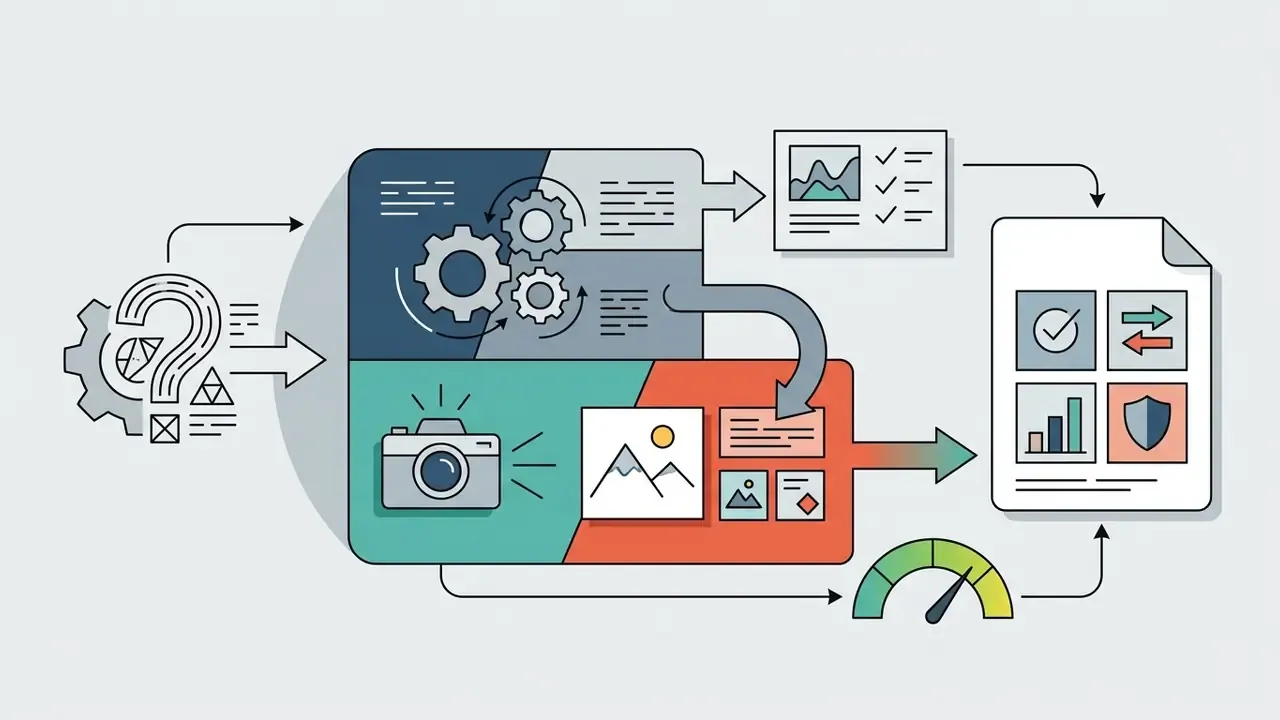
grok-imagine-image-2.0 for stills and grok-imagine-video-1.5 for clips.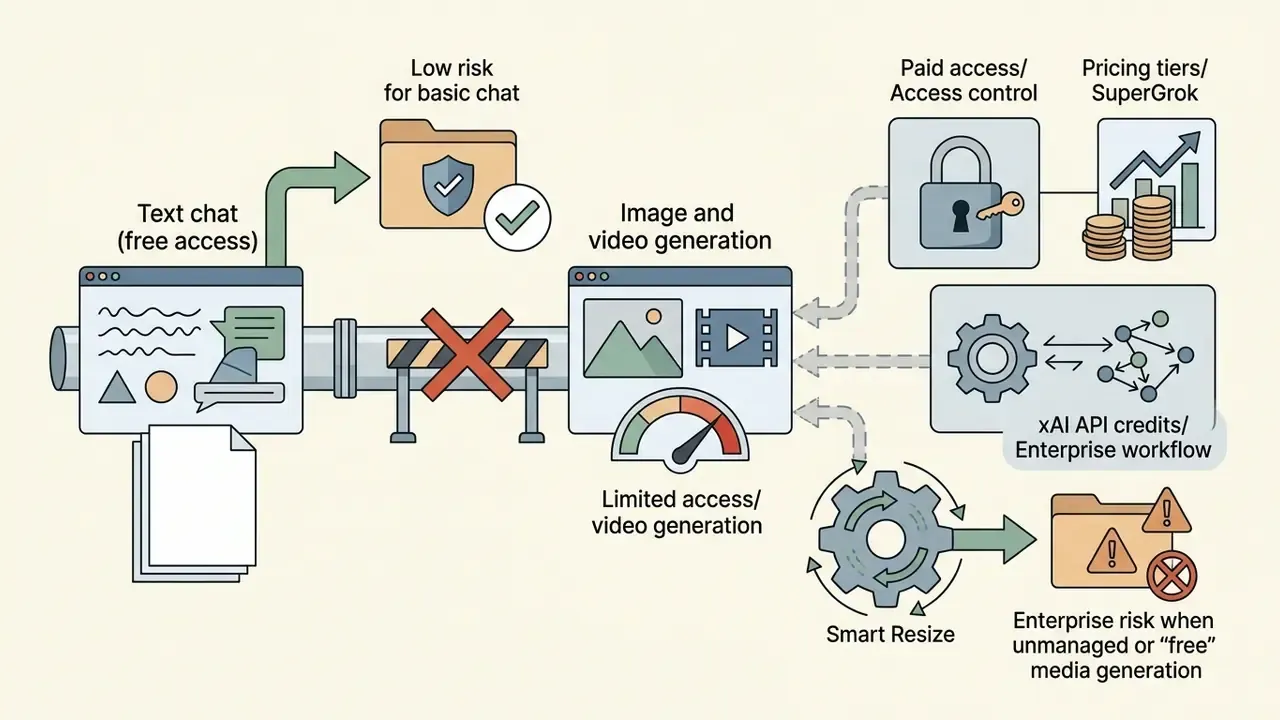
Who this guide is written for, and how to read it
This is not a creative tutorial dressed up as research. It is written for the person who has to sign off: a marketing operations lead, a vendor-risk analyst, or a control owner who inherited "creative AI" as an unplanned line item.
Three questions drive the whole document. Which model actually produces the pixels? What does the platform charge and throttle in practice, not in the marketing copy? And what evidence will you hold six months later if a regulator, an auditor, or a brand's legal team asks how a published asset was made?
Where xAI documents something, the text says so and cites it. Where the number comes from community reporting, the text labels it as observed behaviour, not an entitlement. That distinction matters more than any Elo score.
Can Grok AI create images?
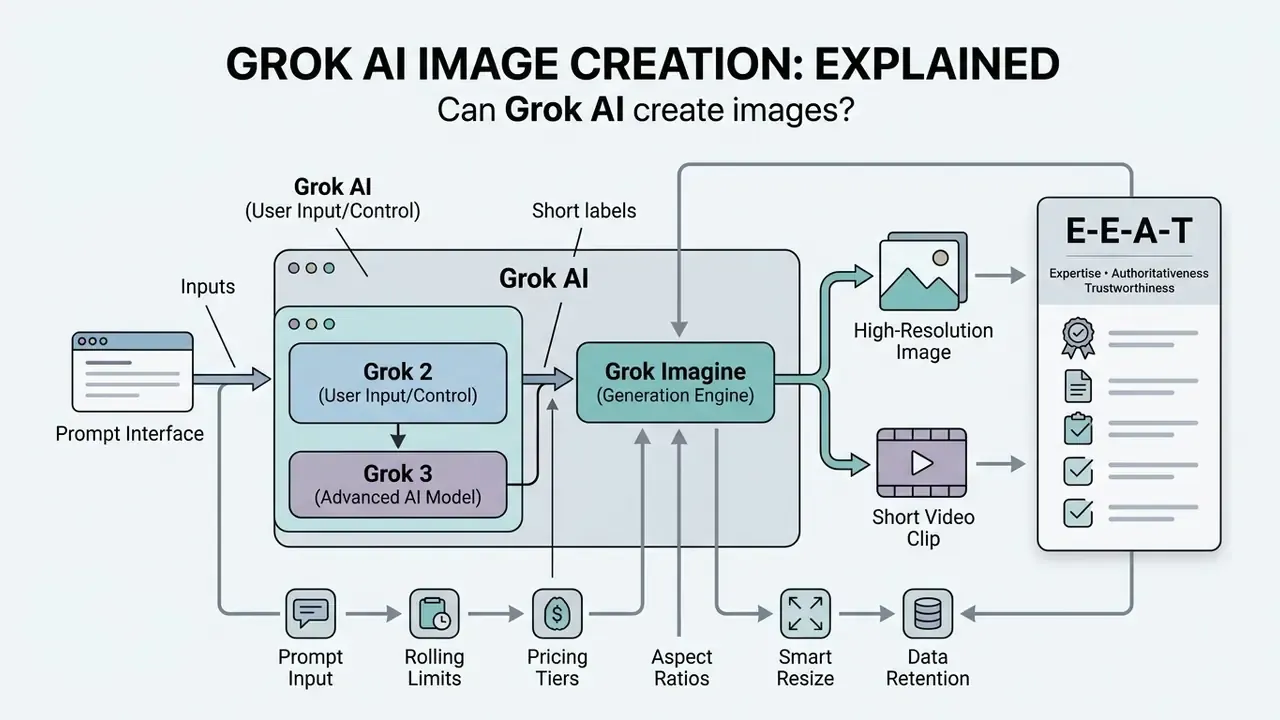
Grok AI can create high-resolution images and short video clips using a specialized multimodal creation engine called Grok Imagine. While conversational Grok LLMs handle text reasoning and data analysis, visual media generation is executed by dedicated underlying image models such as Aurora and grok-imagine-image-2.0.
Integrated directly into the grok.com web interface and X mobile applications, the grok ai image generator transforms plain-language text prompts or uploaded visual assets into detailed static graphics and dynamic clips. Users looking for an ai that can process complex visual requests will find that xAI built Grok Imagine specifically to unify image generation, multi-reference editing, and video synthesis within a single ecosystem.
Search behaviour around this topic is messy. Queries such as "does grok ai generate images", "ai photo generator grok", "ai picture generator grok", and even "elon grok ai image generating" all resolve to the same underlying stack. Different words, one engine.
What Grok Imagine is and how it connects to Grok AI
Grok Imagine is xAI's dedicated multimodal media generation workspace operating inside the broader Grok AI ecosystem. Publicly rolled out in late 2025, Grok Imagine serves as the primary generation tool for visual content, extending Grok from a text assistant into an active creative environment.
Powered by the Aurora autoregressive mixture-of-experts model architecture, Grok Imagine processes interleaved text, image, and video data.
«Aurora is trained to predict the next token from interleaved text and visual data, which enables native multimodal input support.»
Rather than functioning as a standalone product, it operates as an integrated module within the Grok app and web interface, giving users seamless access to static image creation, image-to-image editing, photo animation, and short video generation with audio. For inventory purposes, treat Grok Imagine as a separate system entry from Grok chat, even though the login is shared. One account, two very different risk profiles.
Grok 2, Grok 3, and Grok Imagine: which tool actually generates images
Visual content is generated exclusively by specialized Grok Imagine models, such as grok-imagine-image-2.0 and grok-imagine-video-1.5, rather than the primary text reasoning models Grok 2 or Grok 3. Grok 2 and Grok 3 function as general-purpose language and reasoning models that process text and analyze incoming visual inputs, but they do not output pixel data directly.
During the initial Grok-2 beta phase, xAI partnered with Black Forest Labs to integrate FLUX.1 for image generation. That legacy explains why the phrase "grok 2 ai image generator" still circulates in older tutorials.
«Grok 4.6 accepts images as analytical input, but pixel generation is performed exclusively by the Grok Imagine model family.»
xAI's current production stack relies on its proprietary Grok Imagine model family. So when evaluating whether can grok 3 generate images, it is essential to distinguish between the base reasoning LLM and the dedicated Grok Imagine engine that handles final image and video rendering. Third-party articles that advertise a "Grok 4 Image Generator" mislabel the stack: no such generation model exists in the 2026 release line-up, and using unverified model names in internal policy documents creates audit noise you will have to clean up later.
E-E-A-T verification block
| Check | Finding |
|---|---|
| Type | Fact check / model verification |
| Official references | xAI Developer Documentation (docs.x.ai/developers/model-capabilities/imagine); xAI Engineering Announcements (x.ai/news/grok-imagine-image-2) |
| Verified image engine | grok-imagine-image-2.0 (Quality Mode) for static images |
| Verified video engine | grok-imagine-video-1.5 for text-to-video, image-to-video, reference-to-video |
| Access requirement | Active X Premium, SuperGrok subscription, or xAI API credits |
| Model naming in policy docs | Record exact model identifiers and version dates; avoid marketing labels |
Can you use the Grok AI Image Generator for free?
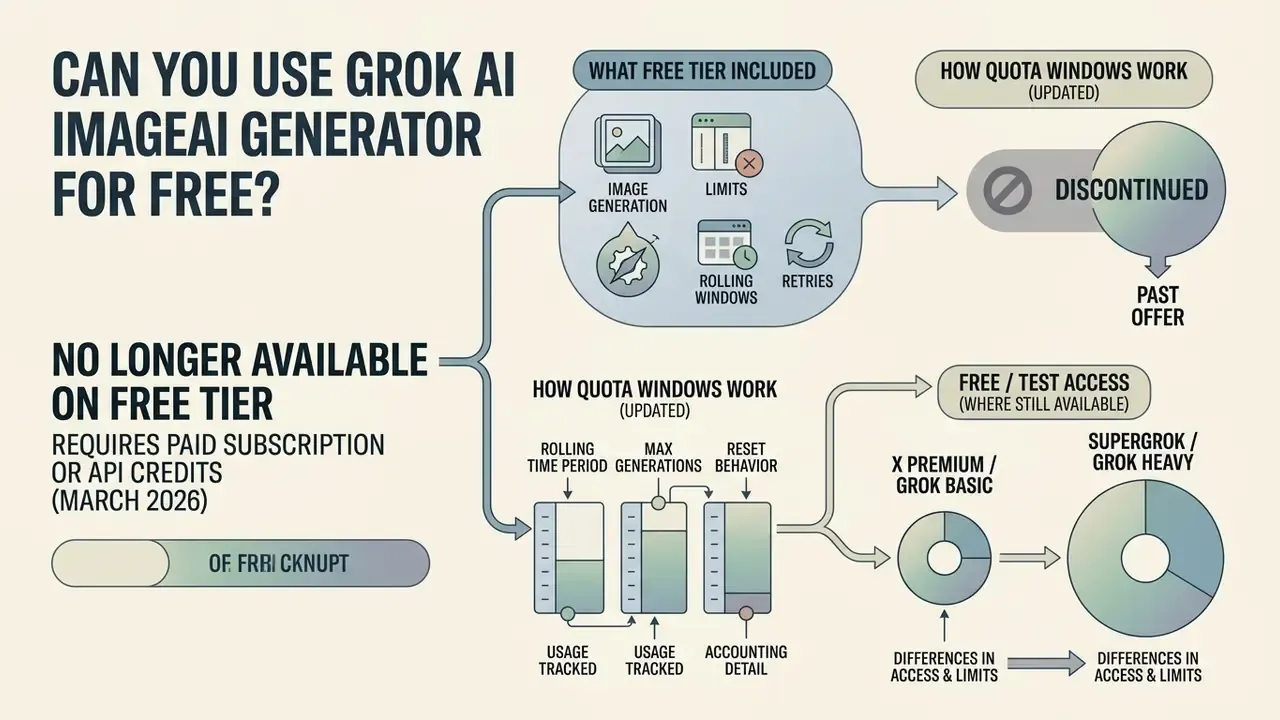
As of March 2026, the Grok AI Image Generator is no longer available on a free tier and requires a paid subscription or API credits. Free access was phased out to manage server load and computational costs.
«As of March 2026, free image generation is fully disabled; generation attempts redirect users to the SuperGrok subscription page.»
Early testing allowed temporary public access, but current platform rules require an active X Premium, X Premium+, or SuperGrok subscription to generate graphics, placing image and video generation behind subscription paywalls. Teams comparing total cost across vendors can review our broader coverage of AI image generators before committing budget. Users searching for a free ai image generator grok option will encounter automated paywall prompts redirecting them to paid tier plans.
What the Grok Imagine free tier actually includes
The current free tier of Grok provides text-based conversational AI capabilities only, explicitly excluding image and video generation. Free users can interact with Grok for standard Q&A and text reasoning, but they cannot produce visual media or access grok imagine free tools. Practitioners who need a zero-cost option can instead evaluate free image generators with no sign-up, which remain a common workaround but introduce their own data-handling questions.
Submitting an image prompt or attempting to upload a reference image on a free account immediately triggers a subscription overlay. For users who want to try Grok before purchasing, xAI provides API playground environments, though production media generation remains strictly paywalled.
There is a governance consequence here that is easy to miss. When the free route closes, employees do not stop; they pay $8 themselves and keep working. That is exactly how shadow tooling enters a brand pipeline.
Image generation limits, rolling windows, and retries
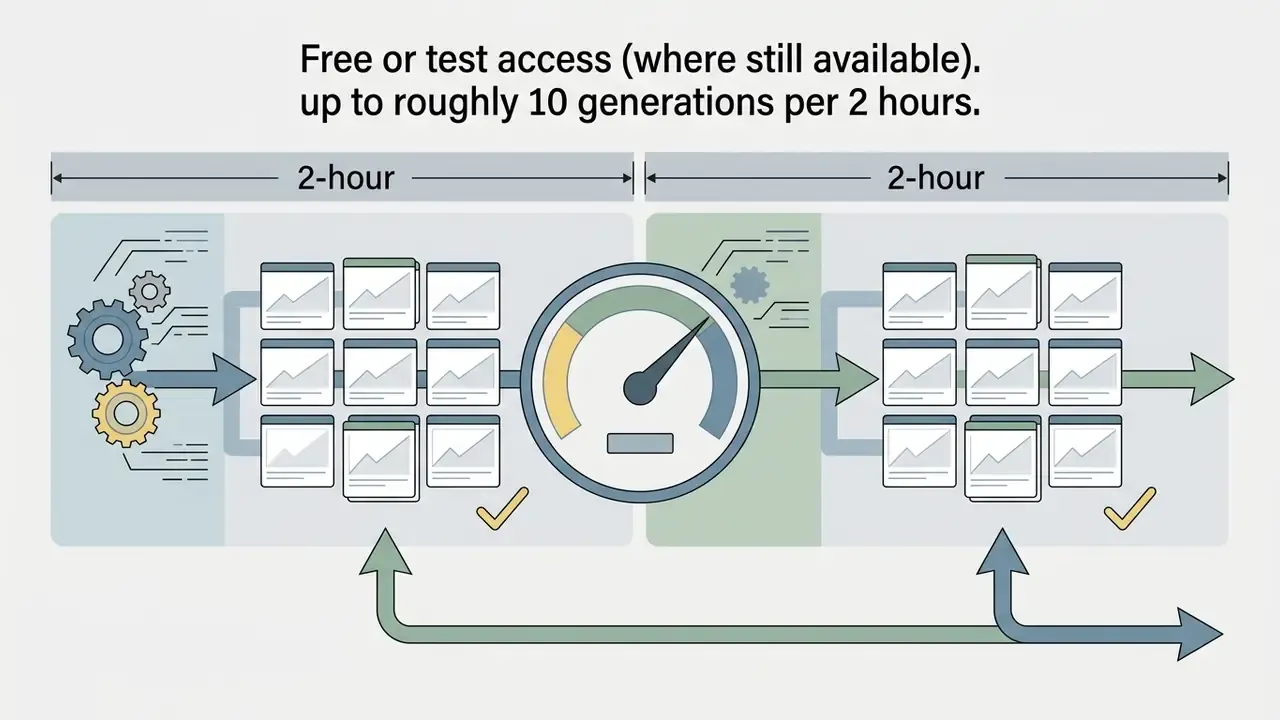
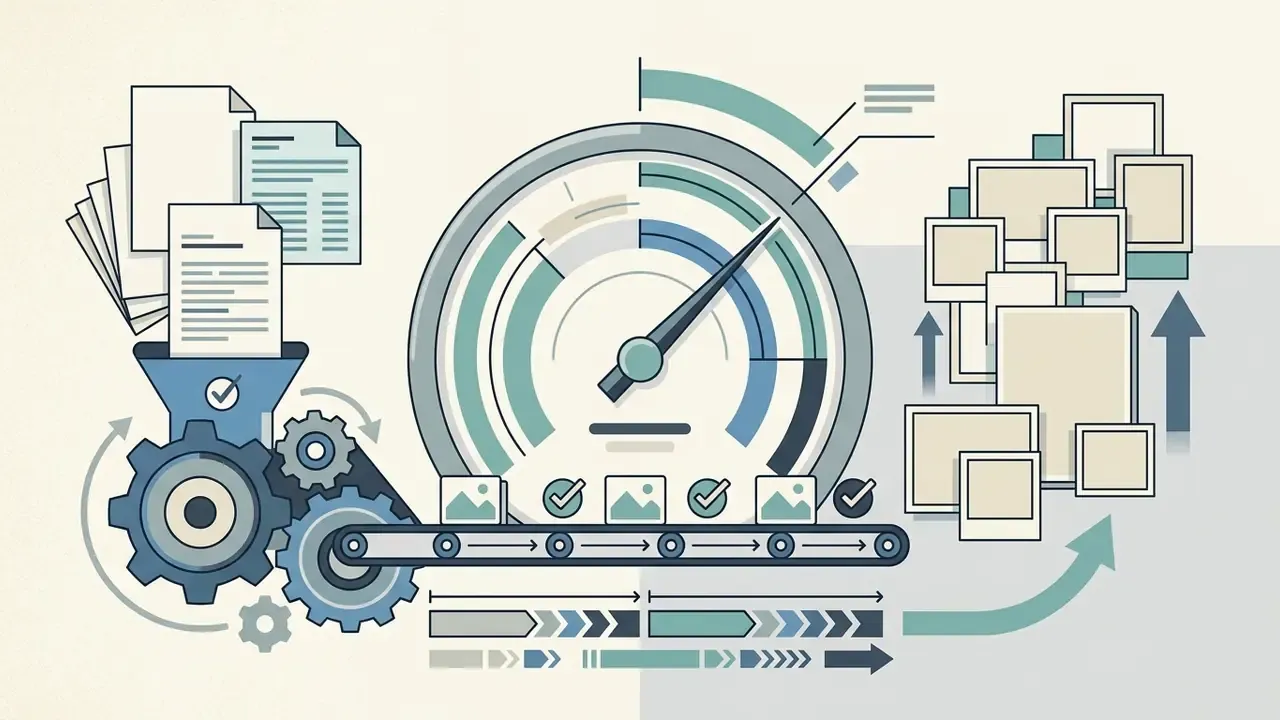
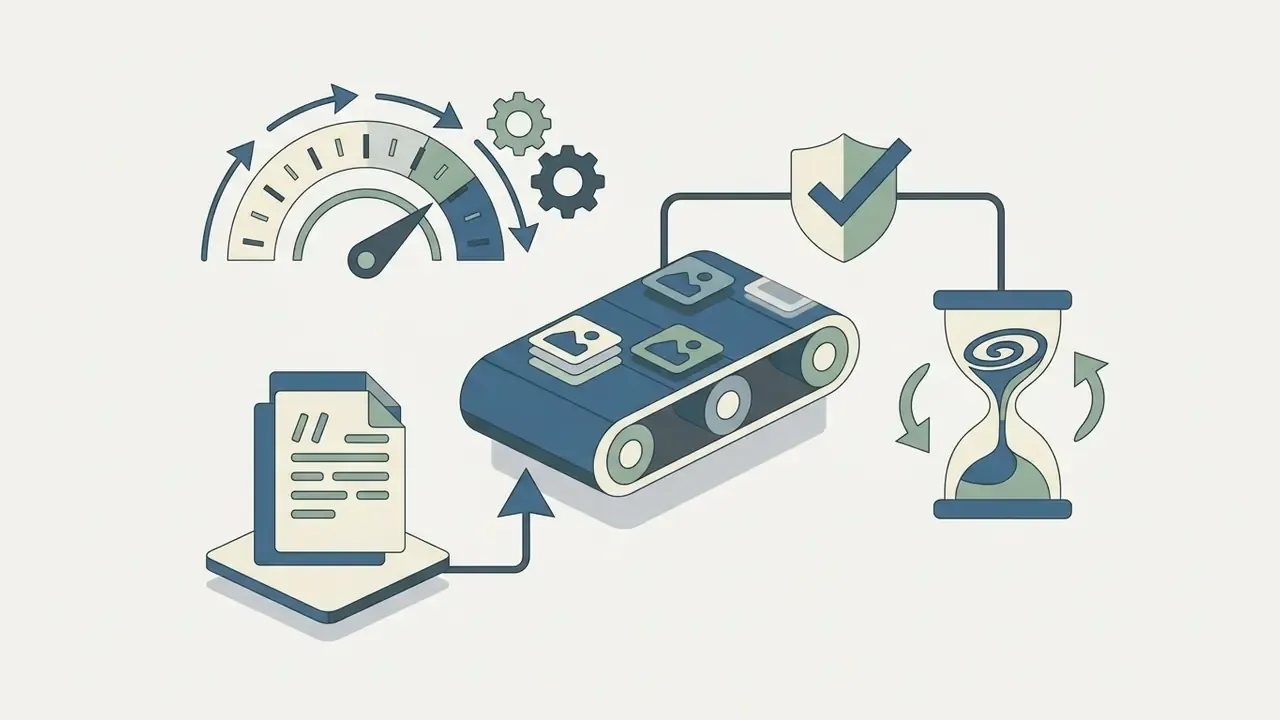
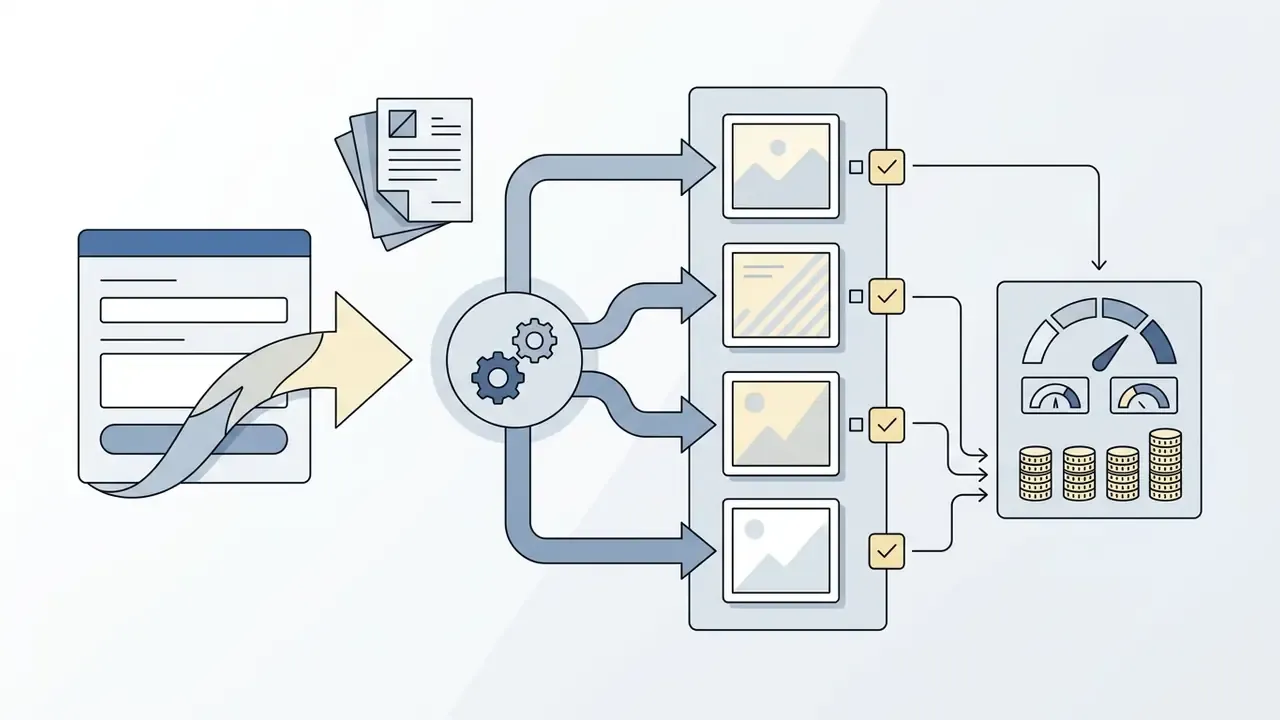
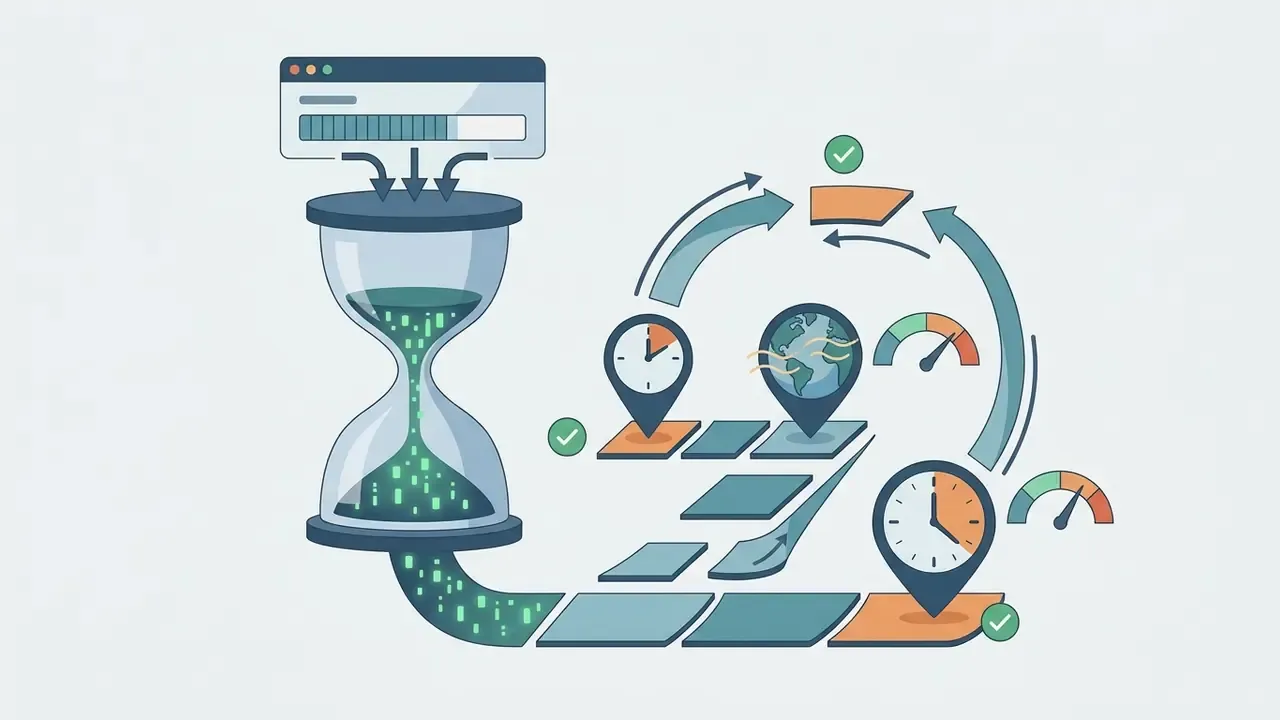
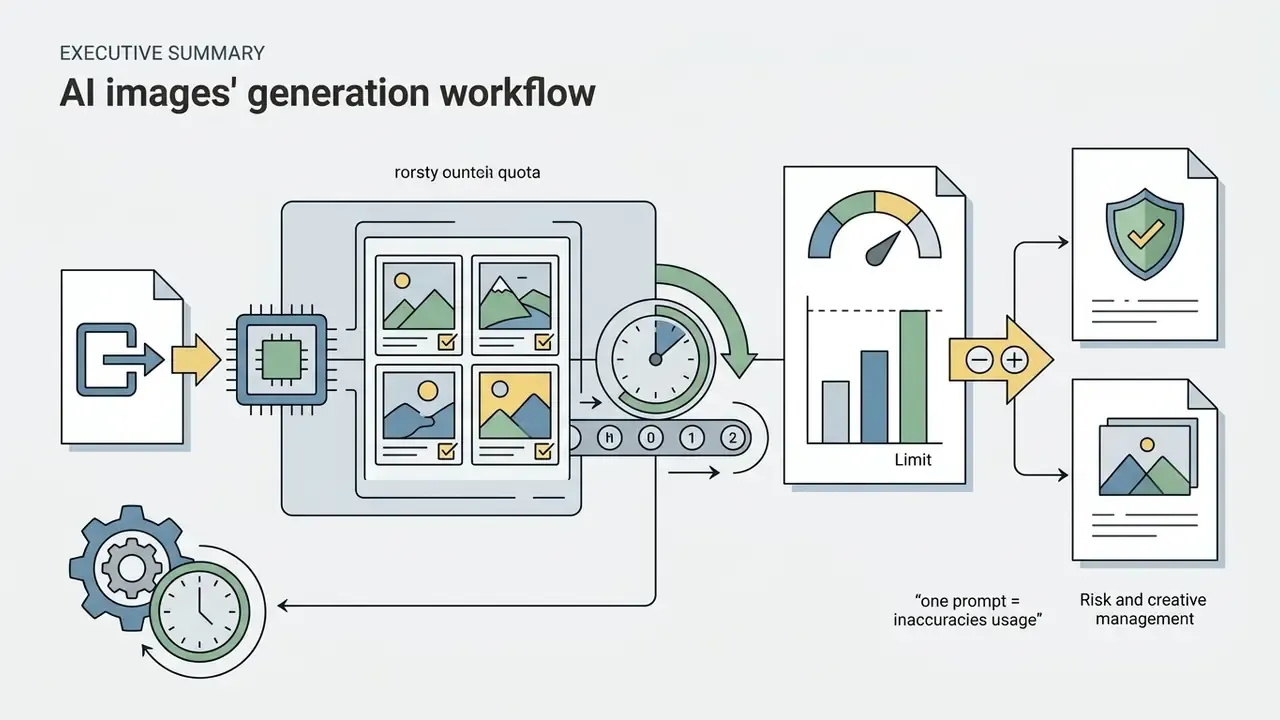
Under current community reporting and secondary platform documentation, not xAI's official published SLA, standard X Premium accounts receive approximately 100 image generations per 24 hours, while SuperGrok and Grok Heavy tiers provide higher allowances reported up to 1,000 daily generations. Treat these figures as observed ceilings subject to change, not guaranteed entitlements; xAI does not publish fixed consumer quotas. In the developer API, users can request multiple variants per prompt to compare output compositions efficiently.
«The
grok-imagine-image-2.0API supports up to 10 images per request at 1K or 2K resolution, priced at roughly $0.04 per image.»
Access tiers, limits, and pricing
| Access Tier | Grok Imagine Access | Image Generation Limits | Video Generation Limits | Reference Image Support | Pricing |
|---|---|---|---|---|---|
| Free Tier | View only / blocked | None (redirects to paywall) | None | Unsupported | $0 / month |
| X Premium / Grok Basic | Full interface | ~50 to 100 per 2h; ~100 per 24h | ~100 clips / 24 hours | Up to 5 reference images | ~$8 to $16 / month |
| SuperGrok / Heavy | Priority access | ~200 per 2h; ~200 to 1,000 per 24h | ~200 to 1,000 clips / 24 hours | Up to 5 reference images | ~$30 to $80 / month |
Imagine API (grok-imagine-image-2.0) | Programmatic API | Up to 10 images per request | Billed per second (up to 15s) | Up to 5 edit / 7 video references | ~$0.025 to $0.04 / image |
Note: platform limits and pricing verified November 2026; consumer quotas are derived from user reporting and are subject to operational adjustment by xAI.
A quick cost sanity check for finance: at four frames per prompt, a 1,200-asset campaign on the API sits near $48 to $192 in raw inference, but the real cost driver is review labour and rework, not tokens.
Grok Imagine capabilities for AI image generation
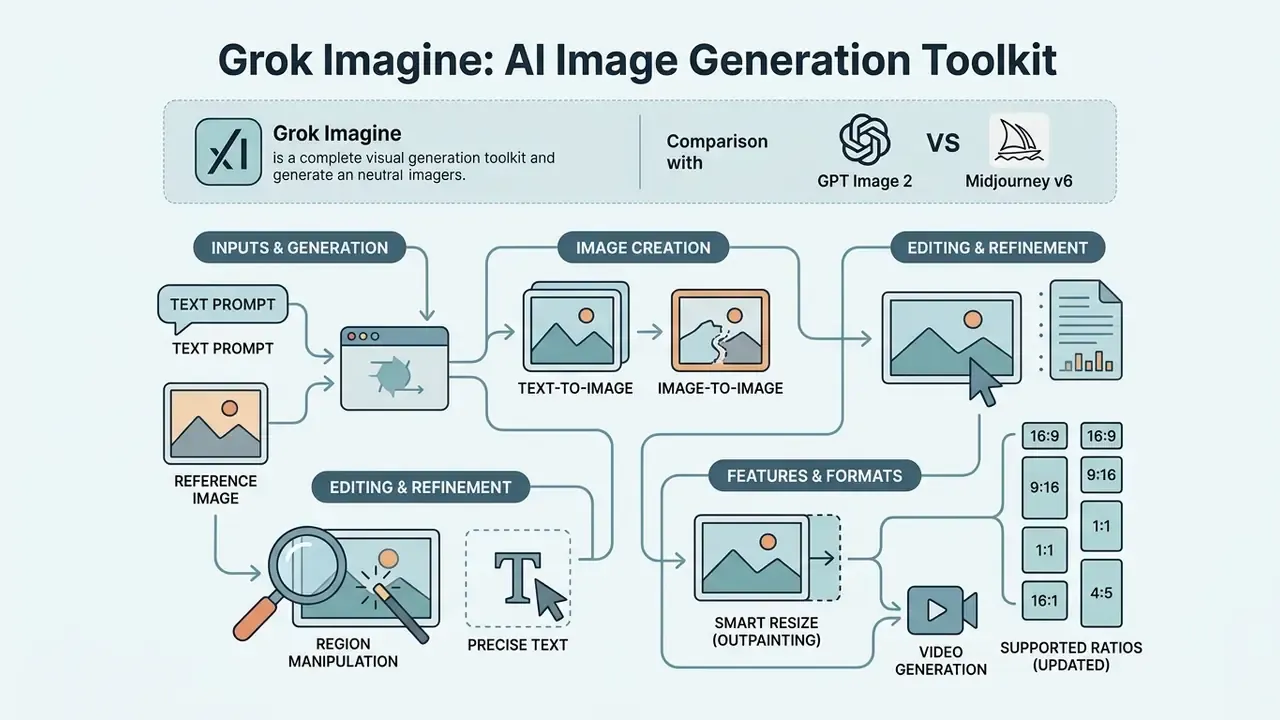
Grok Imagine provides a complete visual generation toolkit covering text-to-image synthesis, multi-reference image editing, region-specific magic wand manipulation, precise text rendering, and video generation. Built for iterative design, the engine lets creators move from initial text prompts to refined marketing visuals without switching tools.
On independent leaderboards such as LMSYS Arena, Grok Imagine Image 2.0 ranks second globally for image editing (Elo about 1,439) and near the top for text-to-image generation (Elo about 1,320).
«The image-editing Arena leaderboard logged 28,831,297 votes across 53 models; Grok Imagine Image 2.0 ranks second with Elo 1439±8.»
Its underlying architecture excels at instruction following, which makes it a reliable generation model for professional media workflows. Crowd-vote Elo is a preference signal, though, not a fitness-for-purpose test. Run your own blind comparison on ten real briefs before you standardise.
«Compared with the previous quality model, Grok Imagine 2.0 gained roughly 92 Elo points in generation and 49 points in editing in a single release.»
Teams benchmarking vendors side by side can cross-check these numbers against our roundup of the best AI image generators and the wider field of AI art generators.
Grok Imagine 2.0 vs GPT Image 2 and Midjourney v6
Selecting a generation engine is a commercial trade-off rather than a quality ranking. Grok is fastest to draft and most permissive with fictional or parody concepts, GPT Image 2 wins on human anatomy and strict instruction following, and Midjourney remains strongest on painterly texture and material realism.
| Parameter | Grok Imagine 2.0 | GPT Image 2 (DALL·E lineage) | Midjourney v6 |
|---|---|---|---|
| Core advantage | High speed, tolerant of parody and fictional themes | Accurate human anatomy, strong complex-instruction following | Maximum artistic realism and texture depth |
| In-image text | High typographic accuracy on signage and posters | Moderate accuracy on long phrases | Weak (frequently distorts letters) |
| Multi-reference input | Up to 5 images in a single request | 1 reference | 3 to 4 via weights (--cw, --sref) |
| Moderation posture | Flexible; parody permitted, lighter filters | Strict, with hard limits on public figures | Moderately strict |
| Editing toolkit | Magic Wand, segmentation, Smart Resize | Chat-based inpainting | Vary Region (inpainting) |
| Best fit | Fast social drafts, text-forward creatives, variant testing | Polished hero assets, human subjects | Editorial illustration, concept art |
So why choose Grok Imagine at all? Mostly for throughput and in-image typography. If your bottleneck is fifty caption-bearing variants by Friday, that is where it earns its keep. For a deeper head-to-head read, see our dedicated analyses of the Midjourney image generator and the ChatGPT picture generator.
Creating images from text prompts
Text-to-image generation in Grok Imagine converts descriptive natural language into high-resolution 1K or 2K visual outputs. Users can select between Speed Mode for rapid visual drafts and Quality Mode for photorealistic rendering, accurate lighting, and fine detail.
«Speed Mode suits fast drafts, while Quality Mode is optimised for realism, accurate text rendering, and complex visual control.»
The Aurora and Image 2.0 models demonstrate strong prompt understanding, translating complex descriptions into cohesive compositions. Prompts of up to roughly 10,000 characters are accepted, so full scene briefs, including wardrobe, props, and mood-board language, can be passed in one request. Whether you request photographic portraits, oil paintings, cinematic stills, anime, pencil sketches, or vector graphics, the system holds reasonably close to the specified visual style. Independent reviews score prompt adherence around 9.2 out of 10 while noting that pixel-level texture can soften in dense multi-subject scenes. Fewer subjects, sharper high quality images. That trade shows up quickly in product work.
Image-to-image and working with reference images
Image-to-image functionality lets users upload an existing image and modify it using text instructions or regional edit tools. Grok Imagine Image 2.0 supports multi-reference generation, accepting up to five source images in a single edit workflow to combine subjects, styles, and backgrounds.
Using the Magic Wand and segmentation tools, creators can select specific regions of an image to adjust clothing, replace backgrounds, or swap objects without altering the rest of the composition. A practical division of labour is to assign each reference a role: one for the product, one for the model, one for the background, one for lighting, one for style. That single habit stabilises identity across successive renders more than any prompt trick. Background removal produces transparent product assets that can be reused across ads, catalogues, and social posts, which makes the system effective for clean product shots and branded marketing assets. Teams can also compare it with other image-to-image generators before standardising a pipeline.
One caution for regulated brands: every reference upload is a data-transfer event. Approve the reference library before you approve the tool.
Aspect ratios, in-image text, and video generation
Supported aspect ratios (updated):
Grok Imagine's Smart Resize system covers the nine core commercial frame formats: 1:1 (square feed), 16:9 (widescreen), 9:16 (Stories and Reels), 2:1 (hero banners), 1:2 (vertical banners), 3:2 and 2:3 (classic photography), and 4:3 and 3:4 (presentations and tablets). Cinematic 21:9 and 5:2 ratios were added on the API side, alongside ultra-tall and ultra-wide variants such as 19.5:9 and 20:9 documented for image endpoints.
«The November 2, 2026 release notes added cinematic 21:9 and 5:2 formats to the API; Smart Resize recomposes across nine aspect ratios from 1:2 to 2:1.»
How Smart Resize (outpainting) works:
Unlike a standard crop, Smart Resize does not shave off the edges when you move a 1:1 asset to 9:16. The grok-imagine-image-2.0 model rebuilds the surrounding canvas through outpainting, preserving the central subject, lighting direction, and scale without stretching proportions. A finished square product shot can therefore become a 9:16 Story, a 16:9 banner, or a 2:1 hero graphic while the product itself stays untouched, a workflow closely related to dedicated AI outpainting tools. The model also offers enhanced text rendering for legible typography on posters and banners, which happens to be the most common failure point in competing engines.
Beyond still graphics, the grok-imagine-video-1.5 engine generates short video clips up to 15 seconds long at 1080p resolution with native audio.
«
grok-imagine-video-1.5supports text-to-video, image-to-video, and reference-to-video; text-to-video internally runs as keyframe generation followed by animation.»
| Workflow | Input | Output |
|---|---|---|
| Text-to-image | "Photorealistic minimalist workspace, soft morning window light, 16:9 aspect ratio." | High-resolution desktop scene with clean space reserved for typography. |
| Image-to-image, multi-reference | Uploaded product photo plus background landscape reference | Composited e-commerce banner with natural shadows and preserved label. |
| Still-to-video | Animated architectural render | 10-second 1080p camera push-in clip with ambient audio. |
How to create an image with the Grok AI Image Generator
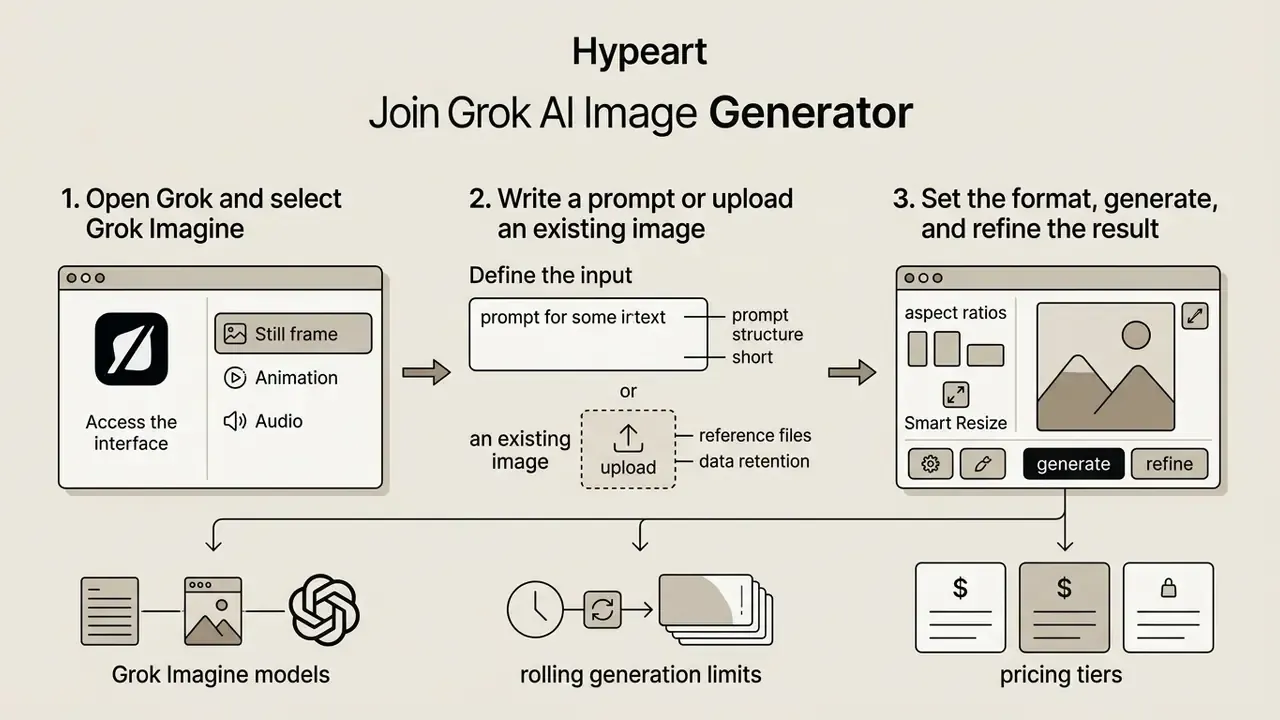
Creating an image with the Grok AI Image Generator involves logging into the platform, opening the Imagine interface, entering text prompts or uploading reference files, configuring format parameters, and exporting the final media file.
The platform streamlines visual creation into an intuitive, multi-step process suitable for both immediate creative drafting and detailed iterative editing.
Step 1. Open Grok and select Grok Imagine
Open grok.com in a browser or launch the Grok tab inside the X mobile application on iOS or Android. Log in using your verified account credentials; xAI notes that a single sign-in keeps conversations, settings, and subscription state synchronised across platforms. Grok website users can link an X account from Settings, then Account, then "Connect your X Account", which routes through X's SSO page.
Once authenticated, select the "Imagine" tab from the top navigation menu, or open grok.com/imagine directly. This opens the dedicated multimodal generation workspace, where you choose between static image creation and video generation modes and start creating.
Step 2. Write a prompt or upload an existing image
In the main input box, enter a clear descriptive prompt detailing your desired subject, setting, lighting, composition, and visual style. Speak naturally and avoid overly complex jargon.
If you are performing image editing or style transfer, click the upload icon to attach up to five reference images. Match the reference aspect ratio to your intended output, because stretching a reference into a different ratio measurably reduces fidelity. You can also explore specialized alternatives like the akool ai image generator or compare options across our AI Media Glossary to select the best tool for your workflow.
Step 3. Set the format, generate, and refine the result
Select your target aspect ratio (16:9 for widescreen, 9:16 for mobile stories, and so on) and choose your preferred quality mode, Speed or Quality. Click the generate button to process your request.
Grok Imagine will render multiple output variations. Review the generated options, pick your preferred visual, and use the Magic Wand or Smart Resize tools for further refinement before clicking download to save the high-resolution file. API-generated images are returned as temporary URLs by default, so download them promptly or persist them to your own storage. Creators who want motion next should look at dedicated image-to-video tools alongside Grok's native pipeline.
Advanced end-to-end pipeline (image, then video, then voiceover):
Step-by-step generation checklist
Step six is the one people skip. It is also the only step that helps you a year later.
How to write prompts for high-quality Grok images
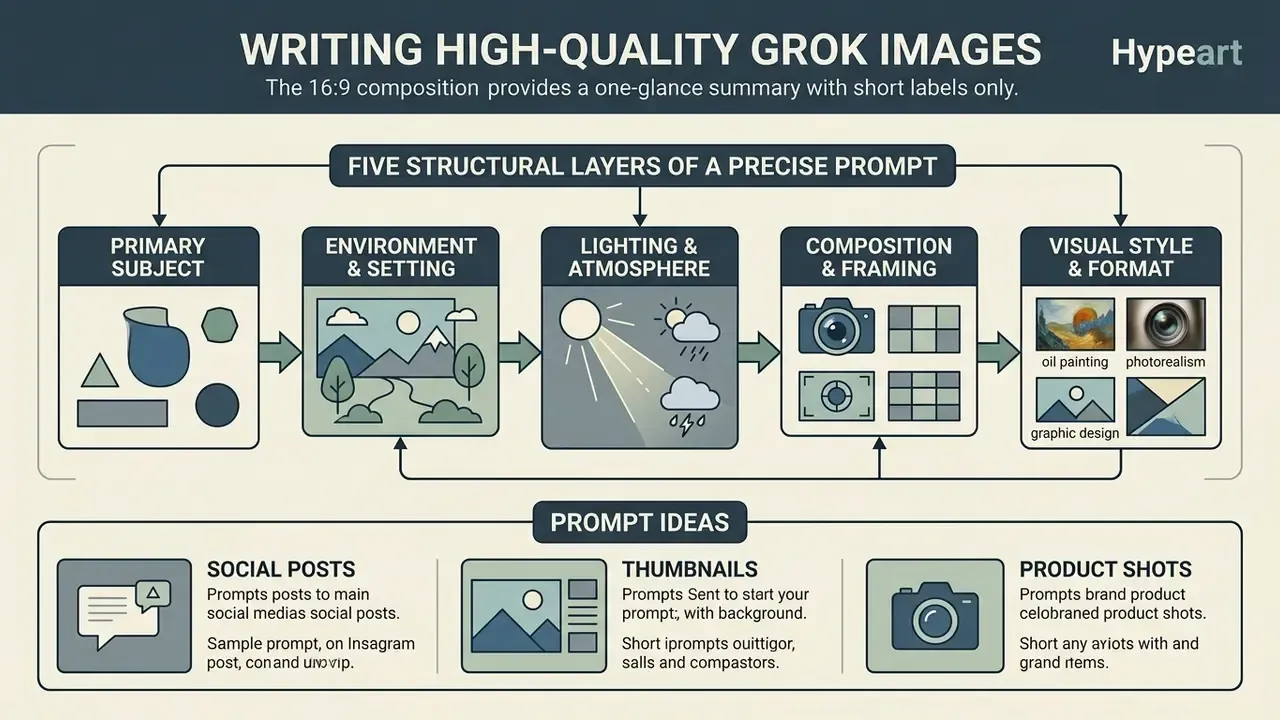
Writing effective prompts for Grok Imagine means structuring descriptions in a logical sequence that prioritises the core subject, environment, lighting, visual style, and target aspect ratio. Clear noun phrases yield more predictable results than vague decorative adjectives.
Because the underlying Aurora and Image 2.0 models follow instructions closely, organised prompts prevent visual clutter and keep key details, such as brand colours or typography, intact. Word order matters: the opening tokens carry the most weight, so lead with the asset type and subject rather than mood adjectives.
The five structural layers of a precise prompt
A precise prompt for Grok Imagine should combine five structural layers:
- Primary subjectdefine the main entity, person, or product clearly ("a matte ceramic coffee mug").
- Environment and settingdescribe the background, surface, and context ("placed on a textured concrete surface").
- Lighting and atmospherespecify light sources and direction ("soft morning sunlight from the side, subtle long shadows").
- Composition and framingdetail camera angle and shot type ("overhead eye-level macro shot, shallow depth of field").
- Visual style and formatindicate aesthetic treatment and output parameters ("studio product photography, clean, 1:1 aspect ratio").
«XCreators recommends naming the light source, camera angle, and depth of field; this reduces visual noise and makes results more predictable.»
A useful sixth layer for commercial work is an explicit exclusion clause ("no text", "no logos", "no watermark"), which lowers the risk of accidental trademark-like marks appearing in a paid placement. Cheap insurance, honestly.
Which tasks Grok Imagine image generation fits
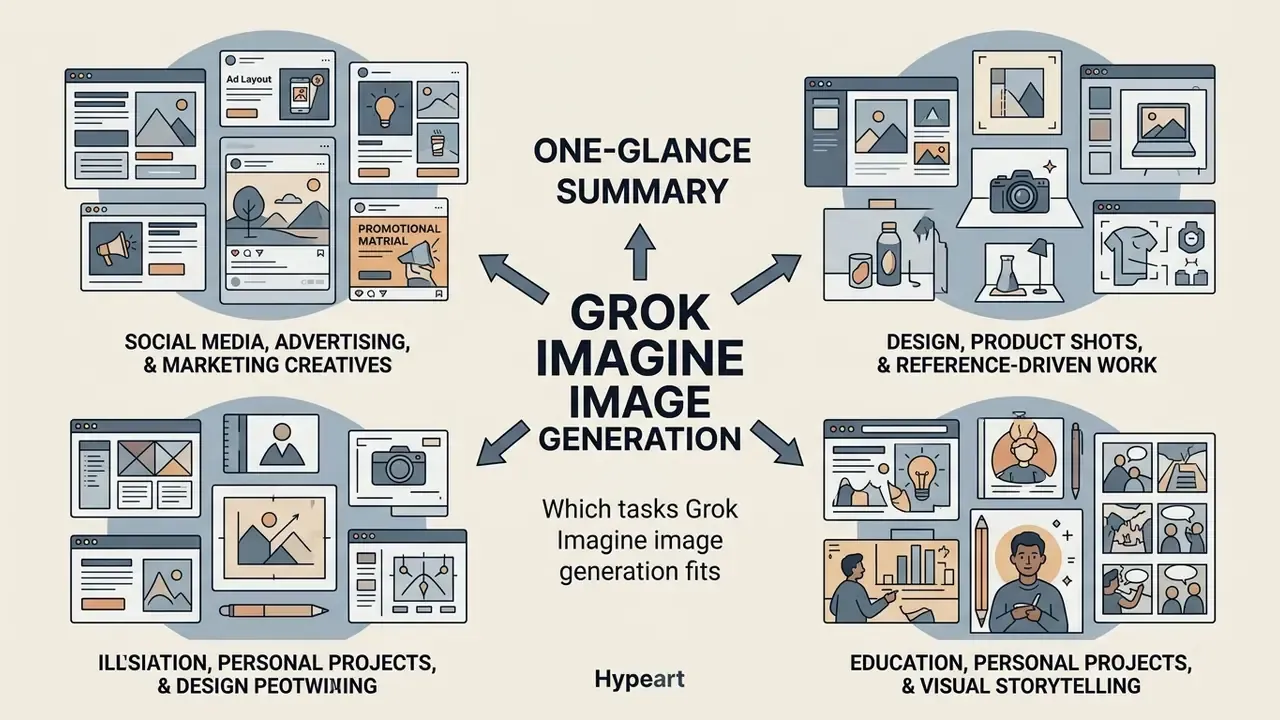
Grok Imagine supports a wide range of creative and commercial tasks, enabling digital marketers, graphic designers, content creators, and educators to produce high-quality visual media quickly.
By combining text-to-image synthesis, multi-reference editing, and still-to-video capabilities, the tool compresses ideation and content production across digital channels.
Design, product shots, and reference-driven work
Education, personal projects, and visual storytelling
Educators and digital storytellers use Grok Imagine to illustrate presentation slides, instructional materials, and book concepts. Multi-turn refinement lets creators retain character appearance across multiple scene depictions, which is the hard part of any illustrated series.
By combining text prompts with sequential scene generation, users can build visual narratives that hold stylistic coherence across complex educational slide decks or personal storytelling projects. A practical method documented by xAI is to generate the character, the locations, and the props separately while holding a single style instruction constant across every render. Useful for a picture book, a course module, a game art bible, or a family keepsake series. Note that xAI does not publish education-specific presets; the workflow is simply the same media pipeline applied to instructional content.
Is the Grok AI Image Generator suitable for commercial use?
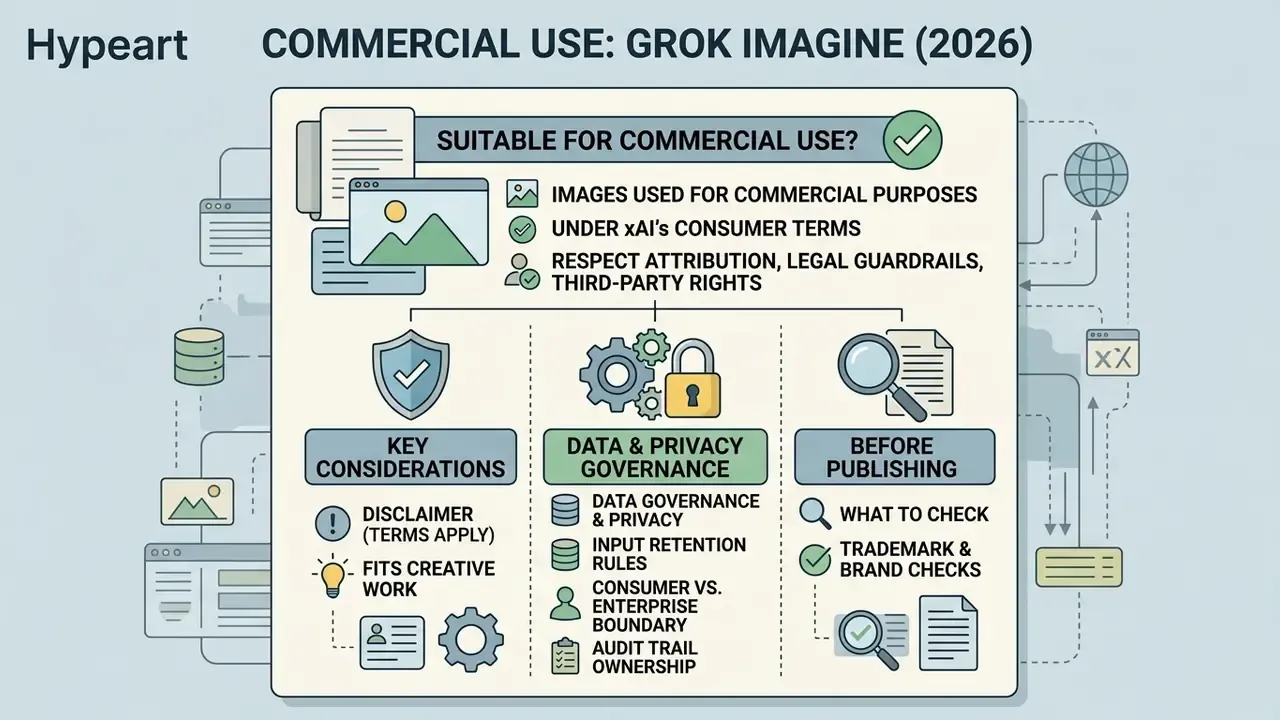
Grok-generated images may be used for commercial purposes under xAI's consumer terms of service, provided creators respect attribution rules, legal guardrails, and third-party rights. Users retain ownership of generated output subject to applicable laws and platform conditions. Procurement teams weighing licence terms across vendors can also review our comparison of free AI image generators, where ownership clauses differ sharply.
Commercial deployment still requires careful review of content policies, brand guidelines, and copyright regulations to keep enterprise risk inside appetite. Two asymmetries matter most at board level: xAI's consumer terms grant a broad, perpetual, sublicensable licence over submitted content for service operation, and they contain no IP indemnification. Enterprise agreements are negotiated separately and should be the route for regulated deployments.
When Grok Imagine fits commercial creative work
Grok Imagine suits commercial digital advertising, social media campaigns, concept moodboards, and rapid creative drafting. High-resolution output makes it an efficient engine for initial marketing visuals and digital ad concepts, particularly where in-image copy has to stay legible.
Companies using generated visual media in commercial workflows should keep clear records of input prompts and reference sources to preserve operational transparency. xAI's brand guidelines also require legible attribution when Grok-generated text or images are published or distributed, so attribution placement belongs in the creative template rather than in a post-launch scramble.
Data governance, privacy, and retention
What to check before publishing or using an image
Before publishing Grok-generated visuals in commercial campaigns, complete four essential checks:
- Trademark and brand checks ensure generated graphics do not inadvertently reproduce registered logos, protected brand marks, or proprietary product designs.
- Reference image rights confirm full legal ownership or commercial licensing for any uploaded reference images used during image-to-image compositing.
- Content policy compliance verify that output media complies with xAI's Acceptable Use Policy, excluding explicit, deceptive, or infringing content. Pre-publication screening with AI image detectors helps confirm what is synthetic when assets pass through multiple agencies.
- Copyright and disclosure review U.S. Copyright Office guidelines on human authorship requirements for AI-generated material in commercial publications.
For mixed works, the Copyright Office requires disclosure of more than a de minimis amount of AI-generated material plus a short statement of the human contribution, which is another reason to log prompts, edits, and human decisions.
Moderation limits and historical context (Spicy Mode):
During the 2025 launch phase, xAI tested reduced-filtering modes in Grok Imagine, including the widely reported "Spicy Mode" for higher-tier subscribers, which triggered significant public backlash over deepfake and NSFW misuse. In the current production stack, automatic moderation has been tightened substantially to prevent non-consensual likenesses and unlicensed material, and image generation was restricted to accountable paying accounts. Practitioners working with real people's portraits or recognisable brands report rejection rates as high as 70 to 90 percent on borderline prompts. For commercial campaigns, use abstract compositions or fully synthetic characters, and never attempt to generate identifiable individuals without documented consent.
To evaluate broader compliance standards, teams can open the hub for enterprise asset management or open the hub to review legal governance frameworks across our media analysis network.
Legal notice
| Item | Detail |
|---|---|
| Commercial usage | Under xAI's Consumer Terms of Service, users retain rights to generated outputs for commercial use, provided xAI brand attribution guidelines are met where required. |
| Copyright | AI-generated visuals alone are not eligible for copyright protection under U.S. Copyright Office guidance without substantial human creative contribution. |
| Third-party rights | Verify trademark rights, publicity and likeness rights, and reference-image permissions before launching commercial ad campaigns. |
| Indemnification | Consumer terms do not state IP indemnification; negotiate enterprise terms for regulated or high-exposure deployments. |
FAQ: watermarking, provenance, and frequently asked questions about limits
Does Grok Imagine embed C2PA metadata or visible watermarks?
xAI's public documentation does not specify a guaranteed C2PA Content Credentials implementation for Grok Imagine outputs, and behaviour has varied across app, web, and API surfaces. Do not assume provenance metadata survives download, re-encoding, or third-party editing. If your disclosure policy depends on machine-readable provenance, add it yourself at the DAM stage rather than relying on the generator.
When exactly do my limits reset?
Quotas operate on a rolling window rather than a midnight reset. Most reports describe a two-hour bucket, with some users observing 12 to 24 hour behaviour under heavy load. Because one prompt normally returns four frames, a "10 images per 2 hours" allowance is realistically two or three prompts.
Does xAI indemnify me against IP claims from generated images?
Consumer terms contain no indemnification clause. Enterprise agreements are handled separately, so legal exposure for consumer-tier generation stays with the user. For regulated industries, this is the single most important clause difference.
Can I generate images of real public figures?
Parody and fictional treatments are handled more permissively than on some competing engines, but current moderation blocks the majority of realistic prompts involving identifiable individuals, and likeness or publicity rights apply regardless of what the model outputs. Treat any successful generation of a real person as a legal question, not a technical one.
Is there any remaining free way to use the Grok AI image generator?
Not on xAI's own surfaces: free accounts are text-only since March 2026. Third-party sites advertising "free, unlimited Grok Imagine" route requests through their own API keys and upscalers. Native output resolution from grok-imagine-image-2.0 is 1K or 2K, so claims of native 4K should be read as post-processing rather than model capability.
How many reference images can I use?
Up to five for image editing and up to seven for video reference workflows, per xAI's November 2026 release notes. Earlier versions and some third-party front-ends cap at three.
Does Grok generate images inside the same chat as text answers?
Yes at the interface level, no at the model level. The conversation may feel continuous, but the request is routed to the Grok Imagine engine, and that routing is what your inventory and logging should reflect.
Limitations, open questions, and a safe next step
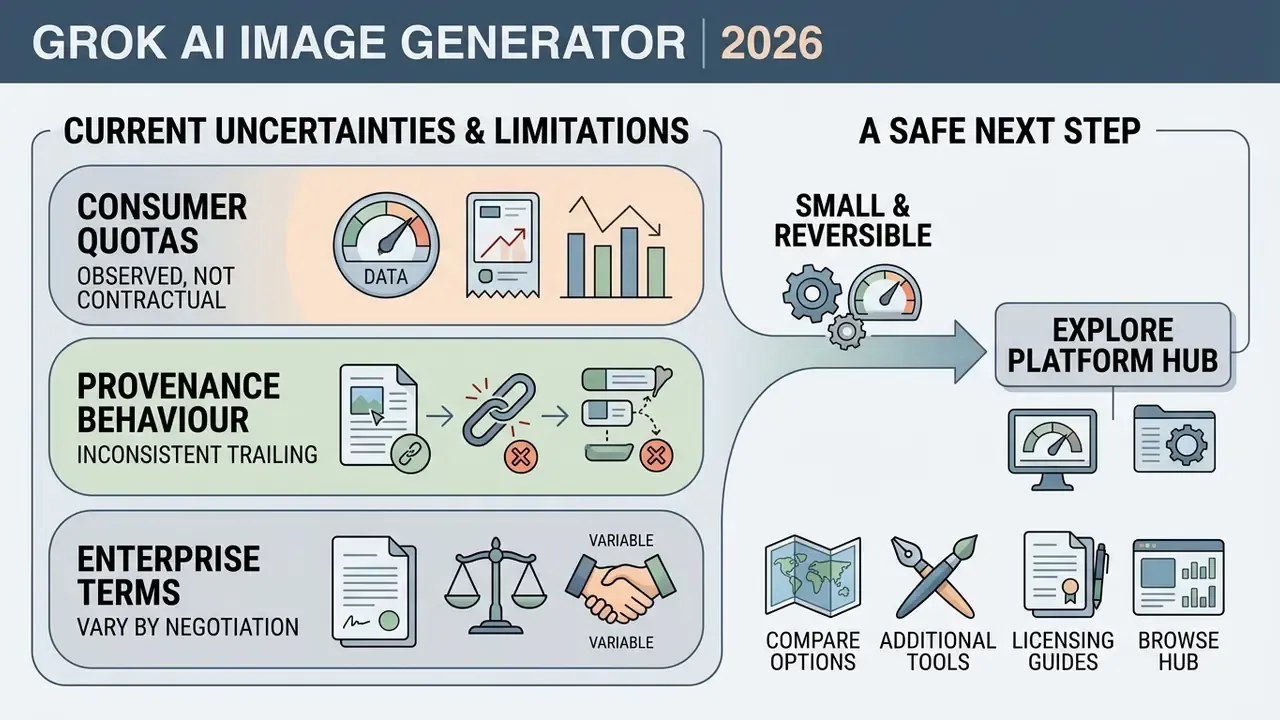
Three things in this article are not settled, and pretending otherwise would be dishonest.
First, consumer quotas are observed, not contractual. xAI adjusts throttling operationally, so any capacity plan built on "about 100 per day" needs a quarterly re-test rather than a one-time note in a slide.
Second, provenance behaviour is inconsistent. Until C2PA support is documented explicitly, disclosure controls have to live in your own systems.
Third, enterprise terms vary by negotiation. Public pages tell you almost nothing about what your own contract will say on retention, indemnification, and training-data use.
A reasonable next step is small and reversible. Run a two-week bounded pilot on a single non-confidential asset class, log every prompt, reference file, model version, and approver, then review the record with legal and internal audit before anyone touches customer-facing creative. If the log is thin, the answer is no. Not yet.
Appendix A: Editorial corrections log
| Claim in earlier version | Status | Current wording |
|---|---|---|
| "Grok Imagine supports 13 native aspect ratios" | Corrected | xAI documentation describes Smart Resize across nine aspect ratios (1:2 to 2:1), with additional cinematic and ultra-wide ratios such as 21:9, 5:2, 19.5:9, and 20:9 documented on the API side. The "13 ratios" figure appears in third-party specs and is not confirmed as a single unified list. |
| "~100 image generations per 24 hours" presented as documented | Clarified | Presented as observed community reporting, with rolling two-hour windows and four-frames-per-prompt accounting added. |
| Named marketing and design case studies (50 variants in under two hours; Magic Wand brand-artifact verification) | Reframed | Retained as illustrative workflows; labelled as practitioner patterns rather than verified named cases. |
| "Verified as of late 2026" and "As of March 2026" mixed dating | Unified | Free-tier removal dated March 19, 2026; pricing and limits verified November 2026. |
| Competitor terminology "Grok 4 Image Generator" | Rejected | No such generation model exists in xAI's release stack; only grok-imagine-image-2.0 and grok-imagine-video-1.5 are verified generation engines. |
| Author attribution | Clarified | Marcus Hale, author. |
Social media, advertising, and marketing creatives
Marketers use Grok Imagine to generate social media posts, ad creative variants, and campaign banners. Rendering multiple outputs per request lets teams produce five to ten visual concepts fast for creative A/B testing across X, LinkedIn, and Instagram. Note the distinction for governance purposes: Grok accelerates variant production, not experiment management. Traffic splitting and statistical significance still belong to your ad platform.
A representative pattern reported in vendor and practitioner guides looks like this. A campaign needs dozens of compliant visual variants across formats; the team locks brand colour and product identity using multi-reference inputs, generates three to eight candidates per slot, then human-selects and refines. This is an illustrative workflow rather than a verified named case study, and the throughput you achieve depends on quota tier, approval steps, and how much regional editing each asset needs.
For regulated advertisers, the practical takeaway is that prompt logs and reference-asset manifests should be captured per iteration, not per campaign, because the final frame is the product of several intermediate edits. Five edits, five records.