Executive Summary
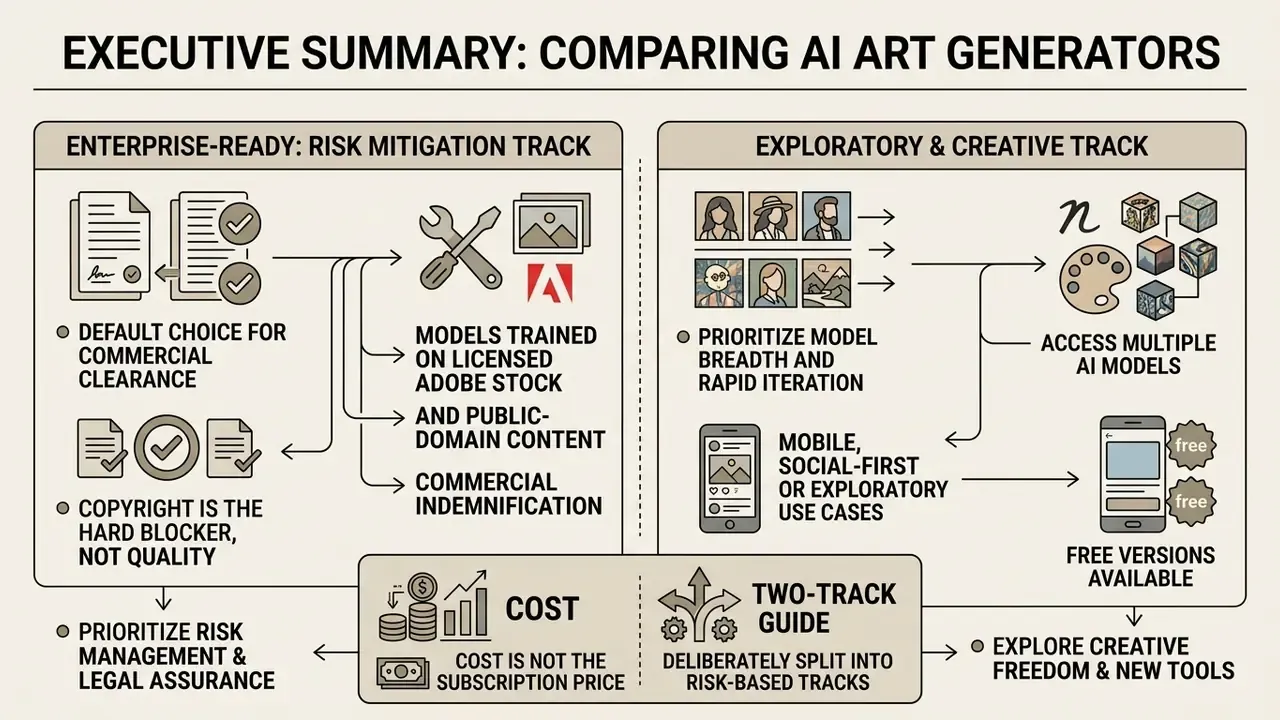
- If commercial clearance and indemnification are the binding constraint, Adobe Firefly is the default choice: models trained on licensed Adobe Stock and public-domain content, contractual IP indemnification on qualifying enterprise plans, and Content Credentials attached to outputs.
- If model breadth and rapid iteration matter more than indemnification, multi-model aggregators (NightCafe, Azure-hosted OpenAI image models, Amazon Bedrock) let teams switch between 30+ image and video backbones without managing local GPU infrastructure.
- If the use case is mobile, social-first or exploratory, free Android apps such as Imagly AI deliver zero-cost, watermark-free generation plus utility tooling. But licensing terms must be read line by line before any brand deployment.
- Copyright is the hard blocker, not quality. Purely AI-generated output without sufficient human authorship is not registrable in the United States, and indemnification never covers prompts that target third-party brands, trademarks or recognisable individuals.
- Cost is not the subscription price. Total cost of ownership includes credits, legal and risk review hours, human-in-the-loop QA, upscaling passes, plus provenance audit overhead.
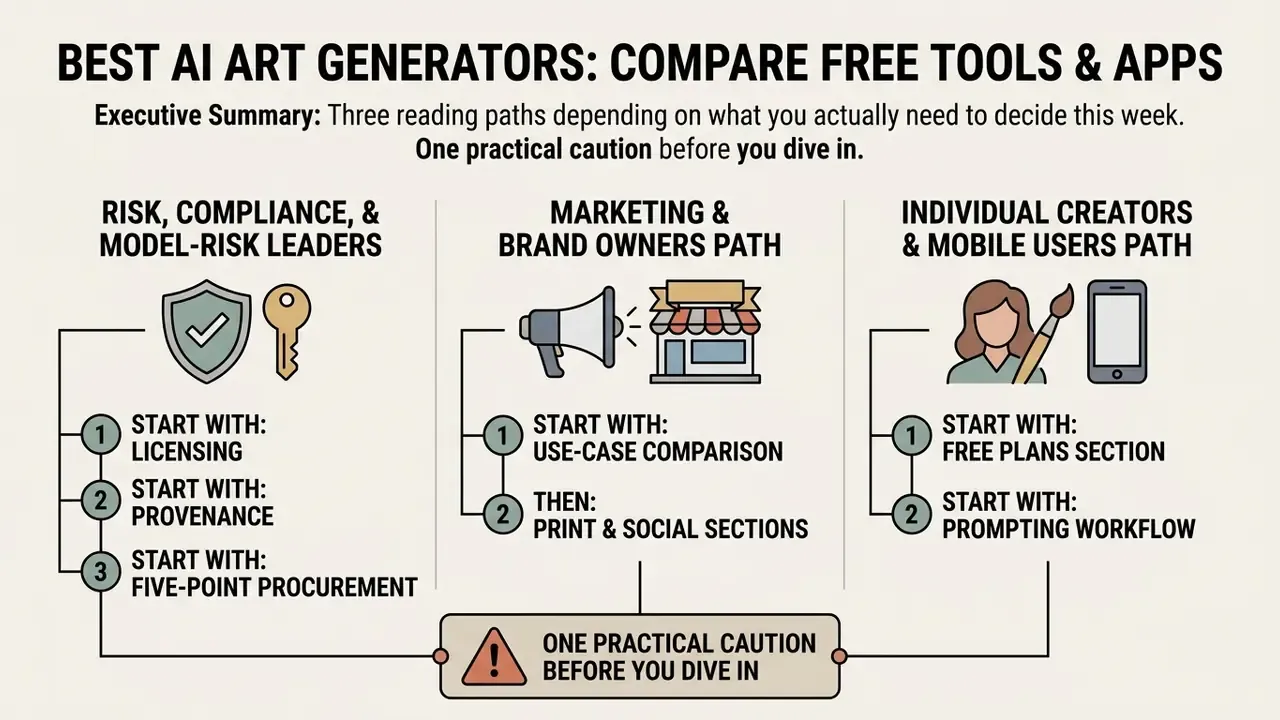
Audience note: this guide is deliberately split into two tracks, an Enterprise-Ready track for risk, compliance and marketing leadership, and a Creative/Individual track for hobbyists, mobile creators and game artists. Readers evaluating corporate licences can skip directly to the compliance sections.
How to Use This Guide
What Makes the Best AI Art Generator?
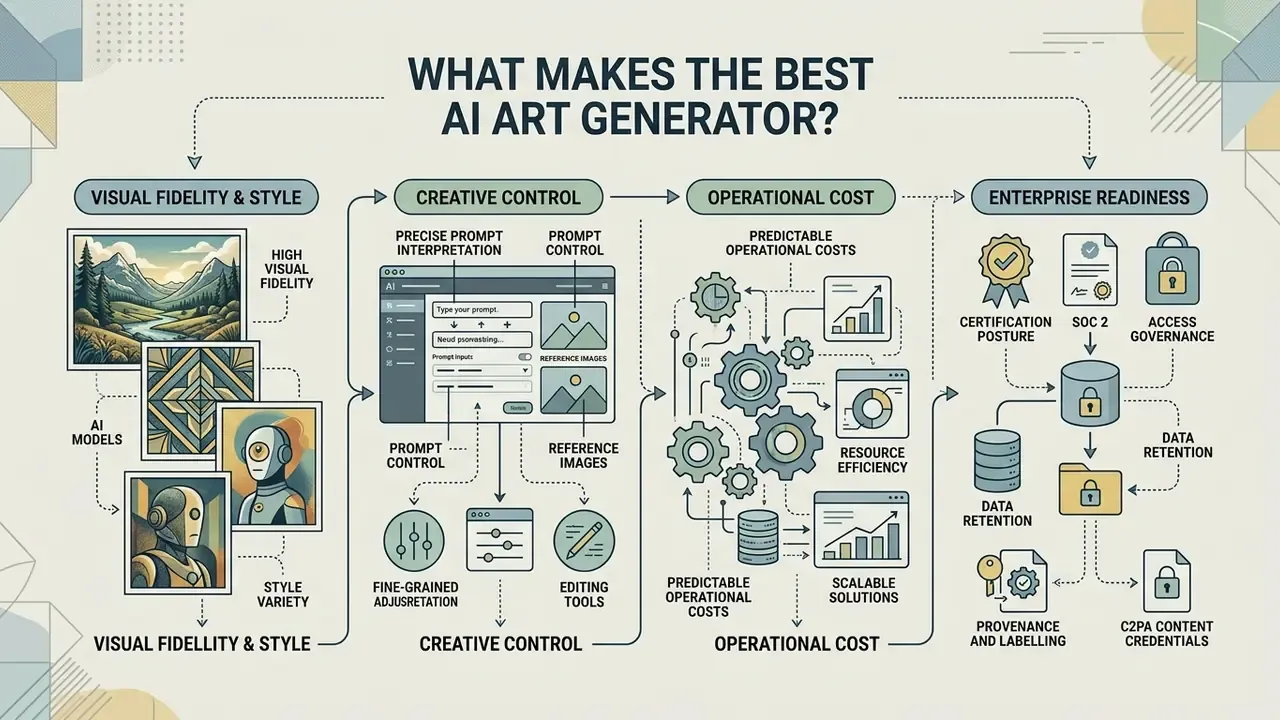
The best ai art generator from text combines high visual fidelity with precise prompt interpretation, fine-grained editing controls, and predictable operational costs. Evaluating these platforms requires analyzing four core pillars: visual quality and model architecture, user prompt and reference controls, enterprise governance readiness, and the structural trade-offs inherent in free versus paid access tiers.
Image Quality, AI Models and Style Variety
Image quality in AI art generation is defined by structural alignment, detail sharpness, and model capacity to reproduce distinct art styles without introducing visual artifacts. Modern best AI image generators and best ai digital art generator platforms rely on advanced diffusion backbones and transformer-based conditioning architectures to turn textual inputs into high-resolution visual outputs.
According to a 2024 academic survey on text-to-image diffusion models, model visual quality is traditionally evaluated via Fréchet Inception Distance (FID), while prompt fidelity is measured through semantic text-image alignment metrics. Benchmark research using the T2I-FactualBench framework reveals that next-generation backbones like Stable Diffusion 3.5 achieve concept factuality scores between 46.2 and 68.9 across complex tasks, significantly outperforming legacy backbones such as Stable Diffusion v1.5 (40.5) and Stable Diffusion XL (45.8).
«GenEval reaches 83% agreement with human raters across 1,200 images, outperforming CLIPScore (80%) on difficult compositional tasks.»
Prompt Control, Reference Images and Editing Tools
Prompt control determines how accurately an ai image generator translates text descriptions into visual layouts, camera angles, and lighting parameters. Leading tools offer integrated prompt enhancement engines, reference image conditioning, and explicit aspect ratio parameters to reduce iteration cycles.
Technical documentation from Stability AI's Amazon Bedrock implementation highlights that precise creative control requires combining spatial parameters with multi-modal inputs. Bedrock documents inpainting and outpainting as distinct edit inputs and constrains aspect ratio to a 1:2.5 to 2.5:1 range. Modern workflows utilize reference images to condition style, composition, or character identity across generations. Key editing capabilities include:
«Prompt quality improves when users focus on subject and style keywords rather than connective words; generating 3-9 seeds samples output variation.»
«A keyword gallery with example images was preferred in 83.7% of cases over textual prompt explanations across 473 participants.» Evirgen et al., From Text to Pixels: Enhancing User Understanding through Text-to-Image Model Explanations, arXiv (2024). arxiv.org
Interface design therefore carries measurable weight: a platform that shows what a keyword looks like reduces iteration count more effectively than one that merely documents syntax in text. The same logic explains why prompt-enhancement automation has become a first-class feature rather than a novelty. And if your team edits more than it generates, a solid built-in image editor matters more than one extra model.
Enterprise Readiness: SOC 2, Data Retention and C2PA Content Credentials
For regulated organisations, aesthetic evaluation is secondary to control evidence. An AI art generator entering a corporate environment should be assessed against the same criteria applied to any SaaS processor plus generative-specific controls:
- Certification posture SOC 2 Type II and/or ISO/IEC 27001 attestations, penetration-test summaries and subprocessor disclosure.
- Access governance SSO/SAML enforcement, role-based access control, admin-level audit logs of prompts and generations to prevent Shadow AI usage.
- Data retention explicit confirmation that prompts, uploads and outputs are not used to train future models. Adobe's Firefly Services security documentation, for example, states that reference content for Generative Match/Fill/Expand is stored in AES-256 encrypted object storage and deleted 24 hours after creation.
- Provenance and labelling support for C2PA Content Credentials (cryptographically signed provenance manifests) and/or invisible watermarking such as Google SynthID. Provenance metadata is the cheapest available audit artefact for proving when, where and with which model an asset was produced, and it supports emerging synthetic-content disclosure expectations in the United States and the European Union.
- Moderation controls documented safety classifiers for uploads and outputs, plus reporting and takedown mechanisms.
The NIST AI Risk Management Framework 1.0 (2024) reinforces this framing: it requires periodic monitoring for privacy risk, including detection of personally identifiable or sensitive data inside generated text, image, video or audio, and links content moderation to enforceable business rules.
Who owns the tool once it is live? That question decides more than the feature list. Name a single accountable owner, define the approved role of the tool, set access limits, and record an escalation path. No evidence, no autonomy.
Free Plan Limits, Speed and Ease of Use
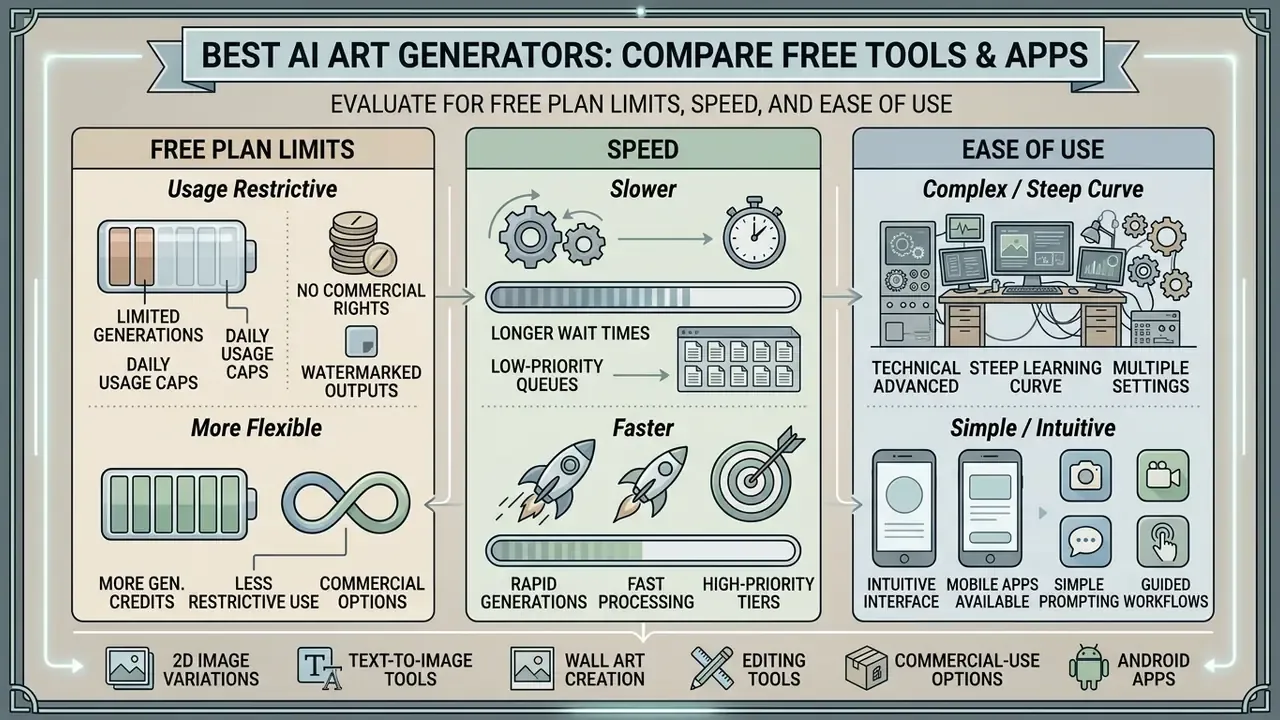
Free AI art tiers offer immediate accessibility but enforce structural constraints on generation volume, rendering priority, and image output resolution. Evaluating a free tier requires assessing whether daily credit resets provide sufficient operational bandwidth for testing and production workflows.
Most free plans limit rendering resolution to standard 1024x1024 pixel outputs, reserving 2K or 4K upscaling for paid subscriptions. Speed constraints are typically managed via tiered queues: fast generation credits are consumed first, after which user requests are placed into standard or relaxed processing queues. Onboarding friction also varies. Top-tier tools offer conversational prompt interfaces and template-driven controls that allow non-designers to produce an image quickly and generate structured visuals without prior graphic design experience. If you need a paid-tier view of the same trade-offs, open the hub for current plan structures.
| Selection Criterion | Technical Benchmark / Metric | Operational Impact | Enterprise Risk Factor |
|---|---|---|---|
| Image Quality & Fidelity | GenEval agreement score (83%+ human baseline alignment); FID score | Determines suitability for high-resolution print and marketing materials | High defect rates increase manual post-processing overhead |
| Model Diversity | Access to 30+ specialized image models (e.g., Flux, DALL-E 3, Imagen) | Enables instant adaptation to diverse brand aesthetics and art styles | Single-model lock-in limits creative scope |
| Prompt Control | Inpainting, outpainting, image-to-image conditioning, reference strength | Reduces prompt iteration cycles and controls composition | Inaccurate prompt following causes visual hallucinations |
| Free Tier Quotas | Daily generation credits (e.g., 5-50 images/day), resolution limits | Allows baseline tool testing without upfront capital commitment | Unexpected throttle limits interrupt production schedules |
| Commercial Rights | Explicit IP indemnification, licensed training dataset verification | Permits legal integration into commercial products and advertising | Non-cleared training data creates copyright infringement liability |
| Governance Controls | SOC 2 Type II / ISO 27001, SSO/SAML, RBAC, zero-data-retention clause | Enables inclusion in the corporate tool inventory without exception waivers | Consumer-grade tooling drives Shadow AI and uncontrolled data egress |
| Provenance & Labelling | C2PA Content Credentials, SynthID-class watermarking, export metadata | Supplies audit evidence and supports synthetic-content disclosure | Missing provenance blocks post-incident traceability |
Readers comparing licence language across vendors can review the detailed breakdown of commercial use of AI-generated images before signing a corporate agreement.
Commercial Use, Copyright and Safety of AI Generated Art
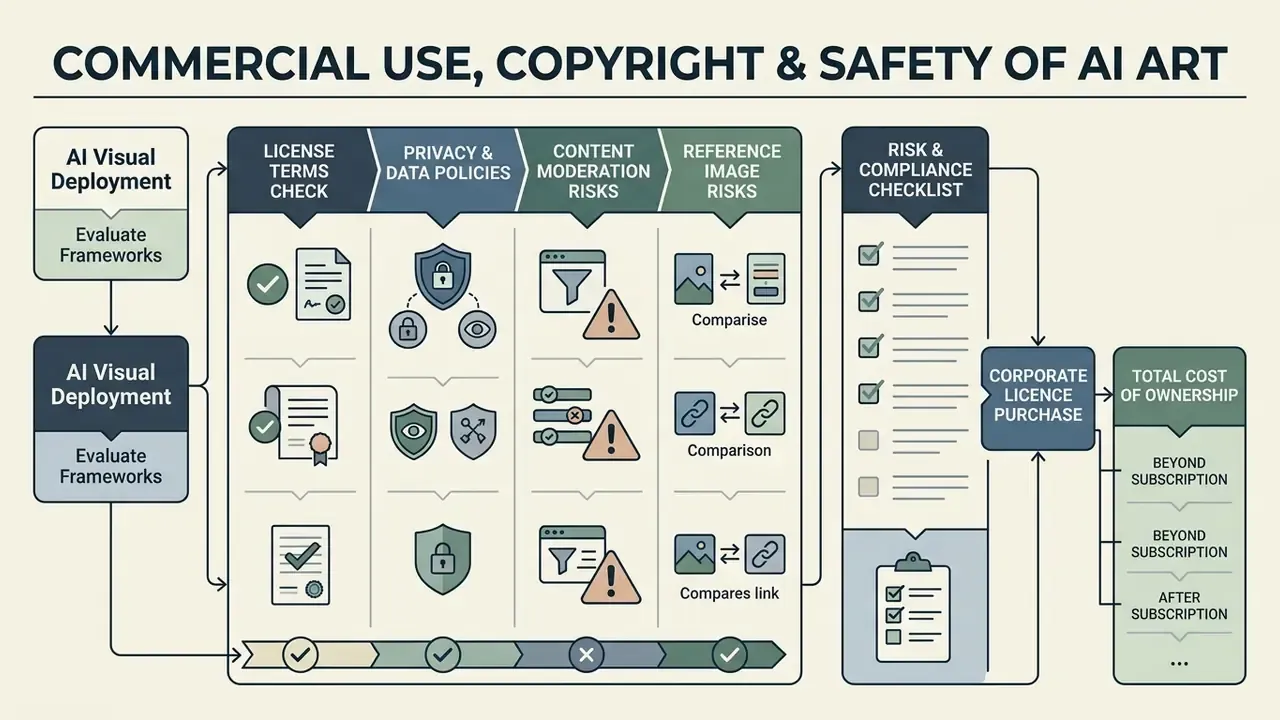
Deploying AI-generated visuals for commercial purposes requires evaluating current copyright frameworks, platform licensing agreements, and data privacy policies. For enterprise buyers this section is a gate, not an appendix: licensing and provenance constraints determine which tools can even enter the shortlist assembled in the next section.
Check License Terms Before Using AI Images Commercially
Commercial licensing terms vary significantly between AI art platforms. While paid enterprise tiers often grant full commercial rights, free plan tiers may restrict commercial use or retain broad promotional distribution licenses over user-generated content.
Enterprise platforms like Adobe Firefly provide contractual IP indemnification, protecting enterprise clients against potential third-party copyright claims arising from Firefly-generated assets. Conversely, open-weight models (such as certain Stable Diffusion or FLUX checkpoints) split licensing permissions by specific version numbers. Midjourney permits commercial use on paid plans while excluding free and trial output. Before incorporating AI artwork into brand identities, advertising campaigns, or physical merchandise, organizations must review platform Terms of Service to verify transfer of commercial usage rights.
«In Warhol v. Goldsmith (2023) the US Supreme Court held that commercial reuse of a copy in a substantially similar context is not transformative and is not shielded by fair use.»
Three licensing nuances repeatedly surprise procurement teams. First, stock-style licences often permit advertising and promotional use while prohibiting merchandise resale unless the artwork is substantially modified or is not the primary value of the item. Second, gallery publication frequently grants the platform a promotional licence over submitted images. Third, "you own the output" clauses are usually qualified by "to the extent permitted by applicable law", which returns the question to the human-authorship threshold rather than settling it.
A related search pattern worth naming: queries for the best ai art generator for adults are almost always about content-policy scope, not quality. Mainstream enterprise platforms apply strict moderation classifiers and prohibit sexual, violent and likeness-abusing output. If your brand-safety policy requires that posture, treat aggressive moderation as a feature rather than a limitation.
Privacy, Content Moderation and Reference Image Risks
Uploading reference images into cloud-based AI tools introduces data privacy and content moderation considerations. Cloud services utilize automated moderation classifiers to filter uploaded inputs and generated outputs against safety guidelines (violence, non-consensual imagery, trademarked logos). On the verification side, AI image detection tools are increasingly used to confirm whether third-party assets entering a campaign are synthetic.
When uploading proprietary brand assets or unreleased product designs as reference images, creators must evaluate vendor data retention policies. Enterprise platforms like Adobe Firefly process uploaded reference assets in encrypted environments and delete temporary files after processing, whereas consumer tools may retain user inputs to train future model iterations. Organizations should use enterprise-tier environments with strict data-siloing guarantees when working with confidential corporate media.
«Most original and generated NFT images should be protected by copyright, and the artist creating derivative projects is the default rights holder.»
Regulatory attention is also widening beyond copyright. The European Data Protection Supervisor's 2026 joint statement on AI-generated imagery calls for robust safeguards against non-consensual intimate imagery, transparency toward users, and rapid removal mechanisms for harmful personal content. Those obligations apply to any organisation deploying image generation at scale, not only to model providers.
Risk & Compliance Checklist Before Buying a Corporate Licence
Five verification points before an AI art generator is added to a model inventory or purchased at enterprise scale:
Checklist0 / 5
Teams integrating generation into internal pipelines should extend the same checklist to programmatic access; compare options for API-level controls, quotas and logging before wiring a model into production systems.
Total Cost of Ownership: Beyond the Subscription Line Item
Budget models that count only licence fees systematically understate generative image costs. A defensible TCO calculation looks like this:
TCO = (Seat licences × seats × months)
    + (Credit or API consumption × expected generations × retry factor)
    + (Legal / risk review hours × blended hourly rate)
    + (Human-in-the-loop QA and post-processing hours × designer rate)
    + (Upscaling, storage, and provenance audit overhead)
The retry factor is the variable most often omitted. Because prompt adherence is probabilistic, teams typically generate 4 to 8 seeds per usable asset. At scale, that multiplies credit consumption and review hours far more than a tier upgrade does. Finance partners who want to model this properly can view the guide to consumption-based cost estimation.
Best AI Art Generators Compared by Use Case
Different production requirements demand distinct AI model architectures. Comparing leading solutions, namely Adobe Firefly, NightCafe, and Imagly AI, reveals how platform features align with enterprise compliance, creative community exploration, and mobile-first workflows. To avoid mixing incompatible risk profiles, the tools below are grouped into an Enterprise-Ready track and a Creative/Individual track.
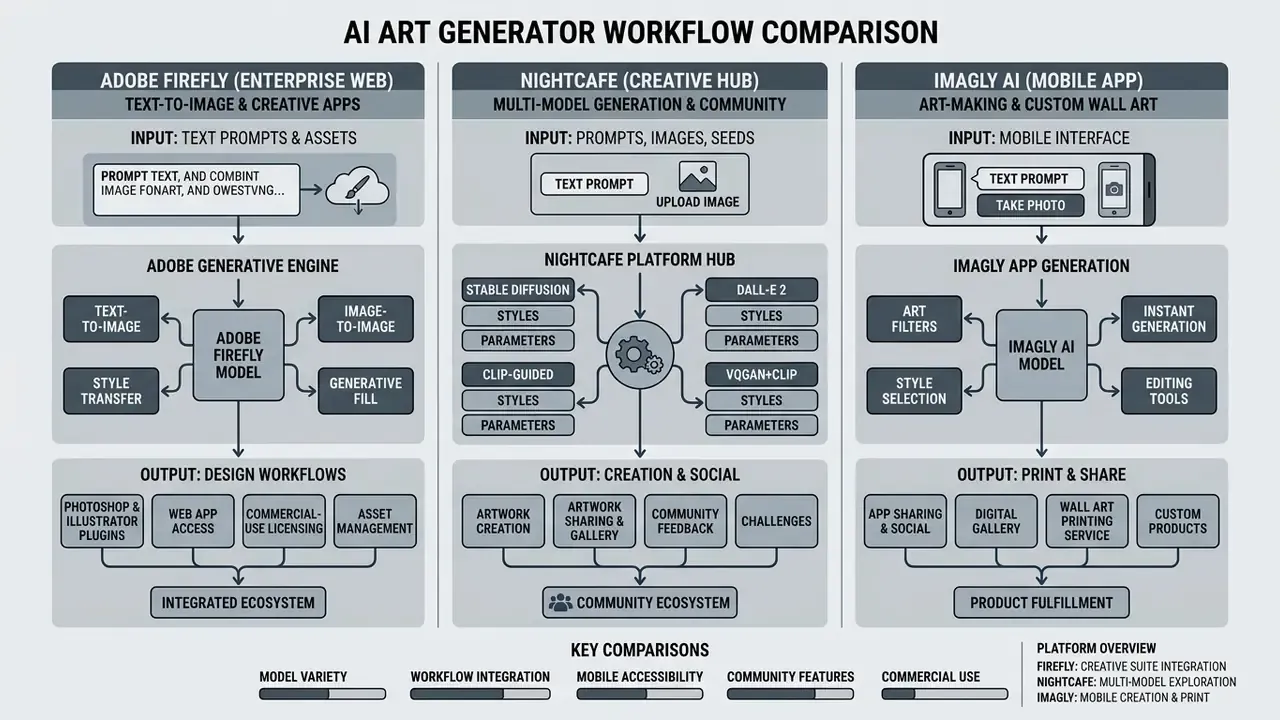
Adobe Firefly for Commercially Safe AI Generated Artwork
Adobe Firefly is architected specifically for commercial safety and deep integration with professional design software. Trained exclusively on licensed Adobe Stock content and public-domain works where copyright has expired, Firefly provides commercial deployment confidence that consumer-oriented generators cannot match. Adobe additionally states that it does not train Firefly models on users' personal or generated content.
Firefly is natively embedded across the Adobe Creative Cloud ecosystem, including Photoshop, Illustrator, and Adobe Express. Key capabilities include Generative Fill, Generative Expand, Generative Remove, Prompt to Edit and text-to-vector generation, the same family of AI photo editing tools that professional retouchers already use daily. Firefly's 2026 workspace also aggregates 30+ Adobe and partner models (Google, OpenAI, Runway, Luma AI, ElevenLabs and others) behind a single model picker. For enterprise clients, Adobe offers contractual intellectual property indemnification for non-beta Firefly outputs. In corporate visual asset creation, this commercial safeguard significantly lowers corporate risk profiles.
«PRISM iteratively refines prompts through LLM in-context learning, producing human-interpretable descriptions that transfer across Stable Diffusion, DALL·E and Midjourney.»
From a technical workflow perspective, Adobe Firefly supports image uploads in JPG, PNG, WebP and HEIC (HEIC specifically via Safari on macOS/iOS for Generate Image). Generated artwork exports are capped at a maximum native resolution of 2000x2000 pixels in JPG or PNG, which means large-format print executions require secondary upscaling. Firefly and Photoshop both offer 2x and 4x generative upscaling, with Photoshop's Generative Upscale capped at 4,096 px output and a maximum 1:4 width-to-height ratio. Adobe's free tier grants monthly generative credits; paid tiers are published at US$9.99, US$19.99, US$49.99 and US$199.99 per month for 2026.
NightCafe for Multiple AI Models and Creative Community
NightCafe Creator functions as a multi-model creative hub, aggregating over 30 leading AI models into a unified web and mobile interface. Users can toggle between models such as Flux, DALL-E 3, Ideogram, Seedream, SDXL, Google Imagen, Gemini, HiDream and Nano Banana without managing individual API keys or local hardware setups.
NightCafe aggregates image and video generation backbones in one interface. Alongside the image models above, users can deploy generative video engines including Runway, Kling, Seedance and Veo-class models. The ecosystem is reinforced by social mechanics: official daily themed challenges with peer voting (a single recent Daily Challenge recorded 4,732 entries and 210,517 votes), real-time collaborative creation chat rooms, badges, creation streaks and community rewards. Model pricing is credit-based and granular. Some legacy checkpoints such as Stable Diffusion 1.5 and DreamShaper v8 cost 0 credits, while newer flagship models cost roughly 0.5 to 2 credits per generation.
NightCafe uses a flexible credit economy where users receive free daily credits through account logins and participation in community AI Art Challenges. The platform assigns copyright ownership of generated outputs directly to the creator, provided no copyrighted input images were used during generation. Its web application is fully optimized for mobile devices and can be installed to the home screen on both Android and iOS, enabling continuous creative experimentation across desktop and smartphone environments. For a creative habit, that matters: daily prompts turn an occasional experiment into a repeatable creative process.
Imagly AI for Free Android Image Generation
Imagly AI targets mobile-first creators as a free ai art generator android free app. Developed by independent developer Eze Ebube Sunday, it provides text-to-image generation optimized for smartphone processing pipelines across Flux, Turbo and GPT Image backbones, with aspect-ratio presets spanning 1:1, 4:5, 5:4, 3:4, 4:3, 2:3, 3:2, 9:16 and 16:9.
The application features 50+ built-in artistic style filters (the developer's own site lists 150+ styles, a discrepancy likely caused by version and listing drift), allowing users to transform simple text descriptions into stylized visual assets without applying watermarks. Imagly AI incorporates gamification mechanics, including a 7-day daily streak system that unlocks enhanced feature tiers, plus streak reminders and progress visualisation. Content safety is handled through age signals, prompt and search moderation, and one-tap reporting.
Beyond pure text-to-image rendering, Imagly AI ships an integrated utility toolkit for mobile workflows: batch image processing, lossless image compression, format conversion, custom QR code generation, image resizing and upscaling, an inline Pro Image Editor, an export pack for multi-size platform delivery, and an automated social media caption generator. Architected with edge-to-edge UI support for Android 15+, it operates across Flux, Turbo and GPT Image backbones without enforcing mandatory account registration.
| Platform | Track | Primary Target Audience | Supported AI Models | Mobile Access | Free Tier Terms | Commercial Usage Status |
|---|---|---|---|---|---|---|
| Adobe Firefly | Enterprise-Ready | Graphic designers, enterprise marketing, brand managers | Firefly Image & Vector models + 30 partner models (Google, OpenAI, Runway, Luma) | Web app, Adobe Express mobile (iOS/Android) | Monthly generative credits; unused credits do not roll over | Fully commercially safe; IP indemnification available on qualifying enterprise plans |
| NightCafe | Creative/Individual | Concept artists, hobbyists, multi-model experimenters | 30+ image models (Flux, DALL-E 3, Ideogram, Seedream, SDXL, Imagen, Nano Banana) + video (Runway, Kling, Seedance) | Installable web app (PWA for iOS/Android) | Free daily credits via logins and challenges; 600+ relax credits/month on paid tiers | Copyright assigned to creator; commercial use permitted on unencumbered inputs |
| Imagly AI | Creative/Individual | Mobile creators, casual users, social media managers | Flux, Turbo, GPT Image backbones | Dedicated Android app (Android 15+ edge-to-edge) | Free access model with daily streak rewards; no watermark | Terms vary; direct review of mobile app licensing terms required |
Enterprise Alternatives Worth Shortlisting
Risk-led buyers usually need at least one alternative to a single-vendor dependency. The following options are evaluated on governance parameters rather than aesthetics, and you can explore the hub for a wider vendor map.
| Option | Deployment Model | Governance Posture | Commercial Terms | Best Fit |
|---|---|---|---|---|
| Adobe Firefly (Enterprise) | Vendor SaaS + Creative Cloud apps | Licensed training data, Content Credentials, documented 24-hour reference-content deletion | Commercial use of Firefly-model outputs; indemnification on qualifying plans | Brand and marketing production with clearance requirements |
OpenAI image models (gpt-image-2) via Business/Enterprise or Azure OpenAI | API / enterprise tenancy | Business terms state customers own output and retain input rights; tenancy-level controls on Azure | Output ownership with legal qualifiers; customer accountable for inputs | Product mockups, UI concepts, text-in-image assets at API scale |
| Amazon Bedrock (Stability AI / Titan Image) | Cloud-native API inside existing AWS account | Inherits AWS IAM, VPC, logging and region controls; documented inpainting/outpainting inputs and aspect-ratio limits | Model-specific licence terms per provider | Teams with existing AWS governance who need infrastructure-level control |
| Midjourney (paid plans) | Vendor SaaS / Discord + web | Limited enterprise controls; no broad indemnification | Commercial use permitted on paid plans, excluded on free/trial output | High-aesthetic concept art where indemnification is not the binding constraint |
Teams weighing aesthetic quality against governance trade-offs can compare Midjourney vs alternative image generators and review how ChatGPT image generation performs on text-in-image and mockup tasks before committing seats. For head-to-head matchups outside this shortlist, view the guide to our full comparison set.
Which AI Art Generator Is Best for Your Creative Task?
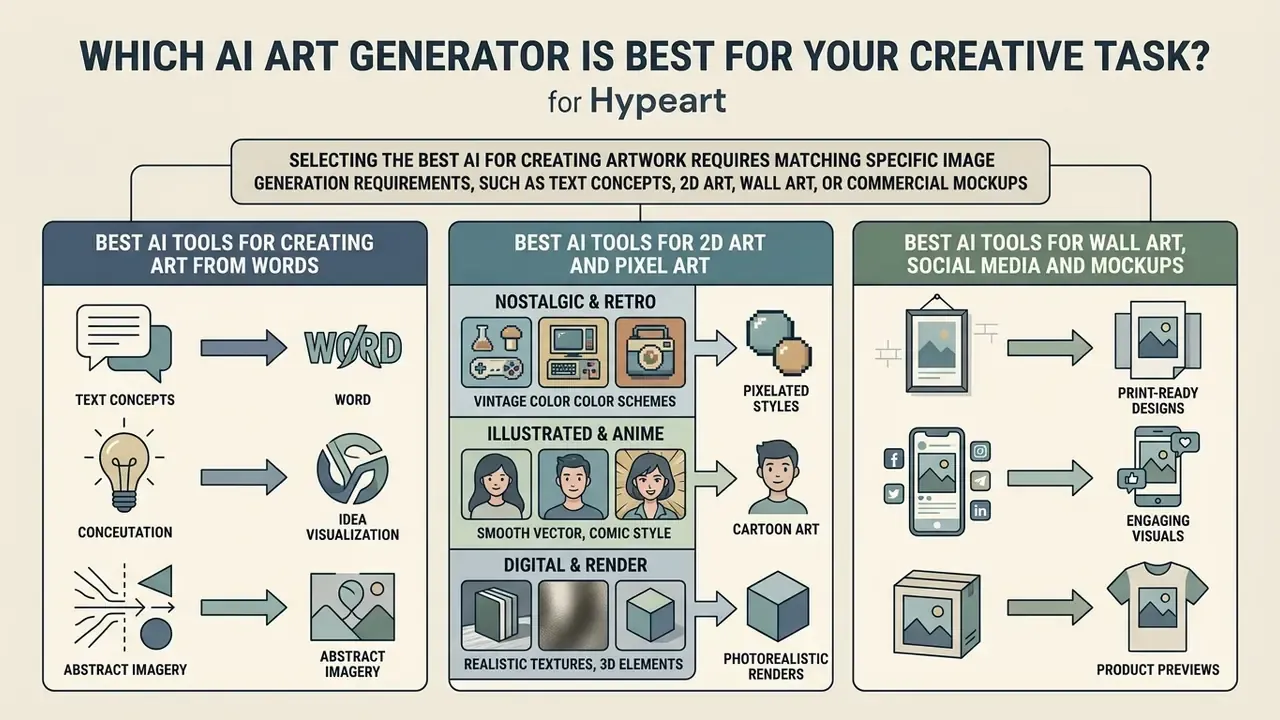
Selecting the best ai for creating artwork requires matching specific image generation requirements, such as text concepts, 2D art, wall art, or commercial mockups, to the underlying capabilities of the AI model. Put bluntly: there is no single winner. The ai art best suited to sprite sheets is rarely the one that wins on photoreal packaging renders.
Best AI Tools for Creating Art From Words
Generating compelling visuals when asking ai to make art requires models that excel at semantic text interpretation, abstract reasoning, and spatial arrangement. Tools powered by advanced models like OpenAI's gpt-image-2 or Google's Imagen series accurately translate conceptual ideas into cohesive compositions. This is the category most people mean by ai making art from words, and it is also where free options cluster, since an ai that makes art from words free is now a standard entry-level offer rather than a differentiator.
Academic research published in CVPR and NeurIPS highlights that text-to-image models handle concrete physical objects and explicit spatial relationships with higher accuracy than abstract emotional concepts. Frameworks like EmoGen (CVPR 2024) have developed specialized emotion spaces to better translate abstract feelings into concrete visual elements such as lighting, color temperature, and texture. A 2024 architectural study using Midjourney across 789 students found joy was rendered most reliably, while anger and disgust performed worst under metaphorical prompting. Benchmarks such as T2I-CompBench formalise compositionality as attributes, object interactions and spatial relations, a reminder that "understanding" is scored on structure, not meaning.
When attempting to create art from words with ai, selecting tools that utilize advanced text encoders (such as T5 or CLIP derivatives) ensures that complex, multi-layered prompts are interpreted with minimal semantic drift.
«Diffusion-KTO, trained on binary preference signals, beats Stable Diffusion v1.5 in 75% of human pairwise comparisons and 84% on PickScore.»
Preference-aligned checkpoints therefore matter as much as raw parameter count. Two models with similar FID can diverge sharply in how often a human reviewer accepts the first generation, which directly moves the retry factor in the TCO formula above.
Best AI Tools for 2D Art and Pixel Art

Y2K aesthetic, 16-bit Game Boy Advance, retro-futurism, vintage print.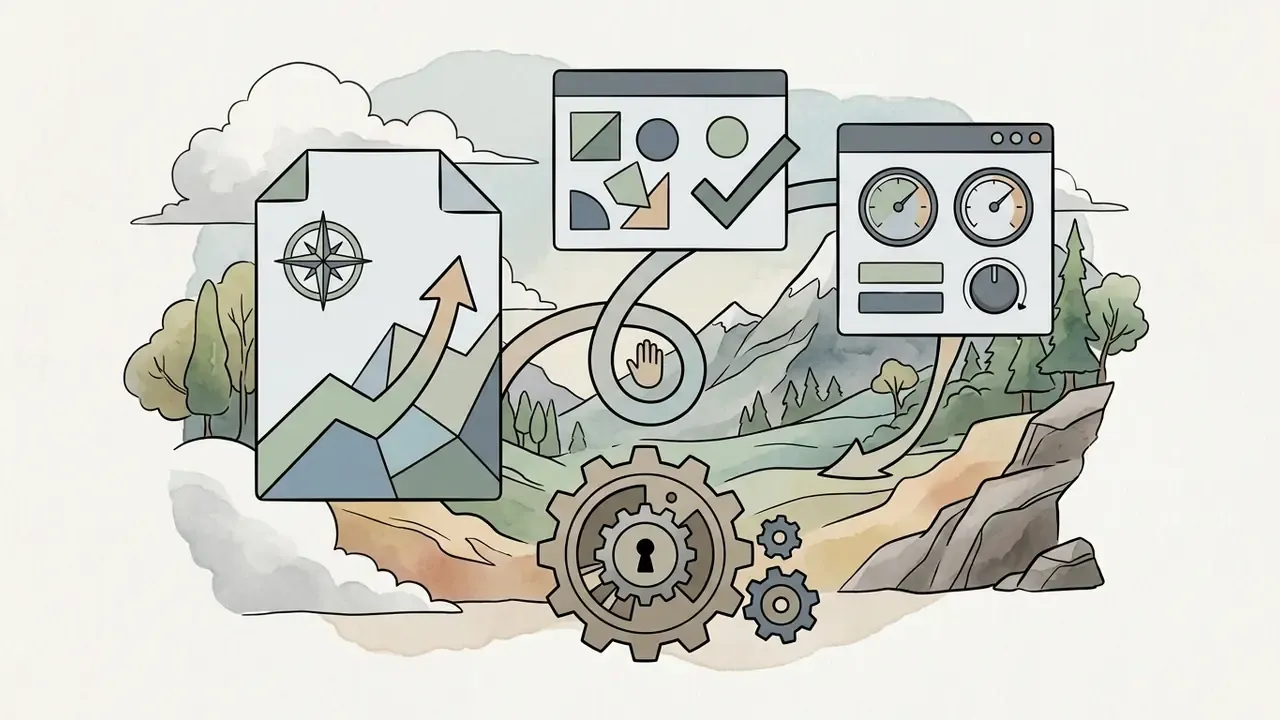
Ghibli studio aesthetic, flat color vector, dark fantasy watercolor, comic ink line.
cyberpunk neon line-art, isometric 3D render, clean sprite sheet, minimalist abstract.Specialized fine-tunes on platforms like NightCafe or dedicated Stable Diffusion checkpoints allow creators to generate clean sprite sheets and tile maps suitable for 2D game development. Creators working without a budget can compare output limits across free AI art generators, and anime-adjacent projects may start with a dedicated Ghibli-style AI image generator comparison.
How to Create High-Quality AI Art From a Text Prompt
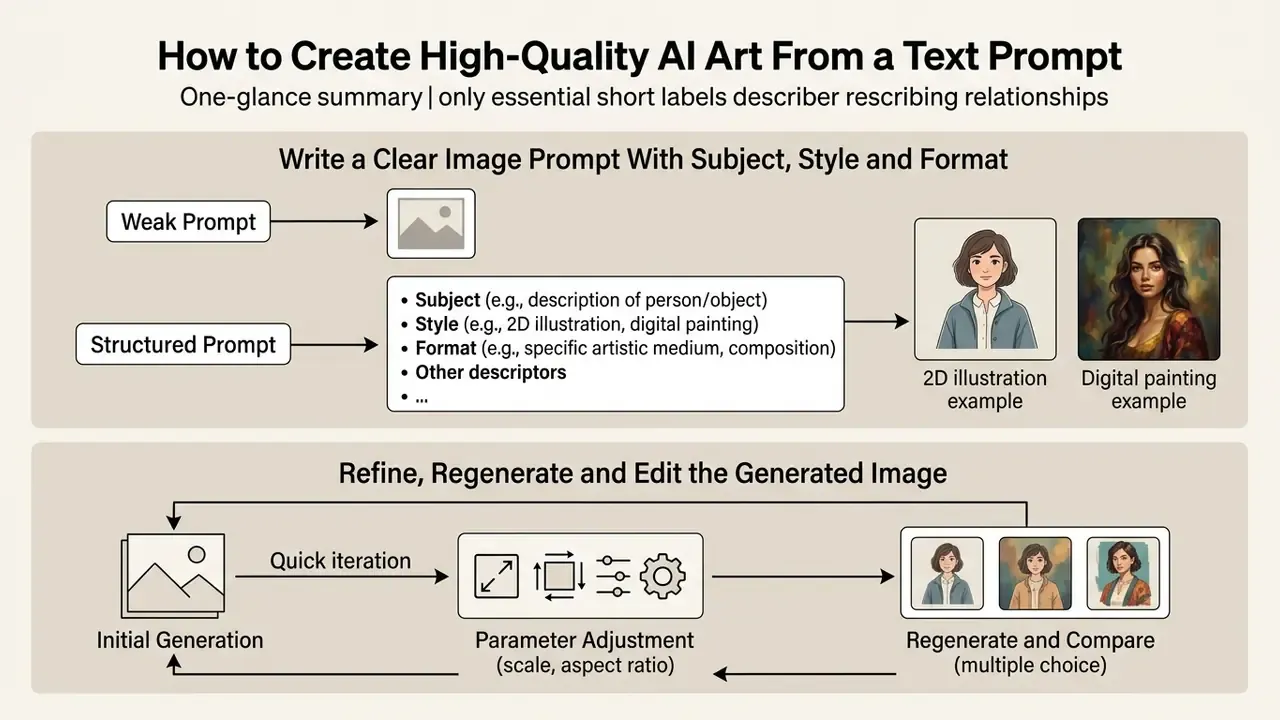
Learning how do i get good quality ai art requires moving beyond simple queries to adopt a structured, multi-stage prompt engineering and editing workflow.
Write a Clear Image Prompt With Subject, Style and Format
When asking ai to make art, prompt structure directly dictates output quality. Modern text-to-image models respond best to organized, parameter-driven descriptions rather than long conversational sentences.
«NeuroPrompts, trained on expert-authored prompt data, automatically enriches short user queries with stylistic and compositional detail via constrained decoding.»
A high-performing text prompt follows a consistent structural hierarchy:
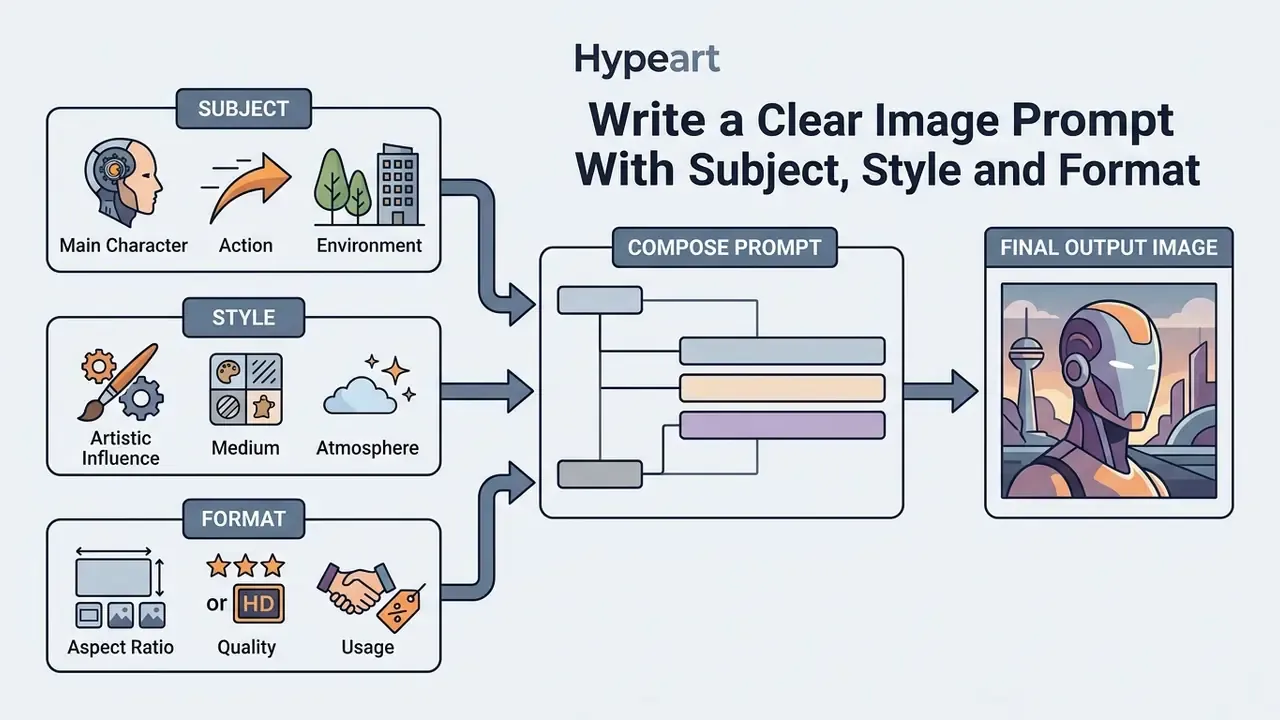

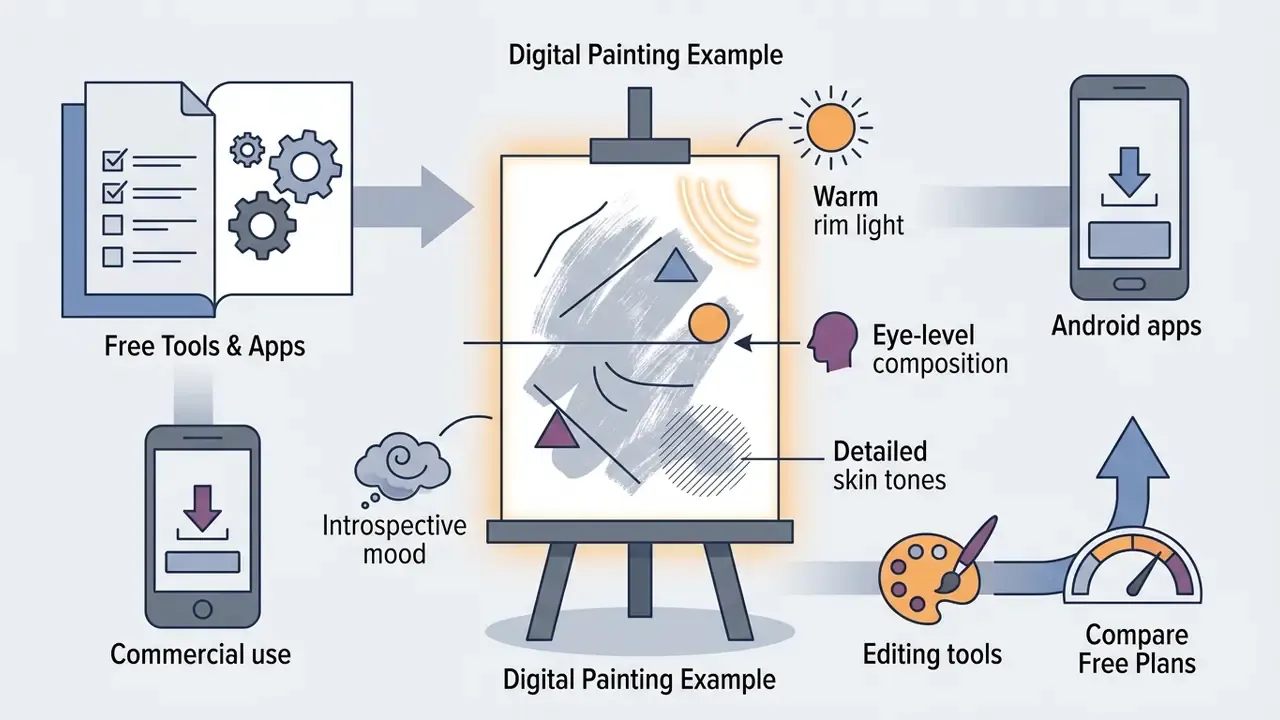
Including explicit framing keywords (close-up portrait, isometric view, aerial landscape) prevents model drift and ensures the subject is positioned correctly within the canvas. Explicit negative constraints such as no watermark, no extra text, preserve identity and preserve the transparent background reduce drift further, particularly in edit passes. Eye-catching results come from constraint, not from adjective volume.
Refine, Regenerate and Edit the Generated Image
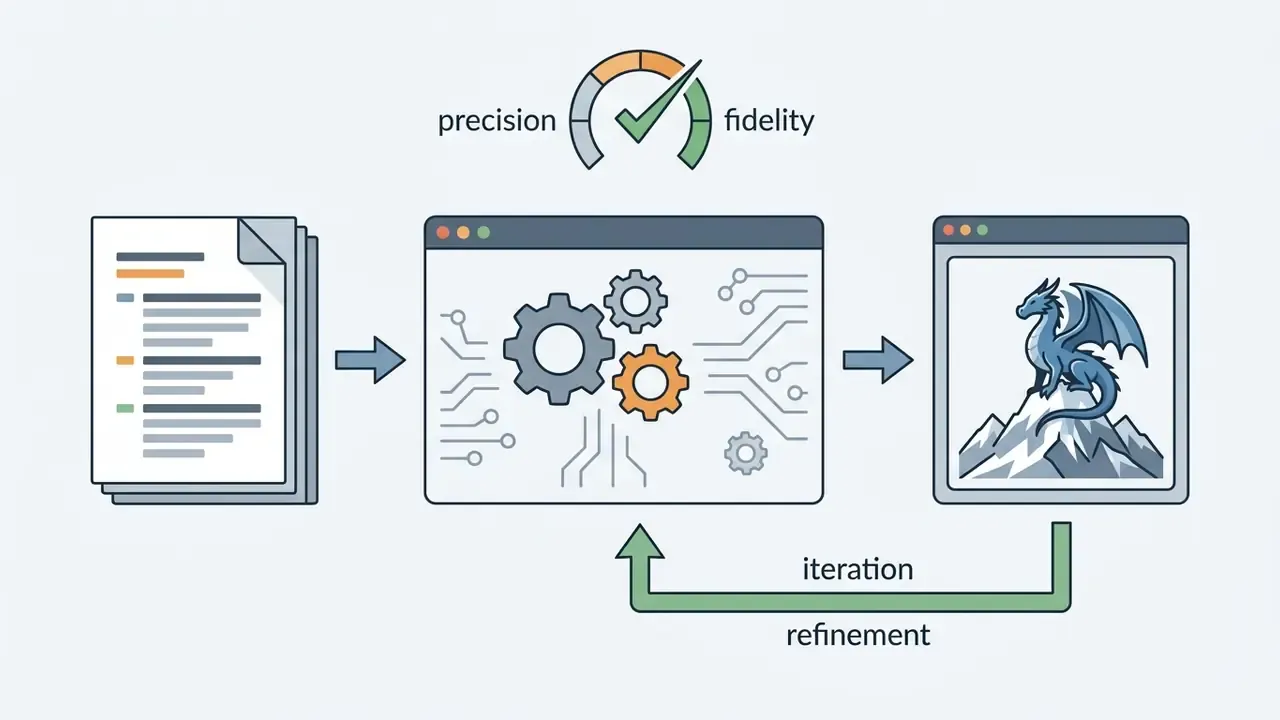
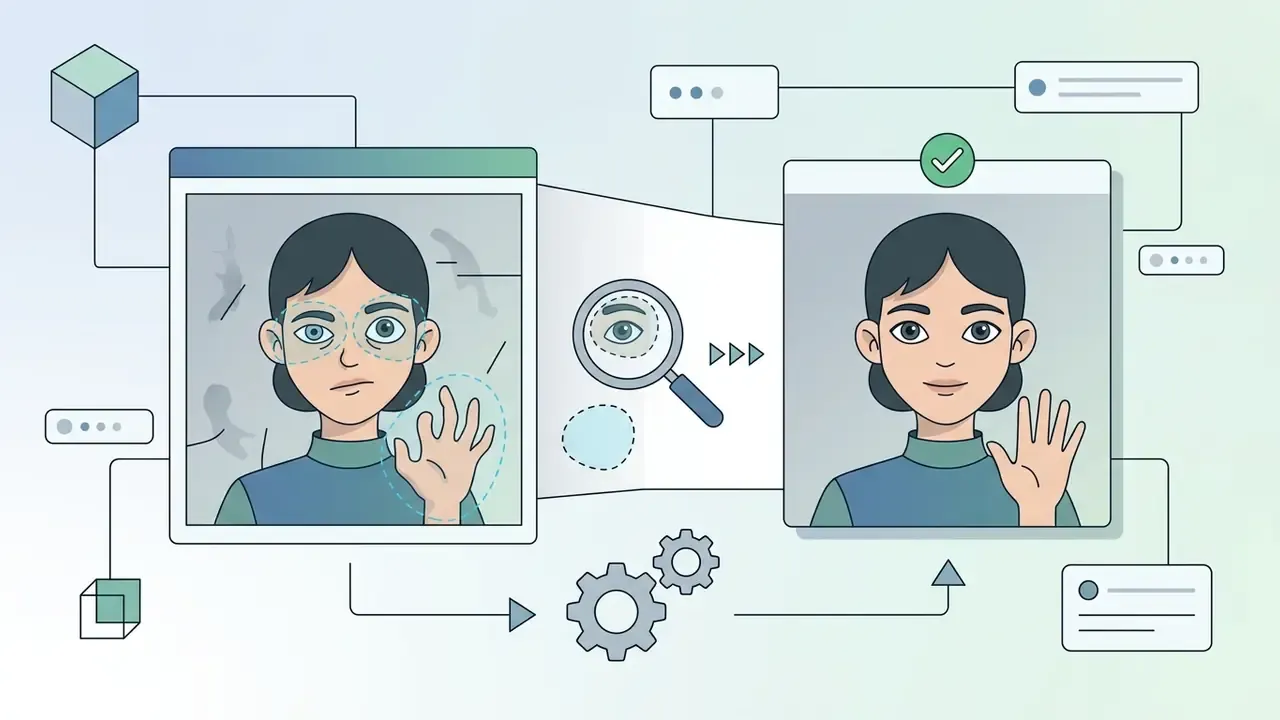
Achieving professional results requires an iterative refinement process. Creators should generate multiple initial variants using different seed numbers before selecting a base image for final editing.
«Models trained on binary "like/dislike" signals reach a 56.4% win rate on CLIP-based text-image alignment.»
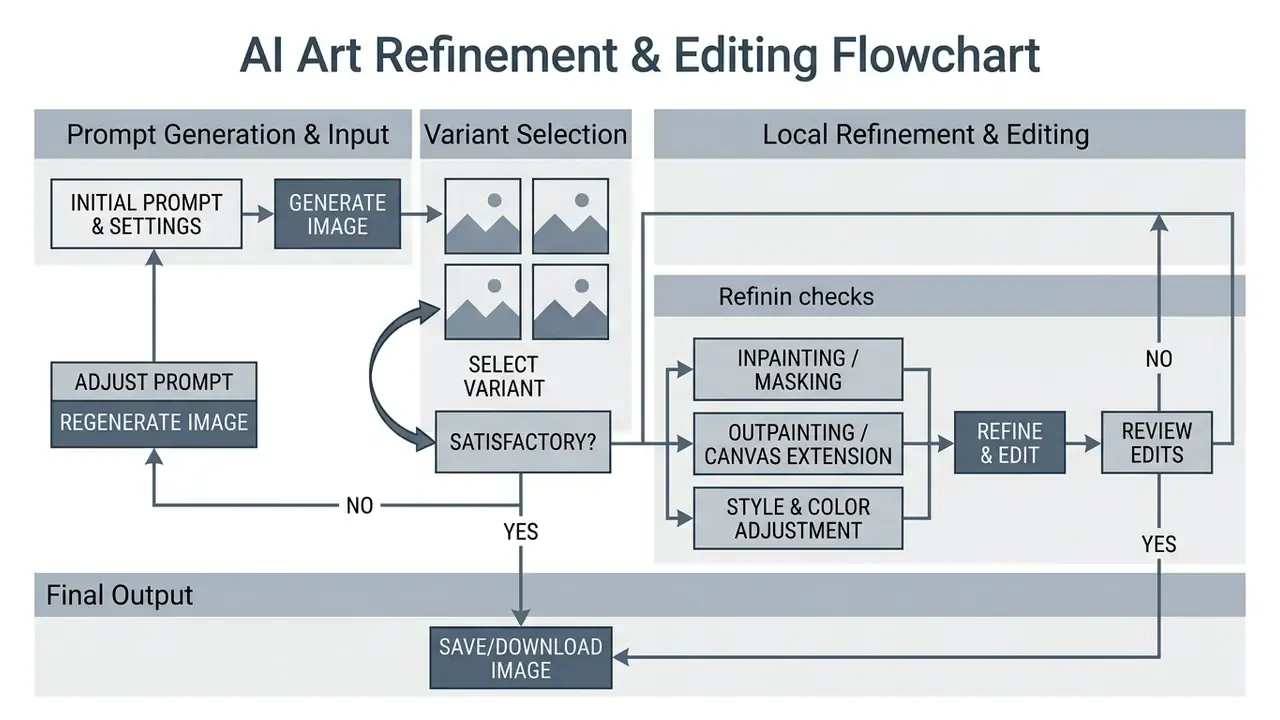
Expanded step notes for reference:
Editing conventions are now consistent across vendors: mask-based inpainting regenerates only the selected region, reference insets guide subject consistency, and edit prompts work best when phrased as "change only X, keep everything else the same." Small detail, big effect. In our own test passes, that phrasing cut unwanted background rewrites noticeably, though we have not measured it formally enough to publish a number.

Best Free AI Art Generator Apps and Free Plans
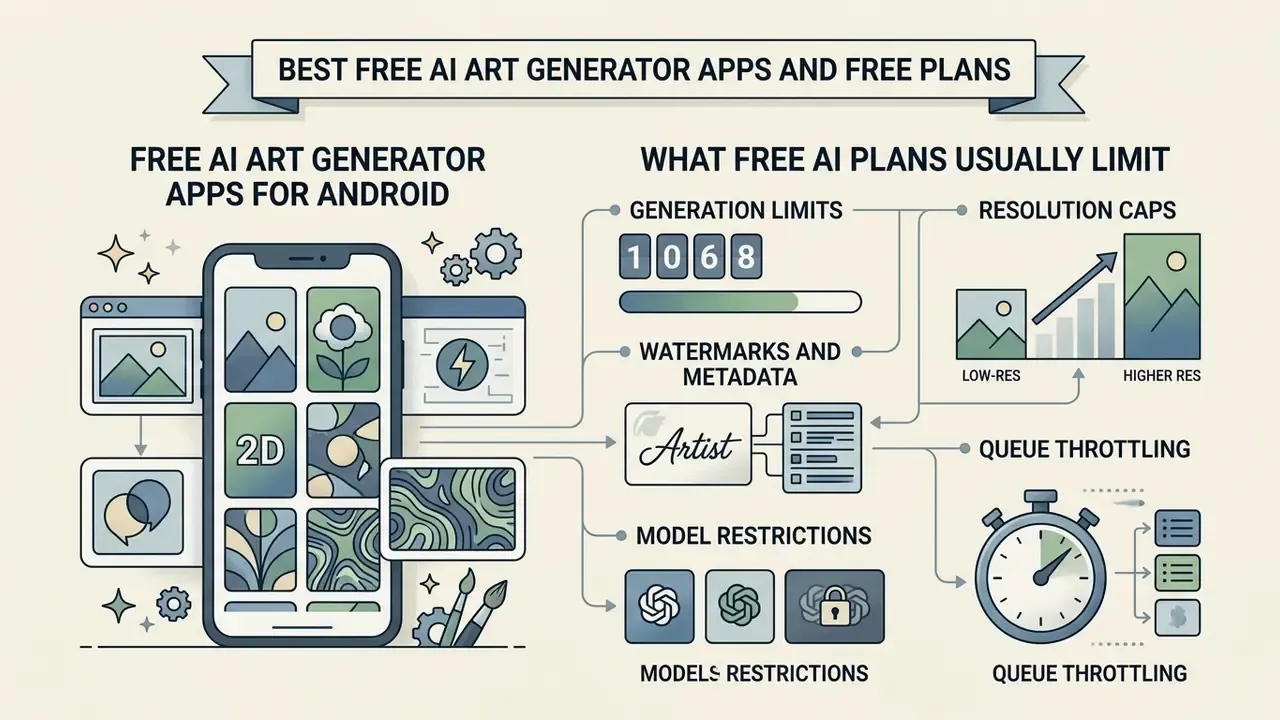
Understanding the capabilities and restrictions of best free ai art generator apps prevents workflow interruptions caused by unexpected usage limits or licensing restrictions. So, what's the best free ai art generator? Honest answer: it depends on quota shape. NightCafe wins on model breadth for free daily credits, Imagly AI wins on watermark-free mobile output, and Firefly's free tier wins on licence clarity.
Free AI Art Generator Apps for Android
Mobile creators seeking an ai art generator android free app can leverage several optimized applications designed for smartphone processors and touchscreen interfaces. Platforms such as Leonardo.Ai, Gencraft, starryai, and Imagly AI provide mobile workflows that compress prompt engineering and style selection into streamlined mobile UIs.
Mobile optimization focuses on memory efficiency and rapid generation. Features like background removal, instant style application, image upscaling, and direct device exporting allow creators to produce social media graphics without transferring files to desktop workstations. Several of these apps are also no-sign-up AI image generators, which lowers onboarding friction further. However, users should monitor mobile data usage and local device storage when generating high volumes of uncompressed image files, and treat vendor speed claims cautiously. Store listings advertise "generation in seconds" without publishing device-level benchmarks.
What Free AI Plans Usually Limit
Free AI image plans enforce predictable technical boundaries to manage server load and incentivize premium upgrades. Creators evaluating free options should expect the following platform restrictions:
- Generation LimitsDaily quotas typically cap outputs between 5 and 50 images per rolling 24-hour cycle; some consumer chat interfaces allow only 2 or 3 images per day.
- Resolution CapsFree generations are generally restricted to standard resolutions (1024x1024 pixels, occasionally up to 2048x2048), requiring paid tier access for 4K upscaling.
- Watermarks and MetadataCertain free tools embed visible brand watermarks or invisible metadata tags (such as Google SynthID) into output files.
- Model RestrictionsAccess to state-of-the-art base models or specialized fine-tunes is frequently restricted to paid subscribers; some free tiers lock the user to a single default model.
- Queue ThrottlingFree requests are assigned lower server priority, resulting in longer rendering latency during peak usage periods, commonly implemented as a fixed number of "fast" generations followed by a slow or relaxed queue.
That perpetual-licence clause is the single most overlooked line in free-tier terms. For a hobbyist it is irrelevant. For a marketing team drafting an unreleased campaign concept, it is a governance problem.
Before committing to a workflow, it is worth comparing quota, watermark and licence differences across the best free AI image generators. For video-adjacent projects, see the equivalent free AI video generator comparison and the watermark-focused best free video editor roundup.
FAQ About Best AI Art Generators
The questions below are the ones most frequently asked by teams running a first controlled deployment.
What Is an AI Art Generator and How Does It Work?
An AI art generator is a software platform driven by artificial intelligence algorithms, primarily diffusion models and transformer neural networks, that converts user input (text descriptions or reference images) into digital visual artwork.
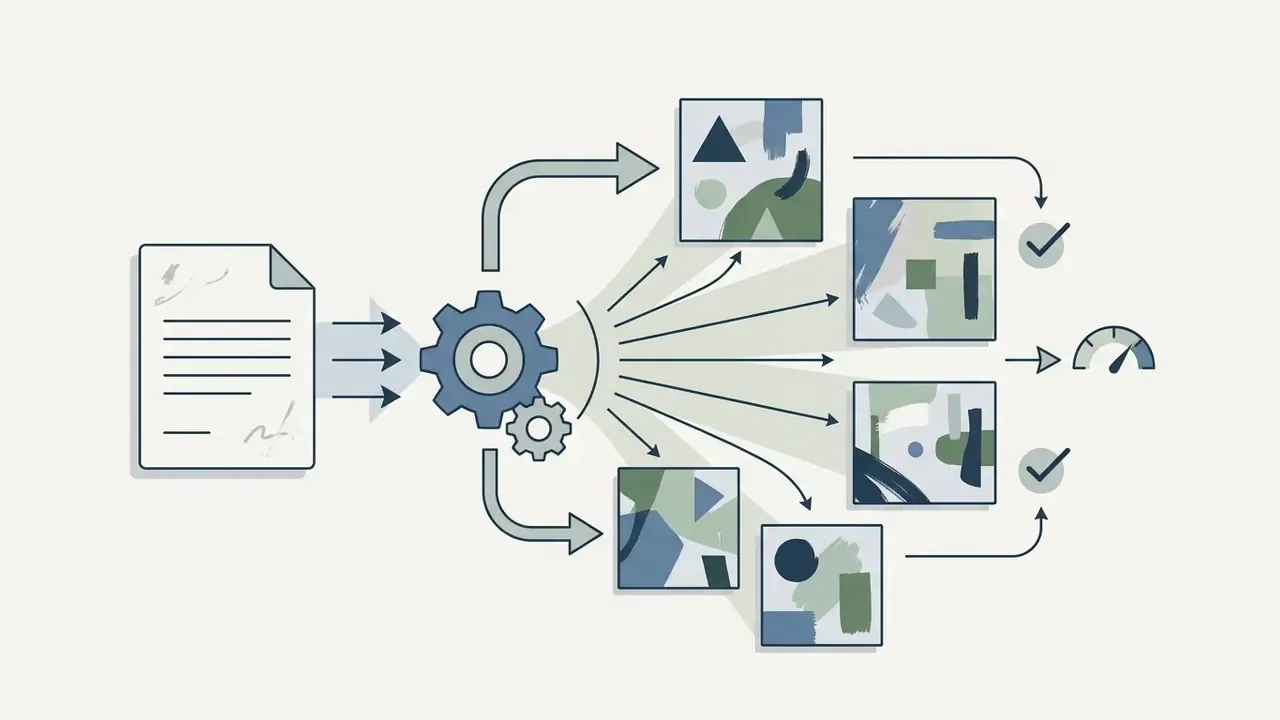
The generation process begins by encoding the input text prompt into mathematical vector embeddings using a language model encoder. A diffusion model then starts with a canvas of random Gaussian noise and iteratively removes noise over multiple steps, guided by the text embeddings. Through this iterative denoising process, the model constructs coherent visual features, textures, lighting, and shapes that match the user's textual description, ultimately exporting a finished pixel-based image.
«In diffusion models, text embeddings interact with image latents through cross-attention layers, shaping visual content according to prompt semantics.» Seek for Incantations: Towards Accurate Text-to-Image Diffusion Synthesis through Prompt Engineering, arXiv (2024). arxiv.org
Can I Generate AI Art Using Nano Banana?
Yes. Updated: "Nano Banana" is the model-family label Google publicly attached to its Gemini image-generation models, first documented in August 2025 as Gemini 2.5 Flash Image (aka nano-banana), later extended through Nano Banana Pro and the Gemini 3.1 Flash Image generation. It is a model, not a style tag, prompt keyword or plugin.
Nano Banana is available as a selectable AI image model within multi-model creative platforms like NightCafe and is listed by Adobe as a partner model inside Firefly, accessible from the model picker for Generate Image, Prompt to Edit, Firefly Boards and Adobe Express. Users can select it to run text-to-image generation, image-to-image edits, object addition or removal, and prompt-based visual refinement, typically with credit-based usage accounting. Readers benchmarking it against other flagship systems can review Midjourney vs alternative image generators and the broader Google AI image generator overview.
Is AI-Generated Art Copyrightable?
Not automatically. US Copyright Office guidance (2025/2026) states that material generated entirely by AI, where the model determines the expressive elements, does not qualify as human authorship, and prompts alone are generally insufficient. Protection can attach to the human contribution: substantial manual arrangement, compositing, retouching or original input artwork. Practical consequence, document the human editing steps if the asset is intended to become a protectable brand element. Jurisdictions differ, and some grant no protection at all, so confirm locally.
Which AI Art Generator Is Safest for Commercial Use?
For client-facing and regulated work, Adobe Firefly currently presents the lowest documented risk profile: licensed and public-domain training data, explicit commercial-use permission for Firefly-model outputs, Content Credentials on export, and IP indemnification on qualifying plans. Midjourney permits commercial use on paid plans without comparable indemnification. NightCafe assigns copyright to the creator provided no copyrighted inputs were used. Open-weight checkpoints must be assessed licence-by-licence and version-by-version. A full side-by-side sits in the best AI art generator comparison.
What Resolution Do I Need for Printed AI Art?
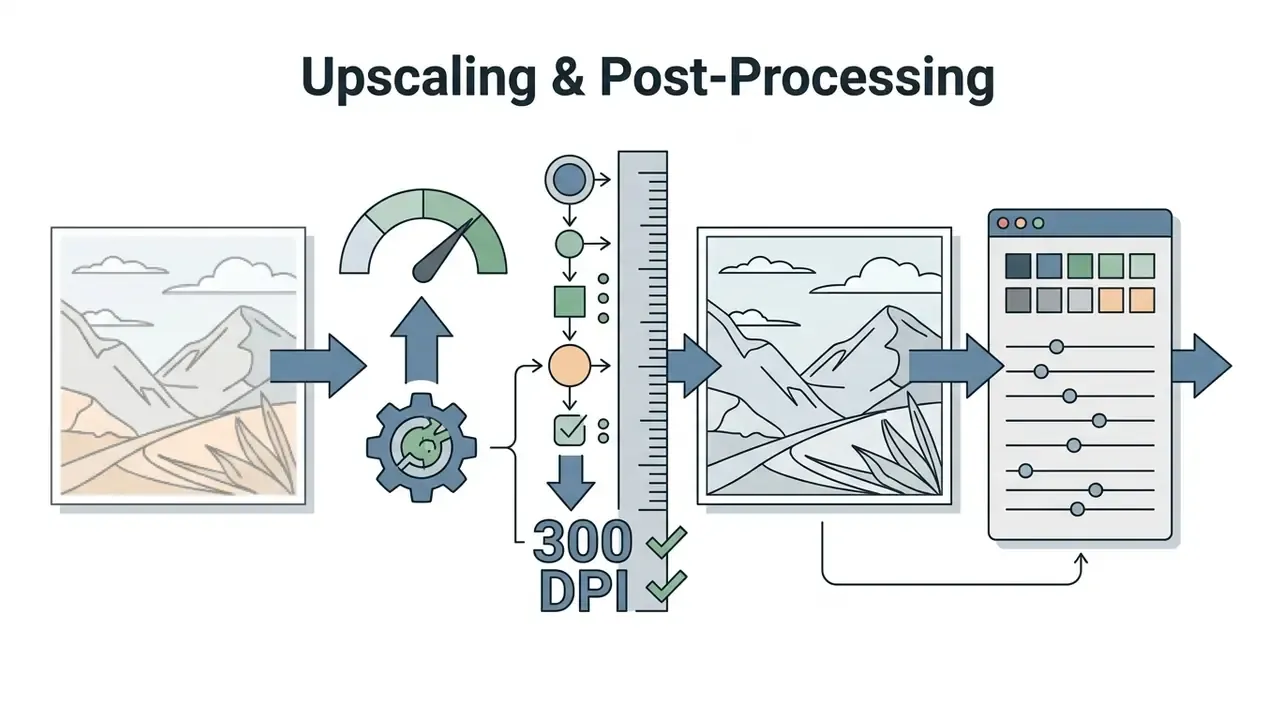
Print quality is driven by pixels-per-inch at final size, not by model brand. Aim for 300 DPI at the finished dimension: roughly 3,500 px on the long edge for A4, and 4,000+ px for A2 and larger. Since most base generations land at 1024x1024, plan for a 2x to 4x upscaling pass and verify vendor ceilings (Firefly exports at up to 2000x2000 px natively, Photoshop Generative Upscale caps at 4,096 px, Imagen upscaling caps at 17 MP).
How Should a Bank Add an AI Art Tool to Its Model Inventory?
Treat it as a low-severity, high-visibility system with a named owner. Record the vendor, model family, approved use cases, data classification permitted as input, retention terms, and the human review gate. Keep prompt and generation logs exportable. Then decide review cadence, quarterly is common, faster if the vendor ships model changes without notice. Residual uncertainty remains: validation practice for generative image models is still immature, and most institutions are calibrating as they go.
Appendix A: Editorial Corrections Log
Maintained for transparency; each entry records the original claim, the correction and the sourcing rationale.
| Original claim (superseded) | Correction applied | Rationale |
|---|---|---|
| "In empirical tests conducted by Columbia University on prompt engineering, structured prompts that prioritize subject, art movement, lighting, and framing keywords consistently outperform conversational descriptions." | Retained but re-sourced to Liu & Chilton, Design Guidelines for Prompt Engineering Text-to-Image Generative Models (CHI 2022, Columbia University) with direct URL, and reinforced with Evirgen et al. (2024) and NeuroPrompts (EACL 2024). | The original phrasing lacked a citable reference, methodology and URL; the underlying finding is supported by the published paper. |
| "Nano Banana serves as Google's internal development codename and brand label for specialized Gemini image generation model variants." | Reformulated as a publicly documented Google model-family label, first disclosed August 2025 as Gemini 2.5 Flash Image, with Adobe listing it as a Firefly partner model. | "Internal codename" was not verifiable; public vendor documentation supports the model-label framing. |
| "Monthly generative credits (reset cadence)" as the only Firefly technical constraint. | Expanded with supported upload formats (JPG, PNG, WebP, HEIC via Safari), 2000x2000 px export cap, upscaling ceilings and 2026 plan pricing. | Closes high-frequency technical intents around Firefly resolution and format limits. |
| Imagly AI described only as "an app with 50+ filters and a streak system." | Expanded with the full utility toolkit (compression, format conversion, QR generation, resizing, upscaling, Pro Image Editor, export pack, caption generator) and Android 15+ edge-to-edge support, plus the 50+/150+ style-count discrepancy. | Prevents an incomplete feature description relative to primary listings. |
| Financial-services scenario presented without a status label. | Marked explicitly as illustrative and hypothetical. | Persona and case material must not imply documented client results. |
Key Metadata & Search Specifications
More side-by-side reviews of AI and creative tooling live in our compare hub, and licence-specific breakdowns are collected in the commercial-use hub.