Executive Summary: Key Takeaways Before You Generate
Short version, in two sentences. An ai caricature generator converts a portrait into a stylized, exaggerated likeness by deforming facial geometry while anchoring identity, and modern tools expose that pipeline through browser presets, text prompts, and selectable diffusion engines. The decisions that actually matter are input photo quality, exaggeration control, licensing rights, and how the vendor handles biometric-adjacent data.
Why should a risk or compliance lead in financial services care about a novelty image tool? Because employee photos, customer photos, and campaign assets are already moving through consumer web apps that nobody approved. That is a governance question wearing a funny hat.
| Topic | What decision-makers need to know |
|---|---|
| Technology | Caricature synthesis = geometric exaggeration + style rendering with explicit identity constraints (CariGANs, WarpGAN, CaricatureBooth). |
| Inputs | Frontal or three-quarter view, even lighting, ≥1024×1024 px, no occlusions; multi-subject (groups, couples, pets) requires spatial separation of landmarks. |
| Control | Presets give a fixed look; structured text prompts give granular control over subject, medium, lighting, and exaggeration level. |
| Models | Engine choice (Flux, GPT-Image, Nano Banana, Seedream/Wan) changes detail, prompt adherence, and identity stability. |
| Free vs paid | Free: 3 to 5 credits per day, roughly 1K exports, watermarks, personal use only. Paid: HD/4K, batch queues, clean exports, commercial license. |
| Model risk (MRM) | Validate identity preservation with embedding similarity thresholds; log prompt, seed, and sampler for reproducible audit evidence. |
| Legal | Purely AI-generated visuals lack U.S. federal copyright protection; real-person likeness in commercial media needs a written release. |
| Privacy | Face images are biometric-adjacent personal data: check retention windows, no-training clauses, and deletion guarantees before upload. |
Who this guide is for. Marketing and brand teams that need a caricature online for events or internal comms, plus the governance functions that have to sign off: model risk, privacy, security, and legal. If you only need one novelty avatar, skip to the four-step workflow. If you have to defend the choice to an examiner or an internal auditor, read the model-risk and compliance sections carefully. Both audiences are treated as working hypotheses here, not verified segments.
What Is an AI Caricature Generator?
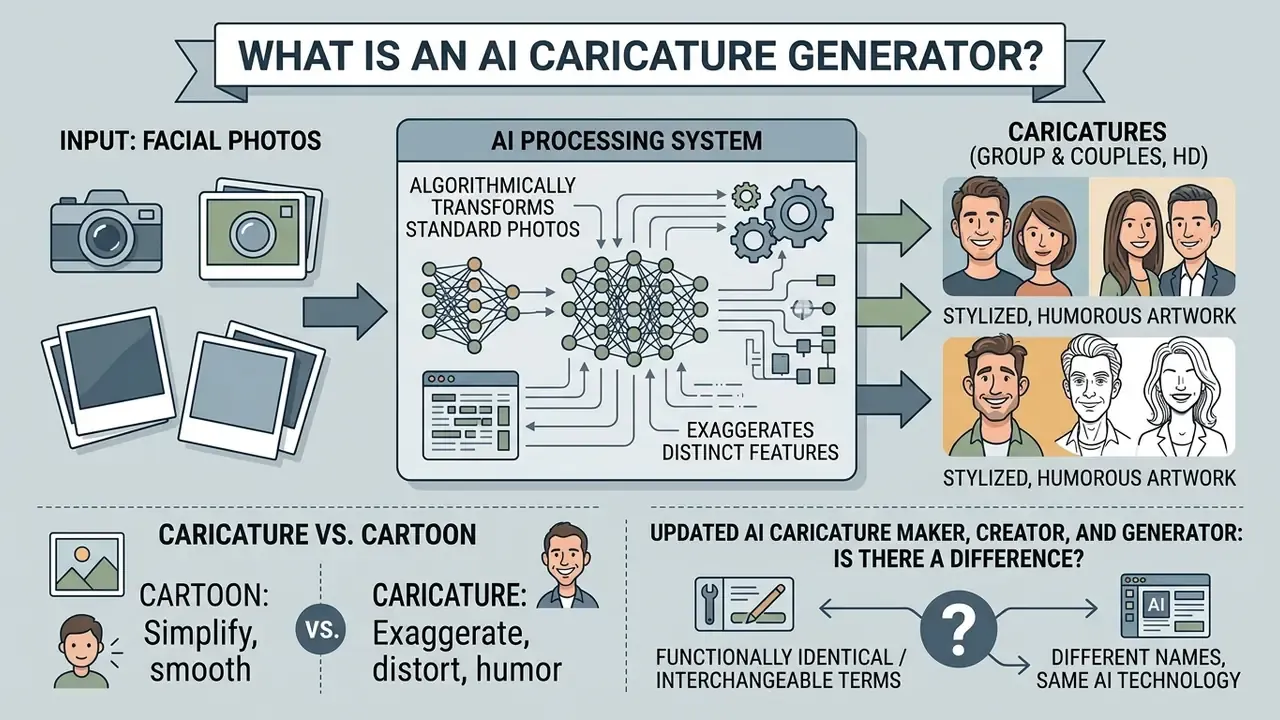
An AI caricature generator is a machine learning system that transforms standard facial photos into stylized, humorous artwork by algorithmically exaggerating distinct features while maintaining subject identity. Unlike a simple aesthetic filter, a modern caricature ai generator uses deep learning models, such as latent diffusion architectures and generative adversarial networks, to isolate landmark geometry, scale prominent facial traits, and render artistic textures in near real time.
«Caricature synthesis creates a stylized portrait with artistic exaggeration while keeping the subject recognizable.»
Architecturally, the field splits into two documented families. GAN-based pipelines such as CariGANs decompose the task into geometry exaggeration (CariGeoGAN) and appearance stylization (CariStyGAN), while WarpGAN adds an identity-preserving adversarial loss plus explicit control over exaggeration extent. Newer diffusion systems, including CaricatureBooth (CVPR 2025), combine Thin Plate Spline deformation and a Bezier-curve editing interface with a pre-trained identity-preserving diffusion model. The practical effect: a user can nudge geometry by hand instead of accepting one automated warp.
That handle on geometry is the part governance teams should notice. A tunable exaggeration parameter is auditable. A black-box "make it funny" button is not.
Caricature vs. cartoon: what changes in the image
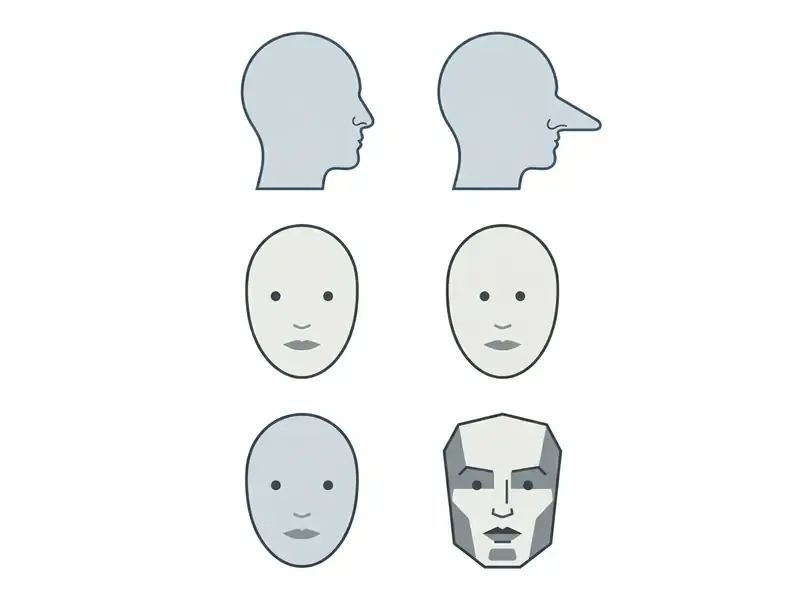
A caricature relies on subject-specific geometric distortion to highlight distinctive features for a funny caricature effect, whereas a traditional cartoon style applies uniform visual simplification across the whole image. In technical terms, contemporary systems resolve the "identity-shape conflict" by decoupling shape deformation from appearance rendering, aligning latent identity features through cross-attention while geometry is warped independently.
«Contrastive alignment of latent identity features inside cross-attention keeps likeness stable while shape is exaggerated.»
«Caricature exaggerates a subject's deviation from the average face; the direction of the trait must not be inverted.»
Invert that direction and you get something worse than a bad drawing. You get an unrecognizable stranger, or an unintentionally offensive one.
AI caricature maker, creator, and generator: is there a difference?
Vendors use the terms ai caricature maker, caricature ai creator, caricature ai maker, and caricature generator ai more or less interchangeably, although small workflow distinctions do show up in the interfaces. A caricature generator usually means a prompt-driven diffusion model that produces artwork from text descriptions or combined inputs, the same paradigm used by mainstream AI art generators. An ai caricature creator or maker usually means a photo-first web interface: upload a portrait, pick a preset, create a caricature online with almost no manual parameters.
Practically, these labels are marketing categories rather than standardized technical classes. The same vendor may ship "maker," "creator," and "generator" pages for one photo-plus-prompt engine. Four controls actually differ, and they are worth naming: upload photo, enter prompt, choose style and exaggeration strength, generate and download. Everything else is packaging. If a tool can also interpret what is inside your image before styling it, you are in the neighbourhood of an ai that can read images rather than a pure renderer.
How to Turn a Photo into a Caricature Online
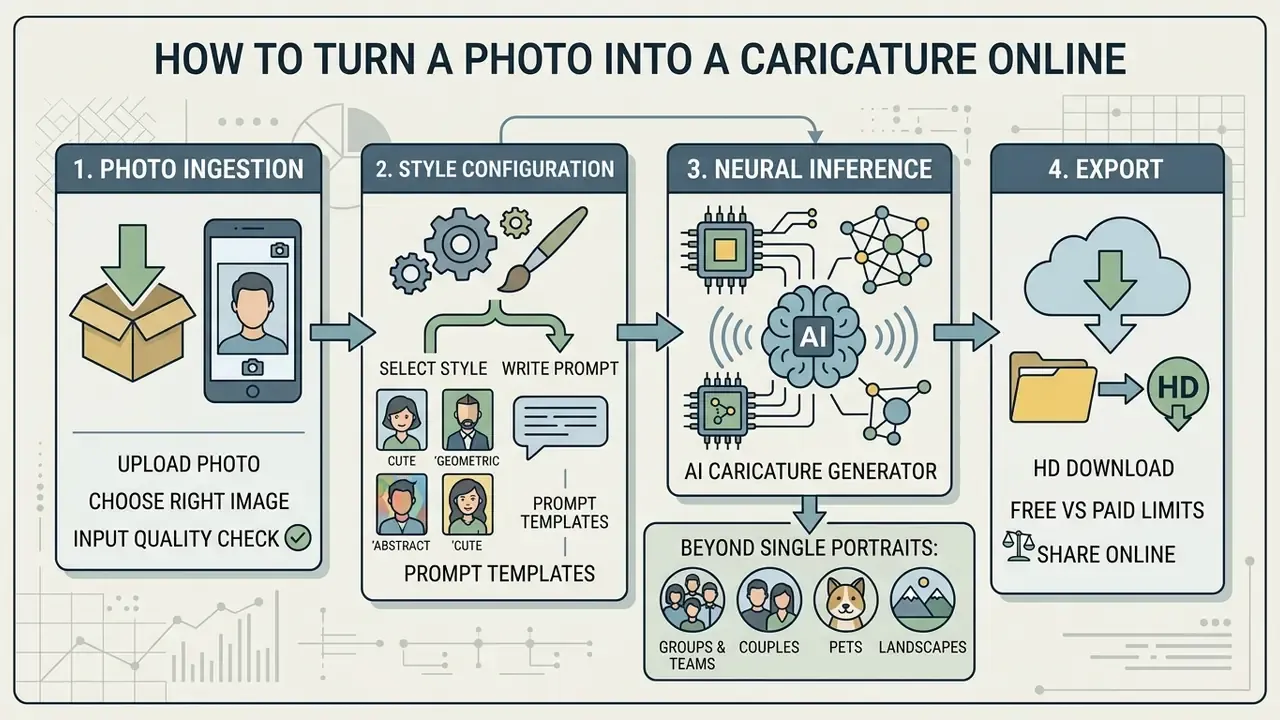
Turning a standard portrait into a stylized caricature online involves a four-step pipeline: photo ingestion, style configuration, neural inference, and export. Most platforms compress this into browser controls, so an ai photo to caricature conversion finishes in seconds. The speed is the trap, by the way. Fast tools invite unreviewed uploads.
Upload a photo and choose the right image
The photo-to-caricature conversion begins by uploading a clear, high-resolution portrait in a standard format: JPEG, PNG, or WEBP. Most services cap file size somewhere between 10 and 100 MB. According to biometric processing standards detailed in NIST SP 500-290e4, reliable identity mapping expects a frontal or slight three-quarter view, even lighting, and unobstructed facial landmarks.
«A neutral expression is defined as non-smiling with both eyes open and mouth closed; occlusions are recorded as a separate quality field.»
«Single-image personalisation requires one clear reference photo; without it, identity accuracy degrades sharply.» Source: DemoCaricature: Democratising Caricature Generation with a Rough Sketch, CVPR 2024. https://arxiv.org/abs/2312.04364v2
Beyond Single Portraits: Groups, Couples, and Pets
Spatial recognition models let generators process multi-subject inputs instead of one cropped face:
- Group and team caricatures the model isolates several landmark sets in one frame and applies proportional head-to-body scaling per subject, so features are not blended between neighbouring faces. Best results come from photos where no face hides behind another.
- Couples and friends the pipeline maintains distinct identity vectors for two facial structures while applying one cohesive background, colour palette, or costume preset. This is the standard configuration for wedding and anniversary artwork.
- Pet and animal caricatures non-human geometry (muzzle length, ear placement, eye spacing) is mapped to a cartoon rig, producing humorous versions of dogs, cats, horses, and other pets. Full-body pet shots in daylight beat close-up snouts, consistently.
- Landscapes and mixed scenes some engines accept non-portrait imagery too, converting scenic photos into illustrated comic panels. Useful for event backdrops and invitation borders.
Practical rule for multi-subject inputs: the more faces in the frame, the higher the resolution you need. Aim for roughly 512×512 pixels of usable detail per face. Below that, the model tends to treat overlapping features as a single landmark cluster, and two colleagues fuse into one slightly alarming person.
Choose a caricature style or write a prompt
Users steer the output by selecting pre-built caricature styles or typing custom descriptive text. Preset menus usually include pencil sketch, watercolor, comic book marker, flat illustration, and 3D cartoon style parameters, plus role-based packs: Diva, Nurse, Corporate Professional, Wonder Woman, Engineer, Ballet Dancer for women, and Superhero, Rockstar, Politician, Doctor, Chef, Firefighter, Architect, Athlete for men. Where custom prompting is enabled, you can specify environments, clothing changes, and visual intensity to land a tailored, creative funny caricature.
Structured prompts beat loose descriptions almost every time. A workable template: Subject + Distortion level + Medium/style + Lighting + Background. The same discipline that makes an ai text generator behave predictably applies here, only the failure mode is visual rather than verbal.
Ready-to-Use Caricature Prompt Templates
- Corporate satire "3D render caricature of a smiling businessman with an oversized forehead, holding a tiny coffee cup, executive office background, highly detailed, vibrant lighting."
- Cyberpunk / sci-fi "Cyberpunk style caricature, female subject with neon glowing metallic hair, exaggerated eyes, futuristic cityscape background, watercolor strokes."
- Retro comic "1980s pop-art marker caricature, bold black outlines, cell shading, exaggerated chin, comic book action background."
- Wedding couple "Watercolor caricature of a couple, exaggerated smiles, groom with oversized bow tie, bride with flowing veil, pastel floral background, soft daylight."
- Sports fan merch "Bold cartoon caricature of an athlete with exaggerated jaw and broad shoulders, team jersey, stadium crowd background, high-contrast marker lines."
- Pet portrait "Colored pencil caricature of a golden retriever with oversized ears and a huge grin, wearing a knitted scarf, cozy living room background."
- Anime exaggeration "Anime-style caricature, exaggerated large eyes and small chin, cel-shaded, dynamic action lines, vivid gradient background."
Prompt-engineering research is fairly consistent on two rules: keep subject and style keywords explicit, and avoid contradictory descriptors that push the sampler toward generic abstraction.
«Focus prompts on subject and style keywords, avoid ambiguous style words, and test multiple seeds.»
Generate, preview, refine, and download the result
After configuration, the generate button starts model inference and returns a preview of the stylized image. Better platforms add refinement controls for colour and tone, lighting direction, camera angle, and exaggeration intensity before export. Some allow scene-level regeneration, so you re-roll one variant instead of the whole batch, which saves credits and patience. Once the preview looks right, download HD files instantly for digital use or print. JPEG and PNG are the common raster formats, with MP4 reserved for animated derivatives. For teams comparing tiers and rendering quality across engines, side-by-side reviews such as best AI art generator comparisons beat testing every vendor by hand.
AI Caricature Styles and Customization Options
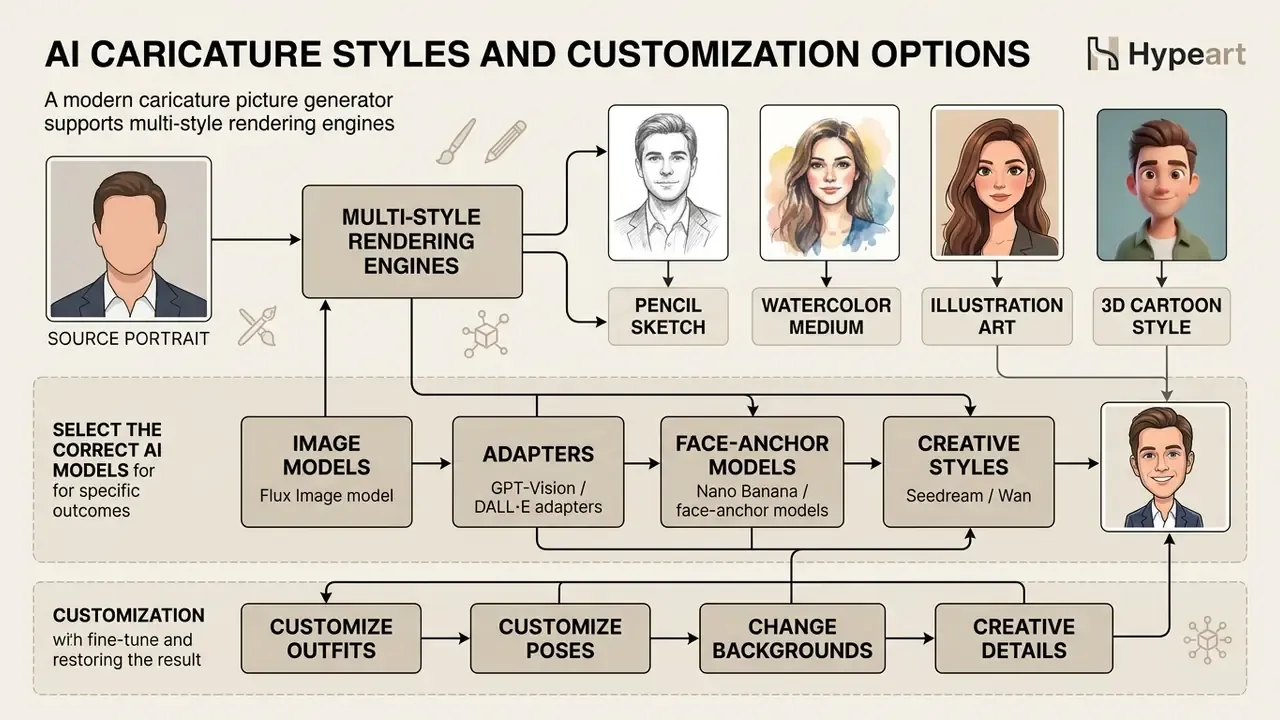
A modern caricature picture generator supports multi-style rendering engines, so one portrait can become several artistic mediums and compositions. By adjusting render parameters, creators tailor artwork for informal social sharing, corporate decks, or personalized gifts.
Pencil, watercolor, illustration, and 3D cartoon styles
Visual styles dictate texture rendering, line weight, and colour distribution. Pencil sketch modes use graphite-like line construction and cross-hatching fills. Colored-pencil variants add vibrant tones with soft shading. Watercolor applies soft tonal washes with fluid gradient transitions. Marker and comic styles push bold black outlines and cell shading. Flat illustration produces clean solid-colour, vector-like output, while 3D cartoon rendering builds volumetric depth with non-photorealistic lighting. Frameworks such as Portrait Diffusion show how text-guided conditioning can map these mediums onto facial geometry without wrecking recognition cues.
«Diffusion models gravitate toward cartoon-like modes even without caricature-specific training.»
Selecting the Right AI Model for Your Caricature
Caricature generators integrate different base diffusion models to reach different degrees of exaggeration. Choosing the engine is often more consequential than choosing the preset:
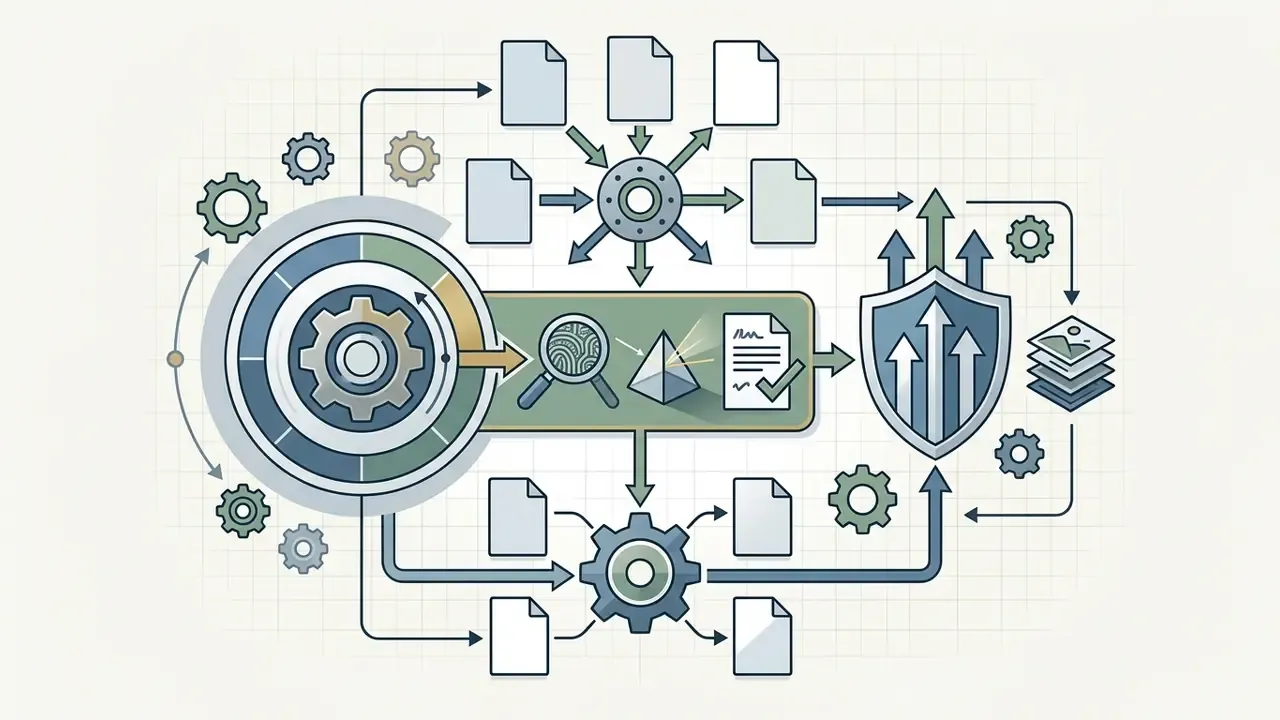
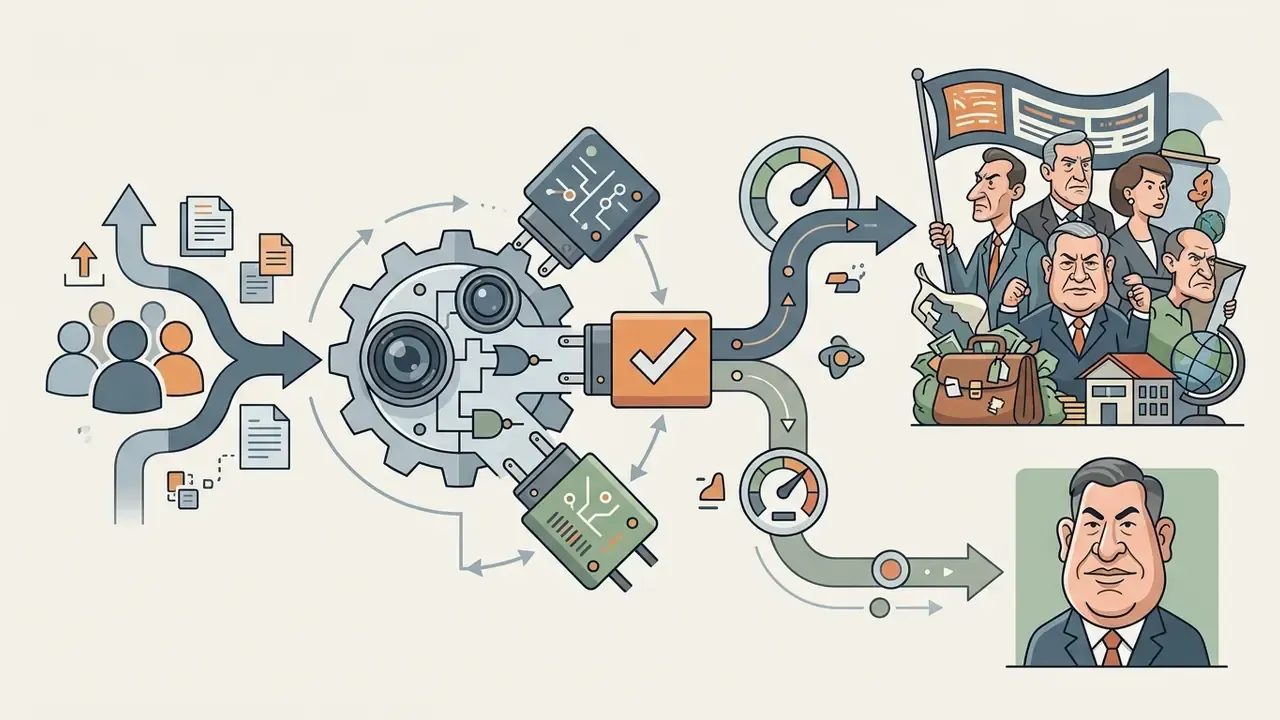
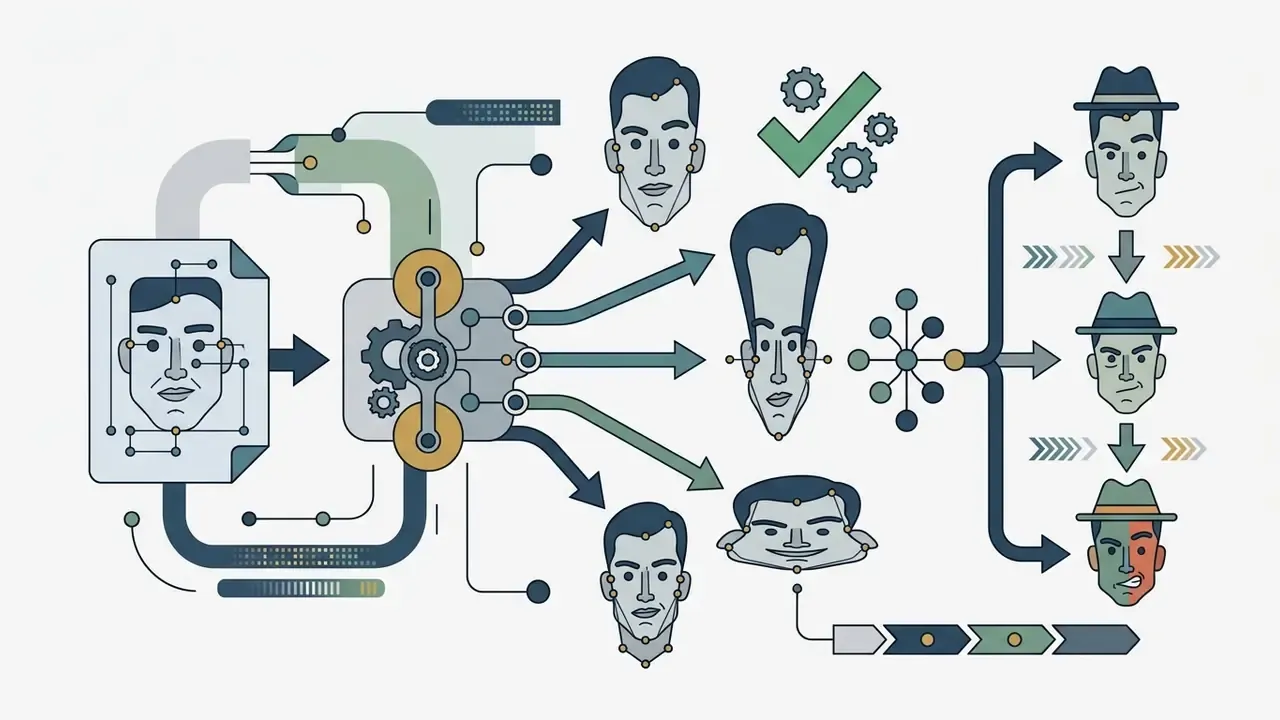
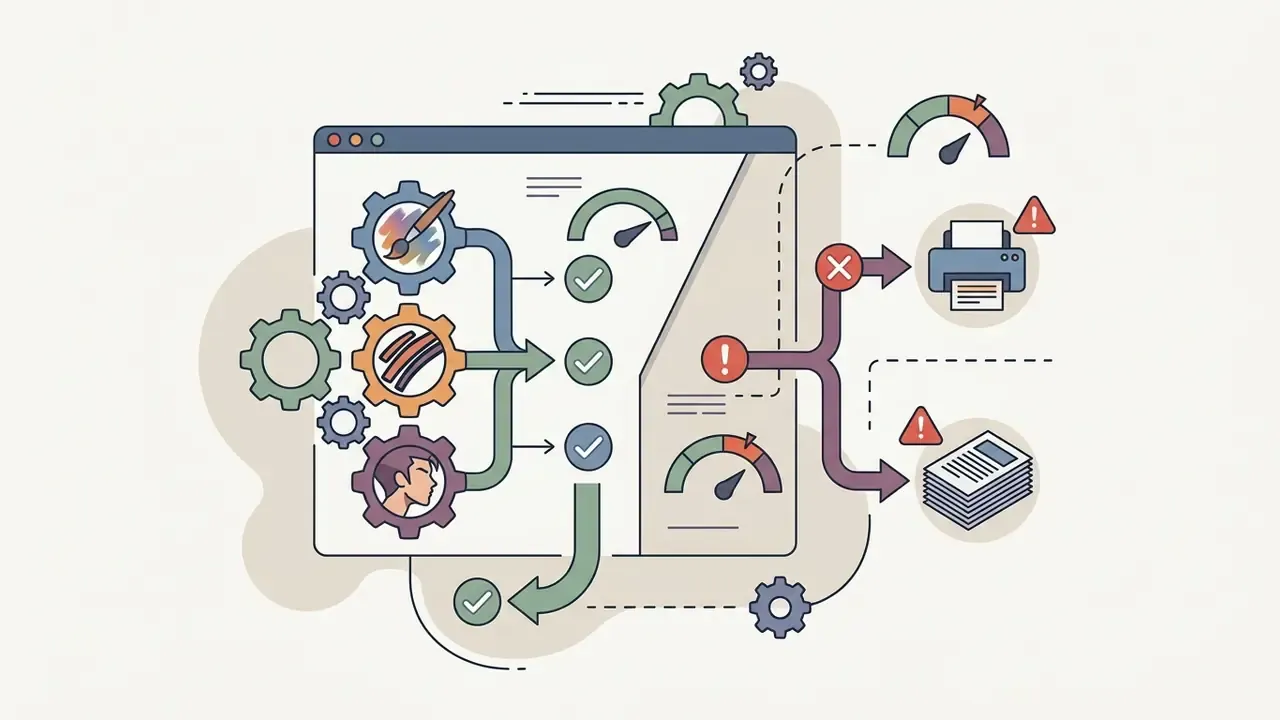
A pragmatic workflow: lock the prompt, run the same input through two engines (one identity-anchored, one style-forward), and pick the variant that balances likeness against comic effect. Teams that already benchmark generative tooling can reuse the methodology from ChatGPT image generation comparisons and Midjourney evaluations on caricature engines. Same scorecard, different asset class.
Customize outfits, poses, backgrounds, and creative details
Beyond facial distortion, advanced customization covers clothing, body pose, and background environment. Systems like DemoCaricature support sketch-guided adapter layers, letting you combine facial identity from a reference photo with a drawn pose or a thematic costume.
«Explicit rank-1 model editing merges identity from a single photo with pose and style from a rough sketch.»
You can swap neutral backgrounds for thematic scenes, a stadium or an executive office, which is how personalized caricatures get targeted to a use case. Avatar platforms document the same vocabulary: switching between T-pose and A-pose rigs, uploading custom clothing textures, and supplying background images at fixed resolutions (for example 1024×2048 up to 4096×8192 px) so composition stays inside camera-safe areas. Where a scene has to stretch for banners or invitations, AI outpainting tools that expand images generate the extra background instead of forcing a full re-generation.
Free AI Caricature Generator vs. Paid Plans
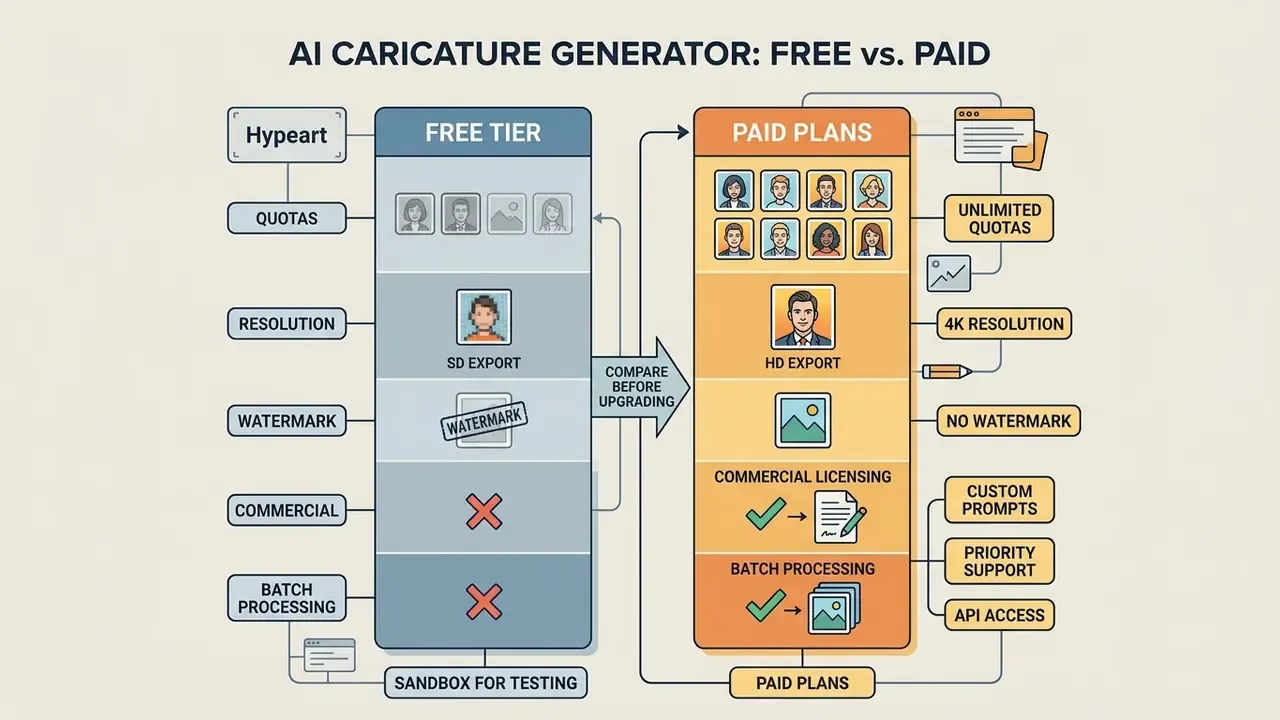
Weighing a free ai caricature generator against a paid tier means reading four things: generation quotas, export resolution caps, watermark policy, and commercial licensing terms. Free tools are a fine entry point for casual experimentation. Production workflows almost always need paid infrastructure. Benchmarks such as free AI art generator comparisons help separate industry-standard limits from vendor-specific ones.
What a free online caricature generator usually includes
What to compare before choosing a paid option
Before upgrading, compare export resolutions (up to 4K), watermark-free downloads, batch processing, custom prompt controls, model selection breadth, and explicit commercial usage rights. Paid tiers of an ai caricature generator free online upgrade typically remove queues, unlock high-resolution raster or vector formats, and, depending on the terms of service, may add contractual assurances around commercial use. Indemnification is a contract-level promise, not an industry default, so read the written terms instead of the marketing page. The original, stronger claim is preserved in Appendix A.
Organizations automating multi-asset creation should also check API availability, throughput limits, and per-request pricing. The cost-modelling approach documented for Google Veo API implementation transfers directly to image endpoints, and the AI tooling cost calculators are a reasonable place to model credit burn before procurement gets involved. Where caricatures feed motion graphics or event loops, an animation maker closes the last mile. If a paid tier misbehaves mid-campaign, keep AI Media Support and Troubleshooting within reach.
| Feature Parameter | Free Tier Access | Paid / Premium Plan | Business Impact & Considerations |
|---|---|---|---|
| Generation Quota | 3 to 5 credits per day (some vendors: 3 per month) | Unlimited or high credit pool | Free tiers restrict high-volume marketing iteration. |
| Export Resolution | Standard (up to 1K / 1 MP) | HD / 4K crisp export | High-res is essential for print and digital publishing. |
| Watermark Status | Visible or provenance mark (varies) | Clean, watermark-free outputs | Commercial assets require clean visual presentation. |
| Model Selection | 1 default engine | Multiple engines (Flux, GPT-Image, face-anchor, Seedream/Wan) | Engine choice drives identity stability vs. style. |
| Multi-subject Support | Often single face only | Groups, couples, pets, full scenes | Needed for team, wedding, and event assets. |
| Commercial Rights | Personal / non-commercial only | Full commercial license per vendor terms | Essential to avoid intellectual property disputes. |
| Batch Processing | Single image upload | Multi-photo batch queues / API | Critical for enterprise team headshot updates. |
| Data Handling | Standard consumer policy | Configurable retention, no-training options | Prerequisite for regulated-industry deployment. |
No matching rows Clear one or more filters to restore the matrix.
Enterprise Deployment, Model Risk & Compliance
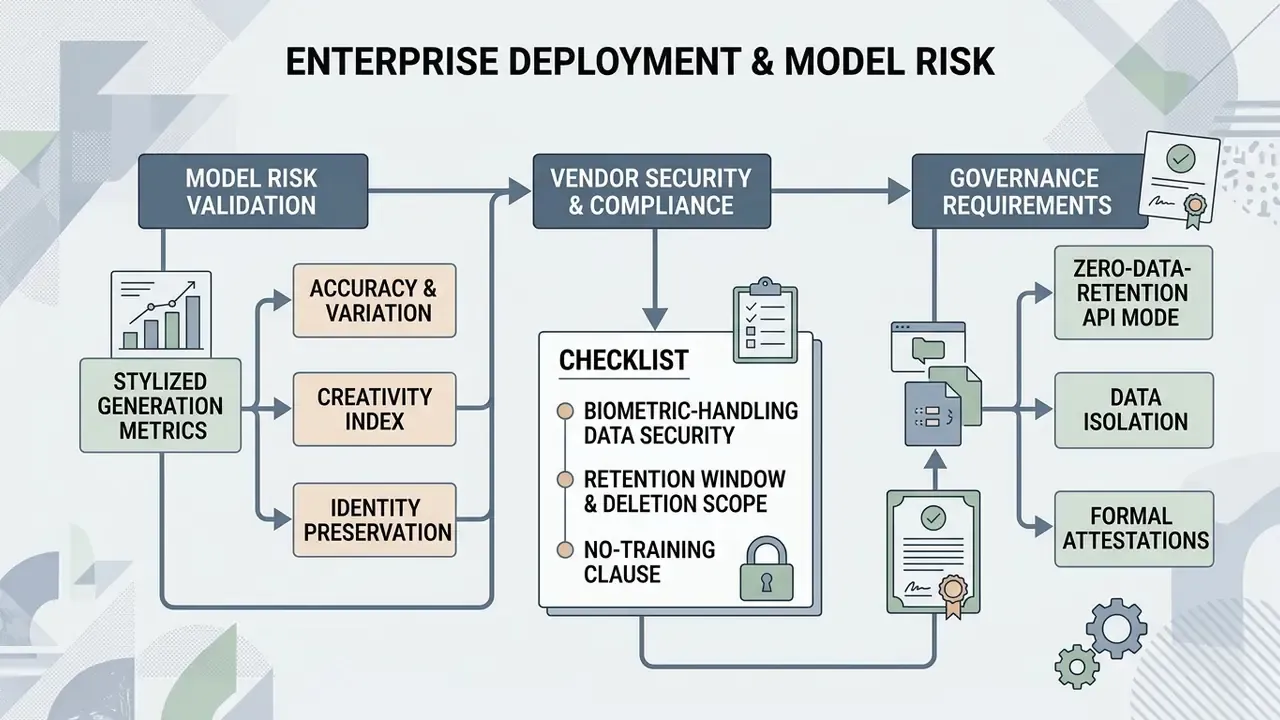
This section pulls together the governance requirements that apply the moment caricature generation moves from a personal browser tab into an approved corporate workflow.
Model risk validation metrics for stylized image generation
Generative visual models sit inside the same model-risk perimeter as any other decisioning system. And caricature output is more measurable than it looks, which is convenient, because "it looks fine to me" is not evidence. A workable validation set:
| Control | Metric or method | Practical threshold guidance |
|---|---|---|
| Identity preservation | Cosine similarity between face embeddings (ArcFace-class encoders) of source photo vs. output | Set an internal floor; outputs below it are rejected as unrecognizable. |
| Exaggeration boundary | Landmark displacement ratio vs. source geometry; vendor exaggeration parameter (CariGANs documents a scalar range for geometric exaggeration) | Cap the parameter so distortion amplifies, never inverts, a trait. |
| Recognizability testing | Rank-1 identification accuracy on a held-out internal set, following caricature-recognition benchmark practice | Track drift after any model or preset update. |
| Reproducibility / audit trail | Log prompt text, seed, sampler, model version, exaggeration value, input hash | Required to reproduce any published asset during audit. |
| Aesthetic/quality review | Distortion-free perception plus colour, texture, line, and style scoring | Human sign-off before publication. |
| Bias monitoring | Output quality parity across skin tone, gender, and age cohorts | Escalate systematic quality gaps as a fairness finding. |
«Generated caricatures must retain a recognisable identity alongside creative control and deployment constraints.»
One nuance worth stating plainly. A caricature engine is not a credit model, and treating it like one wastes validation capacity. Scale the rigour to the exposure: internal Slack avatars need a lighter file than a national advertising campaign built on employee likenesses.
Vendor security and biometric-handling checklist
Before onboarding a caricature vendor for employee or customer imagery, confirm in writing:
- Retention window.How long uploaded faces and derived embeddings are stored, and whether deletion is automated.
- No-training clause.Explicit contractual confirmation that uploads are excluded from training datasets.
- Deletion scope.Whether a deletion request reaches backups, datasets, and fine-tuned model artefacts, not just the UI.
- Zero-data-retention API mode.Availability of ephemeral processing endpoints for regulated workloads.
- Isolation.Dedicated or VPC-isolated processing, no shared inference caches across tenants.
- Attestations.SOC 2 Type II and/or ISO 27001 reports available under NDA.
- Sub-processors.The full list, including any third-party model provider sitting behind the interface.
- Jurisdiction.Where processing physically occurs and which transfer mechanism applies.
- Consent artefacts.Whether the platform can store or link a signed likeness release per subject.
- Shadow-AI exposure.Whether staff already upload corporate photos to consumer free tiers outside procurement. Audit browser and expense trails, then publish an approved-tool list.
Point ten is the one that bites. Novelty image tools rarely arrive through procurement; they arrive through a team channel on a Friday afternoon.
Pre-publication compliance checklist
Checklist0 / 8
Where AI-generated assets circulate externally, provenance verification matters as much as creation: AI reverse-image-search tooling helps confirm whether an asset has been reused or altered downstream.
Not legal advice: the material above and below is general information and does not replace consultation with qualified counsel on copyright, right of publicity, or data-protection matters in your jurisdiction.
Commercial Use, Privacy, and Photo Rights
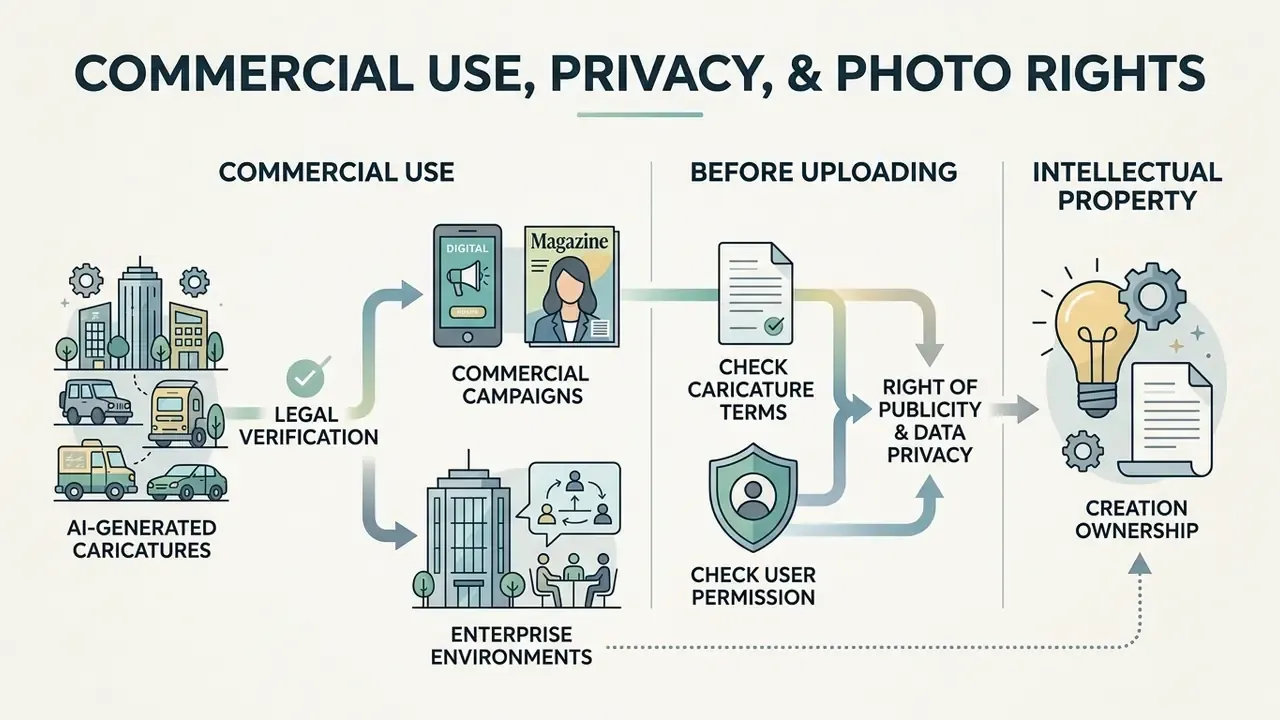
Putting AI-generated caricatures into commercial campaigns or enterprise environments requires legal verification on three fronts: intellectual property ownership, right of publicity, and data privacy safeguards. This is general information, not advice from a lawyer.
When AI caricatures can be used commercially
Commercial use of AI caricatures, including print merchandise, digital advertising, and corporate branding, depends on platform terms plus individual publicity consent. Under U.S. Copyright Office guidance issued in 2024 and expanded in 2025, purely AI-generated visual output that lacks human creative authorship cannot obtain federal copyright protection. Protection extends only to human-authored expressive contributions, and prompting alone does not qualify.
«Copyright protects only the human-authored expressive elements of AI-assisted works; mere provision of prompts is not enough.»
State-level right of publicity laws separately prohibit using a real individual's recognizable likeness for commercial gain without explicit written consent, and several U.S. jurisdictions now require express consent before commercial use of AI-created digital replicas in advertising or products. In the EU, guidance from the European Commission's IP Helpdesk ties commercial exploitation primarily to the tool's terms of use and applicable national law, with residual infringement risk if the output reproduces protected works.
Vendor terms diverge sharply and have to be read one by one. Some providers state that users own generated images and may reprint, sell, and merchandise them. Others grant themselves a perpetual licence over inputs and outputs, then gate commercial use behind a revenue threshold or a specific paid tier. Platform-level overviews such as Canva AI Generator licensing, Google AI Image Generator usage rights, and Microsoft AI Image Generator commercial terms show how wide the spread is. For a broader map of licence patterns across image tools, the commercial-use licensing library is the faster reference.
A short illustrative case. A fintech marketing department produced automated caricature avatars for an external digital promotion without collecting portrait release forms. Operational risk reviewers flagged potential publicity-right exposure across several state jurisdictions before launch. The compliance unit then required signed digital likeness releases at asset onboarding, which contained the exposure and still allowed the campaign to publish. Composite and hypothetical, but the sequence is familiar to anyone who has reviewed a rushed campaign.
Quality parity is a commercial risk too, not only an ethical one. Uneven likeness accuracy across demographic groups tends to surface publicly, in the campaign, at the worst moment.
«White users were reproduced more accurately than users of other races; darker-skinned women showed the lowest generation fidelity.»
What to check before uploading a photo
Before uploading personal or corporate photos into an ai caricature generator from photo free web app, security teams should read the vendor privacy policy on retention, model retraining, and image storage. European Data Protection Board guidance is explicit: personal data should not be kept longer than necessary, retention periods should be automated, and a valid deletion request should propagate to AI models, databases, training datasets, and backups.
«Personal data must be retained no longer than necessary, and valid erasure requests should extend to AI models, training datasets, and backups.»
Creative Ways to Use AI Caricatures
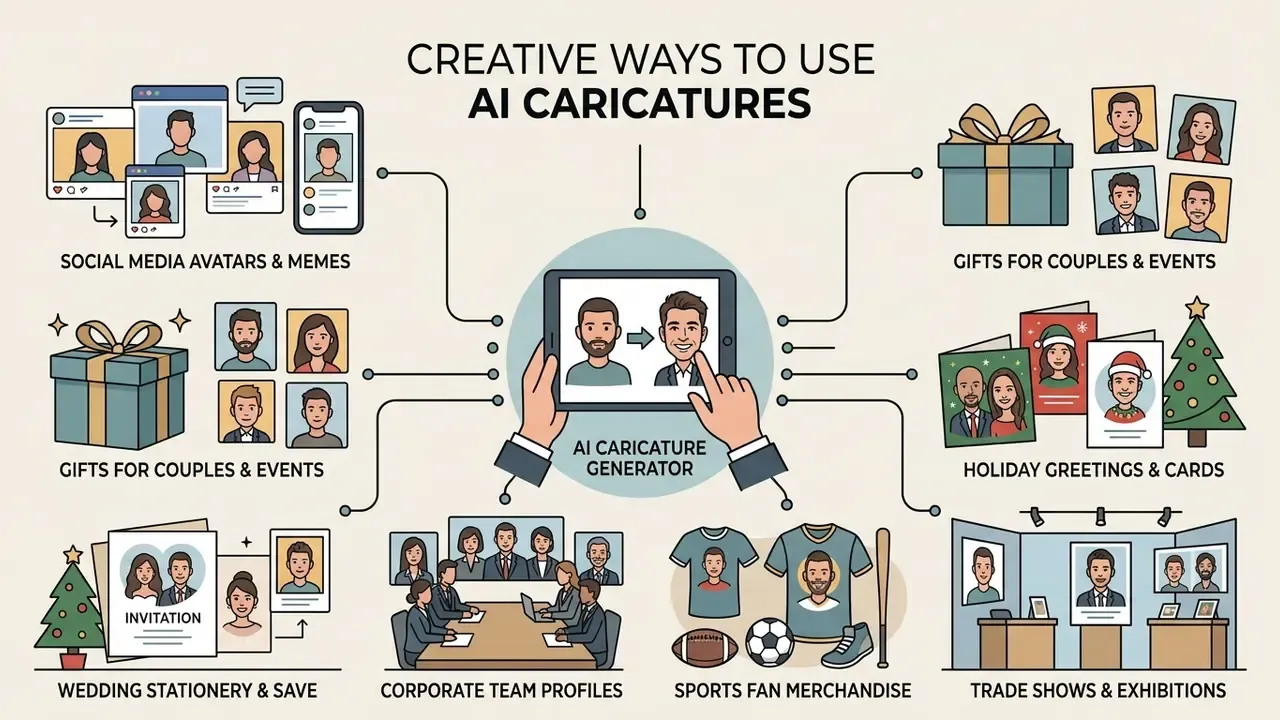
The operational range of a photo to caricature ai generator covers personal branding, corporate marketing, digital publishing, and custom event merchandise. Also, occasionally, a birthday mug.
Gifts, couples, events, and business caricatures
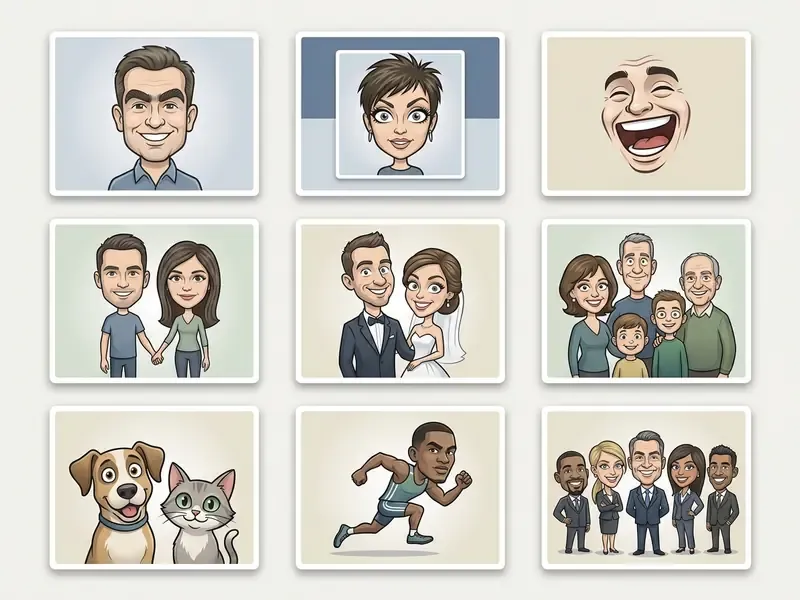
In consumer and corporate settings, stylized caricatures make memorable assets for personalized gifts, wedding invitations, sports merchandise, and team rosters. Production-ready applications:
- Wedding and save-the-date stationery turn couple photos into stylized vector caricatures for printed invitations, digital PDF invites, and thank-you cards.
- Holiday greetings and cards convert family headshots into festive Christmas caricatures with holiday apparel, wreaths, and seasonal backgrounds.
- Corporate team profiles replace generic headshots with a unified caricature set for Slack profiles, internal directories, and "About Us" pages. A lighter option than a full AI headshot generator rollout.
- Anniversary and family gifts couple and multi-generation family prints, mugs, framed keepsakes.
- Sports fan merchandise team-jersey caricatures for supporter gifts, season posters, locker-room prints.
- Trade shows and exhibitions branded caricature templates with company logos, generated on-site as visitor souvenirs and lead-capture incentives.
- Education and internal comms caricature illustrations for school projects, onboarding decks, training slides, internal newsletters.
- Design assets posters, banners, event signage, video thumbnails, the same asset class handled in YouTube video editing workflows.
Governance boundary for business use: workplace AI policies generally allow AI-generated imagery for marketing, team introductions, and internal collaboration with human review before publication. They generally prohibit imitating a real person's likeness or voice without authorization, and any deceptive synthetic media in customer-facing or regulated contexts. That line is not negotiable in a bank.
Tips for Better AI Photo-to-Caricature Results
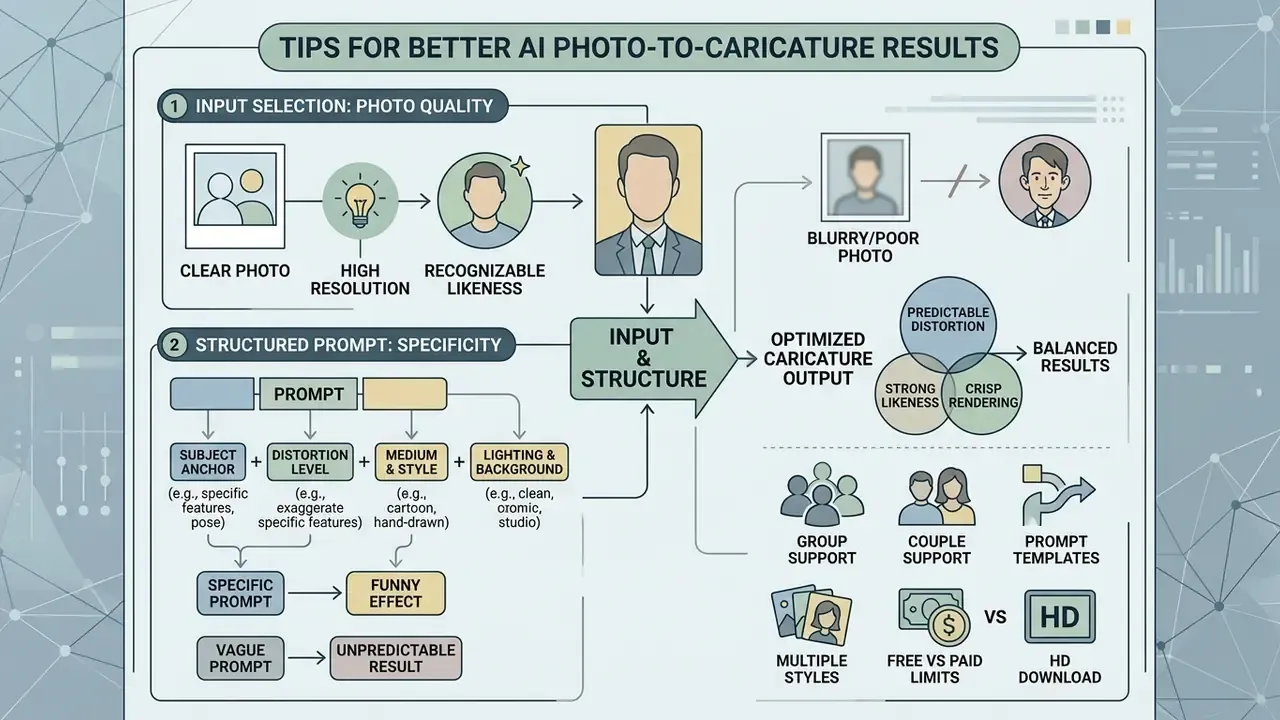
Predictable distortion, strong likeness, crisp rendering: getting all three from an ai photo to caricature converter comes down to disciplined input selection and structured prompts. Not luck.
Choose a clear photo for a recognizable caricature
Source photography is the single biggest factor in similarity, including on a photo to caricature ai free tier where you cannot re-roll endlessly. The ideal input has clear frontal lighting, a neutral or natural expression, high spatial resolution (at least 1024×1024 pixels), and no obstruction: no heavy sunglasses, masks, hands, or hair across the face. Official capture guidance says the same thing in plainer words. Centre the subject, face the camera straight on, keep both eyes open and the mouth closed, avoid reflections on glasses and partially hidden features.
«Precise alignment of eye corners, nose tip, and mouth contours prevents artifact distortion during model warping.»
Make prompts specific without losing the funny effect
Writing prompts means balancing structural controls against comedy. Effective prompts combine art medium keywords ("pencil sketch," "marker line art"), subject details ("smiling executive with exaggerated broad jaw"), and lighting context ("soft studio lighting, 3D render"). Avoid overly complex or self-contradicting terms that force diffusion samplers into generic abstraction.
A repeatable four-slot structure keeps comedy and likeness in balance:
Two guardrails matter legally as well as aesthetically. First, stock and marketplace policies usually require a model release when generative content depicts or is intended to portray an identifiable person, and require "fictional" labelling only when the face is genuinely not based on a real one. Second, if the goal is a recognizable individual, do not stack conflicting style modifiers. Heavy stylization is the fastest way to lose the very likeness you were asked to preserve.
Teams building multi-modal pipelines can carry the same prompt discipline into voice and motion assets: pairing caricature avatars with an AI voice generator, drafting caption copy through an ai text generator gpt workflow, handling audience replies with an ai text reply generator, or compressing deliverables with a video compressor before distribution.
FAQ About AI Caricature Generators
Short answers to the questions that usually decide whether the best ai caricature generator for a personal gift is also fit for enterprise use.
Can I create a caricature from text instead of a photo?
Yes. Modern text-to-image models can synthesize humorous caricatures purely from descriptive prompts, with no uploaded photo. By specifying subject characteristics, exaggerated proportions, and artistic style, the same paradigm used by prompt-driven AI art generators, diffusion models render caricatures of fictional or generic subjects. Generating a caricature of a specific real individual without a reference photo, though, gives low likeness accuracy: text alone cannot reproduce personal facial geometry. Research on text-to-image limitations documents recurring failures in semantic composition, attribute binding, identity consistency across outputs, and in-image text rendering.
Does AI caricature generation use deepfake or face-swap technology?
No. Caricature generation relies on latent feature deformation and diffusion conditioning rather than deepfake face-swapping. The subject's identity is re-rendered as new artwork under geometric exaggeration, not pasted onto another person's body or video frame. Deepfake pipelines chase photorealistic substitution and deception; caricature pipelines aim for a visibly stylized, non-photoreal likeness. The distinction has legal weight, because synthetic-media rules focus on realistic digital replicas and deceptive imitation.
Can I generate caricatures without creating an account or login?
Often, yes. Many web tools allow sandbox testing without registration: upload a photo, preview a result in the browser. High-resolution or 4K exports, watermark removal, batch queues, and commercial licences almost always require an account and usually a paid plan. Worth noting: "no login" does not mean "no processing." The image still travels to the vendor's servers, so the retention and no-training questions from the checklist above still apply.
Are free caricatures watermark-free, and can I remove the watermark?
It depends on the vendor. Some free tiers deliver clean files with tighter generation caps. Others apply a visible mark or a provenance watermark. A third model shows a watermarked preview and charges once for the clean full-resolution download. Stripping a vendor's watermark from a free-tier output generally breaches the terms of service, so the compliant route is upgrading to the tier that grants clean exports.
Can the tool handle a photo with several people, or a pet?
Yes, on engines with multi-subject spatial recognition. Each face is detected as a separate landmark set and exaggerated independently, which is how group, team, couple, and family caricatures are produced. Pet caricatures map animal geometry, muzzle, ears, eye placement, to a cartoon rig. Practical requirement: no face should be occluded by another, and total resolution should scale with the number of subjects.
Is a free tool good enough for business use?
For internal experiments, sometimes. The best ai caricature generator free option will still cap resolution, restrict licensing to personal use, and offer no data-handling configuration. That combination fails most procurement reviews in regulated environments. Use a free ai caricature generator from photo to validate the aesthetic, then move the production run to a paid or API tier where rights and retention are contractual. A free ai caricature generator online trial is a test bench, not a supply chain.
Do I own the copyright to an AI caricature, and can I sell it?
Ownership and copyright are two different questions. Vendor terms may grant you ownership and resale rights over the output file, yet under U.S. Copyright Office guidance a purely AI-generated image without meaningful human creative contribution is not eligible for federal copyright protection, and AI-generated portions must be disclaimed at registration. Separately, if the caricature depicts a real, identifiable person, right-of-publicity law can bar commercial use without a signed release regardless of who owns the file.
What about data retention and Zero Data Retention (ZDR) options?
Ask for the retention window in writing. Ask whether uploads are excluded from training, whether deletion propagates to backups and model artefacts, and whether a zero-data-retention or ephemeral API mode exists. EDPB guidance supports automated retention limits and erasure reaching training datasets and backups; the EU AI Act requires deletion of special-category data once bias correction is complete or the retention period ends.
How do I validate output quality at scale?
Combine an automated identity-similarity check between source and output embeddings with a bounded exaggeration parameter, rank-1 recognition testing on a held-out internal set, demographic parity spot-checks, and a complete generation log (prompt, seed, sampler, model version). That package satisfies both aesthetic review and reproducible audit evidence. It is also the part most teams skip, then rebuild under deadline when an auditor asks how a published asset was produced.
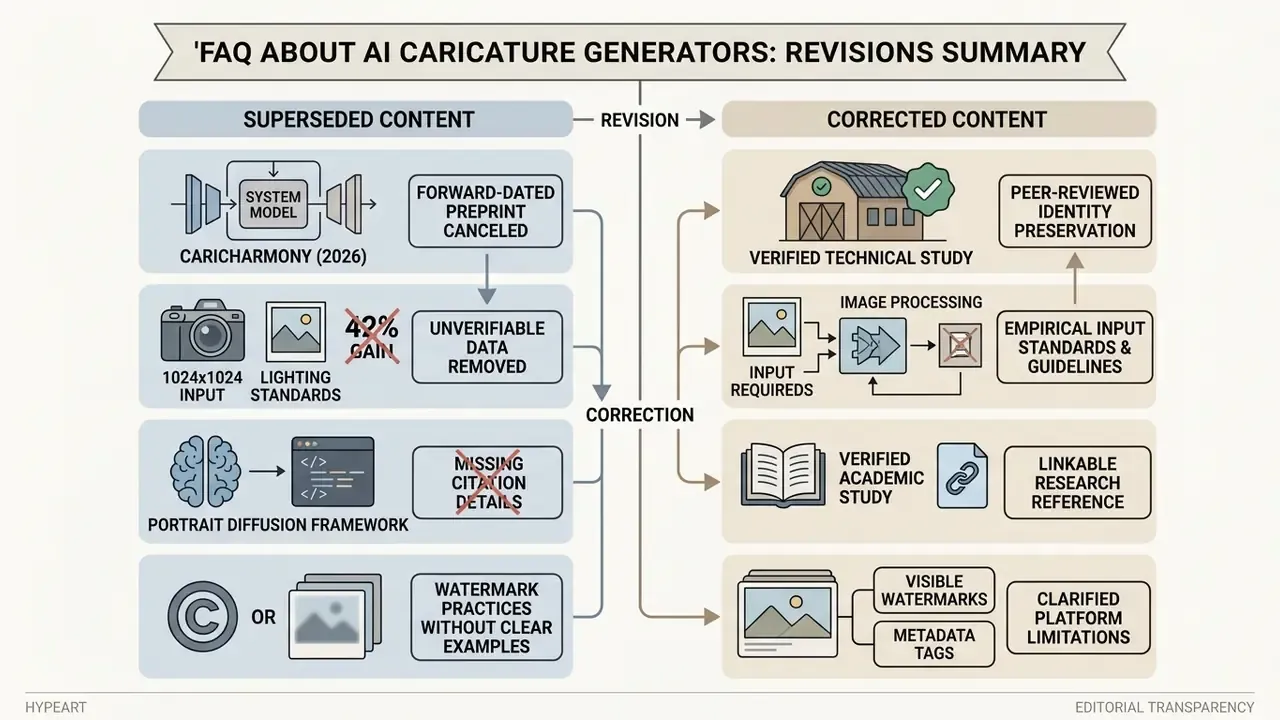
Appendix A: Superseded and Corrected Passages (Editorial Transparency)
Social media avatars, memes, and profile pictures
Caricatures work well as avatars across platforms: they keep a profile recognizable while shielding the raw photo. Social media managers use exaggerated portraits for narrative memes, personal brand avatars, and thematic community icons on TikTok, Instagram, WhatsApp, Facebook, and gaming profiles.
Institutional social-media guidance converges on three practical rules for avatars. The image must stay identifiable at small mobile sizes. It must stay clear and uncluttered. And it should represent the account owner or unit rather than function as decoration. Human elements, a face or a silhouette, measurably improve relatability, which is exactly where a caricature outperforms an abstract logo. Meme-format caricatures are a different animal: they act as message graphics and belong in the campaign review queue, not in a permanent profile slot.