An ai movie poster generator is an artificial intelligence system designed to convert textual descriptions or source photos into high-resolution film artwork. These systems leverage deep generative models trained on large image-text datasets to synthesize thematic lighting, typography space, and genre-specific composition.
Executive Summary
- What it does An AI movie poster generator converts a text prompt or an uploaded photograph into cinematic key art with genre-coded lighting, color grading, and reserved negative space for a title.
- Two input modes Text-to-image builds the layout from scratch; image-to-image (photo-to-poster) uses a portrait as a structural anchor and preserves facial geometry while restyling wardrobe, lighting, and background.
- Best prompt structure
[Subject] + [Setting] + [Composition/Framing] + [Style/Genre] + [Lighting/Color] + [Typography Constraints], in a vertical 2:3 ratio with the top third left empty. - Where AI fails Rendered text strings, hands, eyes, ensemble spatial hierarchy, and print-grade typography. Every asset requires manual review and font compositing.
- Free tiers Adobe Firefly, Canva AI, Bing Image Creator and Pixelbin all offer free credits, but usually cap resolution, add watermarks, or restrict commercial use.
- Risk to control first Uploading real portraits of actors, employees, or third parties raises biometric-data, GDPR/CCPA, and right-of-publicity exposure. Verify vendor terms on input retention and model training before any upload.
- Copyright reality Fully AI-generated posters are not registrable in the United States without substantial human creative input. Commercial deployment depends on platform licenses plus a manual trademark and likeness sweep.
How to Read This Guide
The order below is deliberate. Concept first, then prompt craft, then style controls, then the photo workflow, then money and rights. Skipping to the tool table is tempting, but the licensing section is where most projects actually get stuck.
One caveat before you start. Vendor terms, credit caps, and resolution ceilings on consumer image tools change quarterly, sometimes faster. Treat every number here as a snapshot from February 2026 and re-check it on the vendor's own pricing page before you commit a campaign budget. Teams that need to model credit spend across a full poster campaign can open the hub for cost calculators.
What Is an AI Movie Poster Generator?
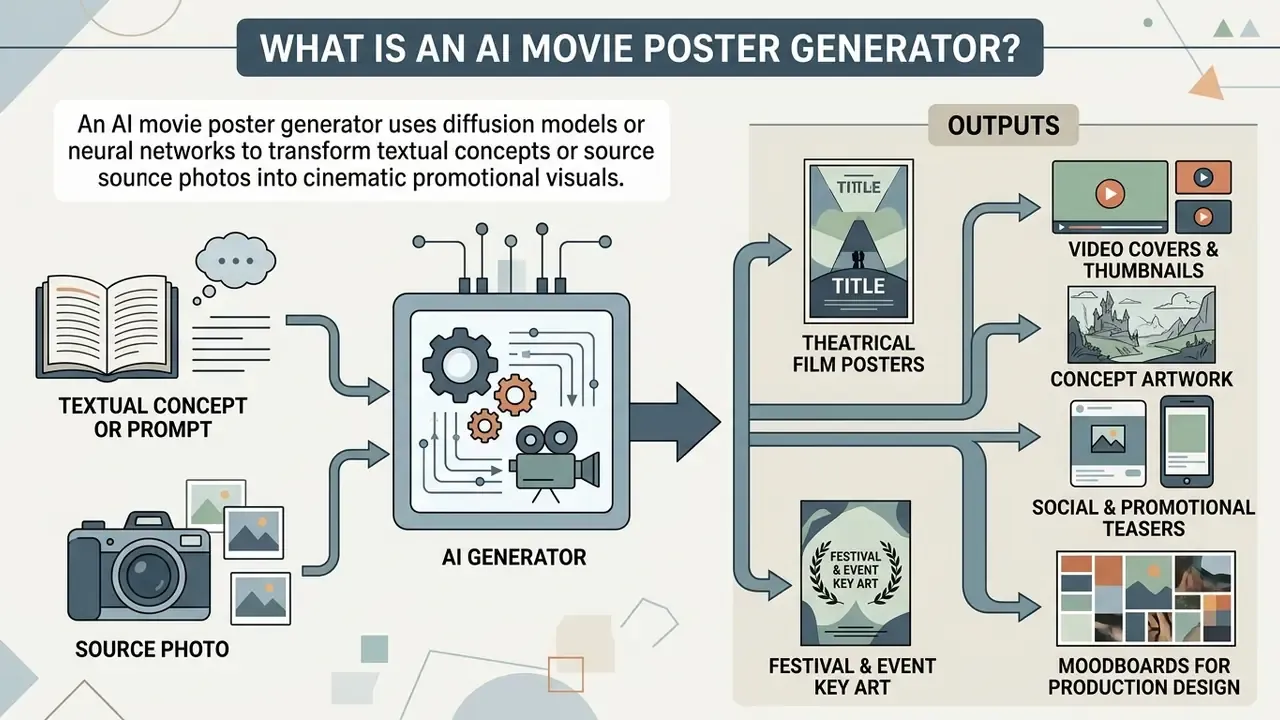
An ai movie poster generator is a software tool that uses diffusion models or neural networks to transform textual concepts or source photos into cinematic promotional visual assets.
These tools analyze descriptive prompts or uploaded visual references, mapping narrative elements to established visual film conventions. Production teams, independent creators, and media publishers use an ai film poster generator to produce theatrical one-sheets, concept art, social media teasers, and video distribution thumbnails without manual graphic design from scratch.
Create a Movie Poster From Text or an Image
Text-to-image poster generation relies on descriptive prompts that detail the subject, camera framing, color palette, and lighting conditions.
In text-to-image workflows, models process descriptive tokens to render complete visual layouts from scratch. Conversely, image-to-image generation tools or photo-to-poster workflows accept an existing photograph or portrait as a structural anchor. Research on diffusion models demonstrates that image-conditioned frameworks preserve key face geometry while applying cinematic styling.
«The MPDS dataset comprises more than 373,000 image–text pairs and over 8,000 actor images, letting diffusion models reproduce genre-specific cinematic patterns.»
That scale matters in practice. A model trained on genre-consistent poster data reproduces conventions such as centered hero framing, chiaroscuro key light, and clean upper-third negative space without those instructions being spelled out token by token. To review automated cover and layout creation more broadly, you can consult our ai cover generator documentation.
What You Can Create With AI Movie Posters
AI poster tools generate multiple specialized promotional assets tailored to diverse media formats and aspect ratios.
- Theatrical Film Posters Vertical 2:3 or 27×40-inch layouts featuring hero images, prominent titles, and billing block space.
- Video Covers and Thumbnails Horizontal 16:9 visual assets optimized for streaming platforms, video hosting sites, and digital catalog covers.
- Concept Artwork Pre-production visual treatments used in investor pitch decks and director mood boards.
- Social and Promotional Teasers Square 1:1 or vertical 9:16 portrait assets designed for multi-platform marketing campaigns.
- Festival and Event Key Art Submission graphics for short-film festivals, student showcases, screening nights, and campus programming. Most submission packets also want a written pitch, which some teams draft with an ai cover letter generator before the artwork is final.
- Moodboards for Production Design A visual north star for color palette, costume direction, and cinematography discussions before a single frame is shot.
Teams selecting an engine for each of these formats can compare the leading AI image generators by resolution ceiling, style control, and licensing terms. Film-school instructors building a module around this workflow often pair poster generation with an ai course creator so the assignment brief and the tool demo live in the same lesson.
Designing Parody, Fan-Art and Meme Posters
Beyond commercial film releases, creators frequently leverage an ai movie poster generator to produce satirical artwork, fake movie teasers, and personal fan-art.
- Exaggerated Visual ElementsWhen generating parody graphics, use exaggerated style tokens in your prompt, such as "hyper-dramatic blockbuster lighting", "over-the-top explosion background", or "absurdly serious close-up of a household object", to signal satirical intent to the model.
- Fake Trailer and Meme FormatsA fake movie poster generator workflow is commonly used for mock sequels, joke birthday gifts, inside-joke posters for a team, classroom projects, and thumbnail art for parody trailers.
- Genre MashupsDeliberately conflicting genre anchors ("romantic-comedy poster about tax filing, shot like a 1980s slasher") produce the visual dissonance that makes parody posters read as jokes at thumbnail scale.
- Fair Use BoundariesWhile fake and parody posters fall under transformative visual expression, creators must avoid using registered commercial trademarks or selling fan-art featuring protected corporate intellectual property without explicit permission.
A small observation from reviewing dozens of these: parody posters fail more often on typography than on imagery. The joke lands in the title, and the title is exactly the part the model cannot spell.
What AI Can and Cannot Control in Poster Design
Generative AI offers precise control over visual aesthetics, color grading, and framing, but struggles with multi-character spatial relationships and complex text rendering.
Modern diffusion models excel at synthesizing atmospheric depth, background detail, and genre-coded color schemes. The evidence for structured prompting is quantitative rather than anecdotal:
«Across five experiments covering 5,493 generated images and 51 styles, structured prompts that explicitly named subject and style produced consistently more coherent results than unstructured text.»
However, artificial intelligence often produces garbled text strings, misaligned title typography, and inconsistent anatomy when processing complex prompts. Operators must review every ai generated movie poster to verify image layout, text legibility, and character features prior to public distribution.
Controllable with high reliability: color palette and grading, lighting direction and quality, camera-style framing, texture and grain, background environment, art medium (photoreal, cel-shaded, painterly), aspect ratio, and reserved negative space.
Requiring manual correction: exact title typography, billing-block credits, legible taglines, finger and hand anatomy, iris symmetry, precise left-to-right ordering of an ensemble cast, brand-safe removal of accidental logos, and print-grade color profiles.
Put bluntly: the model art-directs, you proofread.
How to Write an AI Movie Poster Prompt
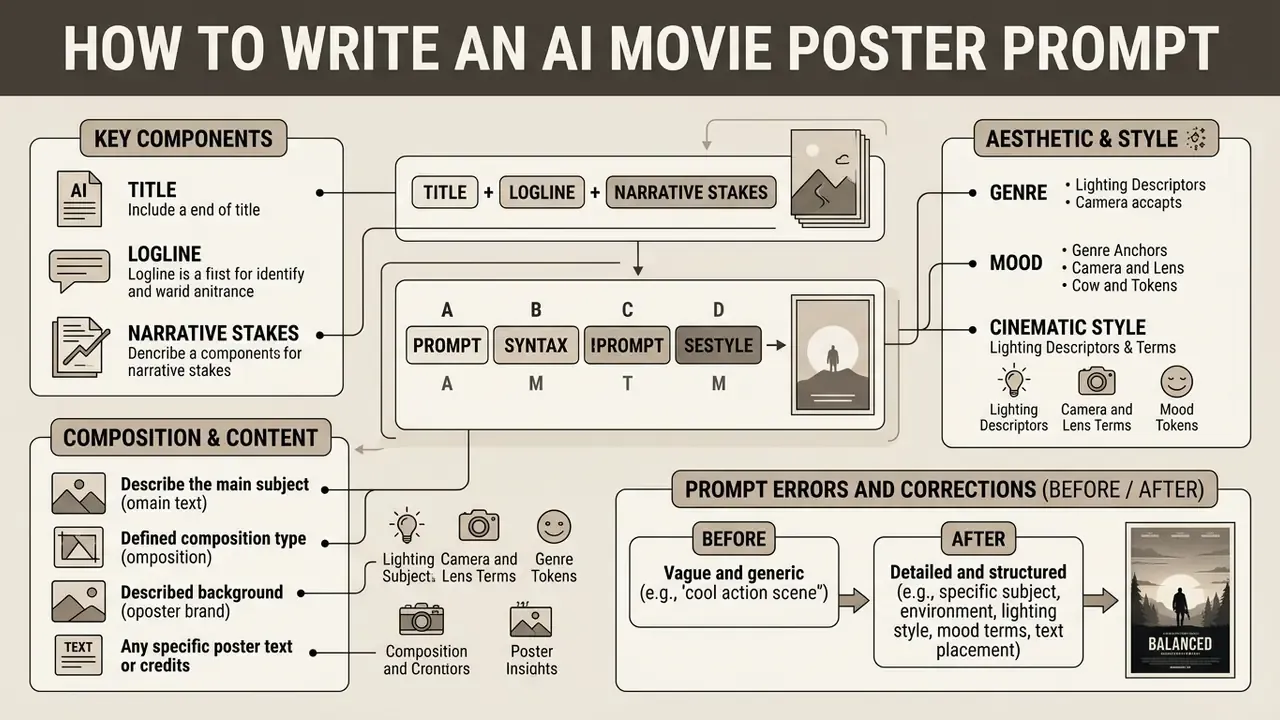
Writing effective prompts for an ai movie poster maker requires a structured syntax that balances subject descriptions, compositional framing, lighting specs, and typography placement.
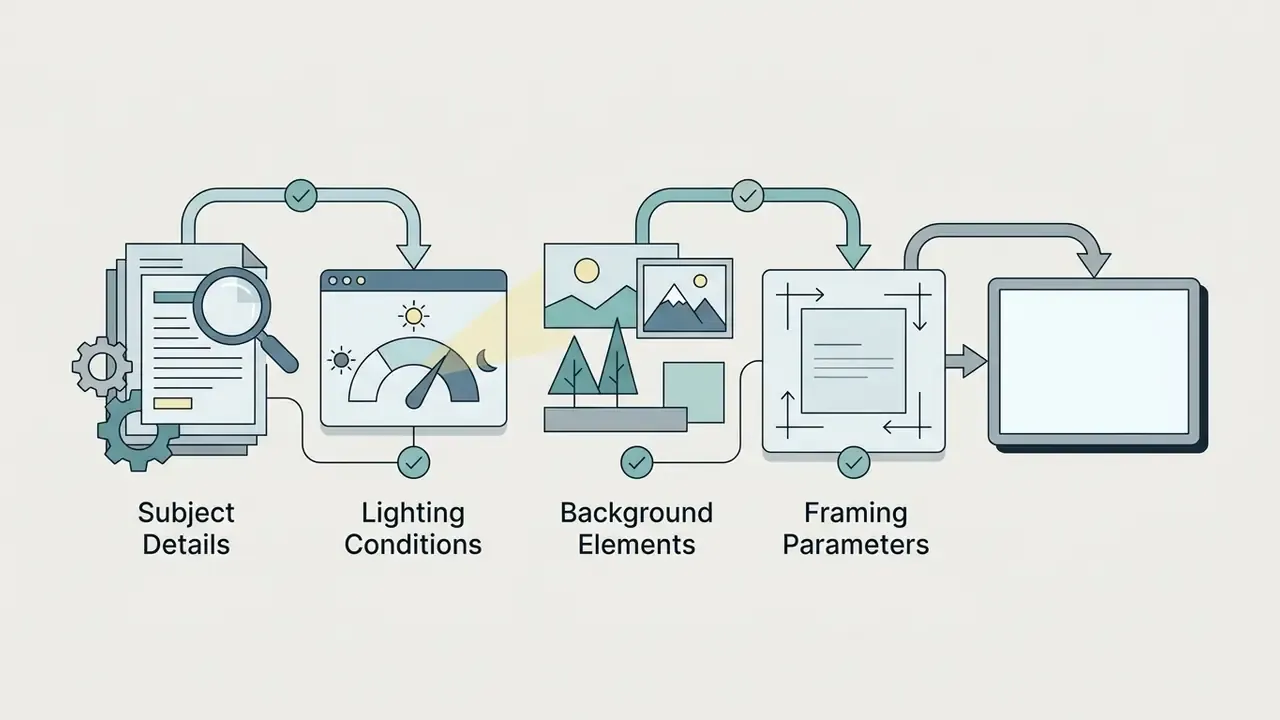
Prompts that follow a systematic order, [Subject] + [Setting/Background] + [Composition/Framing] + [Style/Genre] + [Lighting/Color] + [Typography Constraints], yield significantly higher visual adherence than unstructured text.
«Prompts structured as subject + style + composition consistently outperform unstructured text on image coherence across 5,493 generated images.»
Vendor prompting guides published by model providers describe the same field order: scene and background first, then subject, then key details, then constraints. Academic finding and production practice converge on one template rather than competing ones. Writers who iterate on prompts conversationally, refining in short turns instead of one long paragraph, can borrow the turn-taking patterns described in our ai conversation generator reference.
Include the Title, Logline and Narrative Stakes
Incorporating narrative context into the prompt guides the AI in generating symbolic imagery that reflects the underlying storyline.
Instead of writing "a poster for a scary movie," express the logline through visual cues. For example: "Movie poster visual for 'Deep Silence', a psychological thriller about a deep-sea researcher stranded in an underwater station; central shot of a helmet faceplate reflecting dark oceanic abyss." Structuring narrative context as concrete visual description, rather than plot summary, is what raises prompt fidelity, because the model can only render nouns, light, and geometry, not backstory.
«Users can reliably judge prompt quality but lack the stylistic vocabulary to express it, which is why explicitly naming genre and narrative detail improves output.»
A practical translation layer helps: convert each story beat into one visual object. "The protagonist has lost her family" becomes "a single untouched place setting at a dinner table for five". "The city is under surveillance" becomes "hundreds of camera lenses embedded in the skyline". One beat, one object. Two beats in one frame usually cancel each other out.
Describe Genre, Mood and Cinematic Style
Utilizing specific technical terminology for lighting, camera lenses, and artistic movements helps anchor the generator in realistic cinematic styles.
- Lighting Descriptors Volumetric lighting, chiaroscuro, harsh directional light, neon glow, golden hour, rim light, backlit silhouette, practical candle light, cool blue fill.
- Camera and Lens Terms Shallow depth of field, 35mm film grain, anamorphic lens flare, wide-angle establishing shot, extreme close-up, handheld framing.
- Genre Anchors Film noir, cyberpunk, dystopian sci-fi, 1980s retro slasher, epic high-fantasy, minimalist drama, festival documentary, vaporwave.
- Mood Tokens Melancholic, ethereal, oppressive, nostalgic, serene, mysterious, hopeful, somber.
Creators who want to explore stylistic ranges beyond film conventions can review our AI art generators reference for medium-level and movement-level descriptors.
Specify Composition, Background and Poster Text
Controlling visual hierarchy requires detailing element positioning and explicitly designating clean negative space for poster text.
Specify framing coordinates directly in the prompt text: "Subject centered in lower two-thirds, dark desaturated background, upper third features clean empty negative space for movie title placement." Numeric layout regions such as "top 25% empty" or "width 60% centered" behave more predictably than vague phrases like "leave room for text". When instructing models to render actual text, enclose exact words in quotation marks, for example title "THE HORIZON" in bold white sans-serif font, and state font style, weight, size, and placement as explicit constraints. For engineers evaluating programmatic generation at scale, review our API implementation hub.
Prompt Errors and Corrections (Before / After)
| Weak prompt | Failure mode | Corrected prompt |
|---|---|---|
| "Scary movie poster, very cinematic" | Generic stock horror image, subject fills the entire frame, no title space | "Psychological horror poster, single candle on an empty dinner table, subject in lower third, top 30% flat dark wall for title, chiaroscuro lighting, vertical 2:3" |
| "Sci-fi poster with lots of characters and spaceships and a city" | Fused faces, competing focal points, unreadable at thumbnail size | "Sci-fi poster, one armored pilot centered mid-frame, single ringed planet in background, minimal foreground detail, volumetric dust, vertical 2:3" |
| "Poster with the title The Horizon in cool font" | Garbled or misspelled lettering baked into pixels | "Poster art only, no text, clean empty upper third reserved for typography added later in an editor, vertical 2:3" |
| "Retro poster" | Ambiguous decade, inconsistent grain and palette | "1978 grindhouse one-sheet, desaturated crimson and ochre palette, heavy halftone print texture, hand-painted illustration style, vertical 2:3" |
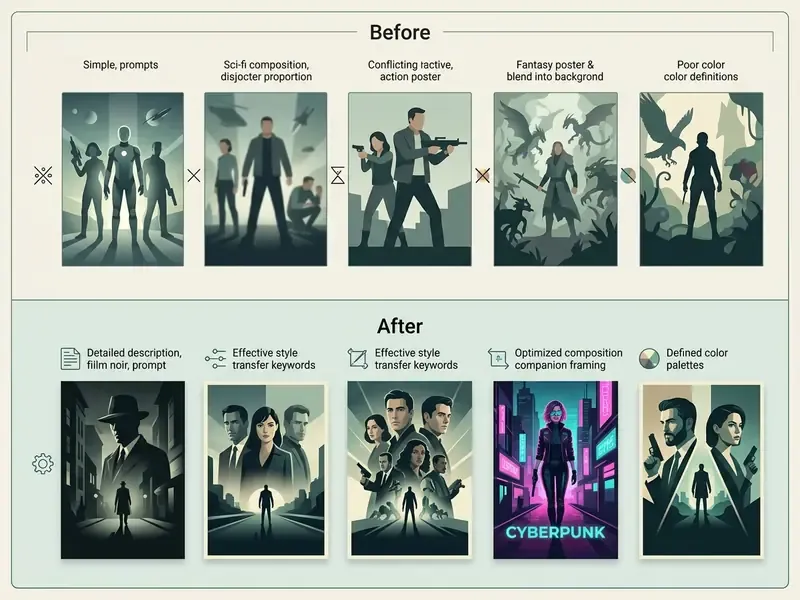
AI Movie Poster Prompt Templates:
1. Cinematic Sci-Fi Action:
   "A theatrical movie poster for a sci-fi film titled 'STEEL DAWN'. A battle-scarred pilot in futuristic armor standing on a desolate alien ridge, looking toward a giant ringed planet. Anamorphic lens flare, volumetric dust, dark teal and orange color palette, dramatic rim lighting. Upper 30% features clean dark sky reserved for title typography. 35mm cinematic film grain, 8k resolution, vertical 2:3 ratio."
2. Anime Fantasy Film:
   "An anime movie poster style visual, vibrant cel-shaded animation frame. A young female mage holding a glowing staff on a grassy cliff overlooking a floating crystal city. Makoto Shinkai aesthetic, dramatic cloud formations, golden hour lighting, rich blues and soft yellows. Empty sky at the top for title text placement, highly detailed background art, vertical poster orientation."
3. Retro 1970s Thriller:
   "1970s retro film poster style, desaturated color scheme with deep crimson and earthy brown tones. A shadowed figure in a trench coat walking down a fog-filled alleyway under a flickering streetlamp. Heavy analog film grain, halftone print texture, dramatic chiaroscuro lighting, minimalist vintage movie aesthetic, vertical aspect ratio."
4. Psychological Horror & Suspense:
   "A psychological horror film poster titled 'THE UNSEEN'. An empty family dinner table inside a dimly lit vintage dining room, a single candle casting unnaturally long, distorted shadows of a missing fifth person against the peeling wallpaper. Chiaroscuro lighting, desaturated color palette with deep crimson accents, cold eerie atmosphere, subtle film grain, upper third reserved for clean serif title typography, vertical 2:3 aspect ratio."
5. High-Stakes Crime Thriller & Drama:
   "A gritty crime drama movie poster titled 'CITY OF SHADOWS'. Rain-soaked asphalt reflecting harsh yellow streetlights on a dark urban alleyway. A lone trench-coated figure viewed from behind, standing in the lower third, holding a glowing dossier. High contrast, cinematic anamorphic lens haze, deep shadows, teal and orange atmospheric grading, top 25% empty for title space, 35mm photograph texture, vertical layout."
6. Satirical Parody / Comedy Poster:
   "A humorous, vibrant parody movie poster titled 'OFFICE WARRIORS'. An office worker in a wrinkled suit dramatically holding a stapler like a weapon, surrounded by flying paper documents and exploding coffee cups in slow motion. High-definition studio comedy lighting, bright exaggerated colors, comedic blockbuster layout, bold centered title typography across the top, vertical 2:3 ratio."
Movie Poster Styles and Design Controls
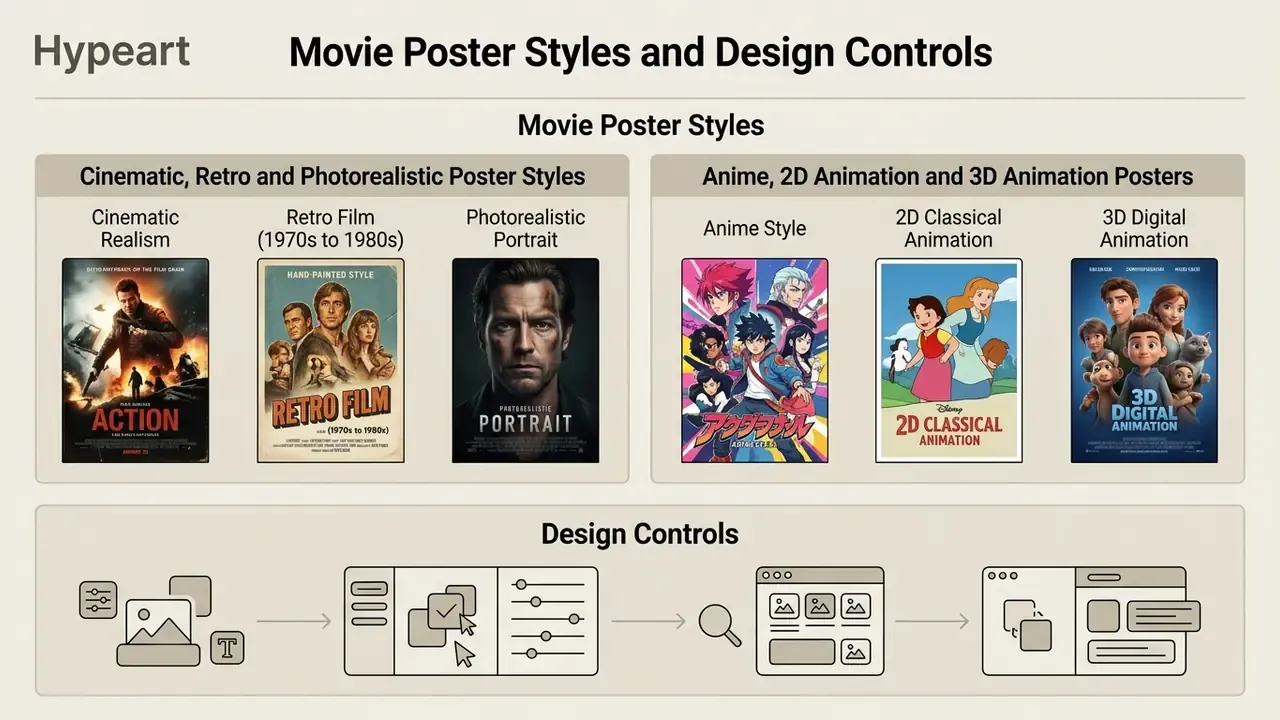
Choosing the appropriate visual style establishes the emotional expectations for a film's audience before a single trailer is viewed.
Generative tools support diverse visual mediums, ranging from photorealistic film captures to stylized two-dimensional animation formats. The risk is homogenization: when everyone reaches for the same handful of style tokens, posters begin to look identical.
«Repeated prompts account for 40–50% of all requests, and lexical similarity between prompts correlates directly with reduced visual diversity in generated images.»
For a poster, that finding is actionable. Adding one non-obvious, film-specific detail, a costume material, a regional architectural cue, a practical light source, measurably separates your key art from the default aesthetic of the model.
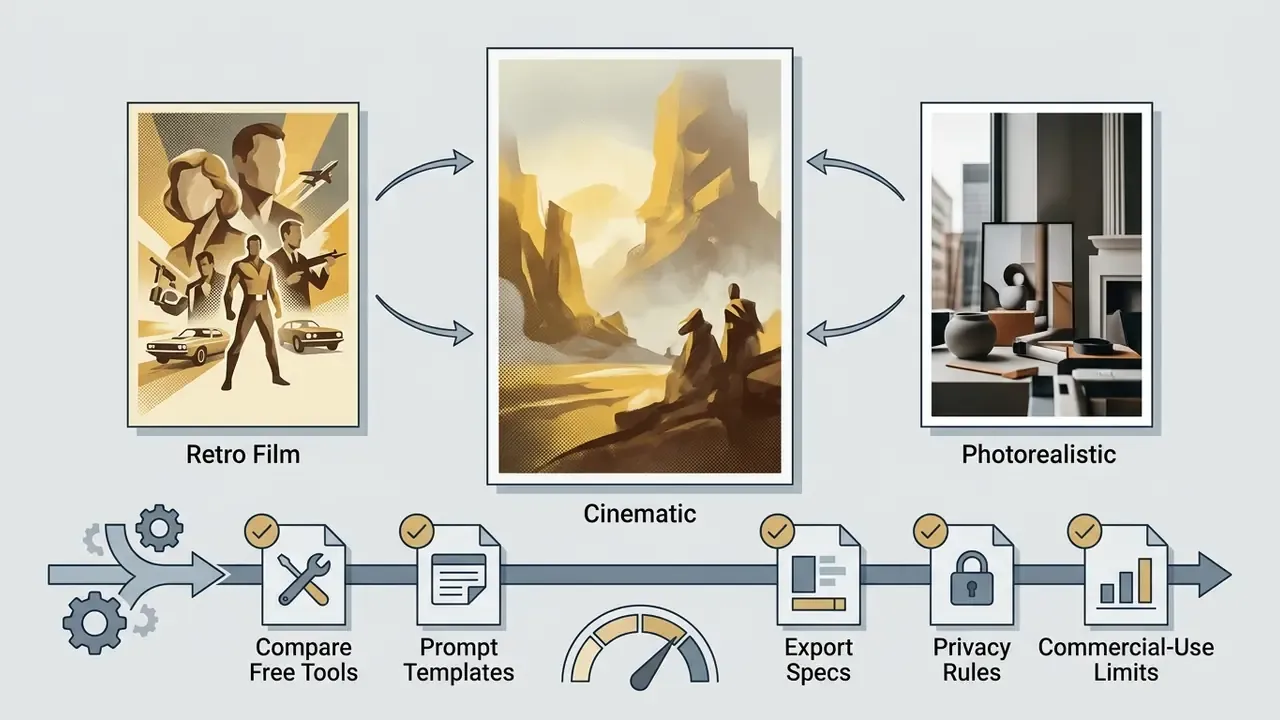
Cinematic, Retro and Photorealistic Poster Styles
Cinematic and photorealistic poster styles rely on realistic lighting physics, shallow focal depth, and authentic film textures.
Anime, 2D Animation and 3D Animation Posters
Animated poster visual styles require distinct prompt tags to enforce line quality, shading mechanics, and dimensional depth.
- Anime Style Employs crisp cel-shading, screen-tone shadows, key-animation-frame framing, vibrant color saturation, dramatic sky backgrounds, and stylized character features.
- 2D Classical Animation Features hand-drawn line art, painterly background washes, exaggerated character proportions, and soft watercolor blending typical of classic animated features.
- 3D Digital Animation Uses smooth subsurface scattering on skin, stylized proportions, vibrant studio lighting, and tactile surface textures similar to modern animated feature films.
AI Movie Poster Generator From Photo
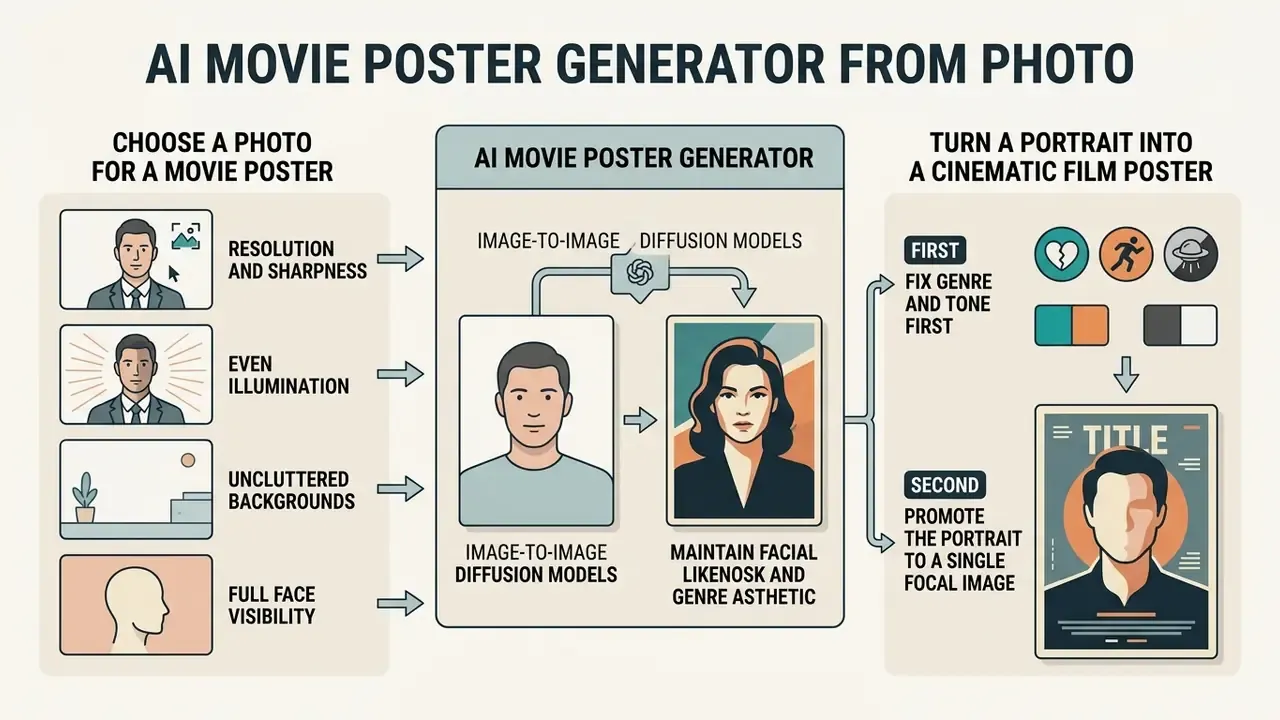
An ai movie poster generator from photo uses image-to-image diffusion models to transform subject portrait photographs into stylized film artwork while maintaining facial structure.
Photo-conditioned generation preserves subject likeness while altering lighting, wardrobe, texture, and background context.
«The MPDS dataset includes over 8,000 actor images spanning more than 4,000 individuals, enabling multi-conditioned diffusion models to retain facial identity across changed cinematic environments.»
This process enables actors, creators, and marketing teams to place real individuals directly into cinematic poster environments, with the important caveat that uploading a real person's face is a data-protection decision as much as a creative one (see the privacy subsection below).
How to Choose a Photo for a Movie Poster
High-quality output depends on uploading source photographs with clear facial features, uniform lighting, and high subject-to-background contrast.
- Resolution and Sharpness Use high-resolution source images with crisp focus on the face and eyes. Avoid blurry, compressed, pixelated, or heavily filtered photos.
- Even Illumination Select photos with balanced lighting across the whole face. Extreme shadows, hotspots, or harsh direct flash distort AI facial reconstruction during synthesis.
- Uncluttered Backgrounds Photos taken against neutral, plain, or low-texture backgrounds allow the generator to separate the subject cleanly.
- Full Face Visibility Both halves of the face should be recognizable, eyes open and clearly visible, with the head-to-background boundary identifiable. A well-lit phone selfie is sufficient.
Turn a Portrait Into a Cinematic Film Poster
Transforming a portrait photograph into a movie character requires conditioning the generator with style cues and genre-specific prompts.
The input photo provides the structural anchor, while the text prompt dictates atmospheric effects, background elements, wardrobe, and color grading. In practice, uploading a clean headshot and applying a prompt for a "gritty sci-fi detective standing in a rain-slicked neon street" replaces everyday clothing with cinematic costume and re-lights the subject with volumetric key light. This behaviour is consistent across current image-editing tools, though vendor documentation describes the interface rather than measuring identity retention. Peer-reviewed image-editing literature explains the underlying mechanism: diffusion-based regeneration conditioned on an exemplar image, gradually denoised so that structure survives while surface appearance changes.
The workflow in order:
- Fix genre and tone first. Genre determines lighting, palette, wardrobe, and eventual font choice.
- Promote the portrait to a single focal image. One dominant face reads faster at thumbnail scale than a collage.
- Apply genre-coded styling. Horror and thriller favour darker tones and tension cues; action favours high-contrast lighting; sci-fi favours cleaner, colder palettes.
- Keep the portrait dominant and the title area empty, so the character remains the primary narrative signal.
To explore professional profile generation and portrait-quality benchmarks, read our AI headshot generator resource. For two-person key art, such as a romance one-sheet, the compositing logic in our ai couple photo guide transfers almost directly.
Create Group and Ensemble Cast Posters From Multiple Photos
Generating multi-character or ensemble visual graphics requires multi-conditioned image-to-image workflows. Instead of relying on a single reference image, multi-subject AI workflows allow users to upload individual facial portraits for each cast member.
To generate an ensemble poster (for example, for an action movie or a drama cast):
- Upload Individual Key PortraitsProvide sharp, evenly lit, front-facing photos for each actor or character, one reference per person rather than one group snapshot.
- Assign Spatial Anchors in the PromptExplicitly dictate focal hierarchy in your prompt syntax, for example "Lead protagonist in the center foreground, flanked by two supporting antagonists in the shadowed background".
- Harmonize Lighting MechanicsApply unified lighting tokens across all subject references, such as "consistent neon rim light from the left", to prevent inconsistent shadow casting across composite subjects (Krea AI Multi-Reference Guide, 2026).
- Cap the Cast CountReference-image limits vary by vendor; some editing flows accept up to six references, others more. Beyond four faces, identity fidelity degrades noticeably, so consider generating a two-shot and compositing additional cast members manually.
- Verify Left-to-Right OrderModels frequently ignore ordering instructions. Confirm billing hierarchy visually before export rather than trusting the prompt.
Billing order is a contract issue, not a taste issue. Getting it wrong on a published asset is the kind of mistake that reaches a lawyer before it reaches an art director.
Data Privacy, Biometrics and Right of Publicity When Uploading Photos
Uploading real faces to a hosted generator converts a creative task into a personal-data processing task, and this is the single most overlooked risk in photo-to-poster workflows.
- Facial Data Is Regulated Data A facial image used for identity-preserving generation can qualify as biometric or special-category personal data under GDPR and comparable regimes, and as personal information under CCPA/CPRA. Processing requires a lawful basis and, in most creative contexts, documented consent.
- Consent Before Upload Never upload photographs of actors, employees, clients, minors, or friends without written permission covering AI processing specifically. A model release for photography does not automatically cover synthetic regeneration.
- Right of Publicity Placing a recognizable person, especially a public figure, on promotional artwork can infringe publicity and likeness rights independent of copyright, even when the underlying photo was licensed.
- Check Input Retention and Training Terms Review whether the vendor stores uploads, for how long, whether inputs are used to train models, and whether outputs are publicly visible in a community gallery by default. Several consumer tools default to public feeds.
- Prefer Enterprise or Private Modes For studio and brand work, use business tiers that contractually exclude training on customer inputs, or run generation in a private or on-premise environment.
- Reduce Shadow AI Publish an approved-tool list for creative teams. Ad-hoc uploads to free consumer generators are the most common vector for uncontrolled likeness and PII leakage.
- Minimize What You Send Crop to the face, strip EXIF metadata (including GPS), and avoid uploading images that also expose unrelated third parties, badges, documents, or private locations.
Notably, the research community treats this risk as real rather than theoretical:
«The creators of the PPG30k dataset deliberately excluded posters containing portraits to avoid disputes over image rights.»
This section is general information on risk management and does not constitute legal advice.
How to Create a Movie Poster With AI
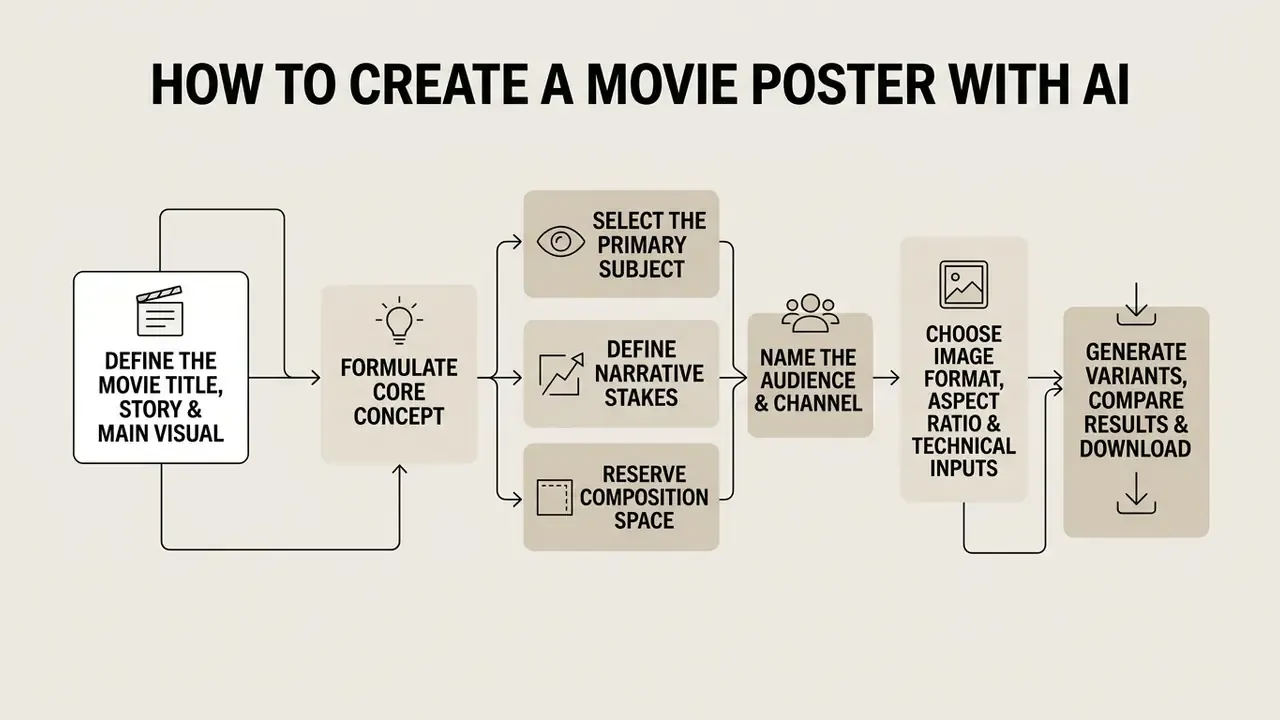
Creating a cinematic poster with AI requires a structured workflow that spans narrative definition, parameter configuration, visual generation, and post-export editing.
An illustrative example, composite rather than a named client: a media studio evaluated synthetic visual generation to streamline pitch deck creation for an independent action film. The creative team structured textual prompts specifying directional lighting and character placement, generated several base images, and imported the best variant into image editing software to apply clear title typography. This controlled pipeline reduced initial artwork turnaround from three days to four hours while maintaining complete design ownership.
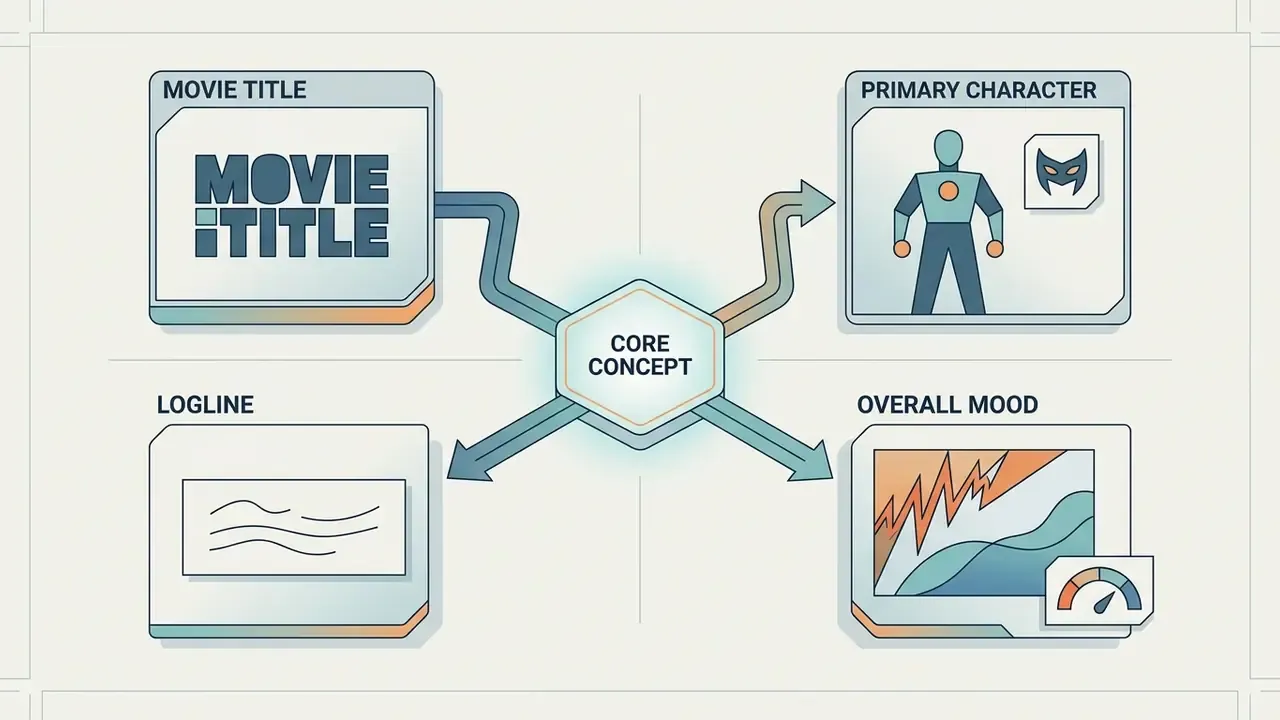
Define the Movie Title, Story and Main Visual
Effective poster creation begins with identifying the core narrative premise, primary character, and central symbolic visual element.
- Select the Primary SubjectIdentify whether the poster focuses on a lead character portrait, a central vehicle or prop, or an environmental landscape.
- Define Narrative StakesEstablish the central conflict or atmospheric tone, for example isolation, a high-speed chase, or cosmic horror.
- Reserve Composition SpaceDesignate explicit negative space at the top or bottom of the frame to accommodate the title and billing block.
- Name the Audience and ChannelA festival submission, a streaming thumbnail, and a printed one-sheet demand different crop tolerances and text sizes.
Choose the Image Format, Aspect Ratio and Technical Inputs
Configuring output parameters correctly is what separates usable key art from a square image that cannot be laid out.
The standard printed theatrical one-sheet measures 27×40 inches (686×1016 mm) in portrait orientation, which is close to a 2:3 ratio; 3:4 is the common alternative for digital-first posters. Composition schemes worth naming explicitly in the prompt include the rule of thirds, a Z-pattern reading path, and a single defined focal point. Digital-only assets often default to 16:9 or 4:3, which is why print and web versions of the same poster usually require separate generations rather than a crop. Genre selection then instructs the model to apply the visual conventions described in the styles section above: high-contrast directional light for action, muted palettes and shallow depth of field for drama.
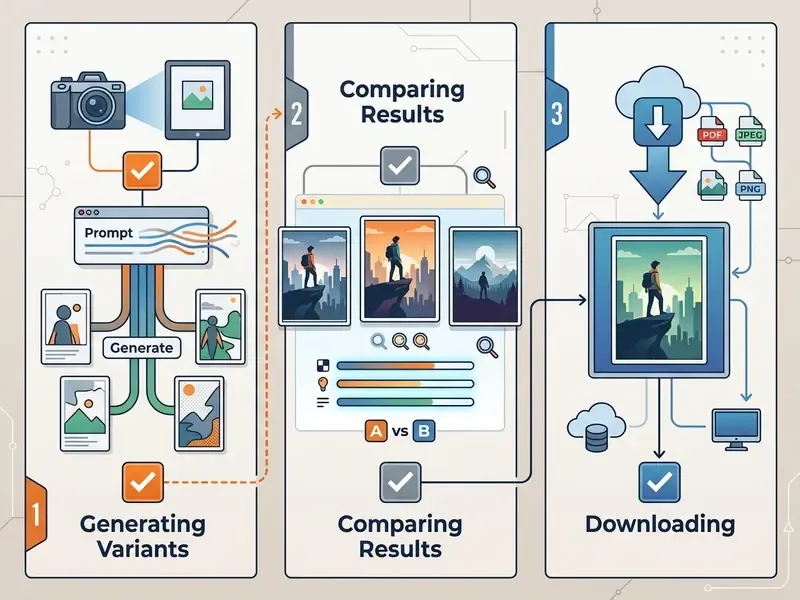
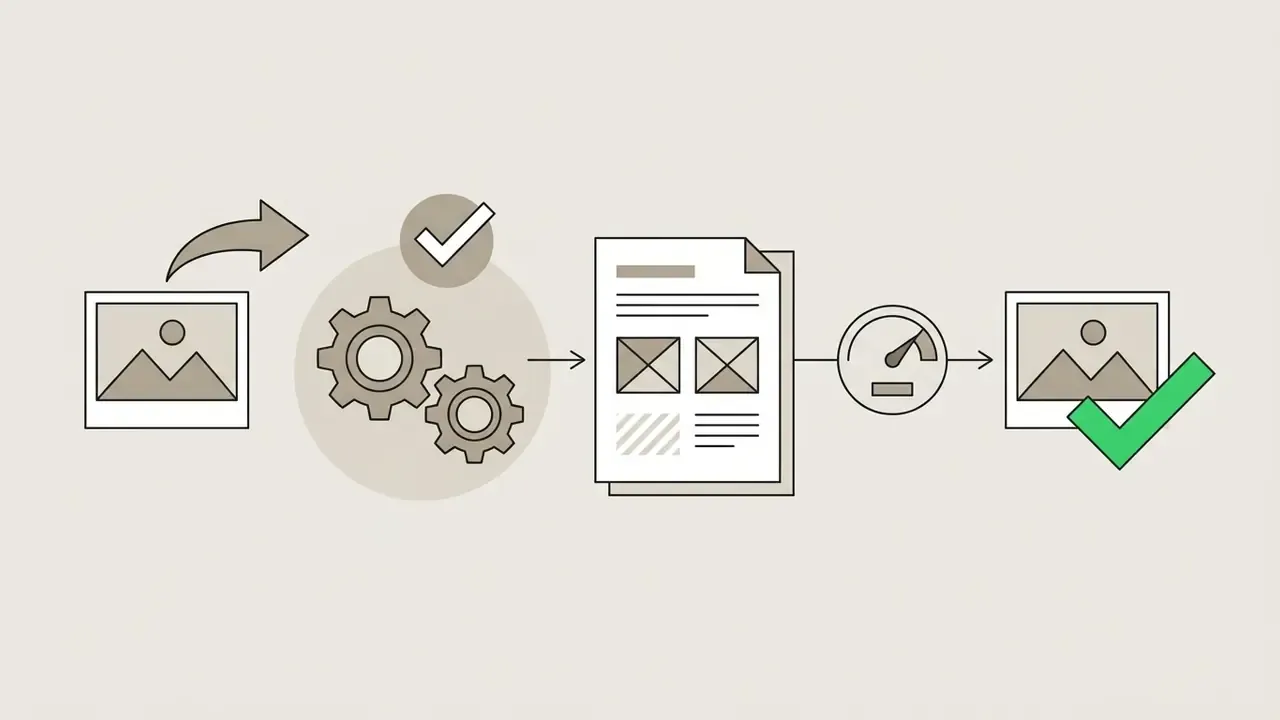
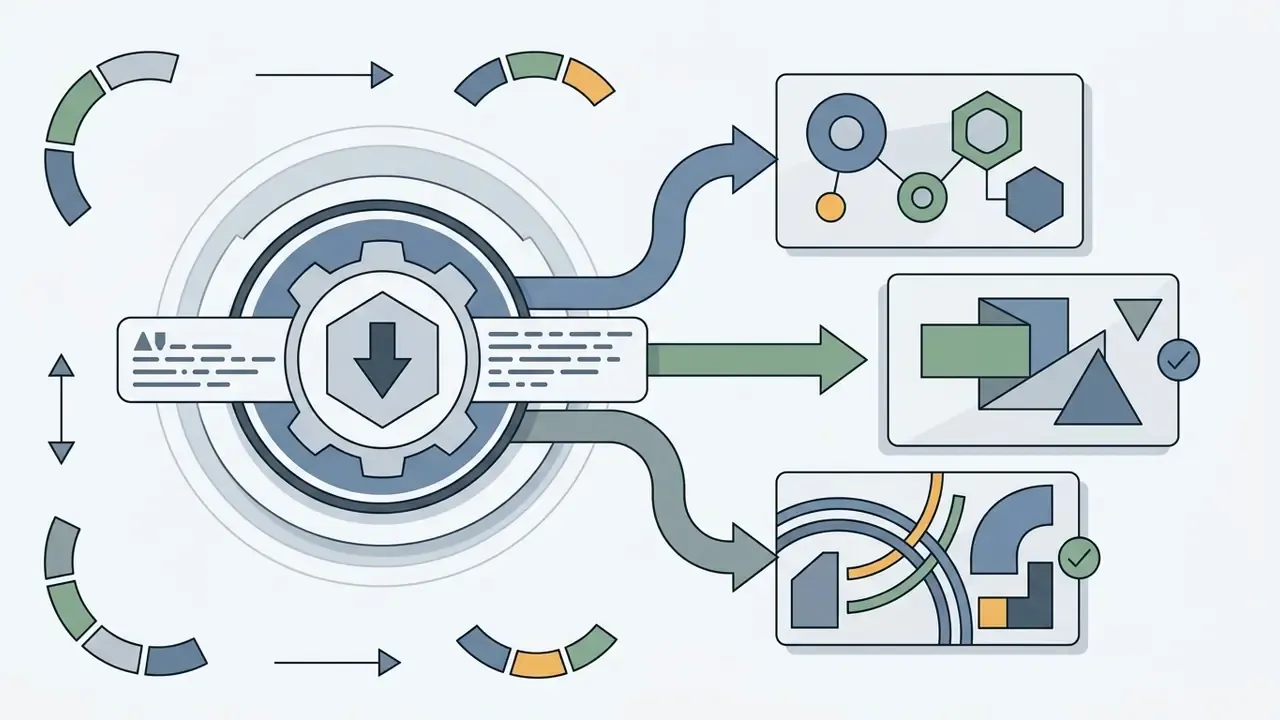
Generate Variants, Compare Results and Download
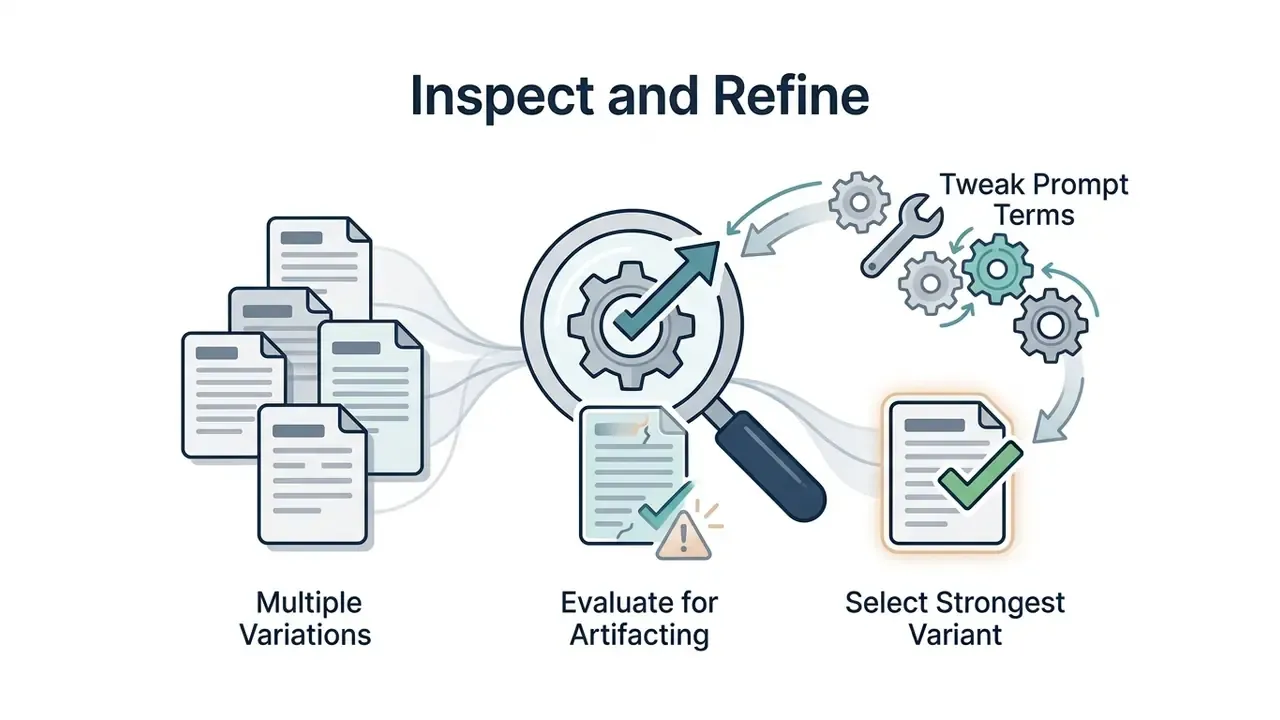
Generating multiple image variations allows operators to compare compositional balance, lighting consistency, and visual fidelity.
Most movie poster generator ai platforms produce three to four initial variants per prompt run. Operators should evaluate each generated asset for visual artifacting, subject proportion, and compositional balance. Iterative refinement is not a stylistic preference, it is measurably effective:
«Adaptive Prompt Elicitation raised perceived alignment between user intent and generated output by 19.8% in a study with 128 participants, without increasing workload.»
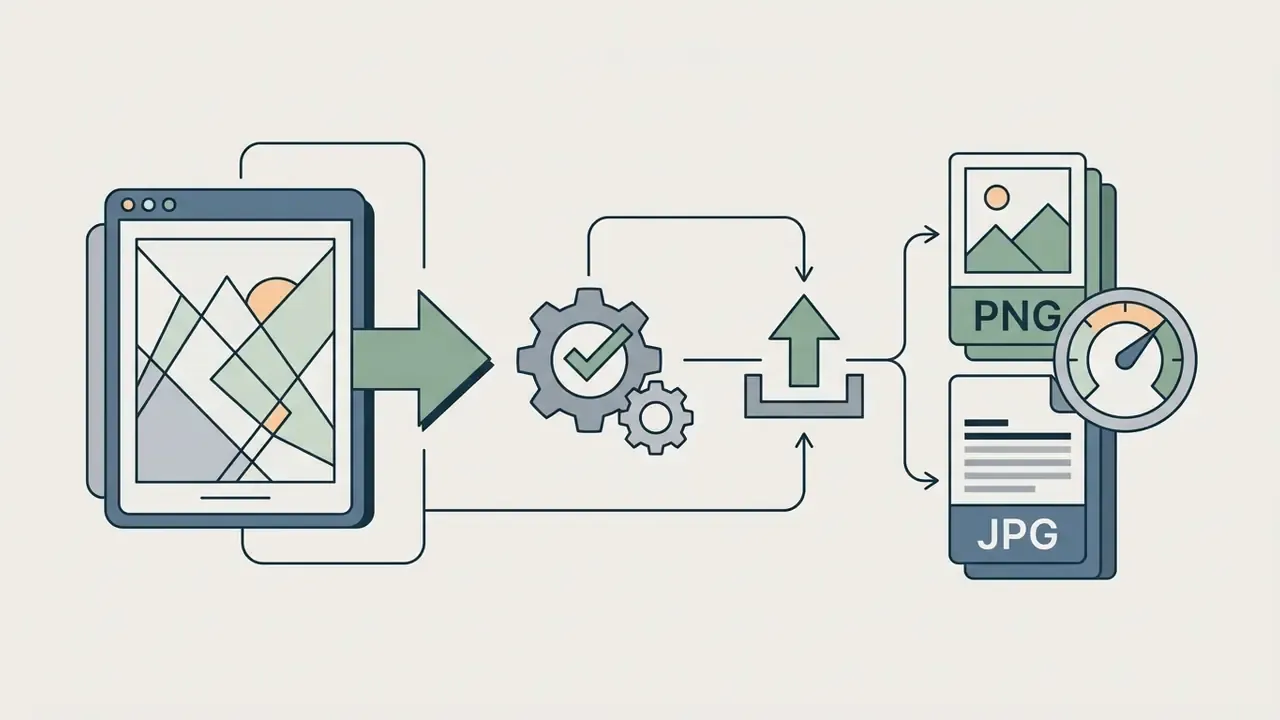
Once a candidate image is chosen, the raw art can be exported in high-resolution PNG or JPG and finished in a dedicated editor, where the title, tagline, and billing block are set in licensed vector type. Current vendor workflows split responsibility the same way: the generator produces the art, the editing suite produces the typography. If the export falls short of print resolution, run the selected variant through AI image upscalers before sending it to production.

Free AI Movie Poster Generator Tools, Pricing and Sign-Up
Evaluating an ai movie poster generator free option requires understanding generation limits, watermark policies, resolution ceilings, input-privacy posture, and account registration requirements.
| Platform / Tool | Free Tier Status | Sign-Up Required | Photo Input | Style Controls | Export Resolution | Data Privacy / Training on Inputs | Commercial Usage |
|---|---|---|---|---|---|---|---|
| Adobe Firefly | Generative credits | Yes (Adobe ID) | Yes (Style Match) | High (presets, lighting) | High (PNG/JPG) | Adobe states it does not assert IP rights in outputs; verify enterprise terms on input training (Adobe content-usage docs, 2025–2026) | Permitted (Adobe Terms, 2026) |
| Midjourney | Paid subscription only | Yes (Discord/Web) | Yes (image prompts) | High (parameters, raw mode) | High (up to 4K) | ToS grants Midjourney a broad license to uploads and outputs; default generations are public on lower tiers | Permitted on paid plans; Pro or Mega required for businesses above $1M annual revenue (Midjourney ToS, 2026) |
| Canva AI | Free basic access | Yes (free account) | Yes (uploads) | Medium (styles, filters) | Medium (standard PDF/PNG) | Check workspace and AI-feature settings; team plans expose admin controls | Subject to asset terms, see our Canva AI Generator overview |
| Bing Image Creator | Free daily boosts | Yes (Microsoft account, with some Edge session inheritance) | No (text only) | Medium (prompt-based) | 1024×1024 (1:1) | Consumer terms; content-policy filtering applied to prompts | Personal use only, details in our Bing AI image guide |
| Pixelbin / Pixelcut | Limited free credits | Optional / varies | Yes | Basic (genre presets) | Medium (web-res) | Verify per-vendor retention policy before uploading faces | Restricted on free tier |
For comprehensive feature evaluations across artistic generation suites, view our AI Media Comparison Matrices, compare the free AI image generators by output quality and watermark policy, or review our guide on the best AI art generator.
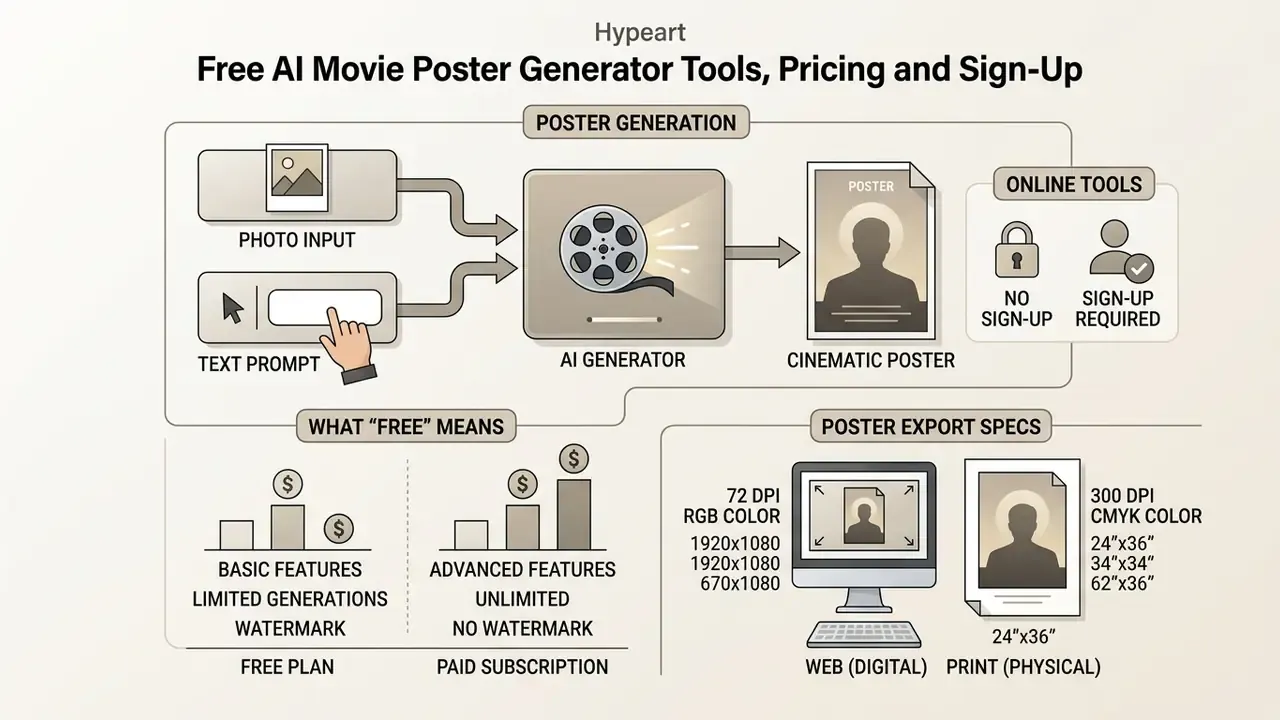
Poster Export Technical Specifications: Web vs. Print
Selecting the correct file output format and pixel density guarantees your generated poster scales effectively across digital previews and physical displays.
| Export Format | Resolution & DPI | Target Use Case | Typography Handling |
|---|---|---|---|
| High-Res PNG | 2048×3072 px (72–150 DPI) | Digital pitch decks, social media, web banners | Embedded in raster image or added via overlay |
| Compressed JPG | 1024×1536 px (72 DPI) | Rapid online previews, email attachments | Low text clarity; best for raw visual concepting |
| SVG (Vector Overlay) | Scalable / resolution independent | Print layout billing blocks, crisp typography overlays | Vector text paths remain fully editable without pixelation |
| 4K / Print PDF | 4096×6144 px (300 DPI) | Physical 27×40-inch theatrical one-sheet printing | Master print export; sharp edge retention for billing credits |
A practical rule: generate raster art at the highest available resolution, then place the title, tagline, and credits as vector type in a layout editor and export the composite as print PDF. That keeps the artwork photographic and the typography razor-sharp.
What "Free" Means for an AI Poster Generator
Free tier offerings across AI image platforms generally enforce daily credit caps, lower export resolutions, or visible branding watermarks.
Platforms providing a free ai movie poster generator typically allocate a fixed quota of generation credits per day or month, commonly two to ten images per day, or roughly 25 fast generations per month. Free exports are often constrained to standard web resolutions (512×512 or 1024×1024 pixels) rather than print-ready 300 DPI vertical formats. Some free tiers ship visually clean images but still embed invisible provenance metadata, and licensing on free plans is frequently limited to personal, non-commercial use. Users seeking unwatermarked, print-resolution outputs usually need to upgrade to paid subscription tiers.
One honest limitation of the evidence base: academic literature contains no quantitative data on consumer-tool pricing models, so terms of use, credit caps, and licensing must be verified directly with each vendor at the time of purchase. To review pricing structure comparisons across tools, visit our page to compare options.
Online Tools With and Without Sign-Up
Browser-based AI generators vary between immediate no-login web interfaces and feature-rich account-based suites.
Tools that operate without account registration allow rapid testing via simple text prompts. Several browser-native and web generators advertise unlimited or capped anonymous use, but typically lack cloud generation history, parameter memory, and advanced image-to-image styling. Creators who need instant access can browse no-sign-up AI image generators for quick concept testing. Conversely, platform environments requiring user authentication grant access to fine-tuned style controls, multi-image conditioning, canvas editing tools, and persistent credit tracking. Access rules also differ by browser: account-based Microsoft image generation may inherit a Windows session in Edge while requiring explicit sign-in elsewhere. Users analyzing developer integration models can inspect our API hub or open the hub for endpoint documentation.
Can You Use an AI-Generated Movie Poster Commercially?
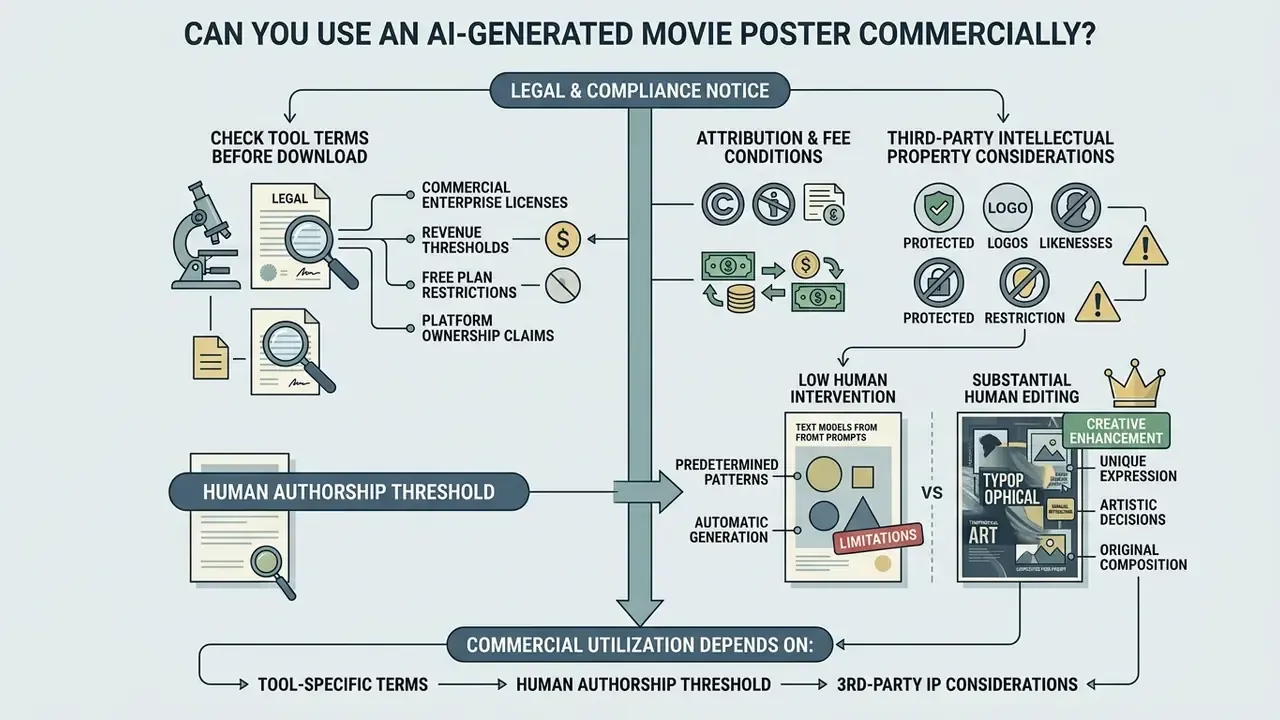
Commercial utilization of an ai generated movie poster depends on tool-specific terms of service, human authorship thresholds, and third-party intellectual property considerations.
Check Tool Terms Before Download and Use
Licensing rights vary significantly between generative AI vendors and account subscription tiers.
For detailed legal and licensing analyses regarding commercial asset usage, visit our section to browse the hub or open the hub for active disputes and case tracking. Studios formalizing terms with freelance designers often pair that reading with an ai contract generator to draft the AI-usage clause.
Review Text, Images and Visual References in the Final Poster
Ensuring commercial viability requires screening synthesized posters for accidental IP violations, protected character designs, and trademarked branding elements.
AI models trained on public web datasets may occasionally synthesize recognizable corporate logos, protected brand trade dress, or faces resembling public figures. If a generated poster reproduces a trademarked logo or a protected character, the asset exposes the distributor to infringement claims regardless of platform terms. Trademark exposure arises specifically when a generated sign suggests source, sponsorship, or affiliation; the USCO's 2024 report on digital replicas separately treats unauthorized synthetic reproductions of performers' voice and likeness as a distinct risk category. Protected fonts add a third layer: typefaces are licensed software assets, and mimicking a recognizable brand's lettering can trigger both license and trade-dress questions.
Creative directors must manually inspect final visual assets, running suspect outputs through AI image detectors and reverse-image checks to surface near-duplicates of existing artwork, clear all source photos for consent and likeness rights, and replace synthetic text with licensed fonts before commercial deployment. Final retouching, logo removal, and typography swaps are handled in AI photo editors or a traditional layout suite. For assistance with operational queries, users can browse the hub.
Final Quality Verification Checklist for AI Movie Posters
Before exporting your final film artwork for public marketing or print production, run your visual asset through this quality verification audit:
Checklist0 / 9
FAQ: AI Movie Poster Generator Questions
Can I generate movie posters for free?
Yes. Several platforms offer free credits or daily generation caps, though free outputs are usually limited to web resolution, may carry watermarks or provenance metadata, and are frequently licensed for personal use only.
Can I create a movie poster from a photo?
Yes. Image-to-image workflows accept an uploaded portrait as a structural anchor and restyle lighting, wardrobe, and background while preserving facial geometry. Clear the rights to the photo before uploading.
Can I make a poster from a group photo?
Better results come from uploading one clean reference portrait per person rather than a single group snapshot, then assigning each subject an explicit position in the prompt.
Why do generated posters contain garbled text?
Diffusion models synthesize glyph shapes as pixels rather than typesetting characters. Generate art without text, then add the title and billing block as licensed vector type in an editor.
What size should an AI movie poster be?
Use vertical 2:3 for digital key art and 27×40 inches at 300 DPI for a printed theatrical one-sheet. Digital-only assets are often 16:9 or 4:3, which usually requires a separate generation instead of a crop.
Do I own the copyright to an AI-generated poster?
In the United States, purely AI-generated material is not registrable; only substantial human contributions are protectable. Jurisdictions differ, so verify locally and document your human authorship.
Is it safe to upload a colleague's or actor's photo?
Only with documented consent and a vendor whose terms exclude training on your inputs. Facial images may qualify as biometric or special-category personal data.
Internal Hub Navigation
- Explore the hub for our technical AI and media production dictionary.
- Browse the commercial-use hub for licensing rules covering AI-generated visual media.
- AI Media Comparison Matrices compare performance benchmarks for leading generative tools.
- Midjourney vs. alternatives evaluates quality, pricing, controls, and licensing side by side.
- Google AI Image Generator overview covers features, access, restrictions, and usage rights.
- Photo editor guide covers core features, pricing, and commercial workflows for finishing your poster.
- AI contract generator explains automated legal contract drafting for creative agreements.