Author: Editorial research desk specializing in AI media governance, model risk assessment and commercial licensing of synthetic content.
An ai video generator free no sign up tool looks like a consumer convenience. For a risk or compliance leader, it is something else: an unmanaged upload endpoint that any employee can reach from a corporate browser in about four seconds, with no tenant, no contract and no log. That double reading runs through this entire guide. Creators get the practical workflow. Governance readers get the control questions that follow.
Key Takeaways in 60 Seconds
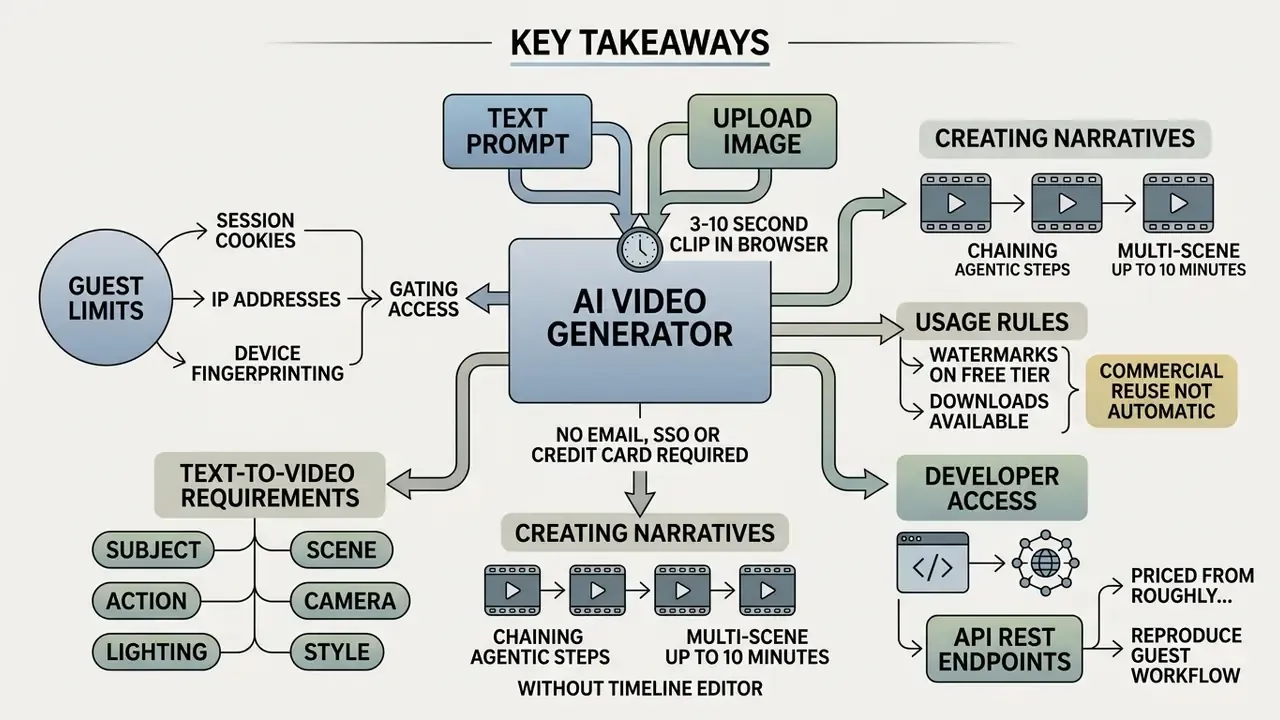
- An ai video generator free no sign up tool renders a 3 to 10 second clip in your browser from a text prompt or an uploaded image, with no email, SSO or credit card required.
- Guest tiers are gated by session cookies, IP addresses and device fingerprinting rather than accounts. Expect 3 to 5 renders per 24 hours, 480p to 720p exports, deprioritized queues and a visible watermark.
- Text-to-video needs a fully specified prompt (subject, scene, action, camera, lighting, style). Image-to-video anchors composition to frame 0 and is far more predictable.
- Multi-scene narratives up to 10 minutes are achievable without a timeline editor by chaining agentic script-to-video loops, locking a seed value and stitching sequential MP4 clips.
- Commercial reuse is not automatic. Some platforms explicitly forbid it for unauthenticated output, US copyright registration requires human authorship, and EU AI Act Article 50 mandates synthetic-content labeling.
- Developers can reproduce the same guest workflow programmatically through REST endpoints priced from roughly $0.023 per second of rendered video.
An ai video generator free no sign up tool allows users to generate short video clips directly in a web browser from text prompts or uploaded static images without creating an account or providing credentials. Modern diffusion-based video architectures, including CogVideoX, Vidu, Seedance, Lumiere and Google Veo, make web-based generation technically viable. Guest access, though, usually arrives with strict quotas on daily renders, lower export resolutions, and embedded watermarks.
What "AI Video Generator Free No Sign Up" Really Means
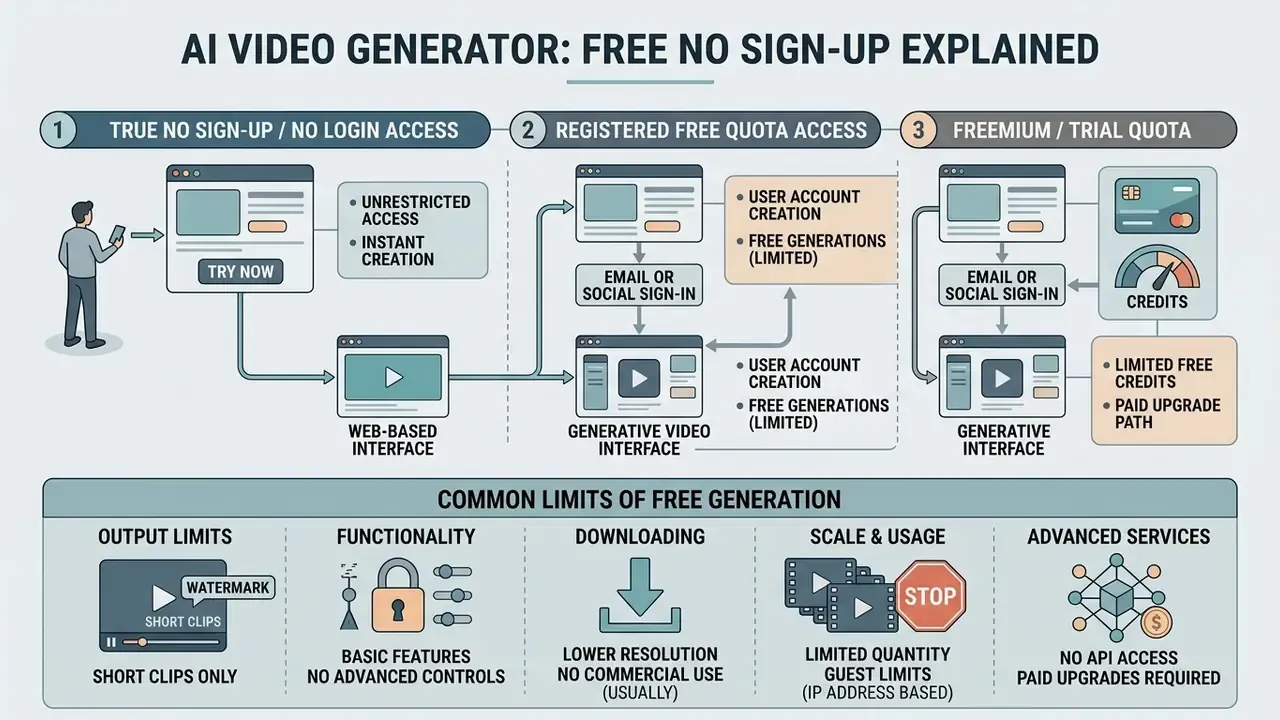
An ai video generator free no sign up experience means reaching a browser-based generative video interface without submitting an email address, linking a third-party single sign-on (SSO), or creating a persistent user profile. Many landing pages advertise "unlimited free generation without login." The architecture underneath tells a quieter story: friction controls sit in session state tracking, computational rate limits and output restrictions.
E-E-A-T: fact-check and incognito testing protocol
| Step | Test Action | Verification Purpose |
|---|---|---|
| 1. Session isolation | Open the tool in an isolated incognito window with a cleared cookie jar and confirm the generation canvas loads without a login gate. | Detects soft walls that appear only after the first render. |
| 2. Watermark verification | Analyze exported frames for visible overlays and invisible steganographic marks, per China TC260 (2023) and IEEE 3361-2025 robustness guidelines. | Confirms whether output carries provenance signals or brand overlays. |
| 3. Export accessibility | Inspect the MP4 HTTP response headers and confirm the download executes without a redirect to a registration screen. | Establishes whether the file is genuinely retrievable anonymously. |
| 4. Quota reset timing | Repeat generation attempts until refusal, then retest after 24 hours from the same and a different IP address. | Distinguishes cookie-based from IP-based rate limiting. |
Evaluating browser tools requires distinguishing between guest access and registered free tiers. Anonymous sessions rely on client-side tracking. Registered tiers bind usage quotas to a stored user record, which also means a retrievable history.
No sign up, no login and free access: key differences
The technical distinction between "no sign up," "no login" and a registered "free quota" tier centers on identity verification and session persistence. In a strict no-sign-up or no-login workflow, the platform grants immediate access to the generation canvas without prompting for credentials.
According to NIST SP 800-63B guidelines on digital identity, HTTP session cookies serve as short-term secrets for state maintenance rather than authenticators.
Platforms offering an ai free video generator no sign up workflow track non-registered users through a mix of browser cookies, IP addresses and stateless device fingerprinting. Fingerprinting matters here because it recognizes a device even when cookies are cleared, which is why "unlimited anonymous generation" claims rarely survive a fourth or fifth render from the same machine. For a broader overview of how credits, watermarks and daily allowances interact across vendors, see our reference on free AI video generators.
- No sign-up / no login access immediate guest canvas access. State and daily allowances are maintained via browser cookies and client device fingerprinting. Quotas are typically restricted (for example, 3 generations per 24-hour cycle) with lower priority queue placement.
- Registered free quota access requires an email address or SSO authentication. Identity is bound to a persistent database record. Platforms frequently expand daily allotments upon registration. Several vendors publish an anonymous baseline in the range of a few thousand daily tokens that rises roughly fivefold for authenticated accounts. (Vendor-published figures vary by platform and change without notice. Verify current allowances on the provider's own pricing page before planning production volume.)
- Freemium / trial quota a one-time grant of non-replenishing credits (for example, 125 credits on signup) to test high-parameter models like Runway Gen-4, after which continuous access requires a paid subscription (Runway Platform Terms). Because Gen-4 Video consumes roughly 12 credits per generation, a trial grant of this size buys around ten renders. Not an open-ended free tier.
For details on how multi-modal tools structure pricing tiers across creative mediums, consult our AI Media Pricing Guides, and if you need to model cost per finished minute before committing, our calculators handle the arithmetic.
Common limits of free AI video generation
Free anonymous AI video generation runs inside hard hardware and bandwidth constraints. Generating a 5-second 1080p clip consumes tens of seconds of dedicated GPU compute, and somebody pays for that.
«Seedance 1.0 generates a 5-second 1080p clip in 41.4 seconds on an NVIDIA L20 GPU, even after roughly 10× inference acceleration.»
To preserve server capacity, platforms enforce specific operational boundaries on non-paying guests.
Common guest-tier restrictions
| Metric | Anonymous Guest Baseline |
|---|---|
| Clip duration | 3 to 10 seconds per generation pass |
| Native resolution | 480p (SD) or 720p (HD); 1080p and 4K locked behind paid tiers |
| Processing queue | Deprioritized shared queue (30 seconds to 5 minutes during peak load) |
| Visual overlay | Mandatory visible corner watermark or embedded provenance metadata |
| Daily quota | 3 to 5 generation attempts per unique IP or fingerprint per 24 hours |
| Audio track | Often disabled, or limited to a single ambient layer on guest passes |
| Project persistence | None. Outputs are not saved to a library and expire with the session |
That last row deserves more attention than it usually gets. No library means no version history, no reproducibility and no evidence, which is exactly why anonymous generation sits awkwardly inside a regulated workflow.
Users who want to understand how editing workflows handle resolution scaling and format conversions can review our guide to video compressors, file-size reduction, format support, quality loss and pricing.
Create AI Generated Videos Without an Account: Text, Image and Animation Modes
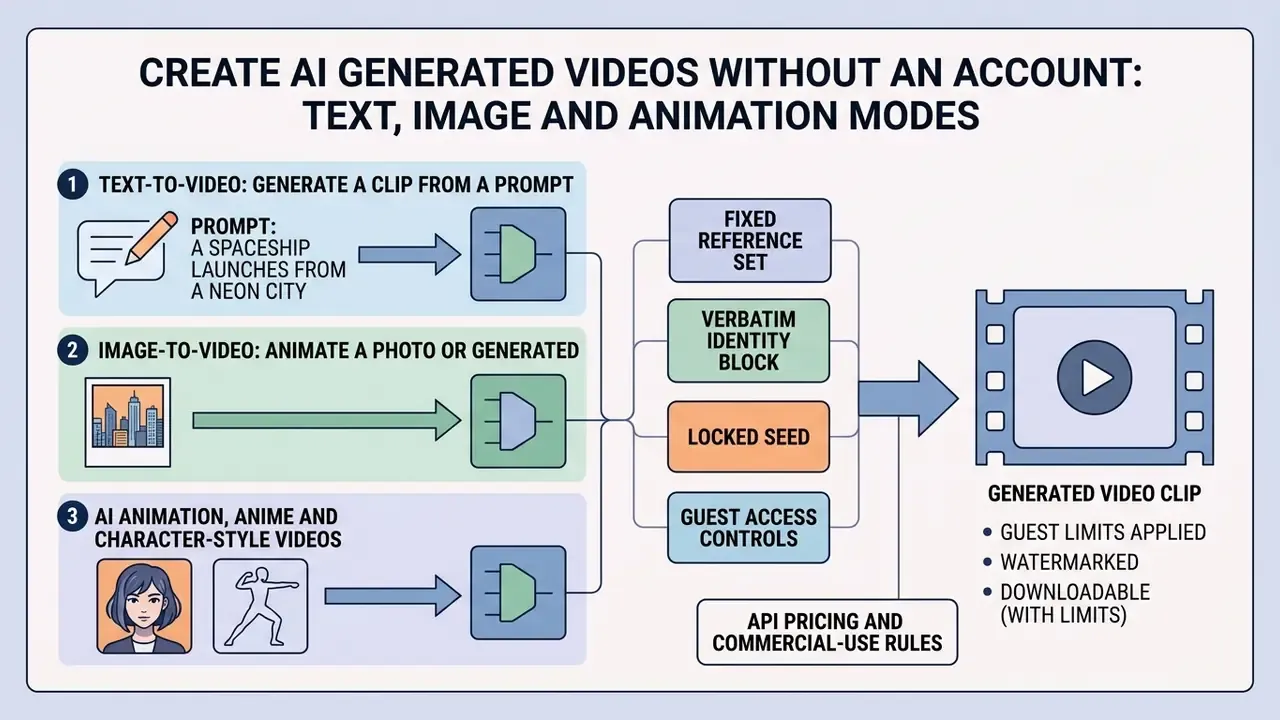
Modern generative video systems accept several input modalities. When using an ai video generator no sign up tool, you can choose between text-to-video, image-to-video and stylized animation modes depending on your source assets and target output. Several API layers detect the mode automatically: a prompt alone triggers text-to-video, a prompt plus an image_url triggers image-to-video, and a prompt plus reference images triggers a character- or style-guided pass.
Comparison of generative video modes
| Generative Mode | Primary Input | Motion Control Level | Prompt Load | Ideal Application |
|---|---|---|---|---|
| Text-to-video | Natural language text prompt only | Low to moderate (indirect text cues) | High (requires camera and scene descriptors) | Concept drafting, b-roll generation |
| Image-to-video | Static photo plus text guidance prompt | High (anchored by initial frame layout) | Moderate (focuses on kinetic trajectory) | Photo animation, product showcases |
| Animation / anime | Text or reference image plus style LoRA | Moderate to high (guided by style) | Moderate (style tags plus character anchors) | Stylized shorts, character stories |
| Reference-to-video | Prompt plus 1 to 3 identity reference images | High (identity locked, motion free) | Moderate (identity block kept verbatim) | Recurring characters, series continuity |
Text-to-video: generate a clip from a prompt
In text-to-video mode, the engine builds synthetic frames entirely from a natural language prompt. Diffusion transformer architectures such as CogVideoX and Vidu push text tokens through cross-attention layers to synthesize temporal motion and spatial detail.
«CogVideoX generates 10-second videos at 16 fps and 768×1360 resolution; the model weights are publicly released.»
Open weights matter directly in the no-sign-up context. Because CogVideoX-class checkpoints are downloadable, many guest-mode canvases are thin front ends over self-hosted open models, which is precisely why they can afford to serve anonymous traffic at 480p to 720p. For a deeper primer on how these pipelines are priced and operated end to end, see our reference on text-to-video AI tools.
When running an ai text to video free no sign up workflow, the prompt has to carry every structural cue. There is no visual starting frame, so subject appearance, lighting setup, camera distance and motion dynamics all live in the text. A cinematic tracking shot, for instance, needs lens characteristics ("35mm anamorphic"), lighting style ("high-key studio lighting") and a camera vector ("dolly forward at steady pace").
Set expectations before you burn a limited daily quota on an ambitious multi-action prompt:
«Most models handle basic dynamics but systematically fail on complex multi-stage actions and precise camera trajectories.»
For broader context on how creative teams evaluate visual generation tools, see our comparison of the best AI art generators by image quality, style control, pricing and licensing.
Image-to-video: animate a photo or generated image
Image-to-video workflows use a static input photo as the anchor frame (frame 0) and synthesize subsequent frames from motion vectors plus contextual text. An ai image to video no account tool gives you far greater spatial predictability than pure text-to-video, because subject composition, colour palette and character geometry are already fixed by the uploaded file. Our companion reference on image-to-video AI tools breaks down motion-strength parameters vendor by vendor.
«Lumiere employs a Space-Time U-Net that generates the entire temporal duration of a video in a single pass, supporting image-to-video and stylized generation.»
Advanced models let you upload both a starting frame and an ending frame. Systems such as LTX Video and Vidu interpolate smooth motion trajectories between the two images over a defined 5-second window (Vidu API Documentation, 2026). Midjourney Video implements explicit motion parameters, toggling between --motion low and --motion high to control temporal displacement, and exposes an --end flag for a distinct terminal frame (Midjourney Documentation, 2026).
One practical note for guest tiers, since you cannot re-roll indefinitely: upload a source image whose composition already matches your intended final framing. A tight crop with clear subject separation converts to motion far more reliably than a busy wide shot. An ai image video generator free no sign up canvas will not fix bad framing for you.
If your project needs expanded canvas boundaries before animating static assets, explore our comparison of AI outpainting tools for expanding images, background generation, pricing and business use.
AI animation, anime and character-style videos
An ai animation video generator free no sign up platform uses specialized LoRAs (Low-Rank Adaptations) or domain-specific fine-tuned diffusion models to output non-photorealistic styles: 2D anime, cel-shaded graphics, 3D render looks. The same machinery powers most ai anime video generator no sign up canvases you will find in search results.
Character consistency across sequential frames remains the hardest problem in anonymous generation. Free guest tools address it with reference image conditioning (Higgsfield Soul Mode, reference-guided diffusion and similar). Users upload a character reference sheet alongside a text prompt to hold hair, facial structure and costume details steady across clips (Higgsfield API Reference, 2026). Three techniques carry most of the weight in practice:
- Fixed reference set reuse the identical reference image or images across every scene rather than re-generating the character.
- Verbatim identity block keep the wording describing the character byte-identical between prompts. Change only the action and camera clauses.
- Locked seed hold the numeric seed constant so latent initialization does not drift between passes (see the seed section below).
Creators working on stylized digital avatars can benchmark alternative methods with our guide to animation makers, creation methods, templates, AI features, pricing and export options, or learn how creators build personalized interactive assets in our walkthrough on how to create your own ai assistant.
Long-Form Multi-Scene Generation and AI Agent Workflows
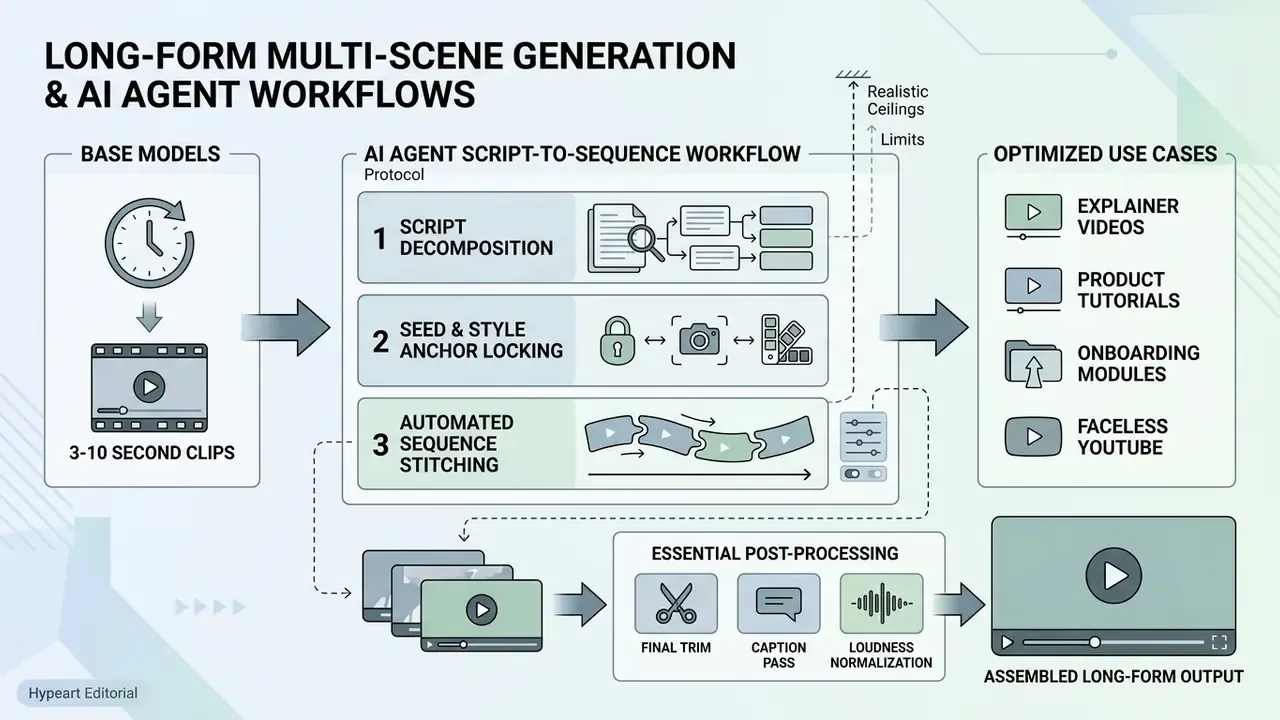
Base diffusion models on guest tiers render short clips of 3 to 10 seconds. Yet creators do build multi-scene narratives up to 10 minutes without touching a timeline editor, by leaning on script-to-video agentic loops. Instead of one model producing one long shot, an orchestration layer decomposes a script into discrete shots, renders them in sequence, and concatenates the results.
Three-step scene stitching protocol
- Script decomposition. Feed a narrative, blog post, PDF or bare topic into a story agent. The agent divides the text into visual beats: Scene 1: wide establishing exterior; Scene 2: subject close-up with dialogue; Scene 3: product insert; Scene 4: closing wide with CTA. Each beat becomes an independent prompt with its own camera and lighting clause.
- Seed and style anchor locking. Maintain visual continuity by passing a master character reference image (image-to-video mode) and fixing the random seed across successive requests. Freeze the style clause ("35mm anamorphic, warm practical lighting, shallow depth of field") verbatim in every prompt. Changing only the action verbs keeps the palette from shifting between cuts.
- Automated sequence stitching. Agentic platforms chain sequentially generated MP4 clips, applying audio cross-fades, music beds and lip-synced voiceovers in a single rendering pass. Where the platform does not stitch automatically, download each 5 to 8 second clip and concatenate them in a free editor. Same operation, one manual step longer.
Realistic ceilings. Documented per-request maxima on current engines cluster at 4 to 8 seconds (Veo 3.1 Fast: 4, 6 or 8 seconds), 4 to 15 seconds (MiniMax H3), 10 to 15 seconds (Wan text-to-video and image-to-video) and 10 seconds for reference-guided passes. A ten-minute explainer is therefore not one generation. It is roughly 60 to 120 stitched passes. On an anonymous quota of 3 to 5 renders per day, long-form output becomes a multi-day project unless you authenticate or move to a paid tier. That is the single most important expectation to set before you start.
Where long-form actually pays off: explainer videos, product tutorials, onboarding modules, faceless YouTube episodes, multilingual training decks, full social series. Where it does not: anything requiring frame-accurate sync to an existing edit, since agentic stitching controls scene order, not sub-second timing.
Assembled long-form output almost always needs a final trim, a caption pass and loudness normalization, so plan a post-production step in a free video editing suite before publishing.
How to Use a Free AI Video Generator Without Sign-Up
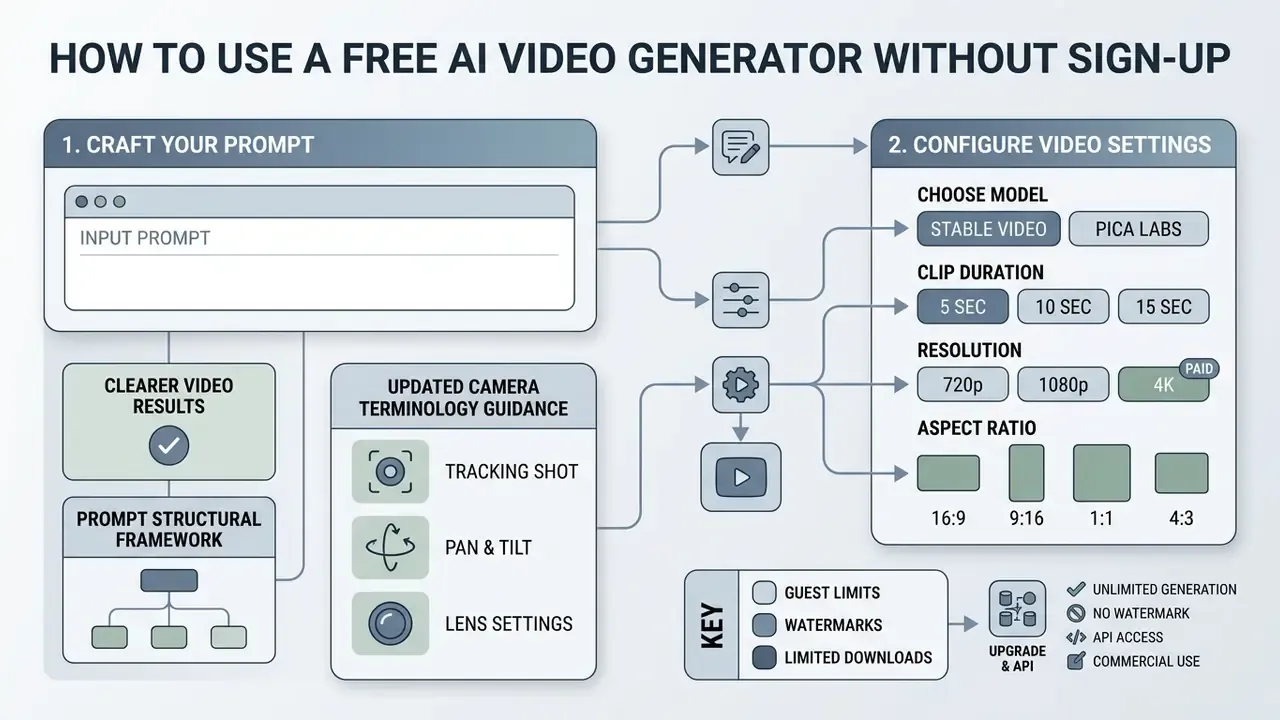
Generating clips without an account is mostly a matter of navigating guest interfaces efficiently. The framework below covers parameter selection, prompt construction and MP4 export.
No-sign-up AI video generation workflow
| Step | Action | What to Watch For |
|---|---|---|
| 1. Interface | Open the browser tool in an incognito window. | Confirm the canvas loads with no login gate or email modal. |
| 2. Input and prompt | Enter a text prompt or upload a source photo. | Text mode needs full scene specification; image mode needs motion specification. |
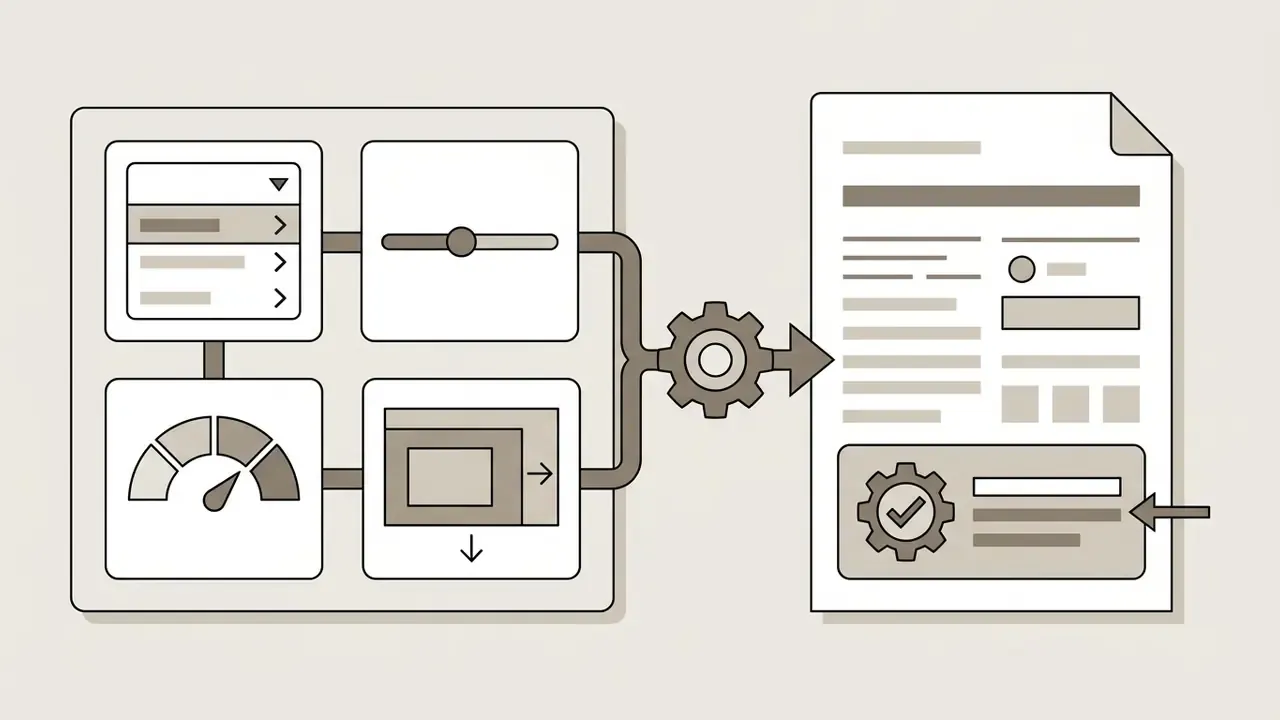
| 3. Configuration | Select model, duration, resolution, aspect ratio and seed. | Guest tiers frequently lock 1080p and durations above 6 seconds. |
| 4. Generation and review | Wait in the shared queue, then inspect the preview clip. | Check for limb distortion, background flicker and morphing. |
| 5. Export MP4 | Download the H.264 MP4 to local storage. | Verify no redirect to registration, and check watermark placement. |
Write a prompt that produces clearer video results
Generative video models need structured prompts to minimize temporal artifacts, morphing and unintended camera drift. Effective construction follows a modular sequence: subject + scene setting + action/motion + camera trajectory + lighting + visual style.
Prompt structural framework
| Component | Example Input Terminology |
|---|---|
| 1. Subject | A senior financial auditor in a dark charcoal suit |
| 2. Scene setting | Inside a modern glass-walled bank boardroom overlooking a rainy city skyline |
| 3. Action/motion | Reviewing digital compliance reports on a tablet, turning a page slowly |
| 4. Camera trajectory | Slow smooth dolly-in shot, eye-level angle, 50 mm lens perspective |
| 5. Lighting | Soft cinematic side-lighting, cool blue ambient tones, subtle reflections |
| 6. Visual style | Photorealistic 8K footage, filmic texture, subtle depth of field |
Updated camera terminology guidance. Explicit directional terms ("pan left," "crane up," "static tripod shot," "drone fly-through") are recommended because they separate background displacement from subject movement, giving the model an unambiguous instruction for global versus local motion. To be precise about the evidence: this is a practitioner convention documented in vendor prompting guides, not a measured effect. Runway structures prompts as shot size + angle + movement/direction/speed + subject and action + lens + lighting + reveal, and Tencent's HunyuanVideo handbook uses subject + motion + scene + shot type + camera movement + lighting + style + atmosphere. Independent benchmarking supports the underlying caution: temporal dynamics remain the weak axis of current systems (see T2VBench above), so the more explicitly you state camera behaviour, the less the model improvises.
For grounding on what real users actually type, the largest public prompt corpus is informative:
«VidProM contains 1.67 million unique text-to-video prompts and 6.69 million videos generated by four diffusion models.»
Aim for roughly 60 to 100 words. Drop ambiguous terms such as "hyperrealistic," "masterpiece" or "ultra HD," which give the diffusion transformer no structural spatial guidance. Prefer concrete optical vocabulary: named lighting setups (Rembrandt lighting, film noir deep shadows, high-key, low-key), focal lengths, shot sizes.
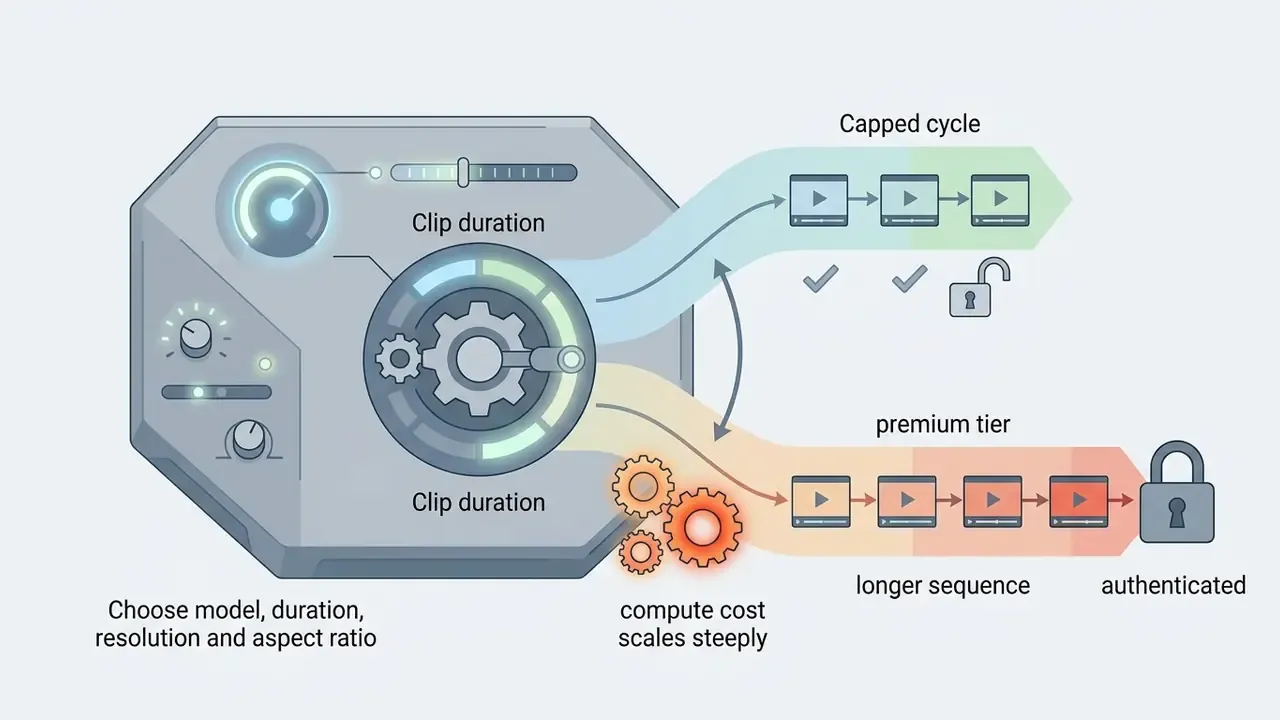
Choose model, duration, resolution and aspect ratio
Before triggering generation in an ai generator video free no sign up canvas, configure the output parameters:
16:9standard widescreen for desktop, YouTube and traditional displays.9:16vertical for mobile feeds, YouTube Shorts, TikTok and Instagram Reels.1:1square for social feed carousels and sidebars.21:9cinematic ultrawide, exposed by a minority of engines such as MiniMax H3.
Seed value and composition control. Every pass produces a unique numerical seed (for example, SEED: 84920411). The seed determines latent initialization, which means an identical prompt plus an identical seed reproduces the same composition. It is the single most useful lever for professional iteration, and the parameter most free tools hide. To adjust lighting, camera angle or action without altering background layout or facial structure:
Seed discipline is also what makes multi-scene continuity feasible. Paired with a locked reference image, a fixed seed keeps a character's face and wardrobe stable across separately rendered shots.
Seed ID from the generation metadata panel, or from the API response payload.
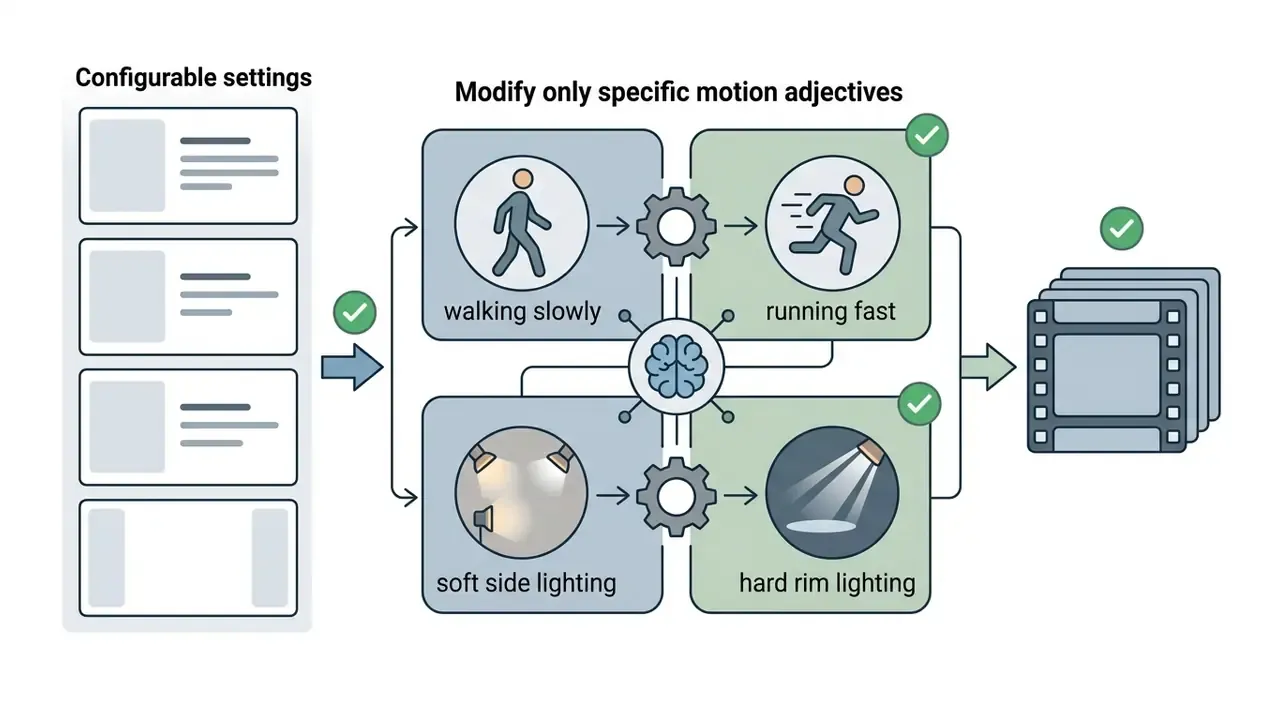
walking slowly to running fast, or soft side lighting to hard rim lighting, while keeping every other token byte-identical.
Generate, review and download the output
Once parameters are set, start the render. In a guest workflow, speed depends on queue volume rather than your prompt.
- Queue executionanonymous requests enter a shared public queue. Render times range from about 30 seconds off-peak to several minutes during peak traffic. Paid tiers buy priority placement, not a faster model.
- Preview reviewinspect the clip in the browser player. Look for limb distortion, background flicker, warped text on signage, or clumsy frame interpolation around the midpoint.
- Iterative re-generationif the result contains spatial errors, adjust motion wording or change the seed before a second pass. Change one variable at a time. Altering prompt and seed simultaneously destroys your ability to attribute the improvement.
- MP4 exportclick download to retrieve the file. Standard guest exports use the MP4 container with H.264 video, which plays everywhere (NIST digital video reference materials identify MP4 as an H.264-compressed video file format).
- Preview versus final filein several tools the on-canvas preview is a watermarked representation, and the watermark state of the downloaded file depends on entitlement. Vendors differ. Some remove the mark at export; others gate removal behind a licence or paid plan. Always inspect the downloaded MP4, never the preview, before treating an asset as clean.
To evaluate dedicated software platforms and standalone web tools for post-production, review our AI Media Comparison Matrices.
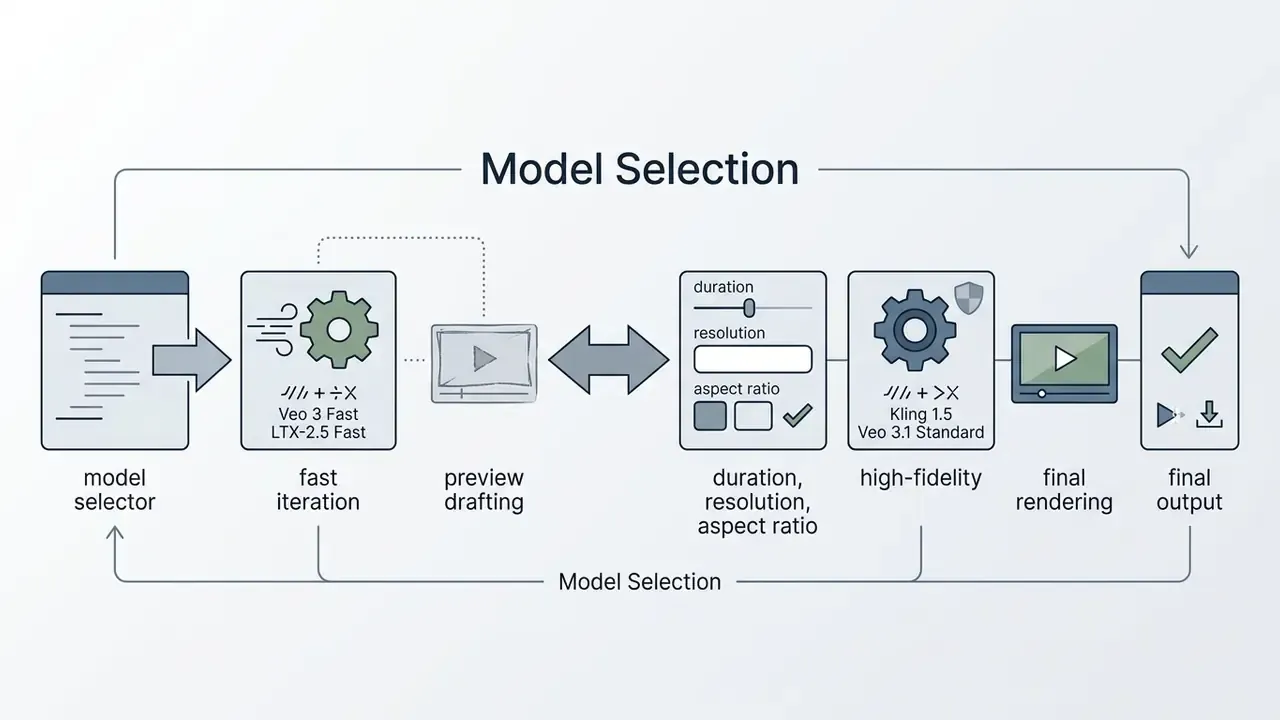
Which AI Video Models and Controls Are Available for Free Generation
The underlying architecture drives generation speed, visual fidelity and motion realism. Knowing the specs helps you match the model to the task instead of re-rolling blindly.
2026 generative AI video model capabilities matrix
| Model Name | Max Free Resolution | Max Free Duration | Native Audio Support | Seed Exposed | API Available | Distribution / Availability |
|---|---|---|---|---|---|---|
| Google Veo 3.1 | 720p / 1080p | 4 to 8 seconds | Yes (synced audio) | Via API params | Yes (Vertex AI) | Commercial cloud API / web canvas |
| Kling 1.5 | 720p (watermarked) | 5 seconds | No (visual only) | Partial | Yes (partner) | Web platform guest access |
| Seedance 2.5 | 720p | 5 seconds | Yes (lip-sync speech) | Yes | Yes | Partner nodes / ComfyUI |
| Wan 2.7 | 720p | 5 to 15 seconds | Optional | Yes | Yes | Open weights / self-hosted API |
| MiniMax H3 | 768p | 4 to 15 seconds | Native SFX | Yes | Yes | Web API / browser interfaces |
| LTX-2.5 | 720p | 5 to 10 seconds | No | Yes | Yes | Open weights (fast-render class) |
| Vidu Q3 | 720p / 1080p | up to 16 seconds | No | Yes | Yes | Web platform / REST API |
| CogVideoX | 768×1360 | 10 seconds @16 fps | No | Yes | Self-hosted | Open weights (public release) |
If you are choosing between platforms rather than models, our comparison of leading AI video generators ranks them by output quality, credit economics and licensing terms.
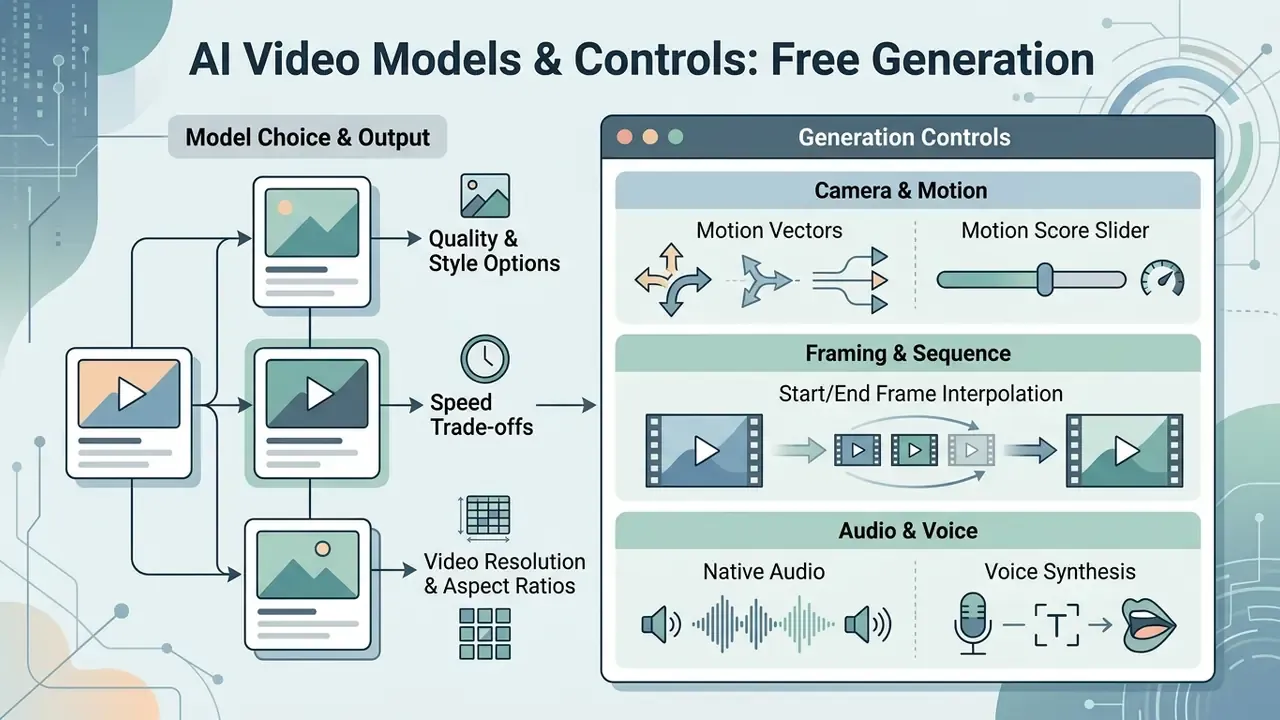
Model choice: quality, speed and available output
«Vidu produces 1080p videos of up to 16 seconds in a single generation pass with high dynamism and spatial coherence.»
Motion, camera, style and audio controls
Advanced platforms expose precise controls over scene dynamics:
Engineering teams building custom media applications can consult our AI Media API Guides or examine a specific implementation in our Google Veo implementation guide covering video capabilities, API access, costs, limits and developer use cases.
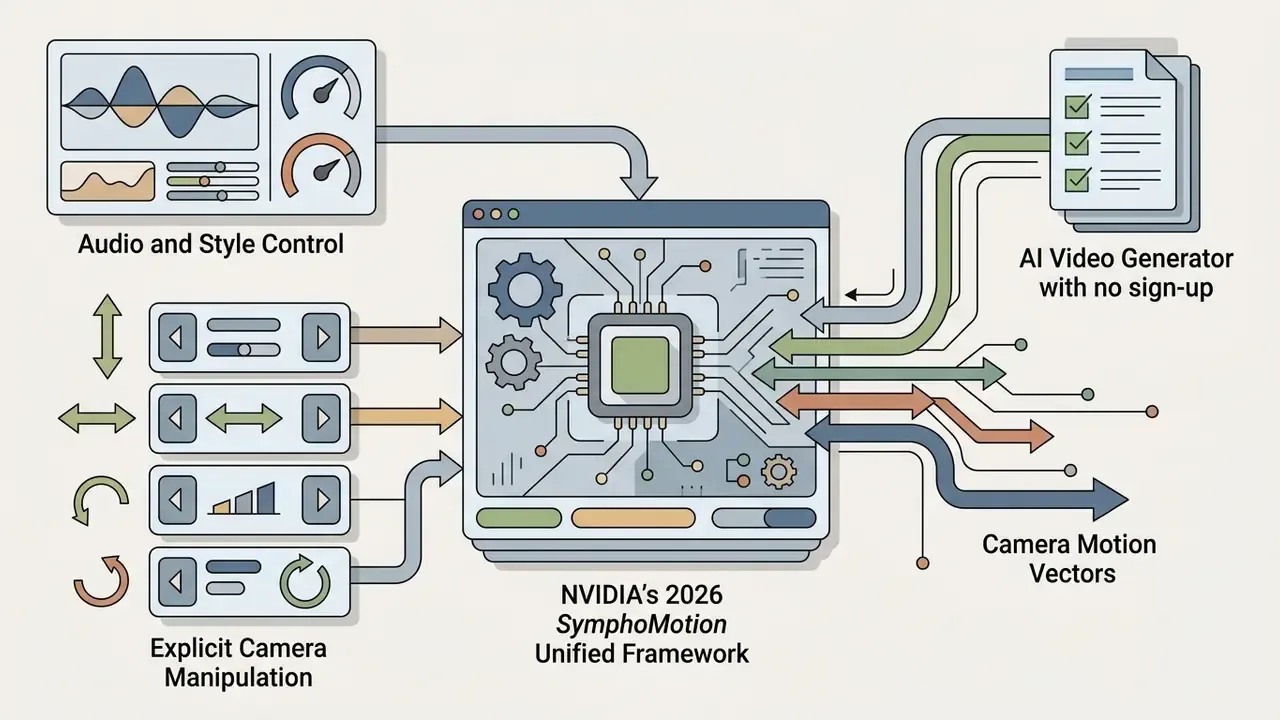
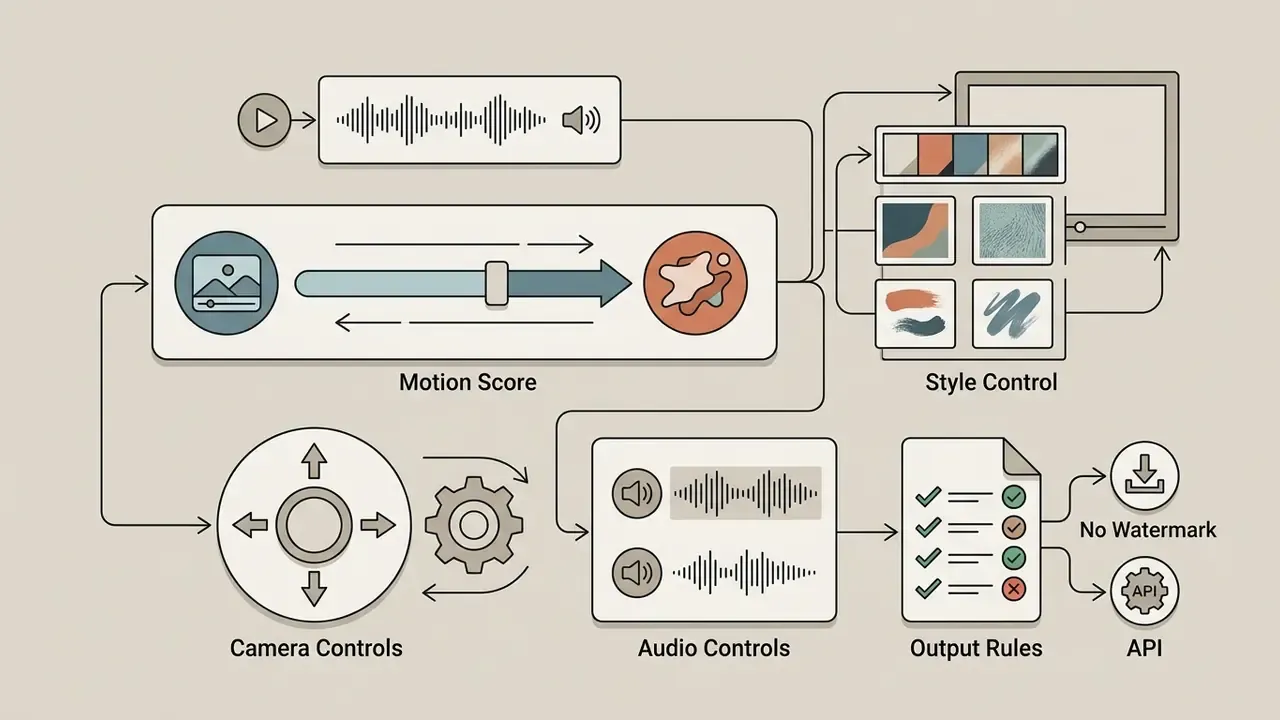
--motion low or --motion high adjust frame-to-frame displacement. Low values preserve subtle facial expression; high values generate broader movement and more artifacts.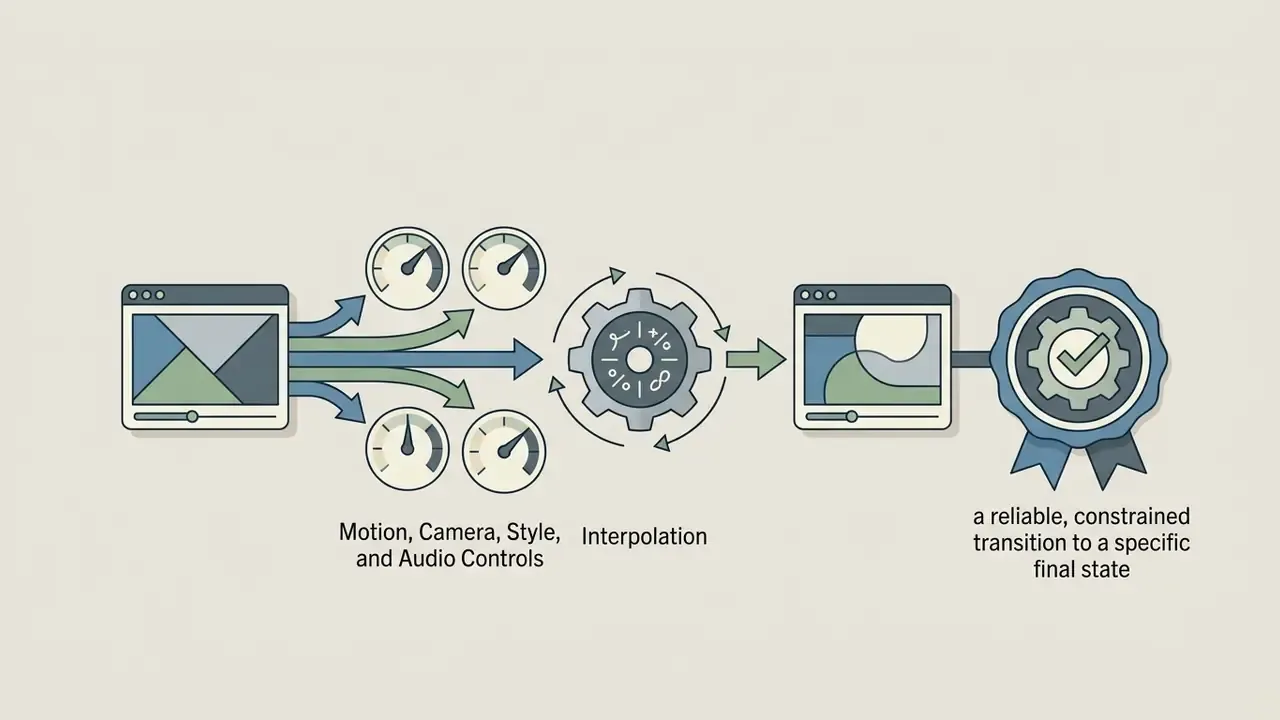
last_frame_uri, Vidu Start-End to Video, Midjourney --end), supplying a terminal frame converts an open-ended generation into a constrained transition. It is the most reliable way to hit a specific final composition.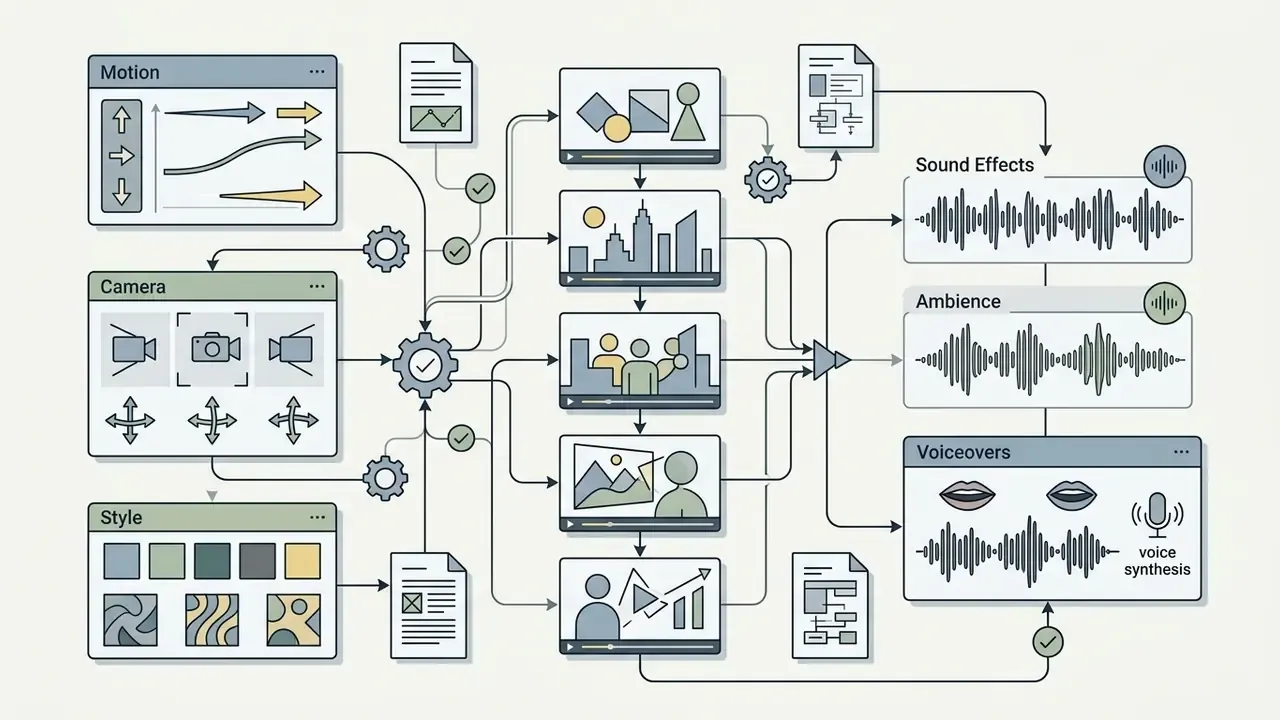
Free AI Video Generator Limits: Watermarks, Credits and Download Quality
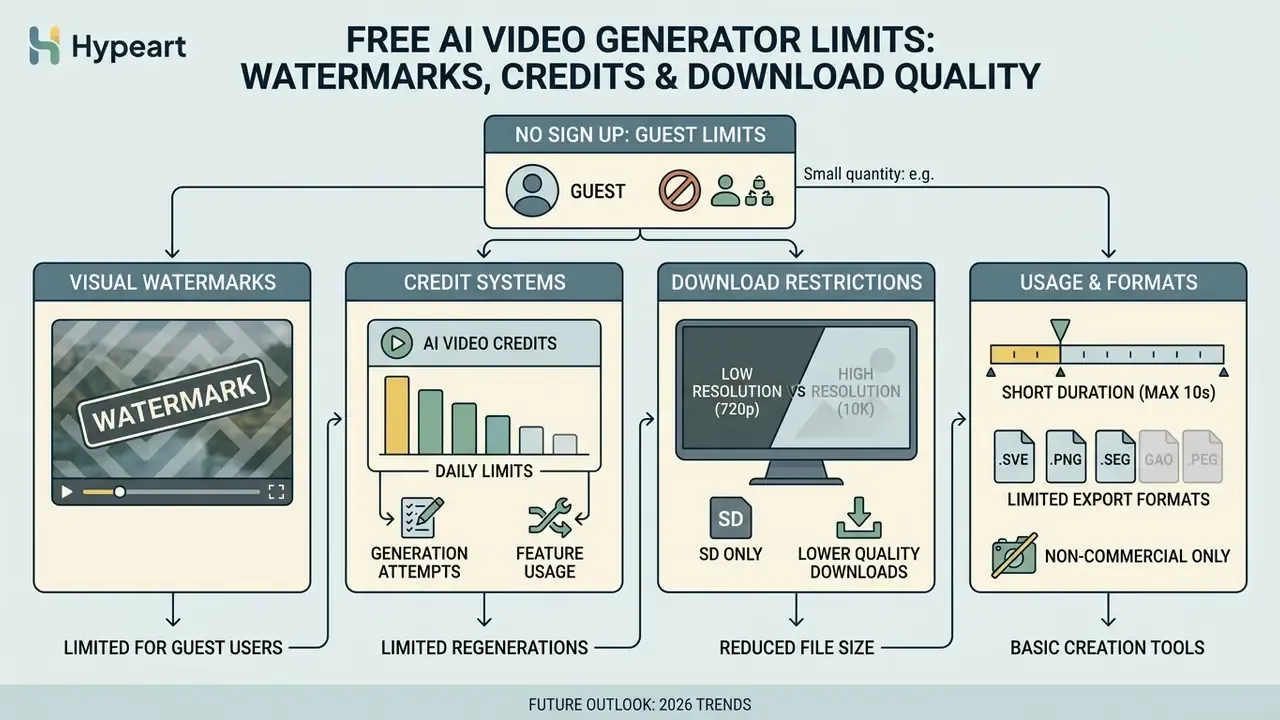
Running an ai generated video free no sign up tool means accepting functional constraints. Cloud GPU clusters cost money every hour, so platforms use restrictions to steer guests toward paid tiers. Predictable, and worth mapping before you plan a campaign.
Comparative access and limits matrix (checked Q1 2026)
| Platform Canvas | Sign-Up Required | Free Daily Allowance | Visible Watermark | Max Export Res | Direct MP4 Export |
|---|---|---|---|---|---|
| Magic Hour | No | 3 clips / day per mode | Yes (corner) | 480p SD | Yes |
| Creen AI | No | Unlimited on select models | Optional | 720p / 1080p | Yes |
| Pixlr Video | Optional | Daily free credits | No | HD (720p) | Yes |
| Runway ML | Yes (account required) | 125 one-time credits | Yes | 720p HD | Yes |
| Adobe Firefly | Yes (Adobe ID) | Daily reset credits | Yes | 720p HD | Yes |
| Vivideo | Demo without install; account to save | Daily free tier | No on select tiers | Up to 4K on paid | Yes (after sign-in) |
Allowances and watermark policies change frequently. Re-verify on the vendor page before committing to a production workflow.
When "free" includes a watermark or limited credits
Free tools manage cost in two main ways. For a side-by-side view of how platforms differ on watermarks and export ceilings, see our comparison of free AI video generators by quality and limits.
- Visual watermarking: platforms overlay transparent brand logos onto exported frames. Some implementations also embed invisible steganographic watermarks into the video bitstream. Under standards such as China TC260 (2023) and IEEE 3361-2025, invisible watermarks must remain detectable across every continuous 5-second segment to preserve provenance.
«Hidden watermarks in AI-generated video are imperceptible marks extractable by technical means; every continuous 5 seconds of video shall contain complete watermark information.»
The ITU's 2024 report on multimedia authenticity adds the complementary detection principle: watermarking embeds hidden information that a dedicated detector can decode. That is what makes file-based verification, uploading the MP4 to a verification portal, a legitimate audit step rather than guesswork.
2. Daily token allocation: systems assign guest IP addresses a daily token quota. Once depleted, generation pauses until the next 24-hour reset, or the user is nudged to register for expanded credits. A jump of roughly fivefold between anonymous and authenticated tiers of the same product is common.
To evaluate free tools across visual art and photo generation, explore our comparison of free AI art generators by output quality, limits, styles, watermarks and licensing.
Resolution, duration and format restrictions
Export restrictions on guest tiers exist to separate free output from commercial production assets:
- Resolution downscaling: models render natively at 1080p, yet guest exports are frequently downsampled to 480p or 720p. Full 1080p or 4K requires authentication or a subscription.
- Clip duration caps: free generations run 3 to 6 seconds. Extended long-form content requires stitching clips in external software. Our roundup of free video editing software covers concatenation, captioning and loudness steps.
- Format options: output files are typically H.264 MP4. Uncompressed formats such as ProRes, or transparent image sequences (PNG, EXR), sit behind paid enterprise tiers.
- Quality expectations: knowing how AI video quality is actually measured helps you judge whether a 720p guest render is good enough for your channel.
Can You Use No-Sign-Up AI Generated Videos for Commercial Content?
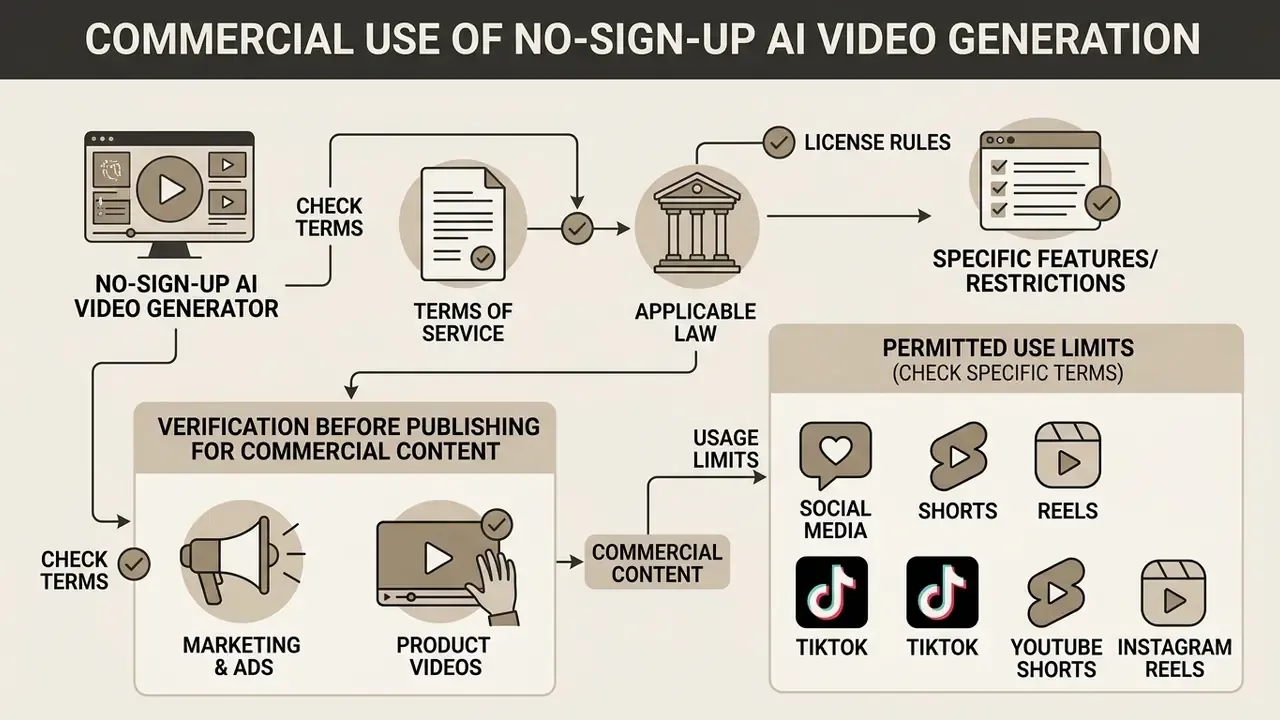
Deciding whether assets from an ai movie generator no sign up canvas can be used commercially requires reading three things: the platform's Terms of Service, the applicable copyright framework, and any disclosure mandate that touches your channel.
E-E-A-T: legal and regulatory alert
| Risk Area | Requirement | Practical Consequence |
|---|---|---|
| Anonymous usage restrictions | Platform ToS often restrict commercial reuse of non-authenticated guest output. ElevenLabs, for example, states that content created without being signed in cannot be used commercially, and requires attribution when shared non-commercially. | A clip that is technically watermark-free may still be contractually unusable in an ad. |
| Copyright eligibility | The US Copyright Office enforces a human-authorship threshold and requires applicants to identify and disclaim AI-generated portions. | Purely machine-generated output cannot be registered. You may hold no exclusive rights in the raw render. |
| Mandatory transparency | EU AI Act Article 50 imposes transparency duties for AI-generated or manipulated content, including deepfakes, in public-facing deployments. | Visible labeling plus provenance metadata is expected for advertising and marketing use. |
| Right of publicity | Unauthorized commercial use of a person's name, image, likeness or voice implicates right-of-publicity claims (US Congressional Research Service). | Never prompt for a real celebrity, executive or customer likeness. |
| Advertising standards | IAB (2024) and IAB Canada (2026) frameworks recommend conspicuous disclosure where AI materially shapes images, video or synthetic humans, plus C2PA metadata. | Undisclosed synthetic ads can be treated as deceptive marketing under existing law. |
Marketing, ads and product video: what to verify before publishing
Before putting guest-generated AI video into an ad campaign, product listing or brand channel, work the list below.
Checklist0 / 7
For deeper legal guidance on licensing and usage rights across AI tools, visit our AI Media Commercial-Use Hub and our tracker of AI Litigation and Case Timelines. If a specific term in a vendor policy is ambiguous, our AI Media Support desk documents how to escalate the question to the provider in writing.
Creator Workflow Recipes and Use Cases for AI Video Generation Without Login
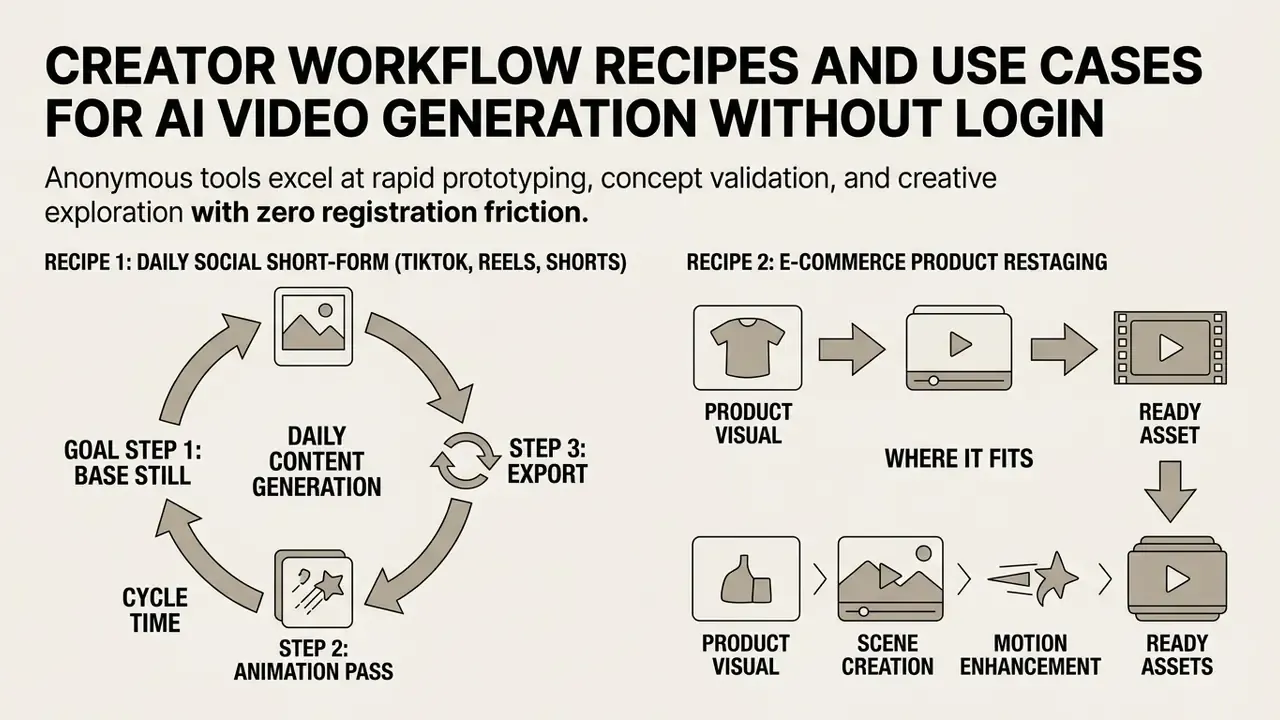
Anonymous tools shine at rapid prototyping, concept validation and creative exploration with zero registration friction. An ai short video generator free no sign up canvas is not a production studio, but it is an excellent sketchpad. The four recipes below turn that capability into repeatable pipelines with named models, explicit prompts and export parameters.
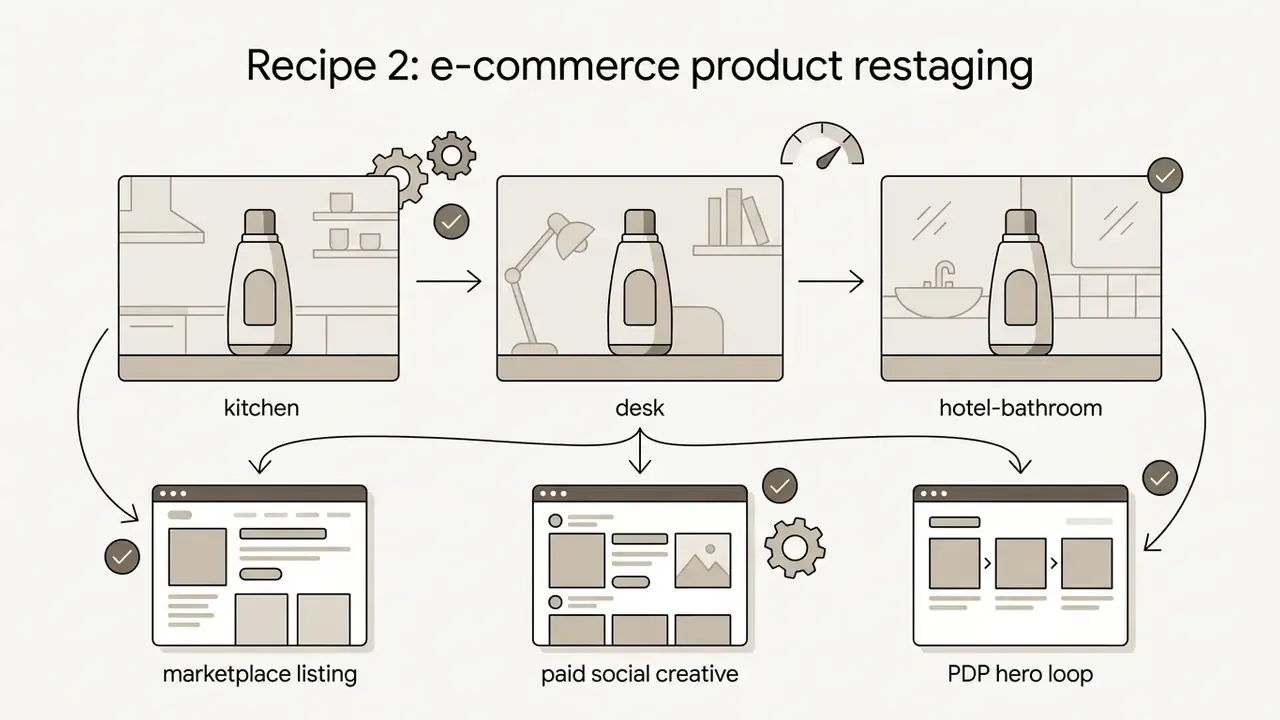
Recipe 2: e-commerce product restaging
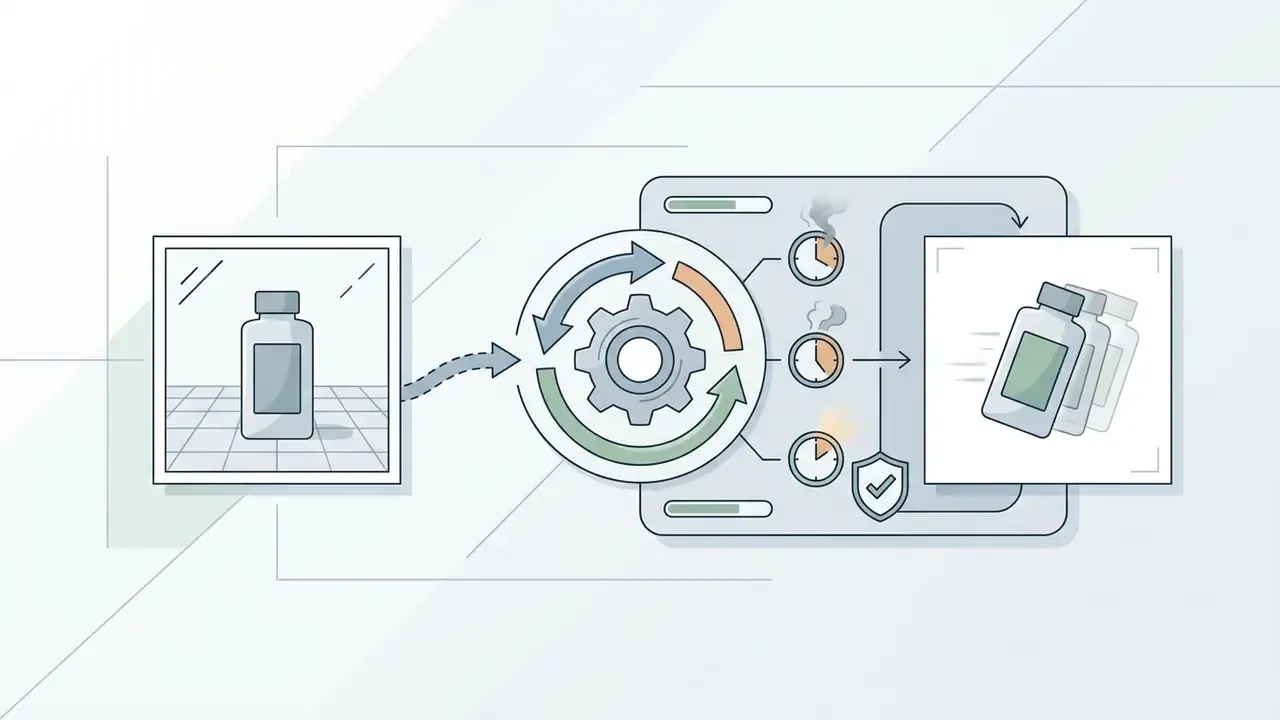
- Step 1, source input. Upload the product image as frame 0. Use a clean cut-out or plain-background shot. Busy source images produce texture artifacts.
- Step 2, motion cue. Prompt:
Soft studio spotlight panning from left to right, subtle shadow displacement, 35mm lens, high-end commercial aesthetic, product remains perfectly still. - Step 3, loop check. Set duration to 5 seconds and, on engines supporting a terminal frame, set the end frame equal to the start frame for a seamless loop.
- Step 4, compliance. Confirm the render did not alter product geometry, colour or labelling. Misrepresenting a physical product in an ad is an advertising-standards problem independent of AI disclosure.
Recipe 3: film storyboarding and concept pitching
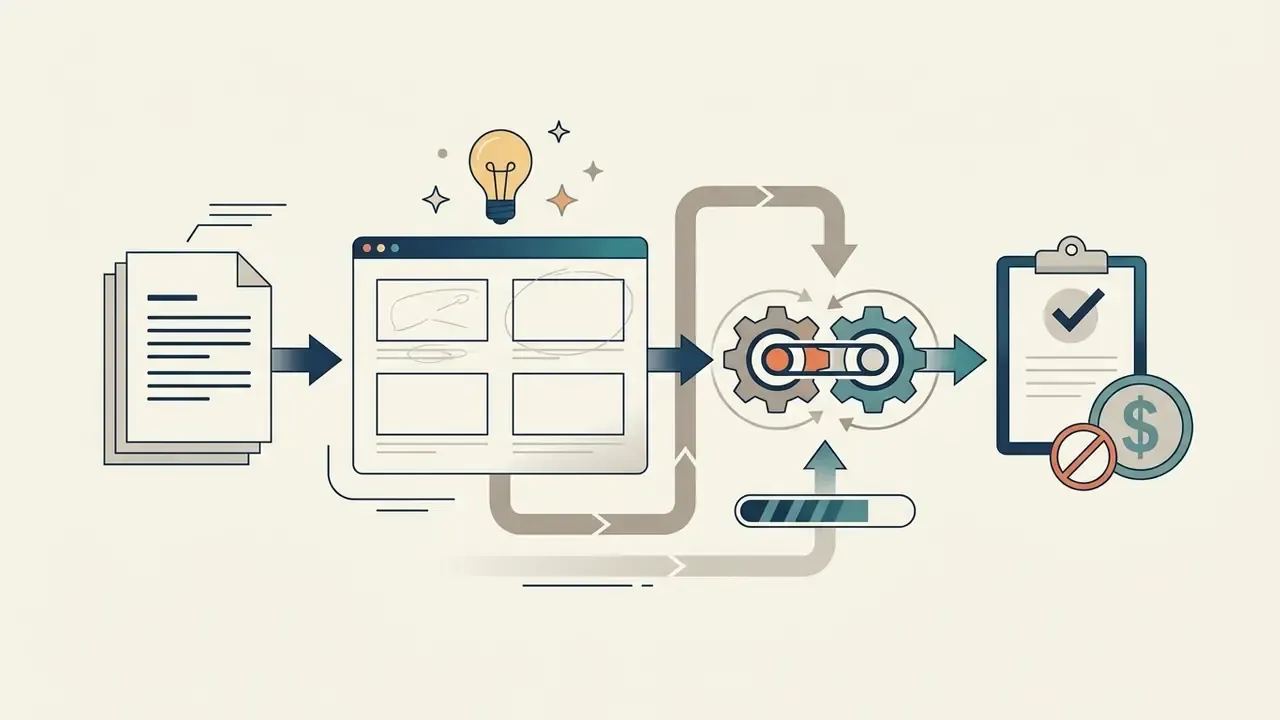
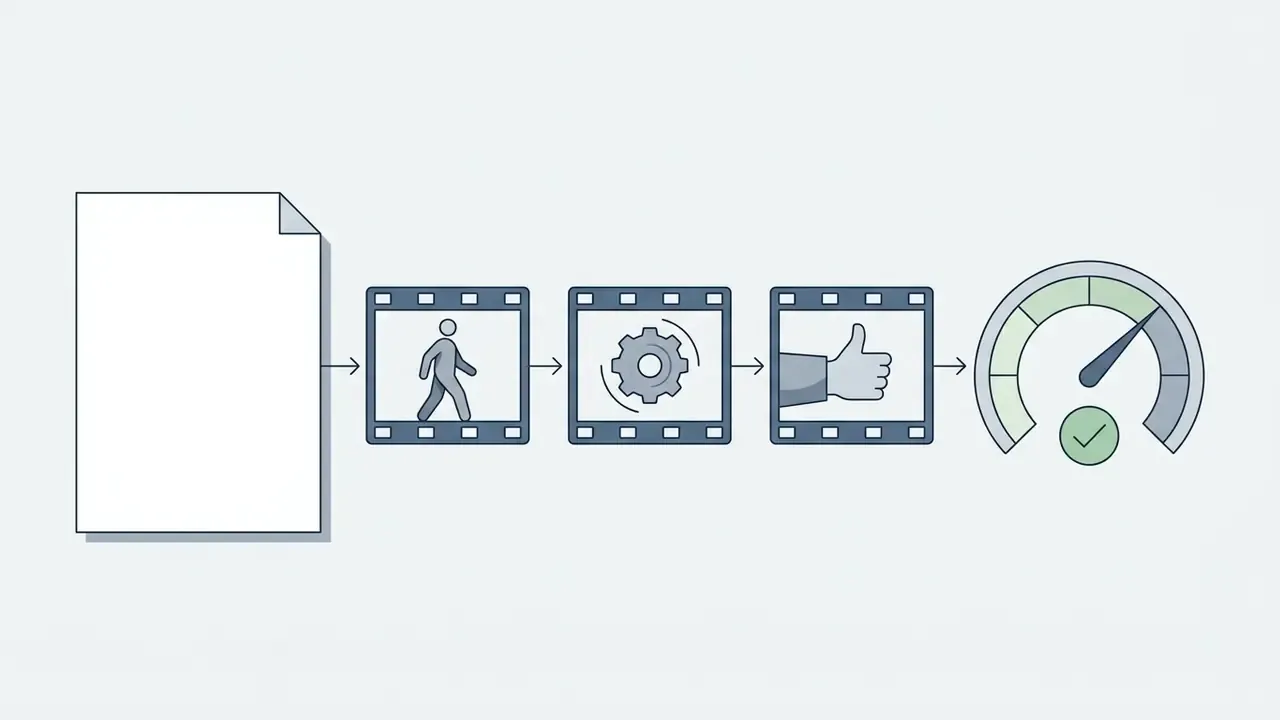
- Step 1, beat decomposition. Split the scene into 6 to 12 shots. Write one prompt per shot using the six-component framework, and keep the style clause identical across all of them.
- Step 2, identity lock. Generate one character reference still, then run every shot as image-to-video from that reference with a fixed seed to hold face, wardrobe and palette.
- Step 3, render pass. Duration 5 seconds per shot,
16:9, 720p. Resolution is irrelevant for pacing review and it preserves your daily quota. - Step 4, assembly. Concatenate the clips in edit order, add a scratch voiceover, export a single review MP4.
«GAIA, 9,180 videos from 18 models, shows systems perform well on subject quality but weakly on action completeness and scene interaction.»
Recipe 4: educational explainer and travel recap
- Goal (explainer): turn a lesson summary, PDF or slide deck into a 30 to 60 second narrated animated segment.
- Step 1. Feed the document or script into a script-to-video agent to obtain a scene breakdown with narration text per beat.
- Step 2. Render each beat at 5 to 8 seconds,
16:9for LMS embedding or9:16for social distribution, with a consistent illustrative style clause. - Step 3. Generate narration with a TTS voice, then stitch clips with synchronized audio and burn-in captions for accessibility.
- Goal (travel recap): convert a camera roll into a shareable 30-second recap.
- Step 1. Pick the three strongest photos per day. Step 2. Animate each via image-to-video with gentle camera prompts (
slow parallax push-in, natural daylight, no subject warping). Step 3. Layer a music bed, export9:161080p. - Reality check: at 3 to 5 anonymous renders per day, a 12-clip recap is a two- or three-day project on a pure guest tier.
SAR case study: anonymous prompt testing and storyboarding (illustrative)
| Element | Detail |
|---|---|
| Situation | A digital ad agency needed to pitch 12 visual narrative concepts to a banking client under a tight deadline, without committing budget to new enterprise software licences. |
| Action | Creative leads used a guest-mode AI video generator to test prompt parameters and render 36 five-second 720p storyboard clips across incognito sessions, logging prompt and seed for each pass. |
| Result | The team selected four winning concepts within two hours, cutting early concepting overhead before migrating the approved prompts into an authenticated enterprise pipeline with audit logging and commercial licensing. |
Story, movie and explainer video concepts
An ai story video generator free no sign up or ai movie maker no sign up canvas lets filmmakers and educators assemble scene-by-scene boards. The same is true of most tools marketed as an ai movie generator no login:
For further commercial analysis of visual platforms, review our guide to Bing AI image creation, access requirements, capabilities, limitations and commercial terms or the Canva AI Generator overview covering design features, pricing, export options and commercial licensing.
Developer Integration: Programmatic No-Login Video Generation
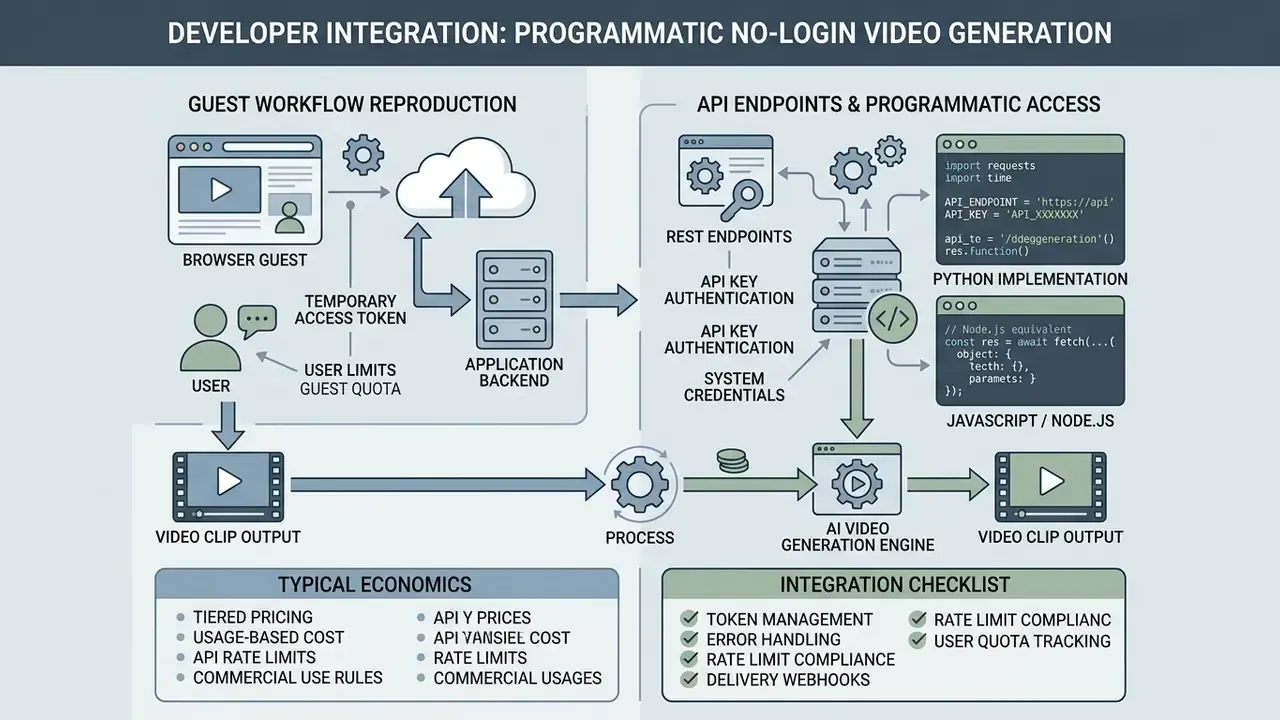
For engineering teams embedding video generation into an application, the browser guest workflow can be reproduced through REST endpoints. Note the access asymmetry, because it trips people up: browser canvases may be anonymous, but API access almost always requires a registered account and key. PixVerse's platform terms, for instance, require applying for an API account and key before use. Treat "no sign up" as a property of the web UI, not of the API.
Typical economics. Public per-second pricing starts around $0.023 per second of rendered video on fast models, with premium engines billed by credit (for example, 24 credits per second at a common base rate). A 5-second draft therefore costs roughly $0.11 on a fast tier. Cheap enough to loop dozens of variants in CI, expensive enough that you should cap durations in code.
import requests
import time
API_ENDPOINT = "https://api.provider.com/v1/video/generate"
API_KEY = "YOUR_API_KEY"  # trial, guest bearer token, or service account key
payload = {
    "prompt": "Cinematic drone shot over a snow-covered pine forest, sunset lighting, 4k",
    "model": "ltx-2.5-fast",
    "duration_seconds": 5.0,
    "aspect_ratio": "16:9",
    "resolution": "720p",
    "seed": 84920411,          # lock composition across iterations
    "wait_for_completion": False
}
headers = {
    "Authorization": f"Bearer {API_KEY}",
    "Content-Type": "application/json"
}
response = requests.post(API_ENDPOINT, json=payload, headers=headers)
response.raise_for_status()
job = response.json()
print(f"Job ID: {job['id']} | est. cost: ${job.get('cost', 0.115):.3f}")
# Poll until the render completes, then download the MP4.
while True:
    status = requests.get(f"{API_ENDPOINT}/{job['id']}", headers=headers).json()
    if status["state"] in ("complete", "error"):
        break
    time.sleep(5)
if status["state"] == "complete":
    mp4 = requests.get(status["output_url"]).content
    with open("output.mp4", "wb") as f:
        f.write(mp4)
    print("Saved output.mp4 | seed:", status.get("seed"))
else:
    print("Generation failed:", status.get("error_message"))
// Node.js equivalent
const res = await fetch("https://api.provider.com/v1/video/generate", {
  method: "POST",
  headers: {
    Authorization: `Bearer ${process.env.API_KEY}`,
    "Content-Type": "application/json"
  },
  body: JSON.stringify({
    prompt: "a dog running through tall grass, golden hour, 35mm",
    model: "ltx-2.5-fast",
    duration_seconds: 5.0,
    orientation: "landscape",
    resolution: "720p"
  })
});
const job = await res.json();
console.log(`Job ${job.id} queued`);
Integration checklist
| Concern | Recommended handling |
|---|---|
| Parameter validation | Enforce model-specific duration and aspect-ratio allowlists client-side. Veo publishes 4, 6 and 8 s with 9:16 and 16:9 only; Hailuo allows 1:1; MiniMax allows 21:9. |
| Cost control | Cap duration_seconds, default to 720p, and log per-job cost from the API response. |
| Reproducibility | Persist prompt, seed, model and version for every job so any published asset can be regenerated. |
| Failure handling | Retry transient 5xx responses with exponential backoff. Treat moderation rejections as terminal and surface a prompt-editing hint. |
| Latency | Expect sub-30-second renders for short 720p clips on fast models and minutes on premium engines. Poll asynchronously rather than blocking a request thread. |
| Provenance | Preserve or re-attach C2PA metadata during any transcode step in your pipeline. |
FAQ About Free AI Video Generators With No Sign-Up
Can I really generate AI videos completely free without an account?
Yes. Specific browser-based platforms, among them Magic Hour, Creen AI and Pixlr Video, let you enter text prompts or upload images and generate clips without registration. These anonymous tiers do impose limits: 3 to 5 daily generations, lower export resolutions (480p or 720p), deprioritized queues and visible brand watermarks. Larger vendors such as Adobe Firefly and Runway require an account or a credit grant, so their "free" tier is account-based rather than truly anonymous. In other words, ai generated videos no sign up exist, but not at production quality.
Which is the best free AI video generator with no sign-up?
It depends on the output you need:
- Text-to-video prototyping: Magic Hour and Creen AI offer fast guest access for turning prompts into short clips.
- Image animation: Pixlr Video provides free image-to-video tools with a clean interface.
- High-fidelity renders: platforms running Google Veo 3.1 or Kling 1.5 deliver better physical realism, though advanced models usually require sign-in for full-resolution MP4 export.
- Long-form assembly: agentic platforms that stitch multi-scene stories are the only practical route to multi-minute output, and they generally need an account to save the finished file. If you are evaluating specific vendors, our profile of PixVerse AI covers access requirements, model lineup and API terms in detail.
What are the main limitations of no-login AI video tools?
Five constraints dominate:
- Short clip duration: 3 to 6 seconds per render pass.
- Downscaled resolution: usually 480p or 720p.
- Watermarking: visible platform logos or embedded provenance metadata.
- Usage quotas: daily limits enforced via cookies, IP tracking and device fingerprinting.
- No persistence: no project library, no version history, no audit trail. If you do not log the prompt and seed yourself, the result is unrepeatable.
Can I download generated videos as MP4 files without logging in?
Usually yes. Most guest-accessible tools allow direct MP4 downloads via browser HTTP links once rendering completes, using standard H.264 encoding for compatibility across phones, desktop operating systems and non-linear editors. Some platforms allow anonymous preview but require a free account to save or export the project, so verify the download step before investing time in a prompt.
What should I do if my generation fails or triggers a safety filter error?
Failures usually come from content moderation flagging restricted keywords (violence, real public figures, protected brands, explicit content) or from transient queue errors at peak load. To resolve:
- Remove ambiguous adjectives and potentially sensitive nouns.
- Shorten the prompt so it focuses strictly on camera motion, neutral subject description and environment.
- Avoid protected brand names, trademarks and real celebrity likenesses. Describe an archetype instead, for example "a middle-aged news anchor" rather than a named person.
- Replace borderline terms with neutral synonyms and resubmit. If the error persists, retry later, since some failures are load-related rather than policy-related.
- On an API, distinguish moderation rejections (terminal, edit the prompt) from 5xx errors (retry with backoff).
How long does generation take, and why is my render slow?
Generation time depends on model, duration, resolution, source inputs and current demand. Short 720p clips can finish in under 30 seconds; premium models under peak load can take several minutes. Anonymous requests sit in a shared, deprioritized queue, so a slow render usually reflects queue position rather than model speed. Paid plans buy priority access and parallel job slots, not a different model.
Are no-sign-up AI videos safe for commercial marketing and ads?
Commercial use depends on the platform's Terms of Service. Some open-weight architectures permit commercial exploitation, while certain platforms (ElevenLabs among them) explicitly prohibit commercial use for assets created without an authenticated account. Verify licensing terms, ensure the content does not infringe personal likenesses or trademarks, and follow mandatory AI disclosure rules such as EU AI Act Article 50 before launching a campaign. Remember that US copyright registration covers only human-authored contributions.
How do image-to-video and text-to-video modes differ?
Text-to-video builds frames entirely from descriptive language, so the prompt must specify lighting, style and camera movement. Image-to-video uses an uploaded photo as the anchor frame and animates elements within it while preserving composition and subject identity. In practice, image-to-video wastes fewer guest credits, because composition is already decided.
Can I make a video longer than 10 seconds without an account?
Not in a single pass on a guest tier. Documented per-request maxima cluster at 4 to 16 seconds depending on the model. Longer output requires stitching: render sequential shots with a locked seed and style clause, then concatenate them through an agentic pipeline or manually in a free editor. Expect a ten-minute piece to need dozens of passes, well beyond any realistic anonymous daily quota.
Is there an API, and does it also work without signing up?
Public REST APIs exist for most major engines, priced from roughly $0.023 per rendered second, but API access requires a registered account and key even where the web canvas is anonymous. See the developer integration section above for a working request, poll and download pattern.
Technical Summary, Governance and Shadow-AI Controls
Evaluating an ai free no sign up video generator means balancing immediate creative convenience against operational and compliance standards. Three habits do most of the work:
- Verify platform usage terms.Inspect the Terms of Service for guest tiers before any output reaches an external campaign or client deliverable.
- Enforce content provenance.Ensure synthetic media in public channels complies with FTC disclosure guidance, EU AI Act transparency rules and platform synthetic-media policies. Retain prompt, seed, model and date for every published asset.
- Establish secure pipelines.For institutional projects, keep anonymous tools for early prompt drafting only. Once a concept is validated, move production into authenticated platforms with audit trails, commercial licensing and enterprise data protections.
Shadow-AI controls for security and risk teams (DLP and CASB)
From an information-security standpoint, anonymous generation canvases are unmanaged upload endpoints. No account means no tenant, no retention setting, no data-processing agreement, and no log an organization can produce for an examiner. Three controls look proportionate:
Worth adding one measurable expectation. If your inventory of AI systems cannot name the owner, the approved use, the access limit, the escalation path and the shutdown mechanism for each tool, a browser canvas will not appear in it at all. That gap, not the video quality, is the governance problem here.
For more on interactive media, synthetic voice and visual creation tools, explore our glossary directory, or read the specialized guides on how to create word art, how to create your own ai voice, and the historical background behind the creator of ai.
Appendix A: Superseded Notes and Verification Disclosure
External References and Cited Research Sources
- Veo 3.1 and Vertex AI Video Generation Technical Documentation (Google Cloud, 2026). https://docs.cloud.google.com/vertex-ai/generative-ai/docs/models/veo/3-1-generate
- MiniMax Video Generation API Reference (MiniMax, 2026). https://platform.minimax.io/docs/api-reference/video-generation-v2-create
- China TC260 Technical Practice Guide on Labeling AI-Generated Content (2023) and IEEE 3361-2025 Evaluation Method for Robustness of Invisible Video Watermarking (2025).
- ITU Report on Multimedia Authenticity and Watermarking (International Telecommunication Union, 2024).
- IAB White Paper on AI Disclosure in Advertising (2024) and IAB Canada AI Transparency Framework (2026).
- Right of Publicity and Digital Replicas (U.S. Congressional Research Service).