Executive Summary
- An AI beat maker converts text prompts, lyrics, images or uploaded audio samples into original instrumentals, drum patterns, backing tracks and background music in 5 to 30 seconds.
- Export options span MP3 previews, uncompressed 24-bit WAV masters, isolated WAV stems (drums, bass, melody, FX) and MIDI for DAW work.
- Free tiers are almost always personal, non-commercial, MP3-only and stem-restricted. Commercial monetization requires an explicit paid license grant.
- If you receive a YouTube Content ID claim, dispute it using the Track ID printed in your license certificate. Resolution typically takes 24 to 48 hours.
How to Read This Guide (and Which Section You Actually Need)
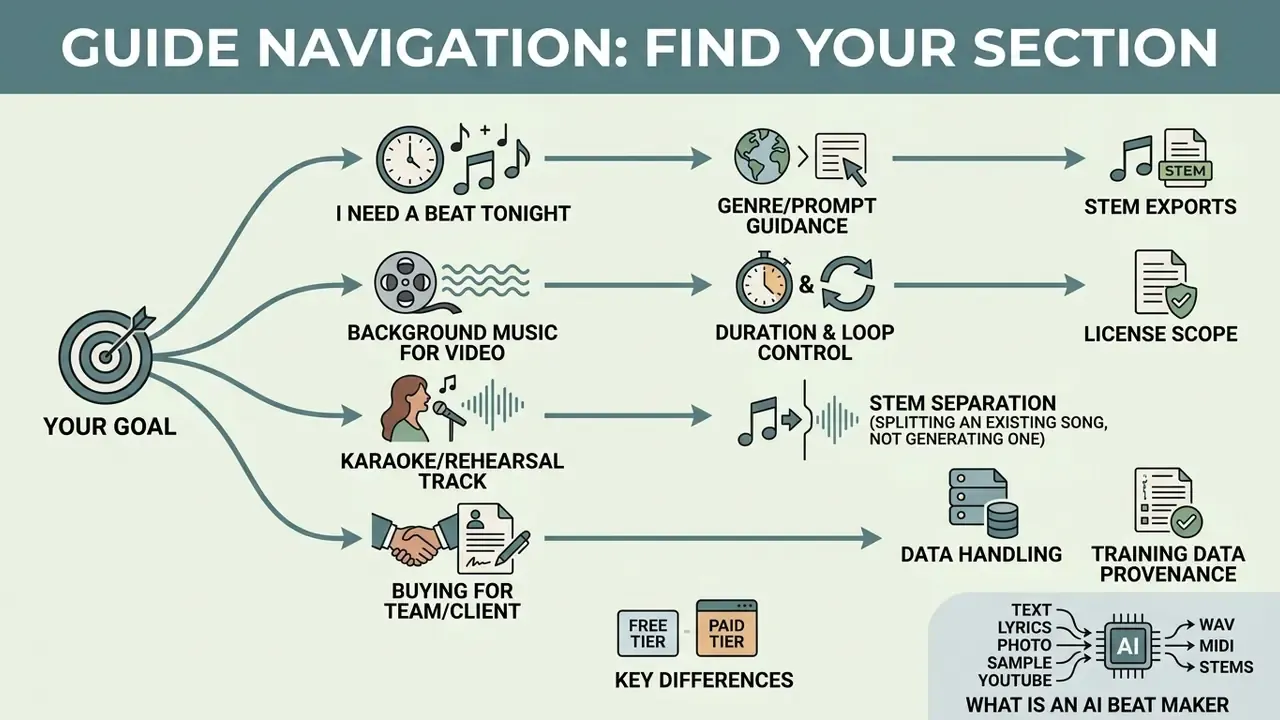
Most people arrive here with one of four jobs, not with an interest in generative audio as a field. Match your job to the right entry point and skip the rest. That is not laziness, it is triage.
- "I need a beat for a verse by tonight." Start with the genre and prompt guidance, then jump to stems and export formats.
- "I need background music for a 47-second video." Duration control, loopability and license scope matter far more than 808 tuning.
- "I need a karaoke or rehearsal version of an existing song." You need stem separation, not generation. And you need to read the rights note twice.
- "I am buying this for a team or a client project." Go straight to data handling, training-data provenance and the clearance checklist. Pricing is the easy part.
One more practical note before we start: free and paid tiers of the same tool are effectively two different products with two different legal profiles. Treat them that way.
An AI beat maker is a software application powered by machine learning algorithms that transforms text prompts, genre parameters, lyrics, images or reference samples into original instrumental tracks, drum patterns and full musical compositions. These systems allow media creators, vocalists, and music producers to generate custom audio assets in seconds without traditional manual arrangement or software synthesis.
What an AI Beat Maker Is and What Music It Creates
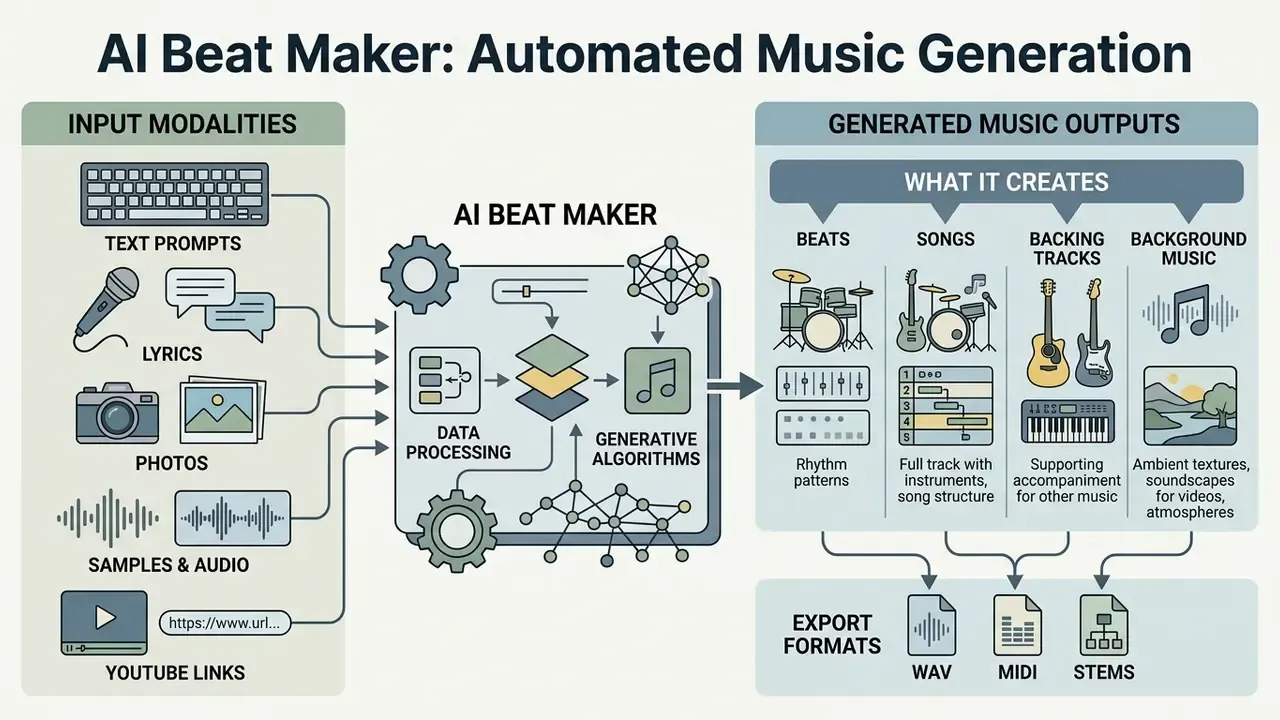
An AI beat maker is an automated generative music system that creates original audio tracks, backing rhythms, and background soundscapes from user inputs. Modern systems leverage diffusion architectures, autoregressive transformers, and digital signal processing to output high-fidelity audio ranging from simple drum loops to multi-layered instrumental arrangements.
These tools serve as an AI audio generator music engine, allowing creators to synthesize tailored compositions across diverse genres. Depending on the input prompt and model configuration, an AI beat generator can produce rhythmic instrumentals for rap, complete instrumental arrangements for vocalists, ambient soundscapes for podcasts, or synchronized tracks for visual media. Research on text-to-music systems demonstrates that these models analyze structural relationships between prompt tokens and audio frequencies to generate coherent musical structures.
Beats, Songs, Backing Tracks and Background Music
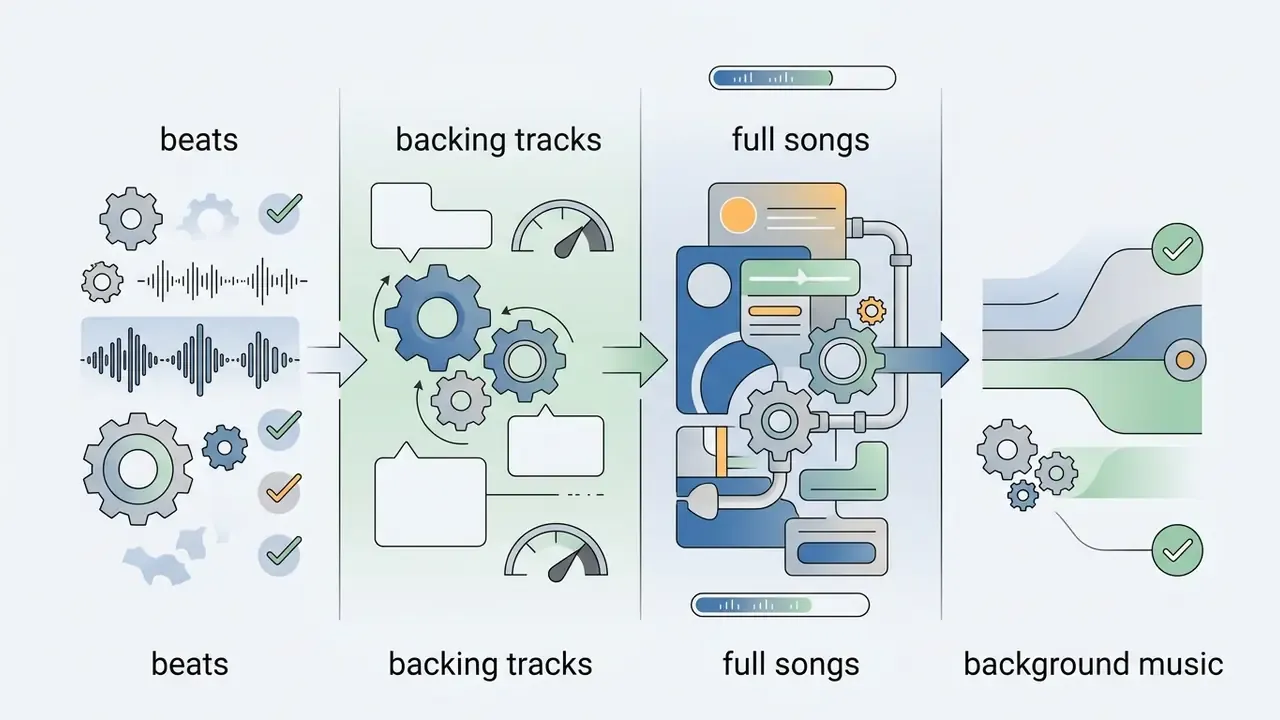
An AI audio music generator differentiates its output structure based on the intended creative application, producing distinct audio assets such as beats, full songs, backing tracks, and background sound. Each format features a specific arrangement complexity, dynamic range, and vocal clearance profile.
- Beats Rhythmic, instrument-focused foundations built on drum patterns, 808 bass lines, and short melodic loops, primarily designed for rap toplining and hip-hop production.
- Backing Tracks Full instrumental arrangements structured with intros, verses, and choruses, designed as performance accompaniments for singers or instrumentalists without lead vocals.
- Full Songs Complete musical compositions that integrate generated vocal lines, lyrics, instrumentation, and automated mastering into a unified audio file using an AI audio song generator.
- Background Music Ambient, non-intrusive audio tracks optimized for low cognitive distraction, serving as supporting sound for video scenes, podcasts, or corporate presentations via an AI background music maker.
The functional boundary is straightforward: a beat is a production-oriented rhythmic instrumental; a backing track is a performance or rehearsal accompaniment; a song is a finished vocal composition; and background music is deliberately mixed to stay subordinate to speech or on-screen action. Vendor terminology overlaps. "Beat" usually implies a hip-hop-oriented 808/drum instrumental, while "backing track" describes a genre-neutral accompaniment.
Worth naming the practical consequence: picking the wrong category costs editing hours later. A full song exported when you needed a bed under narration will fight your voiceover in the 200 Hz to 800 Hz range, and no amount of ducking fully fixes that.
Input Modalities: Text, Lyrics, Photo, Rap and Audio
Modern generative engines are multimodal. The same underlying model can be driven by radically different inputs. Choosing the right entry point shortens the distance between an idea and a usable audio file.
Adding a visual channel to music synthesis is measurably effective, not merely a novelty:
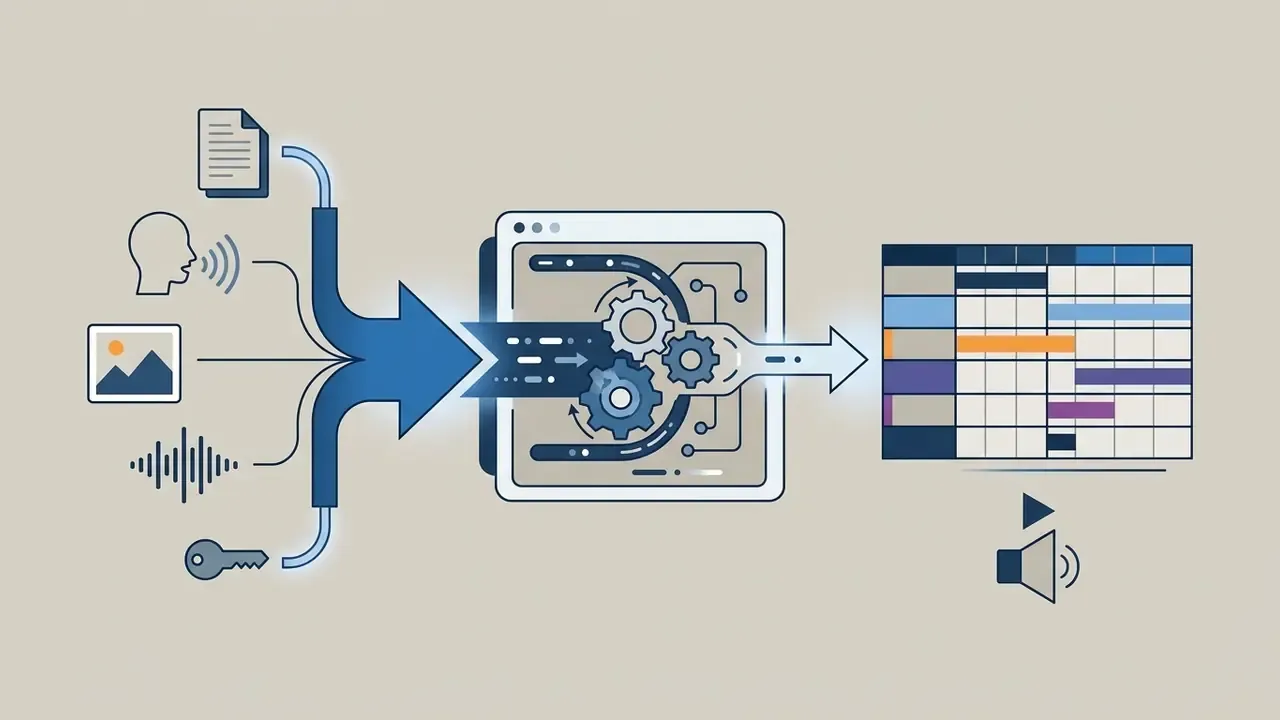
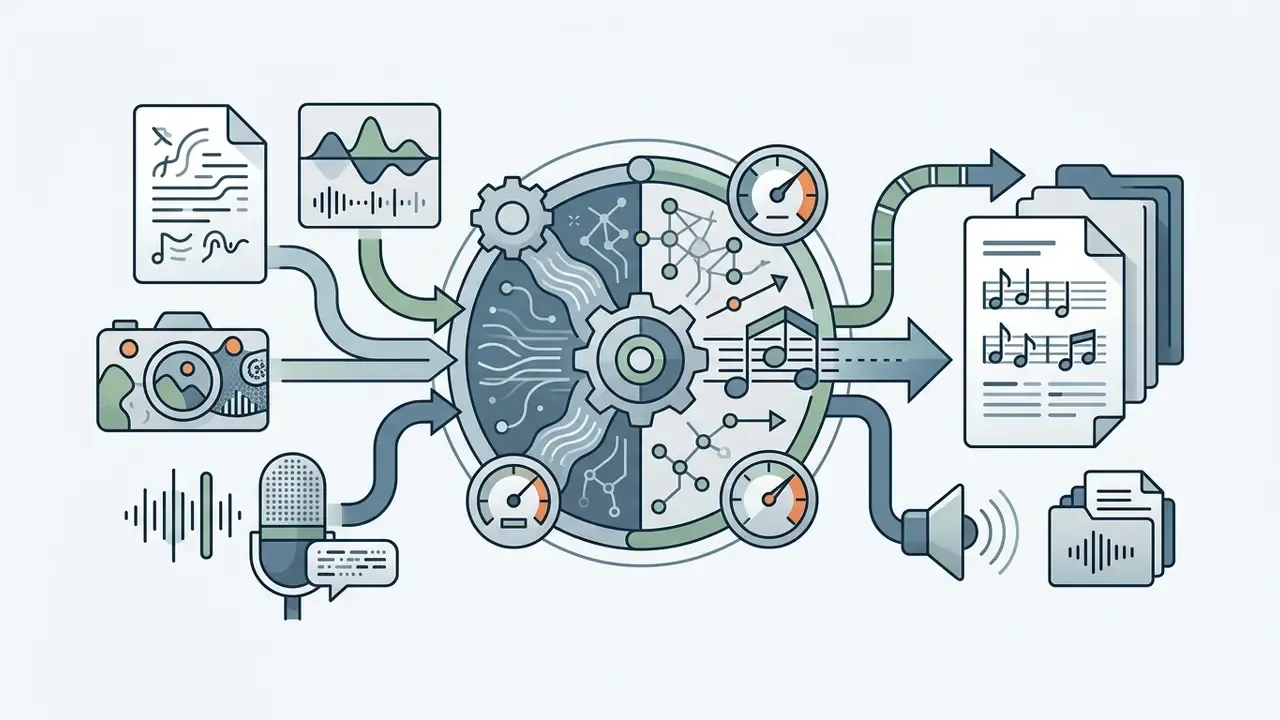
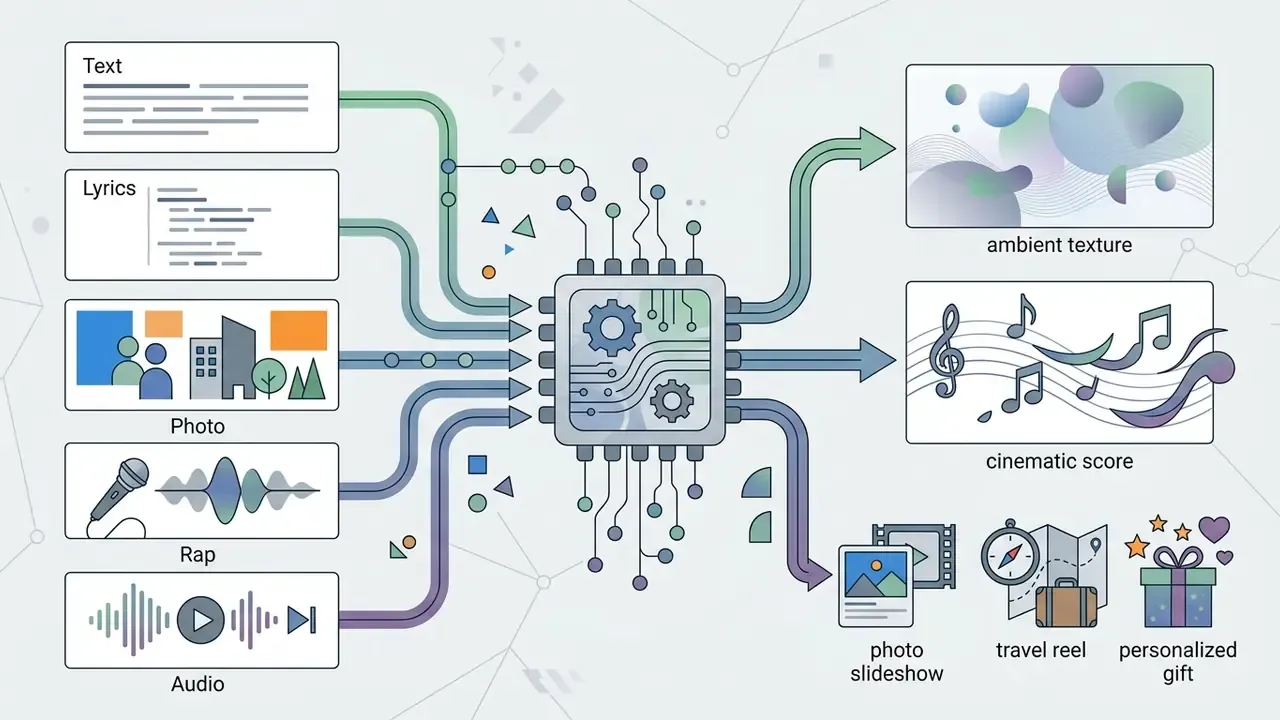
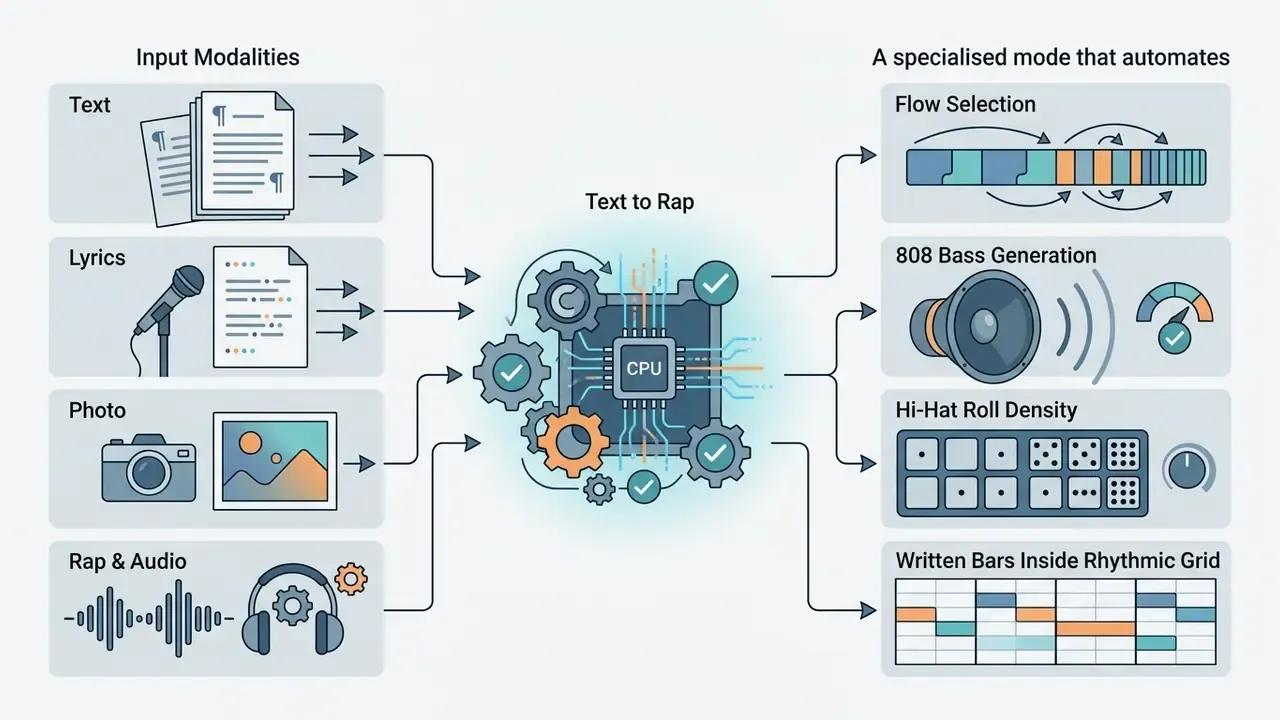
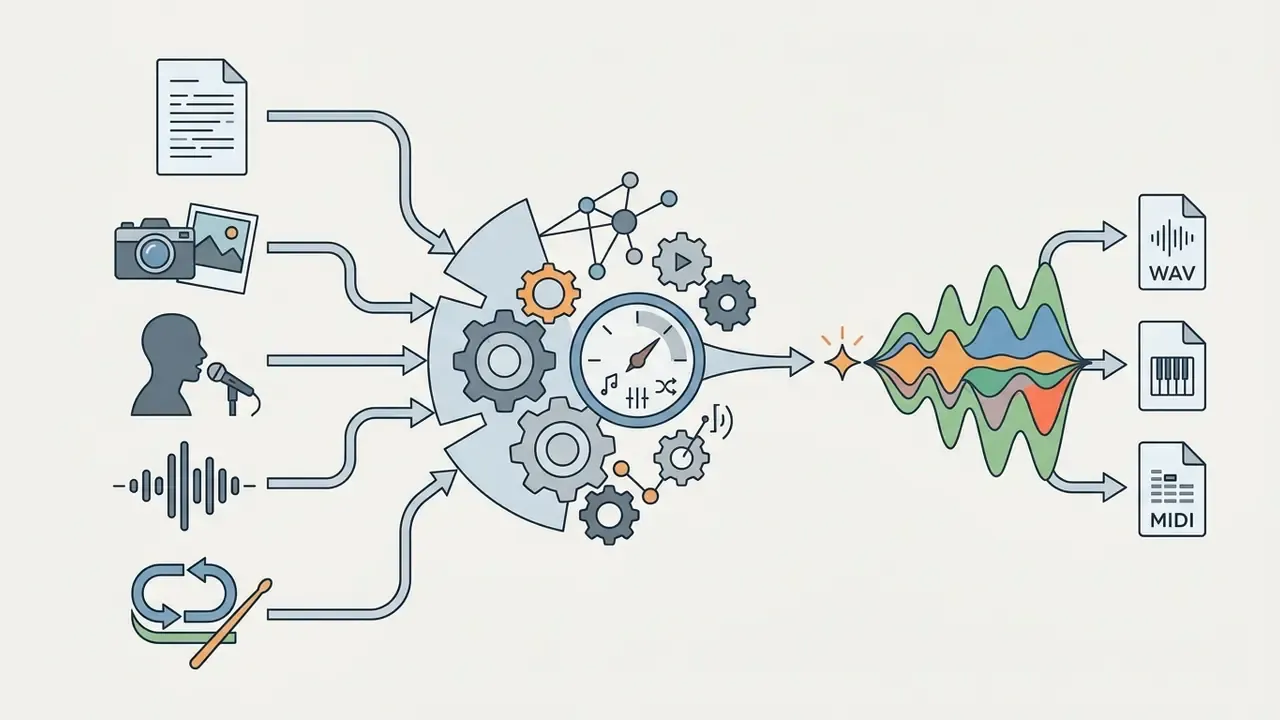
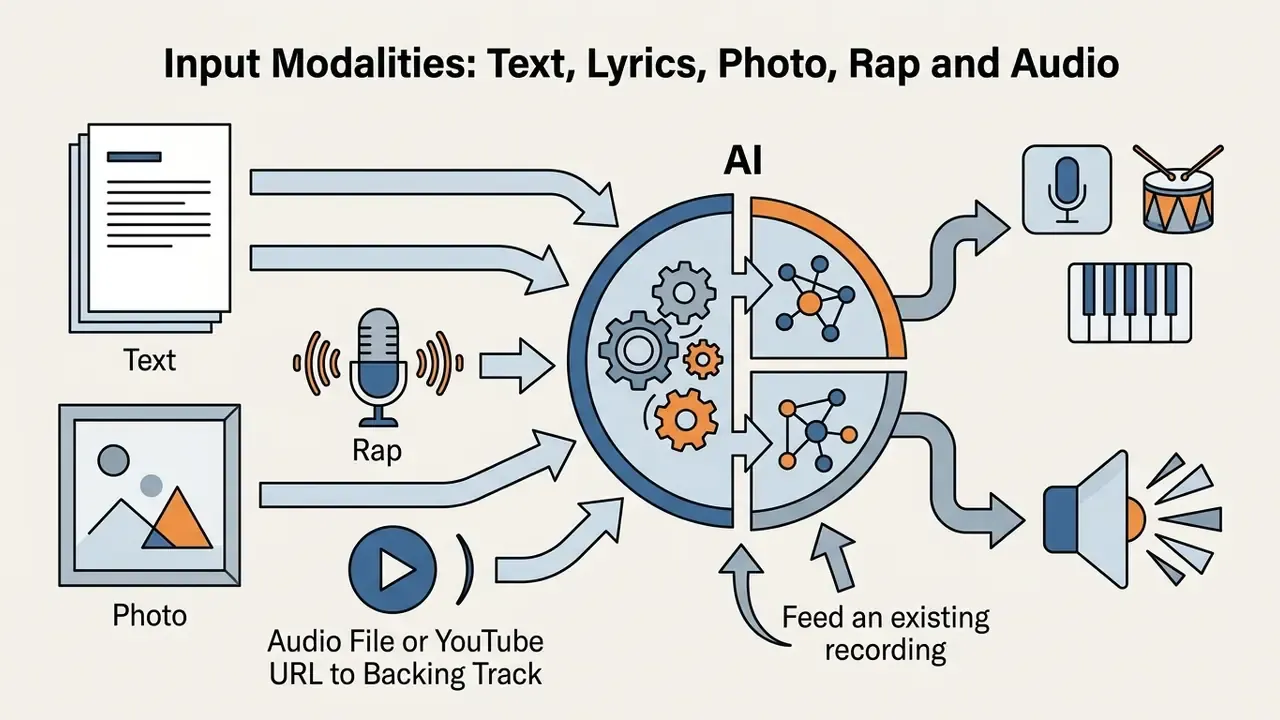
«Adding visual context to music synthesis improves FAD by up to 67.98% compared with text-only baseline models.»
What You Can Download After Generation
When using an AI audio track generator, users can export several file types depending on their workflow requirements and subscription tier. Standard outputs range from compressed preview files to uncompressed, multi-channel production stems.
- Full Stereo MixesDownloadable MP3 or 24-bit WAV files containing the complete, mastered audio track ready for immediate playback or media integration.
- Instrumental StemsSeparated audio channels (drums, bass, melodies, FX) that allow producers to rebalance, edit, or remix individual elements in a Digital Audio Workstation (DAW).
- MIDI FilesSymbolic musical data capturing note sequences, velocity, and timing, enabling users to assign custom virtual instruments within their own production software.
A note on the phrase ai beat maker free download: it usually means one of two very different things. Either a downloadable desktop application, or, far more often, a free export from a browser tool. The second is what most services actually offer, and the free export is normally a watermark-free MP3 with personal-use rights only.
When exporting stems for external mastering, keep every file aligned to the same start point, export at the project sample rate (do not upsample a 44.1 kHz source), and print at 24-bit minimum without clipping. Avoid baking heavy bus processing into stems unless that processing is intentionally part of the sound.
| Format Type | Primary Audio Content | Typical Use Case | AI Production Role | Required Post-Editing |
|---|---|---|---|---|
| Beat | Drums, 808 bass, minimal melodic loop | Rap toplining, hip-hop, lo-fi production | Rhythm & arrangement | Medium (mixing, arrangement tweaks) |
| Backing Track | Full instrumental, sectioned arrangement | Vocal practice, live performance, karaoke | Full accompaniment composer | High (key/tempo adjustment, vocal tracking) |
| Full Song | Lyrics, lead vocals, full instruments | Commercial release, demo reference | Composer, lyricist, vocalist | High (vocal comping, mix refinement) |
| Background Music | Ambient textures, non-intrusive loops | Video background, podcast beds, ads | Mood & atmospheric scoring | Low (length trimming, volume leveling) |
| Extracted Backing Track | Source recording minus vocals or a chosen instrument | Karaoke, rehearsal, live play-along | Stem separation & re-render | Low (level balancing, artefact cleanup) |
Table 1: Output formats compared by audio content, use case and editing load. The short version: beats and background music need the least work, full songs the most.
Who Needs an AI Beat Creator
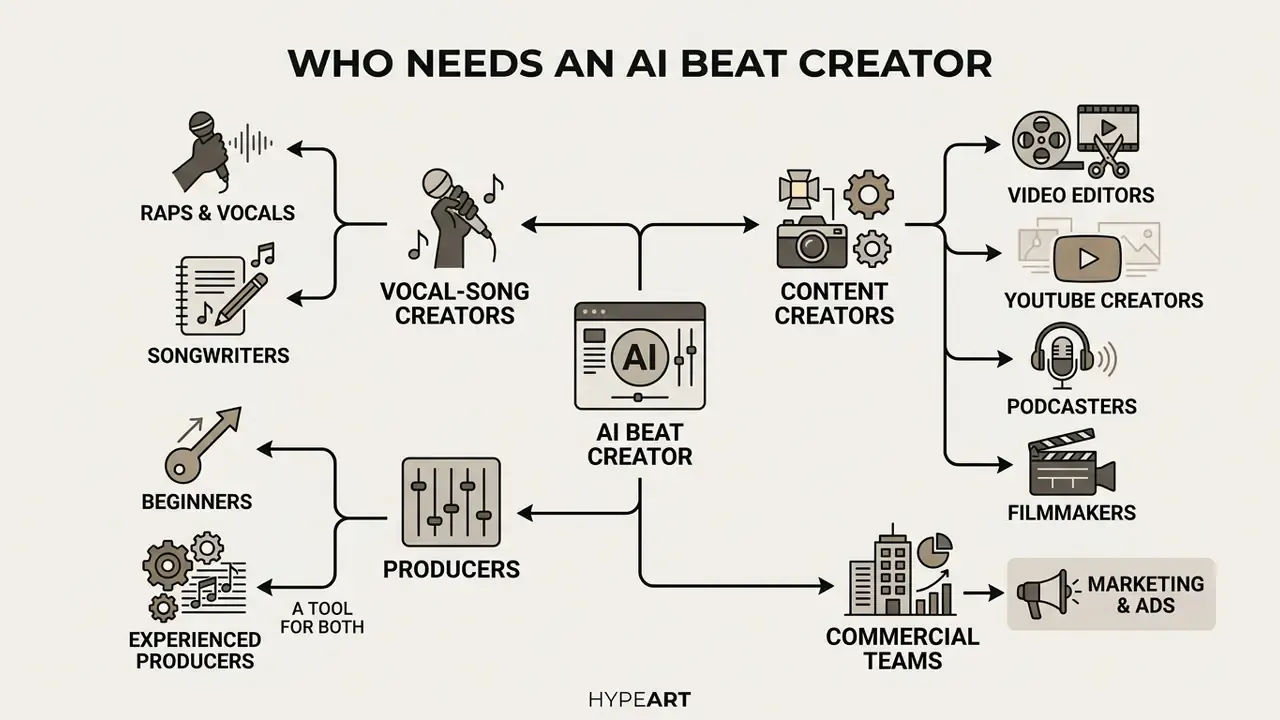
An AI beat creator provides automated composition tools tailored to content creators, recording artists, video editors, podcasters, filmmakers and commercial marketing teams. By accelerating the initial ideation phase, these tools reduce reliance on costly stock audio libraries and eliminate manual beat-programming bottlenecks.
By using an AI beat maker for songs, songwriters and vocalists can immediately generate practice beds and demo tracks without waiting for external producers. Video editors and digital marketers, meanwhile, leverage an AI background music generator for video to secure custom, royalty-free audio beds aligned with specific visual pacing.
«AI compresses the traditional preparation stage and accelerates idea generation, although novices find it harder to evaluate and select among results.»
Beats for Rappers, Vocalists and Songwriters
Music for Video, YouTube and Other Content
Video creators on platforms like YouTube require copyright-safe background audio that matches video scene transitions and narrative tone. An AI background sound generator produces custom background sound beds that avoid automated Content ID strikes on video platforms. Creators frequently pair generated audio with AI video generators inside a single production pipeline, and many now publish the finished cut through the same dashboard they use to upload video online.
Content creators can adjust track length, intensity, and genre attributes to fit specific video durations. That is the same duration-first logic used by official platform libraries, where tracks are filtered in seconds rather than by tempo. Using targeted audio beds ensures that speech intelligibility remains high while maintaining background audience engagement. For editing and publishing steps that follow generation, see our guide to YouTube editing workflows; if the source footage lives elsewhere, a url video downloader is usually the step before the audio pass.
A Tool for Beginners and Experienced Producers
For beginner producers, an AI beat creator free tool removes the steep learning curve of music theory, synth programming, and complex DAW routing. Beginners can generate professional-sounding drum patterns and chord progressions using plain language prompts. Honestly, the harder skill now is choosing between twelve decent options.
Experienced music producers utilize generative engines as rapid sketching tools, often alongside free video editing software or a browser suite such as the veed video editor when the audio is destined for visual media. Exporting stems from an AI beat generator online allows professional engineers to extract unique melodic loops or drum grooves, which they subsequently import into software like Ableton Live or Logic Pro for advanced arrangement and mixing. Ethnographic research on recording engineers, mixers and producers in 2026 frames the dominant effect of these tools as speed: fewer steps between concept and a listenable sketch, with human judgement concentrated at the selection and arrangement stages.
How to Make a Beat in an AI Beat Maker Online
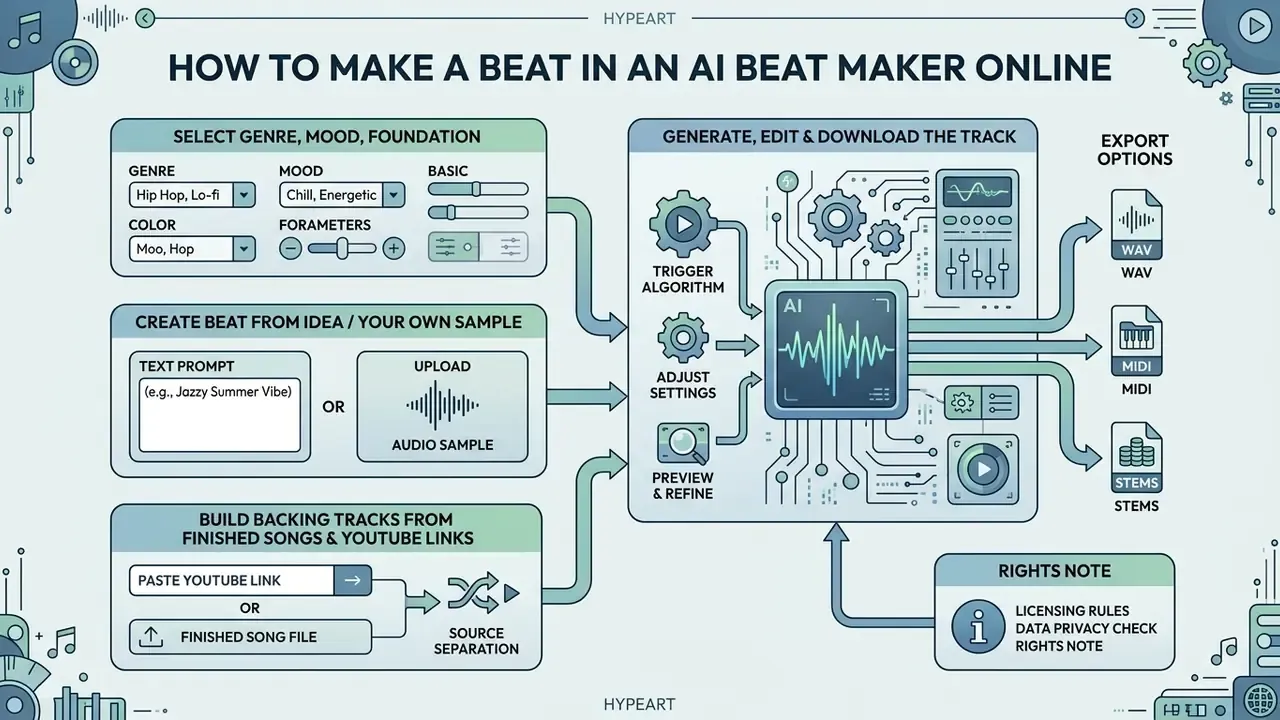
Generating a custom track through an AI beat maker online involves selecting project parameters, defining structural prompts, triggering the generative algorithm, and exporting the final audio files. The entire online workflow requires no software installation or prior engineering experience.
Using an AI beat generator online allows users to transform raw ideas or uploaded audio samples into polished instrumentals in under a minute. The platform processes user-defined inputs, aligns them against trained musical datasets, and renders high-resolution audio files ready for commercial or personal projects. Searches for an ai beat maker online free almost always land on the same web app, just with the export ceiling lowered.
Choose the Genre, Mood and Foundation for Your Track
The first step in generating a track is selecting the primary genre, target subgenre, tempo (BPM), and musical key. Defining a clear "song formula" provides structural guardrails for the generative AI model.
Recommended prompt structures should follow a structured sequence: [Genre/Subgenre] + [Tempo/BPM] + [Key] + [Primary Instruments] + [Mood/Vocal Vibe]. For example, prompting "Aggressive Trap, 140 BPM, F Minor, booming 808 bass, crisp hi-hat rolls, dark piano melody" yields precise, genre-accurate drum and bass arrangements.
Vendor prompt guidance converges on the same ordering logic. Explicit tempo cues such as "130 BPM" and explicit key signatures such as "in A minor" measurably tighten timing and harmony. Arrangement instructions (bar counts, section labels like intro / verse / chorus / outro) give the model structural targets instead of a single undifferentiated loop.
Create a Beat from an Idea or Your Own Sample
Users can generate tracks either through text-to-music prompts or by utilizing an AI beat maker from sample interface. When uploading an existing audio seed or drum loop, the AI analyzes the rhythmic structure, pitch, and tempo of the uploaded sample to construct complementary instrumental layers around it.
This sample-conditioned workflow enables creators to maintain their original creative hook while allowing the AI to build supporting orchestration, basslines, and percussion around the uploaded file. In the research literature this is described as beat-synchronous conditioning rather than a distinct product category, which is why capability varies noticeably between vendors. Always test with a short loop before committing a project to one platform.
Building Backing Tracks from Finished Songs and YouTube Links
If you do not have a sample to start from, you can work in the opposite direction: instead of generating audio, subtract it. Modern platforms accept a pasted YouTube URL or any uploaded audio file and run source separation on it. The model splits the recording into isolated stems and lets you mute what you do not need:
- Paste a video or track URL, or upload an audio file (MP3, WAV, FLAC are commonly supported).
- Select the elements to remove: lead vocals for a karaoke or sing-along version, guitar or keys to practise that part yourself, drums to rehearse with a live drummer.
- The AI re-renders the remaining material into a clean backing track.
- Download the result for rehearsal, live performance, karaoke or teaching.
Typical separation targets are vocals, drums, bass, guitar, keys and "other". Local DAW-integrated separators commonly output a fixed four-stem split (vocals, drums, bass, other), while cloud APIs document two-stem, multi-stem and advanced separation up to roughly twelve stems, with export in WAV, MP3, AAC, FLAC, AIFF or PCM and support for high sample rates. Separated files are usually added to a reusable sample library, so an acapella or instrumental can be exported once and reused across projects. Integration details for that pipeline sit in our AI Media API Guides.
Generate, Edit and Download the Track
After clicking the generate button, the AI system renders the audio candidate within seconds. Users can listen to the preview, tweak internal mixing parameters (such as drum volume or instrument density), and perform track edits before downloading. Most engines return the result in seconds and expose it as a direct download, a copyable file or a shareable link.
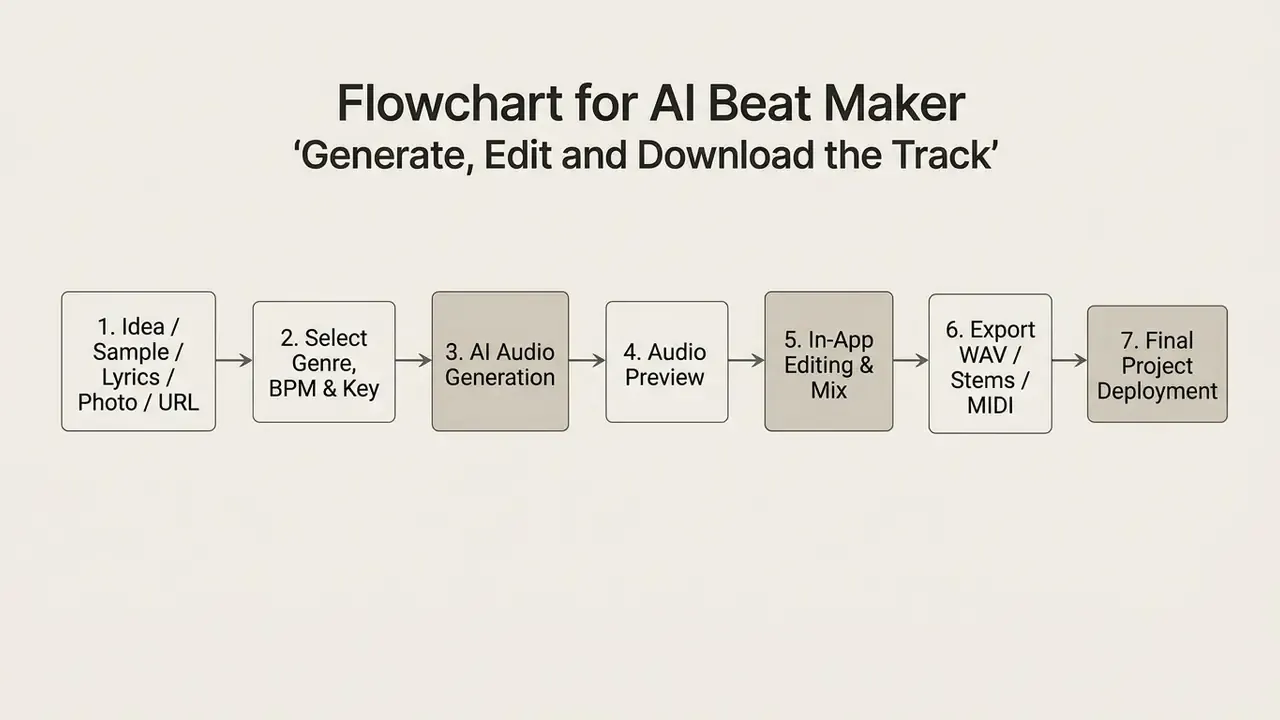
Figure 1: Step-by-step operational workflow for online AI beat creation and export. Accessible list version: idea or sample, genre and tempo selection, generation, preview, editing, export, deployment.
How to Control the Sound of an AI-Generated Beat
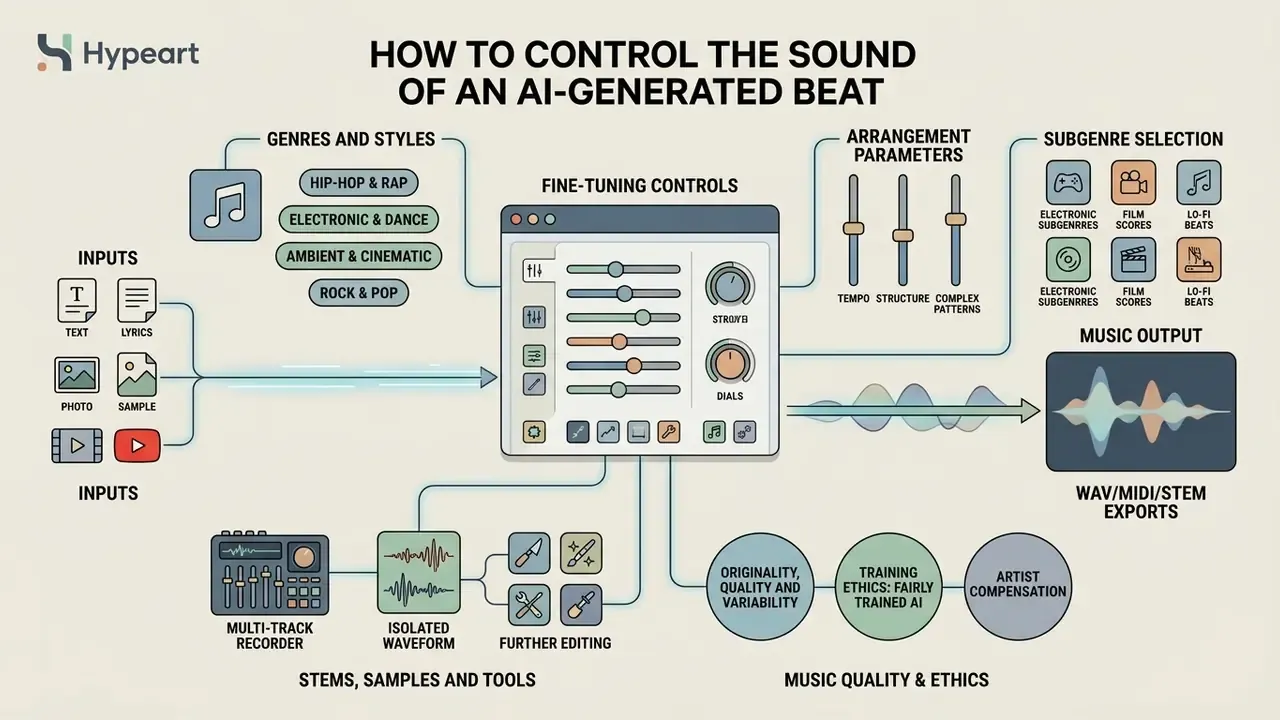
Fine-tuning an AI-generated beat requires adjusting arrangement parameters, selecting specific subgenres, isolating instrument stems, and applying final mastering controls. Advanced generative platforms allow granular control over individual mix components to ensure production-grade audio quality.
Using an AI backing track generator with explicit stem-separation capabilities ensures that users are not locked into a static stereo bounce. Producers can balance drum levels, adjust bass compression, and apply external audio effects to tailor the final mix to professional broadcast standards.
Genres and Styles: From Rap to Ambient and Electronic Music
Modern generative engines support a broad spectrum of musical styles, ranging from high-energy electronic dance music to relaxed lo-fi beats. Available primary genres and subgenres include:
- Hip-Hop & Rap Trap, Boom Bap, Drill, Lo-Fi Hip-Hop.
- Electronic & Dance House, Techno, EDM, Synthwave, Drum & Bass, Trance, Downtempo, UK Garage.
- Ambient & Cinematic Orchestral scoring, Corporate background beds, Chillout ambient.
- Rock & Pop Indie Rock, Pop Punk, Funk, Modern R&B, Neo-Soul, Folk-Country.
Genre breadth is table stakes now. What still separates platforms is how faithfully a subgenre label maps to the actual output, so test one narrow style you know well before trusting a catalogue of forty.
Stems, Samples and Tools for Further Editing
Professional audio workflows depend on stem separation, which divides a full stereo track into isolated audio files for drums, bass, instruments, and vocals. An AI backing track maker featuring stem export allows producers to perform detailed mixing and custom arrangement adjustments.
Illustrative agency workflow (composite scenario, not a verified case): a digital marketing team producing high-volume ad variants generates base instrumentals with an AI backtrack maker, exports 24-bit WAV stems into its video editing suite, mutes the percussion stem underneath voiceover sections, and reintroduces it on visual transitions. The transferable lesson is that stem-level control, not the stereo bounce, is what makes audio-visual synchronization repeatable at scale. Stem export should therefore be treated as a hard requirement rather than a nice-to-have when selecting a vendor.
Originality, Quality and Variability of Generated Music
Recent comparative research indicates that state-of-the-art generative audio models achieve high objective quality scores on metrics such as Fréchet Audio Distance (FAD), matching baseline commercial stock library quality.
«AudioLDM 2 outperforms MusicGen by 36% on FAD, 11% on KL and 3.4% on CLAP on the MusicCaps dataset.»
«Ratings for human-composed works are significantly higher for stylistic success and aesthetic pleasure than for any computer-generated system.»
To maximize originality, creators should avoid generic single-word prompts and instead combine multi-layered style descriptors, custom key specifications, and post-generation stem edits. It also helps to know that FAD is no longer the most reliable proxy for perceived quality:
«MAD shows an average rank correlation of 0.84 with listener ratings, whereas FAD reaches only 0.49, making MAD a more reliable quality metric.»
In practice, originality is also a legal metric, not only an aesthetic one. Research on generation originality defines it as 1 − max similarity to training material, so lower scores signal higher plagiarism exposure. Legal-technical analyses published through 2026 assess AI music systems through three lenses, training-data provenance, output similarity and human-authorship controls, rather than a single universal "studio sound" benchmark. Ongoing disputes in this area are tracked on our litigation page.
Training Ethics: Fairly Trained AI and Artist Compensation
Leading generative audio vendors now publish their training-data posture as a trust signal. Fairly Trained certification indicates that a model was trained exclusively on licensed audio, public-domain material or catalogues contributed with consent, and that contributing musicians receive equitable compensation for supplying recordings to the training set. Beatoven.ai, for example, states publicly that musicians receive equitable compensation when they contribute music to its model and that certification affirms respect for musicians' rights during training.
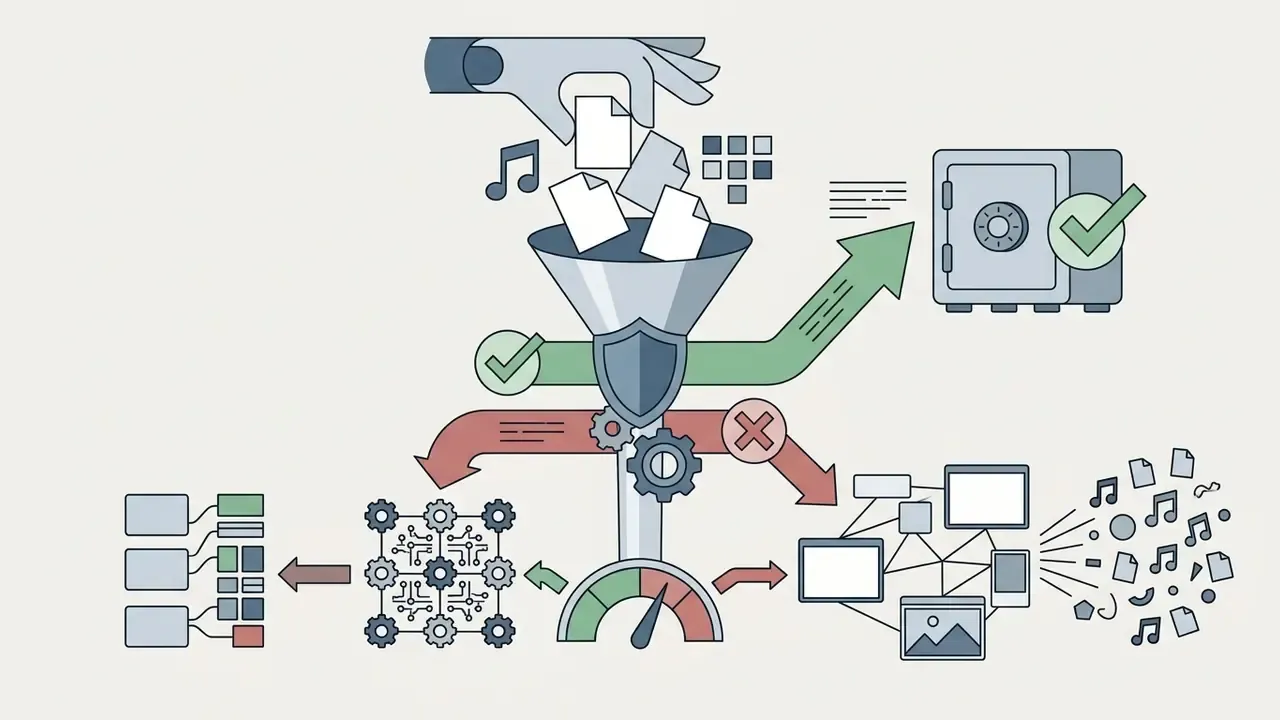
For commercial buyers this matters in two ways. First, licensed-only training materially reduces the risk of a third-party claim that a generated output reproduces protected material. Second, provenance documentation is exactly what a procurement or legal team will request during vendor review. When comparing platforms, ask for: the training-data licensing statement, whether any certification is held, whether user uploads enter the training corpus, and whether the vendor indemnifies commercial customers against infringement claims.
Context on how much of the modern catalogue is machine-assisted:
Data Privacy, Sample Uploads and Enterprise Security
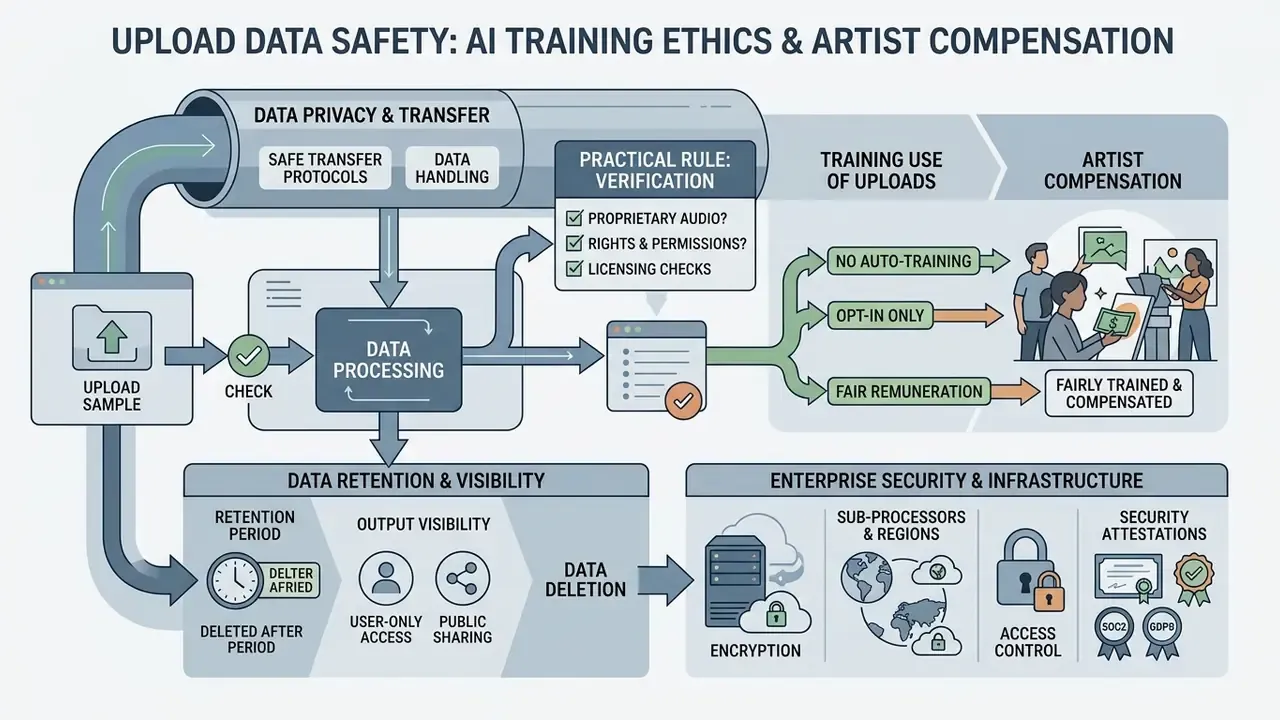
Free AI Beat Maker, Downloads and Usage Terms
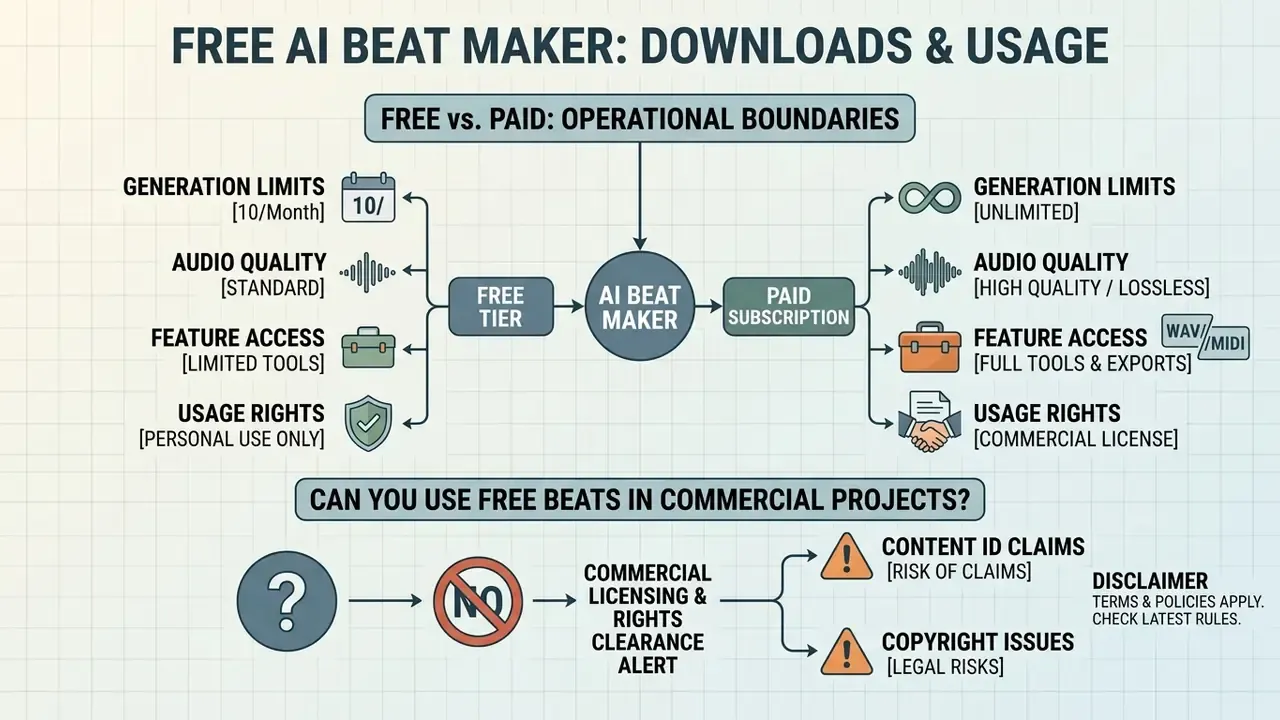
Evaluating a free AI beat maker requires understanding the operational boundaries between personal evaluation tiers and paid commercial subscriptions. Free plans allow testing and prototyping. Commercial monetization typically requires an upgraded license.
Users seeking an AI beat maker free option can access web-based generators to create and preview tracks at no cost. However, downloading uncompressed master files, securing full commercial usage rights, and accessing isolated stems generally require a paid tier or subscription plan.
What a Free AI Beat Generator Includes
An AI beat generator free tier typically provides basic generation capabilities designed for platform testing and personal evaluation. Search demand for an ai beat maker free online is enormous, so vendors design these tiers as funnels, not as gifts.
- Generation Limits Restricted number of monthly generation credits, daily track creations or, increasingly, a hard lifetime download cap.
- Audio Quality Lower-bitrate MP3 downloads rather than uncompressed 24-bit WAV files; some free tiers cap clip length (for example, 30-second outputs).
- Feature Access Basic genre selection without stem separation or advanced MIDI export.
- Usage Rights Personal, non-commercial use only; track monetization is prohibited, attribution may be mandatory, and free-tier output may remain the vendor's property or be published in a public gallery.
Free-tier limits are also moving targets. Vendors have repeatedly tightened download quotas and reserved commercial rights for paid plans, so re-read the plan page before starting a deliverable rather than relying on a review published months earlier.
Can You Use AI-Generated Beats in Commercial Projects?
Commercial deployment of AI-generated tracks, including YouTube monetization, streaming platform releases, and client advertising, is governed by platform Terms of Service (ToS) and regional copyright laws.
Commercial Licensing & Rights Clearance Alert
According to official guidance from the U.S. Copyright Office (2025/2026), purely AI-generated audio lacking meaningful human authorship cannot be protected by copyright. Furthermore, most free generative music tiers explicitly forbid commercial exploitation or YouTube monetization. Before uploading AI tracks to streaming platforms or using them in client work, verify that your active subscription tier grants explicit, perpetual commercial licensing rights.
«Shortcomings capable of infringing copyright have been identified in AI music generation algorithms; the researchers propose guidance for evaluating the systems in use.» - Collins et al., Musicae Scientiae / University of York (2023). https://doi.org/10.1177/10298649231178404
Two further consequences follow from the human-authorship rule. Registration guidance requires applicants to disclose AI-generated material and describe the human contribution, and more than de minimis machine-generated content must be excluded from the claim. Separately, U.S. guidance to the Mechanical Licensing Collective indicates that claimants for uncopyrighted musical works are not entitled to royalty payments from the collective, which directly affects anyone planning to monetise raw generated tracks through mechanical royalties. UK practice reaches a similar conclusion from a different direction: prompt-only generation is treated as insufficient human intervention for protection.
Streaming Distribution: Spotify, Apple Music and Aggregators
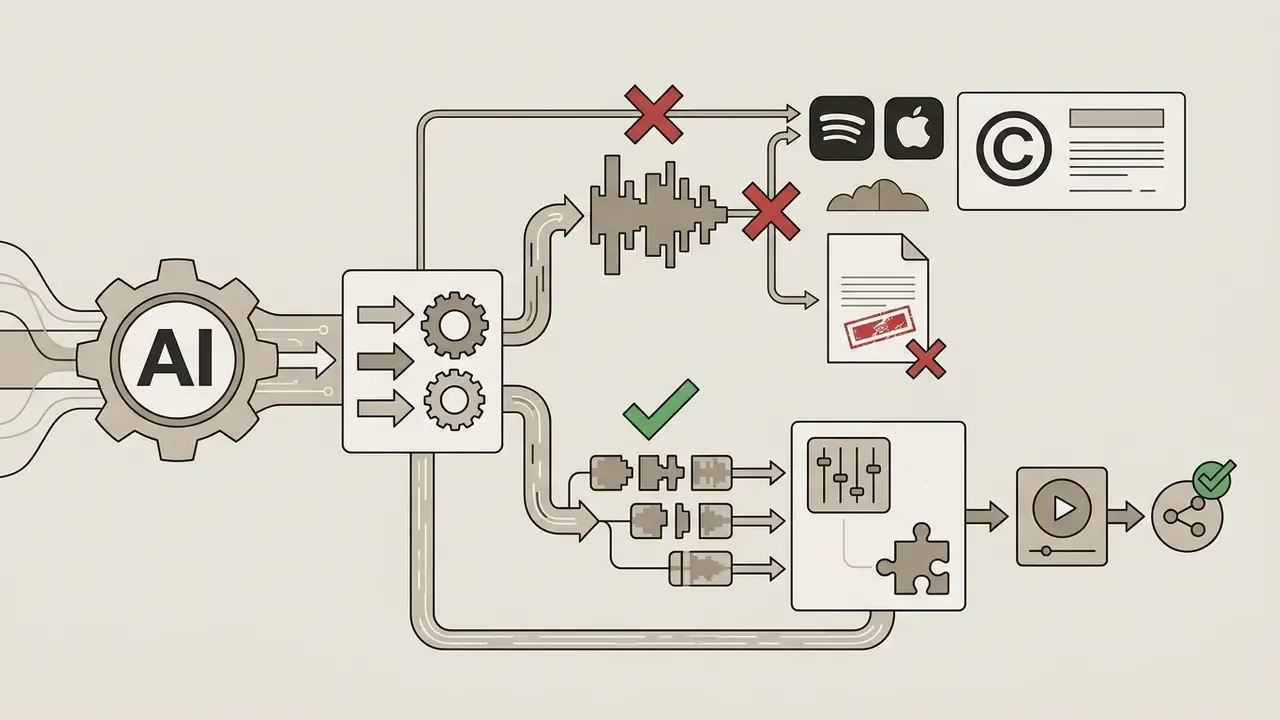
Important: uploading raw, unmodified AI tracks to Spotify or Apple Music through standard distributors (DistroKid, TuneCore and similar) can result in a takedown, a rejected release or account penalties. Several generators forbid direct distribution outright while explicitly permitting a different route. Beatoven.ai, for example, states: "We do not allow direct distribution of music created with beatoven.ai on music streaming platforms such as Spotify, Apple Music etc. However, you can use beatoven's stems for sampling purposes in your remixes."
Practical implications for a commercial streaming release:
- Add substantive human contribution: record your own vocal, rewrite the arrangement, re-perform parts, or use generated stems as samples inside your own DAW production.
- Keep the generated material as one input among several rather than the finished master.
- Retain evidence of your human contribution, including project files, versions, recorded takes, prompt history and export records, since distributors and collecting societies increasingly ask for it.
- Check whether your plan's licence covers distribution and synchronisation specifically, not merely "commercial use".
What to Do If YouTube Issues a Content ID Claim
Claims on legitimately licensed AI audio are uncommon but not impossible, usually because a similar library track sits in the reference database. The resolution path is procedural:
- Open your account dashboard on the generator and download the licence certificate for the exact track, including its Track ID.
- In YouTube Studio, go to Content → Copyright claims, locate the claim and select Dispute.
- Choose the "I have a licence or written permission" ground and paste the licence text together with your Track ID and the download date.
- Most automated claims are released within 24 to 48 hours. If yours is not, submit the claim details to the generator's support or claim-resolution form. Vendors typically escalate on your behalf, since the reference match originates in their catalogue.
Keep the certificate archived per project. A licence you cannot produce on demand offers no protection during a dispute.
Copyright Clearance Checklist Before Release
Checklist0 / 9
When evaluating pricing models, users can review platform-wide features via the AI Media Pricing page to confirm commercial license grants and stem export capabilities. To model the total cost of a paid tier against stock-library spend, see the overview of our cost and ROI calculators. Readers weighing rights across media types can also compare the parallel rules for commercial use of AI image generators, or open the hub for the full set. For technical integration questions or license verification, consult the official support portal.
How to Choose an AI Beat Maker for Your Task
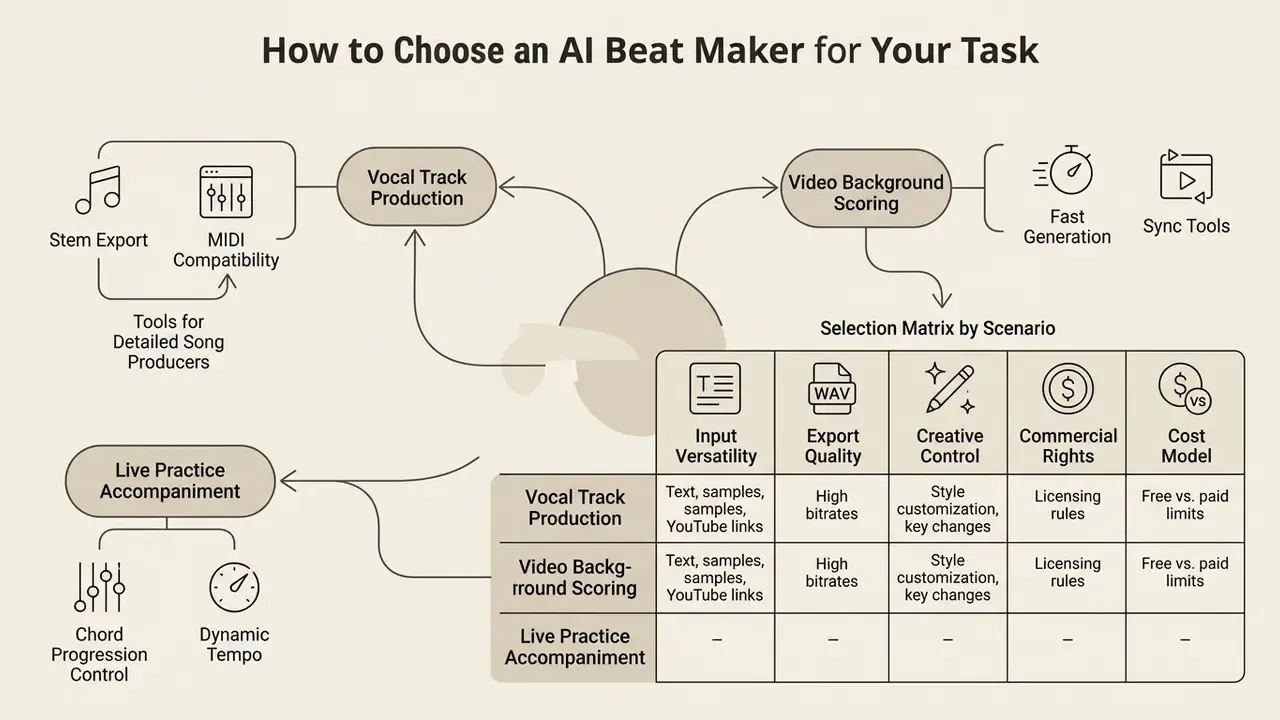
Selecting the right AI beat generator website depends on whether your primary objective is vocal track production, video background scoring, live practice accompaniment, or professional DAW remixing. Different platforms optimize for different aspects of audio generation.
When evaluating an AI band music generator, song producers require stem export and MIDI compatibility, whereas video editors prioritize fast generation speed, loopability, and automated copyright clearance.
Selection Criteria for Songs, Video and Backing Tracks
To select the most effective platform for your project needs, evaluate tools against five core operational criteria: genre control, stem availability, export formats, licensing scope, and data handling.
| Scenario / Use Case | Essential Platform Features | Priority Export Format | Recommended License Tier |
|---|---|---|---|
| Song Production (Rap/Pop) | Custom BPM/Key, stem separation, 808 controls | 24-bit WAV + Stems | Paid Commercial Tier |
| Video Background Audio | Scene mood matching, loop controls, duration fitting | High-bitrate MP3 / WAV | Royalty-Free Commercial License |
| Vocal Practice / Backing | Sectioned arrangement (verse/chorus), no lead vocal | MP3 or WAV | Personal / Creator Tier |
| Karaoke / Play-Along from Existing Songs | URL input, vocal & instrument removal, multi-stem split | WAV or MP3 stems | Personal / Rehearsal use |
| Professional DAW Production | MIDI export, isolated stems, sample upload support | WAV Stems + MIDI | Pro / Enterprise Tier |
| Client / Agency Work | Indemnity, training-data provenance, SSO, retention controls | WAV + Stems + licence certificate | Enterprise Tier |
Table 2: Selection matrix by scenario. Read it top to bottom for one rule of thumb: the more the output leaves your own hands, the more the licence and provenance columns outweigh the feature column.
Teams building complete audio-visual pipelines often shortlist audio and video tools together; our comparison of the best AI video generators covers the visual half of that stack, and you can open the hub for side-by-side breakdowns across categories.
Creators comparing specialized tools across various media generation workflows can explore comparative breakdowns in our guide to free photo editors or review automated creation workflows in our YouTube video editor guide.
FAQ About AI Beat Makers
Do I Need Music Production Skills to Create a Beat?
No prior music theory or sound engineering experience is required to generate basic tracks using an AI beat creator free tool.
«AI accelerates idea generation, but novices face a demanding selection and validation stage that requires creative judgement.» - Co-creation with AI study, ACM CHI (2024). https://doi.org/10.1145/3613904.3642811 Online platforms utilize plain-language natural language prompts and structured drop-down menus (genre, mood, BPM) to handle rhythm generation, harmonic progression, and audio synthesis automatically. Several vendors state explicitly that no DAW and no theory background are needed. Basic mixing knowledge still helps when you edit exported stems in a DAW, and the underlying concepts (beat, bar, time signature, tempo) shape whether your prompts produce usable results.
How Long Does AI Beat Generation Take?
Modern AI beat generation engines typically render a full audio track in 5 to 30 seconds. Research on inference latency in text-to-audio diffusion models confirms that optimized systems are far faster than real time.
«MusicCM generates a 10-second audio clip in 0.37 seconds using 4 diffusion steps, achieving high-quality music synthesis.» - MusicCM: Consistency Model-based Fast High-Quality Music Generation (2024). https://arxiv.org/abs/2401.09286 Updated: this replaces the earlier "MusicCM Technical Report, 2024" reference without a URL. See Appendix A.
In Which Formats Can I Export and Download Finished Tracks?
Standard export options depend on the platform and user subscription tier. Most services offer downloadable MP3 files for quick previews, uncompressed 24-bit WAV files for high-fidelity production, separated WAV stems (drums, bass, synth, FX) for mixing, and MIDI files for symbolic sequence editing. Stem-separation tools additionally deliver FLAC, AAC, AIFF or PCM, and frequently package multi-stem results as a ZIP archive.
Can I Remove Vocals or a Specific Instrument from an Existing Song?
Yes. Stem-separation models can isolate vocals, drums, bass, guitar, keys and other parts from an uploaded file or a pasted video URL, producing a karaoke version or a play-along track missing your own instrument. Quality is high enough for rehearsal and most live-performance contexts, though dense mixes can leave audible artefacts. Remember that separation does not grant you rights to the underlying recording.
Can I Publish AI Beats on Spotify or Apple Music?
Not automatically. Many generators forbid direct distribution of their raw output to streaming services while permitting stem use for sampling inside your own productions. A safe release path adds meaningful human authorship, such as your own vocals, re-arrangement or re-performance, and keeps documentation of that contribution alongside the platform licence.
Are My Uploaded Samples Used to Train the Model?
It depends entirely on the plan. Consumer free tiers frequently reserve rights to use uploads and outputs for model improvement and may publish generated tracks publicly; enterprise agreements typically allow training opt-out, defined retention windows and deletion on request. Verify this before uploading unreleased or client-owned audio.
What Happens If I Get a YouTube Copyright Claim?
Dispute the claim in YouTube Studio using the licence certificate and Track ID supplied with your download, then escalate to vendor support if the automated release does not occur within 24 to 48 hours. The full four-step procedure is described in the licensing section above.
Appendix A: Editorial Revisions and Superseded Citations
For transparency, the following references from earlier versions of this guide were replaced with verifiable, linkable sources. The original wording is preserved here for continuity of record.
| Superseded wording (previous version) | Replacement source in current text |
|---|---|
| "Google Research on MusicLM, 2023" cited without URL or methodology. | Overview of Text-to-Music Models, Emergentmind (2023–2024). https://www.emergentmind.com/topics/text-to-music |
| "Empirical workflow studies indicate that integrating generative audio models reduces initial composition drafting time by up to 70% for independent creators (HCI Music Production Survey, 2024)." No URL, no methodology, unverifiable percentage. | Co-creation with AI study, ACM CHI (2024). https://doi.org/10.1145/3613904.3642811 |
| "AudioLDM 2 Benchmarks, 2024", an undated benchmark reference without metrics. | AudioLDM 2 (2023), with reported FAD/KL/CLAP deltas. https://arxiv.org/abs/2308.05734 |
| "MusicCM Technical Report, 2024", no URL. | MusicCM (2024). https://arxiv.org/abs/2401.09286 |
| Case narratives presented as verified customer results (independent hip-hop artist; digital marketing agency). | Retained as clearly labelled illustrative workflows, with the transferable process lesson stated instead of unverifiable outcome claims. |
| "Commercial deployment … on streaming platforms (Spotify, Apple Music) … is governed by ToS." | Expanded with explicit distributor restrictions and the human-authorship requirement for streaming release. |