An AI character generator is an automated software tool powered by machine learning algorithms, primarily text-to-image diffusion models, that converts natural language prompts or reference images into digital visual assets. These tools let writers, visual artists, marketers, and game developers generate customized 2D art, fantasy portraits, concept art, and brand avatars without manual drawing skills. By processing semantic tokens through neural networks, an ai character generator translates descriptive text into coherent visual traits, clothing, lighting, and artistic styles.
One practical note before the details. The creative part is now the easy part. The hard part is proving, months later, who approved an asset and where its reference data came from.
Executive Summary
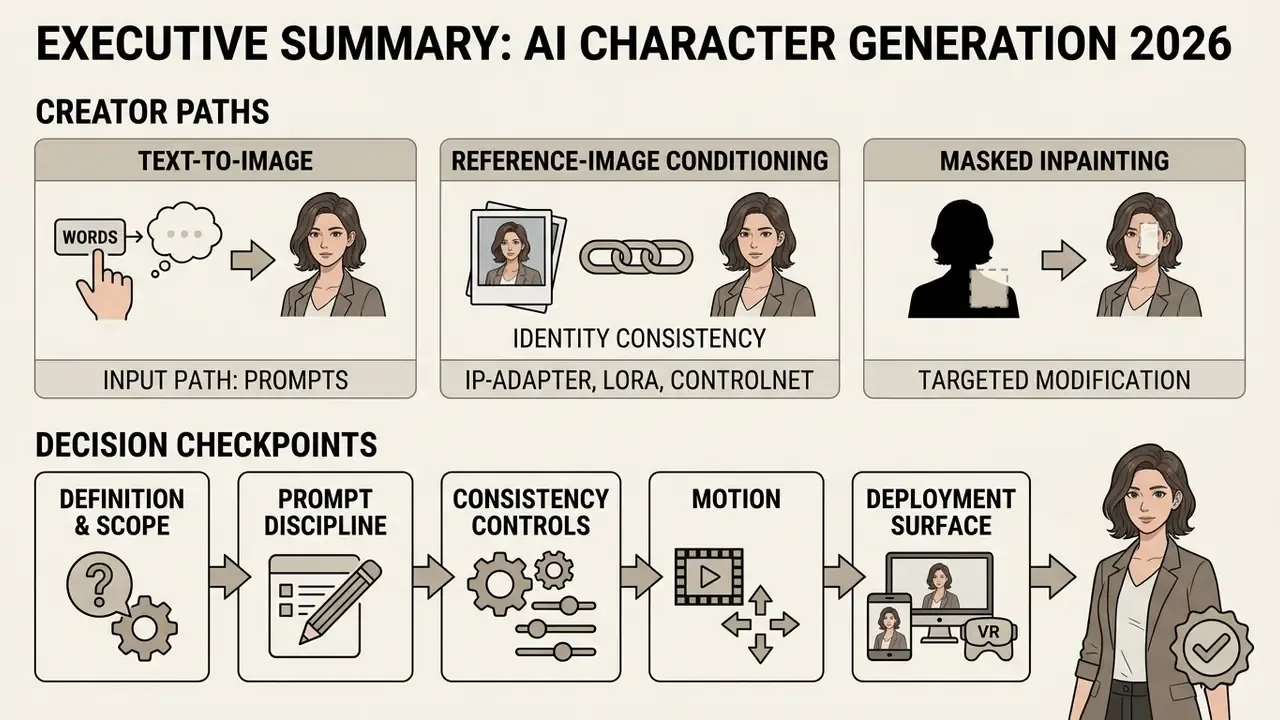
For creators: Three generation paths exist: text-to-image, reference-image conditioning, and masked inpainting. Identity consistency across multiple scenes is achieved with IP-Adapter, LoRA adapters, ControlNet skeletons, or built-in character-reference parameters. A copy-paste prompt library and a six-field prompt checklist are provided below.
For risk, compliance, and procurement leaders: Commercial deployment of AI character assets is governed by two separate legal layers. The platform contract may grant commercial exploitation rights, while U.S. copyright law still denies registration to purely machine-generated output without documented human authorship. Consumer-grade subscriptions ($10 to $30 per month) rarely satisfy enterprise controls; regulated organizations should require SOC 2 Type II attestation, a documented No-Train policy, encryption in transit and at rest, SSO/RBAC, retention windows for uploaded reference images, and an auditable generation log. Model risk should be scoped under existing validation frameworks (SR 11-7-style model risk management, NIST AI Risk Management Framework) with explicit controls for identity drift, prompt-based data leakage, and Shadow AI usage.
Bottom-line metric to track: Risk-Adjusted ROI = (production cost avoided + speed-to-market value) minus (validation cost + monitoring cost + legal review + residual risk reserve).
How to Use This Guide: Decision Checkpoints
This is not a feature tour. Each block below answers one decision, so you can stop reading once your question is closed.
- Definition and scope. Is a generative tool actually what you need, or does a parametric character creator fit better?
- Input path. Text prompt, reference image, preset builder, or a hybrid of all three.
- Prompt discipline. The six fields that separate a repeatable render from a lucky one.
- Consistency. Which technique locks identity across scenes, and how much residual drift to expect.
- Motion. When a static character sheet should become video, and how to avoid face warping.
- Deployment surface. Books, games, campaigns, internal communications, regulated messaging.
- Controls. Model inventory, input and output rules, audit trail, Shadow AI containment.
- Money and rights. Pricing tiers, licence terms, copyright registrability, and total cost including controls.
A vocabulary note, because search behaviour is messy. Queries such as ai charachter generator, ai character creater, ai char generator, ai cg generator, ai cast generator, and ai adoptable generator all point at the same product category, sometimes with different intent: a full cast for a story, a CG-style render, or an adoptable original design meant for resale in art communities. Same engines, different licensing consequences.
What Is an AI Character Generator and What Tasks Does It Solve
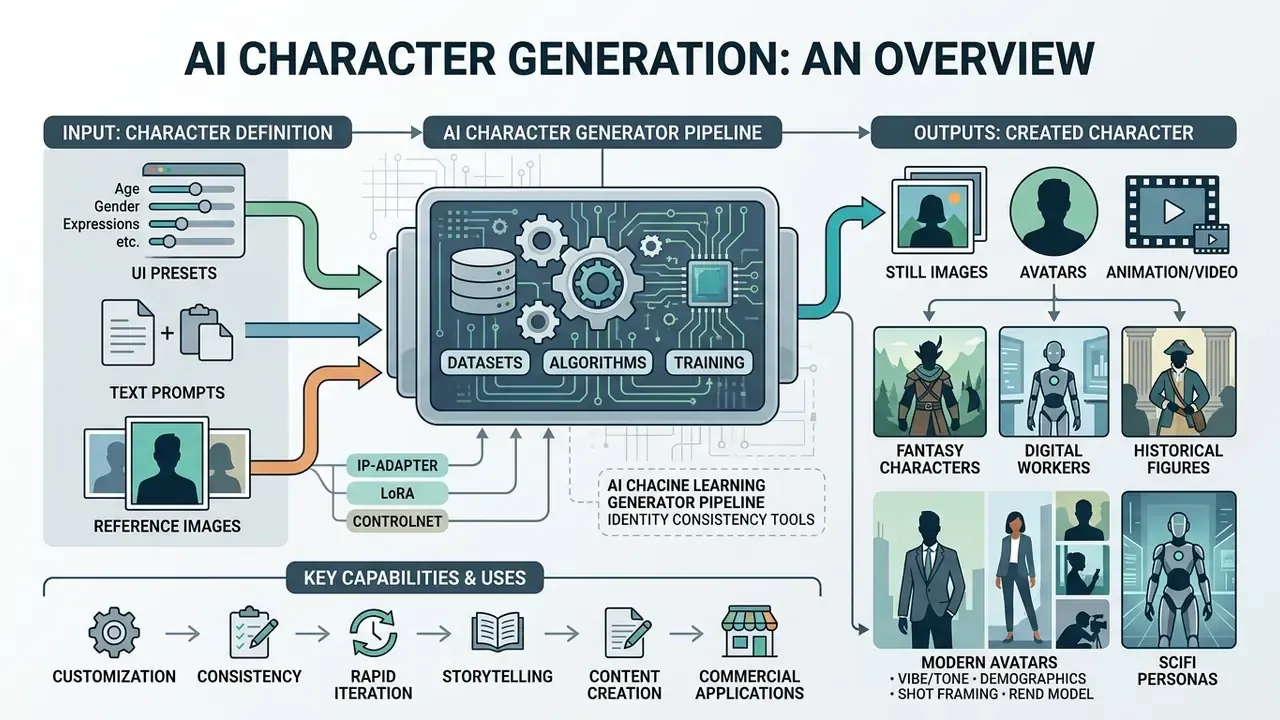
An ai character generator is a specialized machine learning pipeline designed to synthesize digital visual representations of imaginary characters, digital workers, or avatars from text prompts and visual input. Its core function is to automate asset creation by turning abstract creative ideas into high-resolution visual outputs.
Digital creators and enterprise teams use an ai character creation tool to accelerate pre-production pipelines, illustrate narrative media, and prototype brand mascots. Rather than spending days manually sketching drafts, teams use an ai character generator to iterate across hundreds of visual variations in minutes. This technology addresses several concrete operational bottlenecks:
- Generating reusable ai character art for digital storytelling, comic strips, and book covers.
- Synthesizing fantasy personas, anime heroes, and photorealistic profile avatars.
- Creating multi-view concept art for game pre-production and marketing campaigns. Teams building complete brand identity systems around a mascot often pair character output with AI logo generators to align silhouette, palette, and typography.
- Iterating on character attributes like clothing, hair, facial structure, and mood.
- Producing consistent digital spokespeople, virtual assistants, and internal training avatars for enterprise communications.
To choose the right technology for your workflow, you can explore the hub for visual asset estimation tools.
How an AI Character Generator Differs from a Character Creator and Avatar Builder
An ai character generator relies on open-ended generative AI models to synthesize new pixels from text or images, whereas traditional character creators and avatar builders use fixed, parametric templates.
A standard ai art character creator or 3D character creator operates through explicit parametric controls: sliders for nose width, dropdown menus for hair color, and pre-modeled 3D asset libraries. Systems like Reallusion Character Creator provide deterministic control over underlying mesh assets and bone structures, exporting rigged characters directly into game engines and DCC tools (Reallusion Documentation, 2026). In contrast, an ai character creator driven by diffusion models processes unstructured text prompts (for example, "a cybernetic space captain with a scarred cheek") to generate entirely new raster images.
Avatar builders, such as those found in conversational AI platforms, focus on attribute-driven profile fields: name, greeting, avatar thumbnail, categories, visibility, and personality description. An ai character creation framework prioritizing text-to-image synthesis offers maximum artistic flexibility, while traditional builders offer tighter structural predictability. Which matters more? It depends on whether the asset ends up rigged in a game engine or flat on a landing page.
| Approach | Generation Method | Level of Control | Best Use Case |
|---|---|---|---|
| AI Character Generator | Diffusion synthesis from text/image | High artistic freedom, moderate determinism | Concept exploration, illustration, marketing art |
| 3D Character Creator | Parametric mesh + skeleton editing | Deterministic, asset-level precision | Animation, game engines, rigged production assets |
| Avatar Builder | Preset attribute fields | Structured, low variance | Profile identities, chat personas, quick branding |
Hybrid Preset-Assisted Generation: Working with UI Presets
Modern generators no longer force a choice between free-text prompting and parametric building. Platforms such as OpenArt and PicLumen expose a hybrid preset-assisted workflow, where fixed selectors constrain the search space before a single word of prompt text is written. Typical selector groups include:
- Vibe / Tone cyberpunk, dark fantasy, streetwear, vintage retro, corporate editorial, storybook whimsy.
- Demographics apparent age range (20s, 30s, 50s), ethnicity, gender presentation, body type.
- Shot Framing close-up portrait, three-quarter view, full-body turnaround, action shot.
- Render Model photorealistic engine, stylized illustration engine, or motion-ready model for later animation.
Because presets inject standardized tokens into the prompt, they reduce token variance and stabilize output before you refine details in free text. Practical guidance: start from presets when you need speed and repeatability across a batch, and switch to free-text prompting when you need a specific narrative detail (a scar, an heirloom pendant, a faction insignia) that no dropdown can express. A reference image, by contrast, gives the highest control over facial structure and identity. Vendor documentation consistently ranks reference-image input above both presets and free text for identity precision.
What Types of AI Characters Can You Create
An ai character generator can synthesize diverse visual formats tailored to specific industry use cases, ranging from highly stylized graphic media to photorealistic digital assets.
Depending on prompt parameters and reference conditions, users can generate:
- Fantasy CharactersHeroic knights, elven mages, and sci-fi pilots featuring intricate armor, magical aura effects, costume materials, weapon detail, and themed environments.
- 2D and Anime CharactersClean line art, expressive eyes, and stylized proportional features suitable for comics and light novels; often produced as turnaround or expression sheets.
- Photorealistic AvatarsDetailed facial textures, realistic skin lighting, and balanced portrait framing for professional profiles or AI influencers. For business headshot use cases specifically, review dedicated AI headshot generators that optimize 1:1 framing and skin retouching.
- Brand MascotsSimplified, iconic visual heroes built around recognizable silhouettes, mood, and brand color palettes.
- Concept Art and Character SheetsMulti-angle poses (turnarounds), facial expression sheets, and equipment breakdowns for pre-production planning.
- Adoptable DesignsOriginal characters produced in batches for community marketplaces, where an ai adopt generator workflow raises a licensing question most creators skip: can you legally resell exclusive rights to output you do not own outright?
Creation Methods Offered by AI Character Generators
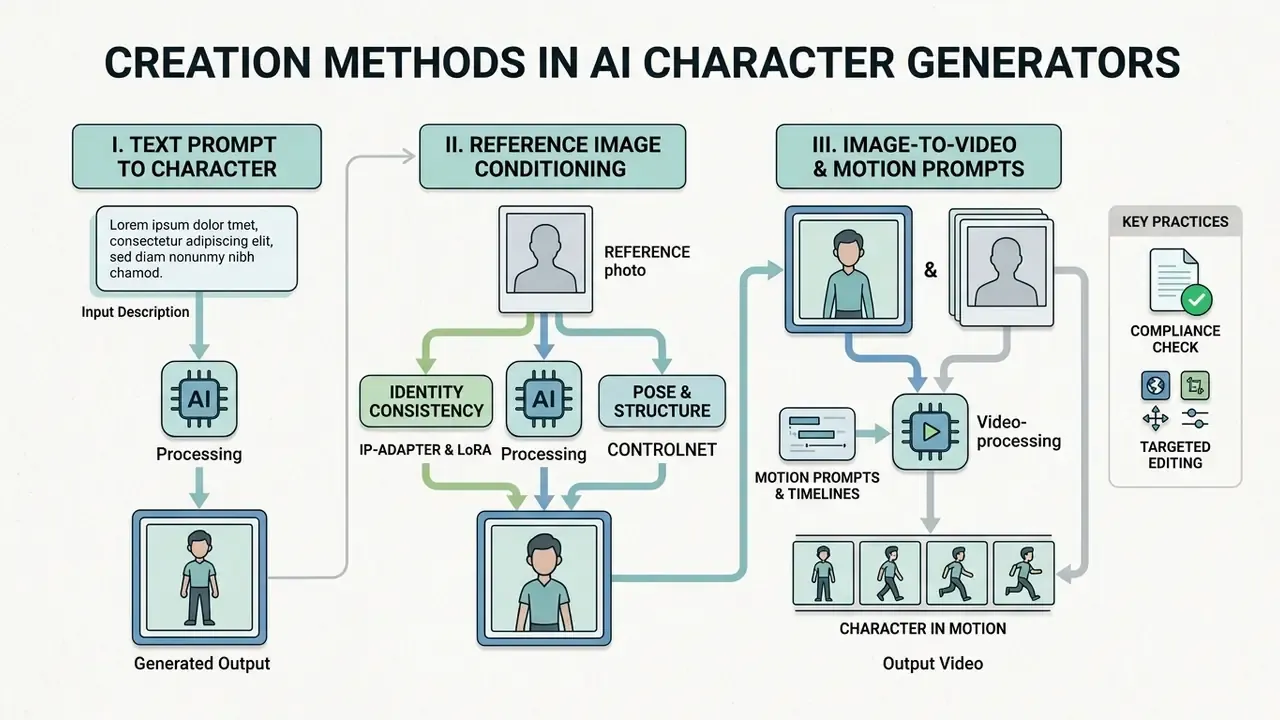
Modern generator ai systems offer three primary workflows for producing digital character images: text-to-image generation, reference image conditioning, and targeted region-based editing.
Selecting the appropriate workflow depends on whether a project requires completely new concept exploration, exact facial feature preservation, or minor post-generation adjustments.
Creating an AI Character from a Text Prompt
Text-to-image generation is the foundational workflow where an image generator ai constructs a visual asset entirely from natural language descriptions.
Users write a structured prompt detailing subject attributes, clothing, posture, artistic style, and lighting. If you are still selecting a platform, compare the best AI image generators by prompt adherence and identity control before committing to a pipeline. Research on prompt engineering shows that text-to-image models sample latent noise to construct full-frame images based on learned token associations, and that prompt phrasing measurably shifts output quality.
«RL-optimized prompts are preferred by human raters and score higher on automatic metrics than manually written prompts, especially for out-of-distribution requests.»
To achieve accurate output, combine precise subject descriptions with explicit style tags. For instance, typing "a female rogue in leather armor, dynamic pose, dark alley, dramatic rim lighting, digital painting style" gives the model unambiguous structural boundaries. Practitioner guidance from design research also recommends generating three to nine seed variants per prompt rather than judging a concept from a single render, because output variance across seeds is substantial. Judge the batch, not the frame.
Creating a Character from a Photo or Reference Image
Image-to-image and conditioning pipelines use a reference photo to maintain facial structure, body identity, or artistic style during generation.
An ai character appearance generator conditioned on a reference photo extracts face embeddings and structural features to guide the diffusion process. Advanced architectures such as FlashFace, PortraitBooth, and IP-Adapter inject identity feature maps into the neural network, encoding identity as a series of feature maps rather than a single token. That design lets users place a specific person or persona into new outfits, fantasy roles, or alternative art styles without losing facial recognizability.
«StoryMaker preserves characters' faces, clothing, hairstyles and bodies across a series of images by combining face-identity conditions with cropped character images.»
This approach is essential for maintaining identity across serial content, such as graphic novels or multi-channel marketing campaigns. For hair and grooming variations specifically, some teams prototype looks in a free hairstyle app first, then feed the approved look into the generator as a reference.
Compliance note: uploading photographs of real employees, clients, or models transfers biometric-adjacent data to a third-party processor. Enterprise teams must confirm retention and No-Train commitments before any upload (see the data protection protocol below).
Editing Generated Character Images
Targeted editing workflows let creators modify localized details of a generated image without regenerating the entire frame.
Diffusion-based inpainting uses binary masks to isolate specific canvas areas: swapping a character's jacket, altering an expression, or adding an accessory. Research demonstrates that localized diffusion editing preserves unmasked background and facial geometry while regenerating only the selected sub-region under prompt guidance.
«LEdits++ requires no fine-tuning, supports multiple simultaneous edits, and limits changes to the relevant image regions.»
Outpainting extends canvas boundaries to reveal surrounding environments, which keeps compositional control high during visual refinement. In fashion and costume editing research, the same localized mechanism is used to swap garments while preserving identity and pose. That is the practical basis for producing seasonal wardrobe variants of a single brand character without paying for a full reshoot of the concept.
How to Write Prompts for Precise AI Character Design
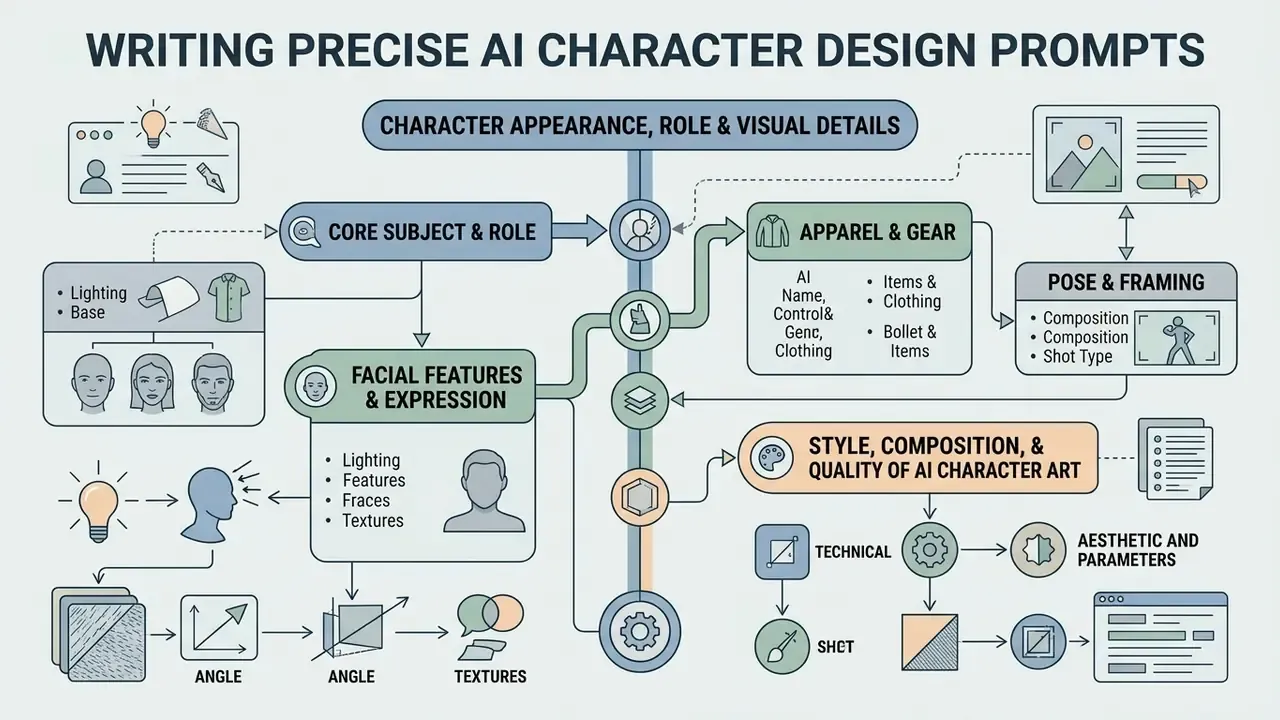
Writing effective prompts for an ai art generator character design requires a structured, constraint-focused approach that minimizes model ambiguity and stochastic drift.
A vague prompt yields unpredictable visuals, whereas a structured prompt engineering methodology produces repeatable, high-fidelity results across multiple generation cycles. Prompt engineering is iterative by design: craft, test, analyze, document, refine.
Character Appearance, Role, and Visual Details
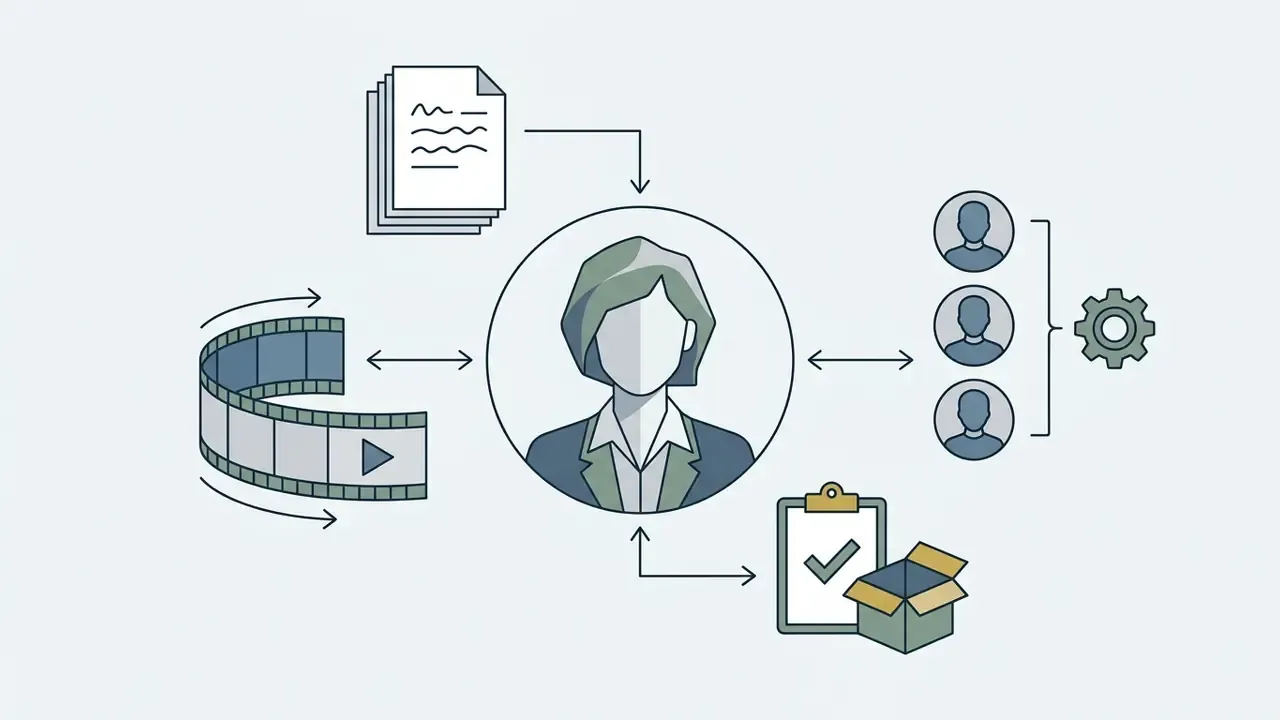
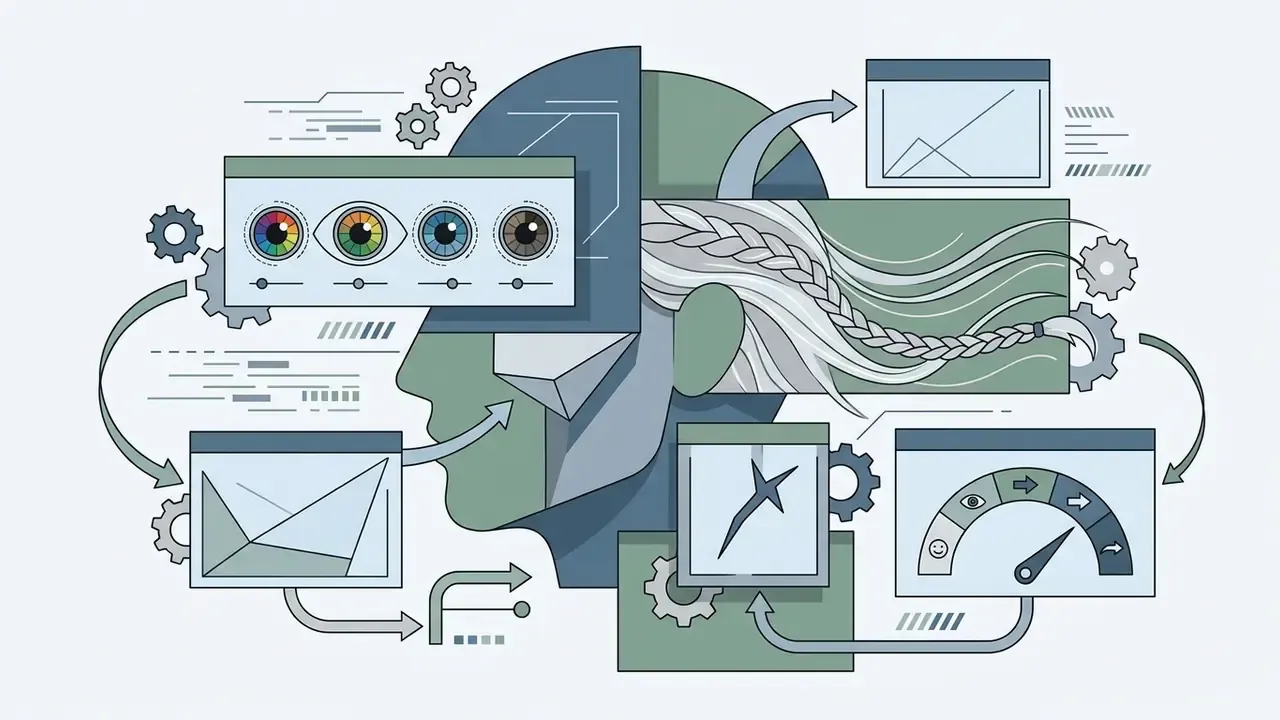
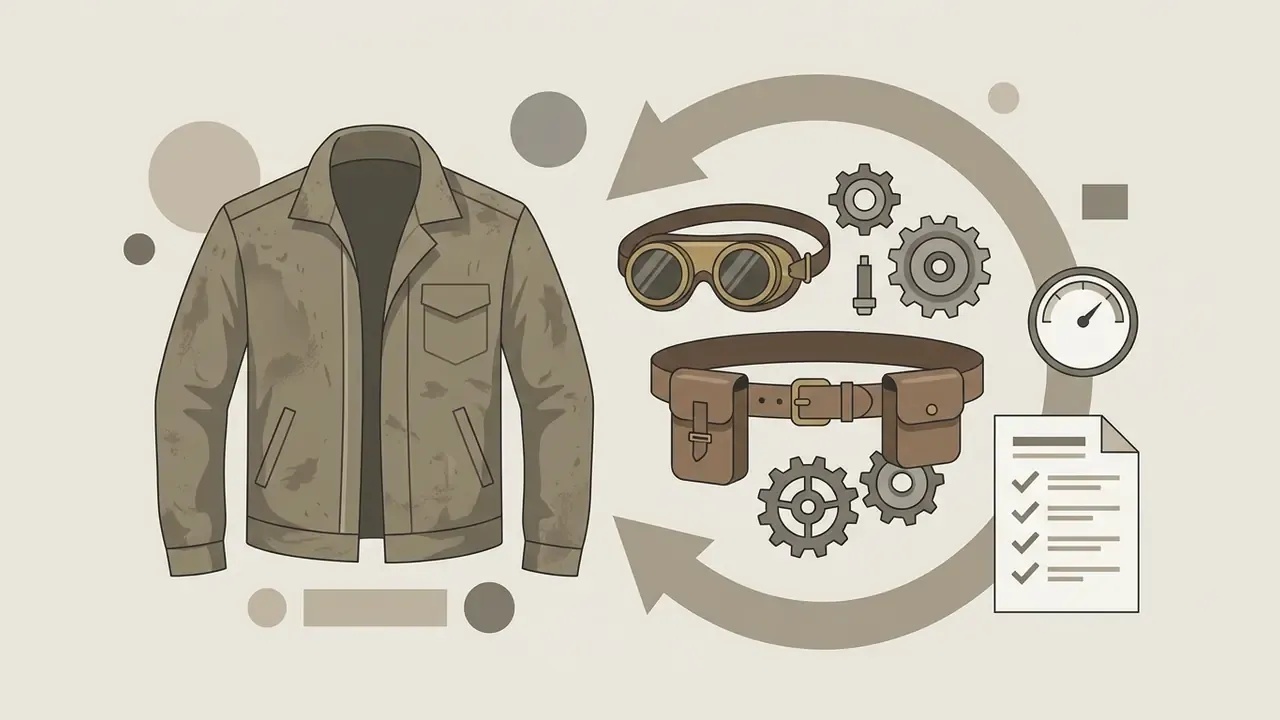
To achieve high precision in ai art character design, prompts should explicitly define core physical identity, garment construction, and functional role attributes.
Prompt frameworks documented in peer-reviewed and community research recommend organizing subject descriptions into discrete attribute blocks rather than one undifferentiated sentence.
«An ethnographic study of online text-to-image communities identifies six categories of prompt modifiers: subject terms, style modifiers, quality boosters, repeating terms, image prompts and "magic terms".»
For anatomical stability across a series, also lock proportional anchors: skull structure, shoulder width, limb length, and posture. Front, side, and back views of the same character then remain compatible instead of drifting into three different people.
Style, Composition, and Quality of AI Character Art
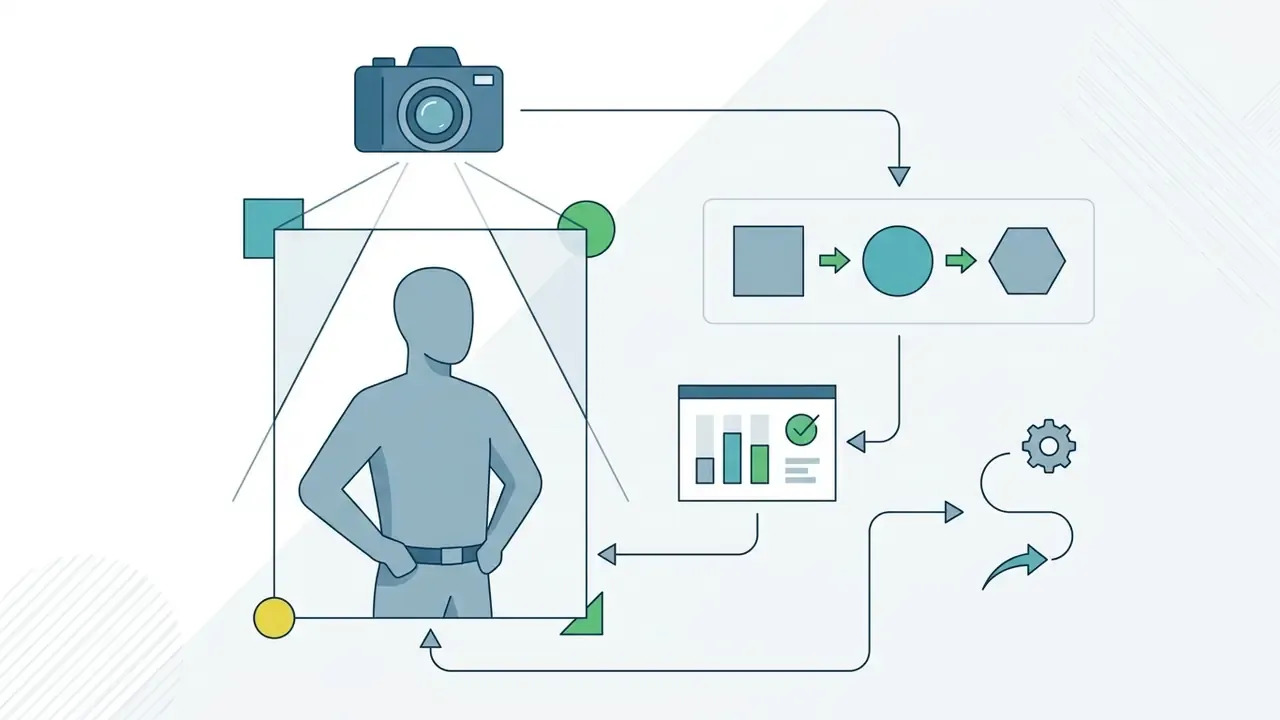
Controlling visual medium, camera parameters, and lighting conditions is more effective for driving image fidelity than relying on generic quality buzzwords.
Rather than adding subjective descriptors like "hyperrealistic" or "8K resolution," use explicit technical terms. They steer model outputs far more accurately.
«Experiments across 5,493 generations spanning 51 subjects and 51 styles show that prompts with explicit subject and style keywords systematically improve output coherence.»
Specifying camera lens characteristics ("85mm lens, f/1.8 aperture feel"), lighting direction ("golden hour side lighting, soft fill light"), and artistic medium ("2D cel-shaded illustration," "oil on canvas texture") pushes neural feature maps toward professional visual standards. Order the prompt as scene, subject, key details, constraints, and state the intended use (thumbnail, print cover, in-game portrait) so the model calibrates polish level.
Checklist for writing prompts in an AI Character Generator (ordered, six fields):
Checklist0 / 6
After generation, polish contrast, color levels, and background separation in dedicated AI photo editors rather than burning additional credits on full regenerations.
Copy-Paste AI Character Prompt Library by Render Engine and Art Style
The prompts below are production-tested structures, not decorative examples. Each one follows the six-field checklist and can be pasted directly into Midjourney, Leonardo.ai, DALL·E 3, Stable Diffusion, or Firefly, then adjusted by swapping the subject block while keeping the style tags intact.
| Style / Engine | Copy-Paste Prompt | Key Style Tags |
|---|---|---|
| Unreal Engine 5 Cyberpunk | Hyper-realistic character portrait of a female cybernetic pilot, scarred cheek, glowing blue ocular implant, grey sleeveless top, neon-lit alley background, dramatic rim lighting, Unreal Engine 5 render, cinematic focus, close-up shot --ar 16:9 | Unreal Engine 5, rim lighting, cinematic focus |
| Dark Fantasy Painterly | Full-body character concept of an ancient shadow mage in tattered obsidian robes, holding a crystalline staff, dark forest ambience, digital painting, style of Greg Rutkowski and Artgerm, dramatic contrast, highly detailed, trending on ArtStation | Greg Rutkowski, Artgerm, digital painting |
| Stylized Anime (Game Aesthetic) | Anime character portrait of a blonde warrior boy with brown eyes, ornate shoulder armor, black vest-style plating, fantasy city background, cel-shaded illustration, Genshin Impact aesthetic, sharp lines, vibrant palette | cel-shaded, Genshin Impact aesthetic |
| Ink Concept Art | Full-body mech pilot concept art, monochrome ink brush style, white background, minimal detail, high contrast, expressive strokes, epic composition, concept design by Yoji Shinkawa and Yoshitaka Amano, sharp focus, high resolution | monochrome ink, Yoji Shinkawa, expressive strokes |
| Pixar-Style 3D Character | Character design of a cheerful young inventor with big expressive eyes, freckles, oversized goggles, patched overalls, warm three-point studio lighting, stylized 3D render in the style of Pixar concept art, soft subsurface skin shading, plain neutral background | Pixar concept art, stylized 3D, soft shading |
| Post-Apocalyptic Painterly Portrait | Character portrait of a female post-apocalyptic explorer, green eyes and freckles, brown hair braided with dried plants, goggles on her forehead, scarf, canvas jacket with yellow accents, fantasy digital painting, dramatic overcast light, highly detailed | fantasy digital painting, overcast light |
| Photorealistic Corporate Avatar | Photorealistic portrait of a 40-year-old male finance executive, short greying hair, navy suit, calm confident expression, neutral studio grey backdrop, 85mm lens, f/2.0 aperture feel, soft diffuse key light with subtle fill, 1:1 framing | 85mm lens, soft diffuse light, studio |
| Flat Vector Brand Mascot | Friendly mascot character of a rounded blue otter wearing a delivery cap, simple bold silhouette, flat vector illustration, two-tone brand palette, thick clean outlines, white background, front-facing full body, no gradients, no texture | flat vector, bold silhouette, two-tone palette |
How to adapt a library prompt in three moves: (1) replace only the subject block and keep every style tag verbatim; (2) hold aspect ratio and lighting constant across the batch so the set reads as one art direction; (3) once you approve a render, save it as the identity reference for the consistency workflow described below.
One caution worth stating plainly. Prompts that name living artists may be contractually or ethically restricted in your organization, even when the platform permits them. Check the internal policy before a style tag ships in a paid campaign.
Styles and Types of AI Character Art: 2D, Fantasy, Avatars, and Concept Art
An ai art generator for characters supports various aesthetic traditions and technical formats tailored to digital design, interactive media, and pre-production workflows.
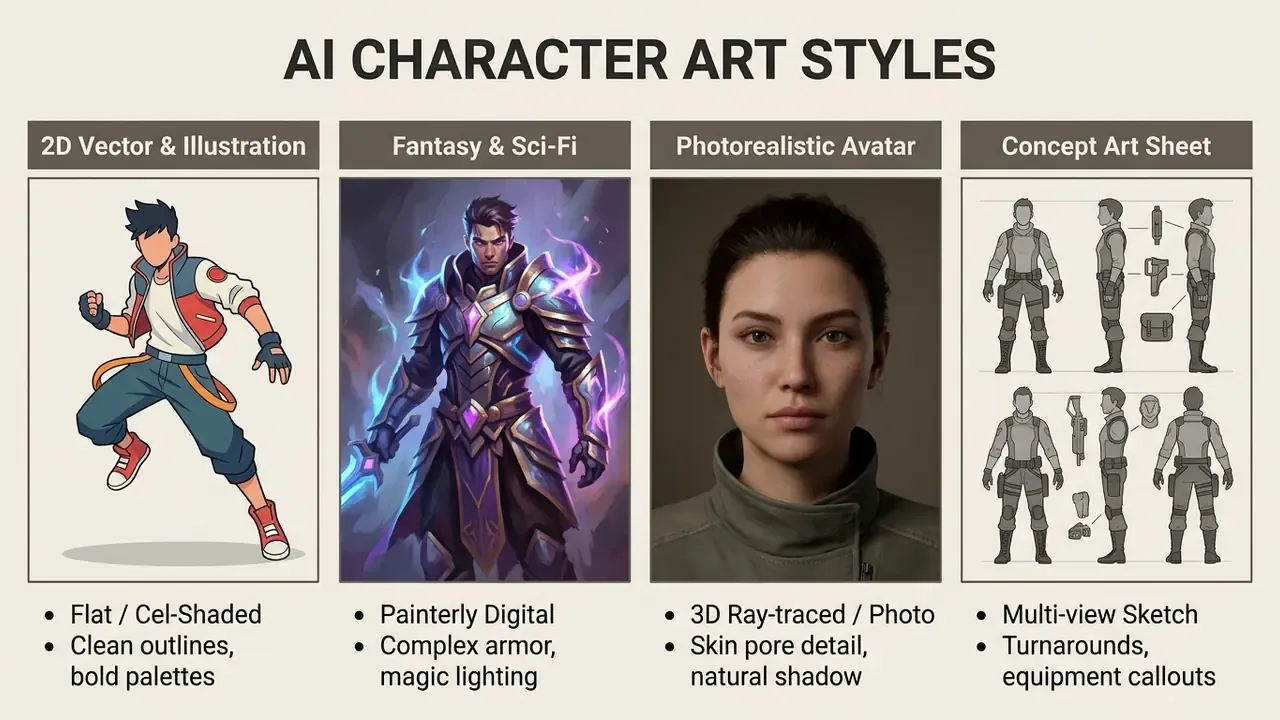
Style choice constrains tool choice: painterly fantasy and photoreal portraits reward different engines, so review the best AI art generators against the specific style category you need before standardizing a pipeline.
2D AI Character Generators for Illustrations and Digital Art
A 2d ai character generator specializes in producing line art, comic panels, cel-shaded graphics, and stylized vector-like digital illustrations.
Illustrators use 2D generation workflows to synthesize characters suited for graphic novels, mobile game UI, and promotional graphics. Cost-sensitive teams can start with the best free AI art generators to validate a style direction before paying for volume. Tools with sketch-to-image conditioning accept rough hand-drawn poses and apply prompt-driven style transfer, yielding polished 2D hero assets while keeping line composition intact; production research on 2D character animation combines sketch input with ControlNet to produce inked-and-painted hero frames.
«Text-to-image models reliably generate 2D illustrations in comic, cartoon and digital-painting styles when prompts are structured with explicit style keywords.»
A practical caveat: current pipelines output stylized raster art, not vector-native SVG. Vector-style results come from prompting for flat shapes and bold outlines, then tracing or rebuilding the asset in a vector editor. To explore dedicated photo editing tools that complement 2D artwork generation, check out this guide on free online photo editor options.
Fantasy Characters, Avatars, and Storytelling Personas
Fantasy character creation relies on combining detailed thematic elements with dramatic lighting and environment cues.
When generating ai art characters for interactive storytelling or tabletop gaming, prompts incorporate class-specific lore (paladin, necromancer, artificer) alongside environmental lighting, costume materials, and magic-effect descriptors. Recent interactive-fiction systems make character definition an input stage rather than a post-edit step: users select personality traits and story role first, then the system generates matching avatar imagery and narrative output in a single workflow.
«StoryMaker is positioned for creating a series of images that tell a story, preserving characters' faces, clothing and hairstyles across different scenes.»
For episodic content, define the character once as a reusable identity record: prompt block, reference image, and seed. Later chapters then inherit the same visual canon instead of re-deriving it from memory and hope.
AI Character Concept Art for Idea Exploration
Using an ai character concept art generator lets design teams explore dozens of visual iterations during early pre-production stages.
In film and video game development, concept art generation focuses on defining silhouette, clothing variations, and color palettes before committing to costly 3D modeling or animation asset production.
«Consistent-character methods name story visualization and game development as key application areas where character consistency is critical.»
Concept sheets often use prompts requesting "character turnaround, front view, side view, back view, neutral background" to supply 3D character artists with clear structural reference. Studies of animation pre-production report AI generators being used to explore multiple cast and costume permutations from text, sketches, and image references. Useful for ideation, yes, but the output is treated as reference material rather than production-ready assets. When selecting a model for turnaround work, weigh prompt adherence and multi-view stability across the best AI image generators.
How to Preserve AI Character Consistency Across Different Images
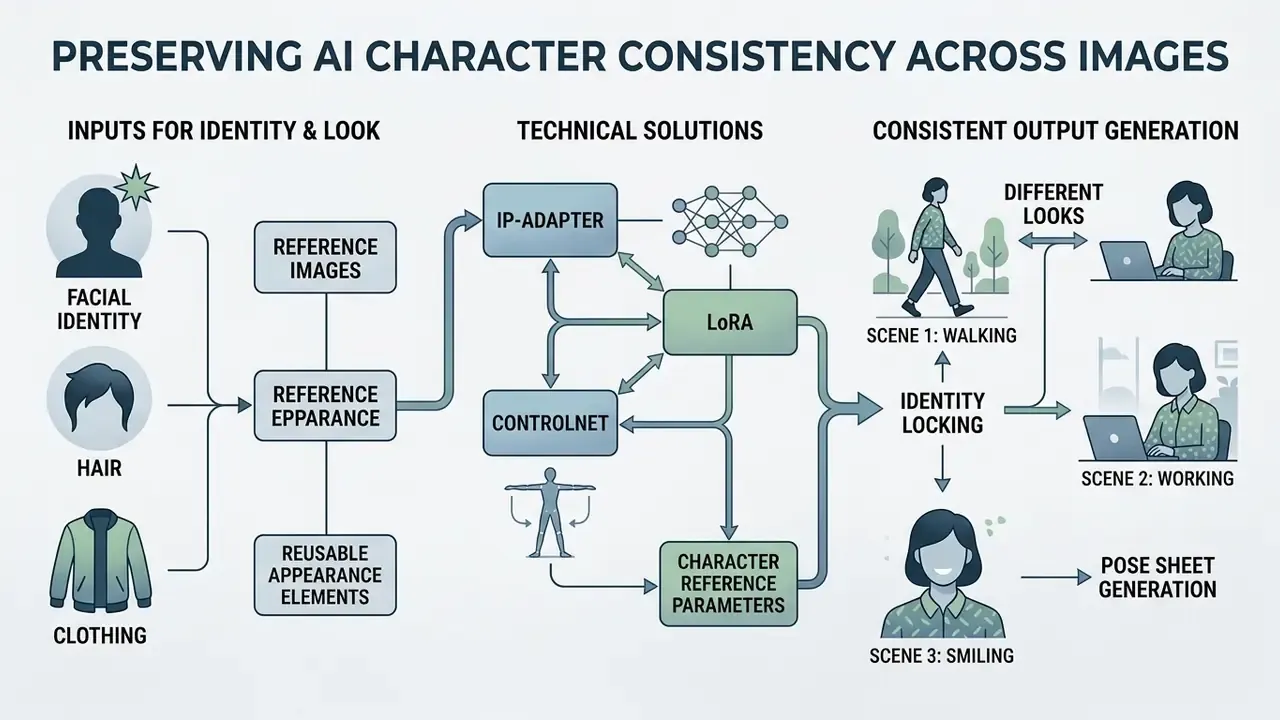
Maintaining character consistency, meaning an ai char generator produces the same facial identity, hair, and clothing across multiple scenes, is a critical technical requirement for long-form narrative production.
Uncontrolled generative diffusion often results in "identity drift," where a character's facial structure changes between generations. Modern workflows use structural conditioning to lock identity traits across varied environments.
Reference Images and Reusable Appearance Elements
Reference image conditioning and fine-tuned adapter weights let models freeze facial identity features while scene parameters change around them.
To lock character identity across multiple renders, creators use four primary technical methods:
- IP-Adapter
- Lightweight image-conditioning modules that feed reference face embeddings directly into the model alongside text prompts, keeping the base model frozen.
- LoRA (Low-Rank Adaptation)
- Small, custom-trained rank-decomposition adapters trained on 10 to 20 images of a specific character, injected at inference with an adjustable LoRA weight.
- ControlNet
- Structural guidance networks (OpenPose, Depth) that enforce pose and body position while identity features are generated; ControlNet pipelines also accept adapter image embeddings directly.
- Character Reference parameters
- Platform-level features that extract identity tokens from a primary reference image and carry character traits into new scenes. Updated: this capability is documented in vendor product documentation rather than peer-reviewed literature, and behaviour changes between model releases, so validate it against your own test set before relying on it in production.
«OneActor achieves roughly four times faster tuning than baseline methods while improving subject consistency, prompt conformity and image quality.»
Complementary research reinforces the same principle from different angles. The Chosen One iteratively searches for a coherent image set sharing one identity, while StorySync uses masked cross-image attention sharing and regional feature harmonization to align subject features across a batch.
Generating Different Scenes and Looks with One Character
A structured multi-pass workflow lets creators place a single consistent character into diverse narrative settings, emotional states, and action poses.
To maintain visual continuity across a multi-panel comic or marketing deck, production teams follow a standardized sequential process:
- Identity Locking: Generate a master front-facing character portrait and save it as the primary reference image, together with its prompt and seed.
- Pose and Sheet Generation: Create an OpenPose skeleton frame or pose layout sheet defining desired actions. Four poses on a single sheet is a common working standard.
- Conditioned Generation: Pass the new scene text prompt, the identity reference image, and the pose skeleton into the ai character art generator. Tools that transform an existing frame while preserving style are catalogued among image-to-image generators.
- Targeted Inpainting: Perform local mask edits to adjust facial expressions (normal, smile, serious, surprised, sad, calm) while keeping facial geometry fixed, running one emotion pass at a time.
«CharaConsist supports two regimes, continuous shots within one scene and discrete shots across different scenes, while maintaining fine-grained character and background consistency.»
Expect residual variance even with all four techniques stacked. Consistency here means "recognizably the same character," not pixel-level identity.
From Static Character to Video: Motion Prompting and Frame Stability
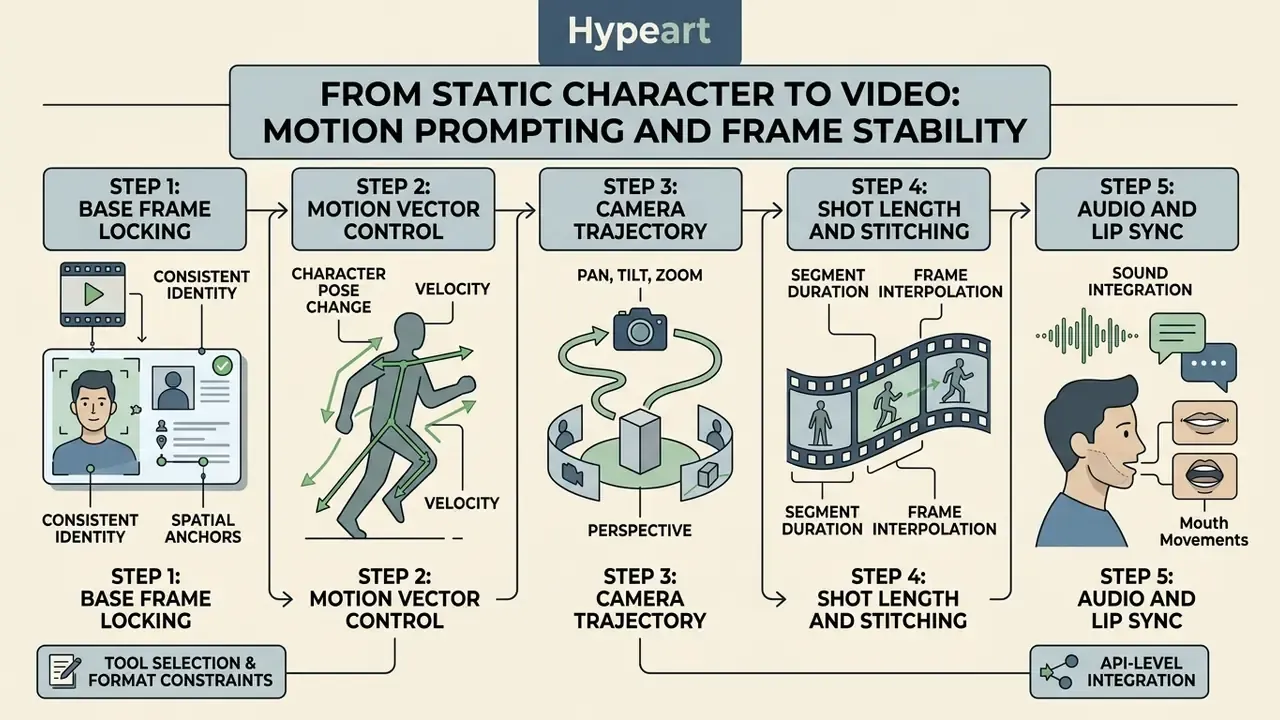
Once a character sheet is approved, the same identity can be animated instead of redrawn. Image-to-video models accept your locked master frame as the first frame and apply motion described in text, which flips the prompt discipline entirely: you stop describing appearance and start describing movement.
Step 1, Base Frame Locking. Export a master image with clean subject-background separation, even lighting, and no motion blur. Weak edge contrast is the single most common cause of face warping in the first 12 frames.
Step 2, Motion Vector Control. In the video prompt, describe body and camera dynamics only. Omit any re-description of hair color, clothing, or facial features, because re-describing appearance invites the model to re-synthesize the face. Example: "Character turns head 45 degrees to the left, slow cinematic zoom-in, wind moving hair strands, subtle blink, 24fps."
Step 3, Camera Trajectory. Fix one camera behaviour per clip (static shot, pan right, dolly in, slow orbit). Combining two camera moves in a single short clip multiplies geometric distortion around the eyes and jawline.
Step 4, Shot Length and Stitching. Generate short takes of 3 to 5 seconds and stitch them, rather than requesting long single clips; identity drift compounds with duration. Re-inject the master frame as the start frame for each new take.
Step 5, Audio and Lip Sync. For spokesperson or narration formats, generate the visual take first, then align voice and lip-sync separately, so visual identity is never regenerated to fit audio timing.
For tool selection and format constraints, review the overview of image-to-video AI tools, and for API-level video pipelines see the Google Veo implementation guide covering capabilities, costs, and limits.
Where to Use AI-Generated Characters: Games, Books, Marketing, and Content
AI-generated characters serve practical functions across multiple media sectors, streamlining asset production for publishing, game development, and digital marketing.
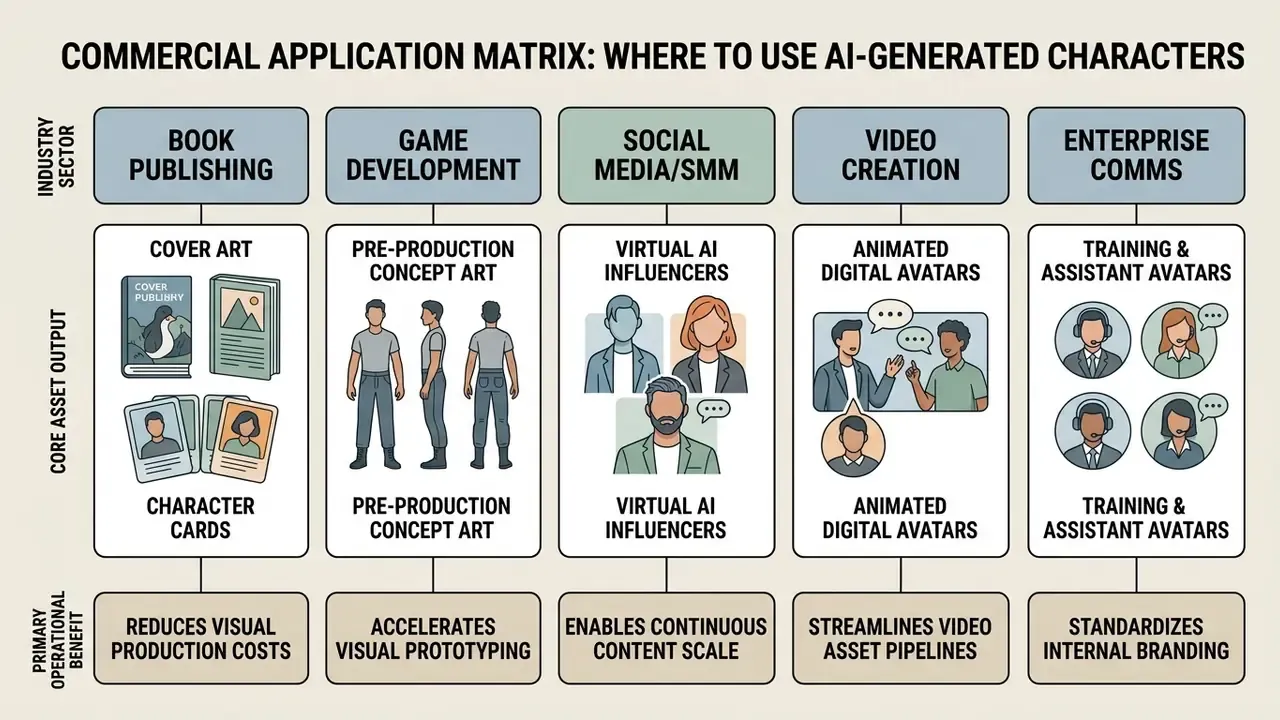
Characters for Books, Storytelling, and Creative Ideas
Authors and indie publishers use an ai book character image generator to create character visual sheets, interior illustrations, and promotional book covers.
By inputting detailed character descriptions directly from manuscript text, writers convert narrative prose into high-resolution visual art. Automated tools let authors export print-ready assets, including print-ready PDFs for covers and interior pages, for promotional character cards and digital storefront listings. The same asset can serve three roles at once: character portrait, cover direction reference, and author-brand avatar. Animating those stills is a natural next step with image-to-video AI tools.
To extend static book artwork into motion, creators can see the overview of available tools or review options for a free image to video ai conversion tool.
Use-Case Matrix by Creator Role
| Role | Concrete Workflow | Technique to Prioritize |
|---|---|---|
| YouTubers | A recurring commentator mascot for thumbnails, rendered with a fixed emotion set per video category | ControlNet OpenPose + expression inpainting |
| SMM / Agencies | Seasonal campaign batches for a virtual influencer, produced client-by-client without rebuilding assets | IP-Adapter identity lock + preset framing |
| Book Authors | Character sheet per protagonist reused across cover, ad creatives, and newsletter art | Reference-image conditioning + print-ready export |
| Game Studios | Cast permutation exploration in pre-production before mesh work begins | Turnaround prompts + multi-seed sampling |
| Enterprise Comms | Neutral internal-training avatars aligned to brand palette, with audit log per asset | Private deployment + versioned prompt records |
| Educators & Nonprofits | Illustrated explainer characters for lesson decks and campaign posters on low budgets | Free-tier generation + vector-style cleanup |
Enterprise Governance: Model Risk, Shadow AI, and Data Protection
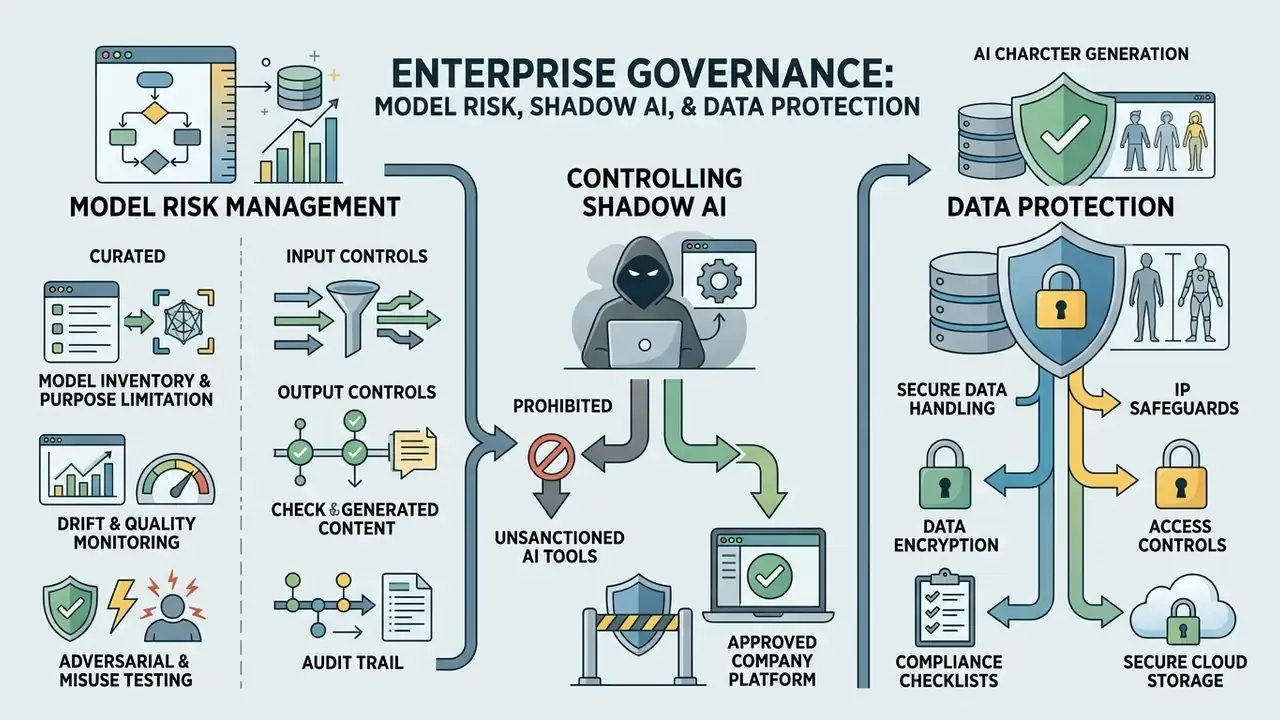
Creative capability is only half of the evaluation. In regulated environments, an ai character generator is a third-party model dependency, and it should be onboarded with the same discipline as any other model or vendor.
Applying Model Risk Management to Generative Visual Models
Existing model-risk frameworks translate to generative image models with minor adaptation. Practical control mapping:
- Model inventory and purpose limitation.Register each generator, its version, its intended use cases, and its prohibited use cases. Version drift matters: a silent model upgrade can change identity behaviour and invalidate prior validation evidence.
- Input controls.Define what may never be pasted into a prompt or uploaded as a reference: client PII, employee photographs without consent, unreleased product imagery, internal document screenshots.
- Output controls.Human review before publication, with named reviewer, date, and approval reference. That same record also supports copyright-registration claims of human authorship.
- Drift and quality monitoring.Periodically re-run a fixed canonical prompt set and compare outputs to a golden reference set. Unexplained identity or style shifts should trigger revalidation.
- Adversarial and misuse testing.Test guardrails against prompt injection, jailbreak phrasing, and attempts to generate real-person likenesses or restricted content, both before and after deployment.
- Audit trail.Retain prompt, model version, seed, reference asset hash, operator identity, and timestamp for every published asset. Without this log, provenance questions cannot be answered after the fact.
Government and regulator-facing AI guidance consistently requires pre-deployment testing plus post-deployment monitoring, governance over inputs and outputs, and disclosures covering capabilities, intended audience, potential negative impacts, and data practices. Aligning your generator onboarding to those four items closes most enterprise review questions before they are asked twice.
Controlling Shadow AI
Shadow AI in creative teams typically starts benignly: a designer pastes a brief into a public generator to save an hour. Mitigation is procedural, not moral.
- Publish an approved-tool list and block unapproved generators at the network or SSO layer.
- Provide a sanctioned internal path (private deployment or enterprise tenant) that is faster than the unapproved one. Friction is what drives shadow usage.
- Require reference uploads to pass through a controlled workspace with retention limits, never personal accounts.
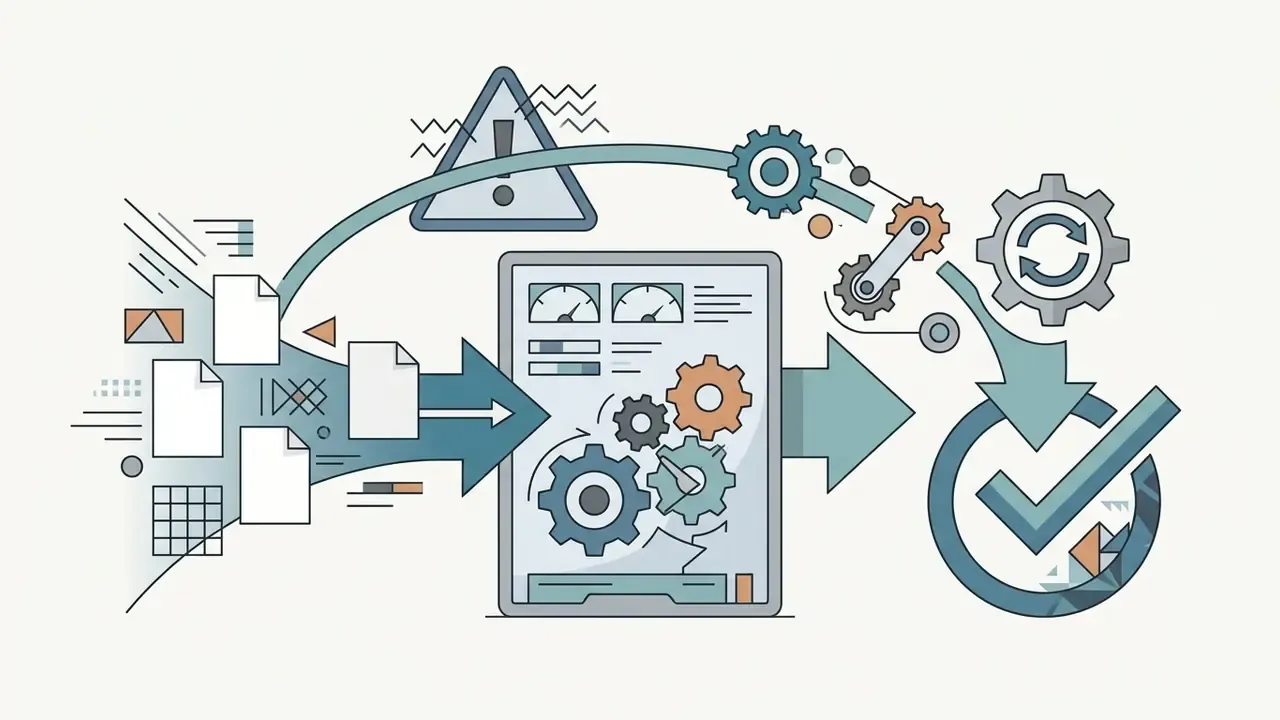
Enterprise Evaluation Matrix (Beyond Consumer Pricing)
| Enterprise Criterion | Why It Matters | Minimum Acceptable Answer |
|---|---|---|
| SOC 2 Type II / ISO 27001 | Independent control attestation | Current report available under NDA |
| No-Train Policy | Prevents uploads entering public model training | Contractual, not just marketing copy |
| Encryption | Protects reference images in transit and at rest | TLS 1.3 in transit, AES-256 at rest |
| Retention window | Limits exposure of biometric-adjacent references | Automatic deletion, documented in the SLA |
| Deployment model | Data residency and isolation | Private cloud or VPC option available |
| SSO / RBAC | Access control and least privilege | SAML/OIDC SSO plus role-based permissions |
| Audit logging | Provenance and incident response | Exportable generation logs with user attribution |
| Model independence | Concentration risk on one upstream provider | Multi-model backend or documented substitution path |
| Indemnification | Allocation of IP risk | Written IP indemnity for enterprise tiers |
Structuring Risk-Adjusted ROI and TCO
Consumer sticker prices understate true cost. A defensible business case separates four cost layers:
- Direct cost subscriptions, credits, API usage, private-deployment infrastructure.
- Control cost initial validation, guardrail testing, periodic revalidation after model updates, monitoring tooling.
- Governance cost legal review of licences and likeness risk, disclosure workflows, records management for authorship documentation.
- Residual risk reserve provision for takedown, rework, or dispute resolution on published assets.
Benefit layers include production cost avoided (illustration and stock licensing), cycle-time reduction in pre-production, and volume elasticity for campaign variants. Express the result as Risk-Adjusted ROI, and re-run it whenever the vendor changes model versions or licence terms. Both events reset your assumptions, quietly.
Open Questions and Limitations
Honesty is part of the control environment, so here is what the evidence does not settle yet.
- Identity metrics are not standardized. There is no widely accepted enterprise threshold for "acceptable identity drift" across a campaign set. Most teams still judge by eye, which is not auditable.
- Training-data provenance is largely opaque. Vendor disclosures rarely allow independent verification of dataset composition, so appropriation risk cannot be fully quantified.
- Copyright practice is still moving. Registration guidance depends on documented human contribution, and the boundary of "sufficient" contribution remains fact-specific.
- Disclosure expectations differ by channel and jurisdiction. A label that satisfies one platform policy may not satisfy an advertising regulator.
- Vendor stability. Trial terms, licence tiers, and model behaviour change without notice, which is why point-in-time verification beats a saved screenshot from last year.
Treat all of the above as hypotheses to test against your own analytics, procurement records, and legal review rather than as settled fact.
Free AI Character Generators, Pricing, and Commercial Use
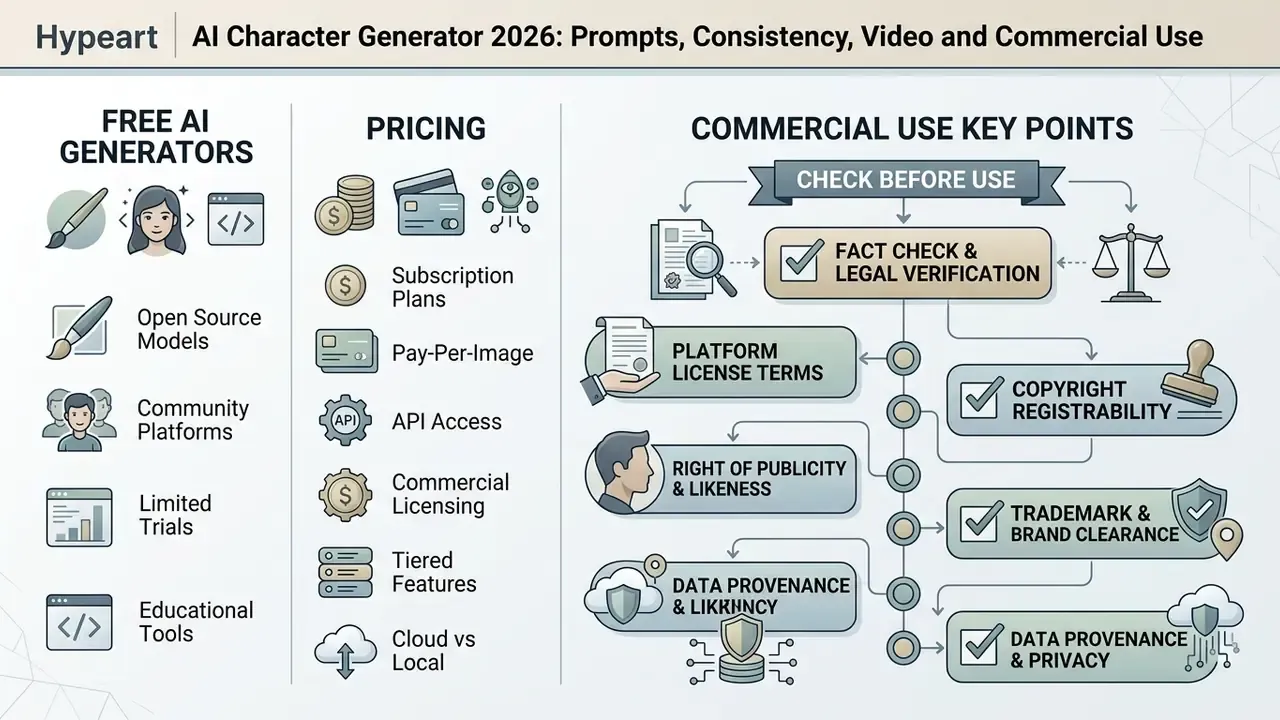
Commercial access to an ai character generator is typically structured around credit-based subscriptions, with legal commercial exploitation rights governed by vendor terms of service and federal copyright regulations.
| AI Tool Platform | Free Tier / Trial Access | Entry Paid Tier | Watermark Status | Commercial Rights Granted |
|---|---|---|---|---|
| Midjourney | Updated: free trial availability fluctuates and is periodically suspended; a paid subscription is required for reliable access | ~$10/month (Basic), see Midjourney versus competing generators | No watermarks on paid tier | Yes (paid tiers; higher-revenue companies must use upper tiers) |
| Leonardo.ai | ~150 daily tokens (varies by date and plan) | ~$12/month (Apprentice) | Watermarked on free tier | Paid plans only |
| DALL·E 3 (OpenAI) | Integrated in ChatGPT free limits | ~$20/month (Plus) | No watermark | Yes (commercialization of outputs permitted under current terms) |
| Stable Diffusion (Hosted) | Varies by provider / open-source base | Free local / varies in cloud | No watermark (local) | Permitted, but depends on the specific model licence and host |
If registration friction is the blocker for a first test, compare free AI generators with no sign-up requirement before committing budget.
Vendor-agnostic tooling comparisons for adjacent decisions, such as style fidelity, outpainting, and platform licensing, are available across guides like Ghibli-style generator comparisons, AI outpainting tools, and the Canva AI Generator overview.
What to Check Before Commercial Use of AI Character Art
Before deploying AI-generated character assets in commercial products, legal and technology teams should run a full compliance and risk verification protocol. It takes an afternoon. A takedown takes longer.
- Platform License Terms Confirm whether your plan tier explicitly grants commercial exploitation rights or restricts usage to personal evaluation, and whether a revenue threshold pushes you to a higher tier.
- Copyright Registrability Document human creative intervention (prompt iterations, manual editing, layout composition, selection among variants) required for copyright registration filings, and disclaim AI-generated portions. If the final asset needs print resolution, run it through AI image upscalers and record the edit as part of the human-contribution log.
- Right of Publicity and Likeness Ensure generated faces do not infringe upon recognizable real-world individuals or celebrities without written consent; obtain documented releases where reference photos of real people are used.
- Trademark and Brand Clearance Audit apparel, logos, insignia, and background elements to prevent accidental trademark infringement or implied endorsement.
- Data Provenance and Privacy Verify that reference images uploaded to cloud tools comply with enterprise data protection policies and do not train public models without consent. Provenance checks can be supported with AI image detectors and AI reverse image search to confirm an asset's origin and detect near-duplicates before launch.
- Enterprise Data Privacy and Retention Protocol When uploading reference photos of employees or models, confirm the platform meets SOC 2 or GDPR-equivalent standards. The service should encrypt data in transit (TLS 1.3) and at rest (AES-256), contractually commit to a No-Train policy for user uploads, and automatically delete temporary reference assets within 72 hours under a documented SLA. Where a vendor cannot commit in writing, treat the upload path as prohibited for identifiable persons.
- Resale and Exclusivity If designs are sold as adoptables or exclusive brand assets, confirm the licence permits transferring or sublicensing rights to a buyer. Many consumer terms do not.
«Rights, watermark policies and usage conditions should be verified directly in the tool's own documentation rather than inferred from academic literature.»
FAQ: Frequently Asked Questions About AI Character Generators
Can I generate consistent characters across different scenes?
Yes. Using conditioning tools like IP-Adapter, LoRA model adapters, ControlNet pose skeletons, or platform character-reference parameters, you can lock a character's facial geometry and hair features while altering background environments, clothing, and action poses. Expect small residual variation. Consistency is materially improved versus independent generations, not absolute.
Are AI-generated character images free to use commercially?
Commercial usage depends on the specific platform's Terms of Service and your subscription tier. Most services restrict free-tier outputs to non-commercial evaluation, requiring a paid plan for commercial deployment. Separately, purely AI-generated output cannot be registered for copyright without documented human creative input, so a commercial licence and copyright ownership are two different questions.
How do I write a prompt to get a specific character design?
Structure your prompt into logical segments: subject and role, physical features and expression, garments and accessories, framing and camera angle, art medium and lighting. Avoid vague hype words like "ultra-detailed" and specify concrete medium terms like "2D digital painting, 85mm portrait lens, dramatic side lighting." Generate several seeds per prompt before judging the concept.
«A CHI 2025 study found that prompt coaching changed user actions but did not improve overall trust in the AI or increase satisfaction with the tool.» — "Is Your Prompt Detailed Enough?", CHI 2025. https://dl.acm.org/doi/10.1145/3706598.3713399
What is the difference between an AI character generator and an avatar builder?
An ai character generator uses open-ended generative diffusion models to synthesize new images from natural language prompts or photos. An avatar builder uses pre-designed, parametric template pieces (sliders for eyes and nose, hair presets) inside a fixed software interface. Hybrid tools combine both: presets constrain the space, then free text and reference images refine identity.
Can an AI character generator create characters from a reference photo?
Yes. Image-to-image conditioning workflows extract facial feature embeddings from an uploaded photo, letting the neural network transfer facial structure onto fantasy characters, 2D anime styles, or historical personas while preserving recognizability. Only upload photos of real people with documented consent and a verified retention policy.
Do I need art skills to use an AI character creater tool?
No drawing skill is required to produce a usable render, and that is the honest appeal of the category. Art direction skill still helps, though: knowing what "three-quarter framing, soft key light, muted palette" means is what separates a coherent character set from a folder of unrelated images.
How do I turn a static AI character into a video?
Export a clean master frame, feed it into an image-to-video model as the start frame, and prompt only for motion: head turns, blinks, hair movement, plus one camera behaviour per clip. Keep takes short (3 to 5 seconds), stitch them, and re-inject the master frame for each new take to limit identity drift.
Is my uploaded reference data secure?
That depends entirely on the vendor. Require, in writing: encryption in transit and at rest, a No-Train commitment for user uploads, an automatic deletion window (72 hours is an achievable benchmark), and exportable audit logs. Free consumer tiers rarely provide any of these guarantees.
Can AI characters be used in regulated industries?
Yes, with constraints. Use them for explanatory, mascot, and training roles rather than as implied human endorsers, disclose AI generation where required, keep a human reviewer in the approval path, and register the tool in your model inventory with a defined intended-use scope.
Can an AI-generated character depict a minor or a real person?
Sexualized or exploitative depictions of minors are prohibited by every major platform policy and by law. Depictions of identifiable real people require documented consent; impersonation and non-consensual intimate imagery are prohibited and carry both platform and legal consequences.
Appendix A: Source Verification and Updated Citations
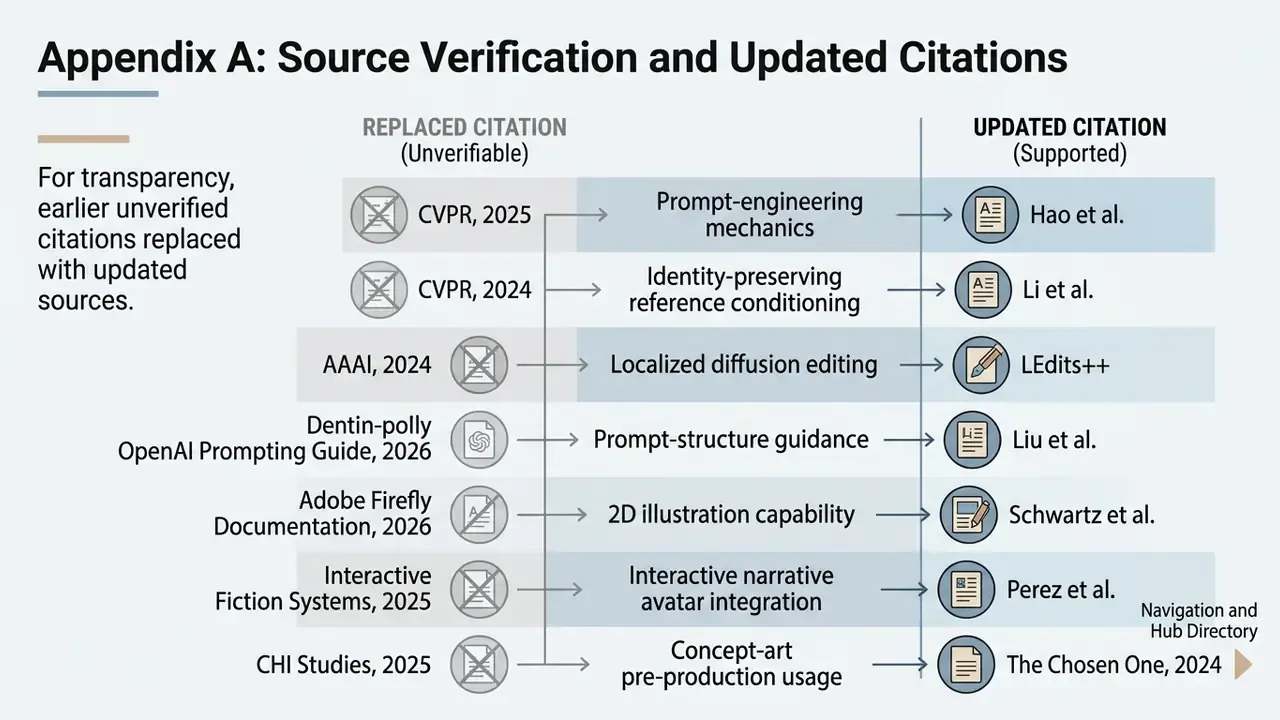
For transparency, the following citations from earlier revisions of this guide were unverifiable (no authors, no methodology, or no retrievable URL) and have been replaced in the main text with peer-reviewed or primary sources. The original claims are retained here for provenance:
- Prompt-engineering mechanics previously attributed to "CVPR, 2025"; now supported by Hao et al., arXiv:2212.09611 (2023).
- Identity-preserving reference conditioning previously attributed to "CVPR, 2024"; now supported by StoryMaker, arXiv:2409.12576 (2024).
- Localized diffusion editing previously attributed to "AAAI, 2024"; now supported by LEdits++, arXiv:2311.16711 (2023). The underlying AAAI-published work on structure-guided diffusion inpainting remains a valid parallel reference.
- Prompt-structure guidance previously attributed to "OpenAI Prompting Guide, 2026"; now supported by Liu et al., arXiv:2303.13534 (2024) and Oppenlaender et al., arXiv:2109.06977 (2023).
- 2D illustration capability previously attributed to "Adobe Firefly Documentation, 2026"; now supported by Oppenlaender et al., arXiv:2109.06977 (2023).
- Interactive narrative avatar integration previously attributed to "Interactive Fiction Systems, 2025"; now supported by StoryMaker, arXiv:2409.12576 (2024).
- Concept-art pre-production usage previously attributed to "CHI Studies, 2025"; now supported by The Chosen One, arXiv:2311.10093 (2024).
- Multi-pass scene workflow previously attributed to "Morphic Workflows, 2026"; now supported by CharaConsist, arXiv:2507.11533 (2025).
- Character-reference behaviour previously attributed to "Midjourney Docs, 2026"; retained as vendor documentation with an explicit caveat, as no peer-reviewed equivalent exists.
- Midjourney trial terms ("4 credits per day, 5-day limit"); superseded, since trial availability fluctuates and should be verified at the point of purchase.
- A previously included link to an unrelated adult-content video tool has been removed as out of scope for this guide and replaced with image-to-video guidance relevant to character animation.