"Systematic image generation is a conditioning problem with an evidence trail. Without control over subject binding, lighting parameters, aspect constraints, and logged seeds, generative output stays unpredictable and unauditable in production."
Last updated: 2026. Written and maintained by the AI Media production research team, based on hands-on testing of diffusion pipelines (Stable Diffusion XL, FLUX, GPT Image, Firefly, Recraft, ComfyUI ControlNet graphs), vendor API documentation, and published peer-reviewed literature.
Who this guide is written for. Two readers, one workflow. The first is a content or design lead who needs repeatable visuals. The second is a CRO, CCO, or Head of Model Risk who has to explain, later, where a published image came from. Both need the same artifacts: a structured prompt, a recorded seed, a licence tier, and a named human approver. The audience assumptions here remain hypotheses until your own analytics, interviews, or CRM data confirm them.
Key Takeaways
- Text-to-image is a conditioning problem, not a search problem.A text encoder (CLIP or T5) converts your words into vectors that steer iterative denoising. Nothing is copied from a database.
- Prompts work best in four ordered blocksSubject and Action, then Style and Medium, then Lighting and Atmosphere, then Color and Composition, followed by technical flags (aspect ratio, dimensions, negatives).
- Respect hard input limits.Adobe Firefly truncates above 750 characters. Midjourney attention decays past roughly 60 tokens. OpenAI image endpoints require width and height as multiples of 16 inside a 1:3 to 3:1 ratio band.
- Reference images beat adjectives.ControlNet-class conditioning delivers measurable structural control gains (+11.1% mIoU on segmentation, +13.4% SSIM on line art) over text-only generation.
- Reverse prompting is a production shortcut.Vision-language decoders convert an existing asset into a Midjourney, Stable Diffusion, or JSON-structured prompt you can edit and re-run.
- Governance is part of the workflow, not a wrapper around it.Log prompts, seeds, model versions, and licence tiers. Keep confidential data out of public web UIs. Disclose AI origin with C2PA metadata or a discreet watermark.
- Free tiers are almost never commercial.Leonardo.Ai grants 150 daily tokens with commercial use prohibited on the free plan. Recraft gives 30 daily credits, personal use only. Kling AI grants 66 daily credits, non-commercial.
What Is Text-to-Image AI and How Does Image Generation Work?
Text-to-image AI converts written language into pixels. It encodes your text description into semantic mathematical vectors, which then guide a conditional generative model, most commonly a diffusion architecture, to iteratively remove noise from a latent canvas until a coherent image emerges. Rather than copying pre-existing graphics from a library, the system synthesises new visual content from statistical patterns learned during machine learning training between textual tokens and visual concepts (Zhang et al., 2024).
"Latent diffusion models substantially reduce computational cost while matching or improving visual fidelity relative to pixel-space models."
Why does the mechanism matter to a production team? Because it tells you where your leverage sits. If nothing is retrieved, then everything depends on how you condition the model.
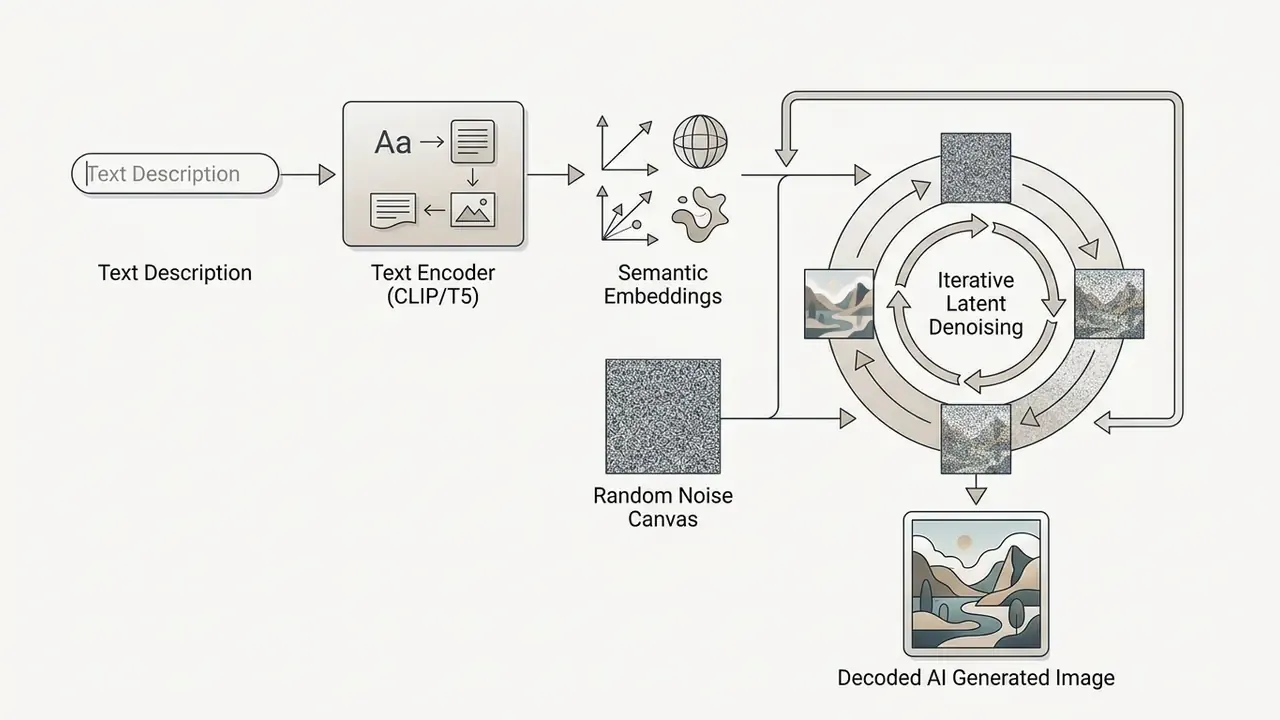
How AI Models Turn a Text Description into an Image
AI models process a text description through a dedicated text encoder, converting words into subword tokens and high-dimensional vector embeddings. Those embeddings drive the generative backbone's cross-attention layers. Research into latent diffusion mechanics shows that image generation happens in two stages: early global shape reconstruction, then late-stage high-frequency texture completion (Yi et al., NeurIPS 2024).
"Removing text guidance after the early denoising stage accelerates generation by more than 25% with no meaningful quality loss."
During early denoising steps, the model establishes composition, object boundaries, and spatial layout, heavily influenced by the end-of-sequence ([EOS]) text token. In later steps, the network leans on its learned visual prior to fill in textures, lighting gradients, and fine detail.
Architecturally, two families coexist. Latent-space pipelines prioritise efficiency: GenTron patchifies a frozen 32x32x4 VAE latent into tokens for a DiT backbone, and PixArt-Sigma reuses the frozen SDXL VAE. Pixel-space diffusion prioritises direct high-frequency detail, as in PixelDiT-style dual-level transformers that separate patch-level semantic blocks from pixel-level texture blocks. Knowing which stage you are fighting saves hours. Composition problems are prompt and control-map problems. Texture problems are usually upscaler problems. The trade-offs across stacks are laid out in the AI Media Comparison Matrices.
What You Can Control in an AI-Generated Image
You can govern artistic styles, spatial composition, lighting, colour palette, aspect ratio, and output resolution through deliberate prompt structuring and conditional model inputs. Empirically, diffusion models show a strong shape bias, which lets structural conditioning inputs such as sketches, depth maps, or segmentations dictate object geometry while text tokens specify surface materials and atmosphere (Koley et al., CVPR 2024). Before committing to a single stack, compare how individual AI image generators expose these controls in their interfaces and APIs. Some hide them entirely behind a single "creativity" slider, which is a governance problem disguised as a UX choice.
By adjusting explicit configuration parameters and prompt modifiers, creators can reliably govern the following attributes:
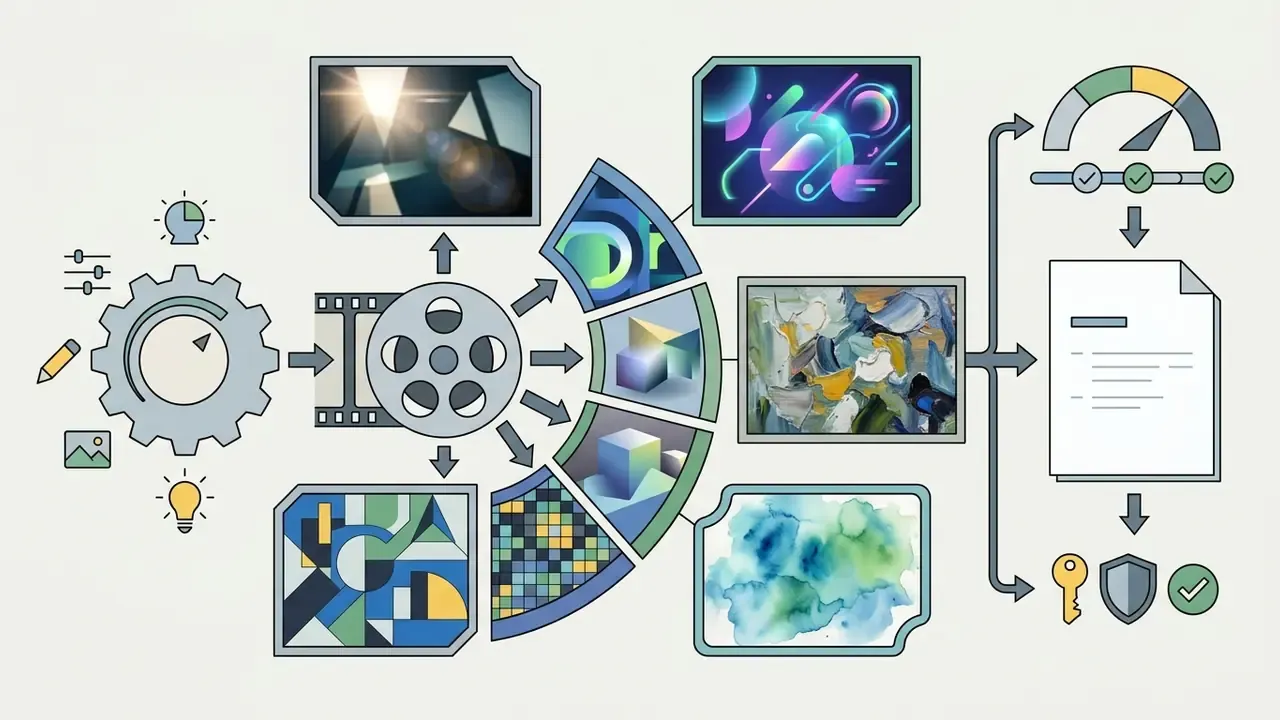

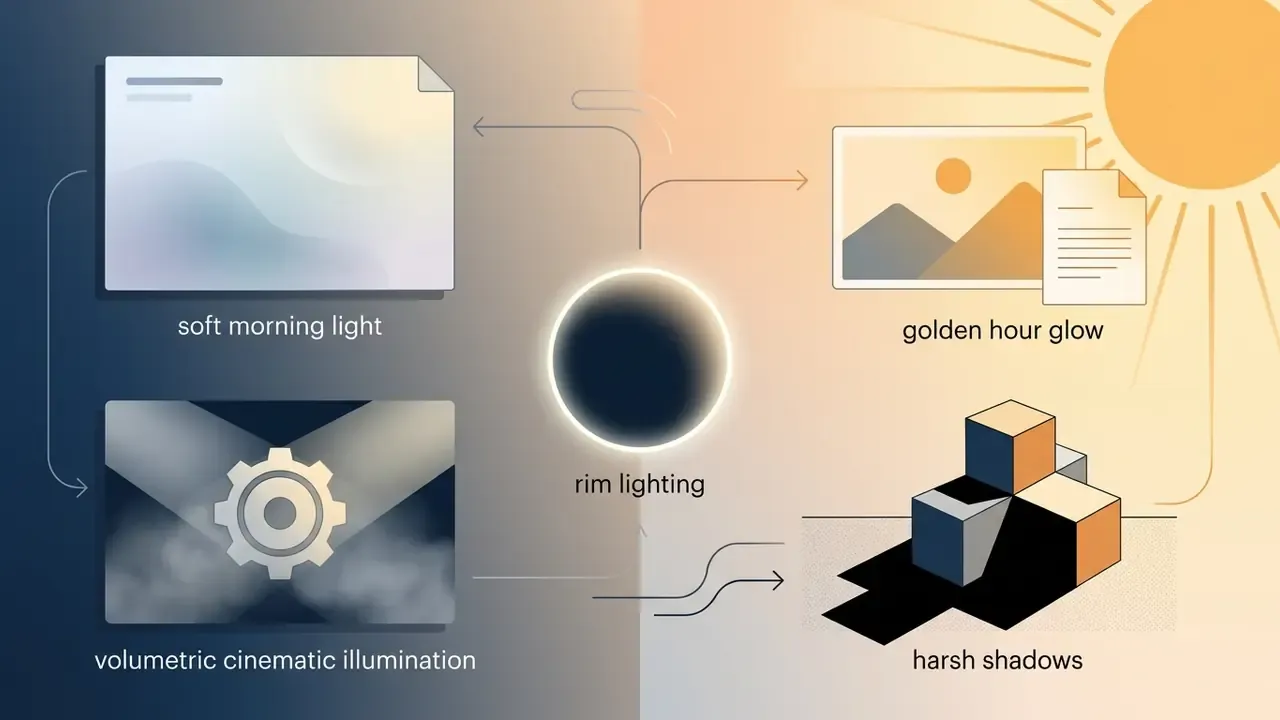
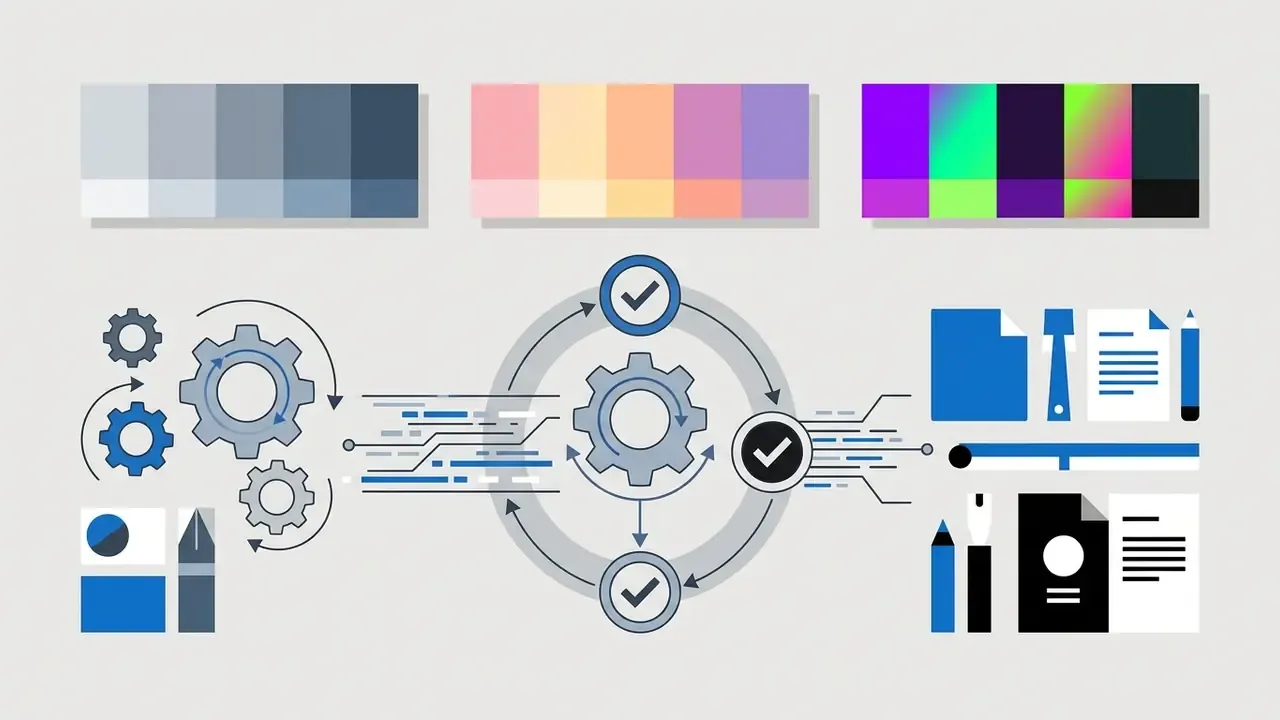
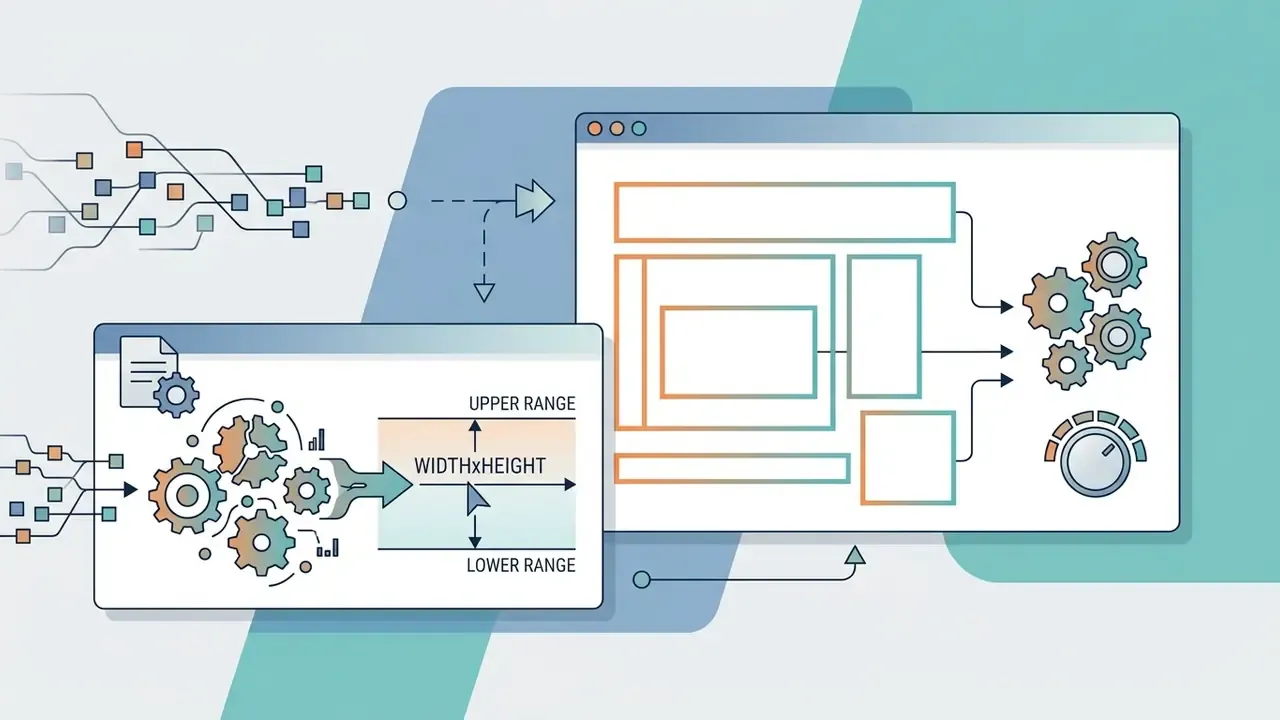
1:1, 3:4, 4:3, 9:16, 16:9), while OpenAI accepts arbitrary WIDTHxHEIGHT values within numeric bounds.Choose an AI Image Generator and Model for Your Task
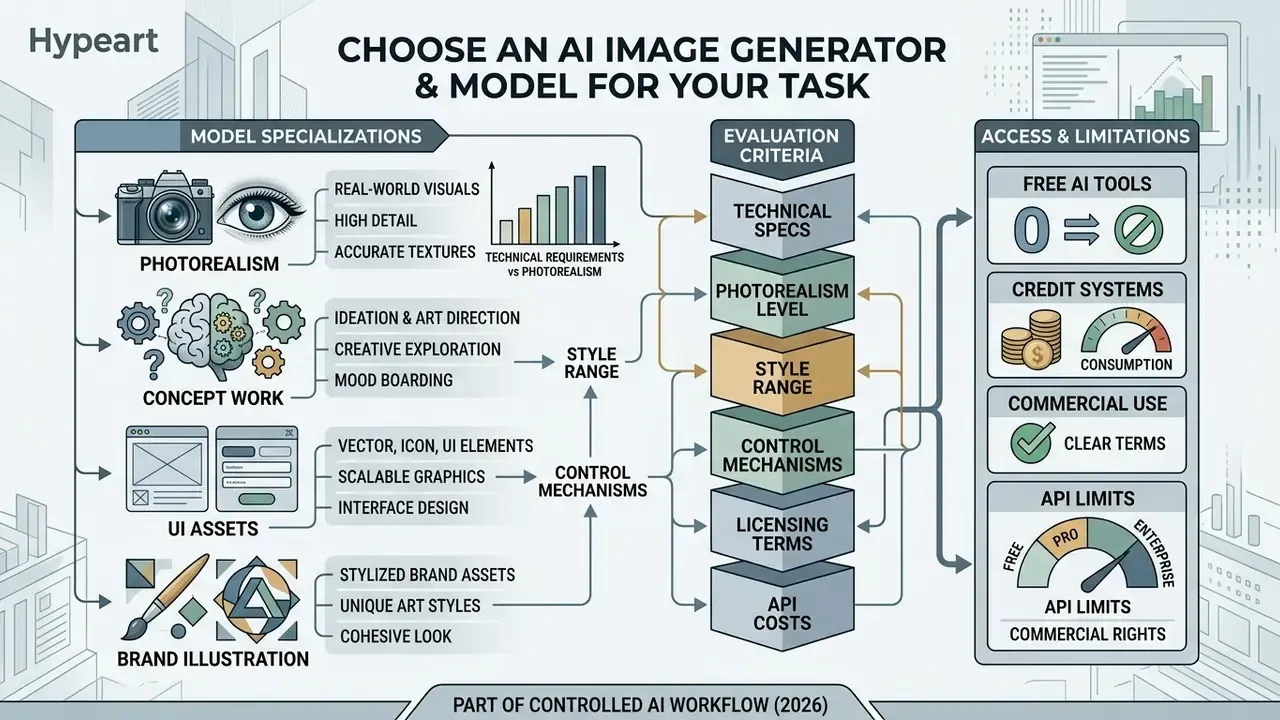
Choosing an AI image generator means balancing technical requirements, photorealism, vector export, style range, control mechanisms, against licensing terms, API costs, and editing capability. Pick the backbone early. Retrofitting a control mechanism onto a pipeline that never had one is expensive, and in regulated environments it is sometimes impossible.
To evaluate architectures against production requirements, review the comparison matrix below.
Comparison of AI image generator categories and image models
| Model category and architecture | Quality and photorealism | Artistic styles support | Reference images input | Edit options and inpainting | Aspect ratio and resolution control | Data isolation and privacy posture | On-prem or private cloud | Commercial use considerations |
|---|---|---|---|---|---|---|---|---|
| Pixel-space diffusion (GLIDE, Imagen, PixelDiT) | High visual fidelity; direct pixel denoising avoids compression artifacts. | Broad text-guided style support across traditional media. | Limited native support; needs auxiliary modules. | Supported via masked diffusion; computationally heavy. | High resolution supported, but compute cost scales sharply. | Depends on hosting vendor; research checkpoints often self-hosted. | Possible with sufficient GPU capacity; heavy inference footprint. | Primarily research-oriented; terms depend on vendor deployment. |
| Latent diffusion (Stable Diffusion, DALL·E 3) | High resolution; operates in compressed VAE space for fast synthesis. | Extensive range; customisable via LoRAs and fine-tuning. | Strong native support for style transfer and image-to-image. | Robust inpainting, outpainting, and localised detail editing. | Flexible presets (1:1, 16:9, 9:16) up to 4K upscaled. | Open weights allow isolated inference with zero external calls. | Yes, the strongest option for regulated or air-gapped environments. | Commercial licensing available on paid API and subscription tiers. |
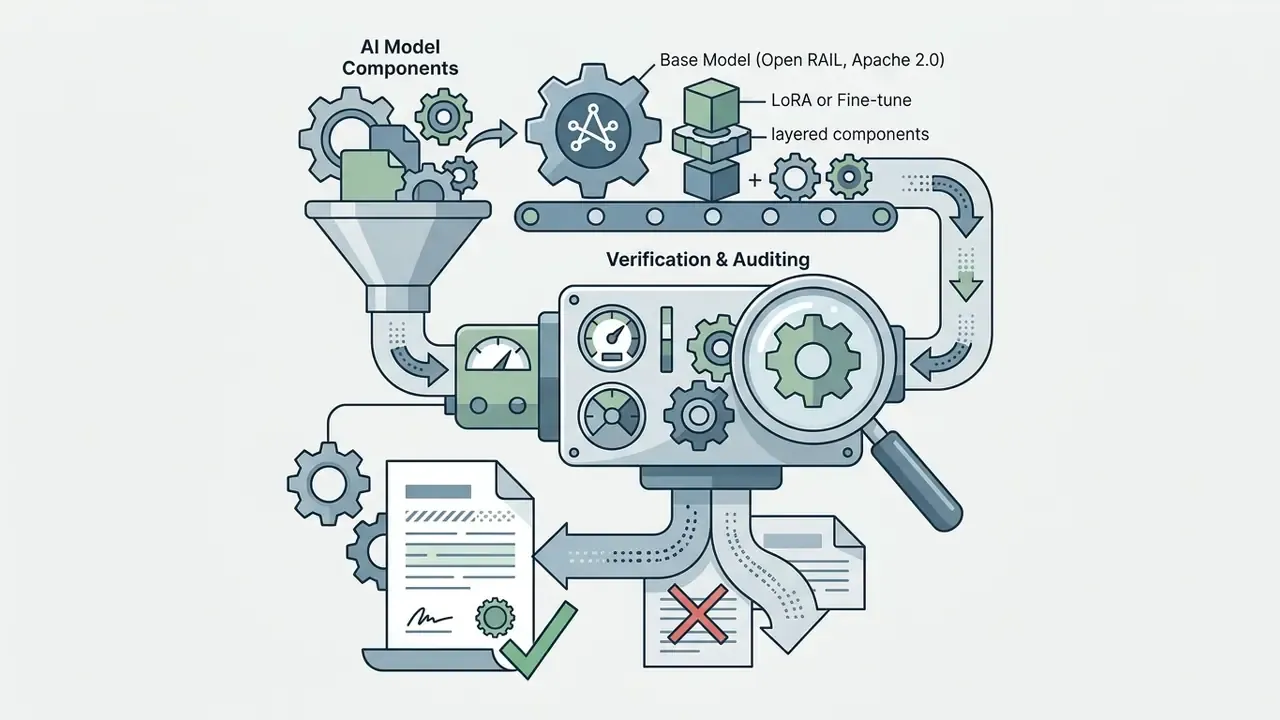
| ControlNet latent diffusion (ComfyUI ControlNet) | Exceptional geometric accuracy; matches structural conditions closely. | Style driven jointly by text prompts and reference control maps. | Core mechanism: depth, line art, Canny edge, or pose maps. | Layered, node-based editing guided by segmentation masks. | Dimensions bound to control map ratios and base backbone. | Self-hosted node graphs keep references and masks inside your VPC. | Yes, node graphs run locally or in private container clusters. | Governed by base model licence (Open RAIL, Apache 2.0). |
| Reference-guided plugins (scene-text and logo expert models) | Optimised for element legibility, branding, and typography. | Preserves surrounding style context while anchoring key objects. | Upload explicit reference logos or character visual sheets. | Targeted subject replacement and character drift correction. | Inherits base model canvas bounds; subject scaling configurable. | Brand asset uploads require vendor DPA review before use. | Often shippable as a plugin on a self-hosted backbone. | Enterprise-friendly; suited to verified brand asset workflows. |
| Prompt-assistive generators (GPT Image, integrated suites) | Consistent general-purpose photorealism and concept synthesis. | Automated style expansion guided by natural language models. | Supports multi-image reference inputs and vision analysis. | Conversational, localised region editing and style tweaking. | Standard pixel dimensions (1024x1024, 1536x1024) and custom bounds. | Enterprise API tiers offer contractual no-training and retention controls. | Rarely; typically vendor-hosted with regional residency options. | Commercial ownership granted under platform enterprise terms. |
When to Use Different Image Models
Different image models specialise in distinct visual domains. Latent diffusion backbones like SDXL or Midjourney excel at painterly artistic styles and photorealism. Vector-native models such as Recraft V4.1 handle clean geometry and SVG exports. GPT Image models provide robust general-purpose prompt adherence and world-knowledge integration (NIST GenAI Evaluation Plan, 2025).
"Image generators are evaluated as a distinct category, because outputs vary by realism, instruction adherence, and artifact profile."
Task-class mapping observed across current vendor documentation and independent 2026 coverage:
- Photorealism
- prompt adherence, lens and lighting accuracy, texture fidelity. Recraft V4.1 produces natural photorealism from short prompts. GPT Image performs strongly on world-knowledge scenes. Side-by-side behaviour is documented in our ChatGPT picture generator evaluation.
- Art direction and concept work
- style range matters more than realism. Midjourney remains the reference point for painterly output, as detailed in the Midjourney image generation comparison.
- Vector, icon, and UI assets
- SVG export, clean geometry, legible typography. Recraft and comparable vector-native models.
- Stylised brand illustration
- style-locked pipelines such as those reviewed in our Ghibli-style AI image generator comparison.
Free AI Tools, Credits, and Commercial Use Limits
Free AI image generator tiers run on metered daily credit allowances and almost universally restrict output to personal, non-commercial projects. Leonardo.Ai provides 150 daily tokens on its free tier with an explicit prohibition on commercial exploitation or portfolio client display. Recraft offers 30 daily credits for personal use only. Kling AI grants 66 daily credits under non-commercial terms. Free plans also commonly watermark output, and that watermark is tied to the non-commercial licence grant rather than to branding vanity.
Before committing a campaign to a free plan, compare limits across free AI art generators and the equivalent free AI video generator tiers. To deploy AI art in paid advertising, client deliverables, or public commercial products, upgrade to a paid plan covered under explicit AI Media Commercial-Use terms, and verify platform-specific conditions such as those documented for the Canva AI generator, Microsoft AI image generator, and Google AI image generator.
One practical note from procurement conversations: a free tier used "just for internal decks" is still an unmanaged data path. Budget for the paid tier early.
Enterprise Security, Shadow AI, and Data Privacy Constraints
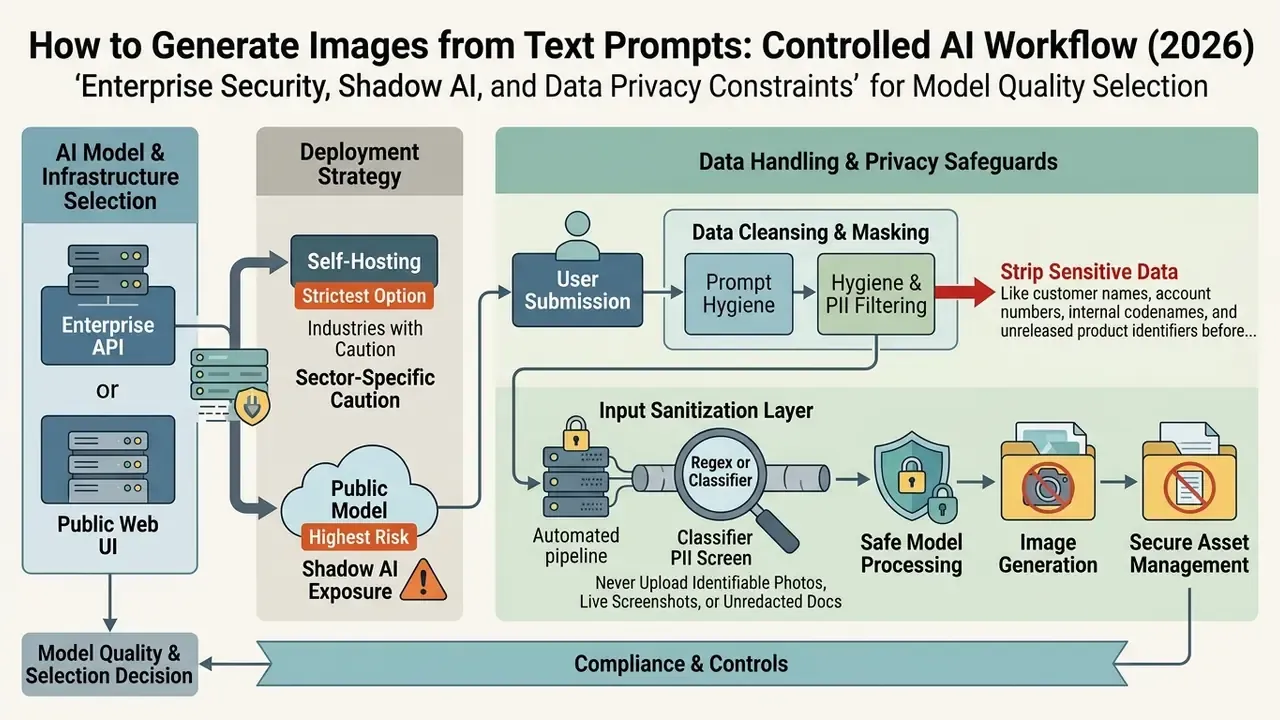
Model quality is only half of the selection decision. In banking, insurance, healthcare, and the public sector, the operative risk is not a malformed hand in a render. It is an unapproved consumer web interface receiving a prompt that contains client data, unreleased product imagery, or internal roadmap detail.
Shadow AI exposure. Consumer-grade generators are one browser tab away, so image generation routinely bypasses procurement altogether. Establish an approved-tool register. Block unsanctioned endpoints at the network layer. Then publish one supported path for image requests, so designers have a faster legal route than the unsanctioned one. Convenience beats policy every time, unless policy is the convenient option.
Prompt hygiene and PII filtering. Treat the prompt string as an outbound data transfer. Practical controls:
- Strip customer names, account numbers, internal codenames, and unreleased product identifiers before submission. Describe roles and attributes instead ("a retail banking customer in her sixties", not a real account holder).
- Run prompts through a regex or classifier-based PII screen in the submission layer for any automated pipeline.
- Never upload identifiable customer photographs, internal screenshots with live data, or unredacted documents as reference images. Reference-image upload is the most commonly overlooked leakage channel in image workflows.
Enterprise API versus public web UI. Contractual posture differs sharply between the two.
| Control | Public web UI (consumer tier) | Enterprise API or business tier |
|---|---|---|
| Training on your inputs | Frequently permitted by default | Contractually excluded in most enterprise terms |
| Retention | Vendor-defined, often opaque | Configurable, including zero-data-retention options |
| Data residency | Rarely selectable | Regional options commonly available |
| Access control | Individual account | SSO, SCIM, role-based access, audit logs |
| Output ownership | Consumer terms; free tiers often non-commercial | Explicit commercial grant |
Self-hosting as the strictest option. Open-weight latent diffusion stacks (SDXL, FLUX derivatives, ComfyUI ControlNet graphs) can run entirely inside a private VPC or on-premises, with zero third-party data egress. This is the only configuration that removes the vendor from the data path, and the price is GPU capacity plus MLOps overhead. For some institutions that trade is obvious. For others it is not, and the honest answer is that it depends on how much regulated imagery you handle per month.
Sector-specific caution. Financial-services marketing carries additional advertising and consumer-protection supervision. Synthetic imagery must not imply performance, endorsement, or product characteristics that the disclosure copy does not support. Route generated creative through the same marketing-review gate as photographic assets. No exceptions for "it was just a concept render", because concept renders leak into decks and decks leak into launches.
Write Text Prompts That Generate the Images You Need
To write effective text prompts that generate your exact target image, replace conversational requests with a structured sequence: subject, artistic style, lighting, colour palette, composition, and technical execution parameters. Standardising prompt construction turns unpredictable output into reproducible assets (NIST CO-STAR Prompt Framework, 2026).
"Users given attention visualisation and iterative editing produced images of significantly higher quality than users without them."
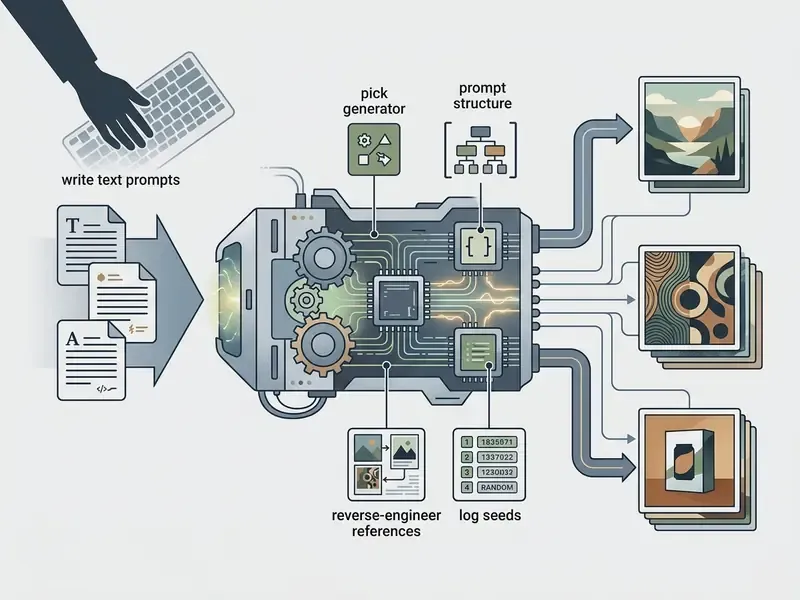
Build a Prompt from Subject, Style, Lighting, and Color
Place the main subject first, then medium and artistic styles, then specific light direction, then a restrained colour palette. Early subject tokens receive primary attention during initial latent denoising (Yi et al., 2024). Separating multi-object attributes into clear phrase blocks also prevents cross-concept contamination, the attribute-bias effect where colours or textures bleed onto adjacent objects (Zhuang et al., NeurIPS 2024).
"Magnet suppresses attribute bias with positive and negative binding vectors, improving attribute binding accuracy at negligible computational cost."
"Automatic prompt adaptation via supervised fine-tuning and reinforcement learning outperforms manual prompt engineering on both automatic metrics and human preference." — Hao et al., Optimizing Prompts for Text-to-Image Generation, NeurIPS (2023). https://neurips.cc
A production-ready prompt follows this four-part structure:
- Core subject"An executive business leader standing at a glass podium..."
- Artistic style"Cinematic editorial photography, 35mm lens, subtle film grain..."
- Lighting conditions"Soft directional window light from the left, deep ambient shadows..."
- Colour palette"Cool blue and slate grey tones with warm amber accent highlights..."
Copy-Paste Prompt Engineering Keyword Bank
Replace vague quality adjectives with concrete photographic and rendering vocabulary. Camera and composition terms steer realism far more reliably than hype tokens such as "8K" or "hyperrealistic". Diffusion models were trained on caption language, not on marketing language.
| Category | Recommended technical modifiers | Avoid (vague buzzwords) |
|---|---|---|
| Camera angles | Eye-level shot, Shot from below (low-angle), Shot from above (top-down), Macro close-up, Wide-angle 24mm lens, Isometric view | Best angle, Nice view |
| Depth and focus | Shallow depth of field, Bokeh background, Deep focus, Narrow depth of field, Macro razor-sharp detail | HD quality, High resolution |
| Lighting types | Volumetric studio lighting, Rim lighting, Soft directional window light, Harsh dramatic backlight, Golden hour glow, Backlit silhouette, Dimly lit interior | Good lighting, Bright |
| Colour direction | Warm amber tone, Cool slate tone, Muted pastel palette, Vibrant neon contrast, Two-tone monochrome, Black and white | Nice colors, Colorful |
| Render engines and mediums | Octane 3D render, Unreal Engine 5 render, 35mm analog film print, Vector flat design, Impasto oil painting, Watercolor wash, Low-poly, Craft clay, Line art, Comic book ink | Photorealistic, Hyperrealistic |
| Negative constraints | no watermark, no extra text, no duplicated limbs, no lens flare, no border | not bad, not ugly |
Add Composition, Aspect Ratio, and Quality Requirements
Finish the prompt with framing keywords, exact aspect ratios, and defined resolution expectations, without leaning on "ultra-detailed" or "8K". Diffusion models respond more reliably to concrete parameters such as "wide-angle shot", "shallow depth of field", or a ratio flag like --ar 16:9. In Midjourney, --ar governs aspect ratio only and does not set pixel dimensions, while --q alters render time and detail level.
When using developer APIs such as OpenAI's image endpoint, specify explicit dimensions where height and width are multiples of 16 (for example 1536x1024) within the allowed 1:3 to 3:1 range (OpenAI API Documentation, 2026). For banner, header, thumbnail, and print assets, pre-calculate the canvas from target platform specifications using our interactive calculators rather than stretching a square render after the fact. Channel art has its own constraints, which is why a dedicated youtube banner creator beats improvised cropping. Where the canvas must grow, use generative outpainting tools compared in our AI image expansion review.
Prompt Engineering Construction Checklist
Use this structured template to assemble text prompts before submitting them to an AI image generator:
- Define primary subject and action.State the central focal point, main object, or character performing a specific action.
- Set environment and context.Describe the immediate background, location, weather, or architectural setting.
- Specify artistic medium and style.Indicate whether the visual is a photograph, vector graphic, watercolour, 3D render, or oil painting.
- Direct lighting and mood.Define light sources: golden hour, backlit, volumetric studio lighting, neon glow.
- Establish colour palette.Limit the scene to 2 or 3 dominant tones, such as monochromatic slate, warm cinematic amber, or muted pastels.
- Configure composition and framing.Specify shot distance and perspective: eye-level shot, wide cinematic angle, macro close-up.
- Set aspect ratio and output parameters.Enter explicit dimension flags or ratio presets (16:9, 1:1, 9:16) plus negative constraints.
- Verify input limits and data hygiene.Confirm the prompt fits platform character and token limits, and contains no confidential or personally identifiable information.
Reverse Engineering: Convert Existing Images into Text Prompts (Image-to-Prompt)
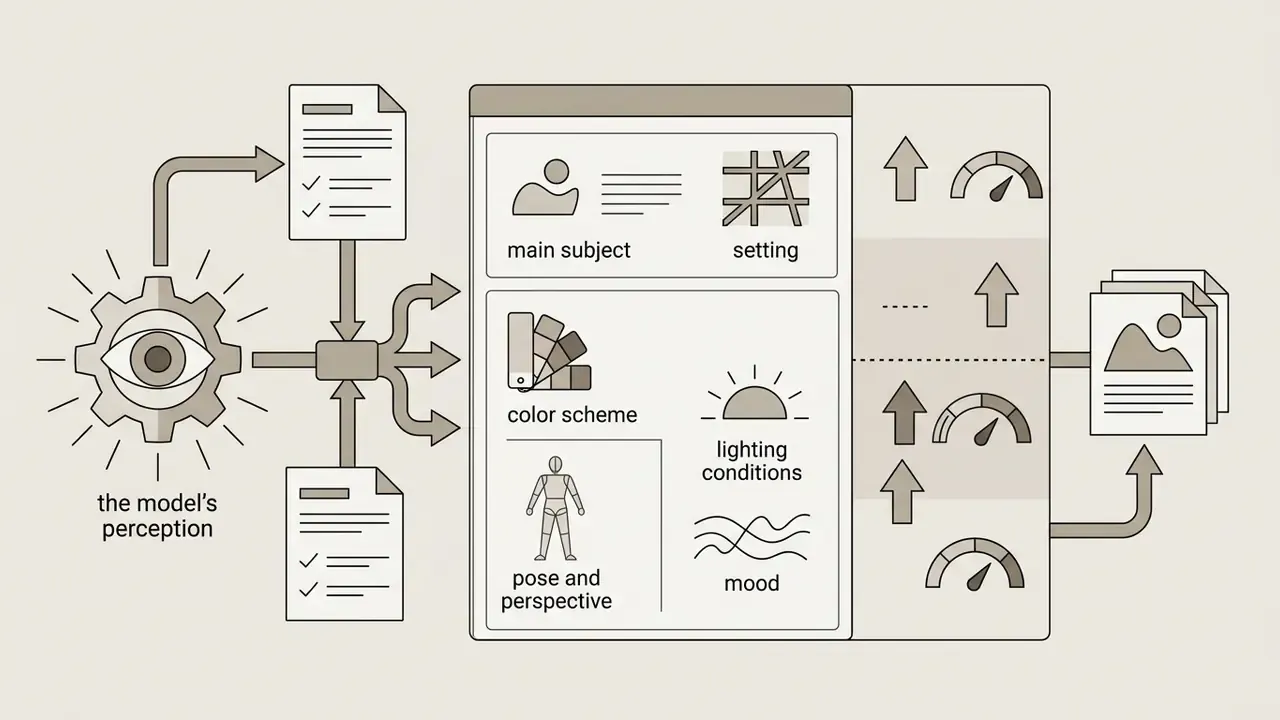
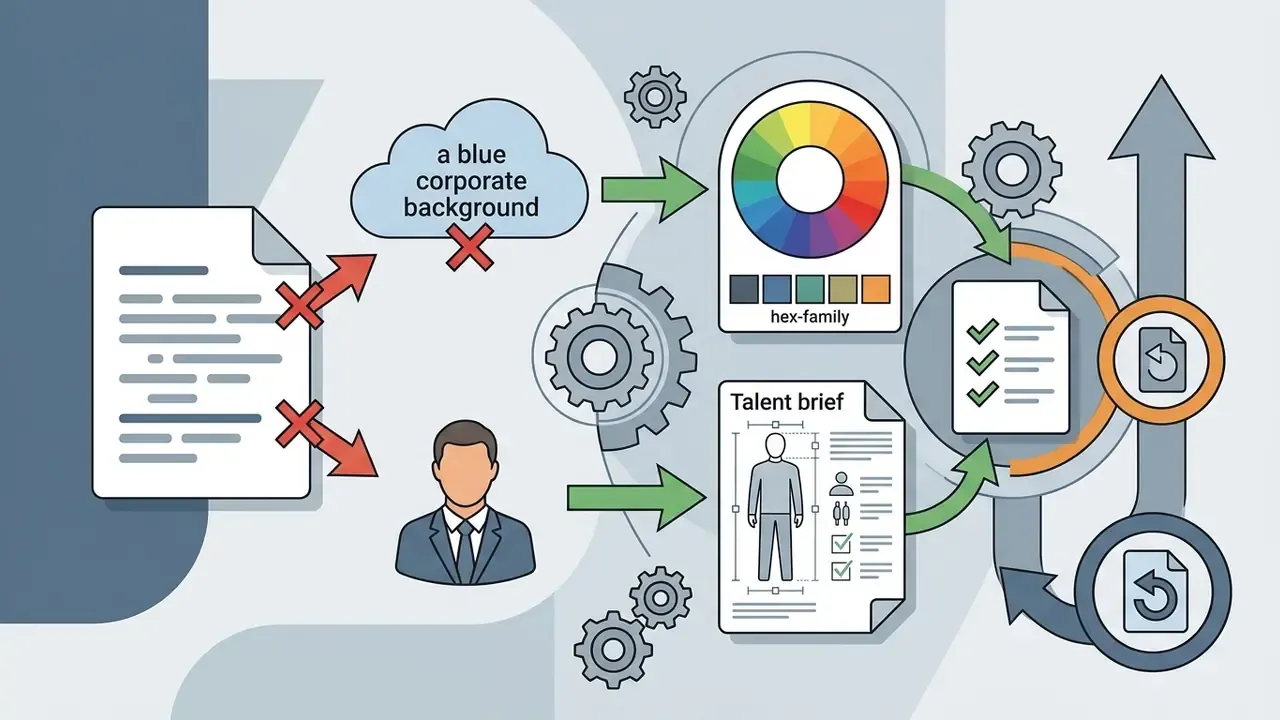
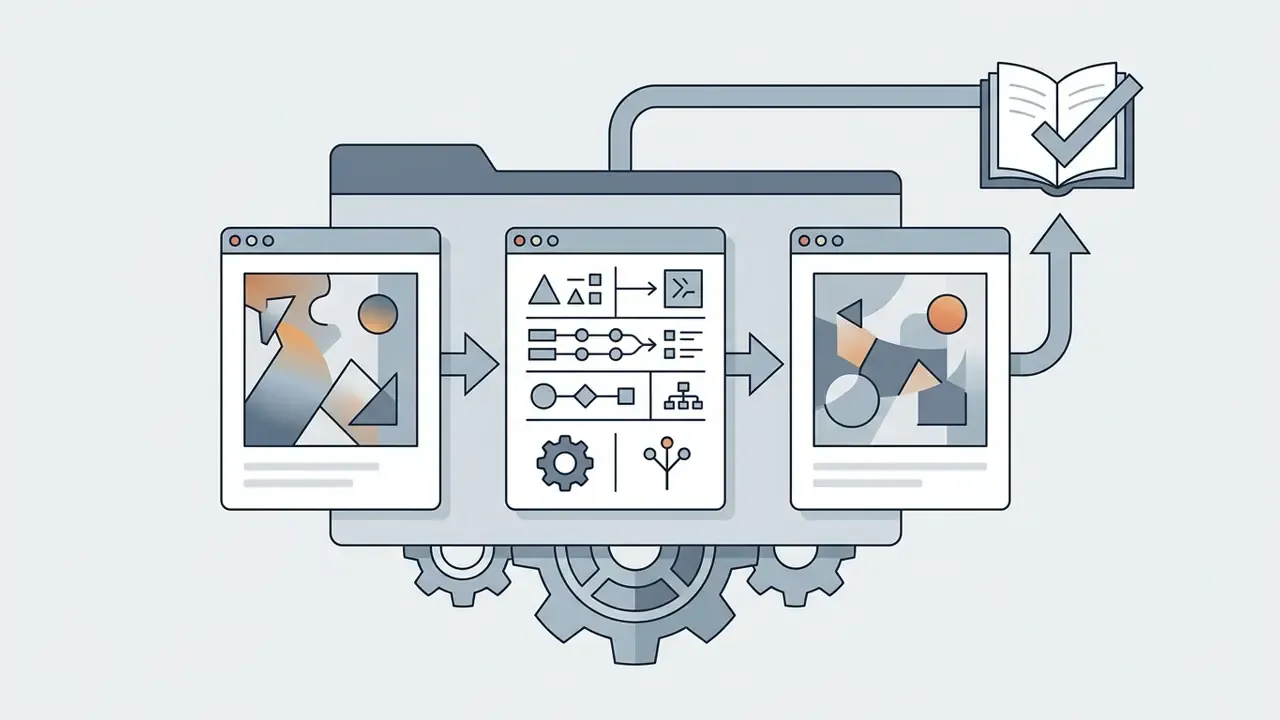
Sometimes the brief arrives as a raster file with no prompt attached. A brand book page. A competitor asset. A screenshot from a campaign nobody documented. Media teams then invert the pipeline: vision-language decoders such as CLIP-Interrogator, LLaVA, GPT-4o Vision, and comparable hosted tools deconstruct the image into a structured text description you can edit, version, and re-run. "Make it look like this" becomes a parameter set.
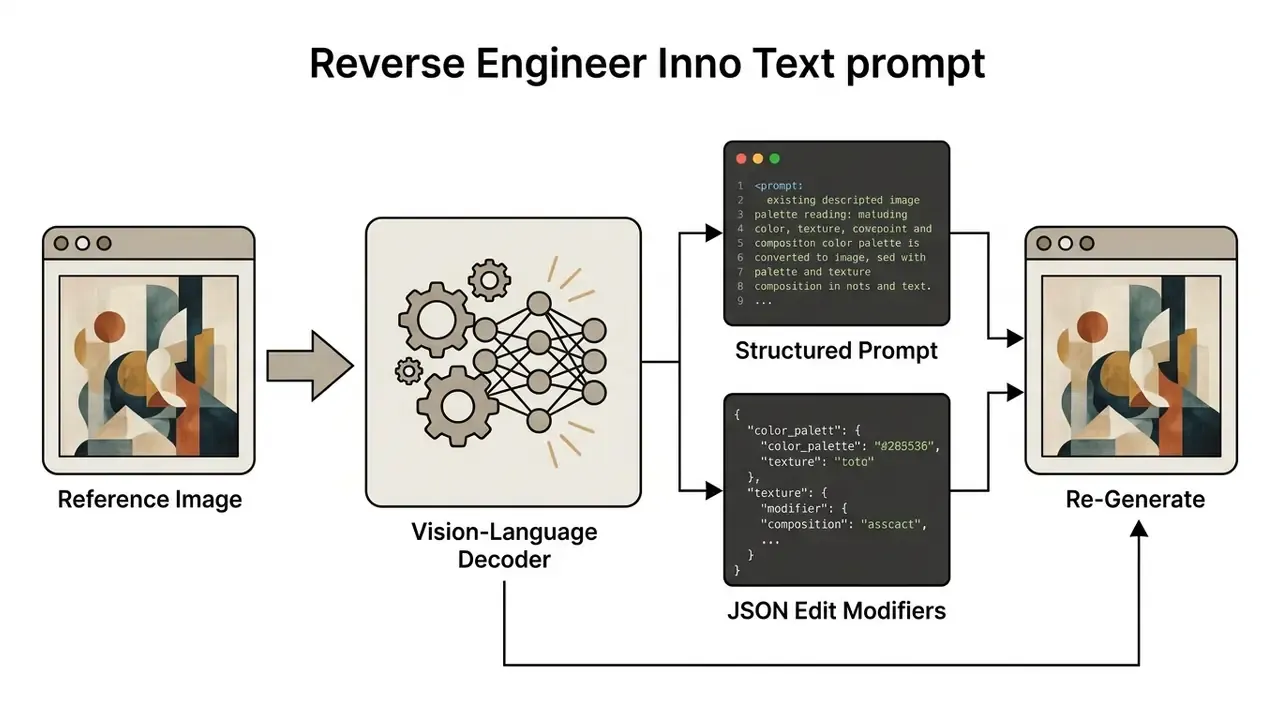
Step-by-Step Image-to-Prompt Extraction Process
- Upload the source asset.Input the reference image (PNG, JPG, or WEBP, usually under 4 MB). Extraction accuracy is highest on clear, high-resolution inputs; abstract or heavily compressed images yield generic descriptions.
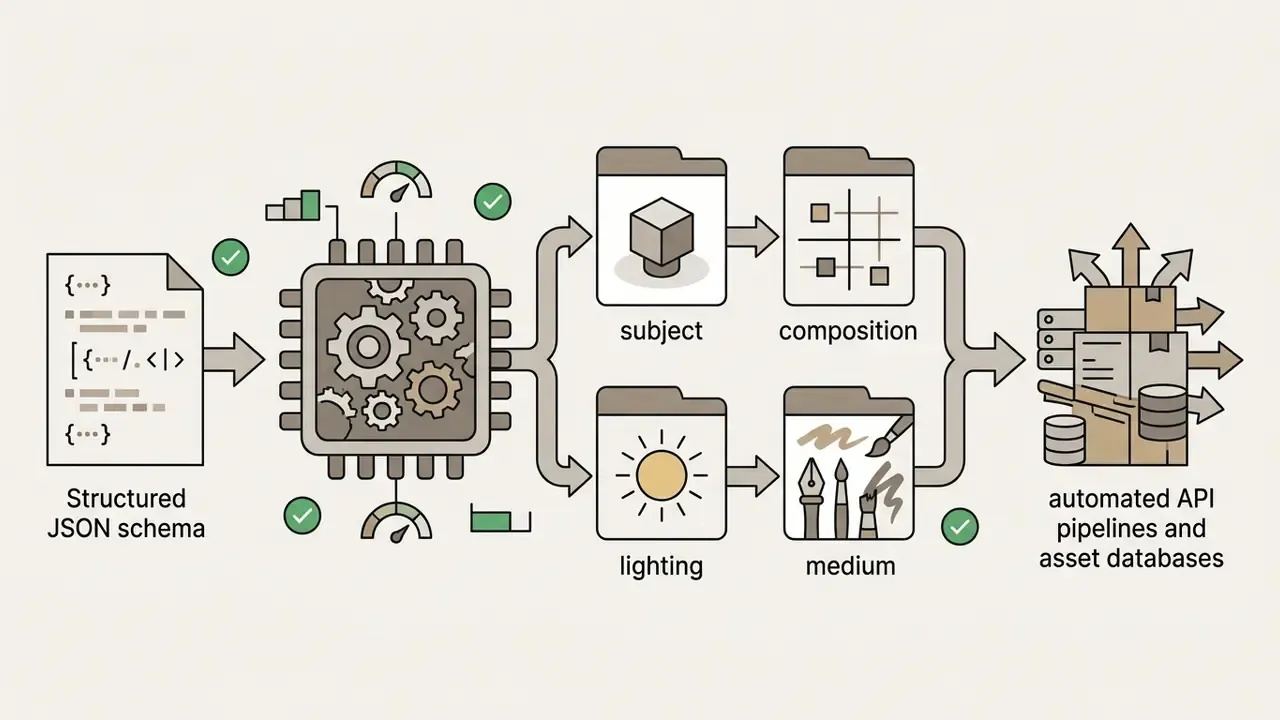
- Select the target syntax.Choose the output format matching the generator you will actually run:
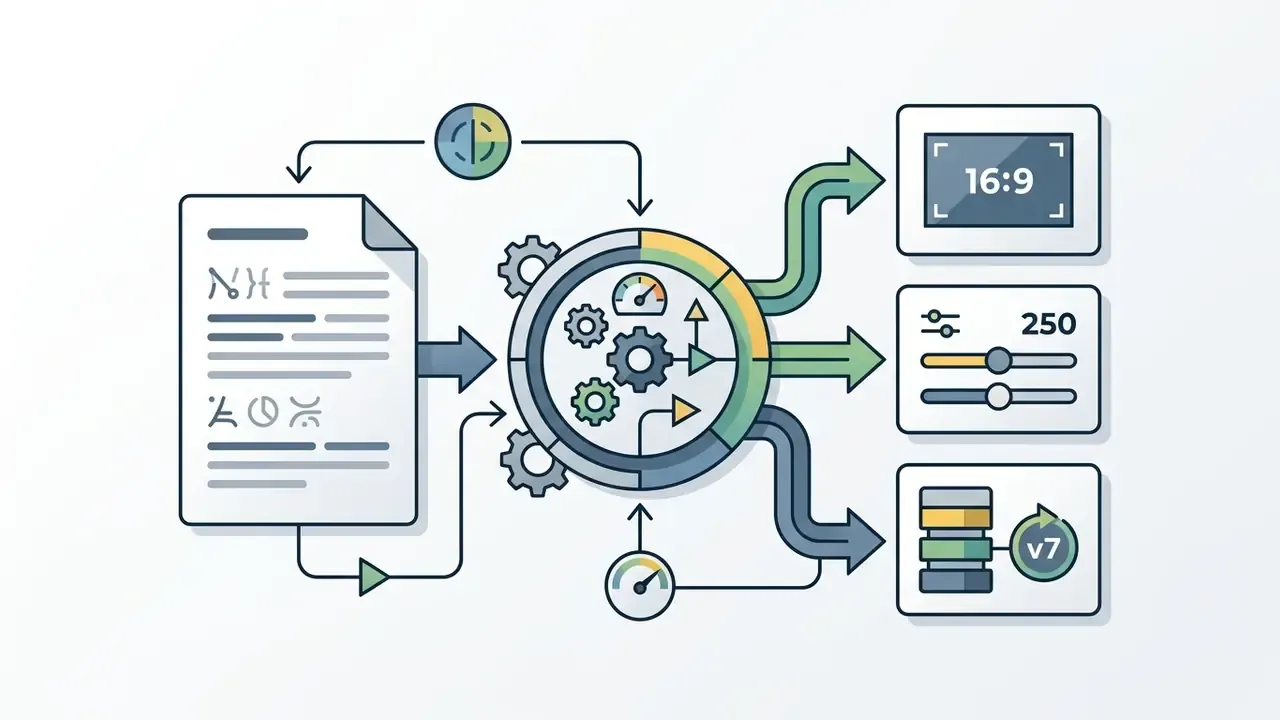
--ar 16:9), stylize parameters (--stylize 250), and model version tags (--v 7).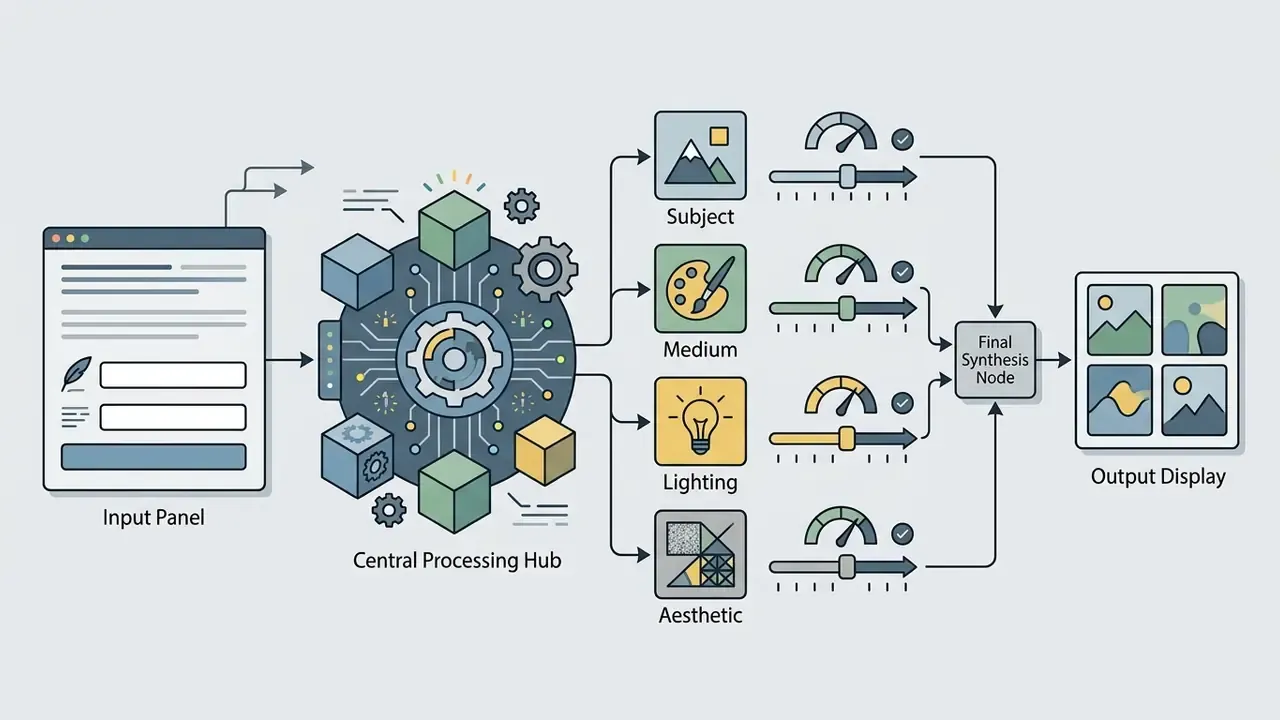
Governance caveats. Two rules keep reverse prompting defensible. Never upload confidential or client-identifying imagery into a public extraction tool, and check whether uploads are deleted immediately or retained. Never use extraction to replicate a living artist's signature style or a protected character for commercial output. Reverse prompting is a vocabulary tool, not a laundering mechanism. For provenance checks in the opposite direction, establishing where an image already circulates, see our comparison of AI reverse image search tools.
Use Reference Images and Existing Images to Improve Results
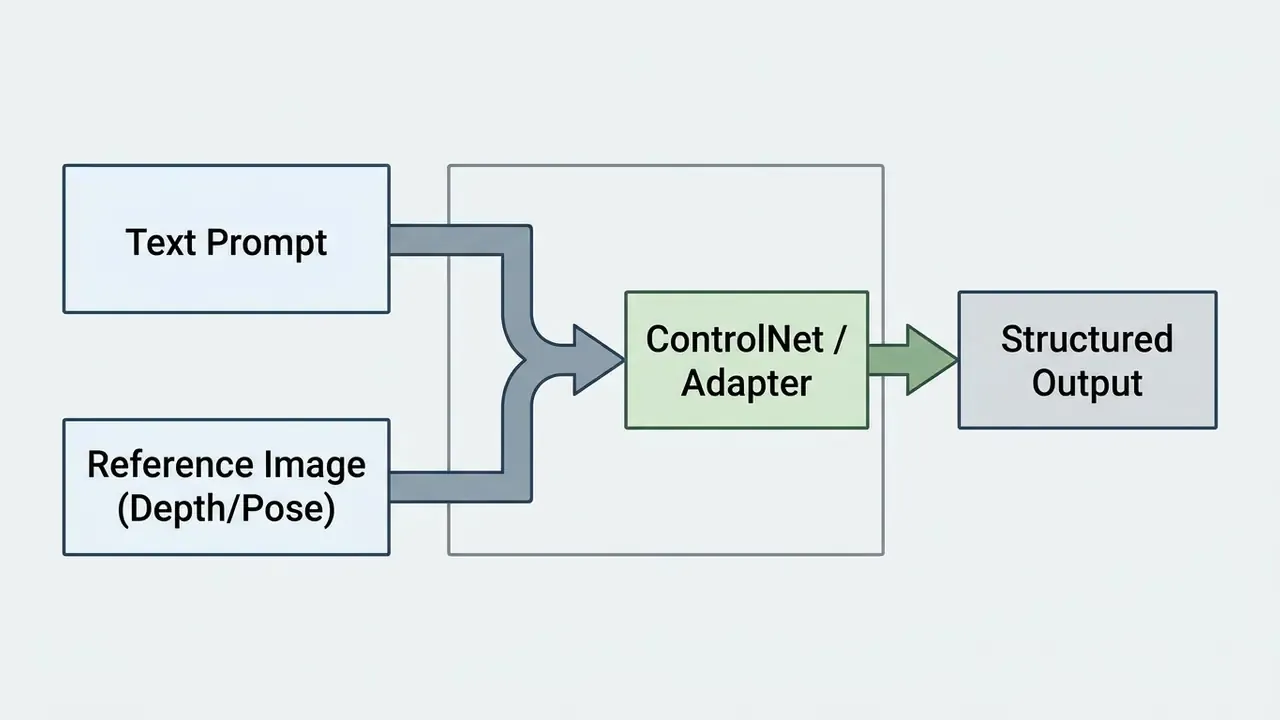
Reference images and existing images give the model spatial, structural, or stylistic anchors. That reduces visual ambiguity and improves prompt adherence compared with pure text generation. Conditioning diffusion models on physical image-to-image inputs lets teams hold composition, pose accuracy, and character continuity across a visual series.
Upload Reference Images to Guide Style and Composition
Uploading reference images directs the generator to extract spatial layouts (composition conditioning) or colour and brushwork profiles (style conditioning), while preserving the subject defined in your text prompt. ControlNet architectures attached to latent diffusion backbones deliver measurable control improvements over text-only generation: +11.1% in segmentation mask accuracy (mIoU), +13.4% in line-art edge preservation (SSIM), and +7.6% in depth accuracy (RMSE) (ControlNet++, 2024).
"ControlNet++ achieves measurable improvements in structural controllability compared with text-only generation."
Platforms such as Adobe Photoshop, NovelAI, and Qolaba accept reference graphics via drag-and-drop, with separate strength sliders to balance layout adherence against prompt creativity (Adobe Photoshop Web Guide, 2025). Adobe Captivate documents the split explicitly: composition references set layout and spatial arrangement, while style references set colour, lighting, and aesthetic. NovelAI's Precise Reference performs the analogous job for character appearance and series-level visual consistency.
For typography-critical and branding work, dedicated reference-guided expert plugins outperform general models:
"Compact expert plugins of roughly 28.5M parameters surpass existing methods in scene-text spelling accuracy and logo reproduction fidelity."
This is the practical route for brand-mark reproduction and packaging mockups. One drifting logo makes an otherwise usable render unpublishable, and compliance reviewers notice it before the creative director does.
Start with an Existing Image Instead of a Text Prompt
An image-to-image (Img2Img) workflow begins with a source graphic, then applies a prompt plus a strength slider or conditioning network to modify details, change medium, or outpaint. Low denoising strength (roughly 0.2 to 0.4) preserves original structure while refreshing surface textures. Higher values (0.7 to 0.9) let the model reimagine the composition entirely. Updated: these ranges are operational guidance derived from the standard latent encode, noise, denoise pipeline rather than a single vendor specification. Validate them against your own backbone before standardising.
"Latent diffusion models support image-to-image generation: the input image is encoded, partially noised, and denoised under text or reference guidance."
Vendors expose the same mechanism through different controls. Adobe Firefly's flow is upload reference image, add prompt, adjust Strength, where strength governs how strictly outline and depth survive. Microsoft's MAI-Image model card lists image input explicitly for editing workflows, separating editing from pure text-to-image synthesis. Research pipelines add two further control points beyond the prompt: LoRA fine-tuning and external image conditioning, for example FLUX.1 Redux. That is how teams break through the ceiling of text-only description.
Media editors routinely use existing visuals as baselines before passing assets downstream. Retouching a generated frame in a conventional photo editor or free photo editor. Producing consistent portrait sets with an AI headshot generator. Editing on constrained hardware with a video editor for chromebook or a full desktop video editor for mac. Compressing exported deliverables with a video compressor, or a video compressor for discord when the still becomes part of a shared motion sequence. Then assembling the finished render in a YouTube video editor.
Generate Images Based on User Requests: Step-by-Step Workflow
Generating images based on user requests follows a repeatable operational loop. Translate user intent into structured prompt fields. Select matching model configurations. Run candidate generations. Evaluate alignment. Perform localised edits. Export final files. Because reference conditioning and ControlNet inputs are covered above, steps 3 and 6 assume you already know which structural anchors you intend to attach.
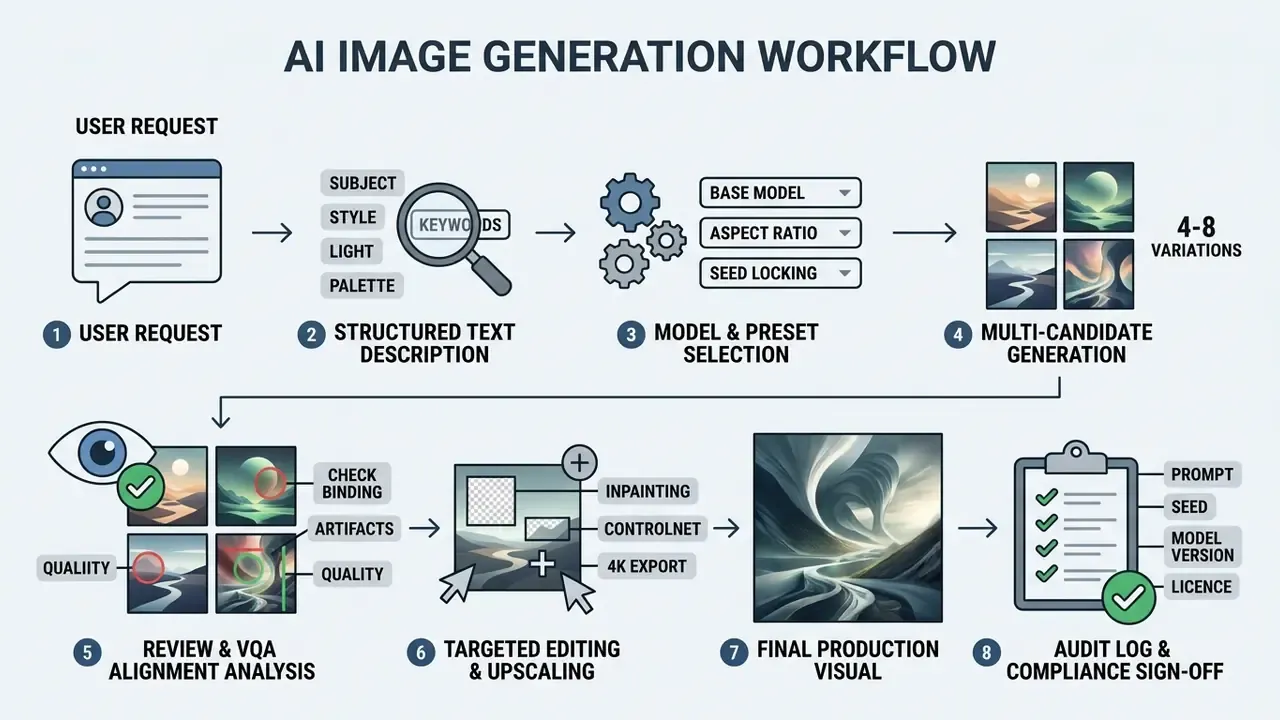
Textual walkthrough of the same process, in order: a stakeholder submits a request; the request is rewritten as a structured text description with subject, style, lighting, and palette fields; the model, aspect ratio, and seed are locked; a batch of four to eight candidates is generated; candidates are reviewed for attribute binding, artifacts, and brand fit; the winner is inpainted, control-corrected, and upscaled; the final visual is exported; and the prompt, seed, model version, and licence tier are written to the audit log with a named approver.
In one commercial visual campaign, a design team needed 50 consistent UI asset mockups from client briefs. Switching from conversational prompts to a rigid four-part template (subject, style, light, palette) and locking seed parameters at setup, the team reported a drop from roughly 12 prompt iterations per asset to about 2, with delivery time falling by roughly two-thirds. These figures are a single internal observation, not a benchmark. They illustrate the mechanism, template plus seed locking reduces variance, and should be re-measured in your own environment before entering a business case.
"Automatic prompt adaptation via reinforcement learning is especially effective for out-of-distribution requests, outperforming manual engineering on both metrics and human preference."
Set the Model, Style, and Aspect Ratio Before Generating
Pre-generation setup means locking the base image model, selecting an explicit style preset (or leaving style as auto), and fixing target aspect ratios from supported preset lists before submitting the text description. Ideogram, Luma, and Stability AI APIs enforce ratio selection before run-time, where parameters like aspect_ratio: "16:9" or style_preset: "cinematic" constrain the sampler to valid visual distributions (Stability AI Platform Docs, 2026). Ideogram requires ratios supported by the selected model. Luma defaults style to auto and restricts manga to portrait ratios (2:3, 9:16, 1:2, 1:3). Stability AI treats style_preset and aspect_ratio as separate inputs with 1:1 as the default.
"Surveys of controllable generation confirm that pre-setting aspect ratio and style prevents canvas distortion and structural defects."
Locking these variables beforehand prevents canvas stretching and structural distortion during generation. If you have not standardised on a backbone yet, review the trade-offs across the best AI art generators before hard-coding presets into a pipeline.
Generate Several Variations and Refine the Best Result
To reach production-grade visuals, generate a candidate batch of four to eight variations per prompt, evaluate them with automated alignment criteria or visual question answering (VQA) scoring, then refine the strongest candidate through targeted edits. Alignment benchmarks such as GenAI-Bench show that automated VQA evaluation, asking structural questions about generated images, correlates significantly better with human judgement than legacy CLIP scores (GenAI-Bench, 2024).
"VQAScore outperforms CLIPScore and competing metrics on Winoground, TIFA160, DrawBench, and Pick-a-Pic in correlation with human judgement."
Tools like PromptCharm add attention visualisation, letting operators see which prompt words influenced which regions before applying inpainting or local adjustments (Wang et al., 2024).
"A controlled study with twelve participants confirmed that the full PromptCharm system produced higher quality and better expectation alignment than reduced variants."
Formally, the selection loop mirrors classical iterated-improvement search. Generate a population of candidates. Evaluate against an explicit criterion. Retain the incumbent best. Apply local refinement through inpainting, prompt mutation, or seed-neighbourhood sampling. Accept or reject before the next round. Guidance scale and batch size are inference-time hyperparameters that materially shift outcomes, so record them alongside the prompt. Otherwise your best result is a one-off you cannot repeat.
Audit Trail: Logging Prompts, Seeds, and Model Versions
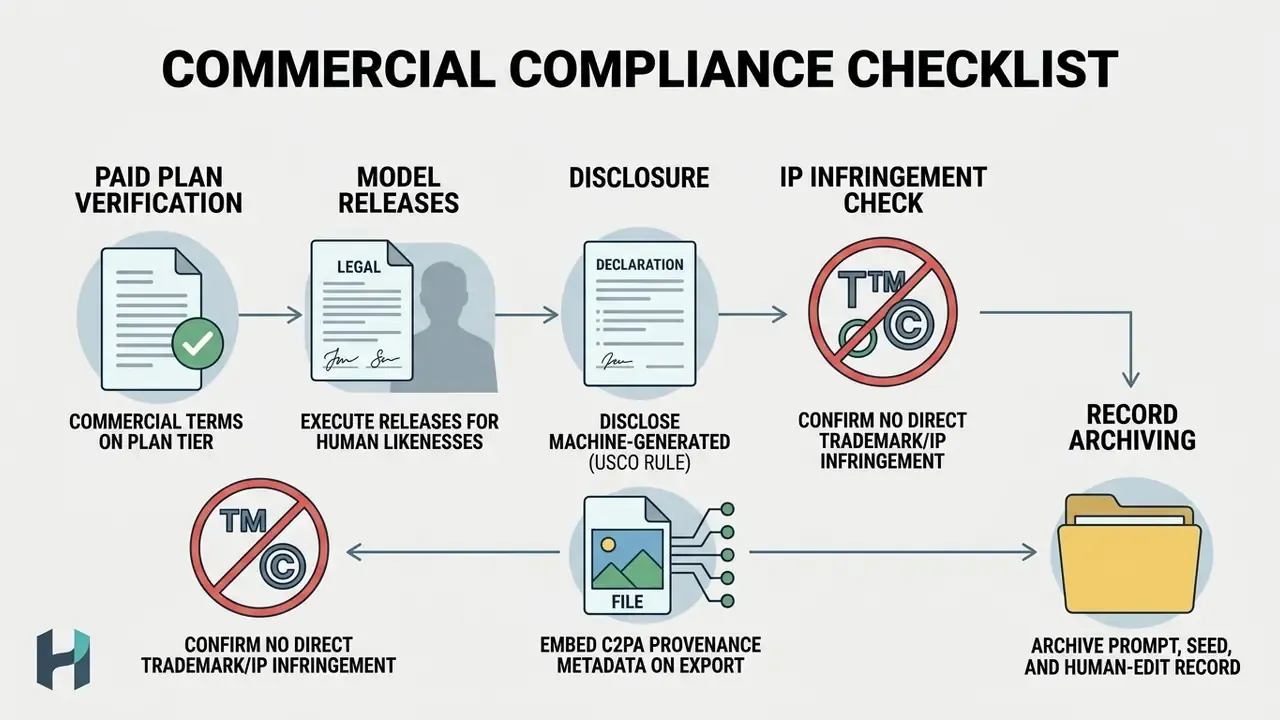
Reproducibility is the bridge between creative tooling and model-risk governance. An image that cannot be regenerated cannot be validated, defended in an IP dispute, or attested to a regulator. Capture the following metadata for every published asset, ideally automatically at the API layer rather than manually in a spreadsheet.
| Field | Example value | Why it matters |
|---|---|---|
| Asset ID | CAMP-2026-Q1-0147 | Primary key linking creative, log, and approval record |
| Full prompt string | verbatim, including negatives | Reproducibility; evidence of human creative direction |
| Negative prompt or exclusions | no watermark, no extra text | Explains defect-avoidance decisions |
| Model and version | SDXL 1.0 + brand-LoRA v3 | Outputs are not reproducible across model versions |
| Seed | 2841993071 | Deterministic re-generation of the exact candidate |
| Sampler, steps, guidance scale | DPM++ 2M, 30, CFG 6.5 | Inference hyperparameters change the result |
| Denoising strength (Img2Img) | 0.35 | Documents how much of the source survived |
| Reference or control inputs | depth map, hash abc123 | Proves which structural anchors were used |
| Human edits applied | inpaint hands, outpaint to 16:9, upscale 2x | The registrable human contribution under USCO practice |
| Licence tier at generation time | Enterprise API, commercial grant | Evidence the output was cleared for commercial use |
| Reviewer and sign-off date | name, 2026-02-11 | Accountability chain for marketing and legal review |
Integration pattern. Emit this record as a JSON payload from the generation service into your existing GRC or model-inventory system, and mirror the creative-facing subset into the asset DAM. Where a model-risk framework already exists, image generation slots in as a low-severity, high-volume use case. The validation question shifts. It is not "is the model accurate?" but "can we reproduce, attribute, and licence every published output?" Retain logs for at least the campaign's legal exposure window, and keep seeds and prompts under the same access controls as the creative files.
Ownership and escalation. Name a single owner for the generation service, the same way you would for any digital worker: defined role, approved access scope, escalation path, and a shutdown mechanism if a model version starts producing non-compliant output. No evidence, no autonomy. A pipeline that generates 400 images a week with no named owner is an unmanaged process, regardless of how good the renders look.
Edit AI-Generated Images and Increase Output Quality
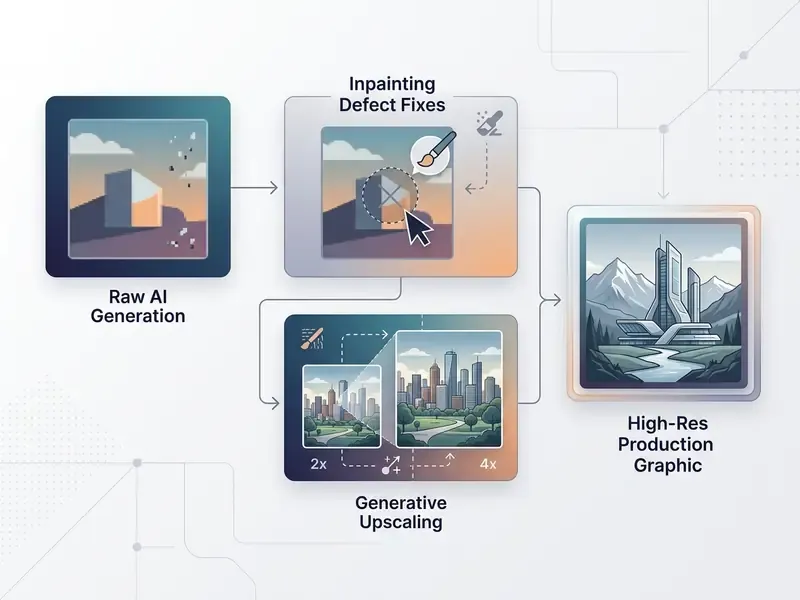
Post-generation editing raises output quality through masked inpainting for localised defect correction, attention re-weighting for attribute alignment, and dedicated super-resolution models for upscaling to 4K or higher. This matters commercially because generated images can look photographic while still carrying artifacts and physical implausibilities that survive casual review. A deliberate defect pass is part of the workflow, not optional polish. The toolchain overlaps heavily with conventional photo editing software.
Refine Details, Composition, and Visual Quality
Refining generated graphics means applying generative upscalers such as Adobe Firefly Upscaler, Topaz Gigapixel, or Magnific to restore fine detail, using inpainting to remove artifacts, and re-balancing composition. Firefly Upscaler restores low-resolution visuals up to 6144x6144 pixels while preserving surface sharpness. Topaz Gigapixel preserves existing detail up to 56 MP. Topaz Bloom adds creative detail up to 9 MP. Recraft upscales graphics to 4K with clean vector or PNG exports (Adobe Photoshop Generative Upscale Docs, 2026).
Two distinct operations get confused constantly, and picking the wrong one is a common cause of distorted deliverables:
- Generative outpainting (canvas expansion): extends image borders, for example converting a 1:1 render into 16:9, by generating genuinely new context outside the original boundary without resizing or stretching core pixels. This is the correct tool for re-formatting one master render across multiple placement ratios; comparative tooling is reviewed in our AI image expansion guide.
- Masked inpainting (targeted defect correction): re-renders a selected pixel mask at moderate denoising strength (roughly 0.6 to 0.8) to fix malformed hands, facial asymmetry, broken typography, or texture seams, while leaving the rest of the frame byte-identical.
Practical upscaling discipline: start from the highest-quality source available; avoid heavily compressed inputs; prefer PNG or high-quality JPEG; begin at 2x to 4x rather than the maximum multiplier; disable stylisation when fidelity matters more than embellishment; and compare at 100% zoom before approving. That last step catches more problems than any setting.
"Aesthetic reward models and upscaling used alongside iterative prompt refinement deliver measurable gains in perceived image quality."
Once assets are refined, creators routinely pass high-resolution graphics into motion and audio pipelines: animating stills with an animation maker, adding narration with an AI voice generator, building a channel opener with a youtube intro maker, reusing a locked style across every youtube intro, or assembling the sequence in a YouTube video editor for campaign cutdowns.
Prepare AI Images for Social Media and Commercial Use
Preparing AI images for social media and commercial channels requires re-formatting canvas dimensions to target platform aspect ratios, maintaining clean metadata disclosure, verifying model licences, and staying within federal copyright guidance. Verify the specific grant that applies to your plan against documented commercial-use terms for AI image generators before publication.
Check Usage Rights Before Publishing or Selling AI Images
Before monetising AI-generated images, verify that your service tier grants commercial exploitation rights, obtain model releases for recognisable human likenesses, and disclose machine-generated material in copyright registrations. The U.S. Copyright Office states that protection attaches only to human-authored creative elements. Purely machine-generated output lacks human authorship and cannot be registered without explicit disclosure of human selection, arrangement, or editing (U.S. Copyright Office Guidance, 2025 to 2026).
"The Office's standard of authorial control over AI-assisted works is difficult to meet in practice, creating a de facto dual standard."
"AI outputs can infringe copyright even where training-data use was lawful, via the substantial-similarity test." — Ronzani, Infringing AI: Liability for AI-generated outputs (2024). https://arxiv.org
Two further risk vectors deserve explicit checks. First, trademark and character rights. A generator will happily render a protected character, a competitor's trade dress, or a recognisable brand mark, and publishing that output needs rights-holder permission exactly as a photograph would. Second, factual reliability:
"T2I-FactualBench reveals substantial gaps in models' ability to depict knowledge-intensive concepts accurately despite high aesthetic quality."
For regulated marketing, financial products, healthcare, and claims-bearing advertising, that means generated imagery must never stand as documentary evidence of a real place, product, event, or person. Note also that identical prompts are available to everyone. Another organisation can run your prompt and obtain closely similar output, so visual exclusivity cannot be assumed from generation alone. If exclusivity matters, the differentiator has to be your reference assets and your locked style, not your prompt text.
Ethical Disclosure and Content Transparency Rules
To hold audience trust and satisfy platform disclosure policies, implement the following transparency protocols when publishing AI-generated imagery:
- Bottom-right corner watermarking: overlay a subtle indicator, a semi-transparent
AI Generatedtag or a low-opacity badge, in the bottom-right corner of exported graphics. Least intrusive placement that a scrolling viewer still registers. - Metadata embedding (C2PA): ensure exported files retain Coalition for Content Provenance and Authenticity metadata identifying the generative model and toolchain, so provenance survives re-publication. Where a platform strips files, keep the signed original in your DAM.
- Social post disclosure formats: include a standardised tag in captions rather than burying it in a bio or footer:
- Short-form:
[Visual: AI-generated using Stable Diffusion XL] - Detailed:
Created with AI support. Prompt parameters and composition manually edited. - Do not misrepresent reality: never present AI imagery of real people, places, or events as factual, and avoid synthetic depictions of identifiable individuals without consent. Stock and institutional guidelines converge on this rule.
- Verification tooling: where third-party assets enter your pipeline, screen them with AI image detectors and provenance checks before reuse, rather than trusting supplier declarations alone.
Passing generated work off as fully human-made carries both reputational and disclosure risk. Registration practice requires you to identify AI-generated material anyway, so internal honesty and external transparency should be the same record.
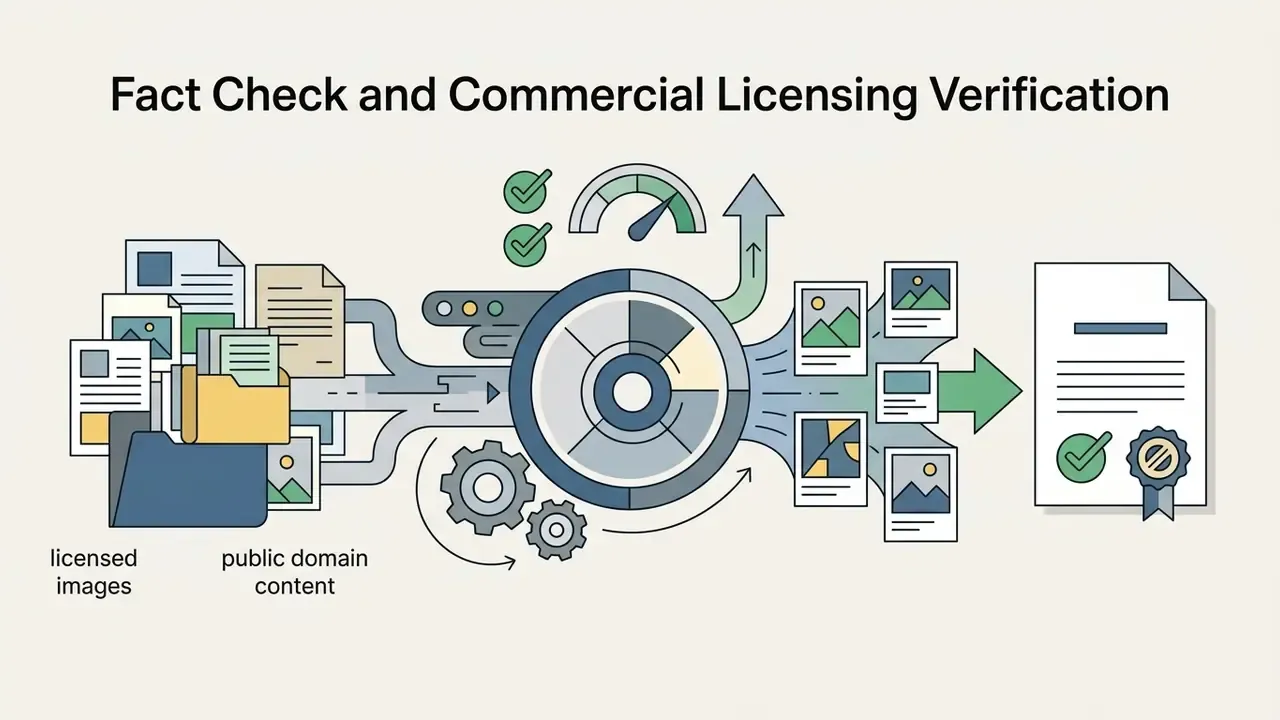
Fact Check & Commercial Licensing Verification
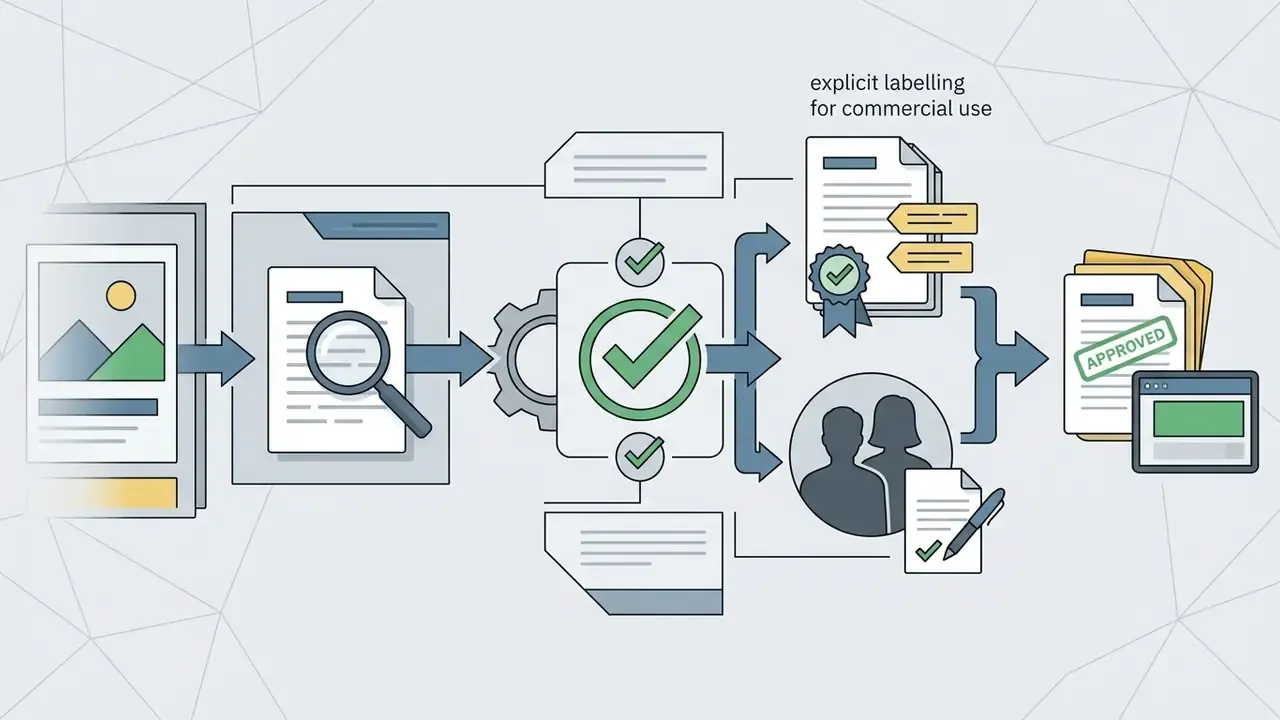
Review the verified licensing terms and commercial usage rights across primary AI image generation platforms, and cross-check them against the platform-by-platform breakdown in our commercial-use library:
FAQ
What do I do when the model hallucinates details, such as extra fingers, broken text, or warped logos?
Do not re-roll the whole image. Mask the defective region and inpaint at 0.6 to 0.8 denoising strength, so the rest of the frame stays byte-identical. For typography and brand marks, attach a reference-guided expert plugin or a control map instead of describing the mark in words. If a logo drifts across a series, lock the seed and condition on a clean brand asset rather than adding prompt verbosity.
How do I demonstrate human authorship for U.S. copyright registration?
Document the human contribution, not the prompt alone. Under current Copyright Office guidance, protection attaches to human-authored elements such as selection among candidates, arrangement, composition decisions, and substantive editing. Keep the audit record described above: candidate batch, selection rationale, inpainting and outpainting operations, manual retouching, and final composition. Disclose the AI-generated material in the application and describe the human contribution briefly.
How long can a prompt be?
It depends on the platform. Adobe Firefly hard-stops at 750 characters. Midjourney's attention effectively decays past roughly 60 tokens. OpenAI image models accept long inputs with internal expansion but weight early tokens most heavily. In all three cases, front-load the subject in the first sentence and push technical flags to the end.
Can I get the same image twice?
Only if you record everything. Identical output requires the same model version, prompt (including negatives), seed, sampler, step count, guidance scale, and resolution. A model version upgrade breaks reproducibility even with an identical seed, which is precisely why model version belongs in the audit log.
Is it safe to use a public web generator for client work?
Not by default. Consumer tiers commonly permit training on inputs, retain data on vendor-defined terms, and frequently prohibit commercial use outright. For client or regulated work, use an enterprise API tier with contractual no-training and retention controls, or self-host an open-weight stack inside your own environment.
Can I copy another brand's visual style with image-to-prompt extraction?
You can extract descriptive vocabulary. You cannot safely reproduce protected characters, trade dress, or a living artist's signature style for commercial output. Use extraction to learn which attributes you under-specify, then substitute your own documented brand parameters before generating.
Do free tiers ever allow commercial use?
Rarely, and you must verify per platform. Leonardo.Ai (150 daily tokens), Recraft (30 daily credits), and Kling AI (66 daily credits) all restrict free-tier output to personal, non-commercial use. Free plans often watermark output precisely because the licence is non-commercial.
What is a safe first step if our teams are already generating images without approval?
Inventory before restriction. Run a two-week discovery on which tools are in use, which asset types they produce, and where reference uploads are going. Then publish one approved path with a logged prompt, a seed, and a named reviewer, and migrate the highest-volume use case first. Restriction without a supported alternative just pushes the activity onto personal accounts.
Related Media Workflows & Production Hubs
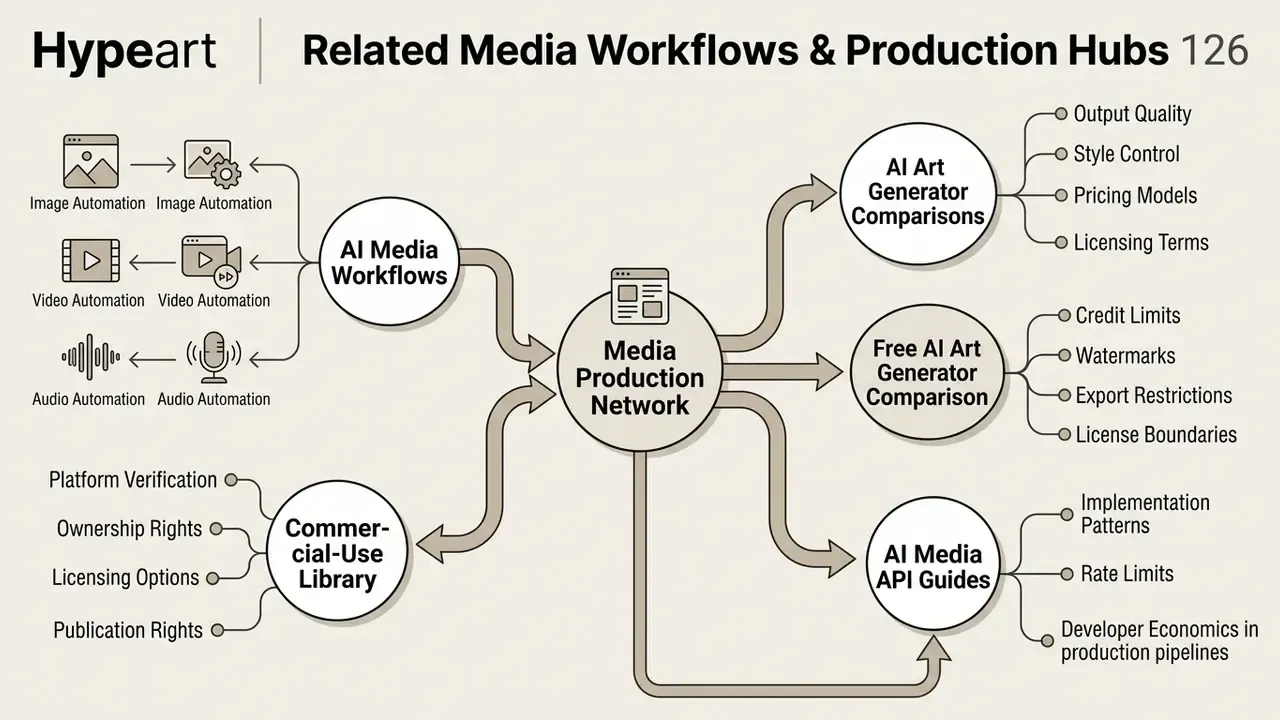
Explore dedicated guides, tool directories, and workflow frameworks in our media production network:
- AI Media Workflows for production guides covering AI image, video, and audio automation.
- AI Art Generator Comparisons for output quality, style control, pricing, and licensing across leading generators.
- Free AI Art Generator Comparison for credit limits, watermarks, export restrictions, and licence boundaries.
- Commercial-Use Library for platform-by-platform verification of ownership, licensing, and publication rights.
- AI Media API Guides for implementation patterns, rate limits, and developer economics in production pipelines.