For a risk officer, that is the whole story in one sentence: capability moved, accountability did not.
Executive Summary: The Short Version
For risk, compliance, and creative operations leaders who need the condensed read:
- "No filter" is a product claim, not an architectural state.Open-weight local checkpoints can run genuinely unconstrained. Hosted "uncensored" services usually mean no keyword pre-blocking, while logging, human review, and account suspension stay live under the terms of service.
- The most under-discussed failure mode is hidden prompt rewriting.Many mainstream cloud generators pass user text through a background LLM layer that sanitizes or rewrites it before diffusion. The output then diverges from the brief for reasons the user never sees. Absolute prompt integrity, meaning verbatim prompt pass-through, is a distinct and testable property.
- Removing filters does not improve quality.Temporal consistency, identity retention, and physical plausibility are governed by model architecture and prompt discipline. Benchmarks such as VBench (CVPR 2024) and I2V-Bench/ConsistI2V (2024) decompose quality into spatial fidelity, temporal flicker, and motion smoothness. None of those dimensions correlate with the absence of safety classifiers.
- Practical performance targets in 2026a 5 to 10 second clip at 2K, delivered in 30 to 50 seconds without artificial queue throttling, watermark-free export, and 1024×1024 or larger uncompressed source frames.
- Legal exposure is asymmetric.Under U.S. Copyright Office guidance (2025), purely AI-generated frames are not registrable; commercial rights flow from the vendor contract, not from copyright. Right-of-publicity limits, CSAM prohibitions, and non-consensual deepfake liability remain absolute regardless of platform marketing.
- Audit trail is the control regulators will actually ask forarchived prompt text, seed value, model hash, parameter set, source-image hash, and reviewer sign-off. Without these, an unconstrained pipeline cannot be validated under model-risk frameworks such as SR 11-7, nor tiered under the EU AI Act.
Bottom line: treat "no filter" as a capability class to be governed, not a feature to be trusted.
What an AI Video Generator No Filter Actually Means
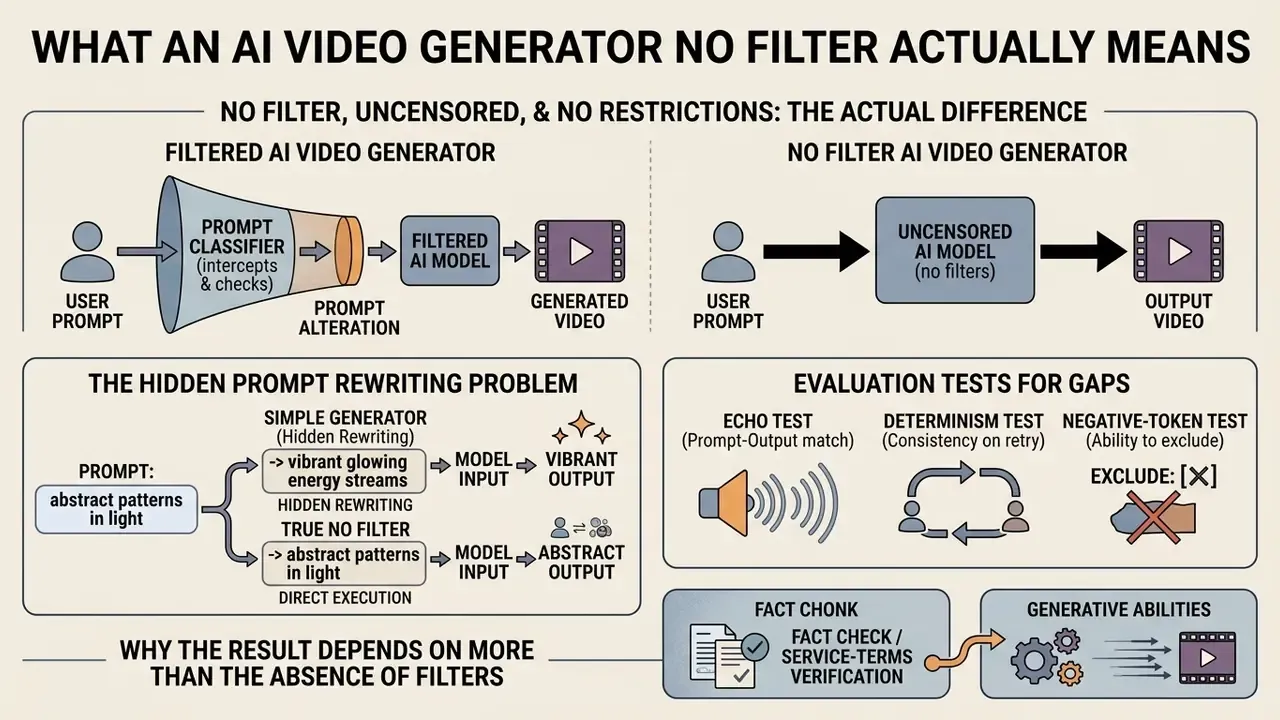
An ai video generator no filter is a video synthesis model operating without active automated classifier layers that intercept prompts or suppress output frames. Marketing terms like uncensored or no restrictions imply the total absence of guardrails. Real deployments are messier: they differentiate between base model architecture capabilities and platform-level acceptable use policies. Understanding that boundary is the first step in assessing model risk and operational autonomy.
No Filter, Uncensored, and No Restrictions: The Actual Difference
The terms uncensored, no restrictions, and prompt integrity describe fundamentally different operational conditions inside generative AI systems. An ai image and video generator no restrictions typically refers to open-weight model architectures where developer-installed safety classifiers have been removed, allowing the underlying neural network to generate any visual state encoded in its training distribution. Uncensored hosted services usually mean something narrower: no automated pre-generation keyword blocking, while real-time logging, post-generation human review, or account-level suspension remain active under platform terms.
Prompt integrity is a third thing entirely. It concerns preserving the user's explicit semantic instructions without system-side alteration, sanitization, or refusal. Updated: the NIST Generative AI Profile (NIST AI 600-1, 2024) does not use the phrase "no filter" anywhere. It frames the underlying concern as information integrity, meaning the preservation of reliable, verifiable information and a clear separation of fact, opinion, inference, and uncertainty in a system's outputs and disclosures. Applied to video generation, that standard asks vendors to state plainly which layers act on user input, which act on model output, and which act only after generation.
Public commercial platforms enforce service-level acceptable use policies regardless of raw model capacity. Open-weight deployments hand operators full technical control over inputs and latent outputs, and, correspondingly, full accountability for both.
| Layer | Where it operates | Typical vendor language | What it actually blocks |
|---|---|---|---|
| Pre-execution classifier | Prompt, before diffusion | "Content filter" | Keywords, embeddings, flagged concepts |
| Prompt rewriting (LLM layer) | Prompt, silently modified | "Prompt enhancement" | Nothing; it changes your text |
| Output classifier | Rendered frames | "Safety review" | Frames after generation |
| Human review / logging | Account level | "Trust & Safety" | Retroactive suspension, reporting |
| No-filter open weights | None active | "Uncensored model" | Nothing at inference; law still applies |
Why the Result Depends on More Than the Absence of Filters
Removing moderation classifiers from an ai image to video unfiltered pipeline does not automatically buy realistic motion, high spatial fidelity, or visual consistency. Final quality is governed by base model architecture, temporal attention mechanisms, motion vector scales, and guidance ratios, not by the presence or absence of filtering layers.
Illustrative composite scenario, not a documented client engagement.
Readers new to the category can build baseline vocabulary through our reference entry on AI video generators before comparing architectures, then standardize terminology across engineering and compliance functions using the AI Media Glossary.
Fact Check / Service-Terms Verification. Before running unconstrained workloads, verify the actual hosting terms: real-time logging policy, data retention schedule, human review triggers, prohibited content categories, and export licensing. Vendor claims of GDPR or CCPA compliance are self-declared; enterprise buyers need an independent audit of the Data Retention SLA rather than a marketing badge.
This material is general in nature and does not replace legal or technical advice from a qualified specialist. Service terms and regulatory requirements change over time and vary by jurisdiction.
How AI Image to Video Works Without Restrictions
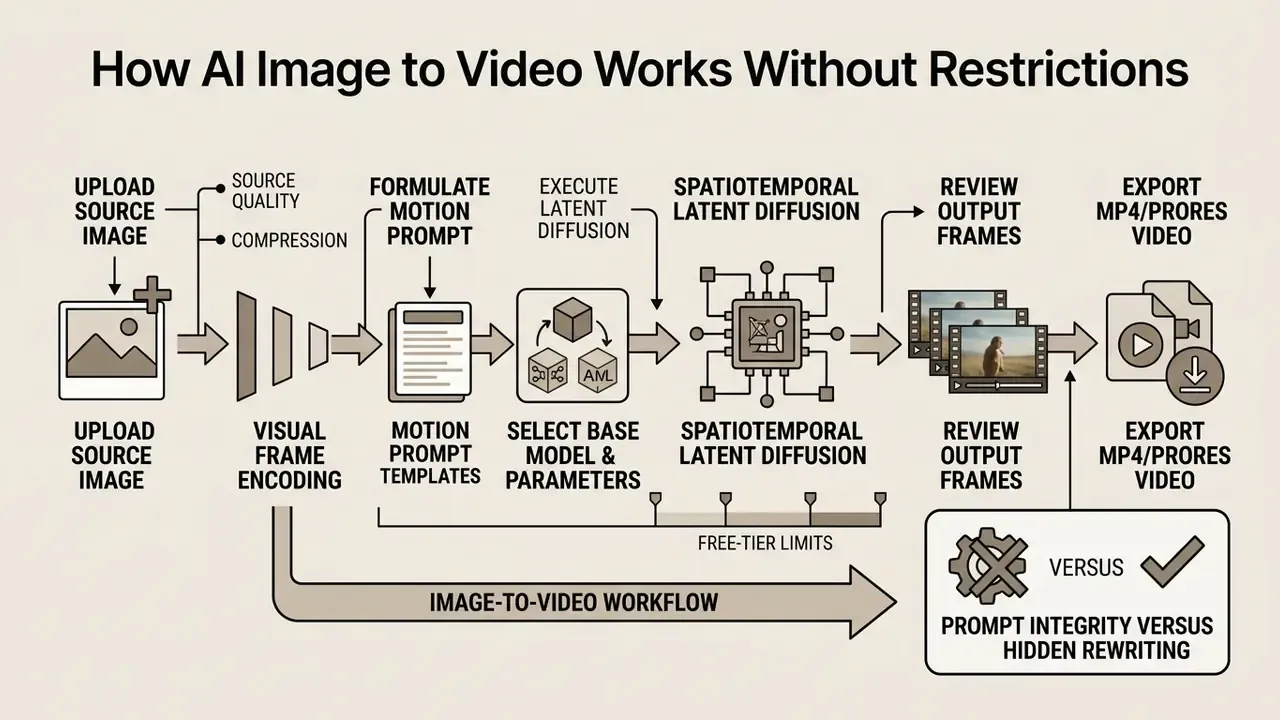
An ai image to video workflow transforms a static reference image into an animated sequence through a three-stage diffusion pipeline: visual frame encoding, spatiotemporal latent diffusion, and temporal frame decoding.
Operating an ai image to video generator with no restrictions lets users direct camera trajectories and subject movement straight from an uploaded reference photo, without a model-level refusal interrupting the run.
- Upload Source Image feed a high-resolution reference photo (PNG/JPG) into the latent encoder.
- Formulate Motion Prompt define spatial movement, lighting shifts, and camera control vectors.
- Select Base Model & Parameters choose sampling steps, motion scale, and guidance settings.
- Execute Latent Diffusion generate spatiotemporal frame sequences conditioned on the source frame.
- Review Output Frames inspect temporal consistency, subject stability, and artifact presence.
- Export MP4/ProRes Video download the final high-definition output.
Teams comparing tool categories at this stage can review our reference material on image-to-video AI and adjacent motion tooling in the guide to animation makers.
Uploading the Image: Photo, Source Quality, and Compression
The spatial quality and resolution of the input image set the structural baseline for every downstream frame. Whether the workflow is a mainstream corporate explainer or an age-restricted adult photo to video ai pipeline, low-resolution input graphics push amplified compression artifacts and visual noise into latent diffusion. Garbage in, flicker out.
Updated source guidance. Practical minimums converge across vendor documentation and peer-reviewed benchmarks rather than resting on a single proprietary source: uncompressed PNG or maximum-quality JPG, a shortest-side resolution of at least 1024 px (1080p or higher for 16:9 output), well-defined lighting boundaries, and no visible block or ringing artifacts. Format behaviour matters too. PNG is lossless and preserves alpha plus fine texture. Lossy JPEG discards detail before the encoder ever sees the frame. Lossy WebP runs roughly 25 to 35% smaller than comparable JPEG, and lossless WebP roughly 26% smaller than PNG at similar visual quality, which makes it useful for delivery and unsuitable as master source material.
Motion Prompt: How to Describe Movement and Scene
A motion prompt directs how spatial features from the static reference frame travel across time. Effective motion control needs structured prompt construction:
Subject + Subject Movement + Environmental Dynamics + Camera Trajectory
Explicit directional commands, for example "slow pan right, 24 fps, steady cam", stop the model from inventing random spatial morphing or unprompted object shifts. One dominant camera move per clip, with stated direction and speed, beats stacked instructions almost every time.
Copy-ready motion prompt templates:
[Camera Move]:  "Slow tracking shot, cinematic pan right, 24fps, steady focus, single dominant move"
[Subject Motion]: "Head turns left slowly, subtle smile transition, eyes widen with surprise, shoulders still"
[Environment]:  "Wind blowing through hair, background lights bokeh drift, dust motes in backlight"
[Continuity Lock]: "Same character as previous shot, identical wardrobe, identical hairstyle, fixed key light from camera-left"
[Negative Prompt]: "flicker, frame jump, morphing, identity drift, wardrobe distortion, temporal inconsistency, duplicate limbs, blurry face, bad anatomy, camera shake"
Illustrative composite scenario.
Operators working across both prompt families can cross-reference technique with our overview of text-to-video AI, since camera-language conventions transfer cleanly between text-conditioned and image-conditioned pipelines.
Generation, Retries, and Video Export
Latent diffusion is stochastic by design, so a single prompt execution rarely lands the best temporal result on the first attempt. Running an ai image to video no limit workflow in practice means iterating seed variations, scoring output frames for structural stability, and exporting only the clean renders.
Updated export practice. Standard professional export practice, vendor-neutral, is to lock the destination specification before the first render: container (MP4/H.264 or ProRes), frame rate (24, 30, or 60 fps for high-motion content), frame size (1080×1920, 1920×1080, or 3840×2160), field order, pixel format, key frame distance, and one colour space across all scenes. Fixing these values before generation prevents playback stutter, resampling artifacts, and inter-scene colour shifts. Teams shipping to social platforms often pair export presets with a downstream video compressor to hit platform bitrate ceilings without a second re-encode from the master. Downstream trimming, colour matching, and shot assembly usually happen in dedicated ai editing software rather than inside the generator itself.
How to Improve Quality from a Single Image
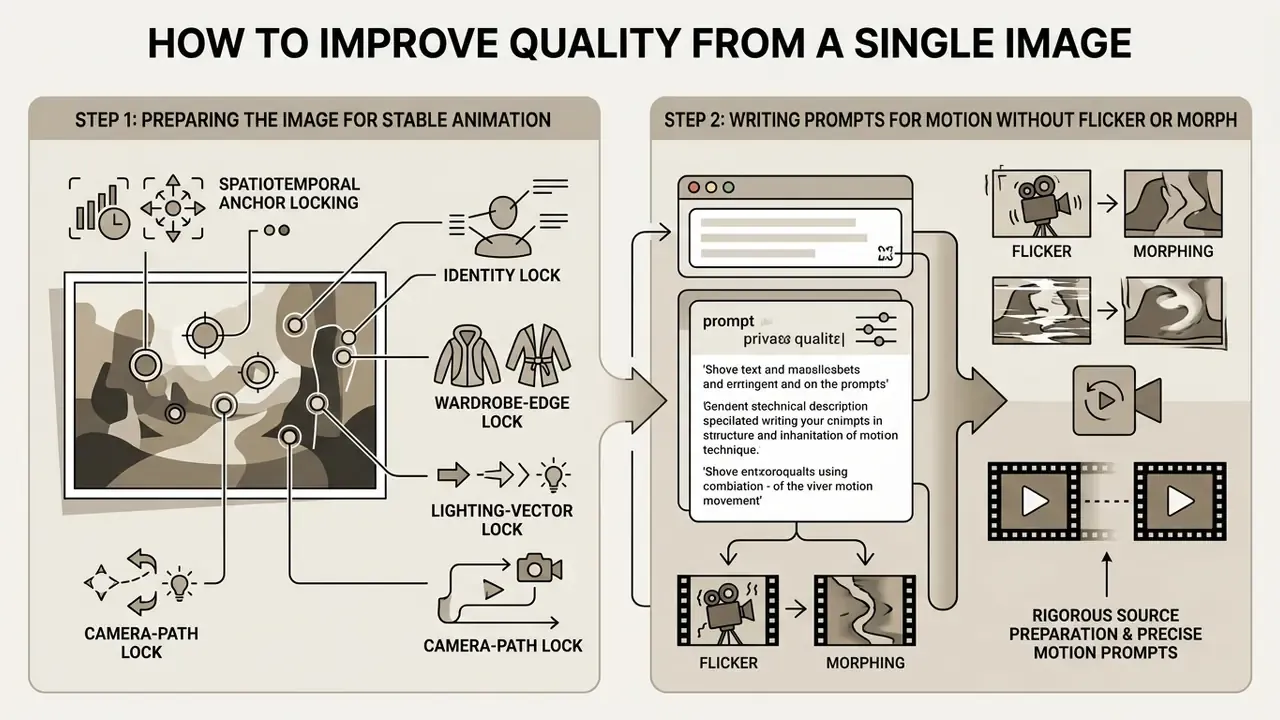
Getting stable, professional-grade output from an ai 18 image to video pipeline, or from any general image animation tool, depends on rigorous source preparation and precise prompt construction. Eliminating temporal artifacts, character morphing, and lighting flicker comes down to engineering controls applied before inference starts, not to cleanup afterwards.
That finding matters operationally as much as ethically. Combined image-plus-text conditioning changes the risk surface, so review has to happen at the pair level, meaning source frame plus prompt, not on the prompt alone. Any moderation design that inspects only text is measuring half the input.
Preparing the Image for Stable Animation
Source image preparation is the single biggest lever on video stability. Reference photographs should show high contrast, clear subject-background separation, and zero spatial compression artifacts.
Cropping images to the target output aspect ratio (16:9, 9:16, 4:3, or 1:1) before upload prevents unnatural stretching and border distortion during sampling. Where the source ratio does not match the output, use an aspect-preserving fit with padding rather than a stretch transform. Preparation work of this kind is faster in a dedicated tool: see our reference entries on AI photo editors and on photo editors for cropping, relighting, and artifact-removal workflows. Stylized synthetic references, including the figurine-style outputs described in our entry on the ai doll generator or the sketch-first approach in ai draw me a picture, animate more predictably than photographs, since they carry less noise and simpler geometry.
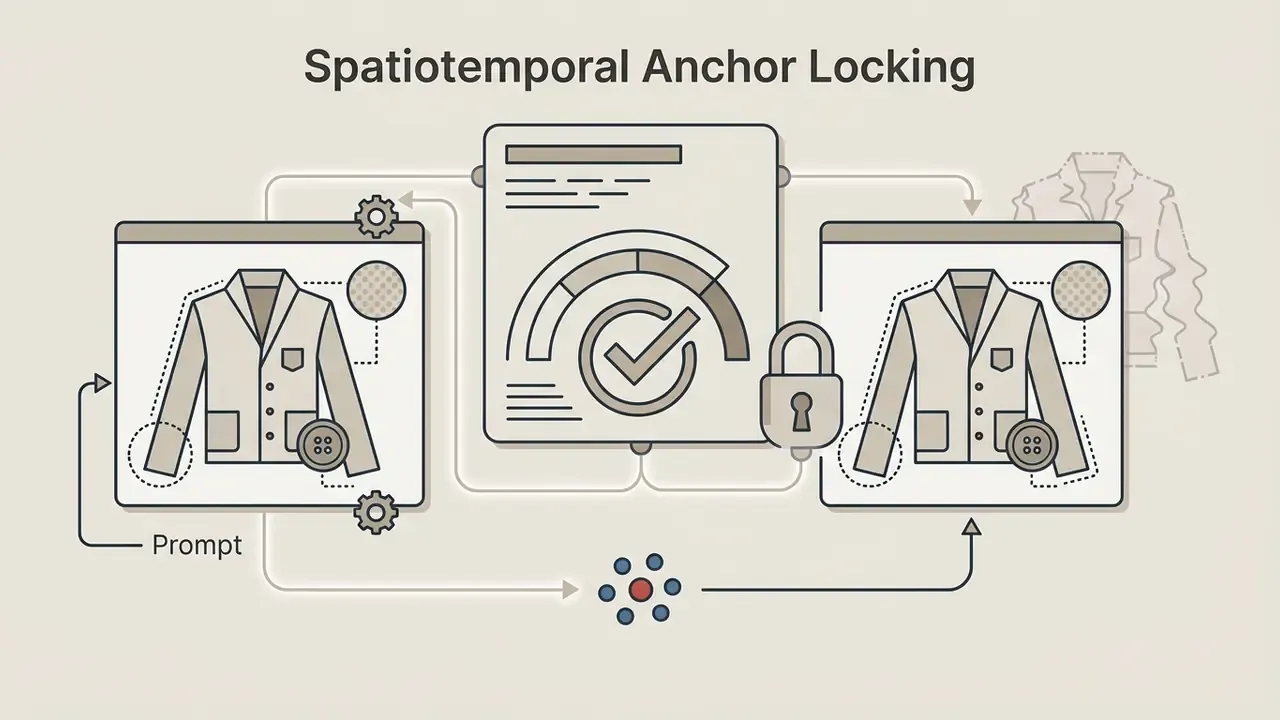
Spatiotemporal Anchor Locking
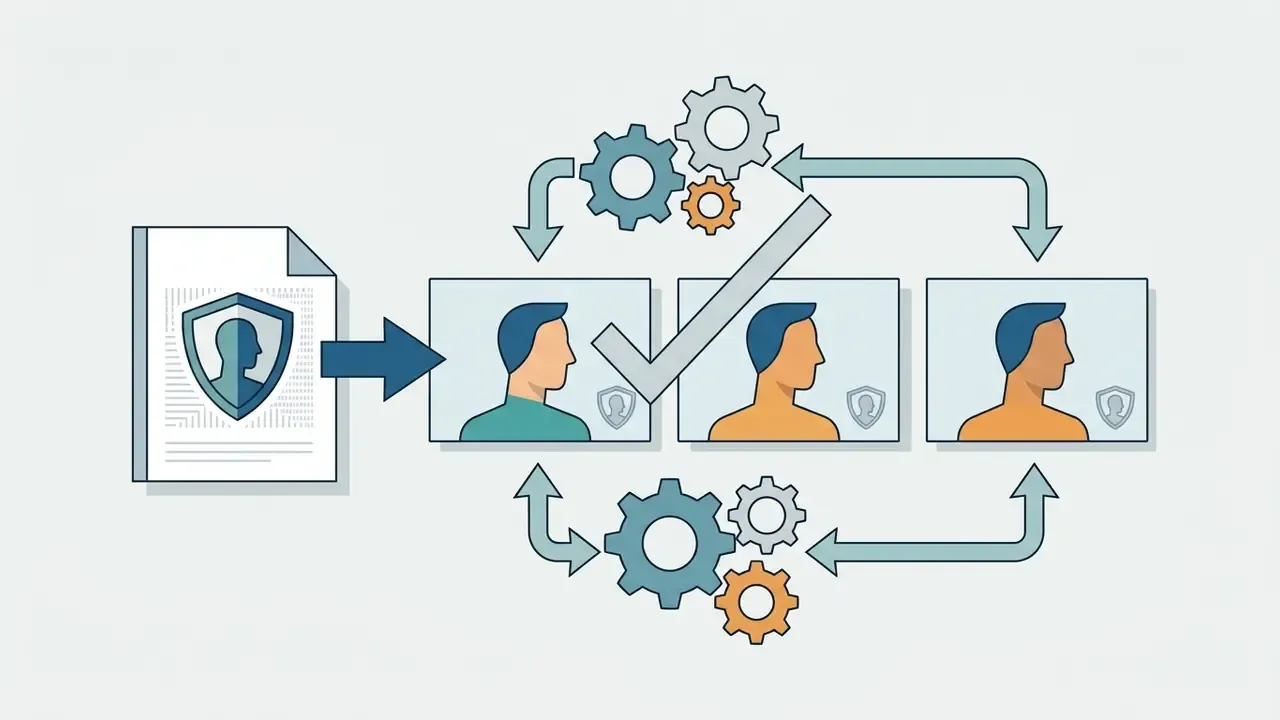
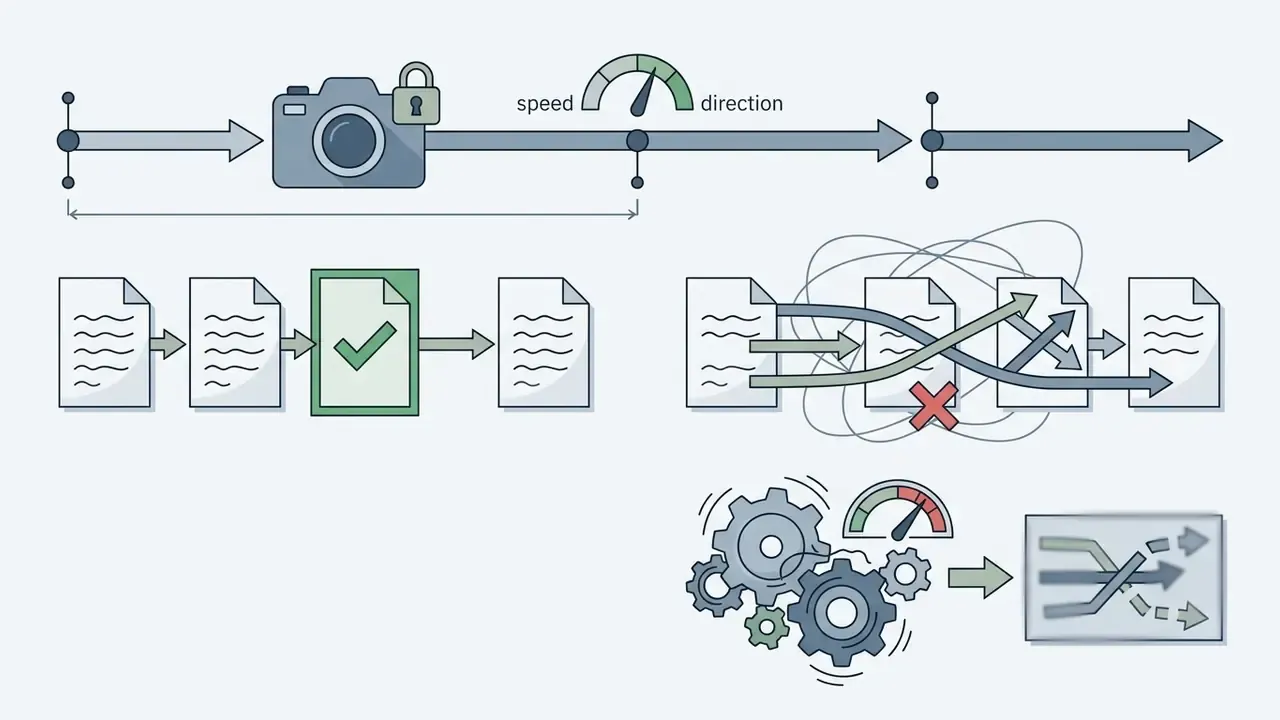
To prevent facial morphing and wardrobe drift, current unfiltered pipelines lean on anchor-frame locking: the model fixes subject identity, garment edges, and lighting direction from the planned first frames before motion is predicted. In practice that means:
Locked in that order, the clip reads as one directed take instead of a fresh interpretation every second. Where the reference frame is simply too small or too soft to anchor anything, upstream enhancement beats prompt tuning: see our breakdown of AI image upscalers for resolution recovery before the frame reaches the encoder.

Writing Prompts for Motion Without Flicker or Morph
Temporal flickering and unwanted shape morphing appear when diffusion models hit contradictory visual instructions across consecutive frames, when exposure and lighting vary between frames, or when motion estimation is imperfect.
To suppress frame jitter, include negative guidance terms such as flicker, frame jump, morphing, identity drift, wardrobe distortion, temporal flickering, frame morphing, temporal inconsistency, shape drift, shifting textures, detail popping. Locking wardrobe details, lighting angles, and camera perspective inside the prompt keeps structural coherence across a sequence. If flicker survives prompt locking, reduce motion scale before you increase sampling steps. Excess motion strength is the more common culprit, and it is cheaper to fix.
How to Choose an AI Image to Video Generator with No Restrictions
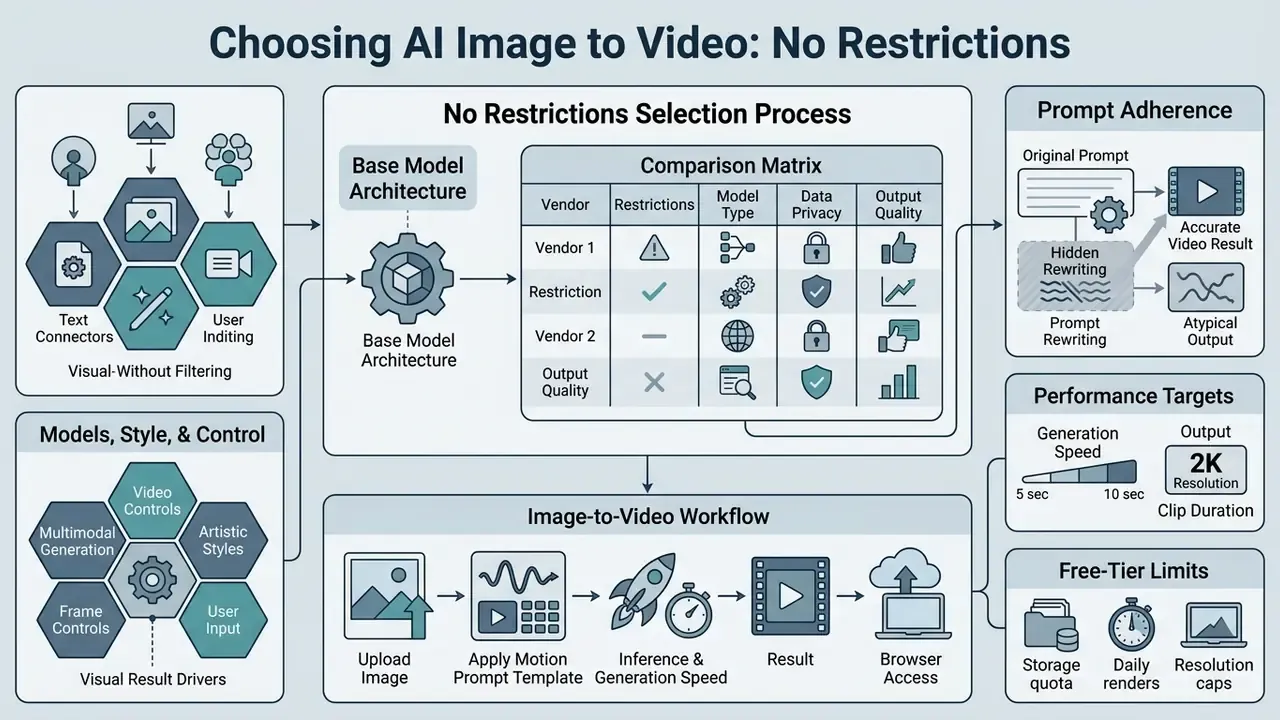
Selecting an ai image to video generator no restrictions means evaluating base model architecture, prompt adherence, inference speed, data privacy protocols, and browser accessibility. Benchmark competing tools against functional requirements. Unverified vendor claims are not evidence.
Before the detailed architecture matrix, here is the practical contrast most buyers actually care about:
| Parameter | Standard cloud AI video | Unfiltered cloud API | Local ComfyUI / WebUI |
|---|---|---|---|
| Queue latency | 5 to 10 minutes on free tiers | 0 to 30 seconds, GPU-accelerated | 0 seconds (hardware-bound) |
| Prompt handling | Automatic sanitization / rewriting | Verbatim pass-through | Verbatim pass-through |
| Output resolution | 720p, often watermarked | 2K+ clean export | Up to 4K (upscaler required) |
| Entry barrier | Low (browser) | Low (browser / mobile) | High (Python, CUDA, 16 GB+ VRAM) |
| Data exposure | Vendor retention policy applies | Requires SLA audit | Zero external exposure |
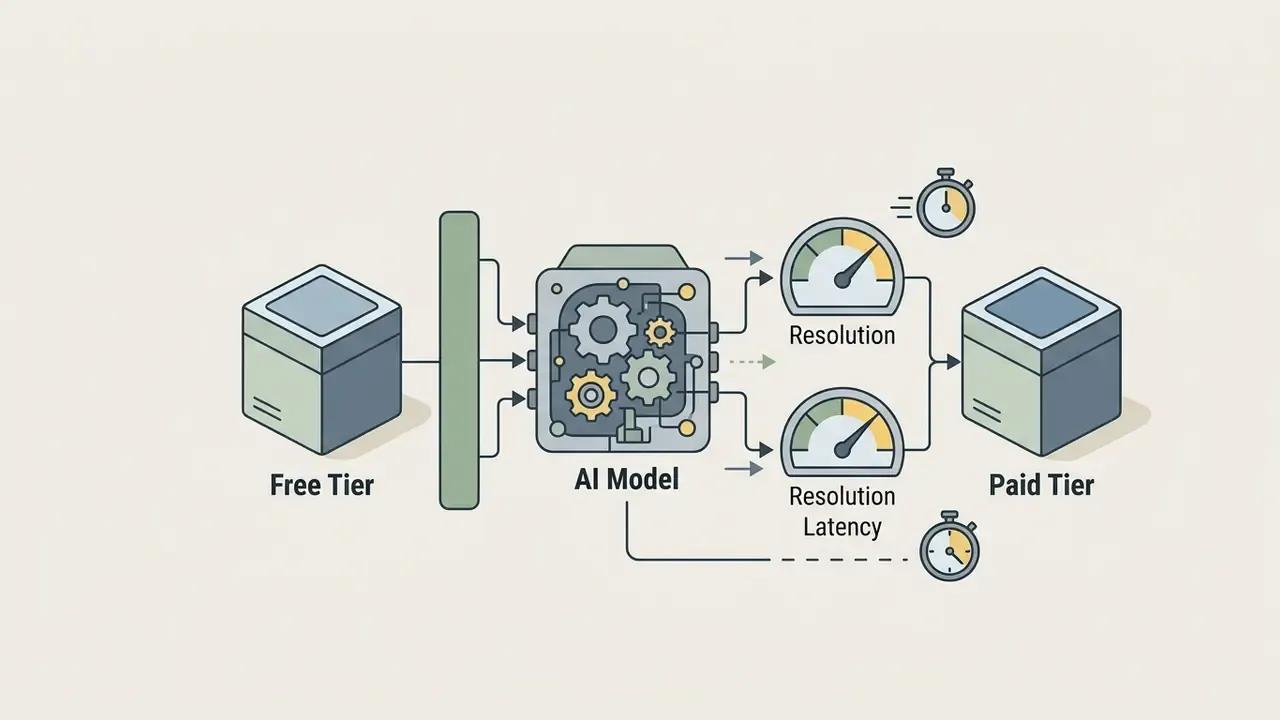
| Throttling by tier | Free users deprioritized | Parity claimed; verify in SLA | None |
| Selection Criterion | Open-Weight Local Models (e.g., Wan 2.2 / SVD) | Uncensored Hosted Cloud APIs | Standard Commercial Platforms |
|---|---|---|---|
| Model Access & Weights | Full open-weights download | Managed API / cloud interface | Closed proprietary API |
| Prompt Filtering Layer | None (fully unconstrained) | Minimal / post-hoc logging | Active pre-execution filters |
| Prompt Rewriting | None | Vendor-dependent, test it | Common, usually undisclosed |
| Motion Control Flexibility | High (custom motion brushes / seeds) | Medium (preset motion scales) | High (director mode / preset brushes) |
| Browser Accessibility | Requires local WebUI / ComfyUI | Native web browser interface | Native web & mobile browser |
| Data Privacy & Retention | Zero external data exposure | Variable (requires SLA audit) | Retention window per policy |
| Auditability (seed, hash, log) | Full operator control | API-dependent | Limited operator visibility |
| Commercial License | Open / permissive license | Tier-dependent subscription | Paid tier required |
Vendor verification belongs inside the selection process, not after it. A worked example: during preparation of this analysis, the hosted domain hypeart.ai did not resolve through DNS records, and no business registration or operational metrics could be independently confirmed. No verified information available. A service that cannot be verified at registration and infrastructure level cannot be assessed for data retention, jurisdiction, or breach notification, whatever the landing page promises. Treat unresolvable or unregistered hosts as unqualified suppliers and stop there.
Teams building a shortlist can compare category leaders in our roundup of the best AI video generators, review the wider trade-off structure in the AI Media Comparison Matrices, inspect developer integration costs in the AI Media API Guides, or study one vendor's constraints in depth through the Google Veo implementation guide.
Models, Style, and Control: What Drives the Visual Result
Visual fidelity and character preservation depend directly on model scale and conditioning mechanisms.
Dual-branch diffusion architectures that separate visual feature encoding from physical motion dynamics achieve higher physical plausibility and lower artifact rates than single-stream designs. Recent work adding explicit physics branches, 3D motion conditioning, or frequency-domain motion priors reports double-digit relative gains in motion accuracy while holding perceptual quality steady. Fine-grained controls, meaning trajectory masking, motion brushes, and directional guidance scales, let creators preserve initial photo details while executing complex scene changes.
Multimodal generation is the current frontier. Leading unfiltered and semi-open models are moving past silent animation toward multimodal synthesis: a single 2K clip generated with a synchronized audio track, multi-shot continuity across cuts, and reference conditioning from text, image, audio, or video at once. For operators, this widens the review surface. Audio now carries its own rights-clearance and impersonation risk, and multi-shot output requires identity locking to hold across cut boundaries, not only within one continuous take. Teams building narrated sequences should plan voice assets separately; see our reference material on AI voice generators for licensing and quality considerations.
Generation Speed, Browser Access, and Workflow Comfort
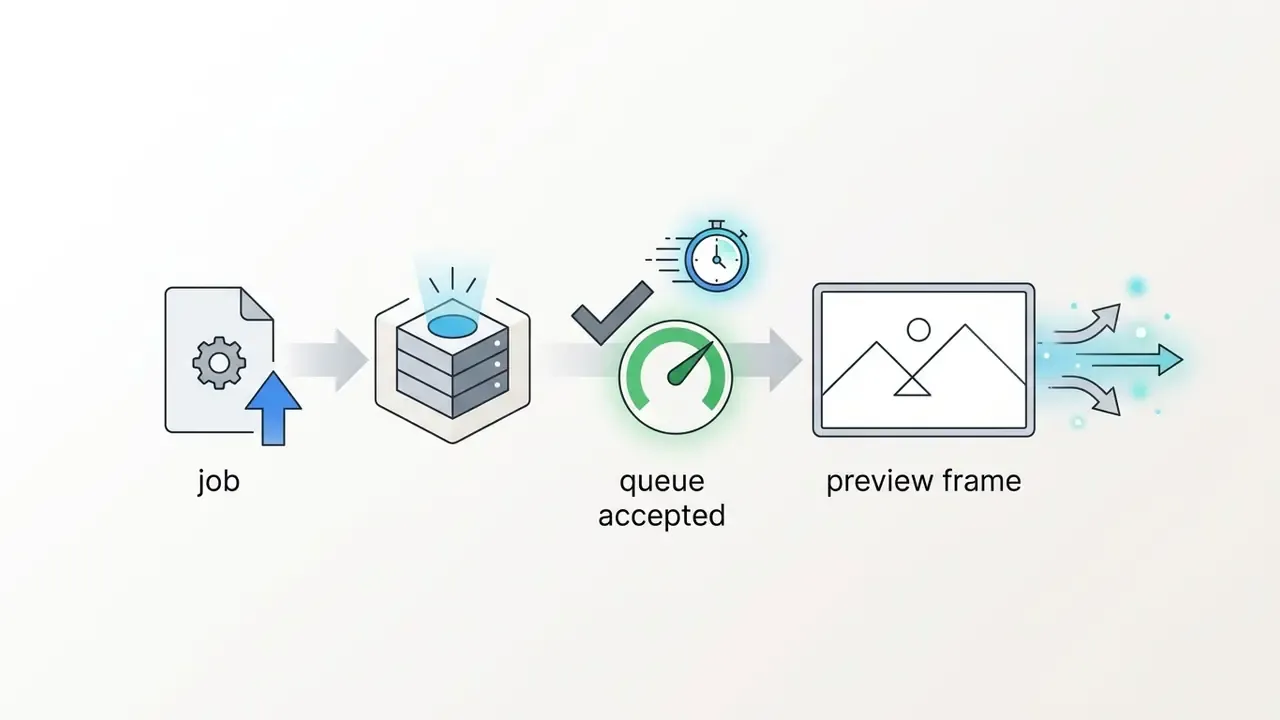
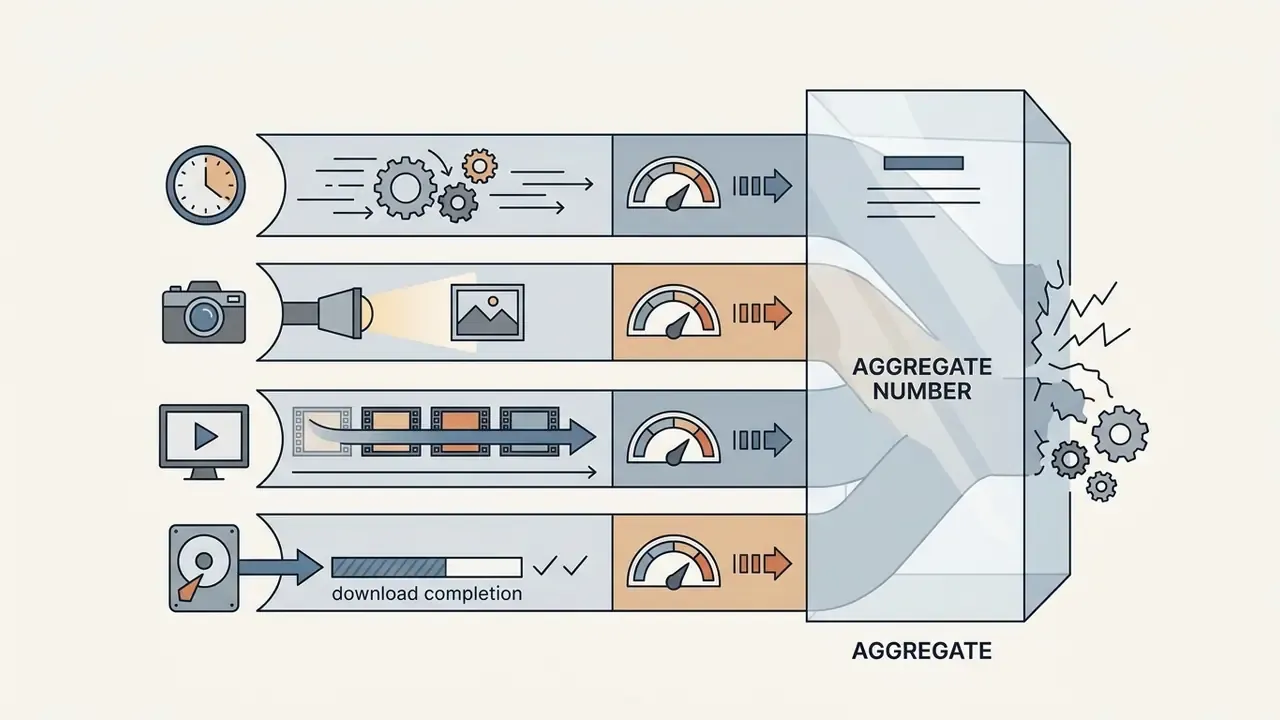
Cloud-hosted browser tools remove the need for local GPU infrastructure and open fast access to high-parameter models. Queue delays and API inference latency, however, vary wildly between providers.
Updated performance targets. Instead of borrowing generic web-usability thresholds, benchmark against published model performance and instrument the pipeline yourself. Alibaba's Wan 2.2 repository positions the model as one of the fastest 720p@24fps generators, capable of running on consumer-grade GPUs at the RTX 4090 level (Wan 2.2 Technical Repository, Alibaba, 2025. https://github.com/Wan-Video/Wan2.2). Service-level targets for a competitive hosted pipeline in 2026:

Browser execution also removes the biggest practical barrier to entry. Local ComfyUI or WebUI deployments demand Python environment management, CUDA compatibility, and 16 GB or more of VRAM, which is why creators who abandon local pipelines usually cite setup time rather than output quality. Editors pushing finished clips into publishing workflows can follow the process in our guide to YouTube video editors, and recurring pipeline faults are catalogued in AI Media Support and Troubleshooting.
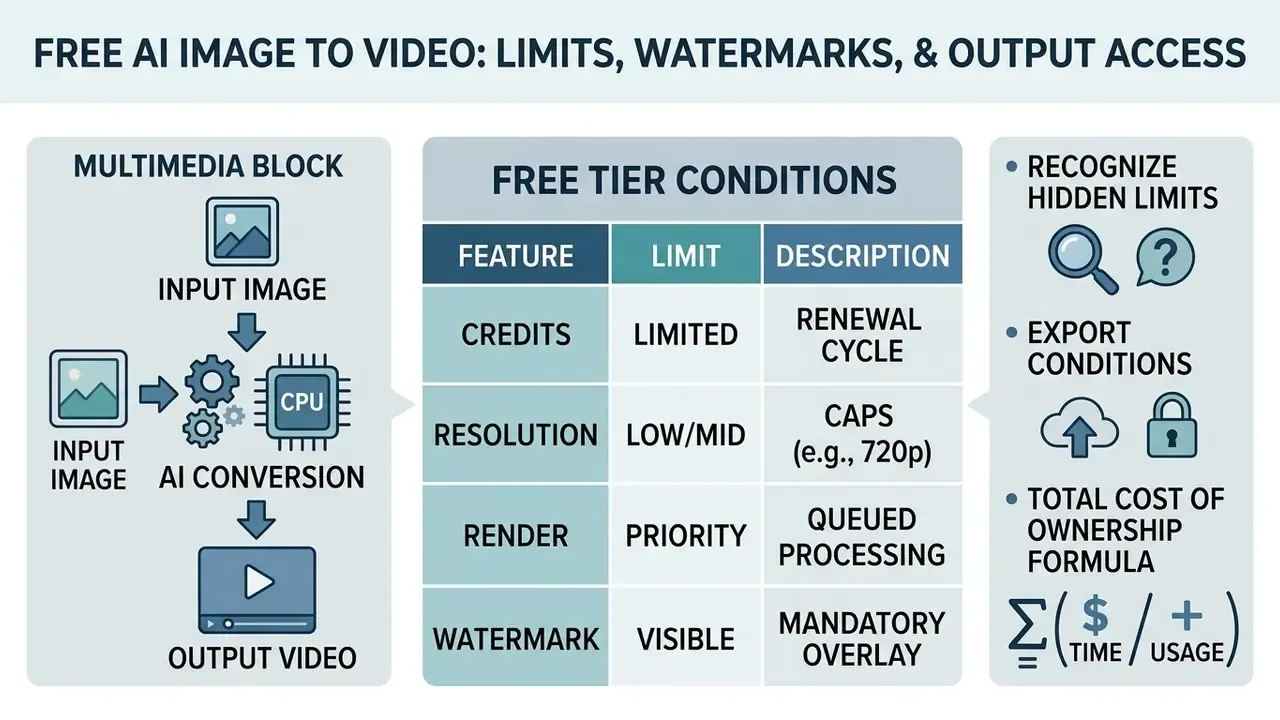
Free AI Image to Video: Limits, Watermarks, and Output Access
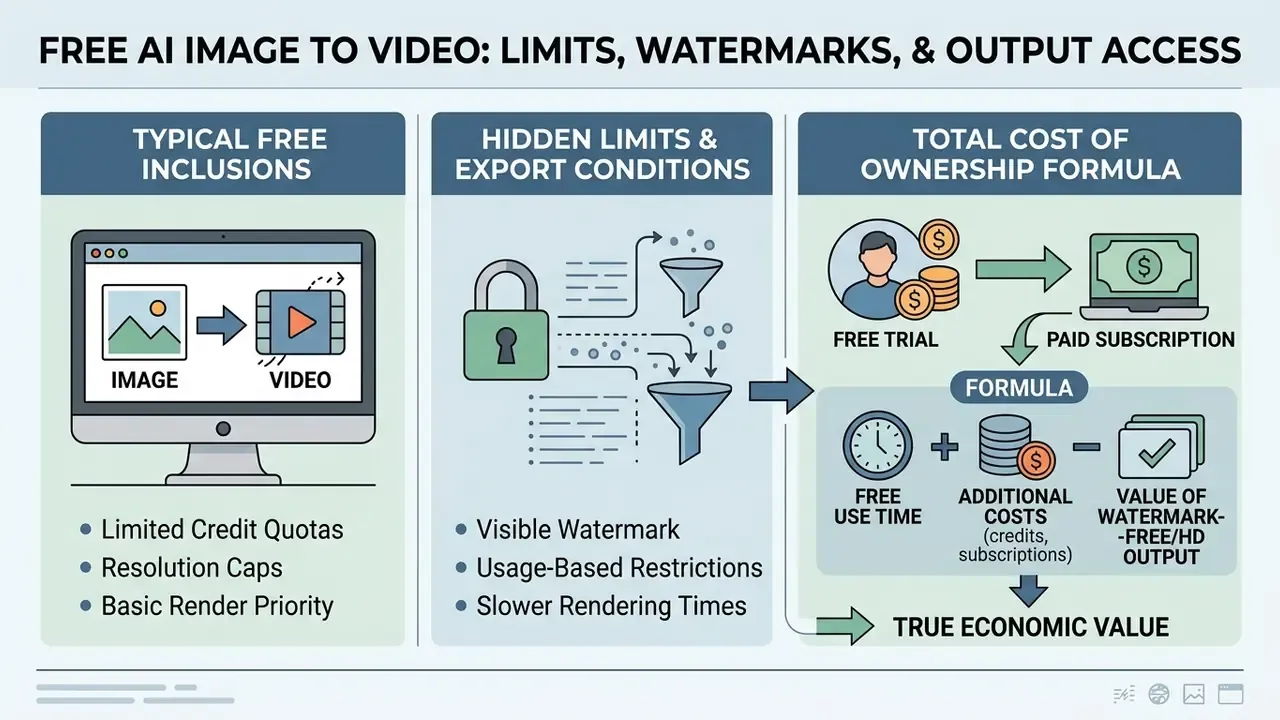
Testing an ai image to video free no restrictions tool almost always involves structural trade-offs: free credit quotas, resolution caps, render priority, and a visible watermark.
Evaluating ai image to video no restrictions free services means separating genuine recurring free access from a restricted promotional trial. A one-time 125-credit grant that never refreshes is not a free tier. It is a demo with a countdown.
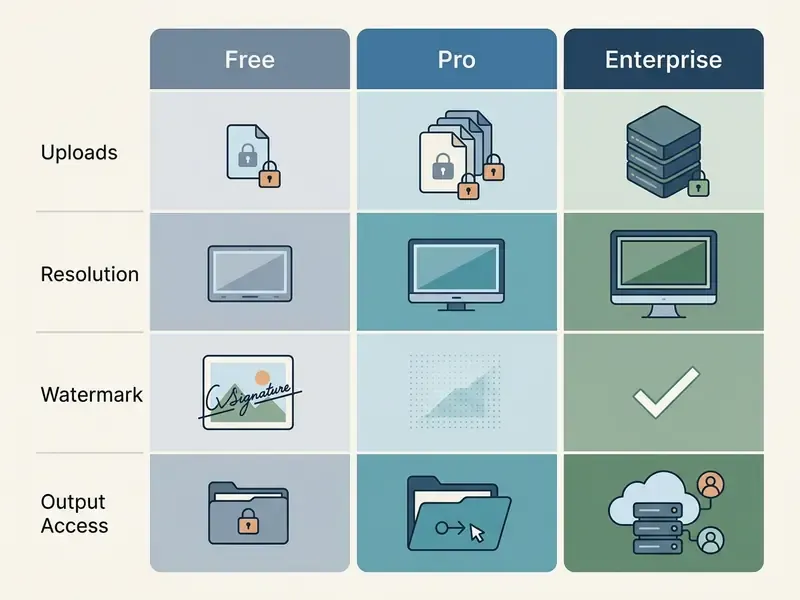
| Feature Parameter | Free Trial Tier | Pro Monthly Tier | Enterprise SLA Tier |
|---|---|---|---|
| Generation Quota | One-time 125 credits or ~3 daily tasks | 1,000 to 3,000 monthly credits | Dedicated GPU capacity / custom |
| Resolution Ceiling | 480p / 720p maximum | 1080p Full HD | 4K upscaled / native |
| Max Clip Duration | 4 to 5 seconds per render | 10 to 16 seconds per render | Extended multi-clip stitching |
| Watermark Enforcement | Visible service watermark | Clean export | Clean export with C2PA metadata |
| Queue Priority | Shared sequential queue | Priority render queue | Dedicated cluster / zero wait |
| Parallel Jobs | 1 parallel render, ~3 queued | 2+ parallel renders, ~5 queued | Contracted concurrency |
Readers mapping the free landscape can start from our overview of free AI video generators and the side-by-side ranking of the best free AI video generators. Equivalent constraints in still-image tooling are documented in our comparison of free AI art generators and our guide to free photo editors.
What a Free AI Video Generator Typically Includes
Free tiers generally offer entry-level access to basic text-to-video and image-to-video models. On age-gated platforms that includes categories marketed as ai image to video free nude, ai nude image to video free, or ai nsfw photo to video free, all of which sit behind the same legal wall described later in this article regardless of tier. Most providers cap free generations at 4 to 5 second clips, enforce low-priority queuing, and lock advanced camera controls (WaveSpeed, 2026). Some vendors take a different route and grant daily or monthly free generations with the full model set: Adobe Firefly, for example, documents free daily generations with access to its own video model plus selected partner models for text-to-video and image-to-video. Either way, free allowances work as technical validation environments, not production systems.
Upload Privacy, Ownership, and Commercial Use
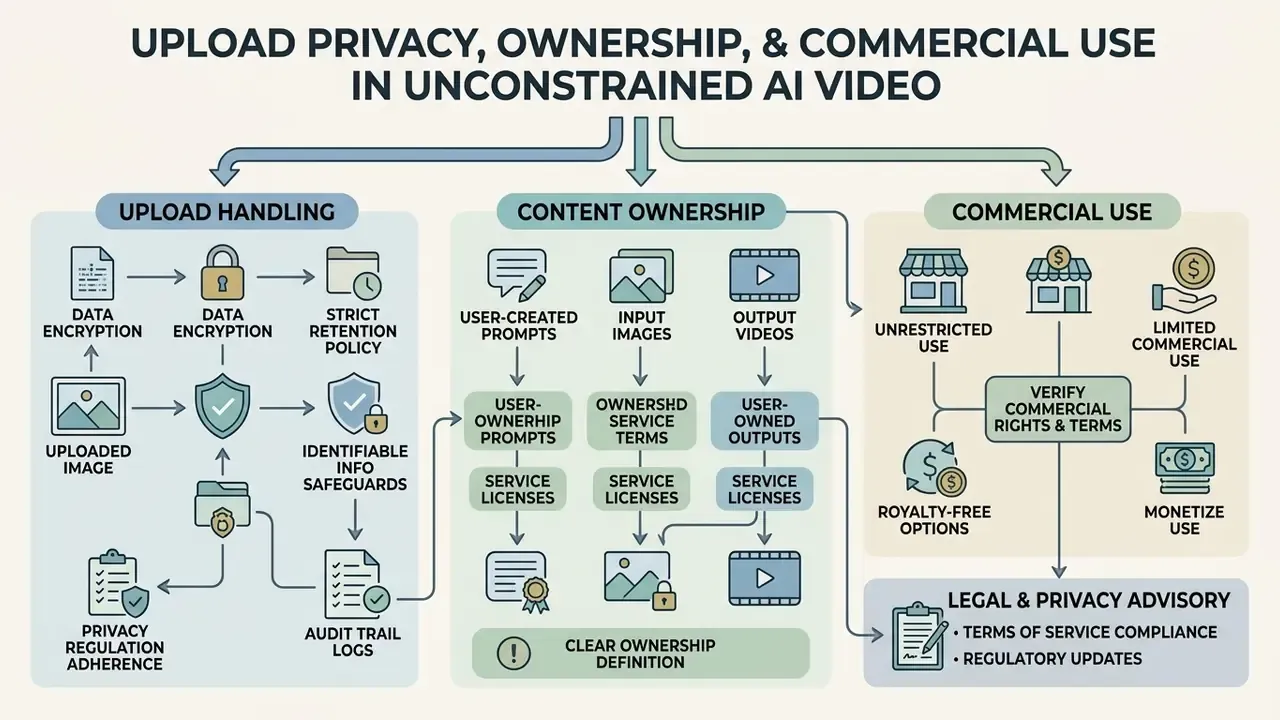
Deploying an adult image to video ai generator, or any image animation model handling identifiable people, requires strict adherence to privacy regulation, data retention policy, and intellectual property frameworks. Anyone uploading personal images or proprietary media should first verify how the host processes, stores, and trains on user-submitted content.
Legal and privacy advisory. AI-generated video output is subject to evolving statutory copyright rulings, state right-of-publicity laws, and contractual platform terms. Users must clear all underlying image rights and obtain explicit consent from identifiable individuals before commercial deployment. Some prohibitions are absolute, regardless of platform policy, tier, or model capability: no content depicting minors, no non-consensual intimate imagery, and no deepfakes of real people created without documented consent. Search demand for phrases like 18 plus ai video generator, ai adult image to video, ai image to video sexy, or 18 image to video ai does not soften any of that; age-gating a product does not license the content it produces. In several jurisdictions, publication and further use of an identifiable person's image requires that person's consent as a matter of civil law, independent of copyright.
Audit Trail Checklist for Unconstrained Pipelines
Model-risk functions cannot validate what they cannot reproduce. For each generated asset kept beyond a working session, archive:
| Artifact | Why it matters | Retention target |
|---|---|---|
| Verbatim prompt string (as sent to the model) | Proves no hidden rewriting; enables reproduction | Life of asset plus limitation period |
| Negative prompt and parameter set (steps, guidance, motion scale) | Reproducibility of stability characteristics | Same as prompt |
| Seed value | Deterministic re-render for dispute resolution | Same as prompt |
| Model identifier and weight hash | Establishes which capability class produced the output | Permanent |
| Source image hash plus rights provenance | Demonstrates lawful input and consent chain | Permanent |
| Reviewer identity and sign-off timestamp | Human-in-the-loop evidence | Per internal policy |
| Distribution log (where published, when withdrawn) | Supports takedown and notification duties | Per internal policy |
| C2PA / content credentials, where available | Downstream provenance signalling | Embedded in asset |
Mapped onto established supervisory expectations, this checklist supports three familiar controls: documented model inventory and versioning, independent validation of outputs against intended use, and ongoing performance monitoring. That is the same triad model-risk guidance such as SR 11-7 applies to quantitative models, extended here to generative video. Organizations operating in or selling into the EU should additionally classify each use case against the EU AI Act risk tiers, paying particular attention to transparency obligations for synthetic media and deepfake disclosure.
One practical note on inventory scope. Video is rarely the only unmanaged generative tool inside a business unit. The same inventory pass usually surfaces an ai ebook generator drafting client-facing material, an ai email generator touching customer correspondence, and an ai email response generator auto-replying inside a shared mailbox. Where an unconstrained pipeline runs without the artifacts above, it functions as unmanaged Shadow AI: capable, undocumented, unauditable. Capable is the part that makes it dangerous.
How Services Handle Uploaded Images and Prompts
Retention practice for uploaded reference images and prompt histories varies enormously between public web tools and zero-data-retention APIs.
The governance implication is not that open weights should be avoided. It is that any organization hosting or fine-tuning them inherits the abuse surface documented above, plus the duty to log, monitor, and respond when something surfaces.
Who Owns Generated Videos and Whether They Can Be Used Commercially
Under current U.S. Copyright Office guidance (2025, https://www.copyright.gov/ai/), purely AI-generated visual output lacking sufficient human creative control is not eligible for statutory copyright registration. Prompting alone is not treated as authorship, and AI-generated portions must be disclaimed in a registration application.
Commercial usage rights are therefore governed by contract law through the host platform's terms of service. A paid commercial licence grants operational rights to use generated media in campaigns even if statutory copyright never attaches (U.S. Copyright Office Report, 2025). Vendor contracts sometimes go further, and enterprise agreements commonly assign output ownership, confirm private handling of inputs and outputs, and exclude customer data from training. A contractual assignment still cannot manufacture a copyright that does not exist in law. Practical consequence: budget for trade-secret and contractual protection of AI-assisted assets rather than assuming exclusivity through copyright.
Teams formalizing usage policy can review the framework in our documentation on commercial use of AI image generators and the broader licensing parameters under AI Media Commercial-Use. Litigation precedent is tracked in the AI Litigation and Case Timelines archive.
This material is general in nature and does not replace advice from a qualified lawyer. Copyright, right-of-publicity, and data-protection law differ by jurisdiction and continue to evolve.
FAQ: AI Video Generator No Filter
Does an AI video generator with no filter work in a browser and on mobile?
Yes. Browser-based AI video generators run model inference on remote cloud clusters, so users can upload images and generate clips directly from desktop and mobile web browsers with no local install. Watch for one common asymmetry: several mainstream platforms allow viewing on mobile but restrict creation to desktop. Verify mobile creation support rather than inferring it from a responsive landing page.
How is an AI image generator different from an image-to-video AI?
A standard AI image generator produces a single static 2D image from a text description using spatial diffusion. An image-to-video AI adds temporal attention mechanisms and latent frame propagation to animate a static input image over time, producing a continuous multi-frame sequence. Architecturally, video models bolt temporal layers onto the U-Net and decoder and add flow-guided latent propagation, which is what makes flicker suppression and identity retention tractable at all. Readers weighing both categories can consult our comparison of the best AI image generators alongside the video rankings above.
Which image formats are suitable for image-to-video?
Uncompressed PNG, high-quality JPEG, and WebP are supported by most image-to-video platforms. PNG is the recommendation for production work because it preserves original pixel sharpness, alpha transparency, and the fine detail clean temporal diffusion depends on. JPEG discards detail irreversibly before encoding, and repeated re-saving compounds the loss. WebP is efficient for delivery but should never be your master format.
Why can an AI-generated video look unstable?
Instability, character morphing, and frame flicker come from temporal inconsistency in the underlying model, conflicting prompt instructions, exposure or lighting variation between frames, imperfect motion estimation, or a low-resolution input image. High-resolution source photos, negative prompts against morphing and identity drift, locked lighting and wardrobe, and lower motion scale values remove most visible artifacts.
Why does a service change my prompt, and how do I stop it?
Because many platforms run an undisclosed LLM rewriting layer between your text box and the diffusion model, marketed as "prompt enhancement", your brief gets paraphrased before rendering. To detect and avoid it: request the resolved prompt from the API response, test determinism with a fixed seed, check whether negative prompts survive, and prefer providers that commit explicitly to verbatim prompt pass-through. Running open weights locally sidesteps the layer entirely. If a vendor cannot show you the exact string sent to the model, assume rewriting is happening.
Does removing filters make output higher quality?
No. Filtering layers act on inputs and outputs, not on generation quality. Benchmark evidence attributes fidelity to model architecture, temporal modelling, guidance settings, and prompt precision. An unfiltered model with weak temporal attention will produce worse video than a filtered model with strong temporal consistency. The freedom is in what you may attempt, not in how well it renders.
What are the hard limits that no platform can lift?
Legal prohibitions, not policy preferences: no sexual content involving minors, no non-consensual intimate imagery or deepfakes of real people, no fraud, harassment, malware, or trademark and copyright infringement. These apply to open-weight local deployments exactly as they apply to hosted services. "No restrictions" marketing creates no legal safe harbour for the operator, and search terms such as 18 ai image to video generator or ai image to video generator 18 change nothing about that.
Verification and Operational Notes
Appendix A: Corrected Source Attributions
For transparency, the following attributions from earlier drafts of this analysis were replaced because they could not be verified, carried unverified publication years, or were methodologically misapplied. The underlying practical guidance survives above under stronger sources.
| Superseded attribution | Issue | Replacement source used above |
|---|---|---|
| "Kling AI Guidance, 2026" (1024×1024 minimum) | Proprietary, no URL, unverified year | I2V-Bench / ConsistI2V (2024) plus converged vendor practice |
| "Adobe Premiere Export Guidelines, 2026" | Unverified year | Stated as standard professional export practice, vendor-neutral |
| "CVPR, 2026" (architecture comparison) | Wrong year for cited benchmark | VBench, CVPR (2024) |
| "Nielsen Norman Group, 2019" (latency norms) | Web-usability thresholds misapplied to video inference | Wan 2.2 Technical Repository, Alibaba (2025) plus instrumented latency targets |
| "OpenAI Privacy Policy, 2026" (30-day retention) | Unverified year, single-vendor generalization | Stable Video Diffusion model card (2024) plus documented retention ranges |
| "Cloudinary Documentation, 2026" (cropping) | Unverified year | I2V-Bench / ConsistI2V (2024) plus aspect-preserving fit practice |
| "LTX Negative Prompt Guide, 2026" | Unverified year | I2V-Bench / ConsistI2V (2024) temporal flicker metrics |
Appendix B: Resource Index
Consolidated reference material for adjacent workflows, kept separate from the analysis above so the operational narrative stays uninterrupted: