Whether you're a marketing lead shipping campaign creative or a model-risk reviewer asked to sign off on it, the operating question is the same: who owns the output, and what evidence proves how it was made?
What Open AI Image Generation Is and Whether OpenAI Can Create Images
OpenAI image generation is a multi-modal artificial intelligence capability that converts text prompts into visual media, so users can create, modify, and refine images using natural language. Yes, OpenAI can generate images directly inside the ChatGPT interface and through developer APIs built on advanced image models. Teams benchmarking platforms side by side can also review our overview of the best AI image generators and the wider field of best AI art generator options before standardizing on a single vendor.
Text transcript of the process:
- Text Promptthe user enters a request in natural language.
- Generation Modelthe request is handled by a graphics model, ChatGPT Images 2.5 in the interface or the API models
gpt-image-2.5-flare(fast, high-quality everyday generation) andgpt-image-2.5-sunburst(the most capable option for detailed generation and precision editing). - New Imagethe system returns a newly generated image. The API may also return a
revised_promptfield showing how your request was interpreted. - Refinement or editingthe user makes local changes or clarifies the request in plain language (the
Editsendpoint plus a transparency mask). - Savingthe finished asset is stored in "My images" and in the Library.
The core architecture relies on transformer-based visual conditioning, where text input guides the synthesis of novel pixels. Modern systems no longer treat image generation as a static single-shot task. Instead, they support multi-turn conversational editing, which lets organizations build complex visual assets while holding style consistency in place. To understand the underlying mechanics of visual synthesis, review our guide on how does ai image generation work.
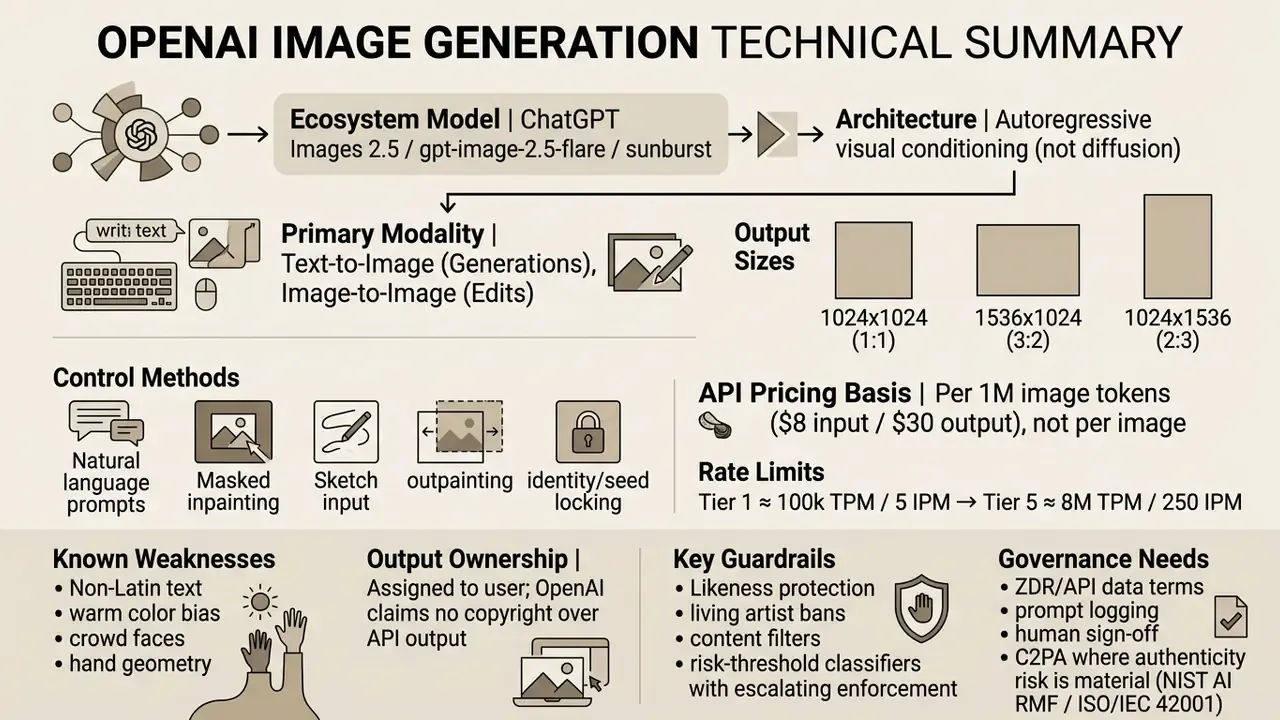
Architecture: autoregressive vs diffusion (updated). OpenAI's current engine uses an autoregressive visual conditioning architecture, unlike classic diffusion models such as FLUX, Stable Diffusion, Midjourney, or the legacy DALL·E 3. Diffusion models start from a random field of noise and iteratively denoise the whole canvas toward the prompt. An autoregressive model instead builds the image as a sequence of blocks (patches), predicting each next chunk from previously emitted visual tokens plus the text context. That yields a real advantage in text rendering accuracy and spatial alignment, at the cost of somewhat slower generation on the highest-detail tiers. A third, historical family, generative adversarial networks (GANs), is no longer used by any production art generator worth shortlisting.
Users often ask: can open ai generate images for enterprise design and marketing? The answer is yes, with caveats about review. Through the chatgpt images surface you can ai generate image openai assets ranging from photographic product shots to vector graphics. The system parses prompts with natural language understanding, mapping spatial instructions, lighting parameters, and subject descriptions into the output image. In practice, the difference between a usable asset and a discarded one is rarely the model. It is the prompt.
When you run high-volume visual tasks, execution latency becomes an operational parameter, not a curiosity. To compare latency benchmarks across platforms, see how long does ai image generation take.
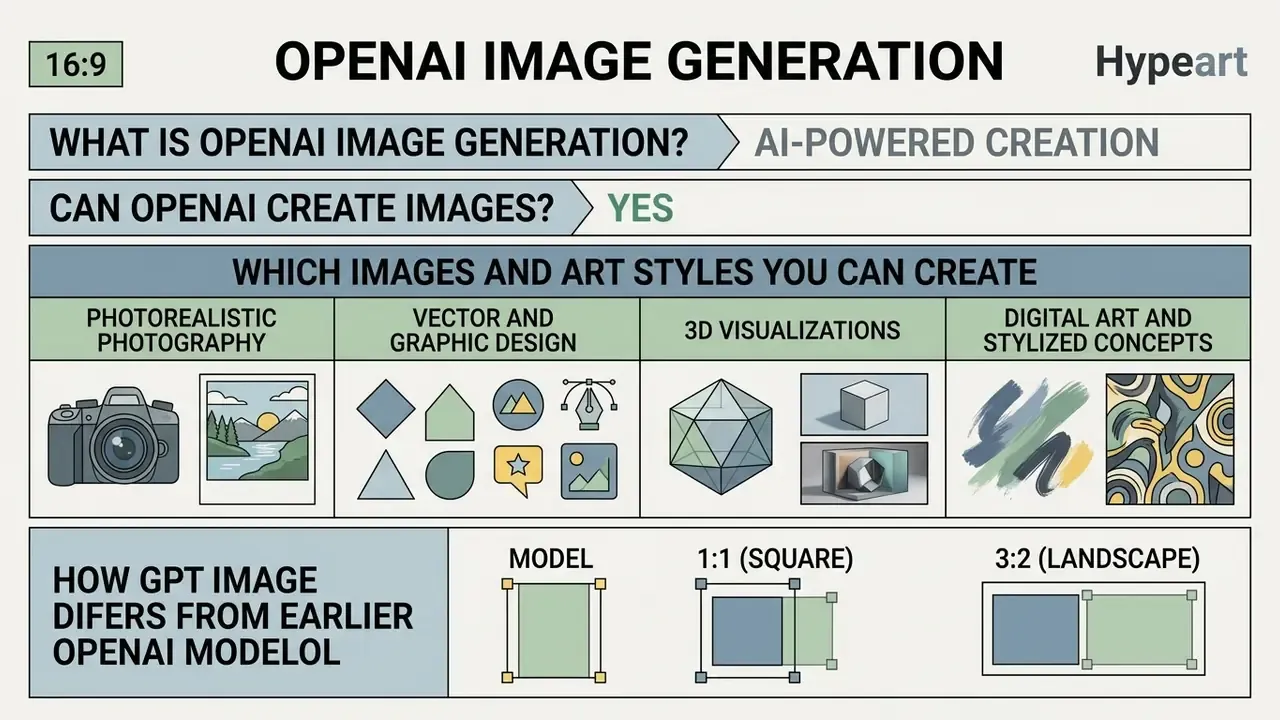
Which Images and Art Styles You Can Create
OpenAI supports a broad spectrum of visual outputs: photorealistic photography, 3D renders, vector graphics, digital art, and stylized illustration. By defining the visual medium explicitly inside the text prompt, you steer the generation model toward a specific aesthetic instead of hoping for one.
- Photorealistic photography high-detail portraiture, product captures, and architectural shots using specific camera angles, lens choices, and lighting environments. OpenAI's own prompting guidance recommends stating "photorealistic" or "real photograph" outright, then adding photography language (lens, framing, skin texture, unposed framing).
- Vector and graphic design clean logos, icons, infographics, and flat illustrations suitable for landing pages and marketing collateral.
- 3D visualizations isometric renders, digital mockups, and textured spatial objects.
- Digital art and stylized concepts concept art, watercolor, oil-paint looks, and editorial cartoons. This is also where an open ai cartoon generator prompt pattern belongs, since cartoon output needs the medium named, not implied.
According to research on prompt structures by Liu and Chilton (2023), explicitly parameterizing prompts with concrete subject terms and visual styles measurably increases alignment between user intent and output quality [Liu and Chilton, ACM CHI, 2023]. For marketing teams producing graphics for social media, fixing style descriptors across prompts is what prevents visual variance across a campaign. Teams should also review the rules for commercial use of AI image generators before publishing branded assets.
Documented output channels for these assets include product photography, advertising creative, diagrams, social content, email marketing, and landing pages, alongside rapid image prototyping and high-volume batch generation [OpenAI, Introducing ChatGPT Images 2.5, 2026. https://openai.com/index/introducing-chatgpt-images-2.5/].
How GPT Image Differs From Earlier OpenAI Models
GPT Image and the current ChatGPT Images 2.5 engine deliver better prompt adherence, sharper fine detail, and native multi-turn editing compared with older platforms such as DALL·E 2. DALL·E 2 established early text-to-image capability, yes, but it struggled badly with text rendering, spatial reasoning, and instruction following.
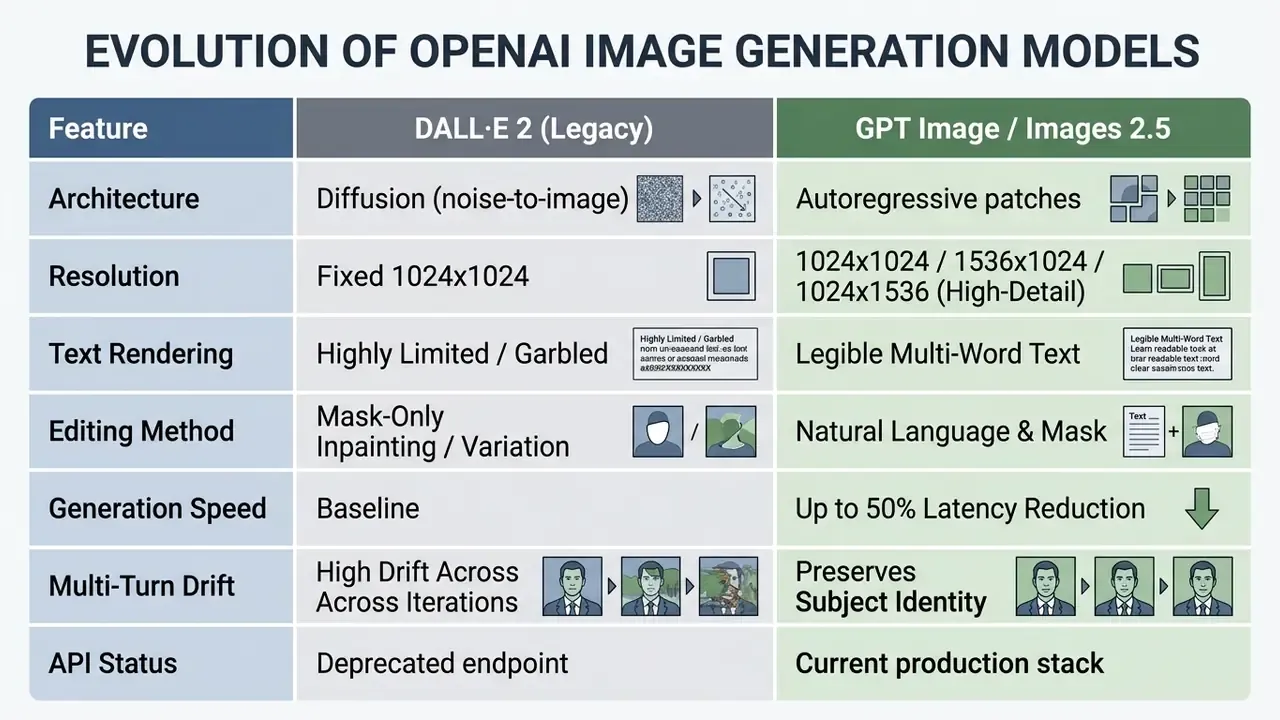
Supported formats and resolutions (aspect ratios):
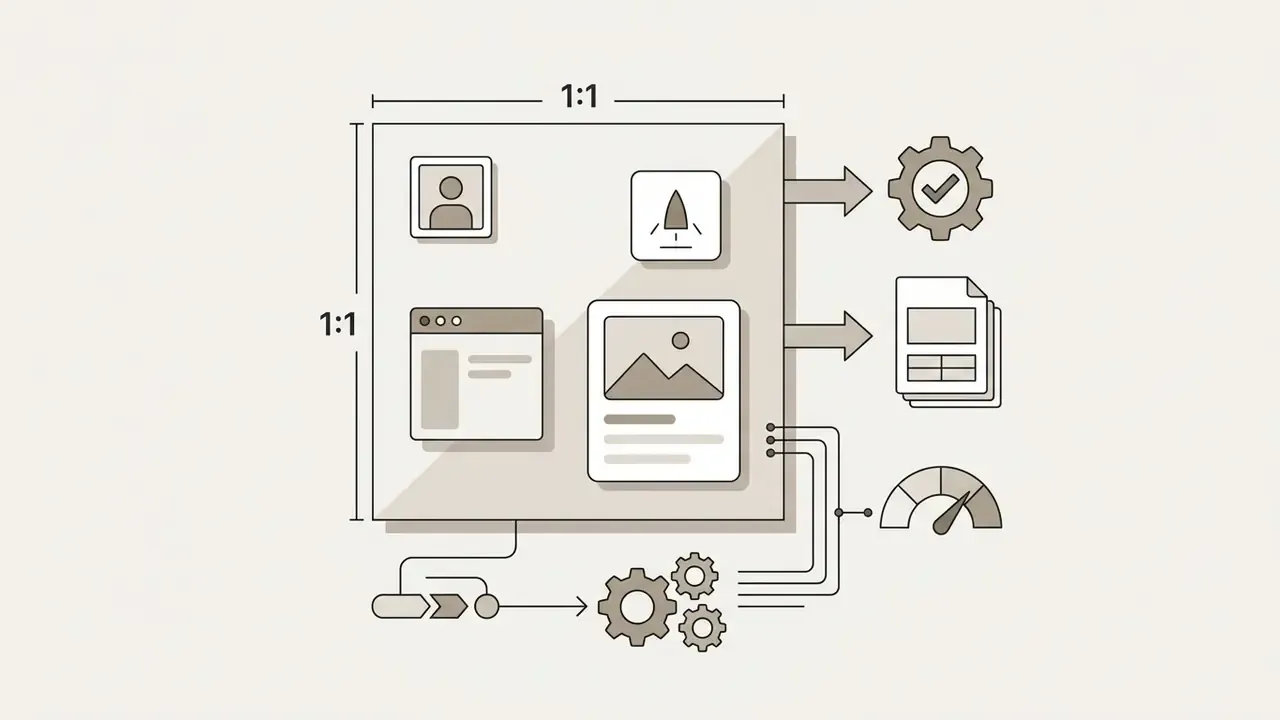
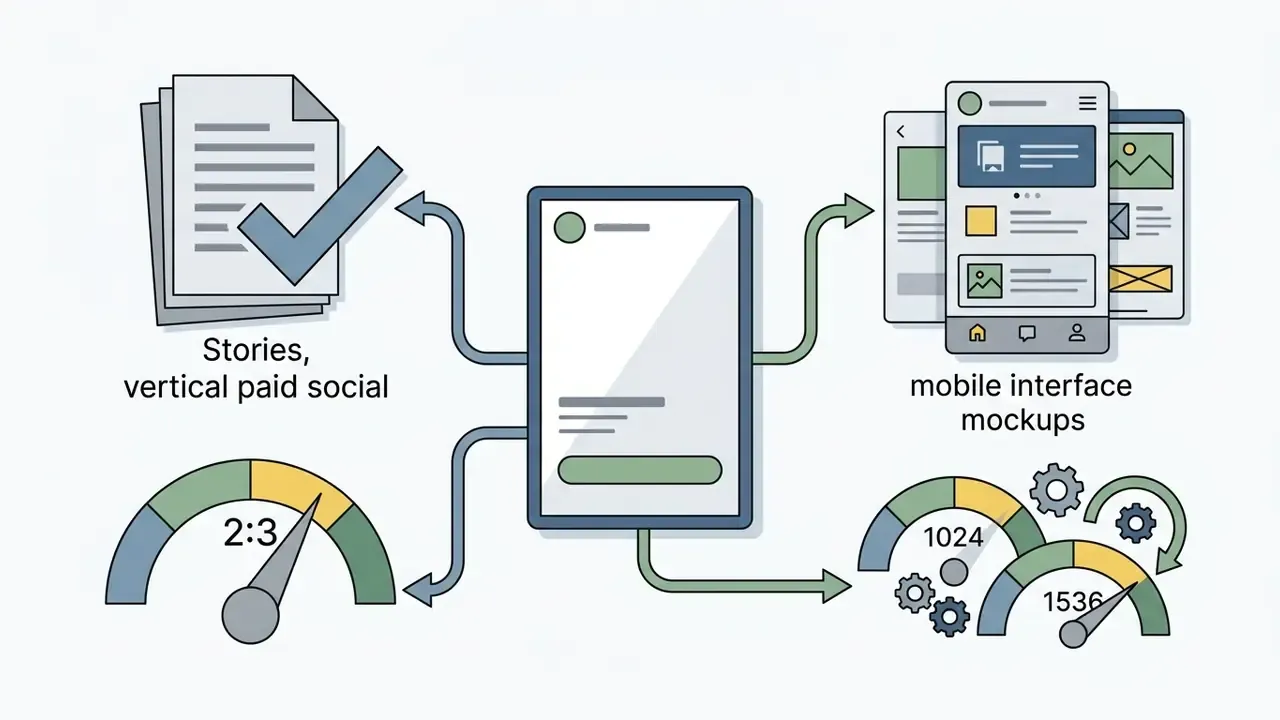
Additional technical ceilings are documented for image inputs and vision processing: 2,500 patches with a 2048-pixel maximum at high detail, and 10,000 patches with a 6000-pixel maximum at original detail, with explicit limitations acknowledged for OCR-heavy and medical imagery [OpenAI Platform Docs, Images and vision, 2026].
Model release timeline (useful for version auditing): GPT-4o image generation debuted 25 March 2025 and was formalized in the API as gpt-image-1 on 23 April 2025. A cost-efficient gpt-image-1-mini arrived 6 October 2025 at roughly 80% lower API cost. gpt-image-1.5 shipped 16 December 2025 as the globally rolled-out "ChatGPT Images" with up to 4× faster generation and 20% cheaper image input and output. gpt-image-2 added a reasoning stage in April 2026. ChatGPT Images 2.5 launched 8 September 2026 with the Sketch feature, halved latency, and two API variants: Flare (faster, slightly lower fidelity) and Sunburst (more detailed, slower).
Why does the timeline matter to a reviewer? Because "we tested OpenAI image generation" is not a model version, and an audit file that cannot name the engine cannot reproduce the asset.
In a randomized controlled trial comparing model performance, Jahani et al. (2024) evaluated 1,891 participants writing more than 18,000 prompts across DALL·E iterations [Jahani et al., arXiv:2407.14333, 2024. https://arxiv.org/pdf/2407.14333v1.pdf]. The researchers measured perceptual similarity using CoSim and DreamSim:
"Participants using DALL·E 3 produced images that were standard deviations closer to target images in CoSim () and standard deviations closer in DreamSim () compared to DALL·E 2."
Read plainly: the newer model did not just look nicer in a gallery, it landed statistically closer to what the user was actually aiming at. Effect sizes of roughly 0.2 standard deviations are modest in isolation, yet they compound across hundreds of attempts in a production queue.
The same study found that users adapted to stronger models by writing longer, more descriptive prompts, which amplified output quality further.
"Participants using DALL·E 3 wrote longer and more descriptive prompts, even without knowing which model they were using."
How to Create an Image in ChatGPT: A Step-by-Step Scenario
Generating a new image in ChatGPT means opening the image tool, entering a structured text prompt, evaluating the first render, and issuing conversational follow-up instructions. The interface lets you open ai create image assets without leaving an active chat session.
- Open the image toollaunch ChatGPT and go to More → Images, or simply ask for an image inside the main conversation window. Templates are available as pre-structured starting points.
- Formulate the promptspecify subject, composition, lighting, style, and visible constraints, including any exact on-image text.
- Trigger generationsubmit the prompt to run the
ai art generator openaipipeline. - Evaluate the renderscheck the output against your operational or visual criteria. Note missing details, wrong format, or artifacts before re-prompting.
- Refine in natural languagerequest targeted revisions ("change background lighting to warm sunset") instead of regenerating from scratch. Editing your previous message usually beats stacking contradictory instructions on top of each other.
- Save the assetchoose Save to download the high-resolution file, Copy for clipboard transfer, or store it in My images and the Library. Comments can be attached to generated images for team review.
For organizations weighing deployment architectures, comparing cloud-hosted workflows against local execution matters more than it sounds. Explore our technical evaluation of a local ai image generator for offline privacy requirements.
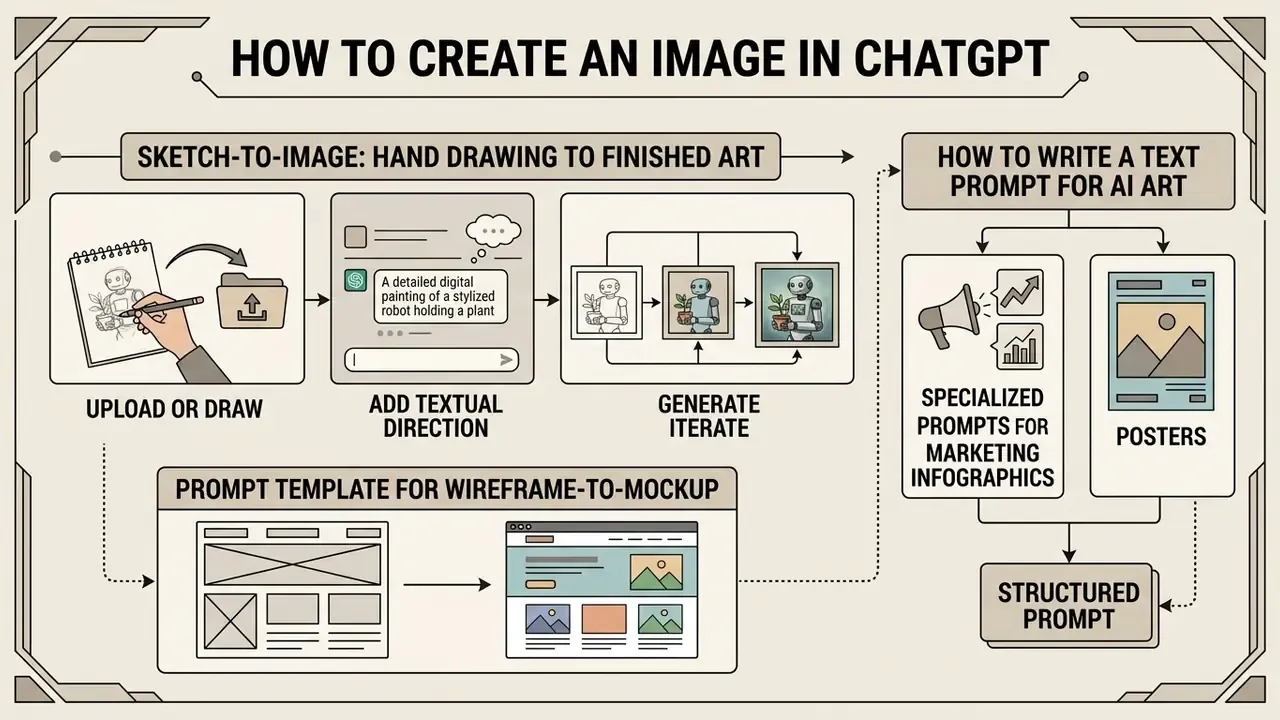
Sketch-to-Image: Turning a Hand Drawing Into Finished Art
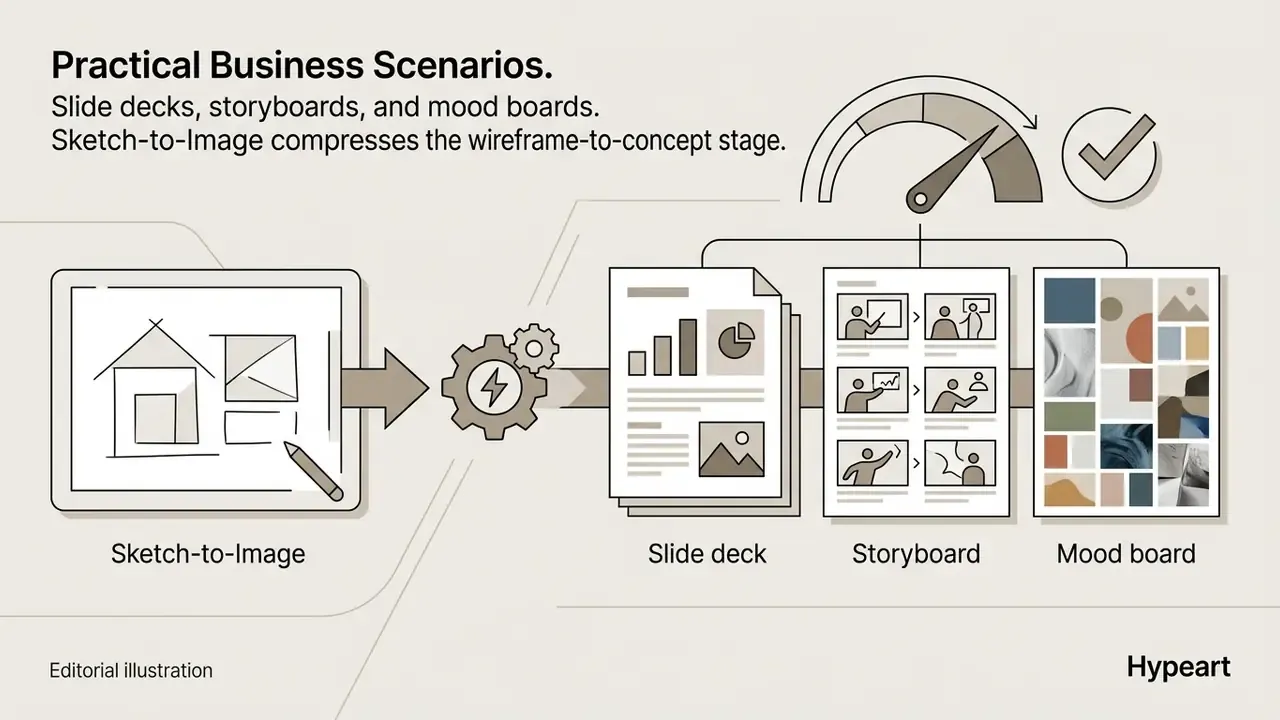
ChatGPT Images 2.5 introduced a Sketch tool that converts a rough hand drawing, uploaded or drawn directly in the interface, into a finished rendered asset. It closes the gap between whiteboard ideation and production-ready visuals, which is exactly what storyboard, UI wireframe, and packaging-concept work needs.
- Upload or drawopen the canvas icon in the ChatGPT composer and sketch object contours, spatial layout, or diagram structure. A photographed napkin sketch works too.
- Add textual directionenter a prompt specifying level of detail, materials, lighting, and rendering style. The sketch controls geometry, the prompt controls aesthetics.
- Generatethe model reads spatial relationships and proportions from the drawing and applies the stylistic instructions.
- Iteratere-mask a region and change one variable at a time (material, light direction, palette) rather than redrawing the sketch.
Prompt template for sketch-to-image:
Prompt template for wireframe-to-mockup:
How to Write a Text Prompt for AI Art
An effective text prompt for AI art follows a structured syntax: subject definition, visual style, lighting, camera composition, and explicit negative constraints. Drop the concrete descriptors and the model falls back on default training distributions, which is how you end up with generic stock-looking output. That failure mode is common to all AI art generators, not just OpenAI models.
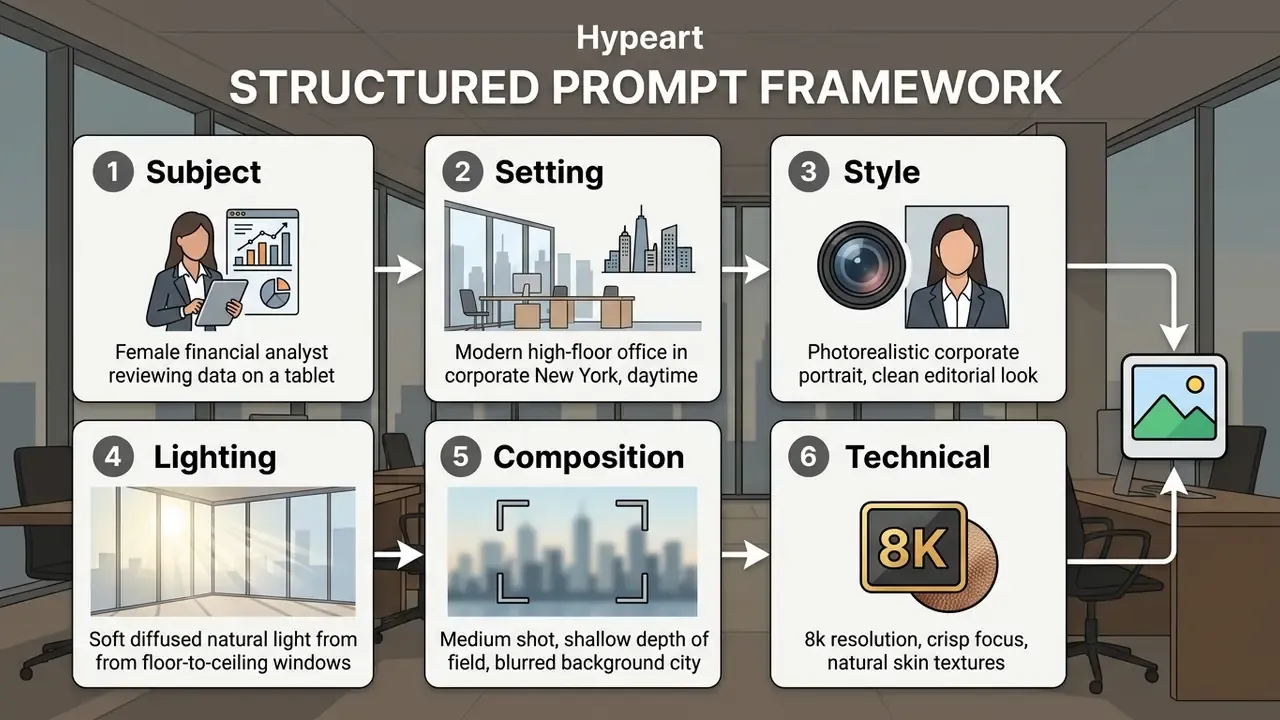
"Users naturally move from short descriptions to detailed prompts, iteratively comparing the result against a mental image."
When engineering prompts for specialized artwork, skip vague qualitative words like "hyperrealistic" or "amazing." Use precise technical vocabulary instead: "35mm lens, f/2.8 aperture, natural rim lighting." Model weights respond to nameable parameters, not enthusiasm.
"Prompts with concrete visual keywords, subject, style and lighting, significantly improve alignment between output and user intent."
Specialized prompts for marketing infographics and posters
When generating graphics that contain text, wrap target strings in single quotation marks and declare the typographic class explicitly. Autoregressive rendering handles quoted Latin strings far more reliably than paraphrased text instructions.
How to Get Variations and Improve a Generated Image
To improve generated artwork in ChatGPT without losing structural coherence, issue single-variable follow-up commands and name the elements that must not change. Bundling four adjustments into one prompt raises the risk of model drift, every time.
Here is a workflow observation from an internal visual-production setup (illustrative, not a client case). A design team needed consistent graphic assets for a compliance awareness campaign. The first prompt produced a suitable character, but background lighting wandered between renders. The team locked the character description string, then issued sequential adjustments for lighting and background separately. Updated: by holding the identity block fixed and changing exactly one variable per turn, the team reduced multi-turn visual drift and cut the number of discarded renders per approved asset. The exact rework reduction is workflow-specific and should be measured internally rather than quoted as a fixed percentage.
Key variation techniques:
- Conversational refinement "Keep the character pose and clothing identical, but change the office background to a clean tech lab."
- Preservation directives state explicit constraints, for example "Modify only the text on the laptop screen, do not alter lighting, face, or background elements." OpenAI's prompting guidance recommends repeating the preserve list on every iteration. Tedious, effective.
- Multi-candidate batching "Generate three variations of this composition with differing camera angles."
- Seed and identity locking reuse the exact identity string and, where supported, the same seed value, so only the intended variable moves.
"Iterative prompt refinement through ChatGPT with cosine-similarity measurement between text and image significantly improves the precision of visual synthesis."
If a generation fails yet still consumes platform usage, consult our resource on handling a Failed Generation Charged situation to resolve account credits.
How to Edit Existing AI Images in OpenAI
Inpainting and local editing let you modify specific regions of an existing or uploaded image without re-generating the entire canvas. Through natural language instructions and visual selection tools you can swap objects, replace backgrounds, and fix text elements, capabilities that overlap with dedicated AI photo editors and classic photo editor suites.
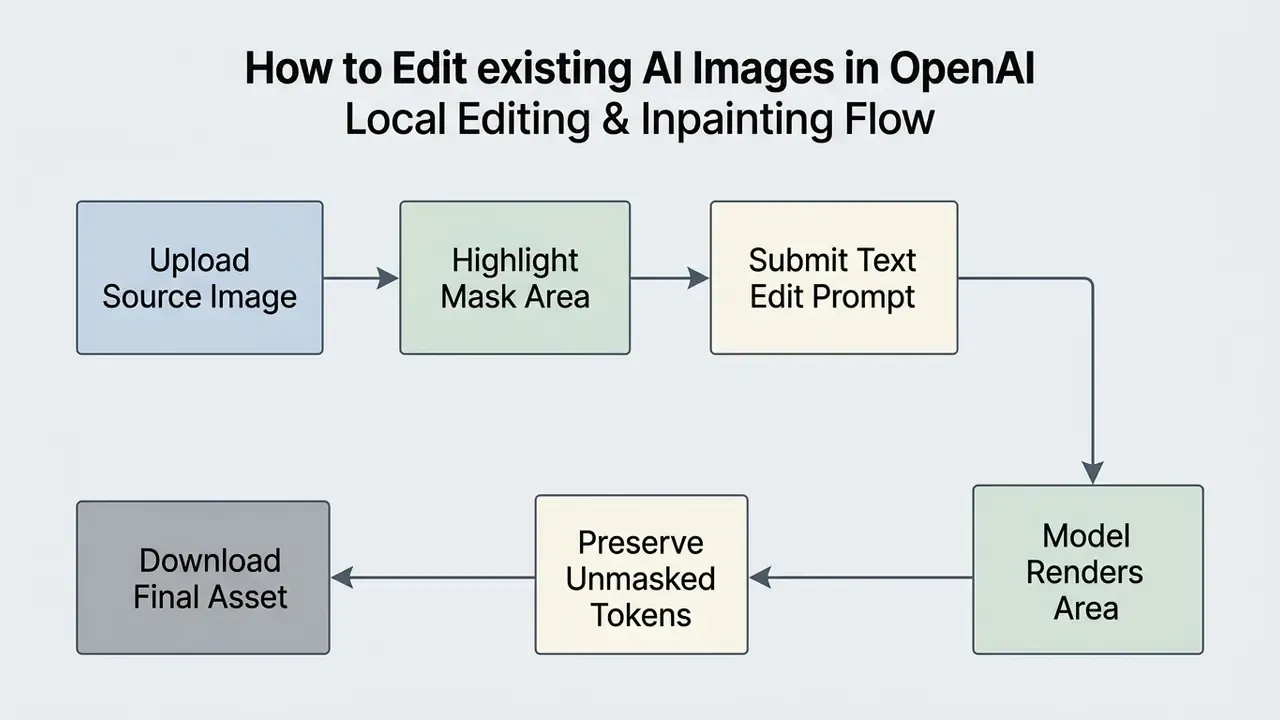
OpenAI's Image API exposes an Edits endpoint alongside Generations. When issuing edits via API or interface, you supply a source image, an optional transparent mask marking the target region, and a text prompt describing the desired outcome. One rule from the documentation trips up almost everyone at first: the prompt must describe the entire intended image, not only the erased patch. Otherwise the model rebuilds the masked area without global context, and the seam shows.
"The HQ-Edit dataset (~200,000 edit pairs), built with GPT-4V and DALL·E 3, let models outperform those trained on human-annotated data."
Large-scale empirical datasets such as HQ-Edit (~200,000 edits) and AdvancedEdit (more than 2.5 million pairs) show that instruction-based editing models can hold high background consistency while executing complex visual adjustments [Hui et al., arXiv:2404.09990, 2024; InsightEdit, arXiv:2411.17323, 2024].
How to Change Objects, Backgrounds, Text and Details
Targeted edits require masking the precise area to be altered and supplying a prompt that defines the complete modified scene rather than the isolated patch.
- Object replacementselect the target object with the inpainting brush, then specify: "Replace the mug on the desk with a ceramic coffee cup."
- Background swappingmask the surrounding environment while preserving the foreground subject: "Replace the background with a minimalist corporate conference room."
- Text correctionhighlight legible text areas: "Change the text on the sign to read 'Audit Complete' in bold sans-serif font."
- Detail fine-tuninghighlight specific elements to adjust lighting, shadow softness, or color accents.
- Outpainting and canvas extensionextend the frame beyond the original boundaries to re-crop an asset for a different aspect ratio without re-shooting the concept.
Teams that reshape existing assets more often than they generate new ones should also evaluate dedicated image-to-image generators and outpainting utilities such as the tools reviewed in our guide to AI expand image canvases.
How to Keep One Style Across a Series of Images
Visual consistency across a multi-image campaign comes from locked character descriptors, reused style tokens, and a stable prompt architecture. Not from luck.
When reviewing alternative generative platforms for high-volume artistic creation, read our evaluation of the leonardo ai image generation platform and of leonardo ai image generation workflows.
Why OpenAI Image Generation Fails or Returns Weak Results
Image generation failures come mostly from authentication issues, rate limits, contradictory text prompts, or safety filter triggers. Diagnose them systematically and asset production barely stalls. Diagnose them by guesswork and you burn tokens.
| Symptom | Probable Cause | What to Check | Corrective Action |
|---|---|---|---|
| Error 429 (Rate Limit) | Request or token quota exceeded for the account tier, or an exhausted usage/spend limit. | Account Tier status in API settings and ChatGPT plan limits (Tier 1 ≈ 100,000 TPM and 5 IPM; Tier 5 ≈ 8,000,000 TPM and 250 IPM). | Apply exponential backoff with jitter, respect Retry-After headers, reduce concurrency, upgrade the tier. |
| Error 503 (Service Unavailable) | Temporary model overload on the provider side. | OpenAI status page and response headers. | Honor Retry-After, lengthen retry delay, queue non-urgent batches. |
| Error 401 / 403 | Invalid API key or scope permissions. | API key string and project or organization assignment. | Regenerate the key, review organization permission scopes. |
| Error 422 / 400 | Invalid or missing request parameter (size, mask format, model name). | Validate size against 1024×1024 / 1536×1024 / 1024×1536 and confirm the mask is a PNG with transparency. | Correct the parameter set and resubmit. |
| APIConnectionError / 408 | Network instability or request timeout. | Egress connectivity, proxy, timeout configuration. | Retry with backoff, raise the client timeout for sunburst high-detail jobs. |
| Blurry or distorted image | Vague prompt, conflicting style tags, resolution mismatch. | Prompt text for ambiguous terms or clashing camera angles. | Specify concrete lighting, subject detail, and explicit medium tags. |
| Edit not applied | Mask region too small, or prompt describes only the patch. | Mask transparency and prompt scope in the editing tool. | Expand the mask boundary slightly, rewrite the prompt to describe the full updated image. |
| Garbled non-Latin text | Tokenization weakness for Chinese, Arabic, Hebrew, Cyrillic glyphs. | The script of the requested on-image string. | Render Latin strings in-image, overlay localized typography in a design tool. |
| Yellow or orange color cast | Warm color bias inherent to the autoregressive pipeline. | Compare output against a neutral grey reference. | Add hard color constraints to the prompt (see below) or correct white balance downstream. |
| Safety block or refusal | Prompt triggered content policy (likeness, copyrighted artist, NSFW). | Prompt text against OpenAI Safety Guidelines. | Remove living artist names, public figure likenesses, restricted terms. |
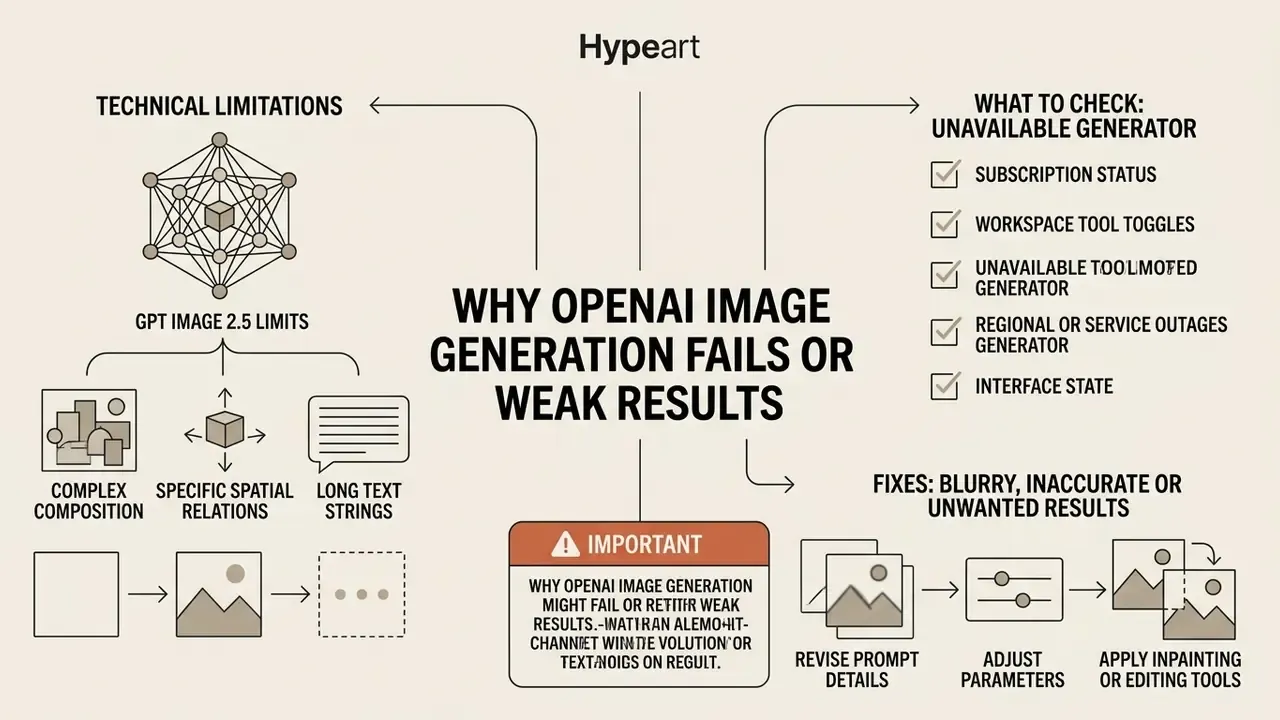
Known technical limitations of GPT Image 2.5
How to Fix Blurry, Inaccurate or Unwanted Results
Fixing low-quality AI art means removing prompt ambiguity, adding compositional boundaries, and decomposing complex multi-object tasks into sequential steps.
Research into compositional visual generation shows that standard metrics such as CLIPScore often miss complex spatial relationships, while VQA-based metrics (VQAScore) align far more closely with human judgments of prompt accuracy [Li et al., arXiv:2406.13743, 2024].
"VQAScore improves candidate ranking for DALL·E 3 by two to three times compared with PickScore, HPSv2 and ImageReward on complex compositional prompts."
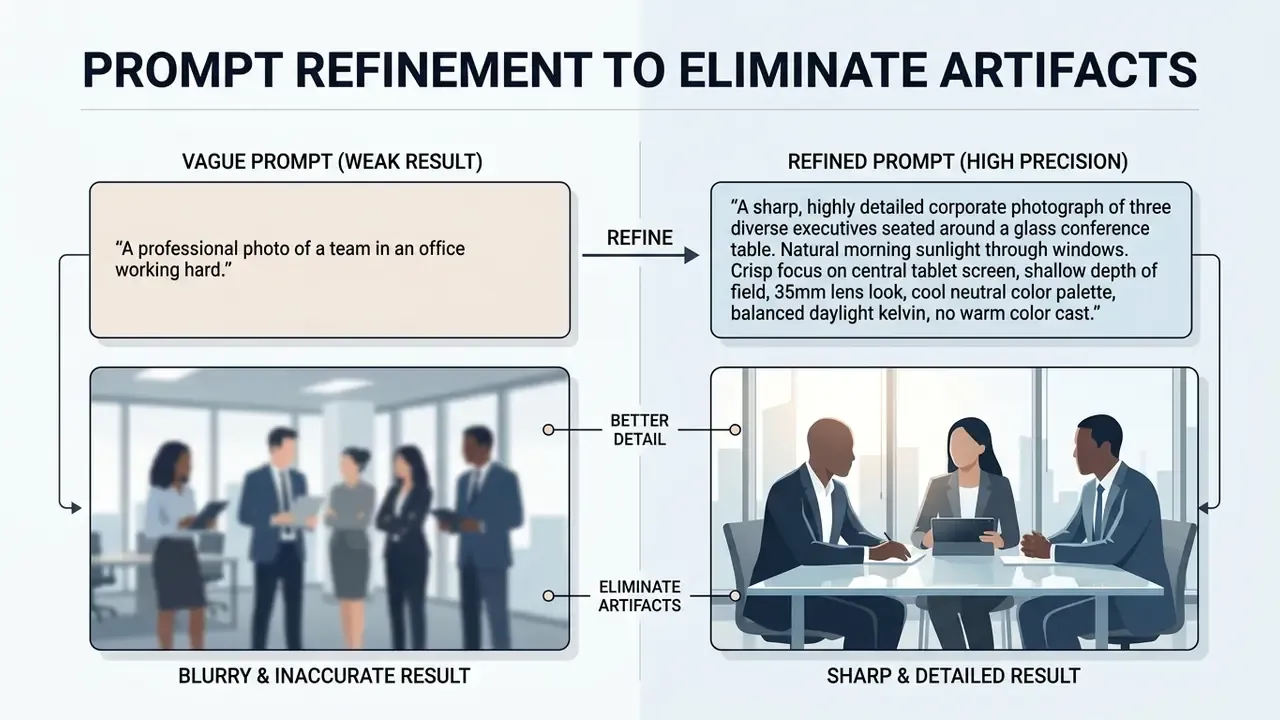
Published prompt-engineering guidance converges on the same disambiguation discipline: define a detailed scope, and where the request is genuinely ambiguous, ask the model to surface the ambiguity before generating. Benchmarks for ambiguous queries (CLAMBER, 2024) apply exactly that rule, clarify first and answer directly only when the request is unambiguous. Regulator-facing guidance from the European Medicines Agency (2024) likewise treats careful prompt crafting as fundamental to reducing biased or unsafe output.
Alert box: important
Access, Paid Plans and Choosing a Tool for AI Art
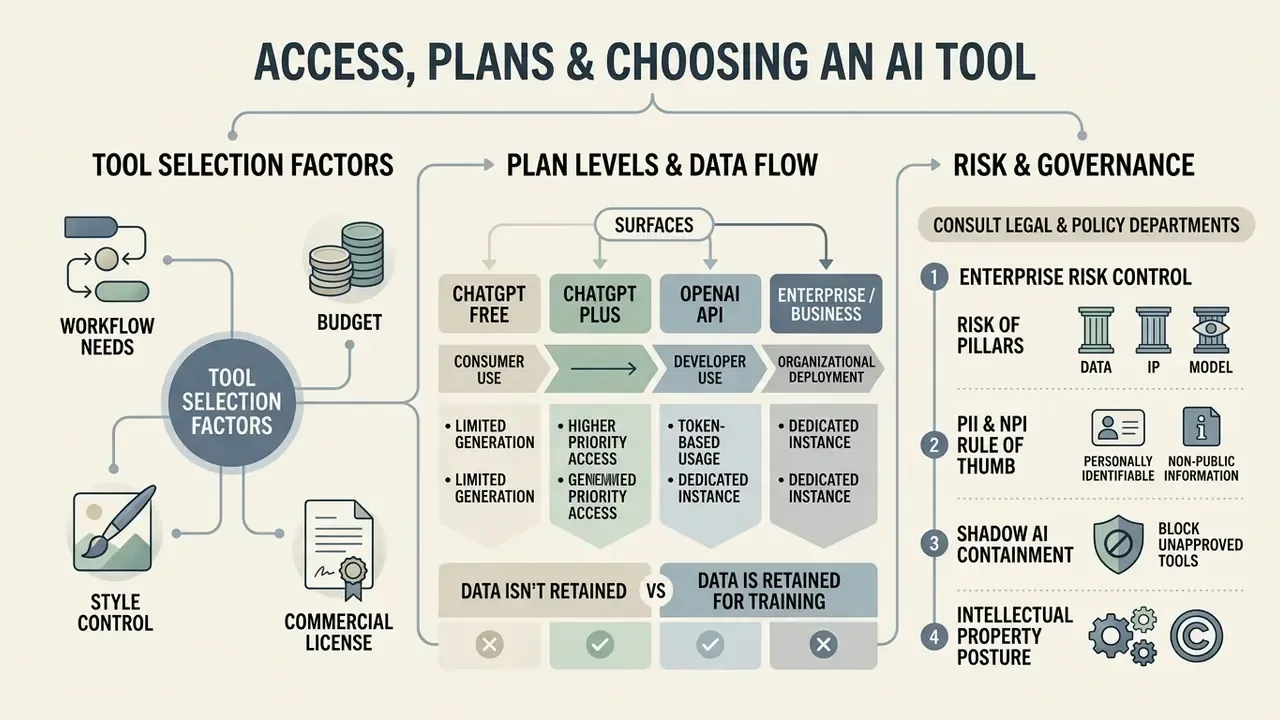
Choosing the right AI image tool depends on workflow requirements, budget, style control needs, and commercial licensing policy. OpenAI offers access across free and paid plans. Adobe Firefly leans on creative suite integration and commercial safety indemnification. Google's Gemini image model, widely known by its Nano Banana codename, is a third serious contender for editing-heavy work.
| Selection Criterion | OpenAI / ChatGPT Images | Adobe Firefly |
|---|---|---|
| Primary Workflow | Conversational prompt generation and editing | Creative Cloud integrated design and vector editing |
| Model Stack | ChatGPT Images 2.5 / gpt-image-2.5-flare / gpt-image-2.5-sunburst | Firefly Image Models plus partner models (incl. GPT Image 2) |
| Architecture | Autoregressive patch generation | Adobe diffusion models plus partner engines |
| Commercial Protection | Output owned by user; OpenAI does not claim copyright over API outputs; standard service terms | Trained on licensed Adobe Stock and public-domain content; marketed as commercially safe |
| IP Indemnification | Not offered as a standalone consumer guarantee; contractual terms depend on plan | Commercial-use positioning with enterprise indemnification options |
| Content Provenance (C2PA) | Not marketed as a native Content Credentials pipeline | Content Credentials / C2PA metadata support across Adobe apps |
| Editing Control | Natural language, sketches, mask inpainting, outpainting | Pixel-level Photoshop tools, generative fill, layers |
| Style Consistency Tooling | Prompt and identity-block reuse, session memory | Saved custom styles, custom models, brand kits |
| Access / Pricing | Free, Go ($8/mo), Plus ($20/mo), Pro ($200/mo), API | Free tier, Standard ($9.99/mo), Premium ($199.99/mo), Creative Cloud bundles |
| API Image Pricing | gpt-image-2.5-sunburst / gpt-image-2.5-flare: $8 per 1M input image tokens, $30 per 1M output image tokens | Firefly Services API, credit-based consumption |
| Rate Limits | Tiered: Tier 1 ≈ 100,000 TPM / 5 IPM → Tier 5 ≈ 8,000,000 TPM / 250 IPM | Generative credits per plan, premium models consume credits |
"For prompts such as 'CEO' or 'manager', models predominantly generate images of white men, even with gender-neutral wording."
"Foundation models with broad training distributions show progressively lower bias than narrowly specialized style models." Source: Exploring Bias in Over 100 Text-to-Image Generative Models, arXiv:2503.08012 (2025). http://www.arxiv.org/pdf/2503.08012.pdf
Enterprise Risk Control: Data, IP and Model Risk Management
For regulated institutions, banks, insurers, broker-dealers, the decisive question is not output quality. It is whether the generation pipeline is defensible under internal model risk and third-party risk frameworks.
1. Data handling: web tier vs API vs Enterprise.
- ChatGPT Free / Go / Plus (consumer surfaces) governed by consumer terms and workspace-level controls. Assume anything pasted into a prompt is a potential data-exposure event unless enterprise controls apply.
- API OpenAI states customer API data is not used for model training by default, the baseline requirement for processing internal material.
- Enterprise / Business administrator-controlled tool toggles, workspace governance, negotiated retention terms. Zero Data Retention arrangements, where contractually available, are the correct target state for any workflow touching confidential material.
- PII and NPI rule of thumb never place client names, account numbers, transaction records, or identifiable imagery into an image prompt. Use synthetic placeholders and substitute real data only in downstream, controlled design tooling.
2. Shadow AI containment. The most common control failure is not the model. It is unsanctioned consumer accounts producing brand assets outside the approved pipeline. Mitigations: SSO-enforced enterprise workspaces, egress monitoring for consumer image endpoints, a published register of approved image tools, and one approved API key custodian per business unit. Add a quarterly reconciliation between the tool register and actual network traffic, because registers age faster than habits change.
3. Intellectual property posture. OpenAI's Help Center states it will not claim copyright over content generated by the API for you or your end users. Usage Policies simultaneously prohibit generating someone's likeness, including a photorealistic image or voice, without consent where authenticity could be confused, and prohibit generating in the style of individual living artists. Advertising terms specify that OpenAI acquires no IP rights in customer ads, taking only the non-exclusive licence needed to display the service. So ownership of the output does not equal clearance of the depicted content. Trademark, likeness, and third-party rights must be cleared separately.
4. Provenance and authenticity. NIST AI 100-4 and the NIST AI Risk Management Framework recommend that synthetic-content systems record provenance metadata, date and time, model, source history, in a tamper-evident form. Where fraud, deepfake, or authenticity exposure is material, prefer pipelines that embed signed Content Credentials (C2PA) and retain the signed original alongside the published derivative.
5. Auditability checklist (SR 11-7, NIST AI RMF and ISO/IEC 42001 alignment). Capture this for every published asset:
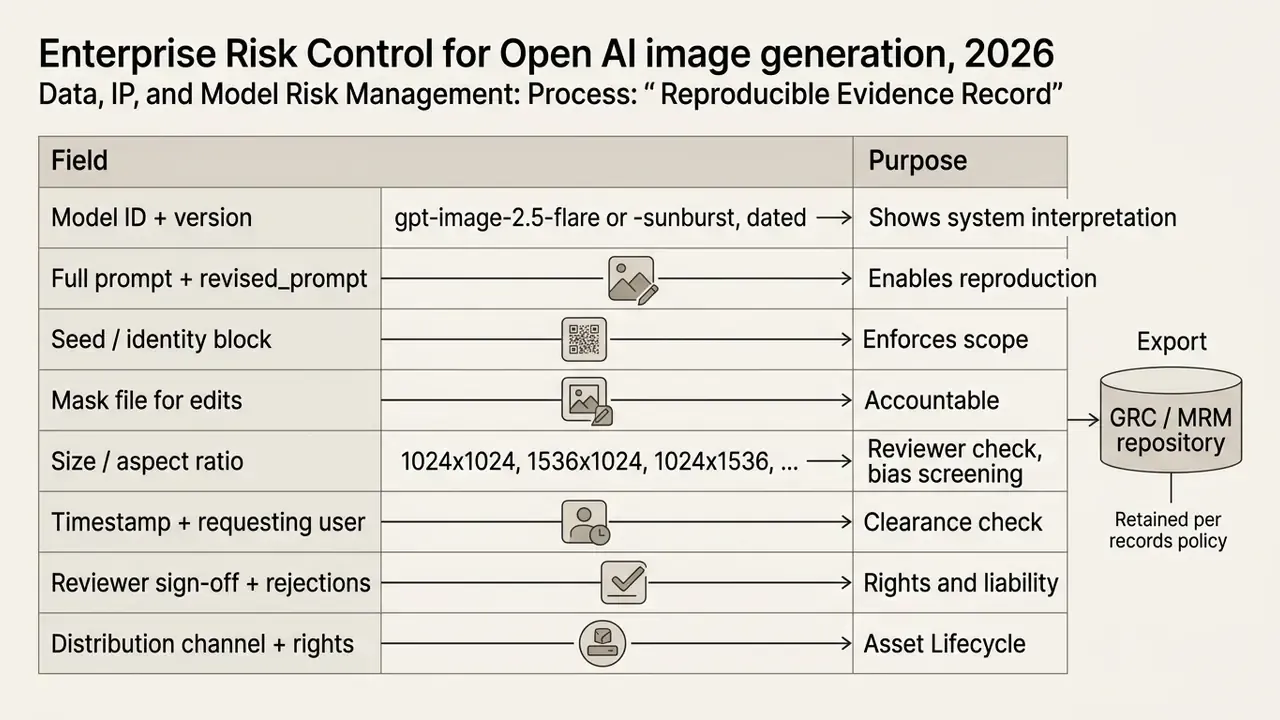
6. Human-in-the-loop cost model. Total cost per published asset is never just the API line item:
Because the failure modes are predictable, non-Latin text, warm cast, crowd faces, hand geometry, review checklists should be pre-scoped to exactly those items. That single change is the fastest way to cut reviewer minutes per asset, and it is measurable within one campaign cycle.
7. Model validation checklist before production release.
Checklist0 / 7
One open question deserves naming: none of the above tells you how a supervisor will treat generative visual tooling under existing model risk guidance. Image models are not credit models. Until examiner expectations settle, documenting intent and control design is the conservative path.
When to Use OpenAI, When to Use Adobe Firefly and Other AI Tools
Use OpenAI / ChatGPT when your primary need is conversational ideation, multi-turn natural language refinement, sketch-to-image conversion, automated text-to-image workflows via API, or multi-modal reasoning that combines text, code, and graphics in one context.
Use Adobe Firefly when producing branded campaigns that require precise vector integration, strict commercial stock provenance guarantees, Content Credentials metadata, brand-aligned variation at scale through custom models, or direct layer-based editing inside Photoshop and Illustrator. Worth noting: Firefly also exposes GPT Image as a partner model inside Generate Image, Edit Image, and Firefly Boards. So the decision is increasingly about workflow surface and governance, not raw model access. Firefly premium and partner-model usage consumes monthly generative credits on paid Creative Cloud plans.
Consider Google's Gemini image stack, the Nano Banana lineage, when conversational photo editing and character consistency matter more than typographic rendering. No single artificial intelligence vendor wins every category, and vendor independence is itself a control.
For teams exploring alternative generative ecosystems on cost or feature trade-offs, consult our guide to AI Media Alternatives by Reason, our evaluation of Midjourney and other image generators, and the platform reviews of the Canva AI generator, the Microsoft AI image generator, and the Google AI image generator.
Automating the Graphics Pipeline (No-Code and API)
For marketing, support, or internal-comms teams, image production can run without anyone opening ChatGPT by hand:
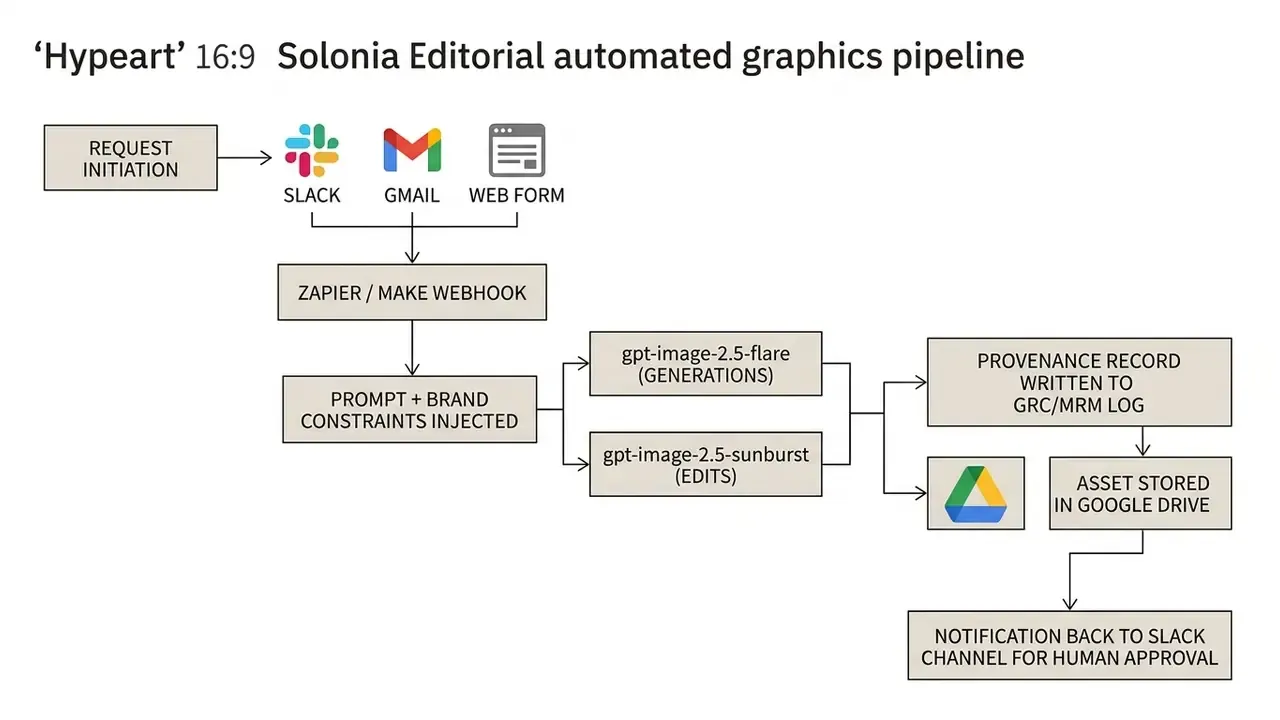
- Practical pattern: conversations with ChatGPT can be triggered from Slack or Gmail, including prompts that generate an image. When the asset lands in Google Drive, automation can mirror it to other cloud storage or attach it to an outbound email.
- Cost and latency lever: routing high-volume, low-stakes requests to
gpt-image-2.5-flareexploits the halved generation latency of the 2.5 generation and lower token consumption, reservinggpt-image-2.5-sunburstfor precision edits and hero assets. - Governance requirement: automation must never auto-publish. Insert a mandatory human approval step before any asset leaves the pipeline, and write the prompt, seed, model ID, and approver into the evidence record from [13.1].
- Adjacent pipelines: the same webhook pattern extends to image, video, and voice assets. See our implementation notes on the Google Veo API and on AI voice generators for multi-modal campaign automation.
A blunt point about agentic setups: a pipeline that can publish without a named approver is not an efficiency gain, it is an unowned digital worker. Give it an owner, an access limit, an escalation path, and a shutdown switch.
Practical Business Scenarios
Documented and commonly deployed use cases for OpenAI image generation at work include:
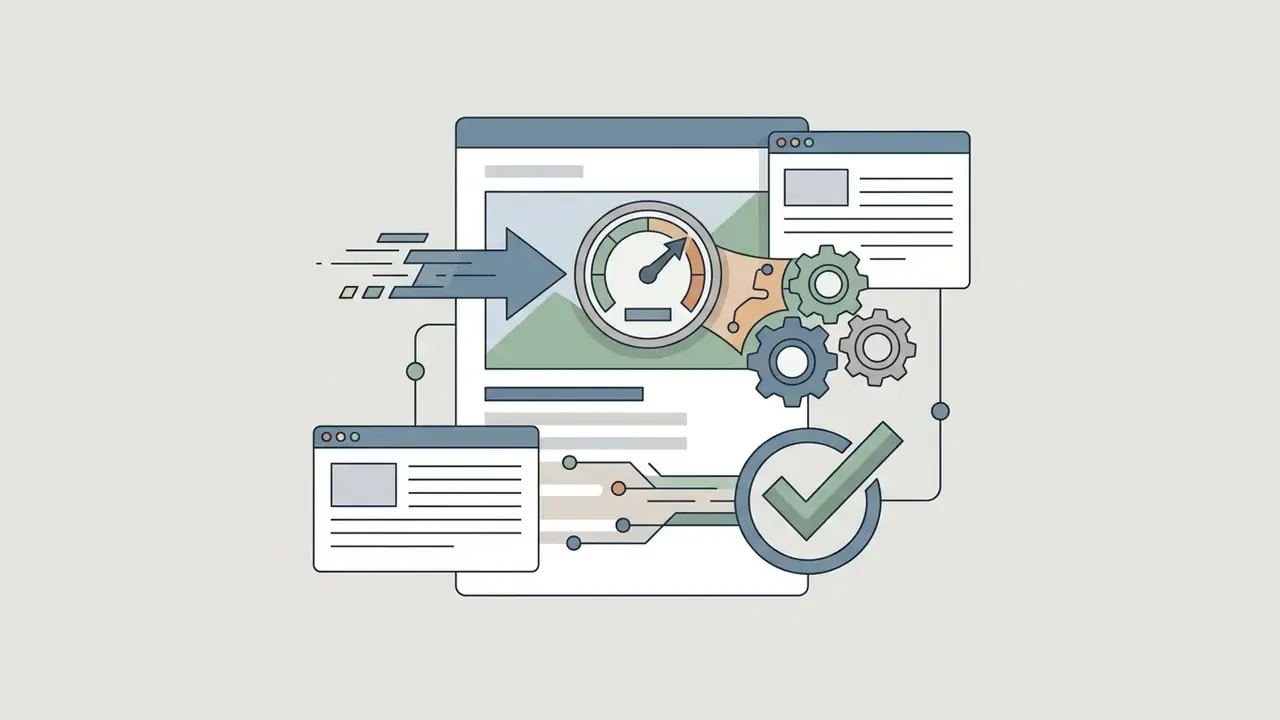
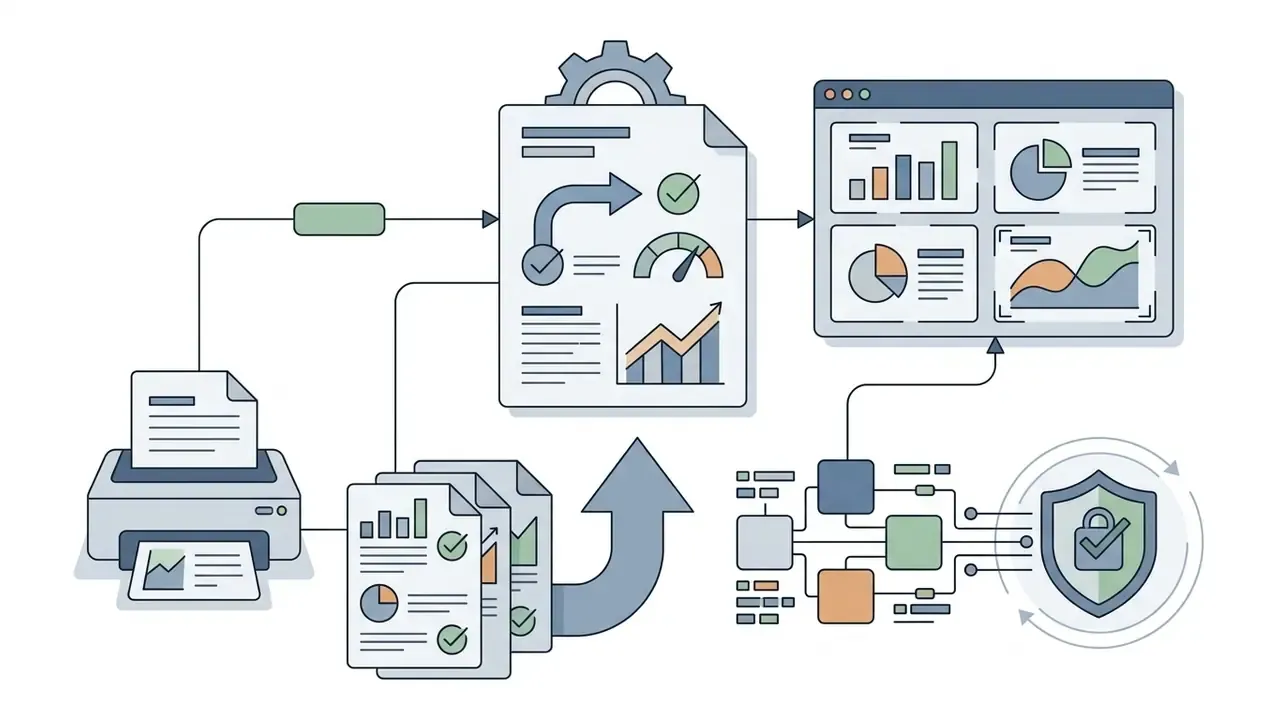
Where does this generate measurable value? Usually in cycle time and rework, not headcount. Track renders per approved asset, reviewer minutes per asset, and the share of assets rejected at approval. Three numbers, tracked monthly, beat any vendor ROI deck.

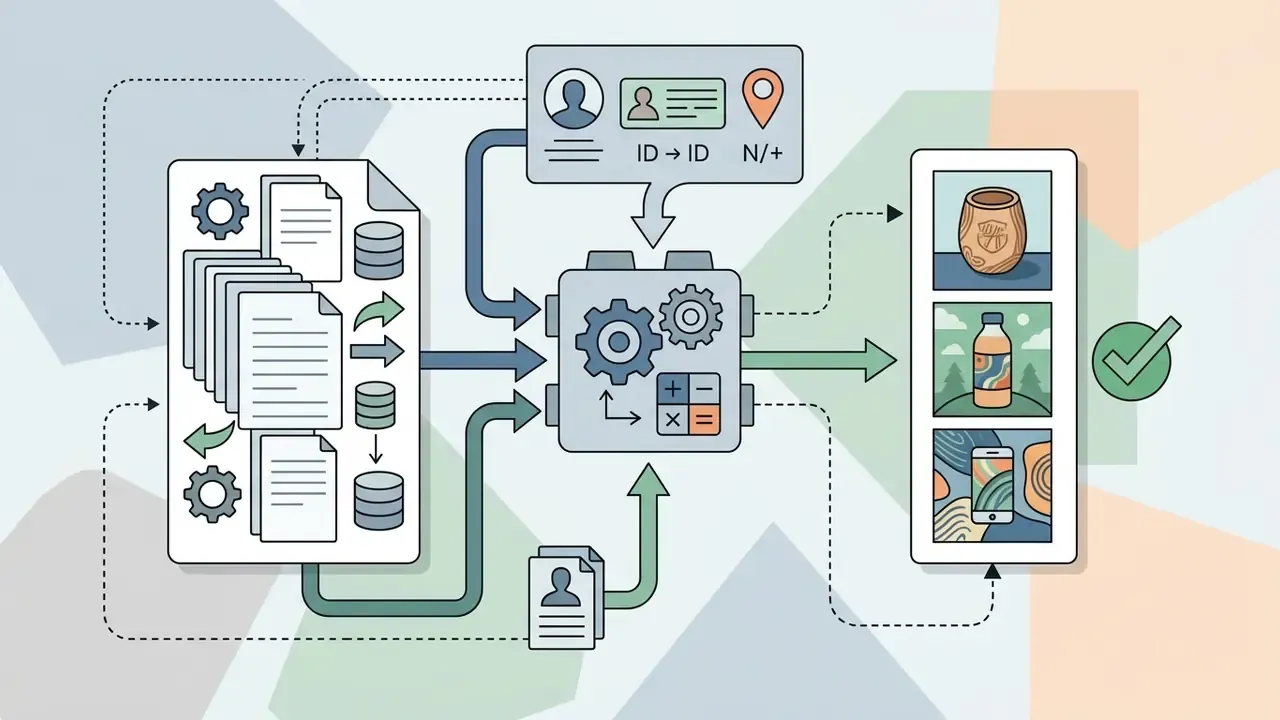
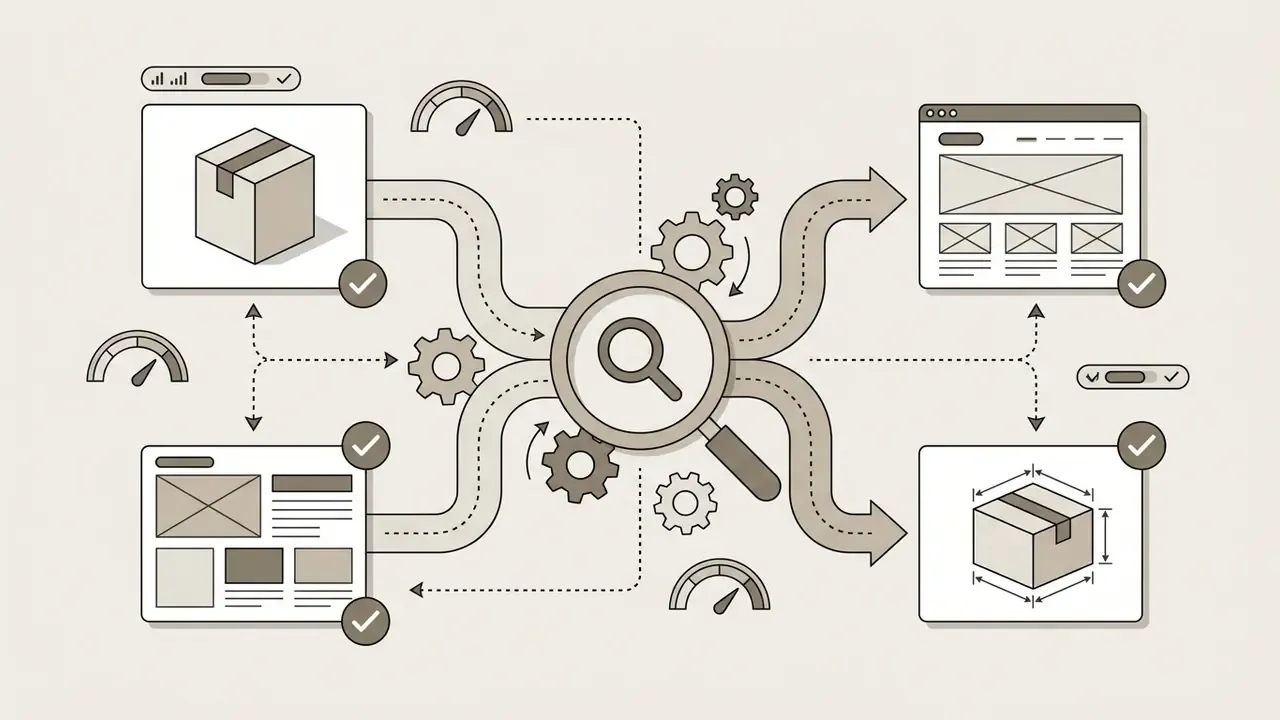
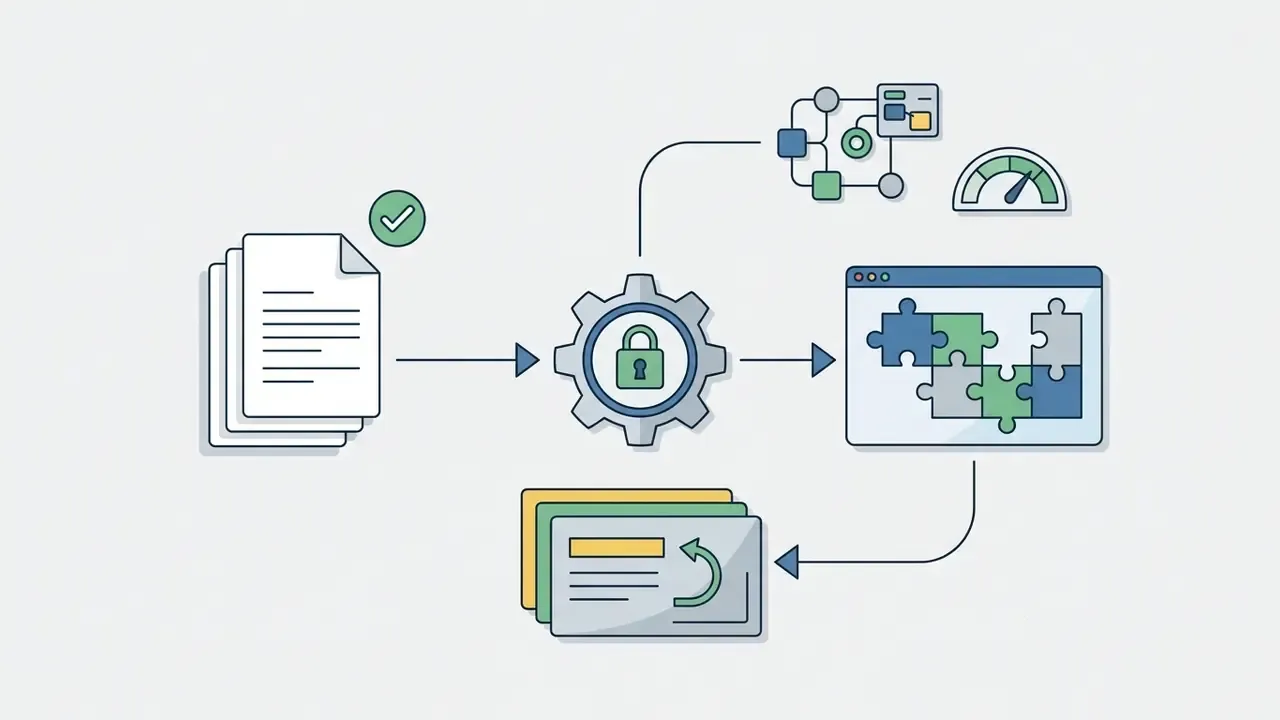
FAQ on the OpenAI AI Image Generator
Can OpenAI Artwork Be Published on Social Media?
Yes. OpenAI's service terms state that users retain ownership of output generated through the API and ChatGPT interfaces, and the Help Center confirms OpenAI will not claim copyright over content generated by the API for you or your end users, which permits commercial and non-commercial publication of open ai artwork on social platforms [OpenAI Terms of Use, 2026]. Users remain responsible, though, for making sure assets do not infringe third-party trademarks, individual likeness rights, or platform policies. Sharing image or video content inside the service does not grant other users rights to reuse it elsewhere.
Is OpenAI Good for Photos and Cartoon Illustrations?
Yes, on both counts. Current GPT Image models handle photorealistic photography and cartoon or vector illustration well. Used as an ai photo generator openai pipeline, photorealism needs explicit photographic parameters in the prompt (lens type, lighting, focal depth). OpenAI's documentation recommends stating "photorealistic" plus lens, framing, lighting, skin texture, and unposed cues. Used as an ai picture generator openai pipeline for cartoons, name the artistic medium exactly ("vector illustration, cel-shaded, bold outlines, flat color palette") and add constraints on composition, text, and layout. For stylized anime-adjacent output, see also our review of Ghibli-style AI image generators and of the Bing AI image pipeline.
Who Owns the Rights and How to Protect Data (Legal FAQ)
- Who owns the output? The user. OpenAI does not claim copyright over API-generated content, and its advertising terms state OpenAI obtains no IP rights in customer ads.
- Is the output automatically cleared for advertising? No. Ownership is distinct from clearance. Likeness, trademark, and living-artist-style restrictions apply independently under OpenAI Usage Policies (updated 2025-10-29) and applicable law.
- Is my prompt used to train models? Customer data submitted through the API is not used for model training by default. Consumer ChatGPT surfaces follow different settings, so verify workspace and account configuration.
- Can I put customer data in a prompt? Treat prompts as an external disclosure channel. Redact PII and NPI, use synthetic placeholders, and reserve real data for controlled downstream tooling.
- What evidence should I retain for an audit? Model ID and version, full prompt and
revised_prompt, seed or identity block, mask files, size, timestamp, requesting user, reviewer sign-off, and distribution rights, exported to your GRC/MRM repository (see [13.1]). - Can generated assets be traced as synthetic? Not natively guaranteed by consumer pipelines. Where authenticity risk is material, use a provenance-enabled workflow with signed Content Credentials (C2PA), consistent with NIST AI 100-4 recommendations.
- What is a safe first step? Run one low-risk internal campaign end to end with the full evidence record attached, then review it with internal audit before touching customer-facing creative. This FAQ is informational and does not constitute legal advice. Validate any commercial deployment against current platform terms and the law of your jurisdiction.
Summary and Technical Specifications
Review Log: What to Re-Verify Before You Rely on This Page
Generative image platforms change faster than internal policy documents. Re-check these five items on a quarterly cadence, and record the check date in your own control file:
- Model IDs and versions.Confirm
gpt-image-2.5-flareandgpt-image-2.5-sunburstremain the production endpoints and that no variant has been deprecated. - Token pricing.Input and output image token rates have moved with every release since 2025. Re-pull them from the official pricing page before finalizing a budget.
- Rate limit tiers.TPM and IPM ceilings shift with account tier and spend history, which changes your realistic batch throughput.
- Usage Policies date.Note the policy revision date in your evidence record, since likeness and artist-style rules are the ones most often updated.
- Plan availability and regional coverage.Image tools roll out unevenly across Free, Go, Plus, Pro, Business, and Enterprise, and across territories.
Footer navigation and authority flow:
For technical support, troubleshooting, and platform guides, visit the AI Media Support and Troubleshooting portal.