Why should a bank's risk owner care about cartoons? Because the upload path is identical to any other generative tool. Faces, contracts, product screenshots, all of it leaves the perimeter the same way.
Last updated: 2026. Reviewed by the Model Risk & AI Governance editorial team against NIST AI RMF and SR 11-7 control language.
Executive Summary for Decision-Makers
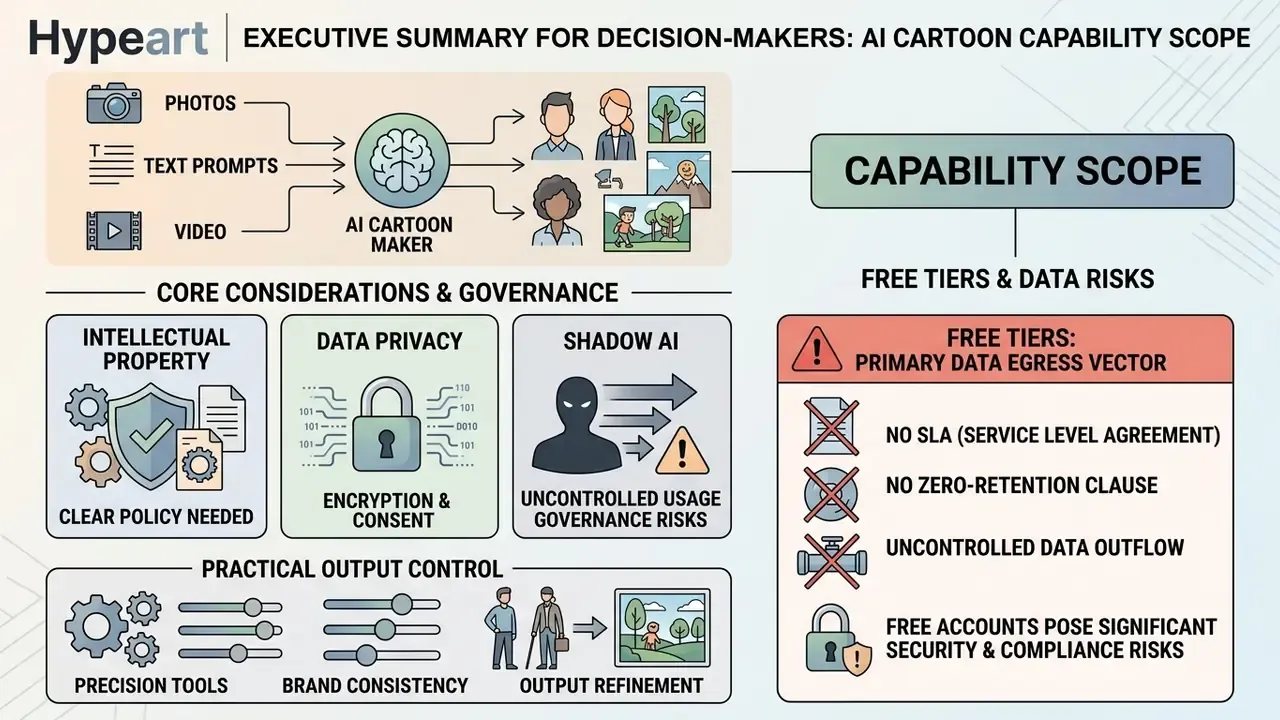
- Capability scope. A modern ai cartoon maker is not a filter. It is a multi-modal inference stack: latent diffusion, conditioning adapters (ControlNet, style references), GAN-based image translation, temporal video diffusion, plus text-to-speech and phoneme alignment for voiced animation.
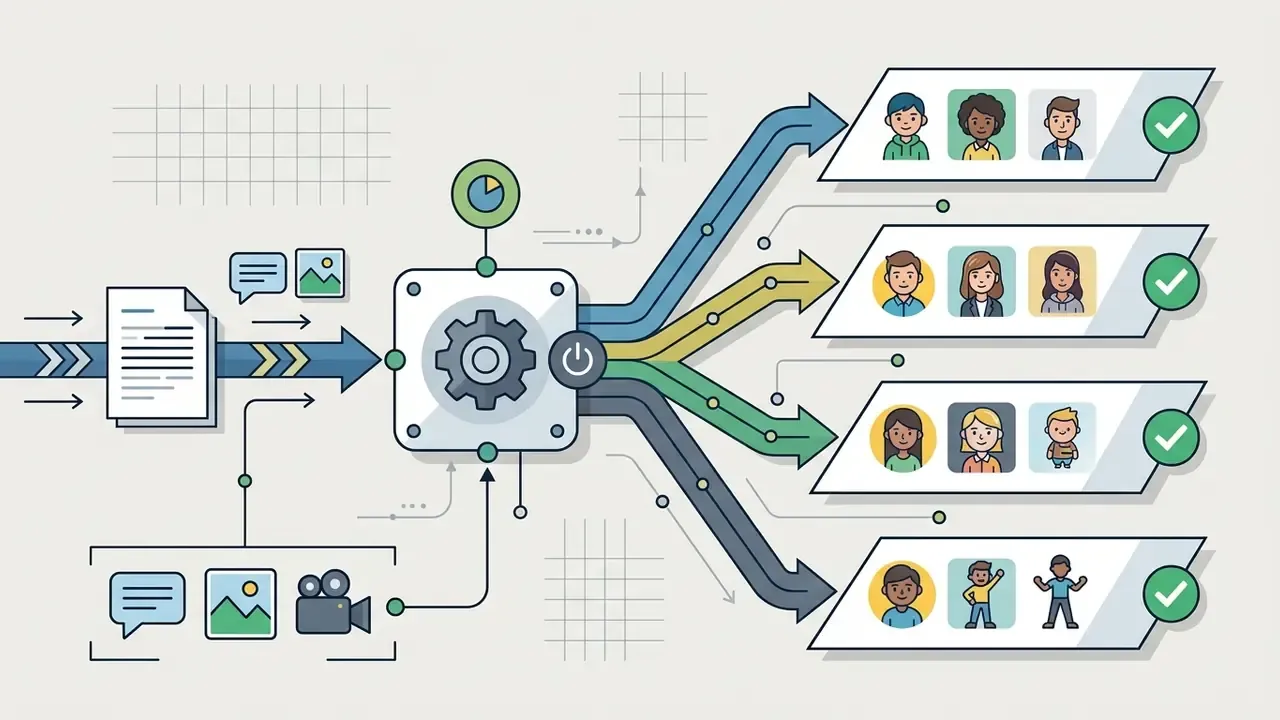
- Three input modes. Photo-to-cartoon (identity-preserving translation), text-to-cartoon (prompt-conditioned synthesis), and image or video-to-video animation (temporally coherent stylization).
- Intellectual property. Purely prompt-generated cartoons are not protected by U.S. copyright. Protection attaches only to human-authored expressive contributions: arrangement, manual edits, inpainting, compositing. Archive the governing Terms of Service at the moment of generation.
- Data privacy. Retention windows across sampled vendors range from 24-hour deletion to permanent storage for paid downloads. Uploading employee or customer faces to consumer-grade tools introduces biometric and PII exposure relevant to GDPR, GLBA, and NYDFS obligations.
- Shadow AI. Free tiers are the primary vector for uncontrolled data egress: no SLA, no zero-retention clause, no SSO, frequent opt-in model retraining. Treat consumer cartoon generators as unmanaged third-party processors until audited.
- Practical output control. Predictable results come from structured prompt formulas, action and expression preset systems, natural-language post-edit commands, and locked brand kits (fonts, logos, watermarks).
How to Read This Guide
This material serves two overlapping jobs to be done, and it helps to know which one you hold.
If you are a creator or marketer, read the workflow, style, and free-tier sections first. You want to know what a cartoon maker ai can produce today, at what resolution, and under which licence.
If you own risk, compliance, or model governance, start with the risk snapshot, the Shadow AI checklist, and the commercial-use analysis. Your question is narrower: can this asset be reproduced, evidenced, and defended six months from now?
Both readings share one assumption. Generative media tooling should inherit existing model-risk governance instead of sitting quietly outside it. Where evidence is thin, we say so. Vendor marketing figures are labeled unverified rather than repeated as fact.
What Is an AI Cartoon Maker and What Can It Create?
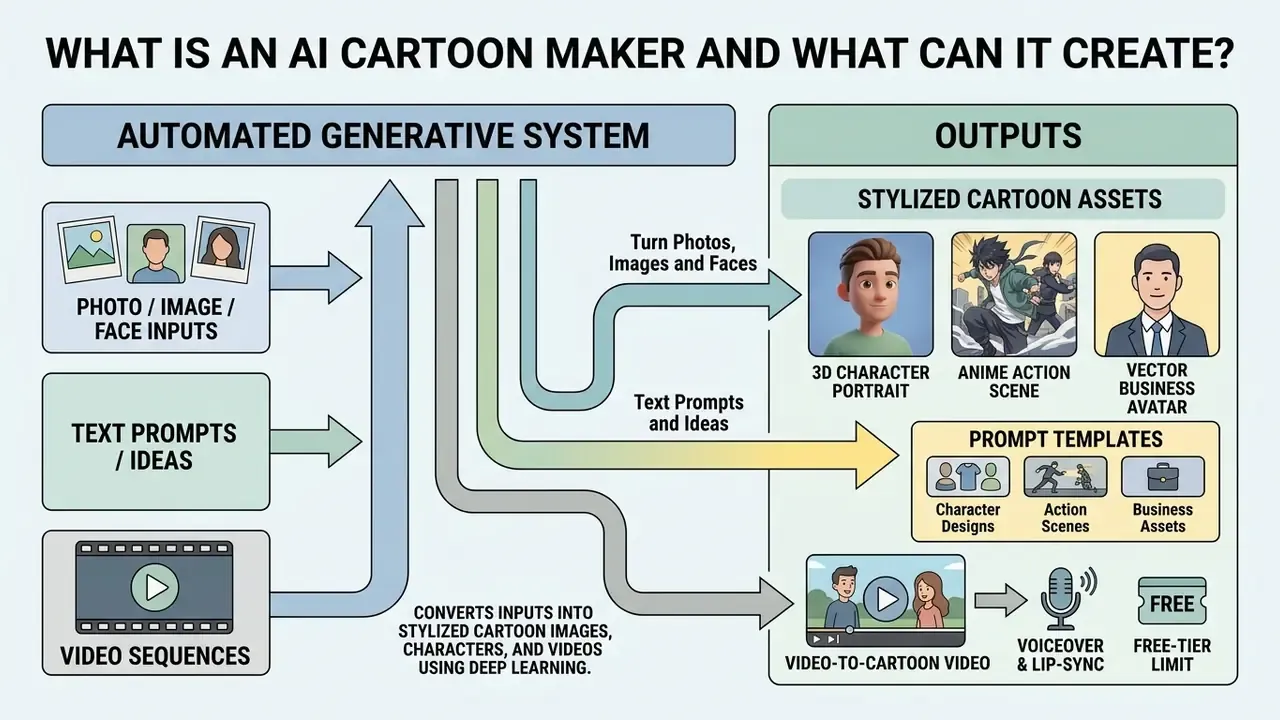
An ai cartoon maker is an automated generative system that converts photographs, natural language descriptions, or video sequences into stylized cartoon assets using deep learning models. These platforms use fine-tuned latent diffusion networks and unsupervised generative adversarial networks (GANs) to synthesize 2D vector illustrations, 3D animated characters, custom backgrounds, and short cartoon video clips. Search behaviour is messy here, and queries like "a i cartoon maker" or "cartoon ai maker" point at the same class of tool.
Modern ai cartoon generator tools moved well beyond filter application. Notably, cartoon aesthetics can emerge from the model itself rather than from cartoon training data:
Base models like Stable Diffusion act as parameterized foundations. They reverse progressive Gaussian noise to sample clean visual data conditioned on text or image inputs.
«Diffusion models are trained to reverse the process of adding noise to data, generating new images from pure noise at inference.»
Dedicated illustration pipelines, such as Illustrious, optimize colour range, high-resolution line restoration, and domain-specific anime aesthetics.
«Illustrious focuses on three axes: architectural improvements, training optimization, and domain-specific prompt engineering for anime.»
Video translation pipelines run in parallel, using temporal diffusion and frame-consistency adapters to turn real footage into animated sequences. Readers comparing engines can review AI video generators with temporal coherence for architecture-level differences. Teams use a cartoon generator or cartoon creator ai system to produce digital avatars, marketing assets, and instructional videos without manual frame-by-frame illustration. If you want template-driven output instead of raw model access, a dedicated animation maker workflow covers scene libraries, timelines, and export presets.
Two deployment models matter for governance. SaaS-hosted models hide weights and versioning, so model lineage depends entirely on vendor disclosure. Open-weight models (Stable Diffusion derivatives, Illustrious checkpoints) can be hosted internally, giving full lineage, reproducibility, and zero external data egress. The cost is real: GPU capacity, prompt-safety tooling, and someone accountable for both.
Turn Photos, Images and Faces into Cartoon Art
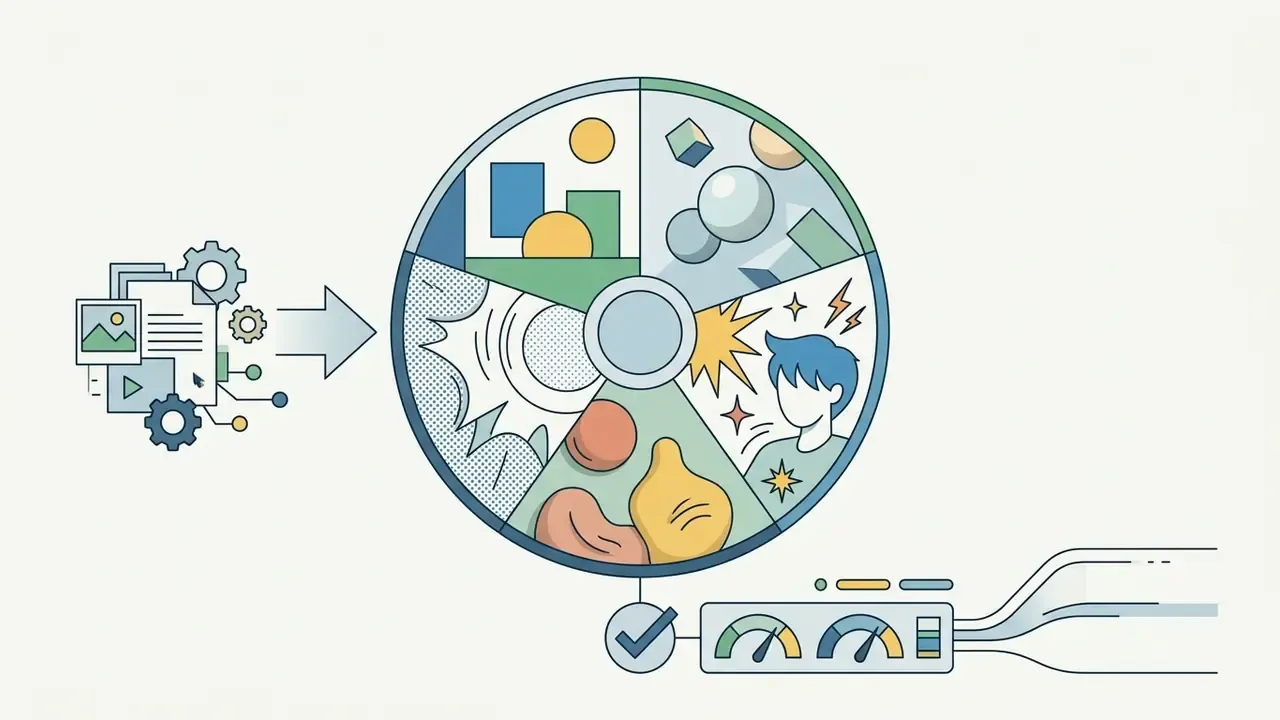
Photo-to-cartoon algorithms apply latent diffusion models for photo conversion or generative adversarial networks to transform static photographs into cartoon portraits while retaining facial identity and expression. Image-to-image translation models process an uploaded photo by extracting facial landmarks, geometry, and key semantic features before applying style transfer.
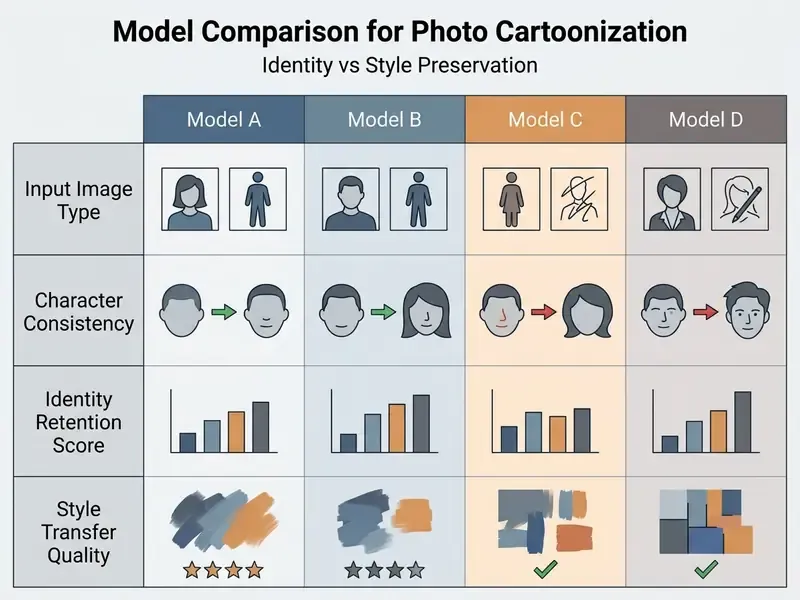
Takeaway from the comparison above: geometry-first methods (supervised warping) preserve recognizability but limit stylistic range. Latent-editing methods (StyleGAN direction control) give broader range but need identity-preservation constraints to avoid drift.
Advanced frameworks like AutoToon use supervised geometric warping to create high-quality caricatures. Fine-tuned StyleGAN models adjust latent vectors to edit facial expressions without distorting subject identity (3D Cartoon Face Generation with Controllable Expressions, 2022). Recent facial synthesis frameworks report up to 96% approval for expression preservation and 93% for identity consistency (GenEAva, 2025). Those are author-reported figures on their own evaluation set, not independent audits.
When processing multi-subject portraits, such as those created using an ai couple photo maker, the engine aligns key facial features across both subjects while holding line art and shading consistent. Teams that need identity-accurate corporate portraits rather than stylized ones should compare requirements against an AI headshot generator workflow, where fidelity outranks style.
Generate Cartoons from Text Prompts and Ideas
«HEIM evaluates 26 models across 12 aspects, including text-image alignment, aesthetics, and originality, finding no single model leads on all dimensions.»
The practical consequence is simple. Style keywords must be tuned per model family, and identical prompts should be benchmarked across at least two engines before you lock a production style.
Ready-to-Use AI Cartoon Prompt Templates
For production-ready output across popular diffusion models (Midjourney v6/v7, Stable Diffusion XL, Amazon Nova Canvas, Firefly), start from these formulas:
- 3D Character Portrait
3D Pixar-style digital render of a friendly female software engineer with glasses, vibrant lighting, smooth volumetric shading, octane render, 8k resolution, neutral background --ar 1:1 - Anime Action Scene
90s cel-shaded anime style, athletic hero running through a futuristic neon cyberpunk city, crisp line art, rim lighting, vibrant highlights, studio animation aesthetic --ar 16:9 - Vector Business Avatar
Flat 2D vector illustration, modern minimal entrepreneur avatar, bold clean contours, pastel color palette, isolated on white background, corporate aesthetic --ar 1:1 - Claymation Environment
Tactile claymation scene, organic fingerprints on stop-motion miniature houses, warm studio spotlight, soft depth of field, stop-motion studio aesthetic --ar 16:9 - Manga Panel
Black-and-white manga ink panel, high-contrast cross-hatching, screentone shading, dynamic diagonal composition, speech-balloon space reserved top-left --ar 3:4 - Comic Book Hero Shot
Bold-ink comic book illustration, halftone dot shading, saturated primary palette, graphic action lines, low-angle heroic framing --ar 2:3
Every template keeps the same order: subject, style, detail, lighting, framing. Swap one element and the rest of the composition stays stable. Keep total prompt length under 1,024 characters for reliable attribute mapping (Amazon Nova Canvas Guidance, 2024).
Enterprise Risk Snapshot: IP, PII and Vendor Controls
Before choosing styles or tooling, risk owners usually need three answers up front. This snapshot summarizes them, with the detailed analysis further down the page.
| Risk domain | Core question | Short answer | Detailed section |
|---|---|---|---|
| Copyright / IP | Can we own and monetize the output? | Only human-authored expressive contributions are protectable; prompts alone are not. | Can You Use AI Cartoons for Commercial Content |
| PII & biometrics | What happens to uploaded faces? | Retention ranges from 24 hours to permanent; retraining defaults vary by vendor. | FAQ: Are Uploaded Photos Private and Secure |
| Shadow AI | Can staff use free tiers? | Not without audit: free tiers commonly lack zero-retention, SSO, and commercial rights. | How to Choose a Free AI Cartoon Maker Online |
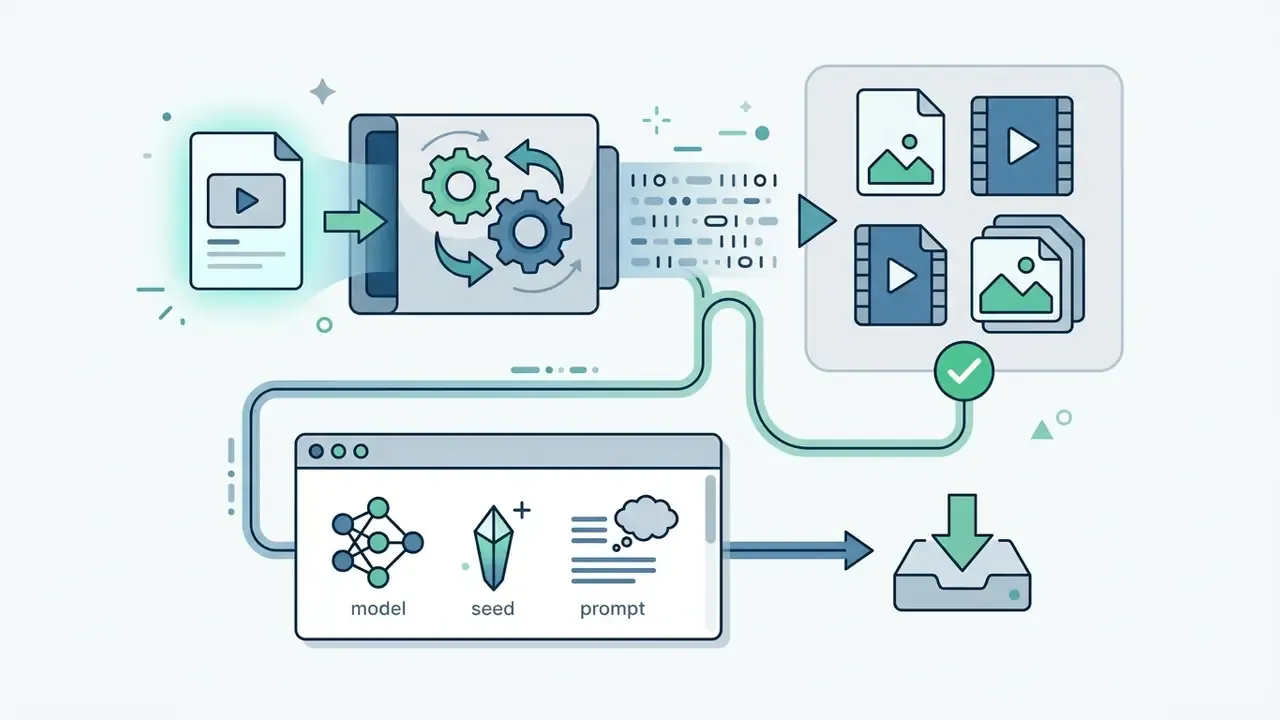
| Model lineage | Can we reproduce an approved asset? | Only if model version, seed, prompt, and conditioning inputs are logged at generation time. | How to Create a Cartoon with AI |
One caveat worth stating plainly. None of these four rows is answered by a product demo. They are answered by contract language, export tests, and logs.
How to Create a Cartoon with AI: Workflow Control and Human-in-the-Loop
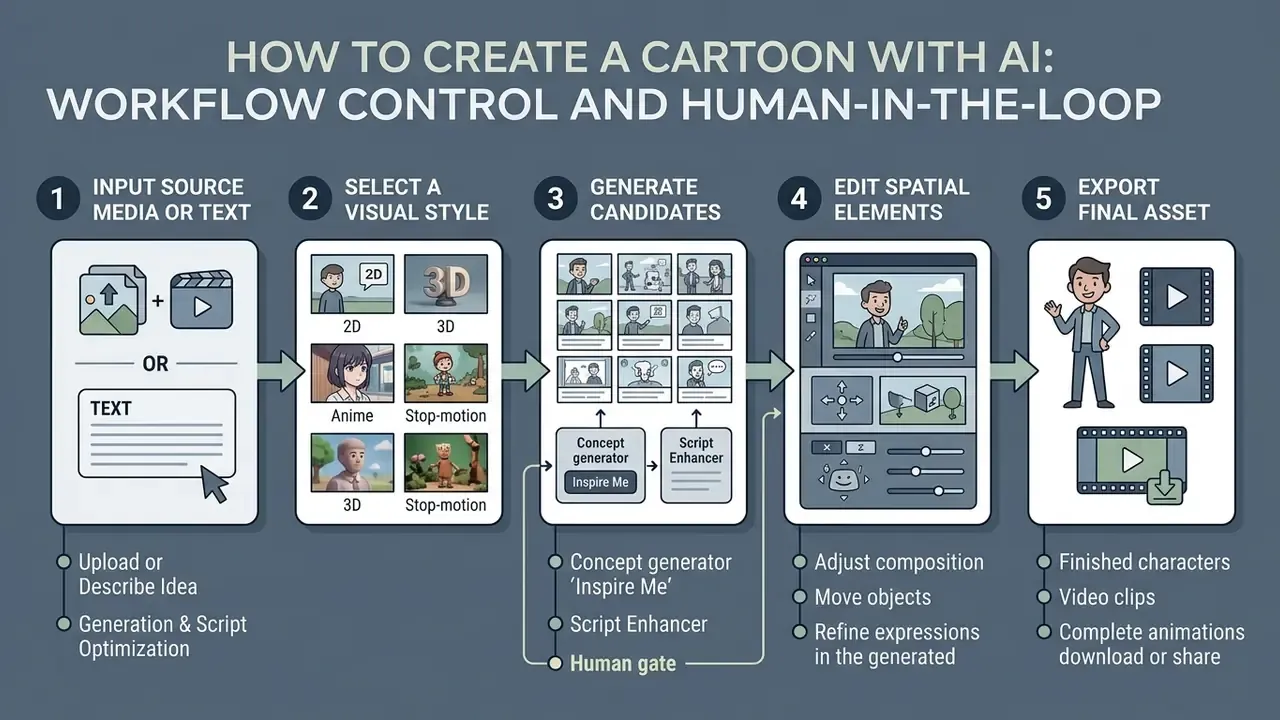
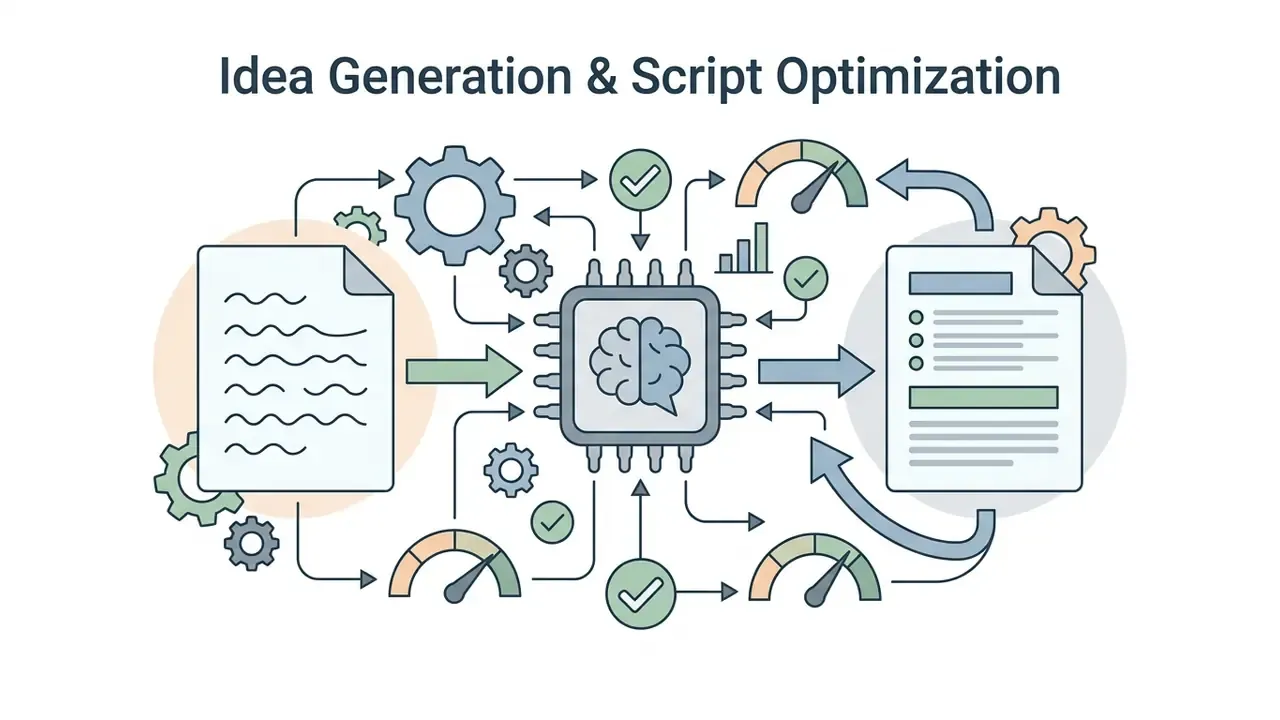
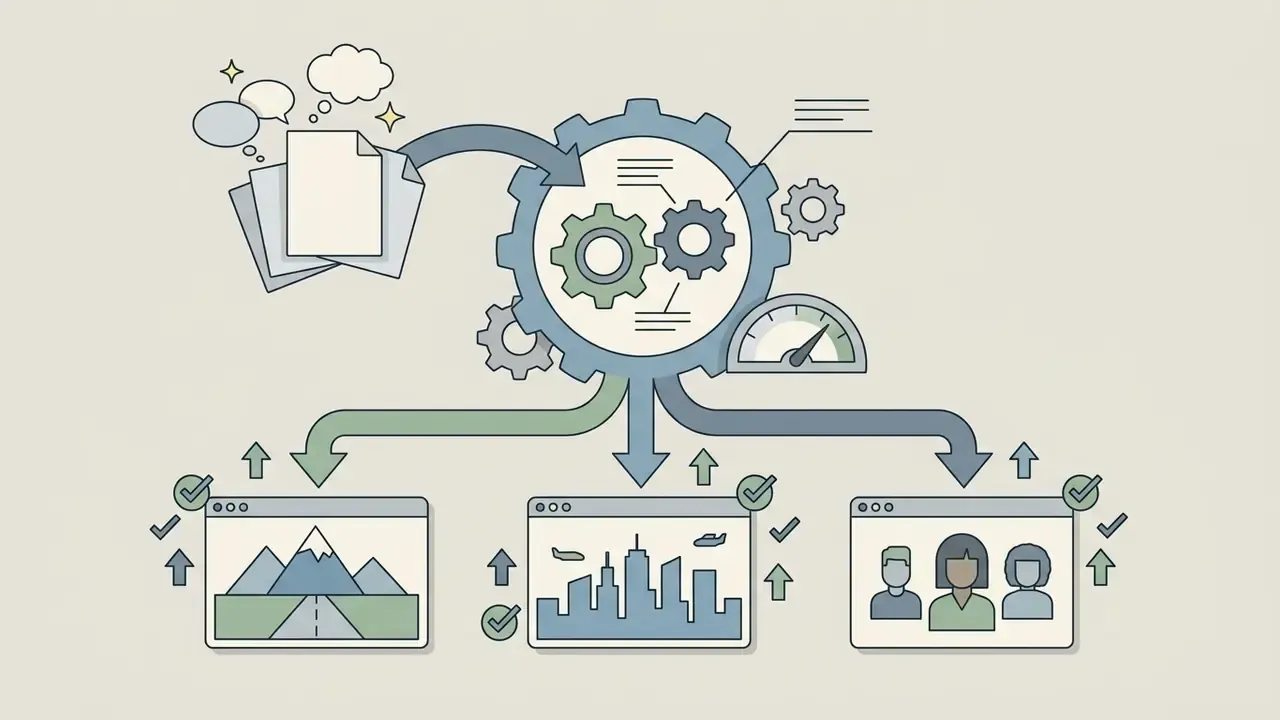
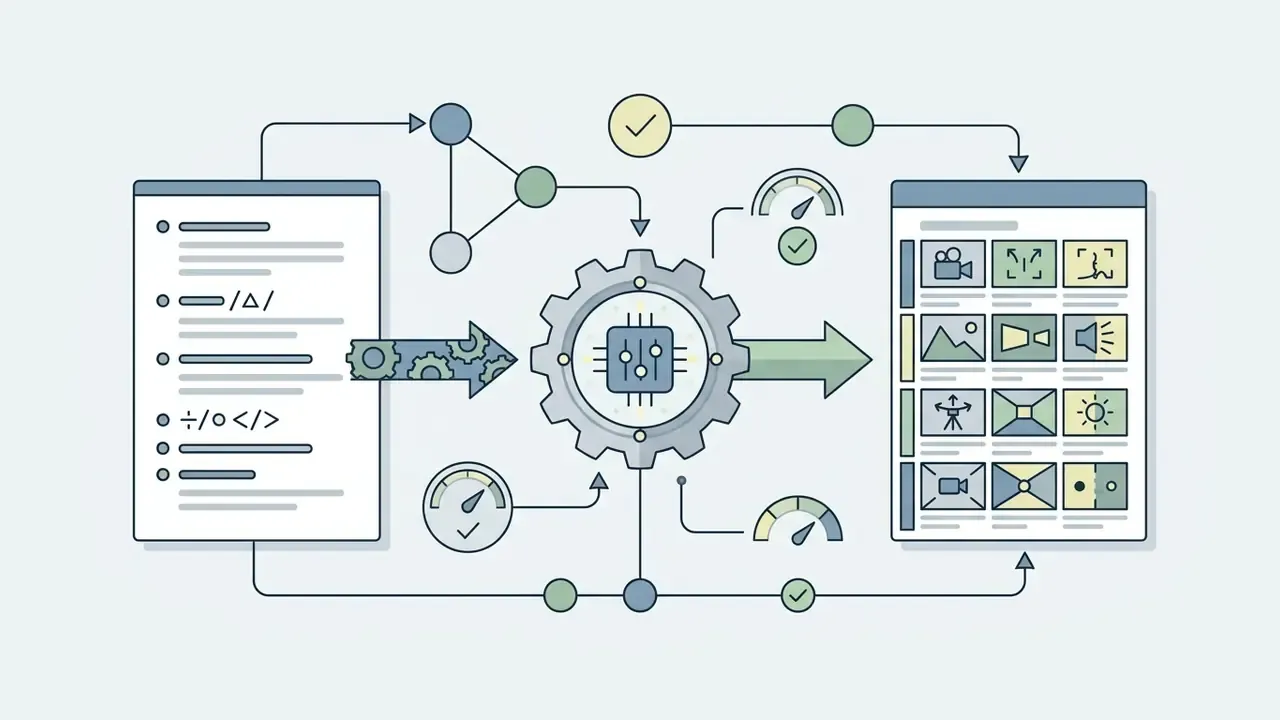
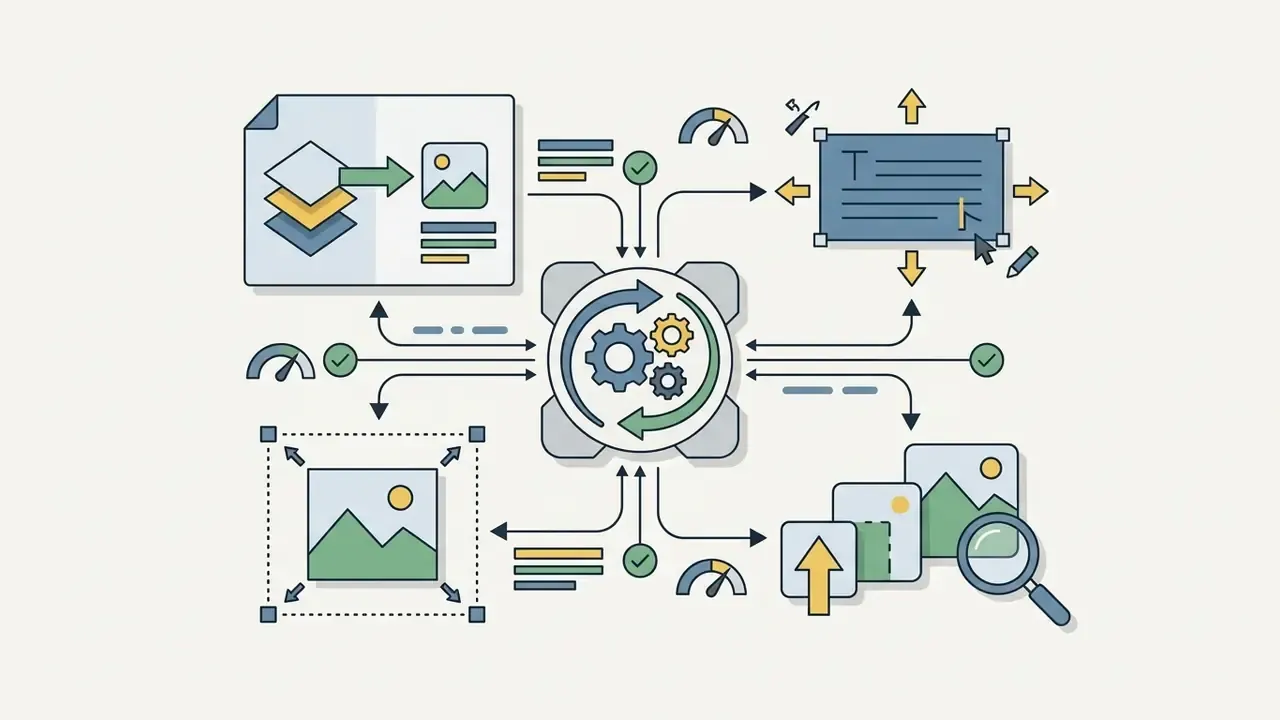
Creating a cartoon with AI runs through a five-step pipeline: input source media or text, select a visual style, generate candidates, edit spatial elements, export the final asset. Users can ai create cartoon media, create ai cartoon images, or lean on a cartoon creator ai to compress production time. Each step should carry a human review gate: prompt or script approval, style approval, IP and likeness check, PII filter, and final export sign-off.
«Real Time Animator combines three techniques, InST, IPT, and DCT-Net, for high-quality cartoon style transfer on images and video across six animation styles.» Real Time Animator (2023–2025).
Standard Generation Sequence:
- Upload or Describe: provide a source photo, raw video clip, or detailed natural language prompt.
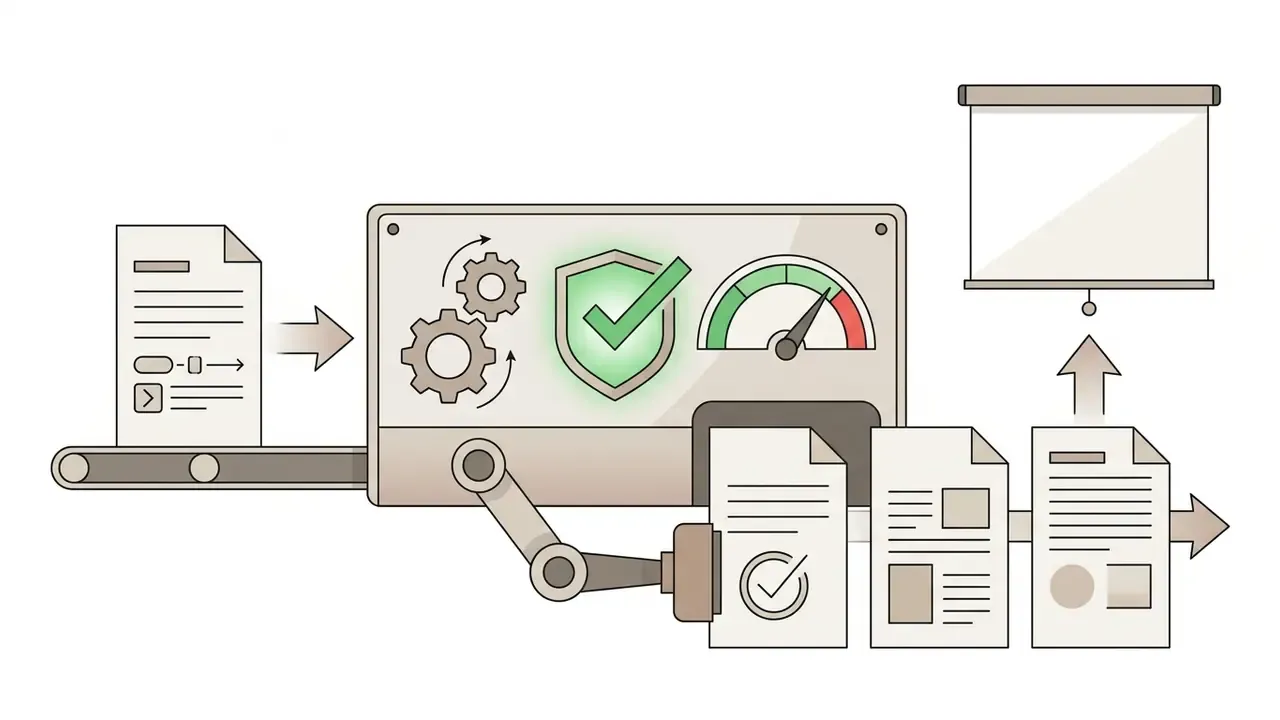
Step five is where most teams get sloppy. Without the seed and version, an approved asset cannot be regenerated, and audit evidence collapses into a screenshot.
Upload a Photo or Describe the Cartoon Scene
Creation starts with a high-resolution reference photo or a structured text prompt that defines subject, setting, and camera framing. Input quality drives structural accuracy in the output more than any style setting does.
For image-to-cartoon workflows, source photographs should show clear, well-lit subjects with minimal background clutter (Cartoon Conversion Guidelines, 2024). When working in an ai cartoon maker online, keep natural language descriptions concise and ordered. Model documentation recommends placing the primary subject at the start of the prompt, avoiding negation words, and keeping length under 1,024 characters for optimal attribute mapping (Amazon Nova Canvas Guidance, 2024). Vertex AI guidance is stricter still, advising subject, then context, then style, with short descriptive phrasing (Google Vertex AI Imagen Prompt Guide, 2024).
Choose a Cartoon Style and Generate the Result
Style selection conditions the model through reference images or preset embeddings, the same mechanism used by image-to-image generators with style control. Modern platforms integrate conditioning frameworks like ControlNet or style reference parameters such as Midjourney's --sref argument to lock a visual theme.
«Style Reference maps an input image's visual vibe onto new generations and is applied with
--srefplus an image URL.»
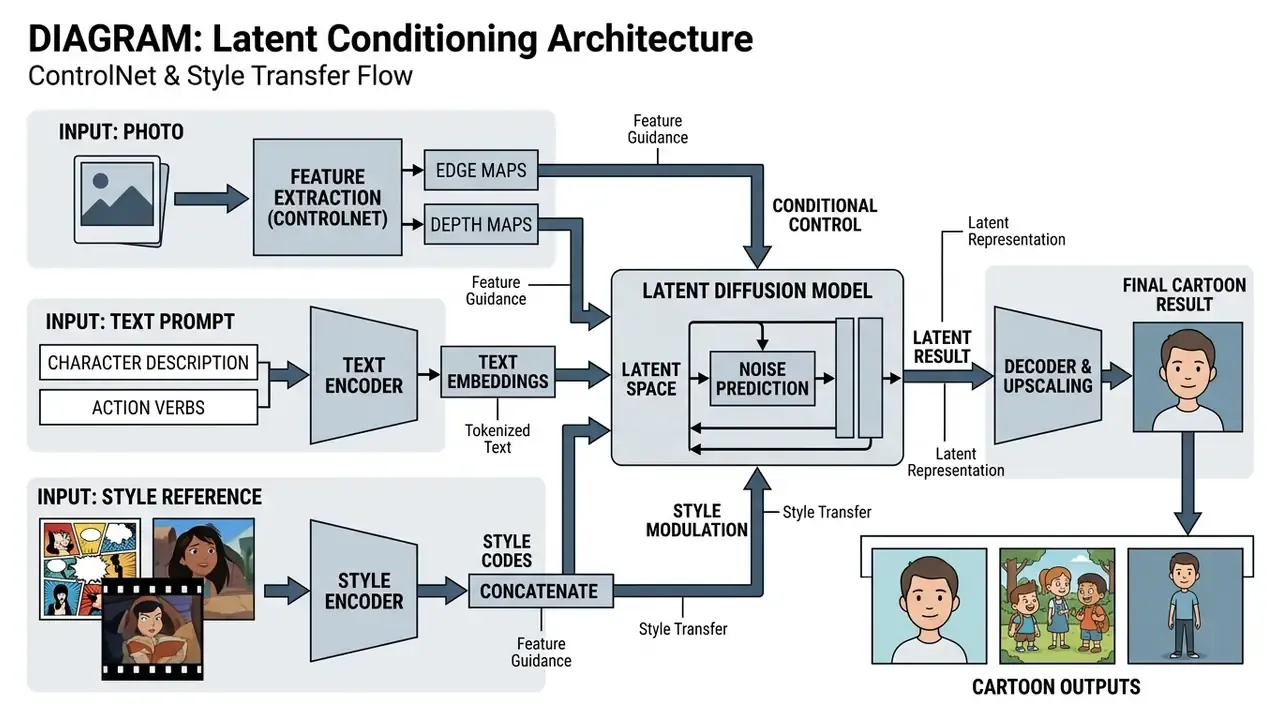
Takeaway from the diagram above: ControlNet injects spatial conditions (edges, depth, landmarks, segmentation masks) into a frozen diffusion backbone. Structure comes from the control input, style comes from the prompt or style reference (Adding Conditional Control to Text-to-Image Diffusion Models, 2023).
For book art or thumbnails, pairing style presets with an ai cover generator keeps typography and framing coherent across a series. Once conditioned, the engine typically returns three or four candidates, so you can judge composition and colour distribution before final rendering. For video output, temporal constraints matter as much as style fidelity:
Integrating AI Voiceovers, Multi-Language Audio, and Lip-Sync
A complete pipeline turns a raw script into a voiced animation, not a silent slideshow. Modern engines synthesize human-like voiceovers across 50+ languages and regional accents, some libraries expose several hundred voices and more than 170 language variants, and phonetic markers are aligned to mouth movement automatically.
- Script Parsing & Speech Synthesisneural text-to-speech models read emotional tone tags (excited, instructive, humorous) to control pitch, pacing, and cadence. Voice selection usually covers gender, age register, language, and accent.
- Automated Phoneme Alignment (Lip-Sync)waveform algorithms analyze the audio track and map speech sound units to 2D or 3D mouth positions (visemes), producing frame-accurate lip movement without manual keyframing.
- Background Audio Layeringaudio generators pick royalty-free music beds by mood and genre, then sync transition effects to scene cuts.
- Localization Passone approved script can be re-synthesized into additional locales, with subtitle tracks regenerated from the same timing map.
- Consent and Voice Provenancereference audio for cloned voices should come only from the presenter, openly licensed samples, or subjects who gave explicit written consent. AI-assisted narration should be labeled for the audience.
Teams evaluating narration quality, language coverage, and licensing separately from the visual stack can review a dedicated AI voice generator comparison before standardizing on a vendor. International guidance stresses that human oversight stays mandatory at script and audio approval (UNESCO Guidance for Generative AI in Education and Research, 2026).
Customize, Edit and Download Your Cartoon
Text-Driven Video Inpainting and Scene Modification ("Magic Edit")
Beyond timeline editing, multi-modal engines accept natural-language commands for post-generation changes. Creators adjust rendered scenes with instructions:
- Scene Removal
"Delete background extra characters in scene 2" - Audio Adjustment
"Change voiceover accent from US English to British English and lower background music volume by 30%" - Intro/Outro Generation
"Add a 5-second animated comedic intro with bold yellow title text" - Pacing Control
"Shorten scene 4 by two seconds and hold the final frame for the CTA" - Localization
"Regenerate narration in Spanish and rebuild subtitles from the new timing"
Because each scene is generated as a discrete unit, regeneration is scoped. Only the addressed segment re-renders, which shortens review cycles and preserves approved footage elsewhere in the timeline.
AI Cartoon Styles, Characters and Backgrounds
Modern generators render a wide spectrum of visual styles, from 2D vector art to volumetric 3D CGI, using specialized attention layers to hold character consistency across scenes. Inside an ai cartoon framework, the creator keeps precise control over narrative elements: who appears, how they move, and where.
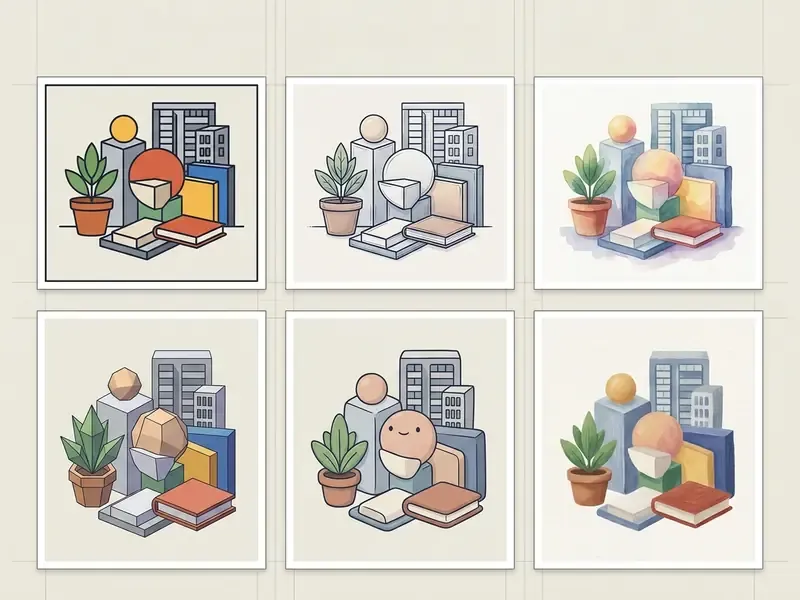
Takeaway from the gallery above: the same subject changes meaning with style. Vector flat reads corporate and neutral, 3D reads premium and friendly, anime reads energetic and youth-oriented, manga reads dramatic, claymation reads handmade and warm, comic reads bold and satirical.
Popular Cartoon Styles for Images and Videos
Popular cartoon styles cover distinct visual paradigms: 3D Pixar-inspired volumetric rendering, Japanese anime cel-shading, monochrome manga inking, tactile claymation, and classic 2D vector illustration. Each applies specific geometric and lighting constraints during sampling.
- 3D Pixar-Inspired rounded volumetric geometry, smooth subsurface scattering, digital sculpting aesthetics, soft studio lighting.
- Anime Style cel-shading, rim lighting, vibrant hair and eye highlights, crisp outline definition (Illustrious Anime Model, 2024).
- Manga Style high-contrast black-and-white ink work, cross-hatching, screentone shading, panel composition.
- Claymation stop-motion textures, organic surface fingerprints, clay folds, tactile miniature studio lighting.
- Classic 2D Vector flat colour fills, clean gradients, defined outlines, minimal depth planes.
- Comic Book Style bold ink contours, halftone dot patterns, saturated palettes, graphic action lines.
Modern Western cartoon looks sit between vector and 3D: simplified shapes, expressive silhouettes, limited palettes. Useful when a brand wants friendliness without the render cost of full CGI.
Create Characters, Avatars and Cartoon Backgrounds
Character consistency algorithms use point-tracking attention and decoupled background control to keep a persona uniform across storyboards and environments. Consistency was historically the weak spot of text-to-image models, thanks to random seed variation.
Recent methods address it through point-tracking attention and adaptive token merging, isolating character features from background elements (CharaConsist, 2025).
That gap between pixel fidelity and motion plausibility is exactly why in-between frames still need human eyes in production. Background inpainting networks can also propagate an established character style into newly synthesized environments (FairyGen, 2025). Unsupervised translation architectures like ISG-GAN combine content, style, and structure loss to convert real scenery into stylized game backgrounds with limited colour distortion:
«ISG-GAN applies content, style, and structure losses simultaneously, converting photos into anime images with less color distortion and smoother textures.»
Controlling Character Poses, Actions, and Facial Expressions
How to Choose a Free AI Cartoon Maker Online (and Contain Shadow AI)
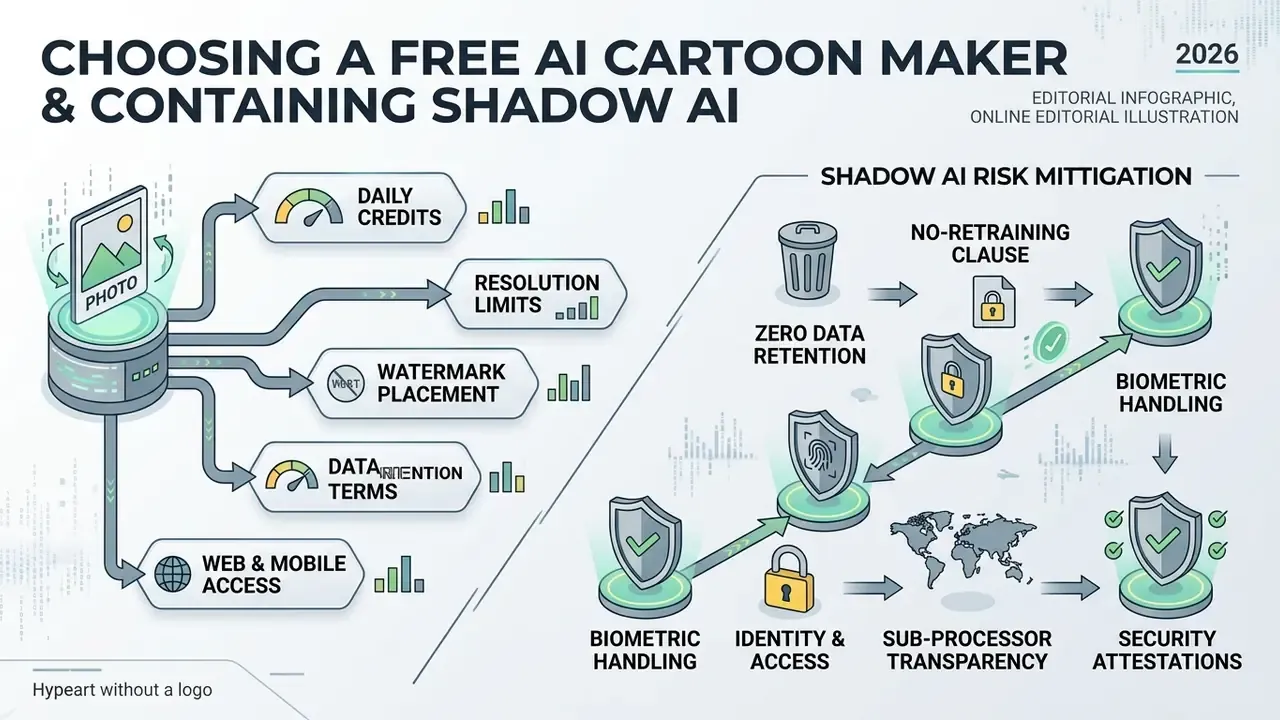
Evaluating an ai cartoon maker free tool means checking daily generation credits, resolution limits, watermark placement, data retention terms, and deployment across web and mobile. Anyone hunting for an ai cartoon maker free online, a free ai cartoon maker website, an ai cartoon maker online free option, or a cartoon generator ai free plan should read the processing terms as carefully as the feature list. Feature parity is easy to fake. Retention language is not.
| Provider / Tool | Photo-to-Cartoon | Text-to-Cartoon | Video Animation | Output Resolution Limit | Free Tier Usage Limits | Watermark Policy | Commercial Usage Rights |
|---|---|---|---|---|---|---|---|
| Adobe Firefly | Yes | Yes | Yes (short clips) | 1080p | Daily generative credits | No watermark | Allowed (non-beta features) |
| Canva AI | Yes | Yes | Basic | 1024×1024 | Daily credit allocation | No watermark | Subject to plan terms |
| Animaker | No | Script-based | Yes (full video) | 720p | Forever-free basic tier | Visible watermark | Restricted on free tier |
| Viggle AI | Yes | Yes | Yes (motion blend) | 720p | Up to 5 video exports/day | No watermark | Personal use only |
| Renderforest | No | Script-based | Yes | 360p / 720p | Unlimited basic creation | Visible watermark | Restricted on free tier |
Feature depth alone should not drive selection. Watermark policy and commercial rights differ per tier, and vendor claims of a fully watermark-free free experience often conflict with actual download restrictions. Verify by exporting a test asset on the free plan before you standardize on anything. For a tier-by-tier view of video limits, see the comparison of free AI video generators with export limits and the ranked review of free AI video generators by quality and credits.
What "Free" Usually Includes in an AI Cartoon Generator
A free cartoon maker ai free tier typically offers limited daily credits, standard exports up to 1024×1024 or 720p, visible watermarks, and non-commercial terms. Providers structure free access for testing while reserving high-throughput rendering for paid plans. Entry-level options include free AI image generators without sign-up, which trade account features for immediate access.
Publicly documented allowances vary a lot: unlimited basic creation with watermarked exports, a handful of daily video exports, or a few hundred signup credits plus a smaller daily refill. Treat ranges of roughly 10 to 150 credits per day or month as an indicative planning heuristic, not a verified market average, and confirm current numbers on each vendor's pricing page. Credit economics change monthly, sometimes faster. Free video exports are frequently capped at 720p, and generated images may carry a visible brand mark or a metadata tag. Organizations comparing credit tiers across platforms can compare options to estimate long-term compute expense. To review current subscription tiers and enterprise seats, team managers can explore the hub for transparent cost structures.
One more practical note for anyone testing a free ai cartoon creator or a free cartoon creator ai tool: export the asset, then reopen it and check metadata. Some tiers strip nothing, and provenance tags travel into your campaign files.
Shadow AI Risk Mitigation on Free Tiers
The commercial risk of a free tier is rarely the credit cap. It is the absence of enterprise controls. Before allowing staff to run company material through a consumer cartoon generator, confirm the following.
Shadow AI vendor audit checklist
- Zero data retentiondoes the provider contractually delete inputs and outputs, and within what window (24 hours, 30 days, account lifetime)?
- No-retraining clauseis training on user uploads disabled by default, or only opt-out after the fact?
- Biometric handlingare facial landmarks and embeddings stored, and are they classified as biometric data under applicable law?
- Identity and accessSAML/OIDC SSO, SCIM provisioning, role-based export permissions, admin audit logs.
- Sub-processor transparencynamed sub-processors, hosting regions, cross-border transfer mechanism.
- Security attestationsSOC 2 Type II, ISO 27001, penetration test summary, incident notification SLA.
- Commercial rights per tierwritten confirmation that the exact plan in use grants commercial usage and output ownership.
- Watermark and provenancevisible watermark policy plus invisible watermarking or C2PA-style provenance metadata.
- Deletion on requestverifiable data-subject deletion path and documented turnaround time.
- Terms archivingcapture the governing Terms of Service and privacy policy on the generation date and store them with the asset record.
Any tool failing items 1, 2, 3, or 7 should be blocked at the DLP or proxy layer for uploads containing employee, customer, or product-confidential material. Blocking alone breeds workarounds, so publish approved alternatives in the internal tool catalogue and give staff a sanctioned path.
AI Cartoon Maker App vs Online Website
Mobile cartoon applications favour touch-optimized quick portrait transformations. Web platforms give multi-layer editing, script-to-scene generation, and batch export control. Choosing an ai cartoon maker app, a free ai cartoon maker app, or an ai cartoon generator app free build depends on the workflow you actually run.
Mobile apps on iOS and Android specialize in camera integration, social avatar filters, and fast local processing (App Store Release Notes, 2024). Web tools provide full canvas workspaces, detailed prompt fields, style fine-tuning, and direct video editing timeline integrations. Focused text utilities such as an ai cover letter generator work fine on mobile web, but a robust cartoon suite needs desktop browser canvas capability. To review side-by-side benchmarks between native builds and web platforms, administrators can open the hub for detailed matrices.
For managed devices, the deployment channel is itself a control point. Mobile apps installed outside MDM policy bypass corporate DLP inspection and cache media in personal containers on BYOD hardware. Where mobile use is genuinely required, restrict it to MDM-managed profiles with app-level VPN and disabled camera-roll sync.
What Can You Use AI Cartoons For?
AI-generated cartoons support social media engagement, corporate training animation, educational explainers, and brand mascot deployment. Organizations use an ai cartoon creator, a cartoon ai maker free tier for tests, or a paid cartoon creator ai free upgrade path to cut media production overhead while holding audience attention.
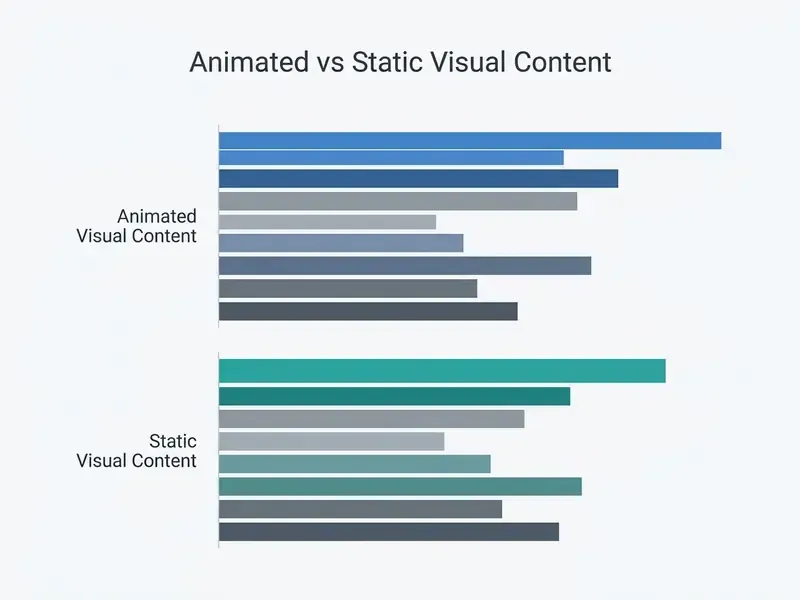
Takeaway from the chart above: animated modules outperform static documents mainly on completion and recall, not on production speed. The gain comes from watch-through, so keep runtimes at one to three minutes per module.
Cartoon Characters and Videos for Stories, Tutorials and Content
Animated cartoon videos speed up instructional design by turning raw scripts into narrated, multi-scene modules. The underlying mechanics are covered in the guide to text-to-video AI tools for training. Stylized visuals also help retention and viewer focus, provided runtime stays disciplined.
Instructional designers combining visual modules with an ai course creator can automate the whole storytelling pipeline. Recommended workflow: draft a tight one-to-three-minute script, parse the narrative into scenes, generate consistent character assets, add synthetic voiceover, then ship captions and transcripts with every module (Instructional AI Video Guidance, 2026). International education standards stress human oversight during script approval and clear disclosure of synthetic media (UNESCO AI Guidance in Education, 2026).
Engineers who want to trigger rendering pipelines programmatically can view the guide for implementation protocols, and teams costing out GPU-backed video inference can review the Google Veo implementation and cost breakdown. To verify commercial licensing terms for enterprise media production, creators can open the hub for governing documentation.
Can You Use AI Cartoons for Commercial Content?
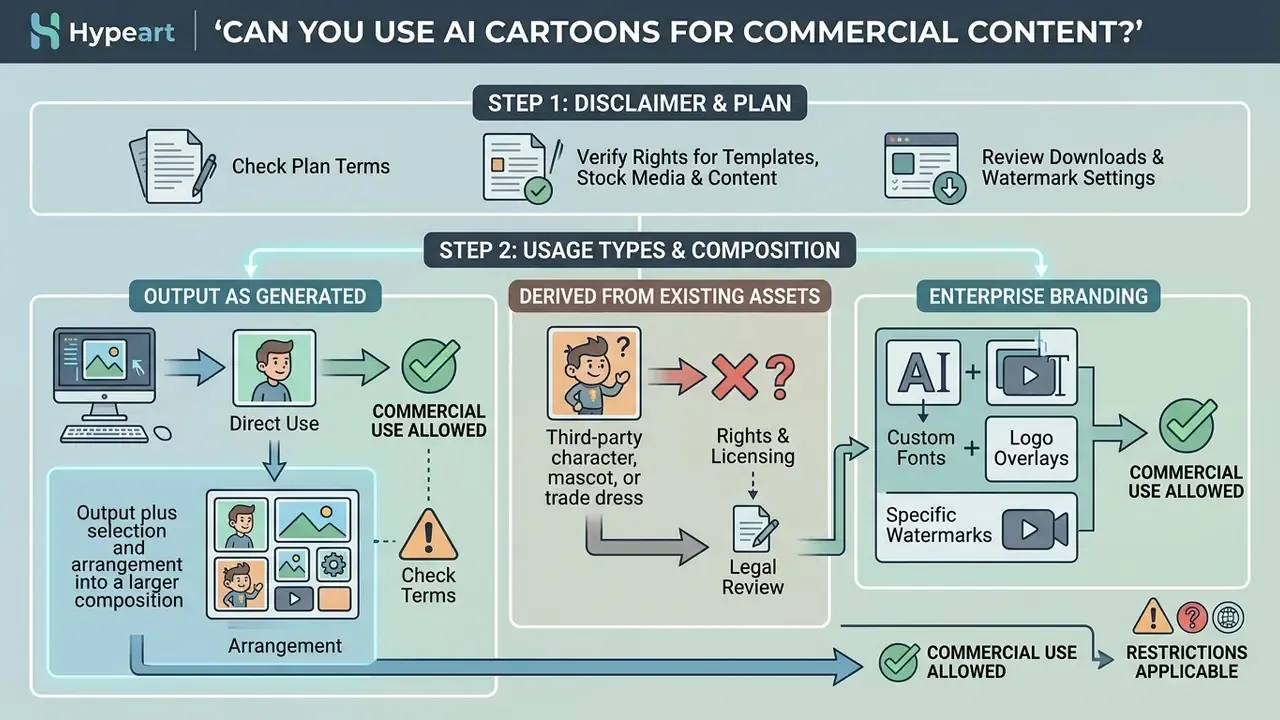
Commercial deployment of AI-generated cartoons is permissible when platform terms explicitly grant commercial rights and human authorship requirements are met under applicable IP law. A broader view of tier-by-tier entitlements appears in the guide to commercial use of AI image generators. Governance here needs two readings: the software licence and the copyright doctrine.
Check Plan Terms, Downloads and Watermark Settings
Commercial rights are bound to the subscription tier. Enterprise and paid plans usually grant explicit commercial licences and output ownership. Free tiers frequently restrict output to personal, non-commercial use, which is the single most common compliance surprise in this category.
Terms vary substantially. Anthropic's commercial terms state that the customer retains rights to inputs and owns outputs. Adobe permits commercial use of Firefly outputs except for features explicitly marked non-commercial beta. OpenAI's service terms constrain likeness reproduction and define limited platform rights over shared media (Vendor Service Terms Analysis, 2025–2026). Watermarking has become a policy question rather than a paid toggle. European Parliament briefing material describes provider obligations to mark generated content, and technical research now supports invisible, localized marking:
When setting commercial usage rules internally, team leads may use an ai contract generator to draft basic operational agreements for freelance contributors and asset deployment. Design-suite specifics, including export entitlements and template licensing, are documented in the Canva AI generator licensing overview.
Verify Rights for Templates, Stock Media and Generated Content
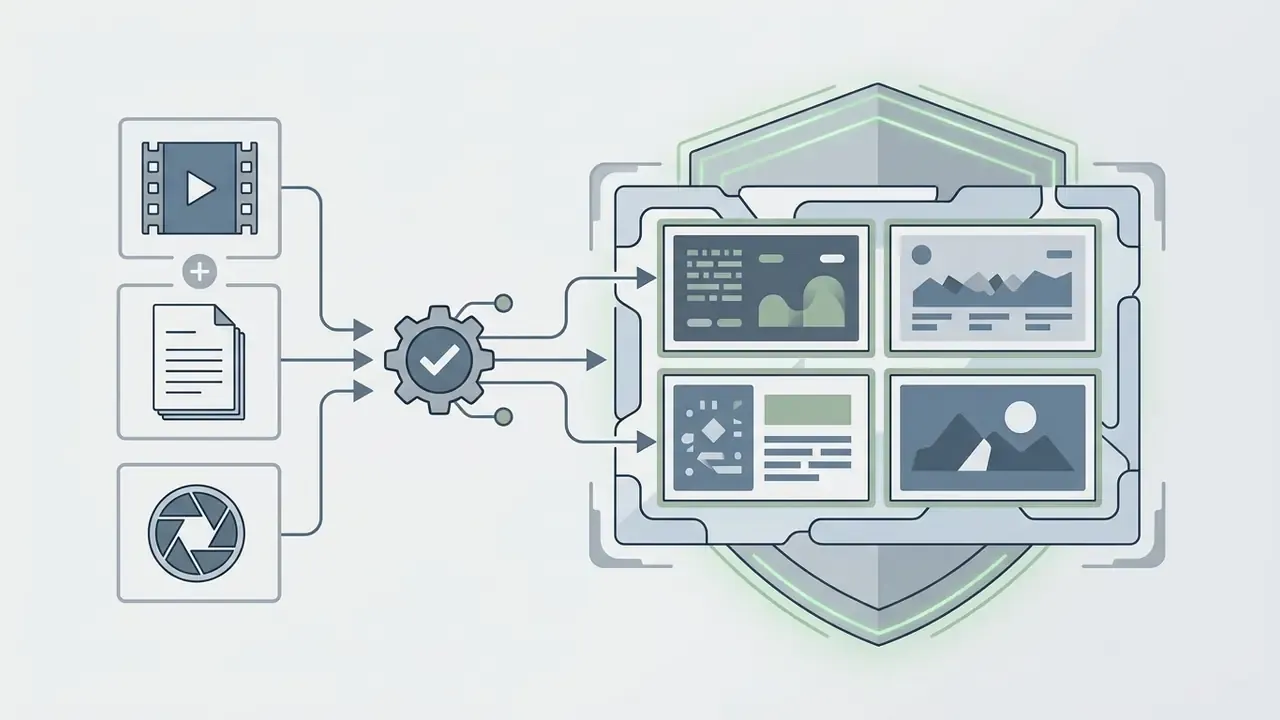
Commercial use requires verifying third-party rights for underlying templates, stock media, and fictional character likenesses. Creating derivative images of trademarked or copyrighted characters carries severe liability (Generative AI and Copyright Law, Congressional Research Service, 2025). AI image detectors for provenance checks can help confirm whether an incoming asset is synthetic before it enters a paid campaign.
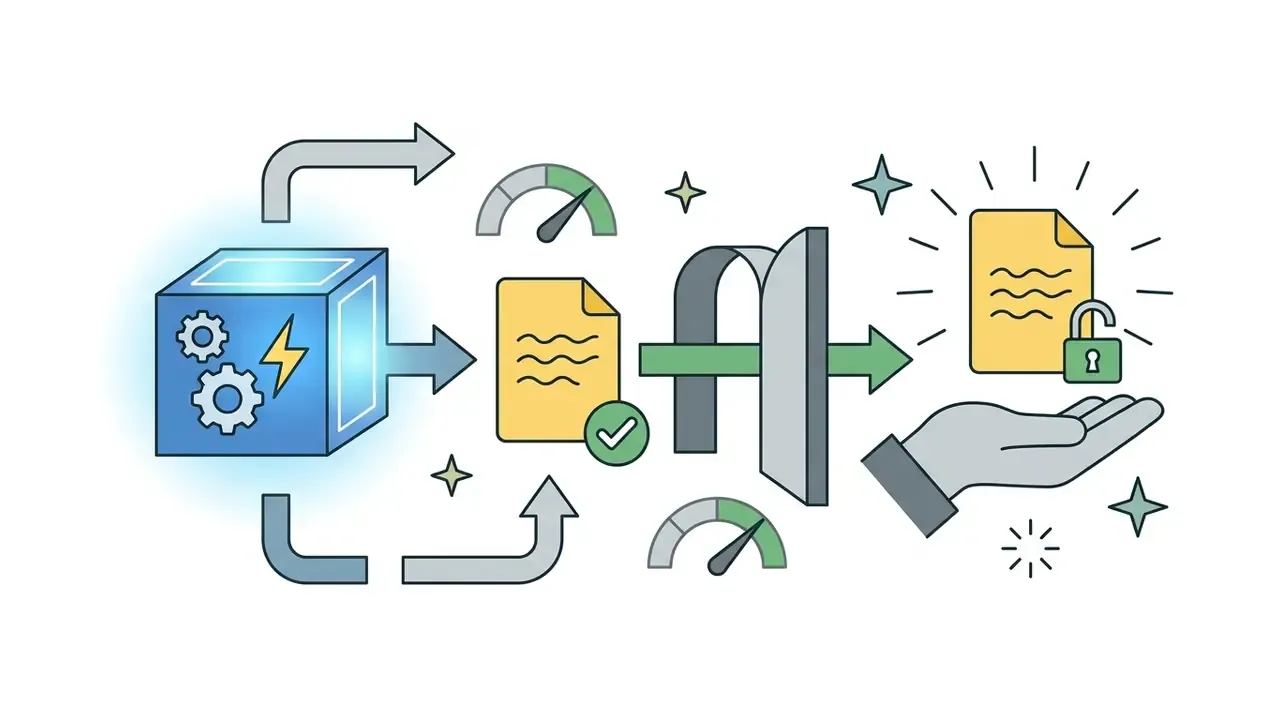
The U.S. Copyright Office specifies that registration applies only to human-authored elements, and that AI-generated material exceeding a de minimis threshold must be excluded from the claim (Copyright Registration Guidance for AI Works, 2024). Prompts alone count as unprotectable instructions.
«Prompts convey unprotectable ideas and do not control how the AI system processes them in generating the output.»
So a cartoon character generated entirely from text prompts cannot be copyrighted unless a human artist contributes substantial expressive edits, arrangement, or manual modification (USCO Copyrightability Report, 2025). Recent decisions on AI Litigation and intellectual property reinforce the point: unedited synthetic outputs lack statutory protection.
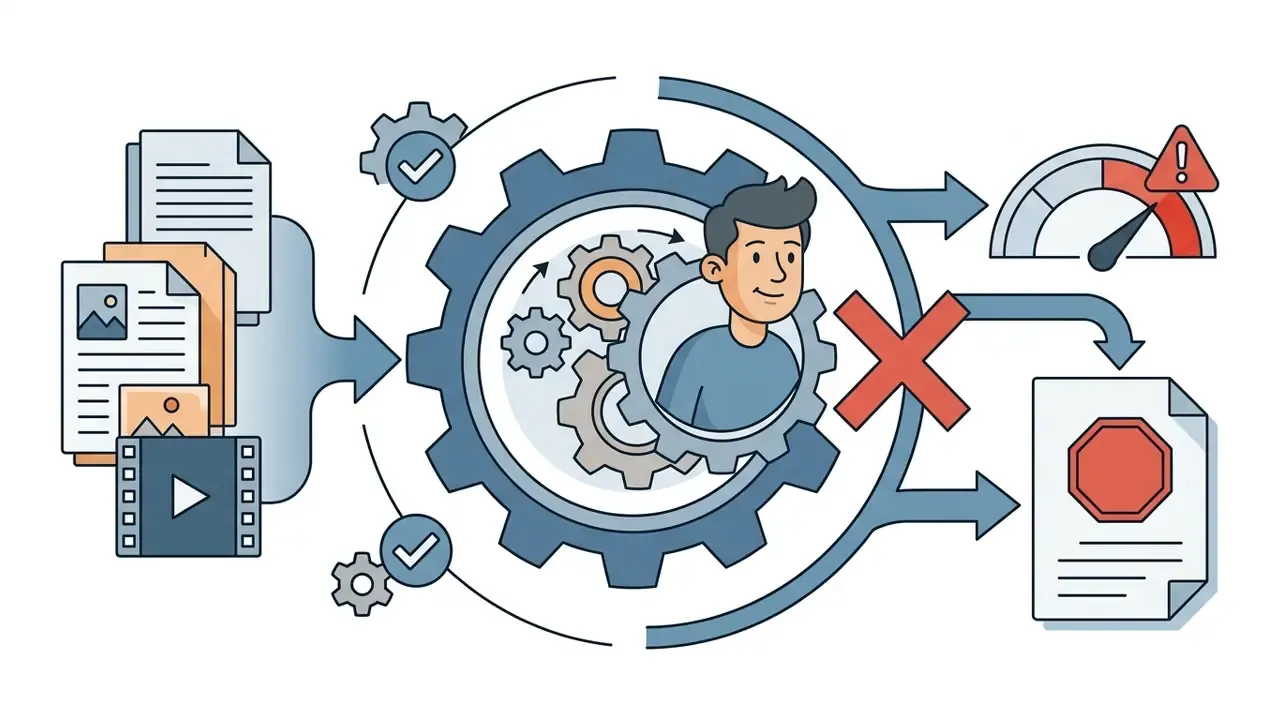
Enterprise Branding: Custom Fonts, Watermarks, and Logo Overlays
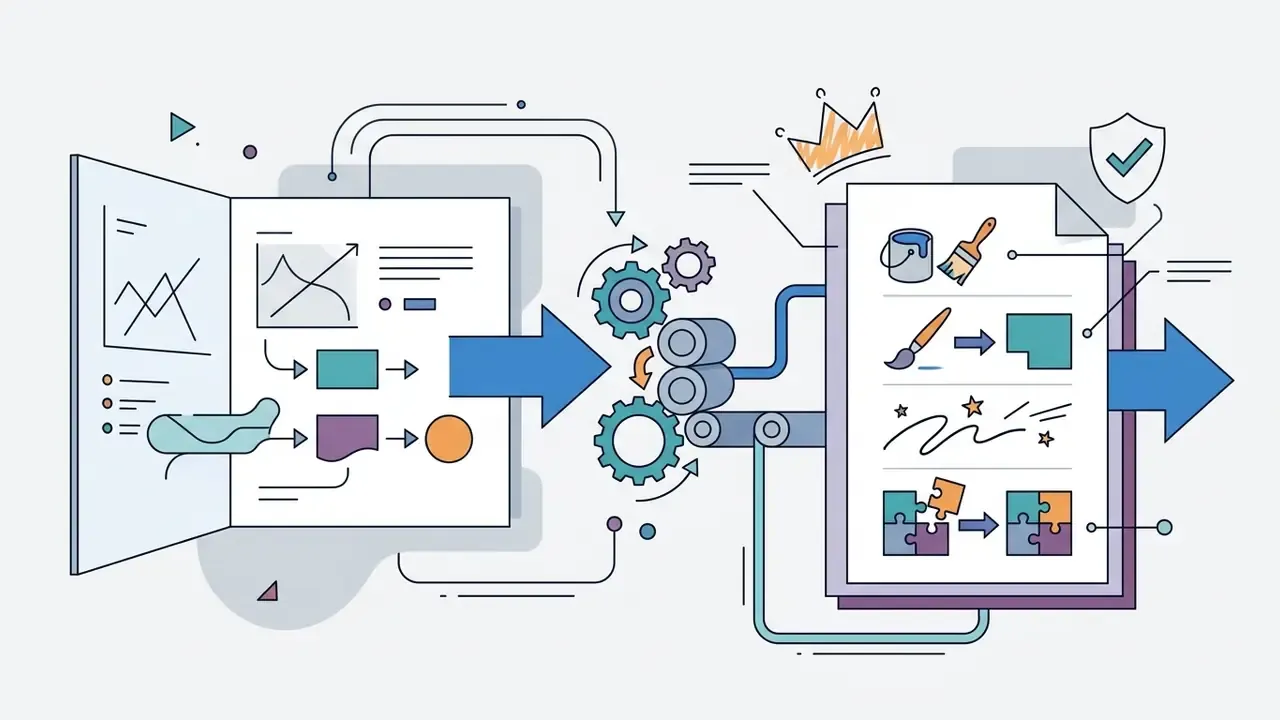
Brand consistency across AI-generated cartoons needs asset management controls, not goodwill:
- Brand Typography upload custom OTF/TTF font files so titles, subtitles, and callouts inherit approved type instead of default system fonts.
- Watermark & Logo Protection embed transparent PNG logos at fixed or dynamic scene positions to deter unauthorized reuse and mark provenance downstream.
- Locked Brand Kits restrict palette, logo variants, and type stacks at workspace level so contributors cannot override brand tokens mid-project.
- Provenance Metadata retain invisible watermarking or content-credential metadata alongside the visible mark. Visible marks are trivially cropped, embedded provenance survives compression and resizing.
AI Cartoon Maker FAQ
Are Uploaded Photos Private and Secure?
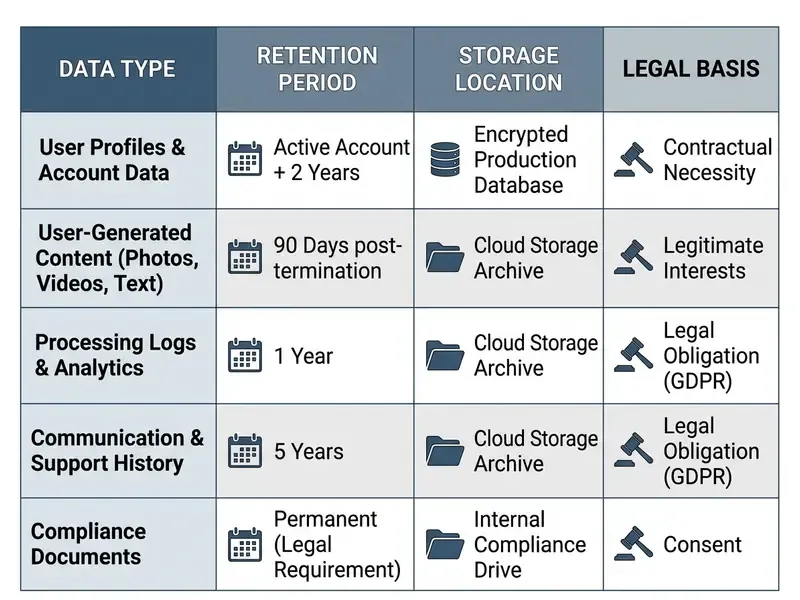
Privacy in AI cartoon generators depends on vendor retention policy, with observed windows running from 24-hour deletion to permanent retention for active accounts. Review the privacy policy before uploading anyone's face, including your own.
| Platform | Input Photo Retention | Generated Asset Retention | GDPR Compliance Status | Model Retraining Policy |
|---|---|---|---|---|
| PixCraft AI | Deleted within 24 hours | 30-day log retention | Full EEA disclosure | Opt-out by default |
| FaceBox AI | Auto-deleted in 30 days | Deleted after 90 days | Standard notice | Aggregated telemetry |
| Cartoonify | Retained during account activity | Permanent for paid downloads | Limited notice | Internal optimization |
| CreateVision | No server storage | No server storage | Designated DPO | No retraining on uploads |
Privacy regulators advise against uploading sensitive personal data or confidential biometrics to unverified public AI utilities (OAIC Generative AI Guidance, 2024–2026).
«Current AI-image detection methods include spatial analysis, multimodal vision-language models, and LLM-based approaches such as Fake-GPT.» Methods and Trends in Detecting AI-Generated Images (2023–2025).
Sector obligations tighten this further. Financial institutions processing customer photographs should map the workflow against GLBA Safeguards Rule requirements for nonpublic personal information, NYDFS Part 500 third-party service provider controls, and SOC 2 Type II attestation for the processing vendor. Organize the control catalogue against the NIST AI Risk Management Framework functions (Govern, Map, Measure, Manage) so generative media tooling inherits existing model-risk governance instead of sitting outside it. Facial imagery of identifiable individuals may also qualify as biometric data under state biometric statutes and GDPR Article 9, which raises the consent standard well above ordinary photography. Select providers offering guaranteed deletion, explicit non-retraining clauses, and regional processing commitments. For additional documentation on retention schedules, users can explore the hub for assistance.
Do You Need Design Skills to Make AI Cartoons?
No. Modern tools automate character modelling, style transfer, and frame rendering behind a guided three-step interface, so formal illustration training is not required.
Automated pipelines parse the script, match scene context with visual presets, and apply pre-configured lighting and style parameters (Firefly Workflow Analysis, 2026). That reduces the learning curve to minutes, which is why non-technical managers, educators, and marketers can produce usable assets straight from the browser. The residual skill is editorial rather than artistic: write a tight script, judge whether a character stays on-brand across scenes, and catch artifacts before publication. Six fingers still ship more often than anyone admits.
What Should a Risk Owner Check Before Approving a Tool?
Use this condensed approval sheet alongside the full Shadow AI checklist above.
| Check | Pass condition |
|---|---|
| Retention | Documented deletion window of 30 days or less for inputs, with deletion on request |
| Retraining | Contractually disabled for customer content |
| Rights | Written commercial-use and output-ownership grant for the purchased tier |
| Identity | SSO plus audit logging available on the enterprise plan |
| Provenance | Visible watermark policy documented; invisible provenance available |
| Records | ToS and privacy policy archived per generation batch |
| Human gate | Named approver for script, likeness, and final export |
Which Formats and Handoffs Should You Plan For?
Plan deliverables before you generate anything: a master export (MP4 or PNG at target resolution), platform crops (1:1, 9:16, 16:9), caption and transcript files, a character reference sheet for continuity, and a project archive holding prompts, seeds, model versions, and licensing records. Large video masters bound for an LMS or intranet usually need a size pass. The guide to video compression trade-offs covers codec choices and acceptable quality loss.
What Is a Safe Next Step for a Regulated Team?
Start small and reversible. Pick one low-risk use case, internal training explainers work well, and run it end to end with logging enabled. Generate from platform-native character libraries only, never from employee or customer photographs. Archive prompts, seeds, model versions, and the governing terms. Then review the evidence pack with model risk and internal audit before widening scope. If the pack cannot be reproduced, the pilot is not ready, no matter how good the output looks.
Appendix A: Superseded Citations and Revision Notes
Retained for transparency and version traceability:
- Superseded citation "Research demonstrates that combining subject-specific terms with explicit style modifiers significantly improves text-image alignment across diffusion models (Prompt Engineering Taxonomy, 2021)." Replaced in the main text by HEIM: Holistic Evaluation of Text-To-Image Models (2023), which documents a multi-aspect methodology across 26 models.
- Softened claim "Post-generation capabilities in modern online image editors include automatic background removal, shadow synthesis, and text layer extraction (PixelBin AI Image Editor, 2026)." Retained here as original phrasing; the main text attributes these features generically and instructs readers to verify per-vendor documentation.
- Unverified market figure "Typical free allowances range between 10 and 150 generation credits per day or month (AI Generator Market Survey, 2026)." Retained here; the main text reframes this as an indicative planning heuristic pending primary-source verification.
- Internal program metric the fintech case figures (34% comprehension increase; onboarding reduced from fourteen days to four) are single-organization internal measurements without third-party audit, labeled directional and illustrative in the main text.
- Marketing-claim note vendor statements such as "billion-plus character combinations" and "entirely watermark-free" generation are combinatorial or tier-dependent claims, treated as unverified in the comparison tables.
- Author note Marcus Hale wrote the governance commentary. This article makes no claim about a specific client engagement, regulatory endorsement, or employer.
For related definitions, model explainers, and adjacent tooling guides, explore the hub.