Generating synthetic media used to require a lab, a render farm, and a patient engineer. Now it takes a browser tab. An ai girl video generator lets digital creators, marketers, and media teams produce high-resolution clips featuring female-presenting avatars, digital models, or stylized characters straight from an online workspace. Feed it a natural language prompt, a static photo, or an existing video reference, and the platform handles rendering, facial motion, voiceover synthesis, and subtitle timing.
That convenience is exactly why governance teams keep showing up in these conversations. When a brand or a regulated institution publishes a synthetic persona, someone has to answer for the likeness, the license, and the label.
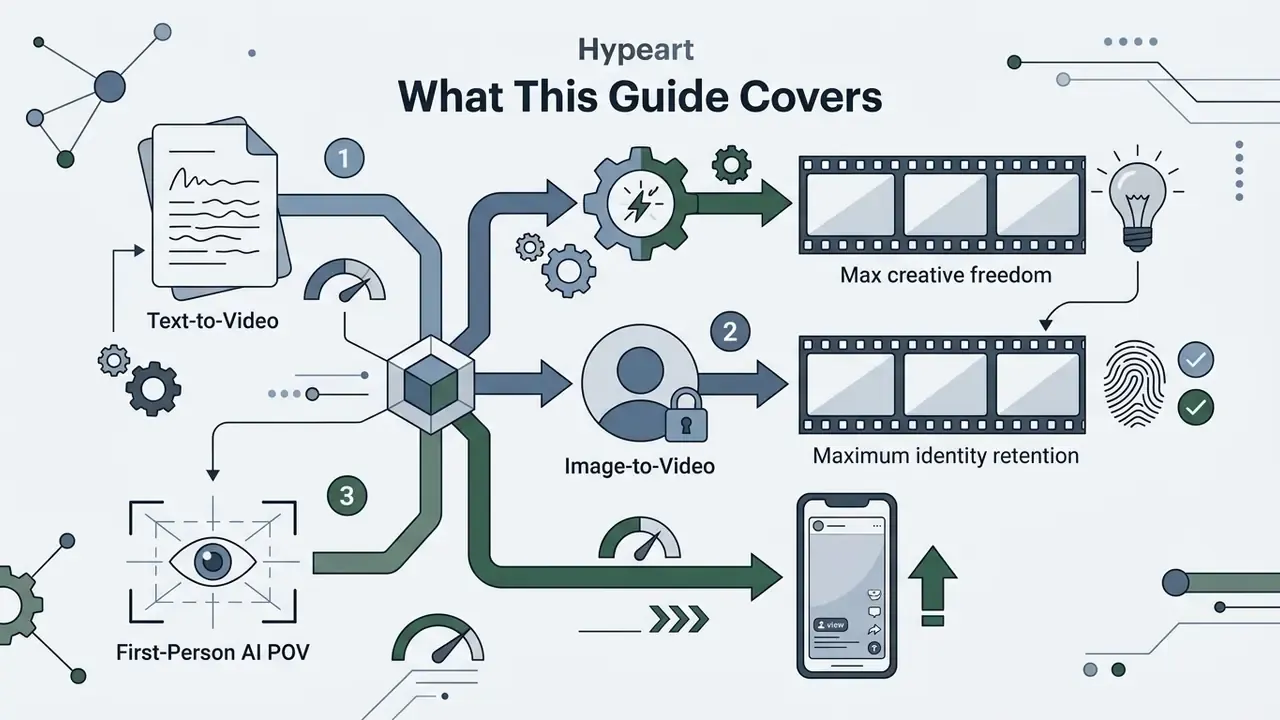
What This Guide Covers
Who This Guide Is Written For
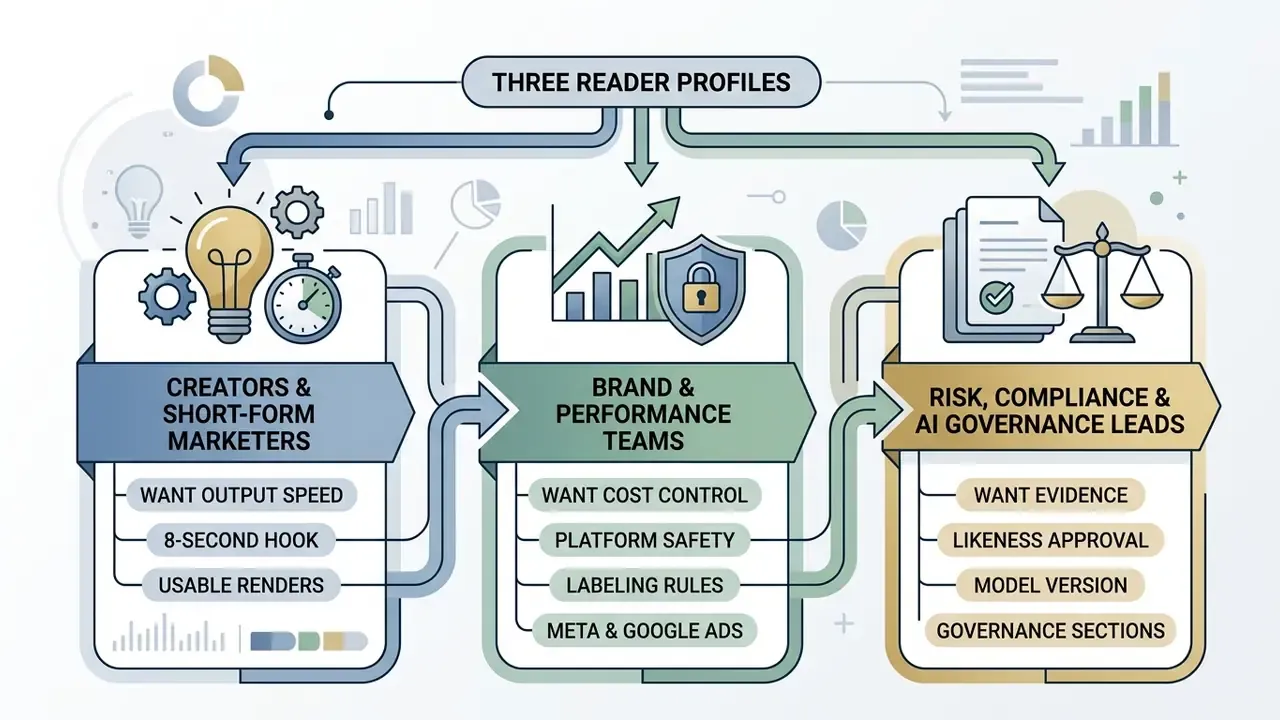
Three reader profiles keep landing on this topic, and their questions barely overlap.
- Creators and short-form marketers want output speed: which model renders a usable 8-second hook, and what the free tier actually allows before the watermark ruins the asset.
- Brand and performance teams want cost control and platform safety: labeling rules on Meta and Google Ads, export presets, and per-clip economics rather than headline subscription price.
- Risk, compliance, and AI governance leads want evidence: who approved the likeness, which model version produced the file, and whether the generation can be reproduced six months later during an audit.
If you sit in the third group, skim the model tables, then read the governance sections closely. The technical ceilings shape what your policy can realistically permit.
What Is an AI Girl Video Generator?
An ai girl video generator is an automated video synthesis platform that builds clips of female-presenting avatars, virtual models, or persona-driven characters using generative artificial intelligence. These systems rely on deep generative architectures, including latent video diffusion models, state-space models, and audio-driven portrait animation frameworks, to convert user inputs into moving visual sequences.
"Text-to-video generation is one of the most demanding generative AI tasks, requiring joint modeling of semantic consistency, visual fidelity, and plausible motion over time."
Modern online platforms support several output formats, depending on the campaign and the media plan:


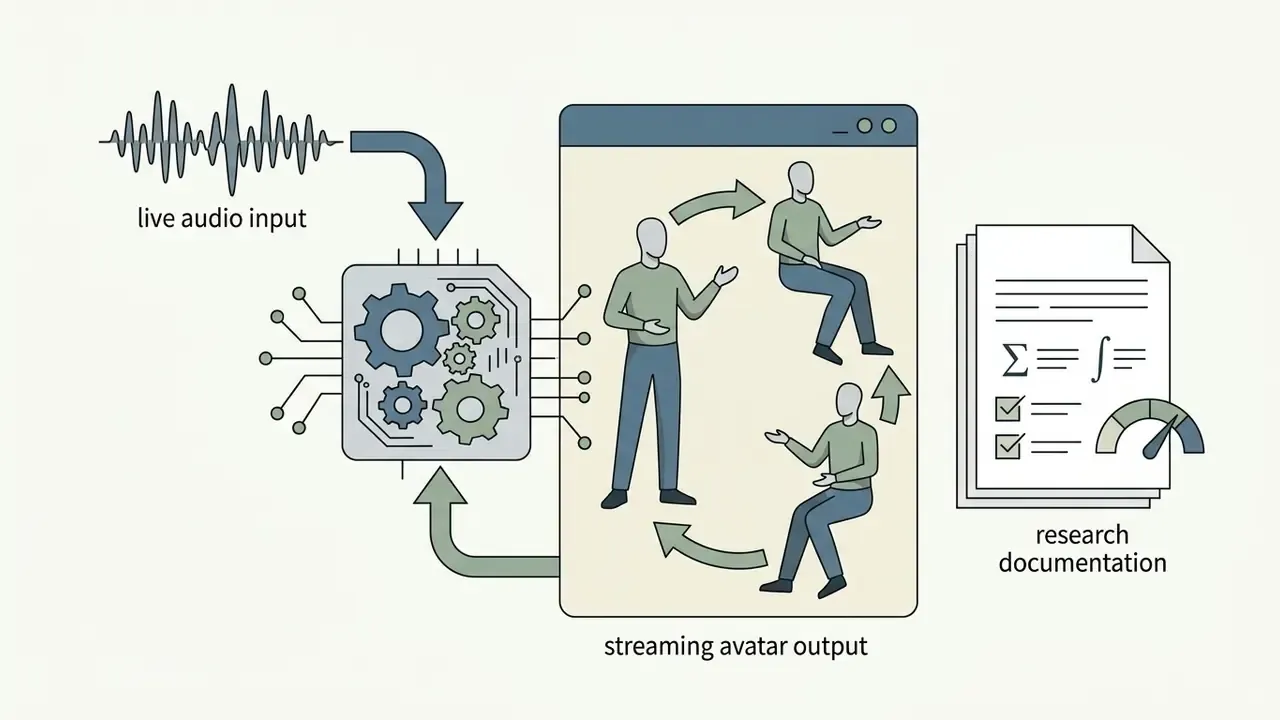
Enterprise media workflows usually separate general visual generation tools from specialized video pipelines. Teams analyzing image workflows can review our analysis of photo editor platforms, while video creation leans on dedicated text-to-video and image-to-video stacks. The core job of an ai girl generator video tool stays the same: hold visual fidelity, motion smoothness, and character consistency across every frame. That is the same technical baseline used to compare general-purpose AI video generators.
Ways to Create an AI Girl Video
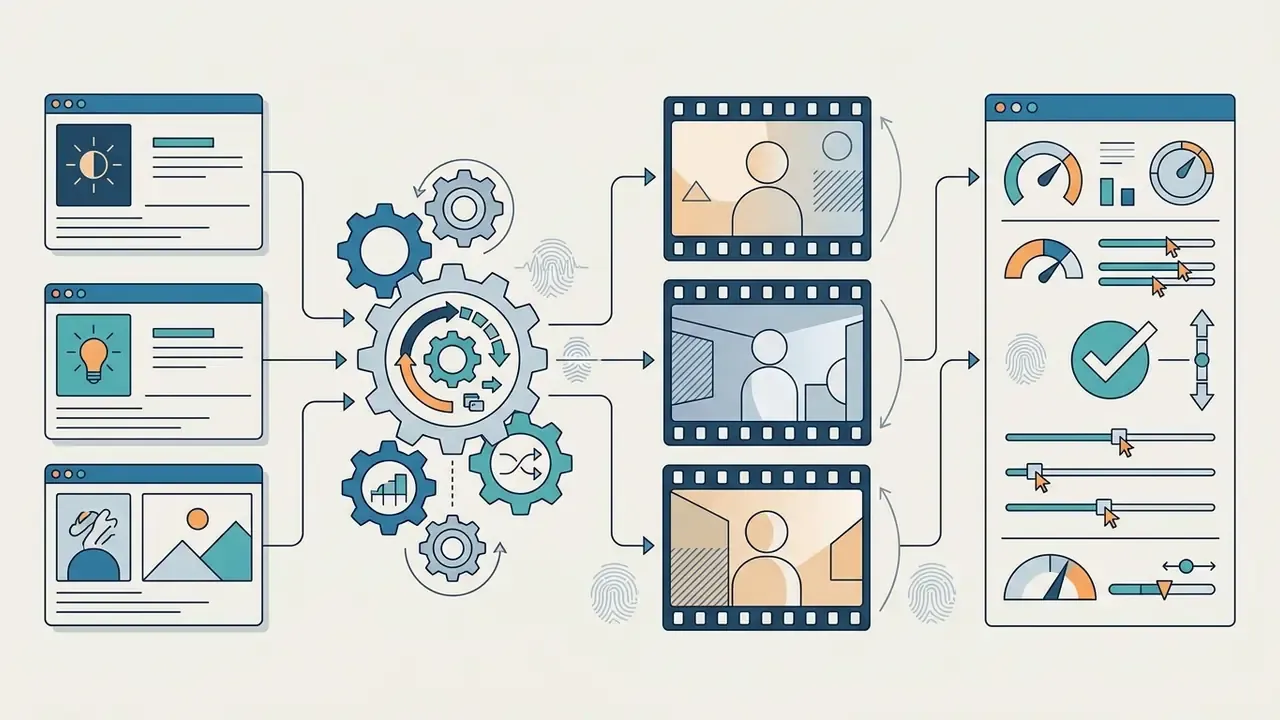
Three input workflows dominate. You generate a scene from a text prompt, animate a static photograph, or synthesize a first-person point-of-view sequence. The right choice depends on what you refuse to compromise: exact facial identity, total control over the environment, or camera perspective.
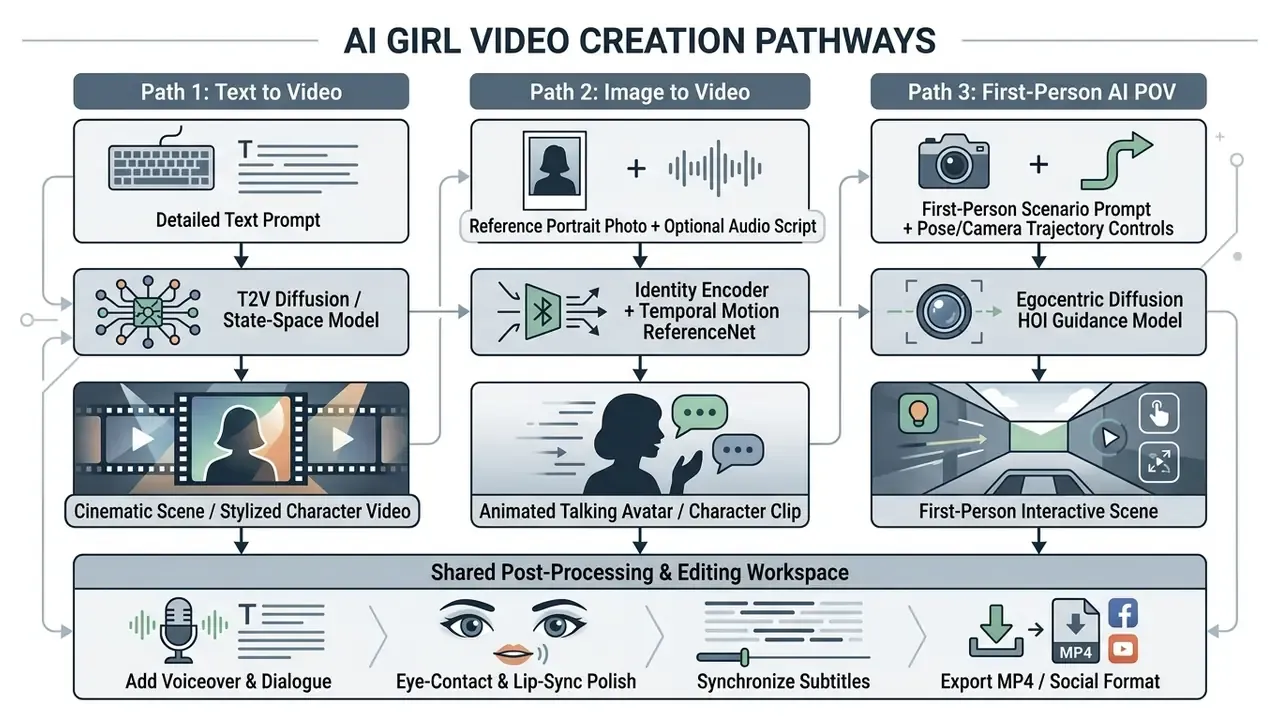
Accessibility note for implementation: render this pathway diagram as accessible HTML or SVG with text labels in the DOM, never as an image without a text alternative.
Generate a Video From a Text Prompt
Text-to-video synthesis builds a complete moving sequence purely from a written description. The model parses the prompt for subject identity, action, environment, framing, and lighting aesthetic. Creators comparing engines can review our reference material on text-to-video AI tools before burning credits on a specific pipeline.
Vendor prompt guides help, but they are marketing documents. Prompt structure deserves validation against measurable quality research. The recommended sequence, documented in Adobe Firefly and Google Gemini prompt guidance and independently supported by preference-alignment research, runs: Shot Type + Character Attributes + Action + Location + Aesthetic Style + Lighting Conditions.
Prompt Example:

Medium close-up shot of a young woman with shoulder-length dark hair in a casual beige sweater, speaking directly to the camera with natural expressions, standing in a brightly lit modern office with soft-focus background, 35mm cinematic style, Rembrandt key lighting at 5600K color temperature, highly realistic motion.
Spell out the lighting. Low-key film noir shadows, or soft diffused key light at 3200K, both beat leaving the model to guess. Vague lighting is the fastest route to flat rendering and smeared motion artifacts.
In an ai video generator girl workflow, text-only prompts give you the widest creative range. The trade-off is drift: face and clothing details wander a little between sequential generations unless you attach reference images.
Turn an Image Into an Animated AI Girl Video
Image-to-video generation converts a single portrait or full-body photograph into an animated clip while preserving facial identity, skin texture, and attire. Frameworks such as MagicAnimate (CVPR) and MotionCharacter pair reference-image encoders with temporal diffusion layers and identity-preservation loss functions to keep the character stable across frames. Animate Anyone (CVPR 2024) adds ReferenceNet for spatial attention-based detail transfer, a pose guider for movement control, and temporal layers for smooth inter-frame transitions.
"A cascaded conditional diffusion method synthesizes audio-driven facial landmark motion, then refines frames through deformation, producing smooth transitions while preserving character identity."
One practical example. A marketing team dropped a single high-resolution portrait into an image-to-video pipeline to test ad creative variations. Pairing that still with an external audio track produced dynamic lip movement, realistic blinking, and natural head tilt, with no visible distortion of the underlying facial geometry. The resulting 10-second clip held identity across roughly 300 rendered frames. Not perfect on the first pass, admittedly: the second generation fixed a slight jaw wobble on plosive consonants. Teams evaluating animation engines can compare capabilities across image-to-video AI tools before locking a production stack.
For an ai video girl generator pipeline, upload a high-resolution, front-facing portrait so the model maps facial landmarks accurately. Side profiles and heavy shadows raise failure rates. For framing changes before animation, creators often reach for AI outpainting tools to adjust aspect ratios first.
Create First-Person AI POV Video Scenes
AI POV scenes frame the camera as the eyes of an observer interacting with a virtual character. The format dominates short-form feeds: TikTok, Instagram Reels, Snapchat, and YouTube Shorts, where 5- and 8-second POV clips ride trend cycles hard.
Research on egocentric video generation, including EgoTwin and EgoExo-Gen, shows that modeling hand-object interactions (HOI) and body-induced camera motion is what separates believable POV from nauseating POV.
For a free ai pov video generator clip, the prompt has to name the camera anchors, the camera height, and the interaction:
POV Prompt Example:

First-person POV perspective, walking alongside a friendly young woman through a sunlit city park, camera holds steady at eye level, hands visible at frame edges, she turns, smiles, and points toward a nearby outdoor cafe, soft natural daylight at 5200K, subtle handheld camera movement, highly immersive.
Egocentric models then predict camera trajectories from simulated movement, which prevents the disorienting warp that ruins amateur POV output. Render times vary widely by workflow: template-driven presets can finish in seconds, while full prompt-driven POV scenes with reference conditioning typically take two to five minutes.
AI Video Models and Controls That Affect the Result
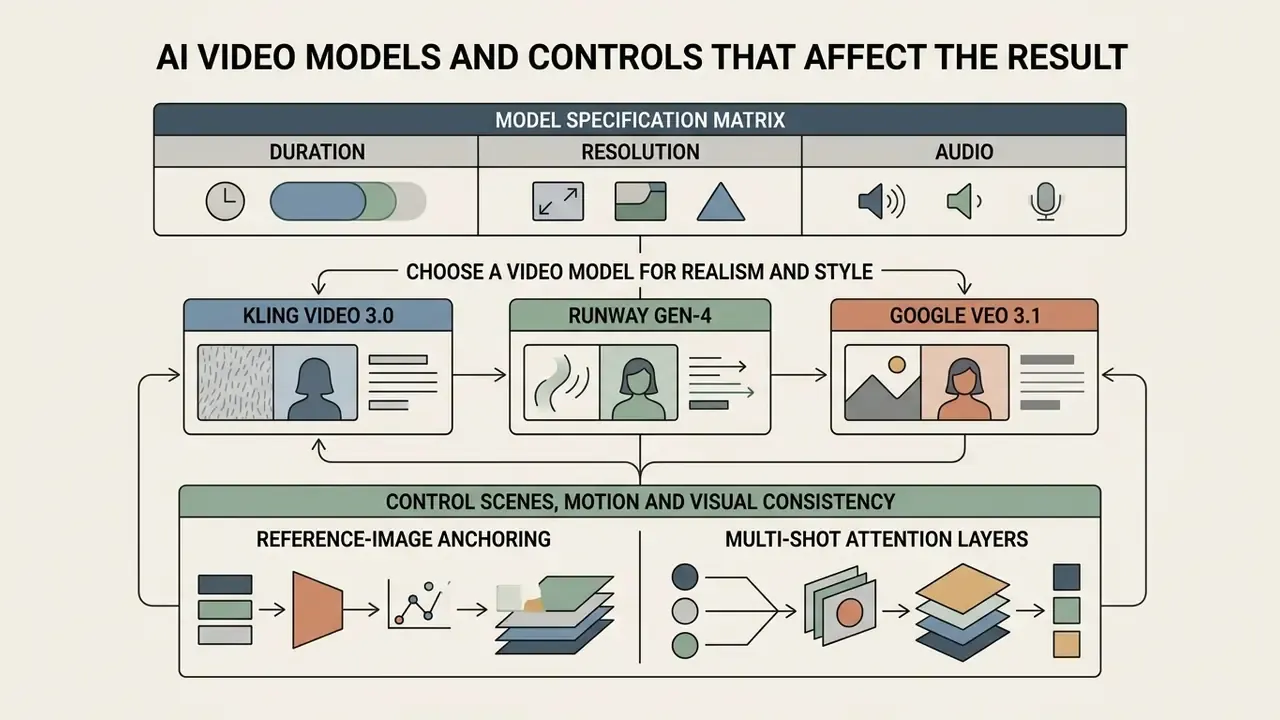
Visual quality, physical realism, and temporal consistency track directly to the underlying architecture and the generation settings you pick in the workspace. Interface polish is cosmetic. The model is the product.
"T2VQA, a transformer-based quality assessment model trained on 10,000 videos from nine T2V models, outperforms existing metrics and correlates closely with human MOS ratings."
| Parameter / Feature | Text to Video (T2V) | Image to Video (I2V) | First-Person AI POV |
|---|---|---|---|
| Primary Input Data | Natural language text prompt | Reference static photo (+ prompt) | First-person prompt + pose/camera reference |
| Character Identity Control | Medium (guided by text keywords) | High (anchored by reference photo) | Medium to High (anchored by reference/prompt) |
| Scene & Camera Flexibility | Unlimited scene generation | Constrained to reference background | Camera locked to first-person motion |
| Audio Integration | Synthetic voiceover & soundtrack | Audio-driven lip-sync animation | Environmental audio & dialogue overlays |
| Primary Output Format | Cinematic clips & generic scenes | Talking-head monologues & avatars | First-person social media clips |
Model Specification Matrix: Duration, Resolution and Audio
Check hard technical ceilings before you commit. Clip length, native resolution, and audio support differ enough between video models to decide whether one pass delivers a usable asset or whether you are stitching three of them together.
| Model Name | Max Duration per Pass | Native Resolution | Integrated Audio | Best Use Case for AI Girl Content |
|---|---|---|---|---|
| Google Veo 3.1 | 10 to 15 sec | 1080p | Yes (native lip-sync) | Cinematic multi-shot & direct-to-camera monologues |
| Kling Video 3.0 | 10 sec | 1080p | Optional | Photorealistic facial expressions & complex motion |
| Hailuo 2.3 (MiniMax) | 10 sec | 720p / 1080p | No | High-speed social media hooks & micro-interactions |
| Runway Gen-4 | 10 sec | 1080p | No | Environmental lighting consistency & backdrop editing |
| Fabric 1.0 / LipSync | Up to 60 sec | 1080p | Yes (audio-driven) | Long-form talking-head explainer avatars |
| Wan 3.0 | 5 to 8 sec (up to 30s storytelling modes) | 720p | Yes | Rapid first-person POV TikTok trends |
Reported end-to-end render times in 2026 benchmarks cluster like this: Kling at 720p/8s in roughly 1.5 minutes, Wan in roughly 1.5 minutes, Veo at 1080p/8s in roughly 2 minutes, and Seedance at 720p/8s in roughly 3.5 to 4 minutes. Treat those numbers as directional; queue load moves them.
Choose a Video Model for Realism and Style
Most platforms now bundle several diffusion and generative architectures behind one interface. Each video model has a personality:
So which one wins? Depends whether the brief demands photorealistic human rendering or stylistic freedom. A side-by-side review of the best AI video generators helps map quality against per-clip cost, and the wider comparison tooling is easy to reach if you open the hub. Creators exploring non-photorealistic looks may also review specialized image tools such as Ghibli-style AI generators.
Control Scenes, Motion and Visual Consistency
Keeping one character consistent across several clips remains the hardest part of synthetic media production. Without explicit controls, generated characters morph: hair shifts a shade, the sweater changes neckline, the jawline softens between shots.
"T2V-CompBench found that most current text-to-video systems struggle with dynamic attribute binding and generative numeracy. A character may change clothing or hair color between shots."
Add Voice, Dialogue, Music and Subtitles
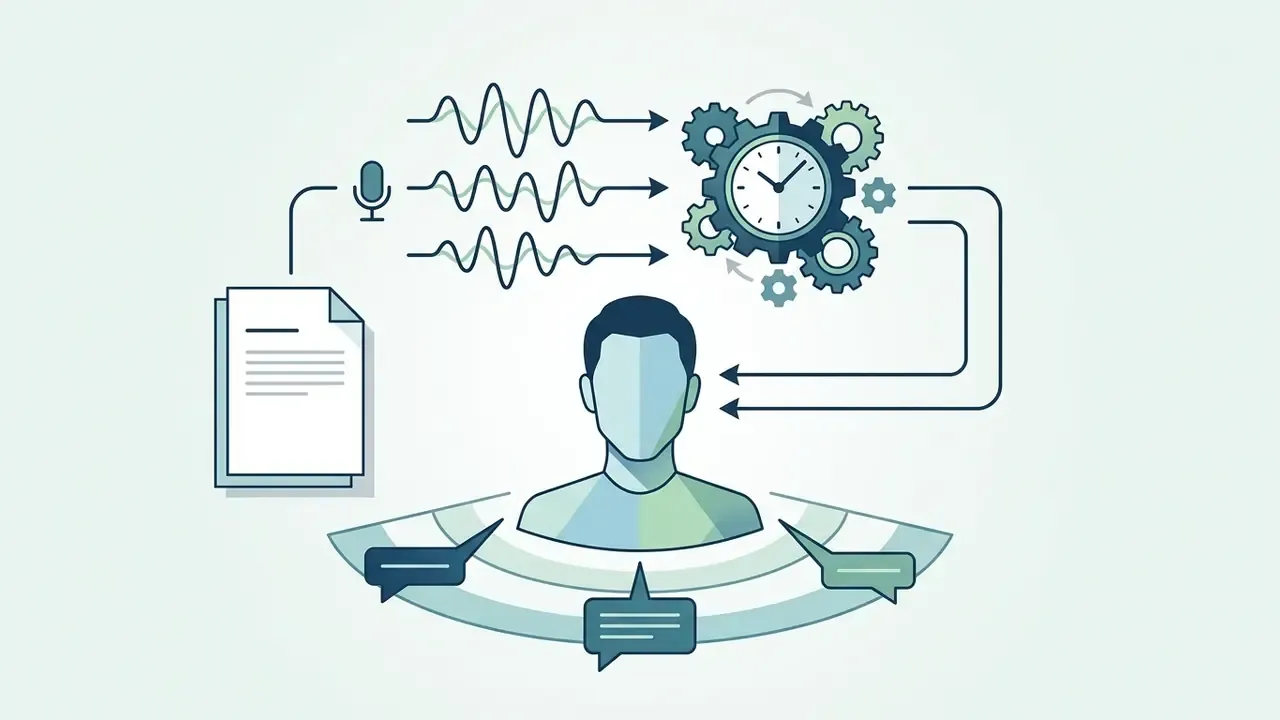
A finished clip needs synchronized audio. Contemporary online generators fold text-to-speech engines, dialogue generation, background soundtrack synthesis, and automatic subtitles into one rendering pipeline.
Per platform documentation for AI Studios and Leadde, subtitle tools transcribe generated dialogue into time-coded caption formats (.SRT, .VTT, .TXT), with support for 150+ languages and accents in document-to-video workflows. Synthetic voice engines expose accent, tone, and pacing controls, and speaker separation handles dialogue-heavy tracks. For deeper analysis of synthetic audio and commercial speech rights, see our guide to AI voice generators. Teams that storyboard scripts in slide decks first often start in a google slides ai workflow before moving the script into the video workspace.
Facial Post-Processing Polish
Talking-head engagement lives or dies on three mechanisms:
- AI Eye Contact Correction repositions the avatar's pupils to hold steady gaze alignment with the lens, fixing the eye-drift that raw diffusion layers produce. Growth teams running UGC-style ad creatives consistently cite gaze correction plus noise reduction as the line between a usable and unusable take.
- Phoneme-to-Viseme Lip Sync matches jaw movement and mouth shapes against uploaded .WAV or TTS audio, which prevents the "floppy mouth" artifact on clips up to 60 seconds.
- AI Noise Reduction strips room reverb, hiss, and background interference from reference audio before it drives animation, because a noisy waveform produces erratic mouth movement in audio-driven models.
How to Generate an AI Girl Video Step by Step
The workflow is linear, and it rewards discipline at the start rather than heroics at the export stage.
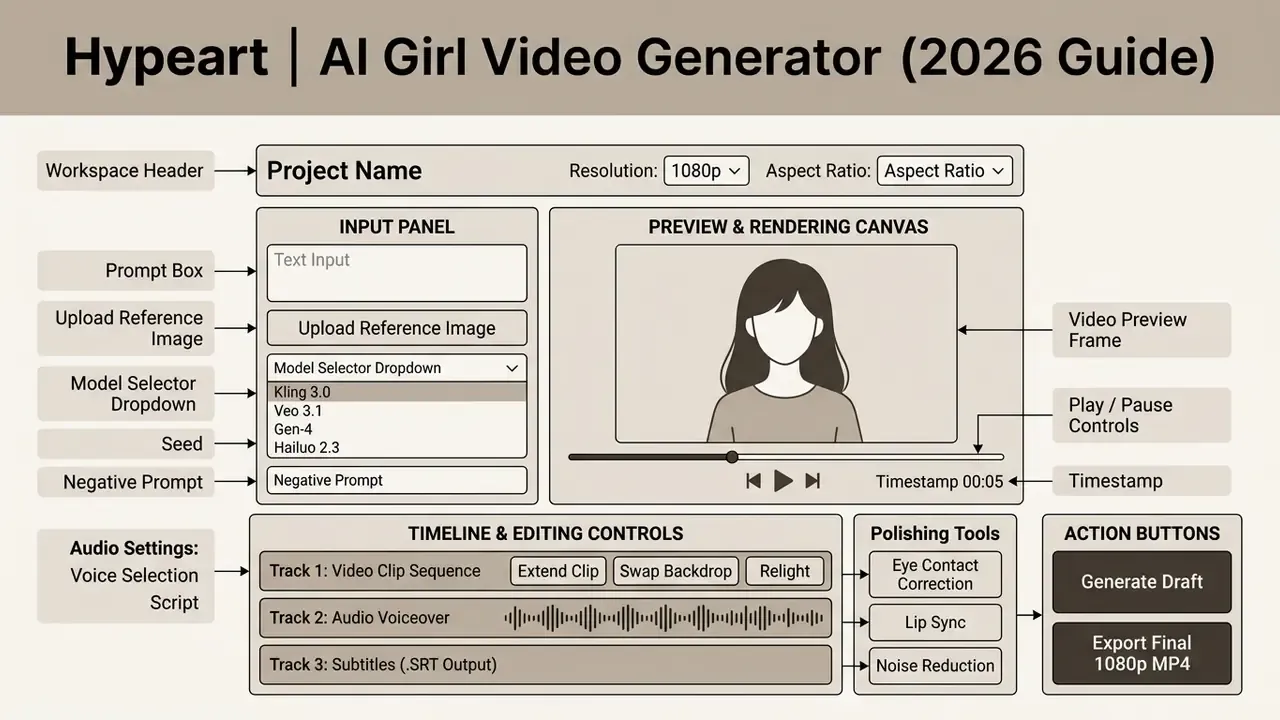
Start a Project and Choose Text, Image or Clip
Open the web-based workspace. Set orientation first: 16:9 landscape for YouTube, 9:16 vertical for mobile social feeds. Then pick the starting asset:
- Text Entry: direct text-to-video prompt rendering.
- Photo Upload: a reference face or headshot. Creators sourcing professional portraits can review our AI headshot generator guide, and teams building hero frames before animation can compare the best AI image generators.
- Video Template: a pre-configured background or avatar layout, or an existing clip for video-to-video transformation.
Name the project and record the model version before you generate anything. It mirrors standard editorial project setup (new project, name, storage location, settings) and it creates the first entry in the generation audit record described later in this guide. Boring step. Saves weeks during a review.
Write a Focused Prompt and Generate Variations
With the input set, write the structured prompt.
Run three or four variations in parallel rather than iterating one at a time. Benchmark methodology gives you a reusable selection protocol: EvalCrafter scores clips on visual quality, content quality, motion quality, and text-video alignment, while VBench applies randomized pairwise human preference comparisons to reduce order bias. Translated into an AI girl workflow, judge each variation on three things only: facial stability, motion naturalness, and prompt alignment. Then commit one take to editing.
Edit, Extend and Export the Final Video
Once you have the keeper, the timeline does the rest:
- Trim & Rearrangecut dead frames at clip boundaries to tighten pacing.
- Clip Extensionextend 5-second drafts into continuous 10- or 15-second sequences, or stitch multiple passes for 30 to 90 second cuts.
- Audio Layeringdrop in generated voiceover and ambient music.
- Export Configurationchoose resolution (1080p or 4K), frame rate (24fps or 30fps), and encoding (MP4/H.264 with AAC audio).
- Publishingexport straight to social platforms or download for channel distribution. Creators managing publishing pipelines can explore our guide on YouTube video editor workflows.
Export Presets by Destination Platform
| Target Platform | Aspect Ratio | Resolution | Optimal Duration | Recommended Frame Rate |
|---|---|---|---|---|
| TikTok / Instagram Reels / Shorts | 9:16 vertical | 1080×1920 | 5 to 15 seconds | 30 FPS |
| YouTube main feed / desktop | 16:9 widescreen | 1920×1080 (or 4K) | 30 to 60+ seconds | 24 or 30 FPS |
| Paid ad placements (Meta / Google) | 1:1 square / 9:16 | 1080×1080 / 1080×1920 | 6 to 10 seconds | 30 FPS |
Set the aspect ratio before generation instead of cropping later. Re-framing a 16:9 render into 9:16 usually slices the character's head or hands out of frame, and you pay for a full regeneration cycle. Credit math on that mistake is unforgiving; if you want to model it properly, open the hub for the estimation calculators.
Edit AI-Generated Videos With Text Prompts and Tools
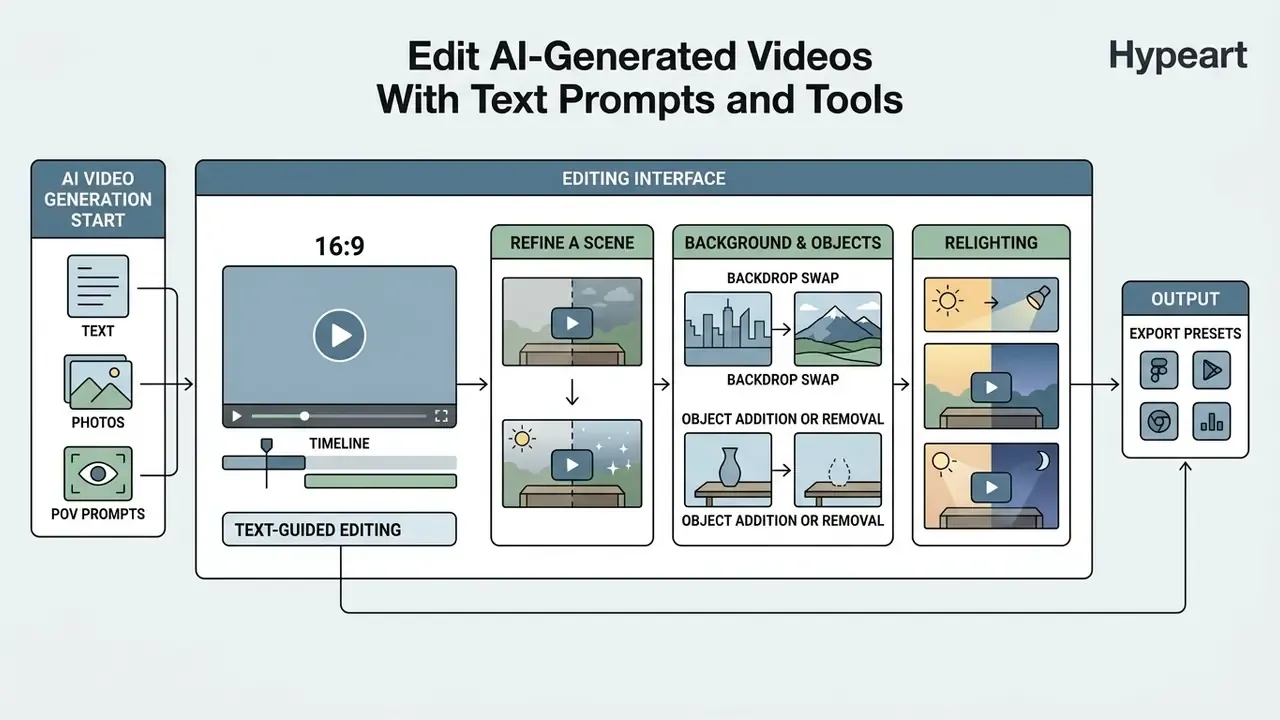
Advanced platforms now expose text-guided editing, which means you can change scene elements without rotoscoping masks or a full timeline session. For teams that still need conventional cutting and layering after the AI edits, our overview of video editing tools covers the hybrid workflow.
Refine a Scene, Background and Objects
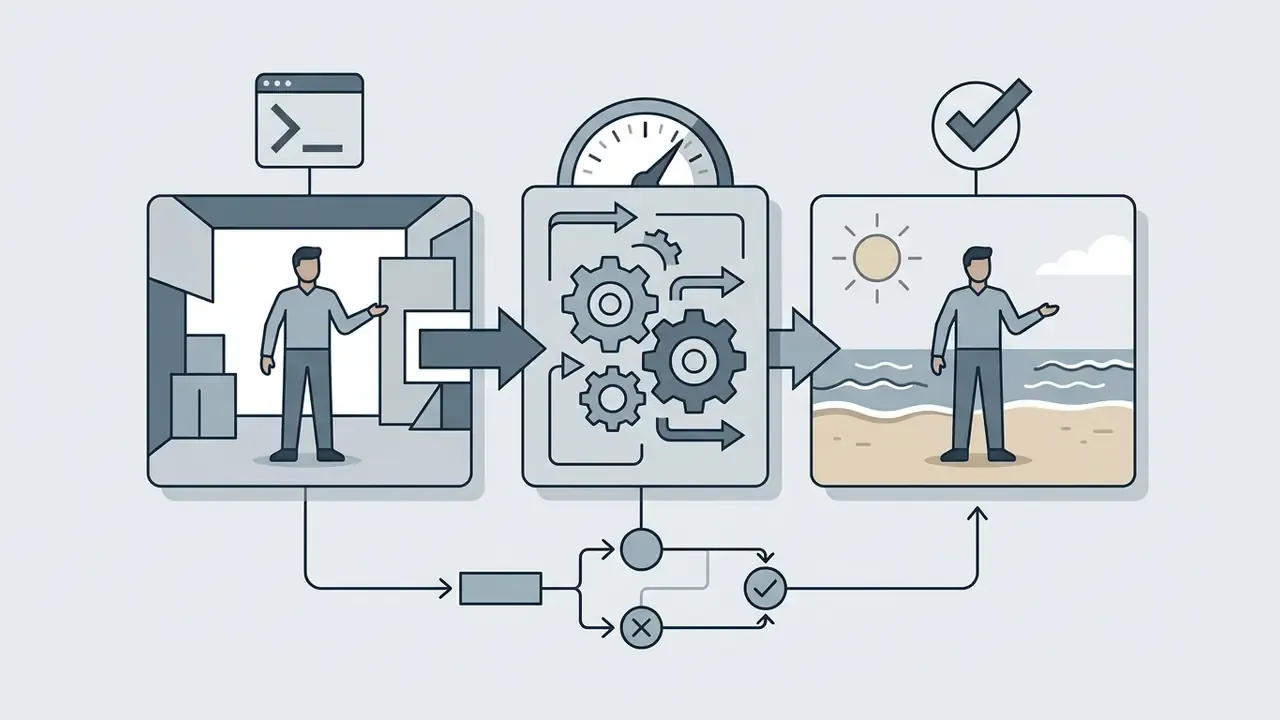
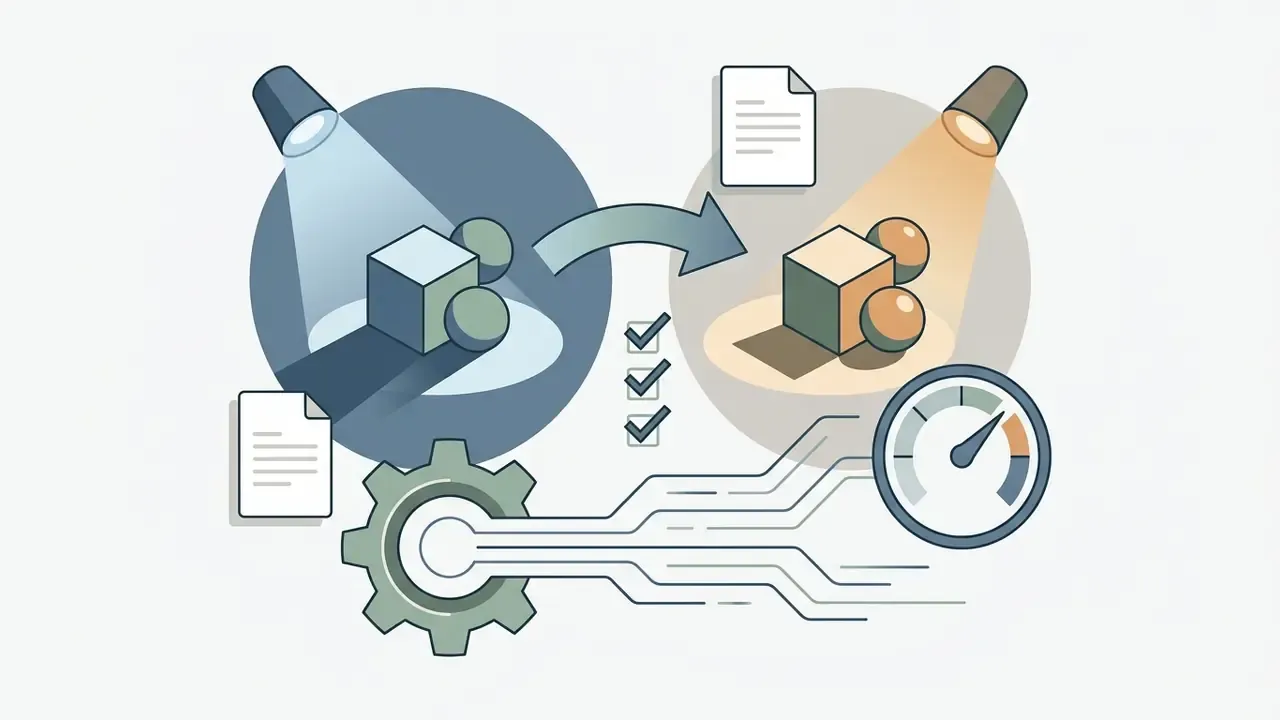
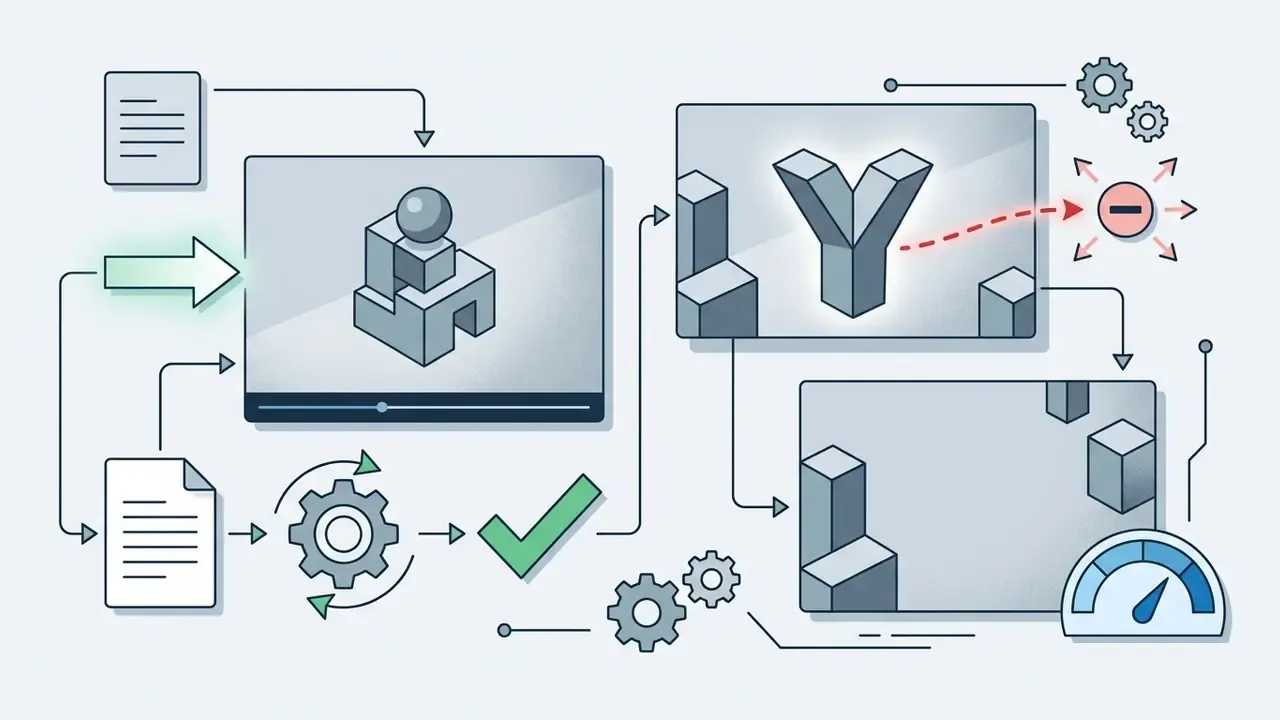
Text-guided video editing is documented in both vendor APIs and peer-reviewed work now. Vendor implementations, such as MiniMax H3 accepting a finished clip through a reference-video input, and the Stability AI API's "Replace Background And Relight" action, take natural language commands against an existing file. Academic methods supply reproducible benchmarks for the same operations.
The core operations:
"VidEdit combines an atlas-based video representation with a text-to-image diffusion model; quantitative experiments on DAVIS show superior semantic faithfulness, structure preservation, and temporal consistency."
Edit Command Example:

"Change the background behind [@Video] from an indoor room to a sunlit urban street, apply warm afternoon sunlight relighting on the subject's face, preserve skin texture and motion continuity."
These text-driven controls compress post-production because iteration happens inside the browser. Transcript-level editing, available in tools such as Google Vids, extends the same idea to dialogue: edit the spoken text like a document, and the avatar re-renders its delivery. Adjacent capabilities are worth a look too, including the google video editor toolset and the broader google ai video generator summary.
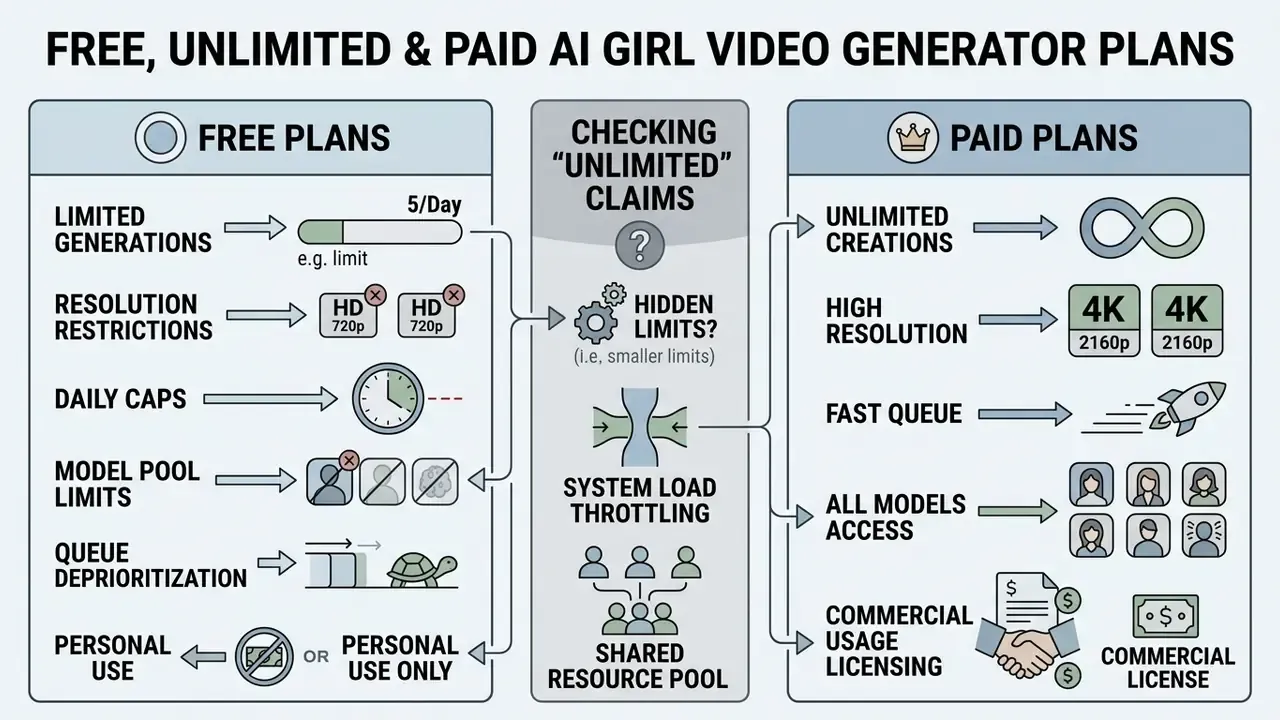
Free, Unlimited and Paid AI Girl Video Generator Plans
Pricing structures run from tightly capped free tiers to credit-based enterprise contracts.
| Tier Category | Average Cost | Typical Video Duration | Export Quality & Watermarks | Commercial Rights |
|---|---|---|---|---|
| Free Tier / Trial | $0 (one-time or monthly credits) | 5 to 10 seconds per clip | 720p maximum, mandatory watermark | Personal / non-commercial use only |
| Unlimited Mode (Fair-Use) | $15 to $30 / month | 5 to 10 seconds per clip | 480p to 720p, standard queue rendering | Varies (often non-commercial) |
| Pro Subscription | $29 to $90 / month | Up to 15 seconds per clip (60s on lip-sync models) | 1080p to 4K, priority rendering, no watermark | Full commercial use rights |
Prices and limits move quickly, so verify against the vendor's live tariff page rather than this table; our own tier breakdown is available if you see the overview.
What a Free AI Video Generator Usually Includes
Free tiers are a fine entry point for concept validation, and our breakdown of free AI video generators maps which limit bites first. Verified specifications from Kling AI, Runway, and Luma Dream Machine indicate that free access typically includes:
- Limited starter credits (for example, 66 daily credits or 125 one-time credits; Runway's 125 credits equal roughly 25 seconds of Gen-4 Turbo output and do not refresh monthly).
- A maximum clip length of 5 seconds per generation.
- Export resolution capped at 720p or lower.
- A mandatory brand watermark burned into exported frames.
To widen the comparison, consult our evaluation of the best free AI video generator services, or read our guide on free photo editor platforms for the still-image side of the same question. A related search, free ai text to video generator free tier, usually leads to the same four or five engines with different watermark placement.
How to Check "Unlimited Videos" Claims
Any ai video generator unlimited videos promise deserves a technical read-through. In practice, platforms enforce secondary constraints:
- Queue Deprioritizationunlimited generations route through standard, lower-priority queues while credit-based jobs run in priority queues, so render times swing during peak load. Higgsfield documents this standard-versus-priority routing in its own plan description (Higgsfield AI, 2026, higgsfield.ai), and Runway's Explore/Unlimited mode is described as a slower, lower-priority queue with concurrency limits.
- Resolution Restrictionsunlimited modes frequently cap exports at 480p or 720p and require credits for 1080p. Higgsfield's unlimited tier is documented at 480p/720p with no 1080p+ support, and Runway's unlimited mode is capped at 720p (Runway Help Center, 2026, help.runwayml.com).
- Daily Generation Capsfair-use ceilings apply, often 30, 40, or 60 clips per 24-hour window depending on tier.
- Model Pool Restrictions"unlimited" usually covers a subset of models and excludes flagship engines such as Veo 3.1 or Kling 3.0.
A similar caveat applies to searches for an ai video generator free 5 minute video. Five minutes of continuous synthetic footage is an editing outcome, not a single generation. You assemble it from short passes.
When a Paid Plan Is Worth Choosing
Upgrading becomes necessary the moment production shifts from personal testing to commercial publication:
- Commercial Usage Licensing paid plans grant explicit contractual rights for marketing campaigns and monetization (HeyGen Terms of Service).
- Watermark Removal clean 1080p or 4K exports suitable for broadcast and ad platforms.
- Priority Render Queue faster turnaround when the platform is busy.
- Advanced Model Access higher-tier diffusion models with tighter character persistence.
Performance Benchmarks Across Commercial Use Cases
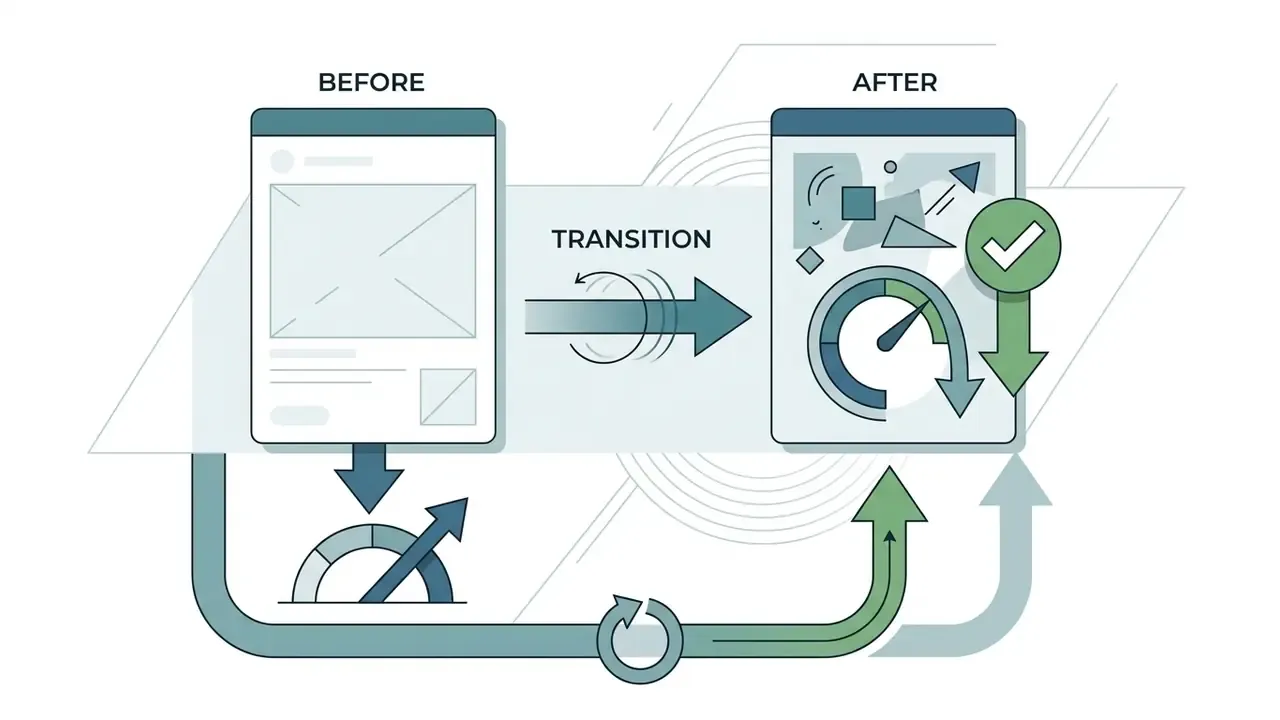
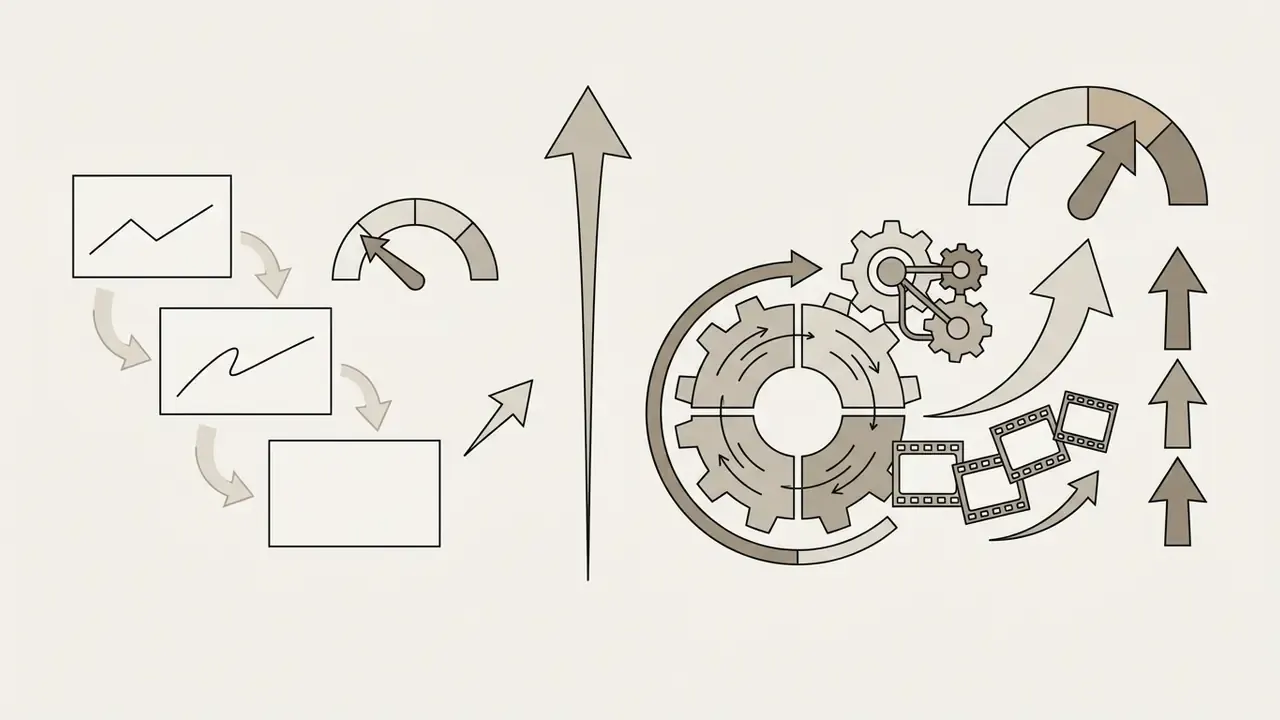
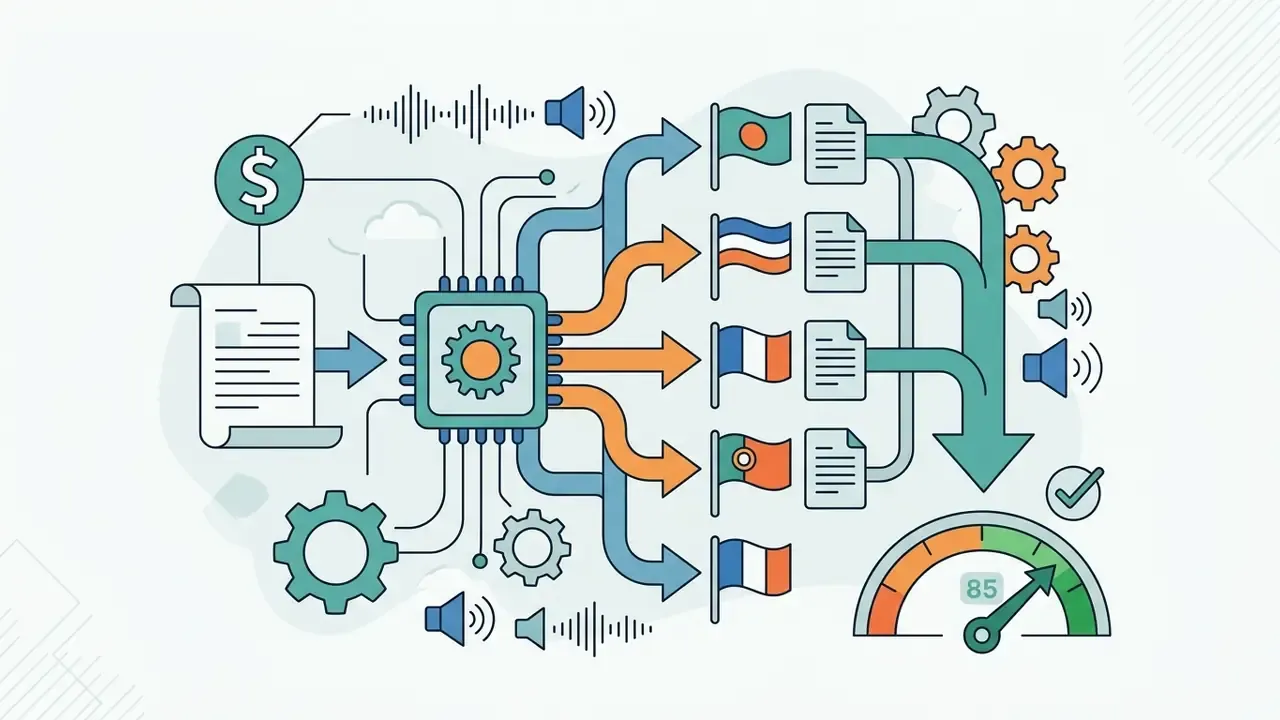
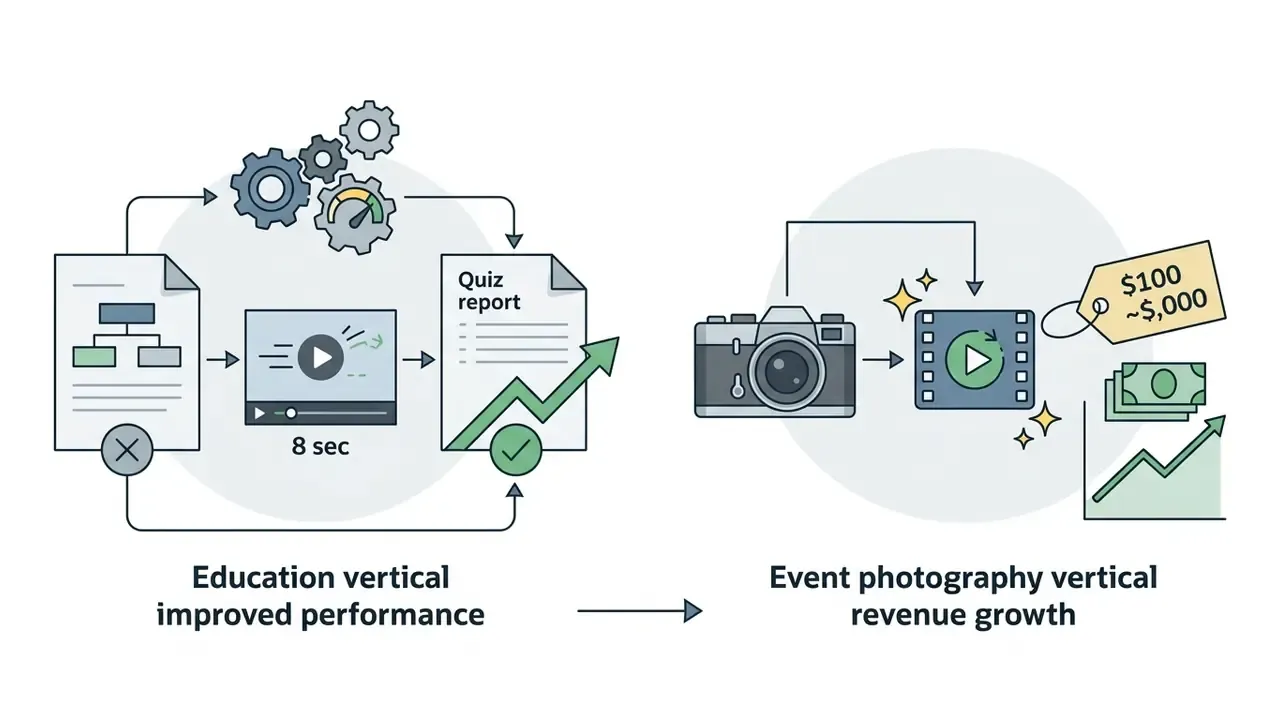
Treat all four as reported outcomes, not guarantees. Sample sizes and attribution windows are rarely published in full.
Total Cost of Ownership (TCO) Formula
Subscription price understates what a synthetic-media program actually costs. A defensible model:
TCO (monthly) =
   Subscription / credit spend
 + Overage credits for 1080p / priority renders
 + Legal review hours × blended hourly rate (likeness, licensing, labeling)
 + Human moderation & QA hours × rate (per 100 generated clips)
 + Storage & retention costs for audit artifacts
 + Risk reserve (estimated remediation cost × probability of takedown/claim)
Run this per campaign, not per seat. One non-compliant ad creative that forces a re-render, a legal response, and a paused campaign can exceed a full year of subscription spend. That is the arithmetic risk committees care about.
Commercial Use, Privacy and Safe AI Video Creation
Check Commercial Rights Before Publishing or Running Ads
Before pushing synthetic media into paid advertising or monetized channels, verify the specific platform Terms of Service. Rules differ sharply by content category.
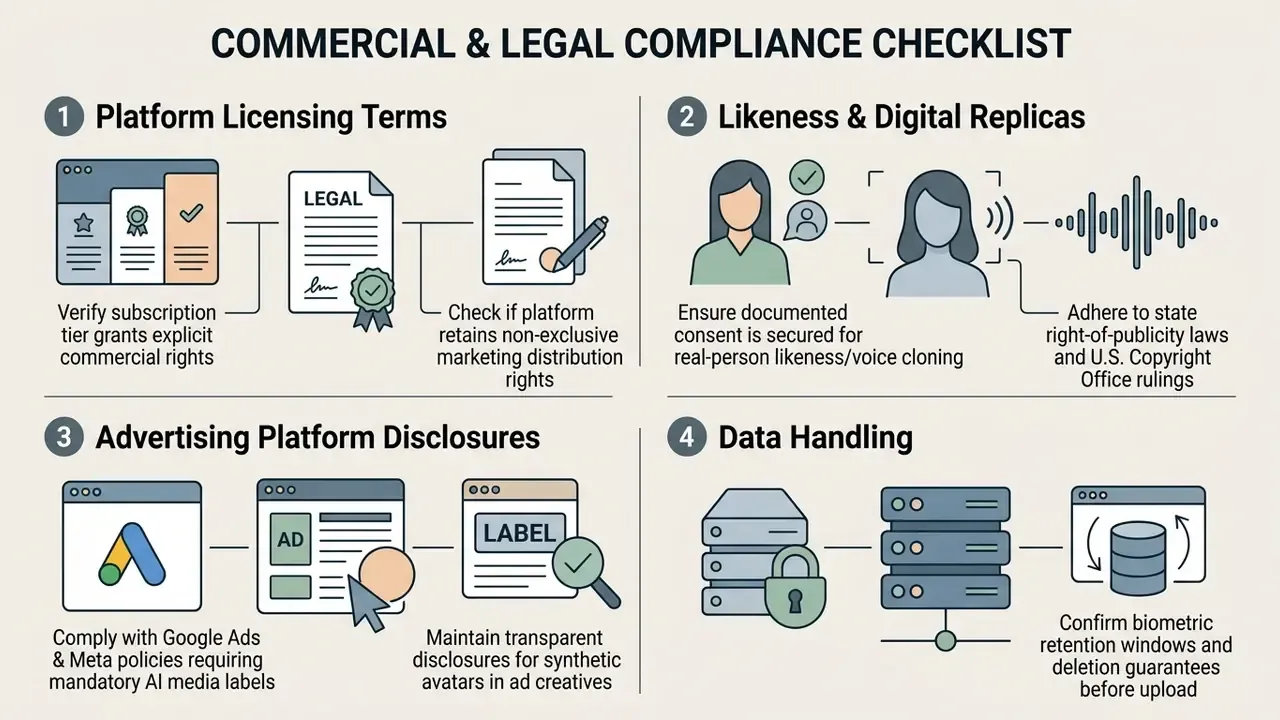
"Where AI systems generate or infer personal information, including images, this constitutes a collection of personal information and must comply with the Australian Privacy Principles."
Major ad networks, including Google Ads (July 2026 update), require explicit text or visual labels, or metadata disclaimers, on image and video creatives containing AI-generated or modified human personas. Google Ads may also apply labels automatically to certain assets. Verification tooling helps here: teams auditing inbound or outsourced creative can screen assets with AI image detectors before publication, and cross-check provenance with AI reverse-image-search tools.
Biometric Safety and Data Retention Standards
Uploading reference portraits or voice samples turns a creative tool into a biometric processor. Standard privacy frameworks enforce a 7-day to 30-day automated server wipe of user-uploaded source assets, and several consumer generators publicly commit to deleting all uploads and generated content within 7 days. Confirm that your chosen generator meets SOC 2 Type II and GDPR expectations and purges facial landmark embeddings once rendering completes. A platform that stores uploaded photos indefinitely, without explicit permission, is a compliance problem waiting for a complaint.
Pre-upload verification checklist:
NIST AI guidance points the same direction: documented consent for a person's likeness or image, plus recorded privacy protections across the AI lifecycle, is treated as a baseline expectation rather than an optional extra.
For more on commercial media licensing, visit our AI Media Commercial-Use Hub or review specific guidelines for tools such as Canva AI Generator, Microsoft AI Image Generator, and Bing AI Image Creation. Questions about a specific plan or licence usually resolve faster if you browse the hub.
Enterprise Governance, Shadow AI and Audit Trails
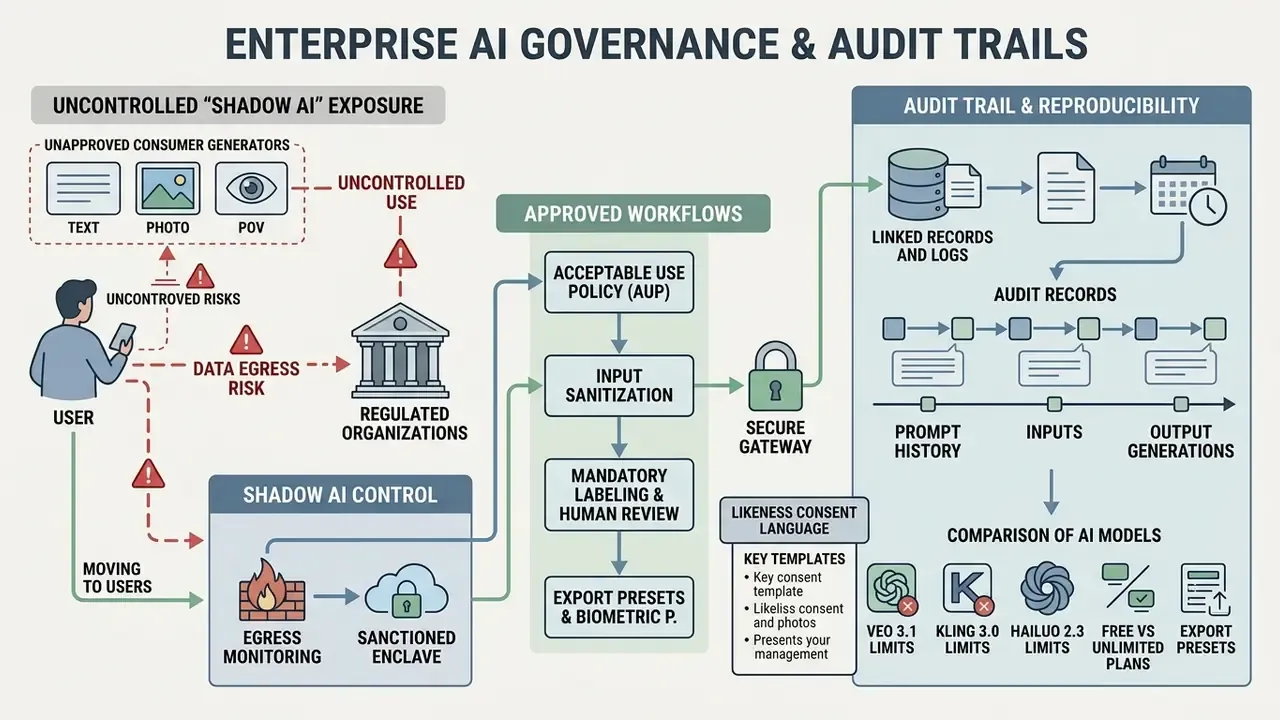
Regulated organizations, banks, insurers, healthcare providers, carry a second layer of exposure beyond copyright: uncontrolled employee use of consumer generators, and no reproducible evidence for the assets that reach the public.
Editorial view from Marcus Hale, author. A generator without seed control, prompt history, and a named owner is not a production tool. It is an unlogged decision maker." (Illustrative commentary, not the statement of a real individual or firm.)
Shadow AI Control and Data Egress Risk
The dominant enterprise failure mode is not a clumsy prompt. It is an employee uploading a customer photograph, an internal product render, or a colleague's voice memo into a free public generator at 6pm on a deadline. Controls that hold up:
- Acceptable Use Policy (AUP) list approved generators, prohibited input classes (customer PII, employee likeness, confidential imagery), and mandatory review before external publication.
- Egress monitoring network-level detection of uploads to unapproved generative endpoints, with blocking for consumer tiers that lack contractual data protections.
- Sanctioned enclave provide one contracted platform with zero-retention terms, so teams have a compliant path instead of a workaround. Prohibition without provision simply relocates the risk.
- Input sanitization require synthetic or licensed reference imagery for concepting; restrict real-person references to workflows with signed consent on file.
- Mandatory labeling and human review public-sector generative AI guidelines, for example WaTech's requirements, mandate review, fact-checking, and clear labeling of AI-generated audiovisual content in public communication. That is a defensible default for any regulated brand.
Audit Trail and Reproducibility Requirements
Model risk functions need to reconstruct how an asset was produced, months later, without the original creator in the room. Capture these artifacts per published clip and store them next to the creative:
| Artifact | Why It Matters | Where It Comes From |
|---|---|---|
| Model name + version | Establishes which engine and safety filters applied | Model selector dropdown |
| Seed value | Enables re-generation for dispute resolution | Advanced generation settings |
| Full prompt + negative prompt | Documents creative intent and exclusions | Prompt panel history |
| Reference asset hashes | Proves which portraits or voices were used | Upload log |
| Consent records | Links likeness to signed permission | Legal repository |
| Reviewer sign-off | Demonstrates human oversight | Approval workflow |
| Label/disclosure applied | Evidences ad-platform compliance | Export metadata |
Aligning these artifacts with recognized frameworks, NIST AI Risk Management Framework practices for consent and lifecycle documentation, and internal model validation standards such as SR 11-7 for versioning and reproducibility, converts an ad-hoc creative process into auditable evidence. Where a generator hides seed control or prompt history, treat that as a validation gap and confine the tool to non-public experimentation.
One caveat worth stating plainly: none of this settles the harder question of who owns residual risk when a synthetic persona is mistaken for a real endorser. The evidence base is thin, and reasonable governance teams still disagree.
Likeness Consent Language (Template Elements)
A workable likeness and voice waiver should specify, at minimum: the identified individual; the exact media types collected (photo, video, audio); the purpose and channels of use; territory and duration; whether voice cloning is included; whether the likeness may be used to train models; deletion timelines; and a clear, conspicuous consent statement with a reasonably specific description of intended use. Policy testimony on digital replicas suggests regulators examine consent granularity, not the presence of a signature.
FAQ About AI Girl Video Generators
How Long Does AI Video Generation Take?
Latency tracks model complexity, clip duration, resolution, and queue status:
- Draft 5-second clips (720p): usually 15 to 60 seconds under normal traffic.
- High-quality 8 to 10 second clips (1080p): 1.5 to 3 minutes on hosted engines such as Kling or Veo 3.1.
- Reference-heavy generations: adding video references or several reference images pushes typical times to 90 to 180 seconds.
- Peak hour latency: under heavy load, requests can take up to 6 minutes through standard queues (Google Veo 3.1 documentation, 2026, ai.google.dev). Set asynchronous API polling timeouts to at least 600,000 ms.
Do I Need to Install AI Video Creation Software?
No. No local install, no dedicated GPU. Modern AI video maker tools run as cloud applications in standard browsers (Chrome, Edge, Safari, Firefox). Rendering, model execution, and audio synthesis all happen on cloud GPU infrastructure. You need a stable connection and an HTML5-capable browser with hardware-accelerated WebGL for upload, preview, and download.
Can I Use a Real Person's Face to Create an AI Girl Video?
Only with documented consent. Using an identifiable person's photograph or voice to build a digital replica counts as collection of personal data under regimes such as the Australian Privacy Principles, and unauthorized commercial use may violate state right-of-publicity laws in the United States. Platforms offering custom avatars normally require signed consent plus a verification recording before processing.
What Clip Length Should I Target for Social Media?
Five to fifteen seconds for vertical short-form, thirty to sixty seconds or longer for horizontal YouTube, six to ten seconds for paid placements. Because most engines cap a single pass at 5 to 10 seconds (lip-sync models reach 60 seconds), longer edits get assembled by extending or stitching passes on the timeline.
Are Free Plans Enough for Commercial Publishing?
Generally no. Free tiers carry watermarks, 720p ceilings, and personal-use licensing. Commercial publication needs a paid tier that grants explicit rights, drops the watermark, and delivers the resolution ad platforms expect.
How Do I Keep the Same Character Across Multiple Clips?
Anchor every generation to the same reference image, reuse the seed value where the platform exposes it, repeat wardrobe and hair descriptions verbatim, and handle background changes as a separate editing pass instead of re-describing the character. Benchmarks show attribute drift, clothing or hair color shifting between shots, is the most common failure without those controls.
Can I Share Generated AI Videos Directly to Social Platforms?
Most browser-based generators export straight to TikTok, Instagram, YouTube, or a local MP4 download. Two things to check before you share: whether your tier permits public distribution, and whether the destination platform requires an AI-content label on the upload form. Applying the label at publication is faster than appealing a removal later.
Company Verification Notice
Appendix A: Source Notes and Superseded References
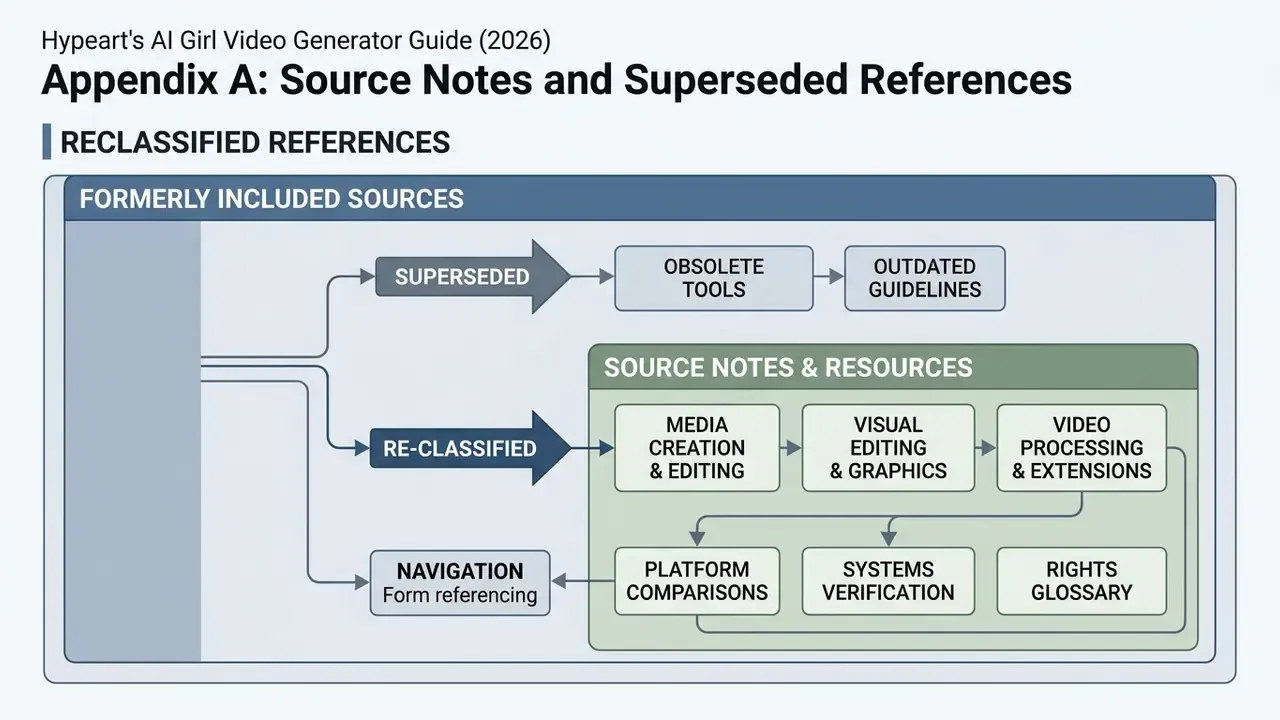
For transparency, the following references appeared in earlier revisions of this guide and have been re-classified rather than deleted:
- Adobe Firefly prompt guidance (2026) and Google Gemini video prompt documentation (2026) remain useful vendor guidance on prompt structure and cinematic lighting vocabulary, but they are product documentation, not peer-reviewed research. Claims about measurable prompt-quality gains are now attributed to Prompt Your Video Diffusion Model via Preference-Aligned LLM (preprint, 2024 to 2025).
- "Research published in ICCV 2025" was previously cited without a work title. The underlying claim now points to the named preprint above; AnyPortal (ICCV 2025) is cited separately and by name for background replacement and relighting.
- "Multi-Shot Attention Layers (arXiv, 2024)" now names the specific works: Multi-Shot Character Consistency for Text-to-Video Generation (2024) and Face Consistency Benchmark for GenAI Video (2025).
- Higgsfield AI and Runway "unlimited mode" claims are attributed to the respective vendor help pages (higgsfield.ai; help.runwayml.com) rather than unlinked citations.
- MiniMax H3 and Stability AI API editing capabilities are retained as vendor-documented product features, supplemented by the peer-reviewed VidEdit results on the DAVIS benchmark.
Additional Media Creation & Editing Resources
To explore adjacent media creation workflows, inspect our guides across the platform hub: